Repository navigation
Releases
Driftwave 1.0.0-alpha.1

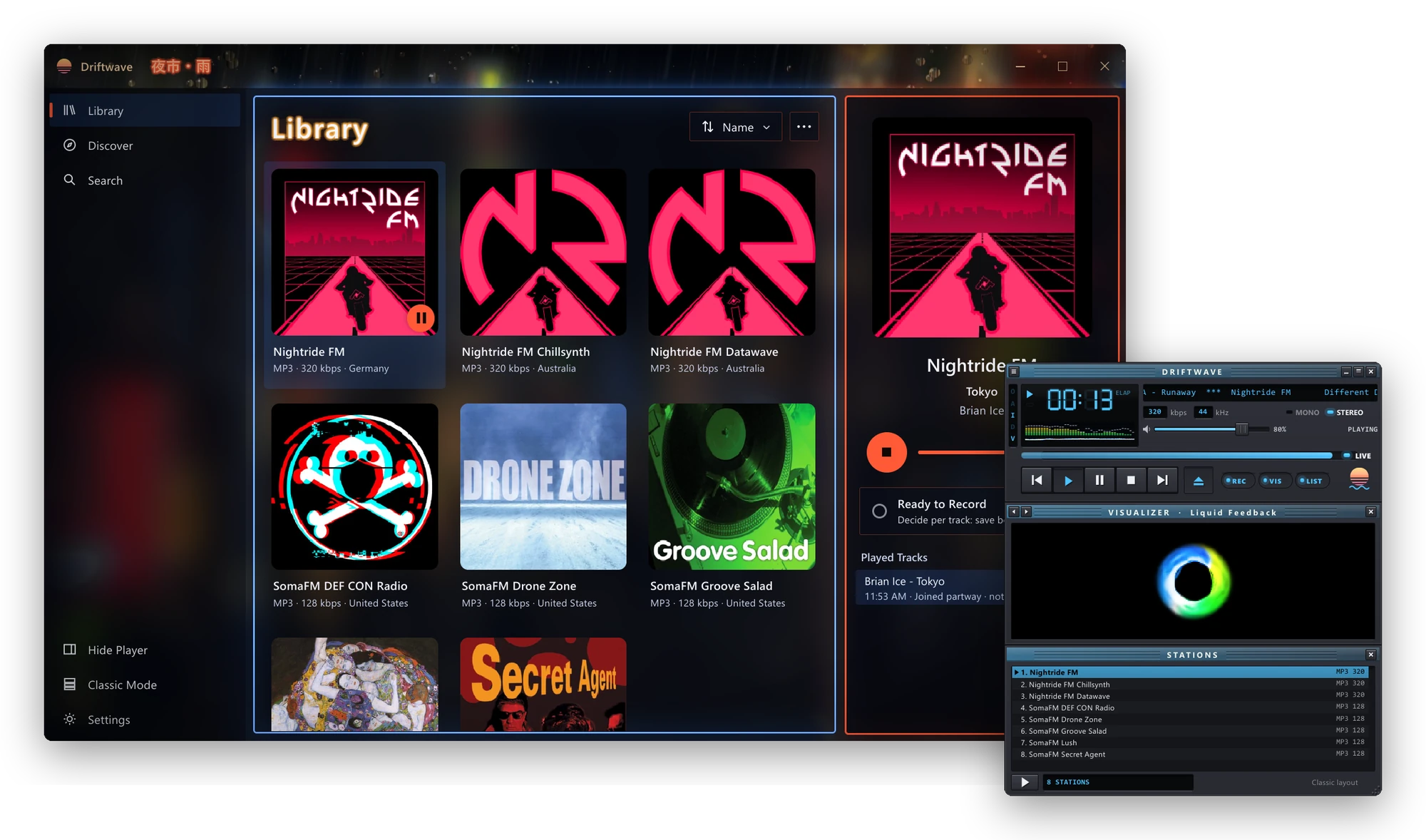
The first alpha of the new Driftwave: one small app, written in Rust, with two looks.
Install (Windows 10 and 11, 64-bit)
- Download
Driftwave-1.0.0-alpha.1-win-x64.zipbelow and unzip it. - Right-click
Install.ps1and choose Run with PowerShell.
It installs for you alone (no admin rights) into %LOCALAPPDATA%\Programs\Driftwave, with a Start menu shortcut and an
entry in Settings > Apps to uninstall it. Later versions arrive through Settings > Updates. If you used the earlier
Driftwave, your stations and settings come across on the first launch.
The Mac build will follow.
What's in it
- Full layout: your library, Discover (popular in your country, trending, random) and Search, station details,
your own stations, and the player with the songs it has played. - Classic layout: an LCD, a scrolling title, six original visualizers and a station list, in the spirit of the
late-90s players. Right-click anywhere for its menu: text sizes per part, the visualizer, the theme, windowshade
mode, and the way back to Full. Swap between the two while the music plays. - Themes: Default (light, dark, or following Windows) plus 26 built-ins, in both layouts: photo scenes with rain
on the glass and neon, era homages, a theme editor, and your own picture or GIF behind the window (GIFs that flash
are refused; nothing in Driftwave ever flashes). - Recording: save every song, decide song by song, or record nothing. MP3s keep their tags; AAC is saved as a
tagged.m4a; nothing is re-encoded. - Around the system: keeps playing in the notification area when you close the window, a notification for each
new song, the media overlay and media keys, and one copy running at a time.
It's an alpha
Expect rough edges, and please open an issue for anything that
isn't right.
Open source
Driftwave is free software under the GNU GPL, version 3 or later, and is based on
Shortwave by Felix Häcker and contributors. The source is in
this repository. Station data comes from
radio-browser.info.
The .sha256 file holds the zip's SHA-256 checksum, which the in-app updater checks.