Repository navigation
jsolee-kit 1.1: get out of the default look

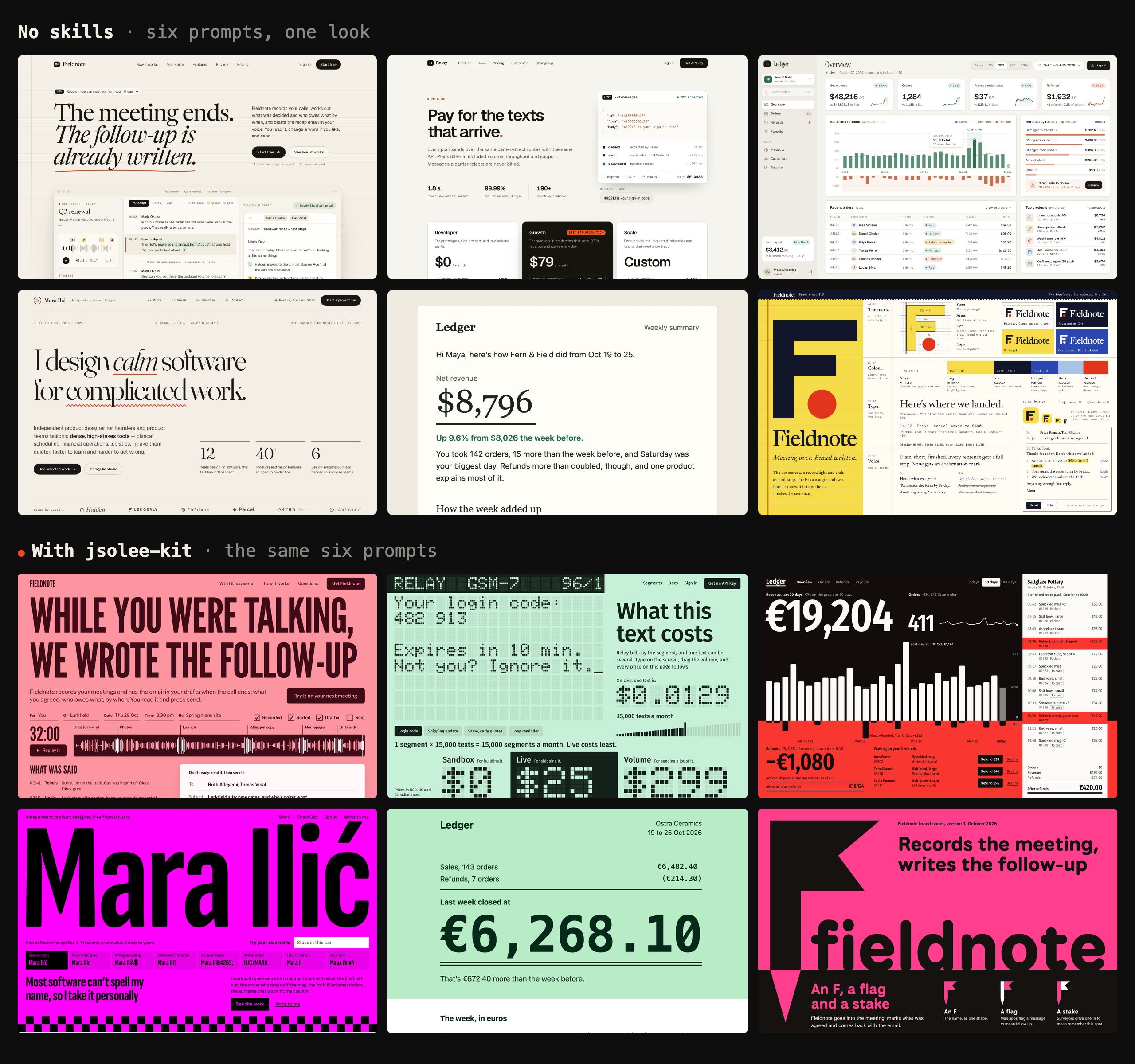
Ask Claude Code for six different things and you get one look: a warm off-white page, a serif headline with a phrase in italics, tiny mono captions, a vermilion accent, Geist. This release is about getting out of it.
The same six prompts, without and with the kit:
New
- Rules against the default look. The skill names it, down to the fonts, and asks for three directions with the first idea thrown away, one move visible from across the room, and one working thing instead of a picture of it.
- Email guide. A workflow built around Really Good Emails, plus the rules real inboxes impose. Wired to Resend's
react-email,email-best-practicesandresend. - Logo and brand guide. From a name to three ideas in black, tests at small sizes and a one-page system. Wired to
brand,design,banner-designandios-icon-gen, with four new references. - Six before/after pairs in the README, with every page in
examples/: landing, pricing, dashboard, portfolio, email, logo and brand. - A demo video, attached to this release, with sound.
- comunitat 0.4.0. The mod's labels are now in English.
The kit now points to 38 skills and 23 references.
Read this before you trust the pictures
One run per side, all published. But the rules were written after seeing these six baselines, so try your own prompt. The kit costs about 1.8× the tokens and 2.1× the time, and it's loud on purpose: the dashboard is the one I'd turn down first. The README has how it was run.
Install
npx skills add Jsolee/jsolee-kit
The skill plus the 38 skills it maps: curl -fsSL https://raw.githubusercontent.com/Jsolee/jsolee-kit/main/install.sh | bash. Read it first.
The mod: /plugin install comunitat --marketplace Jsolee/jsolee-kit