Repository navigation

ChessForge v0.5.0: Second public installer
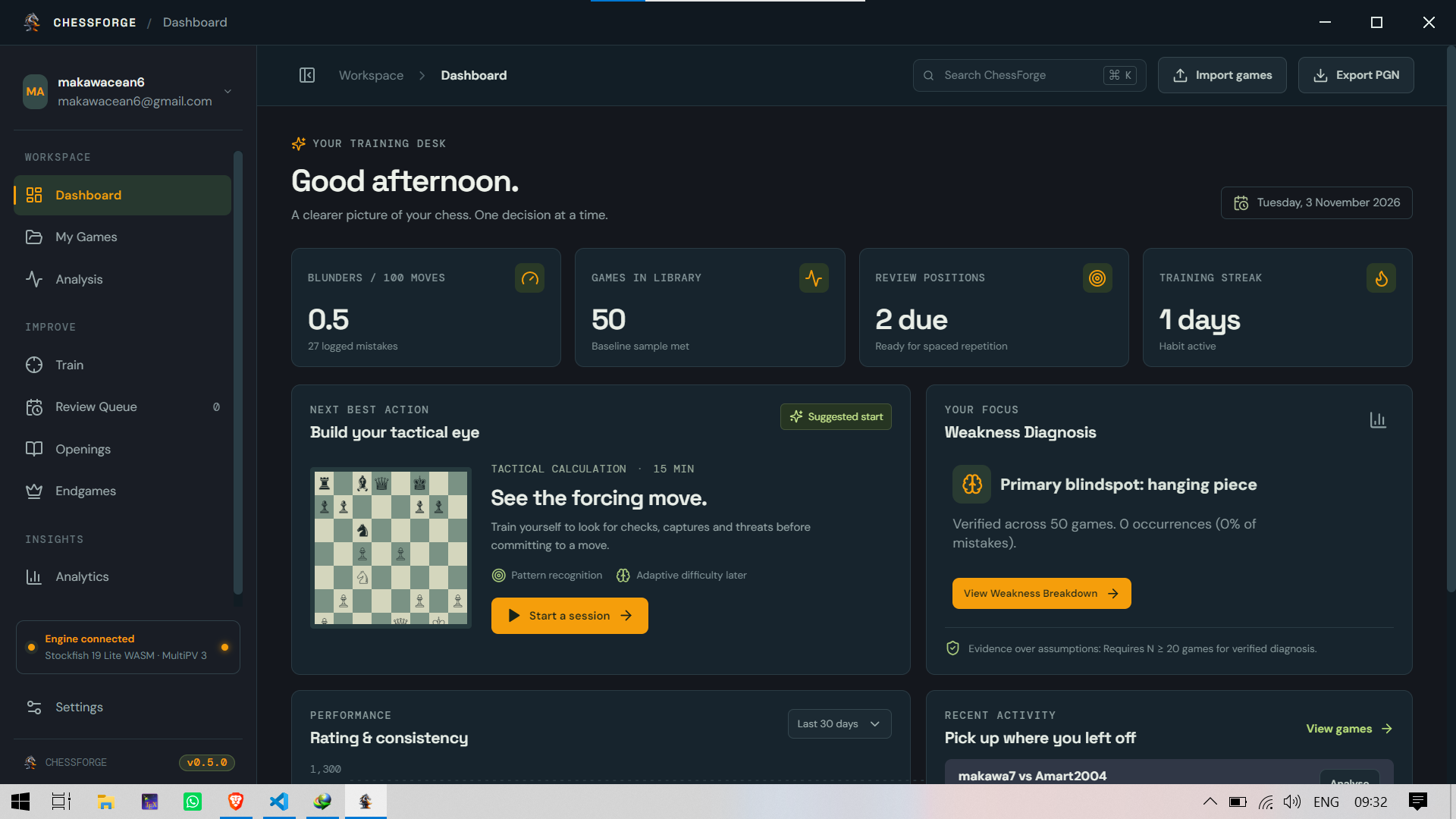
ChessForge is a chess training app. It imports your games, analyses them with
Stockfish, finds your mistakes, turns the useful ones into personal exercises,
and schedules them with spaced repetition. This is the first version you can
install on Windows without building it yourself.
Download
- Windows:
ChessForge Setup 0.4.0.exe(attached below)
Windows may show "Windows protected your PC" because the installer isn't
code-signed yet. Click More info, then Run anyway.
You can check the download against the SHA-256 checksum listed below.
What you can do
- Import games from PGN files or pasted PGN, with duplicate detection.
The original PGN is kept unchanged. - Review a game on an interactive board with a live engine evaluation,
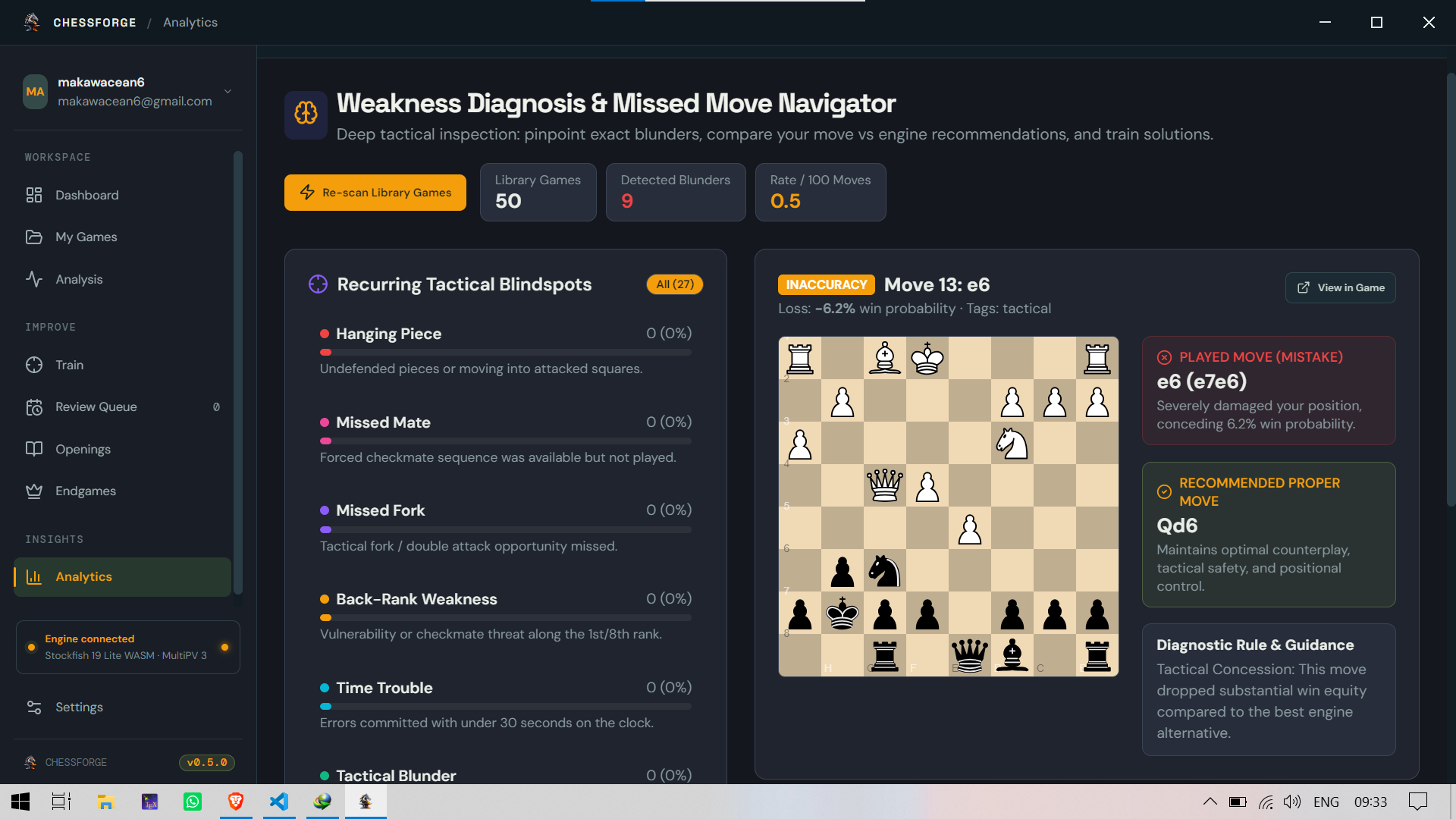
the engine's top three lines, and an evaluation graph. - Analyse a whole game with Stockfish 19 Lite running locally on your
computer (depth 12, three lines). Every move is classified as best, good,
inaccuracy, mistake or blunder, based on lost winning chances. - Get exercises from your own mistakes. Only your moves are used. Positions
that are already decided, or have no clear best move, are skipped, and at
most three exercises come from any one game. - Practise with spaced repetition. A modified SM-2 scheduler brings
exercises back at increasing intervals (10 minutes, 1 day, 3 days, then
longer). Exercises are labelled Attack, Defence or Avoid the blunder. - Fix bad exercises: flag any exercise as not useful and it leaves your queue.
- Export your data as PGN (games) or JSON (games, mistakes, exercises,
schedules and attempts). - Choose a theme and engine/training preferences in Settings.
Included in this build
- Windows installer (NSIS) with a choice of install folder, built with
electron-builder, plus app icons. - Engine reliability: the engine now reports errors instead of silently
returning made-up evaluations, and engine version labels are correct
(Stockfish 19 Lite). - Side to move is read from the position, so games from custom starting
positions are classified correctly. - Opponent mistakes are no longer counted as yours.
- Content Security Policy added to the app.
Known limitations
- Games come from PGN only. Chess.com and Lichess sync is not in this release.
- Analysis runs on your computer, so speed depends on your hardware.
- Mistake classification is based on engine evaluation and win-probability
thresholds. It doesn't explain why a move was bad. - Weakness diagnosis and trend analytics are not in this release.
- The installer is unsigned and there is no auto-update. Download new versions
manually. - Only the Windows installer is published. macOS and Linux packaging is
configured but not released. - Signing in is required, and your data is stored in your Supabase account with
a local copy on your computer.
Fair play
ChessForge is for reviewing completed games and training. It does not give
engine help during live games.
Licences
This app includes Stockfish (GPLv3) and Chessground (GPL-3.0). Source code:
https://github.com/KizioTech/ChessForge. See docs/licences.md for details.
Checksum
SHA-256: <paste output of: certutil -hashfile "ChessForge Setup 0.4.0.exe" SHA256>
Full changelog: https://github.com/KizioTech/ChessForge/blob/main/CHANGELOG.md