Repository navigation
Releases
Memorive v1.03

Memorive v1.03
Windows installer · Complete portable package · Test Console
Changes in v1.03
Research Q&A can reuse originals and converted text prepared by the memo-research Skill, read and compare sources for the current question, and return source-checked answers to the same conversation. The Skill also works independently for one paper or agent-led comparisons. The Test Console adds three languages, a review-and-results view, and shareable summaries.
This version retains the settings-save and three-part version fixes from 1.02.01. The research Skill complements question-led reading and source reuse; no low-latency or full-workflow replacement claim is made. Source integration checks and two real agent returns are recorded separately from package checks; they do not establish scientific quality, full business regression, clean-machine or online-upgrade acceptance.
Back up data and settings before upgrading with the installer or complete portable package; never manually overlay a delta ZIP. Install or fully extract the console separately. First access still requires permission in Memo; changing the console language neither changes Memo language nor restores model-call permission.
v1.03 更新内容
研究问答现可复用 memo-research Skill 的原件与转换文本,围绕当前问题读取、比较和回查引用;经过来源与范围核对的回答可回到原对话继续追问。Skill 可独立处理单篇或由 Agent 组织多篇比较。测试控制台补齐三语界面、审核与结果页面及可分享摘要。
本版保留 1.02.01 的设置保存与三级版本识别修复。研究 Skill 是按问题阅读与来源复用的补充,尚无低延迟或取代全量流程的性能结论。来源级集成检查和两轮真实 Agent 回流已有记录;发布包检查另行记录,不代表科研质量、全量业务、干净机器或在线升级全链路已验收。
升级前请备份资料与设置,使用安装器或完整便携包;不要手动覆盖增量 ZIP。控制台独立安装或完整解压,首次连接仍需在 Memo 中授权;切换控制台语言不会改变 Memo 的语言,也不会恢复模型调用许可。
v1.03 の変更点
研究Q&Aで memo-research Skill が準備した原本と変換テキストを再利用し、現在の質問に沿った読解・比較・引用確認を行えます。出典と範囲を確認した回答を元の会話へ戻し、追加質問を続けられます。Skill単体の読解やAgentによる複数文献の比較にも対応。テストコンソールには三言語、レビュー・結果画面、共有用要約を追加しました。
1.02.01の設定保存と三段階版番号の修正を継承します。研究Skillは質問に沿った読解と出典再利用を補助するもので、低遅延や全処理の代替性能は未確認です。ソース統合の確認と実Agentによる2回の返却を記録しています。配布物の確認は別途記録し、科学的品質・全機能・クリーン環境・オンライン更新の全経路の合格を意味しません。
更新前に資料と設定をバックアップし、インストーラーまたは完全なポータブル版を使用してください。差分ZIPを手動で上書きしないでください。コンソールは別途インストールまたは完全に展開し、初回接続はMemo側の許可が必要です。コンソールの言語変更はMemoの言語やモデル呼出し許可を変更しません。
Research Skill
Standalone memo-research Skill v0.2.0. Also bundled under integrations/skills/memo-research. The agent must support local skills; standalone PDF conversion needs the optional dependencies in scripts/requirements-pdf.txt. Memo reuse of an existing bundle does not install or require these optional agent dependencies.
Downloads and distribution
Three-language PDF, Markdown and local web guides · Corresponding application and console source · Checksums. Use the installer to run the application; GitHub Source code ZIP/TAR.GZ downloads are source archives.
Update metadata uses the existing production signing key; Windows Authenticode remains unsigned. Private settings, credentials and research data are excluded. Original code remains AGPL-3.0-only; existing artwork and third-party notices remain in force. Marker is optional, with its runtime and model weights configured separately. See the retained Marker attribution and limitations in the project page.
Unchanged third-party source collection.
Companion plugins
Obsidian · Zotero. Test Console 1.03 retains the existing installer, installation identity and permissions.
Version history
v1.02.01: settings-save and version-parsing fixes.
v1.02: discovery, AI Updates, custom CLI, multilingual output, archiving and signed updates.
v1.01: document processing and research Q&A.
Memorive v1.02.01
Memorive v1.02.01
A maintenance release for the Windows research workspace.
Download the Windows installer
Complete portable package · Three-language guides · Checksums
What changes in v1.02.01
Feature updates: v1.01 → v1.02
v1.02 expanded the research workflow with claim-support and numerical checks, reusable research knowledge, answer styles, retry branches and version switching. Conversations unopened for 30 days can be archived, with lighter list loading and progress tied to actual task nodes.
Literature discovery separates recent progress from closely related papers, deduplicates results and saves bibliographic details and source links. Home and AI Updates provide research entry points and source-linked reports. Custom CLI connections and Chinese, English and Japanese interfaces and generated content are supported; original materials and saved answers retain their language. Parsing preserves more source-location information. Three-language installation, update checks and signed file-level update downloads were added.
Fixes: v1.02 → v1.02.01
Fixes stale saved directories blocking model changes and one failed setting skipping independent saves. Improves settings import; new shortcut names are limited to 20 characters while existing longer names are retained.
v1.02.01 is a maintenance release of v1.02. For the first upgrade from v1.01 or v1.02, back up your data and use this installer or the complete portable package: the old updater does not recognize three-part versions. Do not manually overlay a delta ZIP. This release adds three-part version recognition for subsequent in-app updates.
17 targeted settings/import checks passed on the unchanged repair code. This release also updates version parsing and rebuilds the installer; 19 targeted checks of native version ordering and executable version resources passed. Full regression, native settings-save UI acceptance and an end-to-end online upgrade were not rerun. The Test Console and companions keep their existing versions.
v1.02.01 的更新内容
功能更新:v1.01 → v1.02
v1.02 完善了主张支持性与数值核查、研究知识复用、回答风格、重试分支和版本切换。30 天未打开的问答可以归档,列表先加载必要信息,任务进度对应实际处理节点。
文献发现区分最新进展与高度相关文献,统一查重并保存题录和来源链接;首页与 AI 近况提供研究入口和带来源的报告。新增自定义 CLI 接入,界面与生成内容支持中、英、日三语,原始文献和已有回答保持原语言。解析保留更完整的来源位置,并加入三语安装、检查更新与签名验证的文件级增量下载。
本次修复:v1.02 → v1.02.01
修复失效的已保存目录阻断模型保存,以及一个设置失败跳过其他设置的问题。改进旧设置导入;快捷入口新名称最多20个字符,保留既有长名称。
v1.02.01 是 v1.02 的小修复版本。首次从 v1.01 或 v1.02 升级时,请备份数据并使用本版安装器或完整便携包;旧更新器不识别三级版本号。不要将增量 ZIP 手动覆盖到安装目录。本版加入三级版本识别,供后续修复使用应用内更新。
原修复代码的 17 项设置与导入定向检查通过,本版另补三级版本识别并重建安装器,原生版本排序与 EXE 版本资源的 19 项定向检查通过;没有重跑全量实验,也未完成新 EXE 界面保存和线上升级全过程验收。测试控制台及配套插件沿用既有版本。
v1.02.01 の更新内容
機能の更新:v1.01 → v1.02
v1.02 では主張の裏付けと数値の確認、研究知識の再利用、回答スタイル、再試行の分岐、版の切り替えを改善しました。30日間開かれていない会話をアーカイブでき、一覧は必要な情報から読み込み、進捗は実際の処理ノードに対応します。
文献探索は最新の進展と関連性の高い文献を分け、重複を処理し、書誌情報と出典リンクを保存します。ホームと AI 近況に研究への入口と出典付きレポートを用意しました。カスタム CLI 接続、中国語・英語・日本語の画面と生成内容に対応し、原資料と保存済み回答の言語は保持します。解析の出典位置情報を充実させ、3言語のインストール、更新確認、署名検証付きファイル単位の差分ダウンロードを追加しました。
今回の修正:v1.02 → v1.02.01
保存済みの無効なディレクトリによってモデル変更が保存できない問題と、一つの設定エラーで他の保存が中断される問題を修正。設定の取り込みを改善し、新しいショートカット名は20文字までとします。既存の長い名前は保持します。
v1.02.01 は v1.02 の修正版です。v1.01 または v1.02 から初めて更新する際は、データをバックアップし、本版のインストーラーまたは完全なポータブル版を使用してください。旧アップデーターは3段の版番号を認識しません。差分 ZIP を手動で上書きしないでください。本版は今後のアプリ内更新に向けて3段の版番号に対応します。
変更のない修正コードについて、設定・取り込みの17項目の確認が成功しました。本版では版番号の解析を追加し、インストーラーを再構築しました。ネイティブの版番号比較と EXE のバージョンリソースの19項目の確認も成功しました。全回帰テスト、新 EXE の設定保存画面、オンライン更新の全経路は再検証していません。Test Console と連携ツールの版は変更しません。
Acknowledgements / 致谢 / 謝辞
The document-structure work draws on Marker by Datalab, particularly document blocks and preservation of table and layout structure. Thank you to its authors and contributors. Memorive also offers optional local Marker parsing; its runtime and model weights must be configured separately, under their own licenses.
文献结构化解析参考了 Datalab 的 Marker 项目,尤其是文档分块与表格、版面结构保留的思路。感谢项目作者及贡献者。Memorive 也提供可选的 Marker 本地解析接入;运行环境与模型权重需另行配置,并遵循各自许可。
文献の構造解析では、Datalab の Marker、特に文書のブロック分割と表・レイアウト構造を保持する考え方を参考にしました。作者と貢献者の皆様に感謝します。Memorive は任意のローカル Marker 解析にも対応しています。実行環境とモデルの重みは別途用意し、それぞれのライセンスに従ってください。
Distribution and rights
The updater metadata is signed with the existing production key. Windows Authenticode remains unsigned. No user credentials, settings, conversations or papers are included. Original code remains AGPL-3.0-only; separate artwork and third-party notices remain in force. OCR and research output still require human review. Unchanged third-party source collection.
Feedback
GitHub Issues · Project email. Do not include API keys or private research materials.
Companion plugins
Obsidian · Zotero · Independently versioned Test Console.
Version history
v1.02 added discovery, AI Updates, custom CLI, multilingual output, archiving and update support.
v1.01 introduced the document-processing and research-Q&A workspace.
Memorive v1.02
Memorive v1.02
A Windows research workspace for reading materials, checking evidence and keeping research records you can revisit.
⬇ Download Memorive for Windows
Windows 10 22H2 / Windows 11 · x64 · installer about 205 MB
Portable application · Three-language documentation · Checksums
What changes in v1.02
-
Research and verification: claim-support and numerical checks, research knowledge updates, answer styles, retry branches and version switching. Conversations unopened for 30 days can be archived, with lighter list loading and progress based on actual task nodes.
-
Literature discovery: separate recent progress from highly related papers, handle duplicates, and save titles, DOI, source links, available abstracts and recommendation reasons. You add full texts yourself.
-
Home and AI Updates: research shortcuts and source-linked AI reports, with configurable models and language-aware prompts.
-
Connections and languages: custom CLI connections and Chinese, English and Japanese interfaces and generated content. Original documents and saved answer versions retain their language.
-
Parsing and maintenance: stronger source-location tracking, three-language installation, update checks and file-level delta downloads. Production update metadata is signed; the application and installer still have no Windows Authenticode certificate.
For your first upgrade from v1.01, use the v1.02 installer. v1.01 does not contain the new updater. Back up your data before upgrading. The separately distributed Test Console and companion downloads remain v1.01; this release does not relabel them or claim a new console compatibility test.
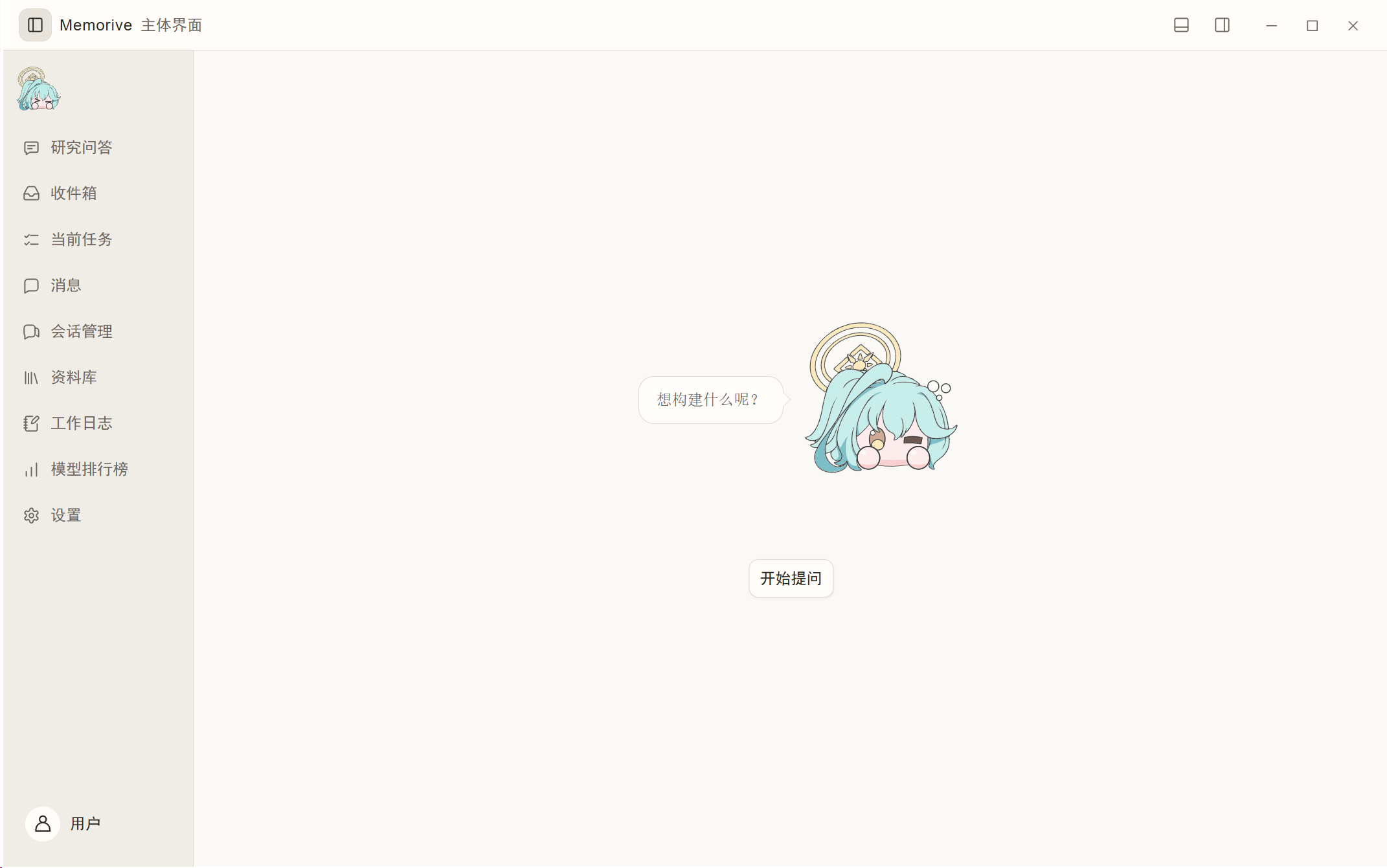
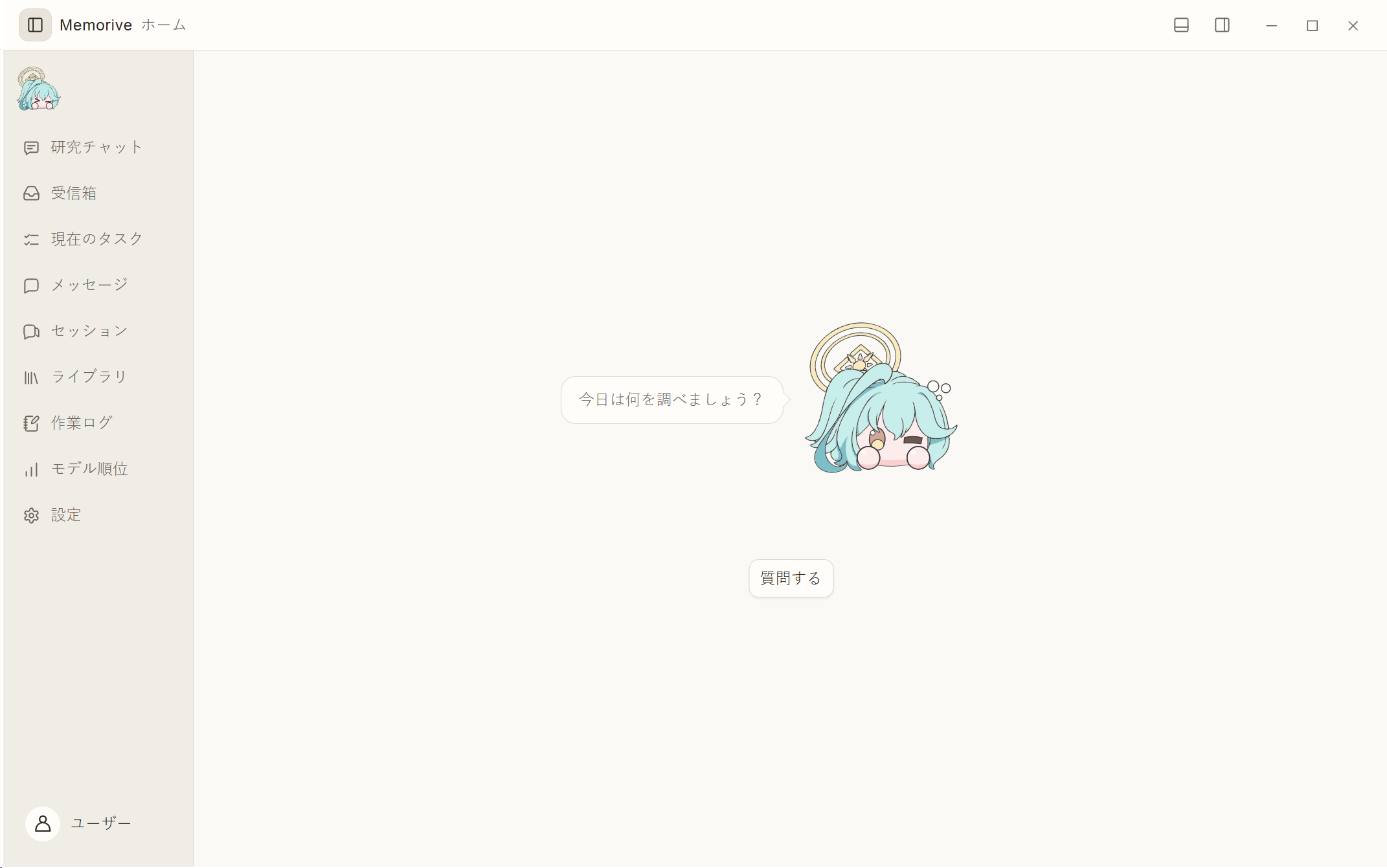
Home at a glance
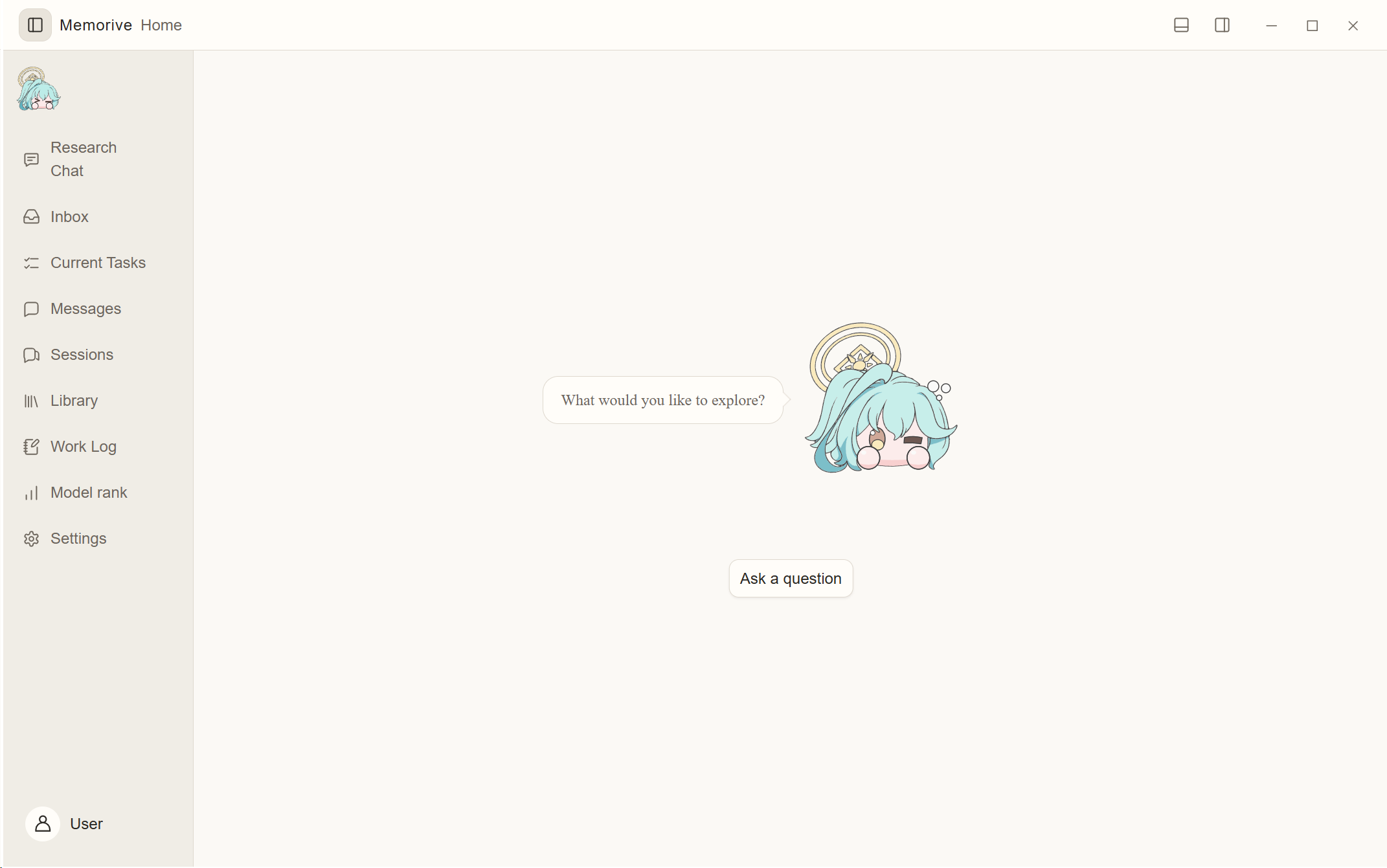
Original application screenshots: 中文主页 · 日本語ホーム画面.
Choosing an asset
-
Setup EXE: recommended for normal installation and the first upgrade from v1.01. Back up your data first.
-
Portable ZIP: extract the whole directory; the EXE alone is insufficient.
-
Documentation ZIP: Chinese, English and Japanese PDF/Markdown guides and local pages, also included in the application.
-
Desktop source ZIP: exact corresponding desktop source for this release. The explicitly named Memorive-1.02-desktop-source.zip asset contains the desktop build source and its source manifest. The v1.02 tagged repository also includes the unchanged, independently versioned Test Console and companion sources; their existing downloads remain under v1.01.
-
Third-party source ZIP: dependency source collection and index for development and redistribution; not required for normal use.
-
full/from update ZIPs, target manifest, update JSON/signature and public PEM: updater/release-verification assets, not installers. The delta is tied to an exact base inventory; the updater chooses the appropriate package. Do not manually overlay these archives on your installation.
Verification and boundaries
The production public key is embedded in the normal update helper. Exact-byte signature verification, rejection of altered metadata, source identities and package hashes were checked. Private signing material is not distributed. This does not provide a Windows Authenticode certificate, and a fresh end-to-end online update application test is not claimed here. The final preparation did not repeat the full application regression suite; earlier evidence is retained within its original scope. OCR, research answers and citation support still require human review.
Materials and settings are stored locally; configured cloud models and external discovery send relevant requests to selected services. You supply your own model access. No maintainer credentials, private papers, conversations or signing secrets are included.
Original code remains AGPL-3.0-only. The maintainer's preference for personal learning, research and non-commercial use adds no restriction to that license. Existing third-party, privacy and artwork notices remain unchanged. Memorive is an unofficial project, unaffiliated with Nexon, Nexon Games or Yostar; character artwork has separate rights notices. Project-specific code was developed with OpenAI Codex and Anthropic Claude Code; third-party components retain their own authorship.
中文
Memorive 是用于阅读材料、核对证据和积累研究记录的 Windows 桌面工作区。
下载 v1.02 安装器 · 完整便携包 · 三语文档
本版完善了引用与数值核查、研究知识、回答风格和重试分支、版本切换、30 天未打开问答归档与加载、真实节点进度、文献发现与查重、首页和 AI 近况、自定义 CLI、多语言生成及结构化来源跟踪。文献发现保存题录、DOI、链接、可获得的摘要和推荐理由,全文仍由用户手动添加;原始文献和已保存回答保持原有语言。
新增三语安装、检查更新与文件级增量下载,生产公钥已绑定,更新索引已签名。v1.01 首次升级仍需使用 v1.02 安装器,请先备份数据。独立测试控制台和配套插件仍沿用 v1.01,没有被改称 v1.02。程序和安装器仍无 Windows Authenticode 证书;请校验 SHA256。本轮未重跑全量实验,也未将线上应用更新全过程写成已验证。科研输出仍需人工核对,许可、素材和隐私边界不变。
日本語
Memorive は資料を読み、根拠を確認し、再利用できる研究記録を蓄積する Windows デスクトップ環境です。
v1.02 インストーラー · ポータブル版 · 3 言語の文書
本版では引用・数値の確認、研究知識、回答スタイルと再試行の分岐、版の切り替え、30 日間開かれていない会話のアーカイブと読み込み、実際の処理に基づく進捗、文献探索と重複処理、ホームと AI 近況、カスタム CLI、多言語生成、構造化された出典追跡を改善しました。文献探索では書誌情報・DOI・リンク・取得できた要旨・推薦理由を保存し、全文は手動で追加します。原文と保存済み回答は元の言語を保持します。
3 言語のインストール、更新確認、ファイル単位の差分ダウンロードに対応し、正式配布用公開鍵と署名済み更新インデックスを用意しました。v1.01 からの最初の更新には v1.02 インストーラーを使用してください。事前にデータをバックアップしてください。独立した Test Console と連携ツールは v1.01 のままです。Windows Authenticode 証明書はないため SHA256 を確認してください。今回、全回帰テストは再実行しておらず、オンライン更新適用の全経路を新たに検証したとはしていません。研究結果は人による確認が必要で、ライセンス・素材・プライバシーの範囲は変わりません。
Release identity
Corresponding repository commit: 94826fb7d1453d3d68085f90ae0e0cb1fe9782c3.
Installer SHA256: 4ef254d1c65b531ef3c8c97939e34ef4fd4ef38f954b7f982d1e27b951a3418d. The release checksums bind all named distribution assets.
Feedback and contact / 反馈与联系 / お問い合わせ
GitHub Issues — usage questions, bugs and feature ideas / 使用问题、错误与功能建议 / 使い方・不具合・機能の提案。
kuchinashiyume01@Gmail.com — private feedback, security or artwork-rights questions / 私密反馈、安全或素材权利问题 / 非公開の連絡・セキュリティ・素材の権利について。
Please omit API keys and private research content. 请勿附带 API 密钥或私人研究内容。API キーや個人の研究内容は送らないでください。
Companion plugins / 配套插件 / 連携ツール
Obsidian companion · Zotero companion · Separately versioned Test Console
Version history / 历史版本简述 / 過去のバージョン
v1.01 introduced the document-processing and research-Q&A workspace, source-linked records and optional companion tools. 它建立了文献处理、研究问答与来源记录的基础工作流。文献処理・研究 Q&A・出典付き記録を中心とする最初の公開版です。
Memorive v1.01
Memorive v1.01
A Windows research workspace that turns papers, web pages, and conversations into research records you can verify and reuse.
English guide · 中文 · 日本語
⬇ Download Memorive for Windows
v1.01 · Windows 10 22H2 / Windows 11 · x64 · about 190 MB
First time here? Choose the main app installer above. It installs Memorive; plugins and the Test Console are optional extras.
What should I download?
| What you need | Download | When to choose it |
|---|---|---|
| Memorive — recommended | Memorive-Setup-1.01-x64.exe | The main desktop app. Start here for reading papers, research Q&A, and conversation management. |
| Verify your download | SHA256SUMS.txt | A small text file of checksums; use it to check that your downloaded file is intact. |
| Obsidian companion — optional | Memorive-Obsidian-Companion.zip | Connect notes from your Obsidian vault. Requires Obsidian and Memorive. |
| Zotero companion — optional | Memorive-Zotero-Companion.xpi | Connect Zotero items and annotations. Requires Zotero and Memorive. |
| Test Console — optional installer | Memorive-Test-Console-Setup-1.01-x64.exe | For users who want to modify, test, or diagnose Memorive. Choose this for an installed console. |
| Test Console — portable alternative | Memorive-Test-Console-Portable-1.01-x64.zip | For the same testing tool without installation. Extract the whole ZIP; guides and notices are included. Choose this OR the console installer. |
| Test Console — executable only | Memorive-Test-Console.exe | For advanced use when you already have the guide and notices. The installer or portable ZIP is easier to start with. |
| Project source — developers | Memorive-1.01-source.zip | Source for the application, companions, and console. Read or build the code; this is not a ready-to-run app. |
| Third-party source — developers / redistribution | Memorive-1.01-third-party-sources.zip | Corresponding source and index for bundled dependencies (about 592 MB). Not needed to install or use Memorive. |
GitHub also adds Source code (zip) and Source code (tar.gz) automatically. These are source snapshots, not Windows installers. For normal use, choose Memorive-Setup-1.01-x64.exe.
What you can do
- Process documents: retain original files, create literature cards and analysis reports, and inspect workflow progress and failures.
- Ask research questions and verify citations: work with one paper or compare several, search project materials, and return to the cited text, page, and version.
- Manage and refine conversations: organize local or imported chats while retaining roles, order, sources, and capture completeness.
- Read the web: import supported pages and conversations through the browser companion.
- Choose model services: configure API providers, compatible endpoints, supported CLI tools, or local models, and map models to workflow steps.
- Compare models and track usage: inspect published rankings, prices, and sources; distinguish actual, estimated, and unknown costs.
- Improve Memorive yourself: modify and build the open-source application, then use the optional Test Console to reproduce issues and check changes in temporary sessions.
The application includes Chinese, English, and Japanese interfaces and documentation. This release makes English the default GitHub presentation; it does not change application language preferences.
Install and get started
- Download Memorive-Setup-1.01-x64.exe and SHA256SUMS.txt. Verify the installer's checksum.
- Run it on Windows 10 22H2 or later, or Windows 11, x64. The System Check step identifies missing prerequisites and provides the corresponding Microsoft links: .NET Framework 4.8, WebView2 Runtime, or Visual C++ v14 x64.
- Choose application and data directories. The distribution starts with clean user data and contains no maintainer credentials, private papers, conversations, or test-run results.
- Open Settings → Model Services & API, configure one supported connection, verify it, and assign models to workflow steps.
- Start with one familiar paper. Process it, ask a question, open each citation, and check the original before saving conclusions.
Read the illustrated guide inside Settings → About & Version → User Guide, or use the English text guide.
Optional companions
- Obsidian: install the contents of
Memorive-Obsidian-Companion.zipin your vault's plugin directory, then enable and configure it. Guide. - Zotero: install
Memorive-Zotero-Companion.xpiusing Zotero's add-on manager and configure the local Memorive connection. The same guide describes setup and supported operations. - Test Console: use its installer or extract its portable ZIP, which includes instructions and license notices. Start with the reference self-test, then connect your
Memorive.exeand grant access inside the temporary application instance. Guide.
The console does not edit code. Tests apply to the selected executable, configuration, and scenarios. Reference simulations do not establish that the real application's workflows or model answers are correct. Real model calls require separate permission and may incur charges.
Verification and limitations
- The console source passed 111 tests, with one skipped because symbolic links were unavailable on the test host. Its installed package passed 24 lifecycle and packaging checks and the reference safe suite 29/29.
- The current application package passed isolated host installation, companion transport checks, a console handshake exposing 15 operations, cleanup, and uninstall. The console remained behind the application's access gate; these checks made no model calls.
- Seven naming and privacy review rounds were completed for the integrated distribution; the final two were clean. The English presentation update received separate documentation and artifact checks.
- Earlier two-paper processing, conversation refinement, research Q&A, citation verification, and interface checks are described in the application verification record. They were not rerun for this documentation-only update. See the console verification scope.
research.qa.simulateis available only in the console's reference peer. It is not implemented by the current application.- Offline fixture vectors use
fixture-hash-vector-v2; older fixture vectors must be regenerated. This does not automatically migrate personal libraries or change provider-backed embeddings.
The application and installers are unsigned. Model services require your own configuration. Upstream ranking sources may rate-limit requests. Verify model answers, citations, and estimated costs yourself. Automatic updates are not enabled; install updates manually. No new VM or complete application GUI acceptance is claimed here.
Source and checksums
Source commit: b968c0309253c036ad5eb5ea2b1ee9540f679c50. The source archive matches that commit's file tree.
Main installer SHA256: e4dc3a52040de27d2afab9b50e34672fbe32705a16bf18aaa96c7fbef18c04e4.
Development, licenses, and artwork
Memorive is an AI-developed project. Project-specific code was generated, modified, and iterated by OpenAI Codex and Anthropic Claude Code. The project initiator defined requirements and product design and carried out testing and acceptance. Third-party components retain their own authorship and licenses.
Original code uses AGPL-3.0-only. The maintainer encourages personal learning, research, and non-commercial use; this preference adds no restriction to the code license.
Character artwork is covered by separate notices: application artwork and console icon, licenses, and privacy. The console icon credits its original illustrator, GRADIUS / X @Riza2201, and is not described as the project's AI-original artwork. Attribution is not a claim of independent redistribution authorization....