Repository navigation
Releases
v0.4.0 — Bilingual UI and engineering

Fourteen commits since v0.3.0: a fully bilingual UI, correct English plurals, client sources split into fragments, and the test suite grown from 39 to 82 checks. The engine (lib/ledger.js) and the host routes (index.js) are untouched, so the data model and cache format are unchanged and upgrading needs no cleanup of ~/.dsh/doc-ledger-*.
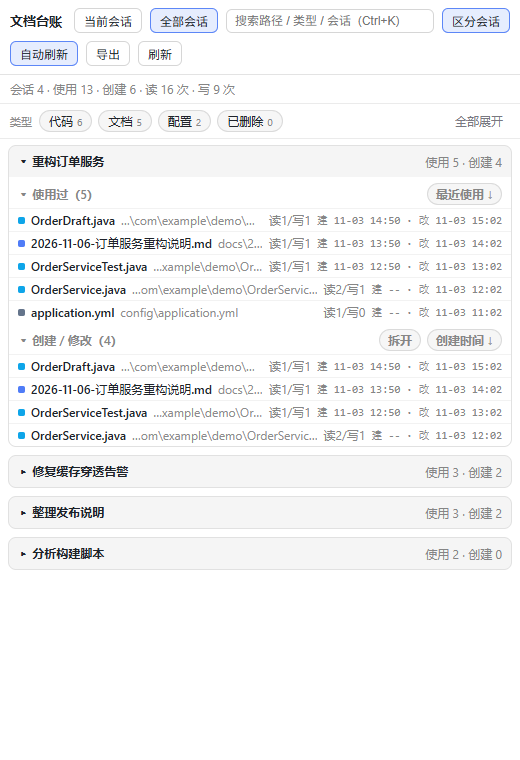
Fully bilingual UI (zh / en)
- Every string in the panel now lives in the dictionary: 159 keys with matching Chinese and English, covering buttons, menus, empty states, toasts, the filter row, export, the preview dialog, and every
aria-labelandtitle(previously only 3 keys existed, so an English UI still showed Chinese text). - Combination sentences are no longer glued from Chinese fragments; each is one full sentence with
{placeholders}, so English word order is free. - Correct English plurals:
Intl.PluralRulespicks the_one/_otherdictionary variant, giving1 file/2 files; Chinese uses the same value for both forms, so its behaviour is unchanged. - Evaluation-time tables (category names, sort-key labels) now store keys and resolve at render time — otherwise switching language would freeze the Chinese in place.
- Before
apply()installs the host translator the dictionary falls back to Chinese, so a rawa.b.ckey is never shown to the user.
Client sources split into fragments
client.jsis split into 15 named fragments undersrc/client/, andtools/build-client.mjsconcatenates them in a fixed order with no bundler. The artifact is byte-for-byte identical before and after the split (same SHA256, no new dependencies).- Why not real modules: the host loads a client plugin as one
factoryclosure whoserequireinjectsreactand nothing else, so relative imports are not guaranteed. The split is for readability and testability only. - CI gained
npm run check:client, which fails when the committed artifact drifts from the sources — no more "edited the source, forgot to rebuild".
Tests grew from 39 to 82
- +32 client pure-function assertions:
node:vmevaluates the real source fragments (not a copy of the logic), covering AND search, seven sort keys, cross-session merging, formatting, highlight range merging anddsh-resource://address construction. - +159 dictionary keys verified: zh/en key sets match, no empty values or TODOs, every
t()reference resolves, no dead entries, and placeholder sets agree. - +7 bilingual README checks: both editions have the same section count and order, link to each other, the English one carries no Chinese, and all in-page anchors resolve.
npm testis now 82 checks, still with zero external dependencies.
Documentation
- A fully bilingual README:
README.md(English, the default) andREADME.zh.md(Chinese), cross-linked at the top. - One shared skeleton for "Traps we hit" in both editions: host API contracts / runtime and platform / front-end rendering / caching, tests and other — each entry written as symptom → cause → fix.
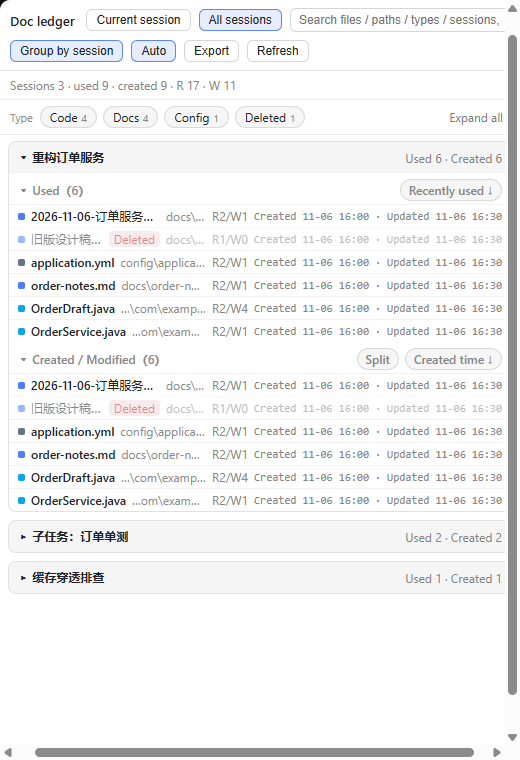
windowsHideandELECTRON_RUN_AS_NODEstill link to the detailed reproductions in the body. docs/i18n.mdrewritten to describe what shipped;docs/i18n-plan.mdkept as the design record;tools/i18n-extract.mjscan recompute any remaining hard-coded strings (only the command-palette search aliases are left).- Added an English UI screenshot,
docs/en-overview.png.
Install / upgrade
"dsh-doc-ledger": "github:LuoShanHui/dsh-doc-ledger#v0.4.0"node <runtime>/dependencies/pnpm/bin/pnpm.mjs install `
--config.store-dir=<pnpm-store> `
--config.confirmModulesPurge=falseAlso on npm: "dsh-doc-ledger": "0.4.0". Reload the page afterwards (the client bundle has to be re-injected).
Compatibility
- DSH
>=0.2.0-rc.1 <0.3.0-0; Node>=18; verified on Windows only. - The UI language follows the host's
locale; when the host has nolocale.getLocale(), plurals fall back to the Chinese rule (one form for every count). - Two host capabilities remain optional and degrade silently:
uiWorkspace.openSessionandsidebarRight.openResource.
Known limitations
- Plurals use two forms (
_one/_other) and do not cover languages needingfew/many(Russian, Polish…). The dictionary structure already allows them; only the translations are missing. - The documentation (this release note, the CHANGELOG, the design records under
docs/) is still mostly Chinese; the README is the one fully bilingual document. - Everything else is in the README's Known limitations.
Tests
npm test          # 82 checks: engine 7 + decoder 10 + routes/security 14 + cache 8 + client 36 + i18n + README 7
npm run harness   # local UI verification page; add ?locale=en for the English UI
The full change history is in CHANGELOG.md.
v0.3.0 — 交互与键盘可用性
自 v0.2.0 起的 10 个提交,全部是面板交互、键盘可用性、性能与工程化;数据模型与缓存格式没有变化,升级不需要清 ~/.dsh/doc-ledger-*。
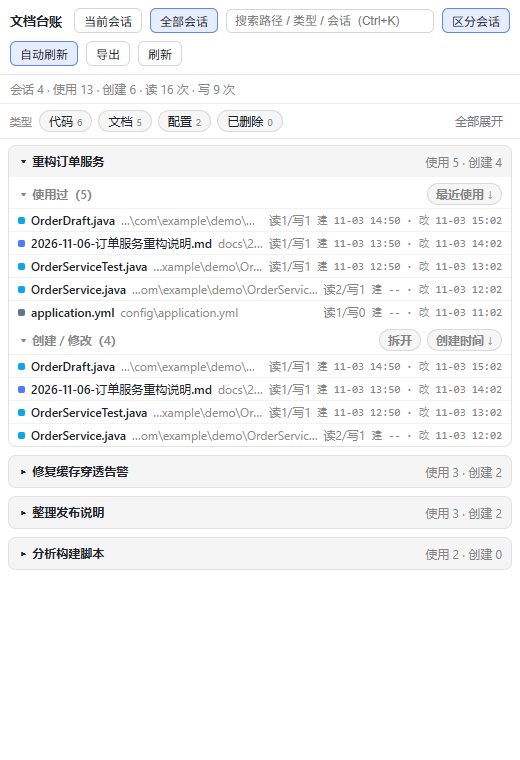
新增
- 搜索支持多词 AND:空格分隔的每个词都必须命中;各词独立高亮、重叠区间合并(
ord+order只标一层),无结果时提示同时列出所有词。 - 子代理血缘跳转:会话 payload 新增
parentSessionId,子会话卡片菜单多「跳到父会话:<标题>」,父会话卡片列出已加载的子会话(最多 5 个)。 - 行列表 roving tabindex:每张卡只有一行可 Tab 到,卡内
↑/↓/Home/End逐行走;40 张卡展开时 Tab 停靠点从 400+ 降到 40。 - 窄窗口适配:面板宽度 < 640 px 时快速查看弹窗的分裂按钮只保留程序图标(文字进
title/aria-label),文件名不再被挤成三四个字。 - 快速查看弹窗底部路径可点击复制。
- 「全部展开」按 8 张一批分任务:40 张卡从「2 个 85 ms 长任务(共 ~170 ms 阻塞)」变成「5 个短任务、总计 78 ms、无 >50 ms 任务」,首批 16 张在 10–30 ms 内出现;展开中按钮变「全部折叠」,点一下即中断。
- live 会话重放下限(15 s):静默轮询在 15 秒内复用上一次折叠结果,
force=1(刷新按钮)与timing=1仍然全量重放。 - 私密漏洞报告:启用 Private vulnerability reporting,并加了自定义表单
.github/VULNERABILITY_REPORT.yml(强制填插件/DSH/Windows 版本、复现步骤 ≥100 字、影响面)。
工程化
- 新增 39 项回归(
npm test,零依赖):引擎 7 + 解码 10 + 宿主路由/安全 14(同源 403、台账白名单、/api/openPOST-only、400/404/405、未知路由 404)+ 缓存决策 8(精确 stamp / TTL 回退 / live 重放下限)。 - UI harness 固化进仓库:
npm run harness起一个假 cordis + 合成台账的本地页面,跑真实client.js,不再需要登录 GUI。 - CI:Node 18 / 20 / 22 矩阵跑语法检查 + 全部回归;
actions/checkout、actions/setup-node升到 v7(dependabot 自动 PR)。 - 仓库工程件:
CHANGELOG.md、SECURITY.md、issue 表单、dependabot.yml、.editorconfig、.gitattributes(LF 归一化)。 - 商店素材:
docs/awesome-plugin-entry.yml、docs/icon-512.png(位图,列表拒收 SVG)、docs/social-preview.png(1280×640)、screenshots.json。
安装 / 升级
已有安装改成固定新版本即可(~/.dsh/profiles/<profile>/package.json):
"dsh-doc-ledger": "github:LuoShanHui/dsh-doc-ledger#v0.3.0"node <runtime>/dependencies/pnpm/bin/pnpm.mjs install `
--config.store-dir=<pnpm-store> `
--config.confirmModulesPurge=false然后刷新页面(客户端 bundle 需要重新注入)。完整步骤见 README 的「安装(插件形态)」。
兼容性
- DSH
>=0.2.0-rc.1 <0.3.0-0;Node>=18;仅在 Windows 上验证。 - 两个宿主能力仍是可选依赖,缺失时自动降级:
uiWorkspace.openSession(无则隐藏「跳转」项)、sidebarRight.openResource(无则退回自带弹窗)。
已知限制
- 会话目录布局是隐式契约;
exists有 20 秒缓存;shell 间接产生的文件不算「创建」;混编编码是启发式;快速查看只给前 200 KB。详见 README 的「已知限制」。
测试
npm test # 引擎 7 + 解码 10 + 路由/安全 14 + 缓存 8 = 39 项,无外部依赖完整变更记录见 CHANGELOG.md。
v0.2.0 — 首个公开版本
每个会话一份文档台账:这个会话用过哪些文档、创建 / 修改了哪些,带时间排序、类型分组、搜索、跨会话汇总,以及两种预览入口。数据全部来自 DSH 自己的会话事件日志,不需要额外索引数据库。
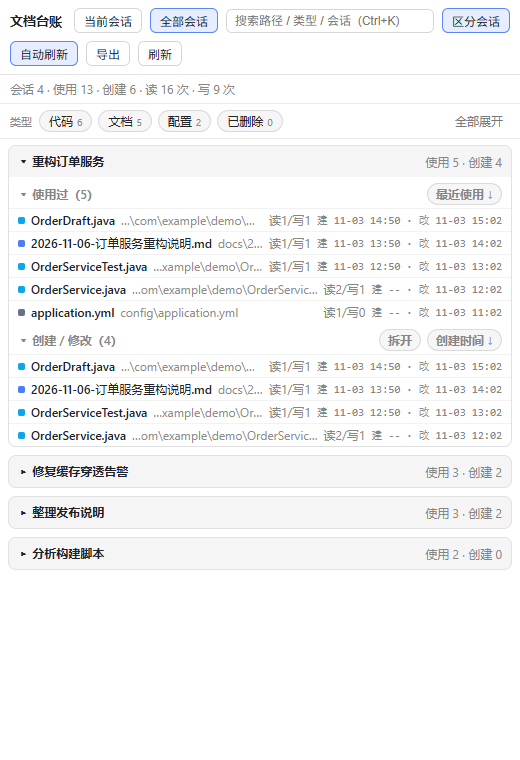
它解决什么
会话跑了很久之后,「我到底改过哪些文件」「上周那个会话看的是哪份 SQL」很难回答:日志里有 tool/call,但要一条条翻。这个插件把会话事件折叠成一张按文件聚合的清单,并按会话维度汇总。
- 右侧 Sidebar 多一个「文档台账」tab,当前会话每 8 秒静默刷新;
- 切到「全部会话」可以看到所有历史会话各自碰过什么,卡片式区分会话;
- 行内直接预览 / 打开 / 定位 / 复制路径,不用离开面板。
功能
面板
- 两种视图:当前会话(只算这一个)、全部会话(每会话一张卡片,可关掉「区分会话」合并成一张清单)。
- 类型过滤:文档 / 表格 / 演示 / 图片 / 代码 / 网页 / 配置 / 数据 / 压缩包 / 其他,按实际分布显示数量,选择会记住;旁边是「已删除 N」临时开关。
- 清除筛选:类型或「已删除」生效时出现,
✕一键复位(搜索词保留),视觉上是「动作」而不是又一个 chip。 - 搜索:文件名 / 相对路径 / 绝对路径 / 类型 / 会话标题,
Ctrl/⌘+K聚焦,150 ms 防抖,命中片段高亮。 - 排序:每个分区独立,支持最近/首次使用、读取次数、创建/更新时间、写入次数、存在状态、类型、路径;点第二次切方向。
- 拆分「创建 / 修改」:合并视图一键拆成「创建(n)」和「修改(仅改动)(m)」,互不重复。
- 每行时间:
建 11-03 14:20 · 改 11-04 09:12,跨年会带年份。 - 已删除标记:磁盘上已不存在的文件变暗 + 标「已删除」,仍能读到历史记录(20 秒
exists缓存)。 - 长清单:分区超过 100 行先显示 100 行,「显示更多」每次 +100,不再无声截断。
- 导出:复制 Markdown 表格 / CSV / 全部路径 / 摘要,范围是当前筛选后的清单。
- 自动刷新:静默轮询,
rev指纹不变时完全不重渲染;快速查看打开、面板不可见、切到「全部会话」时自动暂停。 - 状态记忆:排序、拆分、区分会话、类型过滤、会话条数上限写入
localStorage。 - 性能取舍:卡片懒挂载(滚动到附近才建行)+「全部展开」按 8 张一批分任务,避免一次提交几千个节点。
预览
- 默认交给 DSH 自带的文档预览:点行 →
ctx.sidebarRight.openResource("dsh-resource://file/session/<id>/<path>"),由宿主分发给 8 种渲染器(text/markdown/html/image/pdf/office/excel/code),所以本插件不自带 Markdown 渲染和图片查看。 - 快速查看(
Shift+回车):插件自己的弹窗,专治「只想看原文」——- 编码按 BOM → 整体 UTF-8 → 按行 UTF-8/GB18030 二选一;实测老项目导出的 GB18030 SQL 从 4845 个
�降到 0; - 正文上限 200 KB,被切断的多字节字符先削尾再判定;
- 截断 / 解析失败以独立提示行显示,不混进正文;
- 带
ETag,带If-None-Match的请求回 304。
- 编码按 BOM → 整体 UTF-8 → 按行 UTF-8/GB18030 二选一;实测老项目导出的 GB18030 SQL 从 4845 个
- 已删除的文件:宿主预览读不到字节,自动走弹窗并说明原因。
打开与定位
- 打开方式:从注册表枚举这台机器为该扩展名注册过的全部程序(
UserChoice→OpenWithProgids→OpenWithList→shell\open\command→ 去重、去失效),默认项带标记。 - 真实图标:从 exe 抽
ExtractAssociatedIcon转 32×32 PNG,文件名是sha1(exe+mtime),程序升级后自动刷新;磁盘缓存 + 内存 LRU。 - 在资源管理器中显示:
explorer.exe /select,<path>,并把窗口提到前台。 - 选择其他程序…:走 Windows 原生「打开方式」对话框。
会话导航
在「全部会话」里右键会话卡片标题:复制会话名称 / 会话 ID,或跳转到这个会话(uiWorkspace.openSession,左侧对话区直接切过去,右边栏不动)。
静态报告(可选)
node tools/report.mjs --limit 40 # 生成 report.html,双击即可看,不需要安装插件生成物含真实路径,已在 .gitignore 里。
安装
-
在
~/.dsh/profiles/<profile>/package.json的dependencies中加入:"dsh-doc-ledger": "github:LuoShanHui/dsh-doc-ledger#v0.2.0"
-
用 DSH 运行时自带的 pnpm 安装(
<runtime>换成你的运行时目录,<pnpm-store>用已有 store):node <runtime>/dependencies/pnpm/bin/pnpm.mjs install ` --config.store-dir=<pnpm-store> ` --config.confirmModulesPurge=false
-
在
~/.dsh/profiles/<profile>/cordis.patch.yml末尾追加:# dsh-doc-ledger: per-session document ledger sidebar tab - insert: - id: doc-ledger name: dsh-doc-ledger config: maxSessions: 40 debug: false
-
刷新页面(客户端 bundle 需要重新注入),右侧 Sidebar 出现「文档台账」。
验证:GET /doc-ledger/api/all?scope=all 返回 200 且有 sessions[];GET /doc-ledger/api/all?scope=current&session=<id>&timing=1 的 data.timings.total 通常 20 ms 内。
本地目录方式(想改代码时):git clone 后把依赖写成 "dsh-doc-ledger": "file:<path>/dsh-doc-ledger",其余步骤相同。
卸载:删掉那条依赖 → 用同样参数 pnpm install → 删掉 cordis.patch.yml 里的 insert 行。
兼容性
- DSH
>=0.2.0-rc.1 <0.3.0-0(package.json的dsh.compatibility.dsh)。 - Node
>=18。 - 目前只在 Windows 上验证:注册表枚举、
explorer.exe、PowerShell 抽图标都是 Windows 实现。 - 两个宿主能力是可选依赖,缺失时自动降级、不会报错:
uiWorkspace.openSession(没有就不显示「跳转」项)、sidebarRight.openResource(没有就退回插件自己的弹窗)。
性能(本机实测,34–43 会话规模)
| 手段 | 效果 |
|---|---|
?scope=current&session= 只算当前会话 |
613 KB → 19 KB,1.7 s → 15 ms |
gzip + slimFile() |
全量 613 KB → 31 KB |
3 秒快照缓存 + rev 指纹 |
重复请求/轮询 ≈ 0 成本;rev 不变时 0 次 DOM 变更 |
日志 size+mtime 指纹 + 每会话台账落盘 |
冷启动全量 8.3 s → 0.9 s,关掉的会话永不重放 |
| 「全部展开」分 8 张一批 | 170 ms 阻塞 → 78 ms,无 >50 ms 的长任务 |
| 图标批量抽取(一次 PowerShell 处理 N 个) | 6 个图标 1288 ms → 255 ms |
预览 200 KB 上限 + ETag |
大文件不爆内存,未改动时 304 |
安全模型
插件挂在回环端口,但回环不等于安全(任何网页都能向 127.0.0.1 发请求),所以宿主侧只认三条:
- 同源校验:
Sec-Fetch-Site: cross-site/same-site、外部Origin/Referer、Origin: null一律 403; - 只认台账里的路径:
/api/file、/api/open、/api/openwith只接受当前台账出现过的文件,C:\Windows\win.ini这类返回 403;/icon只接受存在的.exe/.ico/.lnk; - 启动程序必须 POST:
/api/open拒绝 GET,<img>、链接、预取都拉不起程序。
已知限制
- 会话目录布局是隐式契约:指纹来自
~/.dsh/sessions/<项目>/<会话 id>/session.v4.jsonl.zstd,布局变了会自动退回 TTL 失效(功能不受影响,只是变慢)。 - shell 间接产生的文件不算「创建」:
git diff > x.diff、PowerShell 重定向、解压这类没有路径参数的写入抓不到,只会因后续被读而出现在「使用过」。 - 整文件写入即视为创建:不读直接覆盖已存在文件时会被记为「创建」(本机用文件出生时间反查过全部 43 个会话,0 例误报)。
- 混编编码是启发式:UTF-8 文件里若恰好一行只剩单个坏字节,可能被读成「看起来正常」的 GBK;真正解不出的字节会如实标注。
- 快速查看只给前 200 KB:完整内容请用「侧边栏」或「打开」。
exists有 20 秒缓存:刚删掉的文件最多 20 秒后才显示「已删除」。
测试
npm test # 引擎 7 项断言 + 解码 10 项断言引擎(lib/ledger.js)与解码(lib/preview-text.js)都是纯函数、无依赖,回归脚本不依赖 DSH 运行环境。
反馈
Bug / 需求请开 Issue,附上 DSH 版本、平台和 /doc-ledger/api/all?scope=all&timing=1 的 timings 会快很多。
MIT License · 首个公开版本,接口跟着 DSH 走