Repository navigation

NOMROM 1.11.3 for Windows
Safer download saves, reliable pause/cancel handling, and verified extraction reuse.
This release fixes the three download issues identified during the 1.11.2 review and includes the Internet Archive sign-in repair and the Windows features added since 1.10.2.
What's fixed
- Keep your existing file if a torrent save fails. NOMROM copies and checks the replacement in a temporary folder before publishing it, with backup/rollback protection. Partial or incomplete copies preserve the old destination and verified torrent source.
- Respect pause and cancel while saving. Per-run identity checks prevent late callbacks from completing paused/cancelled work or interfering with a resumed task. Startup, shutdown, extraction and database-write races are covered by regression tests.
- Do not mistake unrelated files for extracted games. Reuse requires a matching extraction receipt and unchanged output. A similarly named document or folder cannot make NOMROM skip a download. Existing-content collision checks remain in place.
Also included
- Internet Archive email/password sign-in with a separate API-key mode, complete-session validation and clearer service/login/item-access errors.
- Explicit TorBox and Real-Debrid choices, provider-preserving retries and source recovery.
- Native Windows selective torrent transport, local Skraper imports and ROM identification.
- Account-free Libretro covers, Wikipedia/Wikidata facts, optional artwork services, five themes, grouped variants and Windows library file actions.
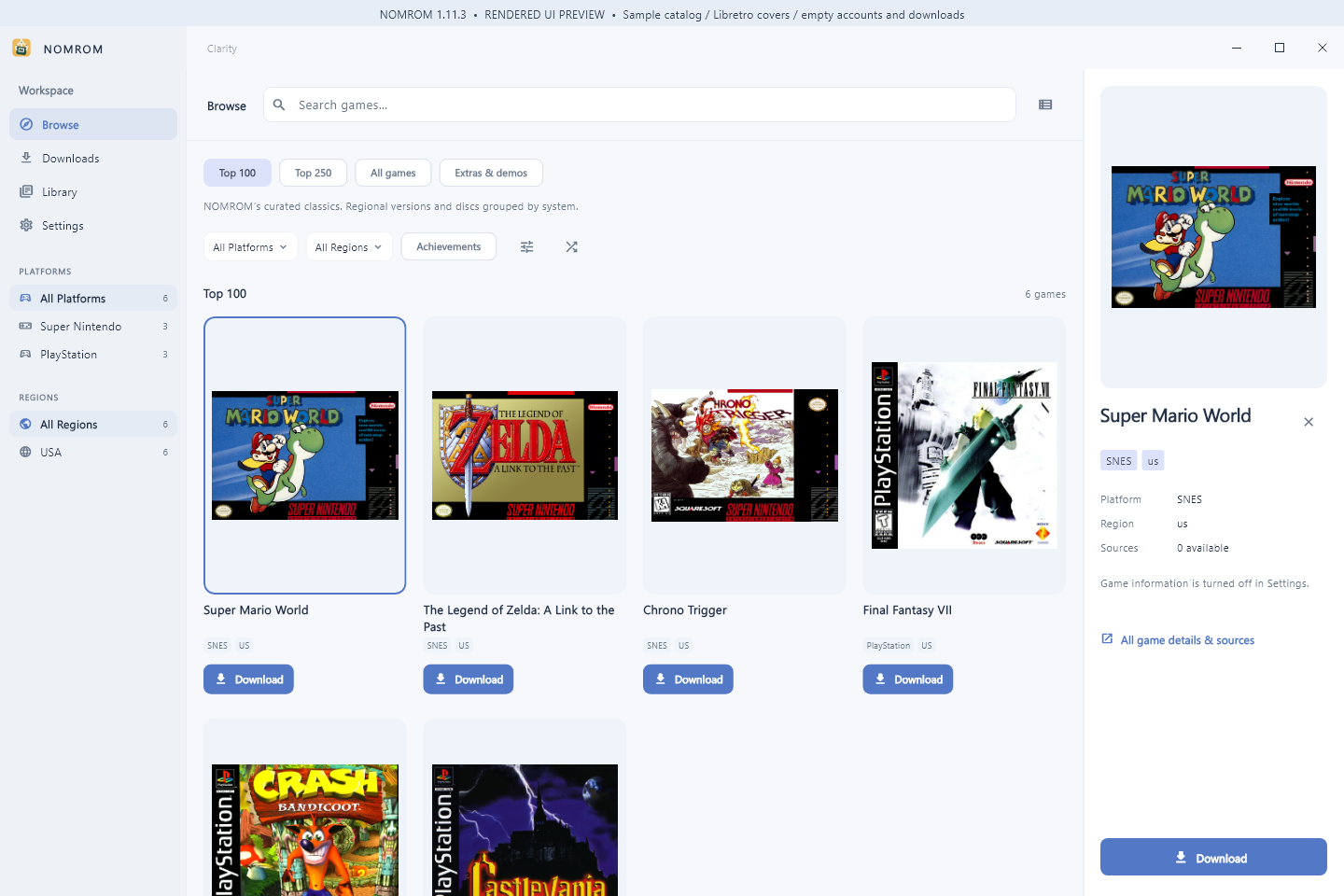
The image renders production Windows widgets with a sample catalog, real Libretro covers and empty accounts/downloads.
Updating from 1.10.2
You can update directly to 1.11.3; no intermediate 1.11.0 installation is needed. Open Settings -> App updates -> Check for updates.
- Installed edition: download the verified installer and choose Install and restart. Finish the visible setup wizard, then reopen NOMROM and resume paused downloads.
- Portable edition: download the verified ZIP, close NOMROM and replace the complete extracted app folder. Portable mode does not install a registered copy automatically.
Finish any extraction before updating. Settings, account data and downloaded games are stored outside the app files. A completed live in-place installation is a separate check from updater-feed/download verification.
Which file to download
| File | Purpose |
|---|---|
NOMROM-1.11.3-windows-x64-setup.exe |
Standard Windows x64 installation; recommended for normal in-app installer updates. |
NOMROM-1.11.3-windows-x64-portable.zip |
Extract the whole folder and keep its executable, DLLs and data together. |
NOMROM-1.11.3-Source.zip |
Updated source, tests, MIT attribution and validation/build notes. |
*-SHA256.txt and SHA256SUMS.txt |
Checksums for the release files. |
windows-stable.json |
Signed update information used by NOMROM. |
Validation
1,395 tests passed, zero failed, nine existing platform/privilege checks skipped. All 32 new regression tests passed. The focused download run passed 60 tests. Whole-project analysis found no issues. Windows x64 compilation, version/resource checks, both release checksums and all 33 payload hashes passed. A documented isolated Windows build-tool quoting workaround was used; the checked-in dependency lock and shared package cache were unchanged.
Full validation and limits and reviewed source changes are available in the repository.
Requires Windows 10 version 1809 or newer, or Windows 11, on x64. The installer has no Authenticode publisher certificate and may display an unknown-publisher prompt; the signed updater manifest is a separate mechanism. Live personal login/protected-item downloads, external debrid/public-peer transfers, personal ScreenScraper lookup and a full in-place upgrade are separate validation steps.
Made by Mark Mateo. Based on NOMROM for Mac and the original Romgi by Christian Prado; MIT attribution is preserved. NOMROM does not bundle games, BIOS files or an emulator. Artwork and metadata retain their provider credits.