Repository navigation
Releases: MMFoundation/WallpaperMachine
Release list
v1.8.2

English
This update gets pixiv working again for signed-in accounts and makes large scene videos play smoother with far less graphics memory
Features
- Wallpapers can mute or pause while another app is in front and resume when you click the desktop, a new choice in Playback settings, off by default (320784e)
Improvements
- Getting the shared scene resources now downloads only about 360 MB instead of the whole Wallpaper Engine app (30fc183)
- Scenes with large videos use far less graphics memory, about 0.5 GB instead of 4.5 GB for a 7232x3100 clip at 60 fps (1fc0e44)
- When pixiv's Cloudflare protection blocks your connection, the app now says so, shows the error reference and suggests trying another proxy node or network (f04bc9c)
- The diagnostics log now records whether a quit came from the app's own menu or from another app or program (f16cd82)
Bug Fixes
- Browsing, searching and downloading on pixiv work again after signing in, instead of failing with an access denied error (cb08b69)
- Video wallpapers that the Mac cannot decode at full speed now play on at a lower frame rate instead of freezing every few seconds (closes #151) (414be4e)
- Imported videos now show a picture from the clip on their library tile instead of an empty placeholder, including videos imported earlier (closes #152) (218fcdf)
- Text layers that fade in, such as a clock after a wallpaper's intro, now appear on cue instead of showing from the start (252e8d0)
- Old update downloads no longer pile up on disk, since only the latest downloaded update is kept (closes #148) (6511e10)
Thanks to @BxnIceLemon for contributing to this release.
Full changelog: v1.8.1...v1.8.2
Install
- Download
WallpaperMachine-1.8.2-arm64.dmgand open it. - Drag WallpaperMachine onto the Applications folder in the window that opens. In-app updates
replace a copy in/Applicationsor~/Applicationsand nowhere else. - The app is signed with the project's own certificate but not notarized, so macOS stops
its first launch: open System Settings → Privacy & Security, click Open Anyway, and confirm.
Verify the download
shasum -a 256 -c WallpaperMachine-1.8.2-arm64.dmg.sha256Apple silicon (arm64), macOS 15.0 or later.
Built from v1.8.2 at 0e138b6919a7d1c840460fc329d19f8c439a97c0 (git rev-parse v1.8.2^{commit} must match).
v1.8.1
English
Bug Fixes
- WallpaperMachine opens again on macOS 15.0 to 15.3, where versions 1.7.1 and 1.8.0 quit before showing anything (closes #149) (e66f436)
Full changelog: v1.8.0...v1.8.1
Install
- Download
WallpaperMachine-1.8.1-arm64.dmgand open it. - Drag WallpaperMachine onto the Applications folder in the window that opens. In-app updates
replace a copy in/Applicationsor~/Applicationsand nowhere else. - The app is signed with the project's own certificate but not notarized, so macOS stops
its first launch: open System Settings → Privacy & Security, click Open Anyway, and confirm.
Verify the download
shasum -a 256 -c WallpaperMachine-1.8.1-arm64.dmg.sha256Apple silicon (arm64), macOS 15.0 or later.
Built from v1.8.1 at cfd5eba4a064003cae91e38e5fc1be69245db5fe (git rev-parse v1.8.1^{commit} must match).
v1.8.0
English
This release lets WallpaperMachine update itself to notarized, Developer ID signed downloads and adds an easy way to join its community, alongside fixes for desktops, Steam sign-in and scenes
Highlights
- WallpaperMachine can now update itself to releases signed with its Apple Developer ID and notarized by Apple (6172d14)
- Join MMFoundation's Discord from About or the Help menu to talk with the people who build the app and other users (8c438e9)
- Different wallpaper for each desktop now also works on Macs that used to report desktop information as unavailable (closes #139) (bfc1391)
- Styled text in scenes now renders cleanly with .otf and CJK fonts instead of putting each character inside a box (ff1dbf3)
Features
- The in-app updater now installs releases signed with WallpaperMachine's Apple Developer ID, so this version can move on to notarized downloads (6172d14)
- Join Discord in About and the Help menu opens MMFoundation's Discord server, where you can ask questions and share ideas (8c438e9)
- After about three weeks of use, WallpaperMachine invites you once to its Discord, and Not now dismisses the invitation for good (8c438e9)
- An MMFoundation button in About opens the website of the organization behind WallpaperMachine and its other open-source Mac apps (5f12486)
Bug Fixes
- Different wallpaper for each desktop no longer reports desktop information as unavailable, and the first desktop can now get its own wallpaper (closes #139) (bfc1391)
- Steam account names starting with an underscore can sign in and download from the Workshop again, and their saved sign-ins work again (closes #140) (31d52b5)
- Styled text layers using .otf fonts or macOS CJK fallback fonts no longer draw each character inside a solid box (ff1dbf3)
- Surfaces lit at a grazing angle, such as a planet's rings, no longer show fine light and dark stripes with Shadows on High or Ultra (closes #141) (0da387c)
Thanks to @BxnIceLemon for contributing to this release.
Full changelog: v1.7.1...v1.8.0
Install
- Download
WallpaperMachine-1.8.0-arm64.dmgand open it. - Drag WallpaperMachine onto the Applications folder in the window that opens. In-app updates
replace a copy in/Applicationsor~/Applicationsand nowhere else. - The app is signed with the project's own certificate but not notarized, so macOS stops
its first launch: open System Settings → Privacy & Security, click Open Anyway, and confirm.
Verify the download
shasum -a 256 -c WallpaperMachine-1.8.0-arm64.dmg.sha256Apple silicon (arm64), macOS 15.0 or later.
Built from v1.8.0 at ee11270c8bfdc2d9746995b29d8fee76ac8f2445 (git rev-parse v1.8.0^{commit} must match).
v1.7.1
English
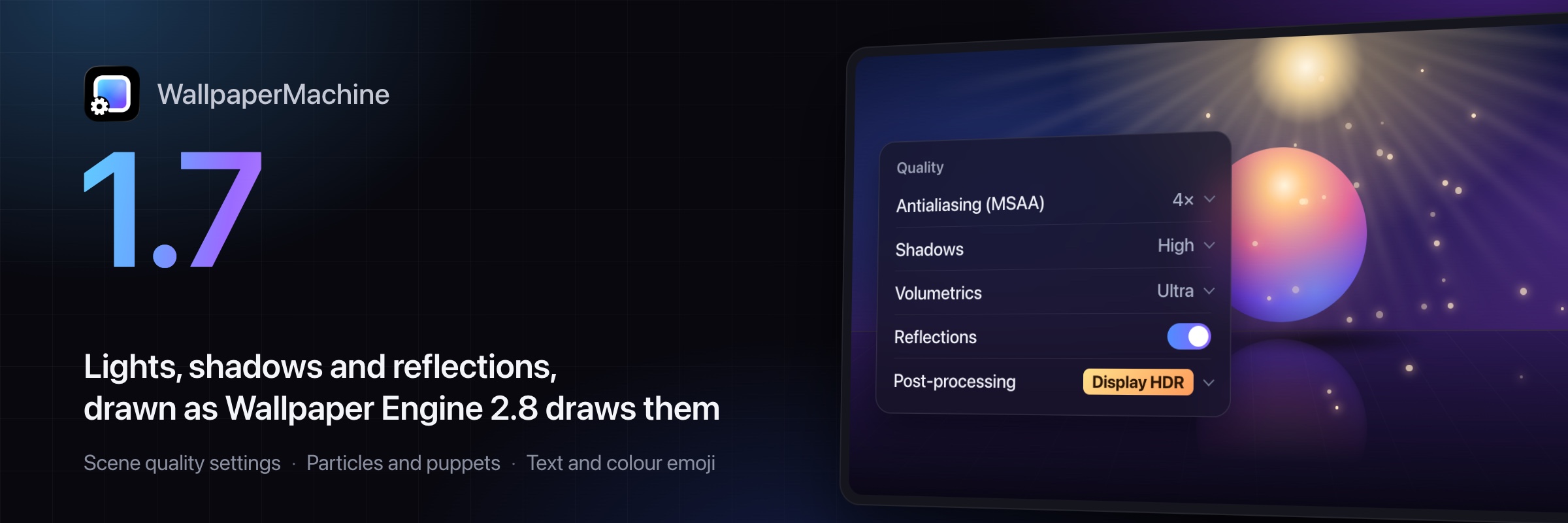
This release brings Wallpaper Engine scenes much closer to how they look there, from lighting and text to puppets and particles, and adds scene quality and per-wallpaper settings. Version 1.7.1 replaces the unpublished 1.7.0
Highlights
- Scene wallpapers now show lights, shadows, reflections and volumetric light shafts and fog the way Wallpaper Engine draws them (b1a3cdb)
- Pick scene quality in Settings → Performance and tune each wallpaper with Wallpaper Engine's own colour, filter, flip, parallax and speed options (3769014)
- Text in scenes gets proper kerning, ligatures, outlines, shadows and colour emoji, so clocks and captions look as intended (9e331a2)
- Puppets, 3D models and particle effects move much more like they do in Wallpaper Engine (093d492, 6e49742)
- Signed in to Steam, Workshop search now shows the same wallpapers Steam shows your account, including age-rated ones (81a7948)
Features
- Settings → Performance now offers Wallpaper Engine's scene quality settings for antialiasing, shadows, volumetrics, reflections and post-processing, and shows the quality in effect (3769014)
- Adjust colours, image filter, flip, mouse parallax and playback rate for each scene or video wallpaper, with changes shown on the desktop, in the preview and on the lock screen (3769014)
- On an HDR display, the Display HDR quality draws scene bloom and highlights brighter than standard white (b1a3cdb)
Improvements
- Scenes are lit as in Wallpaper Engine, with shadows, planar reflections, volumetric light and fog, and scripted ambient light, skylight and fog that change every frame (b1a3cdb)
- Text layers now handle kerning, ligatures and complex scripts, draw outlines, blur, shadows and colour emoji, and borrow missing characters from Wallpaper Engine's fallback fonts (9e331a2)
- Puppets and 3D models blend their animations, follow IK chains, swing ropes in gravity and wind, run bone physics and keep blinking as Wallpaper Engine shows them (093d492)
- Particle effects match Wallpaper Engine 2.8 more closely, with its noise, turbulence, vortices, flocking, cursor-following control points and rope trails (6e49742)
- More scripted scenes work, with more of Wallpaper Engine 2.8's scripting, script data saved per wallpaper and display, and clicks handled as in Wallpaper Engine (1ea87c3)
- Volume textures and every Wallpaper Engine texture format now load in scenes, and textures look sharper at steep angles (b1a3cdb)
- Scenes with unusual shaders keep playing: more of them now translate, and one that cannot compile shows Wallpaper Engine's fallback instead of stopping the scene (ca70c04, b1a3cdb)
Bug Fixes
- Workshop search no longer shows far fewer Questionable and Mature wallpapers than Steam when you are signed in to Steam on the Steam Workshop page (81a7948)
- With a video wallpaper, the menu bar and Mission Control no longer show the previous picture for up to 15 seconds after it loads (68ed5d8)
- Removing a video wallpaper from a display now brings back your own desktop picture instead of leaving the video's last frame (68ed5d8)
- Media wallpapers that fade in each album cover, such as Music Visualizer | iOS Style, show the cover again instead of an empty grey square (59eb679)
Thanks to @Hoshino-Yumetsuki for contributing to this release.
Full changelog: v1.6.6...v1.7.1
Install
- Download
WallpaperMachine-1.7.1-arm64.dmgand open it. - Drag WallpaperMachine onto the Applications folder in the window that opens. In-app updates
replace a copy in/Applicationsor~/Applicationsand nowhere else. - The app is signed with the project's own certificate but not notarized, so macOS stops
its first launch: open System Settings → Privacy & Security, click Open Anyway, and confirm.
Verify the download
shasum -a 256 -c WallpaperMachine-1.7.1-arm64.dmg.sha256Apple silicon (arm64), macOS 15.0 or later.
Built from v1.7.1 at 10b1107caf1edfee338e67d7fe41316ab2254e65 (git rev-parse v1.7.1^{commit} must match).
v1.6.6
English
This update keeps Steam downloads and sign-in working when Valve updates SteamCMD, and lets WallpaperMachine update itself where GitHub can't be reached
Features
- Where GitHub can't be reached, such as mainland China without a VPN, update checks and downloads now go through public download proxies, with every update still verified before installing (682cffb)
- An installed Workshop wallpaper's More actions menu in the Library now offers Subscribe on Steam or Unsubscribe while you're signed in to Steam Community (closes #126) (bbd1003)
- More by this author in the same menu opens the author's other wallpapers without searching the Workshop (closes #126) (bbd1003)
Improvements
- WallpaperMachine now keeps SteamCMD up to date by itself, checking at most once a day, and a waiting download continues on its own afterwards (8820e47)
- Update downloads that stall or slow to a trickle switch to another source and continue from where they stopped (682cffb)
- Diagnostics reports now include what SteamCMD printed during recent failed downloads and sign-ins, with account names, email addresses, Steam IDs and tokens removed (8820e47)
Bug Fixes
- Steam sign-in no longer stalls after approving Steam Guard when Valve releases a new SteamCMD, and an interrupted download is retried once (8820e47)
- Scene wallpapers whose scripts build their own particles or trails now play instead of stopping, drawn through their layers' effects as in Wallpaper Engine (e20f622)
- Wallpapers that switch between scenes no longer show both scenes' clocks on top of each other (closes #127) (2bcf883)
Thanks to @pandemoniummm for contributing to this release.
Full changelog: v1.6.5...v1.6.6
Install
- Download
WallpaperMachine-1.6.6-arm64.dmgand open it. - Drag WallpaperMachine onto the Applications folder in the window that opens. In-app updates
replace a copy in/Applicationsor~/Applicationsand nowhere else. - The app is signed with the project's own certificate but not notarized, so macOS stops
its first launch: open System Settings → Privacy & Security, click Open Anyway, and confirm.
Verify the download
shasum -a 256 -c WallpaperMachine-1.6.6-arm64.dmg.sha256Apple silicon (arm64), macOS 15.0 or later.
Built from v1.6.6 at 2aad319945c9f00e0ddf3bf92a3a893d2ff5bfa8 (git rev-parse v1.6.6^{commit} must match).
v1.6.5
English
This update lets you play a collection with one click, brings scripted particles, cameras and puppets plus colour emoji to scene wallpapers, and adds Steam subscriptions to the Workshop
Features
- Play and Shuffle buttons in the Library and in a collection's menu start rotating a display through all wallpapers, Favorites or that collection right away (c1dde08)
- The Now Playing bar names what a display rotates through, and its new Playlist button shows the order and next change, with Change now and Stop (c1dde08)
- Scene wallpapers whose scripts control particles, the camera, puppet bones or layer parenting now work, so click-to-burst effects and scripted camera moves play (9eac2e4)
- Emoji in scene text layers, such as a clock or a song title, now appear in colour instead of being left out (9eac2e4)
- Signed in to Steam, the Steam Workshop page marks your subscriptions and presets, and lets you subscribe, unsubscribe and read an item's newest comments (9eac2e4)
- A new Halloween look under Appearance dresses the window in pumpkin orange and papercut scenery, on by itself during Halloween week or set to Always or Off (b39a773)
- Optional MetalFX upscaling under Performance, off by default, enlarges scenes drawn at a lowered render scale more sharply instead of stretching them (closes #96) (f4ea93b)
- Anyone with a Crowdin account can now help translate WallpaperMachine without waiting for approval (1207823)
Improvements
- The Steam Workshop page keeps your last sort and filters after the app is relaunched or updated (closes #113) (b0a9116)
- Updates install only when their code signature is intact, and official releases accept only updates signed with the release certificate (9eac2e4)
- Downloading a preset names its base wallpaper and size, stops early when the base will not fit, and offers the preset as an update when its base changes (9eac2e4)
- Buttons in scene wallpapers now click when you release the mouse, and dragging off before letting go cancels the click, as in Wallpaper Engine (9eac2e4)
Bug Fixes
- Video wallpapers no longer flash black for a moment now and then (closes #110) (427d195)
- Some scenes that showed only their fog on black now show all their layers (closes #117) (2650061)
- Scene effects that scripts adjust no longer stop or turn black (9eac2e4)
- The experimental animated lock screen no longer falls back to the macOS wallpaper when macOS briefly ends it while the Mac is unlocked (closes #109) (fbb10de)
- The menu bar no longer flips between dark and light while a web wallpaper starts (closes #118) (f821ab4)
- Steam accounts whose login name is an email address can now sign in and download wallpapers (closes #103) (e24348a)
- Alert sounds, the volume click and Hey Siri no longer mute or pause wallpapers when they are set to react to other apps' sound (9eac2e4)
- A video wallpaper's desktop picture in Mission Control now matches where the clip is playing instead of its opening frame (closes #110) (427d195)
- Puppet wallpapers now show parts such as eyelids fading in and out instead of leaving them fully opaque (9eac2e4)
- Dialogs and popovers such as Steam sign-in, Downloads and Now Playing now switch language together with the window (af61263)
- The SteamCMD dialog keeps its buttons on one row while SteamCMD installs (b882e77)
Thanks to @opastorello for contributing to this release.
Full changelog: v1.6.4...v1.6.5
Install
- Download
WallpaperMachine-1.6.5-arm64.dmgand open it. - Drag WallpaperMachine onto the Applications folder in the window that opens. In-app updates
replace a copy in/Applicationsor~/Applicationsand nowhere else. - The app is signed with the project's own certificate but not notarized, so macOS stops
its first launch: open System Settings → Privacy & Security, click Open Anyway, and confirm.
Verify the download
shasum -a 256 -c WallpaperMachine-1.6.5-arm64.dmg.sha256Apple silicon (arm64), macOS 15.0 or later.
Built from v1.6.5 at db162b3cd738c35e3d543f2e747ac62a5718b375 (git rev-parse v1.6.5^{commit} must match).
v1.6.4
English
This update makes WallpaperMachine safer to update and use, and makes it easier to find, download and control your wallpapers
A note from the developer
This bug has had the biggest impact of any I have run into so far, so I want to say a few words about it as the developer.
Recently many of you approved the sign-in on your phone and still could not download, with the message that SteamCMD exited before completing the download. After tracing it, the most likely cause is that Valve released a new SteamCMD on October 21, while WallpaperMachine kept using the copy it installed and never updated it. Our own code made things worse: the sign-in could call a mobile approval an emailed code, kept asking you to type a code below after you had submitted it, and then blamed the failure on whether you own Wallpaper Engine. Those wrong prompts are fixed in this version.
If you still cannot sign in after updating, open Settings → Library & Steam, click Reinstall… to get the latest SteamCMD, and try again.
The cause may lie with Valve, but not catching it sooner is on me. The app has been getting a lot of attention lately, and I need to hold its development and releases to a higher standard instead of slacking off. Once again, I am sorry for this bug.
Features
- Browse the wallpapers you marked as favorites on Steam in a new Your favorites list in Steam Workshop, sorted the way Steam sorts them (0132969)
- Check compatibility now tells you whether Native Metal can draw a scene and which files it lacks, and asks before applying a scene it would refuse (1b03f98)
- In Downloads, move a waiting item to the front with Download next, or retry every failed or cancelled download at once with Retry failed (0132969)
- Wallpapers you paused before quitting stay paused when WallpaperMachine opens again, without leaving any display empty (0132969)
- While the control panel is open, new View, Wallpaper, Window and Help menus let you switch pages, control playback and open the WallpaperMachine guides (0126f10, 0132969)
- Make the tiles in Library, Steam Workshop and pixiv larger or smaller from the View menu, and the size is remembered (0132969)
- The control panel, menus, update window and lock screen are now available in Brazilian Portuguese, chosen automatically on a Mac set to Portuguese (ac28368, 1b03f98)
Improvements
- Updates are installed only when they carry the project's release signature, and any other download is refused (0132969)
- Older web wallpapers that load scripts, pictures or data over plain http now work as they do in Wallpaper Engine (0132969)
- Switching to a web wallpaper keeps the previous picture until the new page has actually drawn, so slow pages no longer flash empty (0132969)
- Bug reports now include the wallpaper options you changed and any files a scene is missing, making problems easier to reproduce (1b03f98)
- Diagnostics reports now include the errors and warnings a web wallpaper reports itself, helping find out why it shows nothing (0132969)
Bug Fixes
- Wallpapers can no longer exploit memory bugs in image and sound decoding or gain access to a folder you did not choose (49cba35)
- Signing in to Steam to download now shows the Steam Guard step Steam actually asked for, and an unfinished sign-in offers to try again (closes #102) (a3758a2)
- Video wallpapers mirrored across displays no longer play their sound twice and out of step (1b03f98)
- Scenes with back-and-forth animations or mouse-driven sliders and buttons now behave as their authors made them (0132969)
- Apply now always sets the wallpaper on the display selected when you pressed it, even when checking the scene takes a while (1b03f98)
Thanks to @opastorello for contributing to this release.
Full changelog: v1.6.3...v1.6.4
Install
- Download
WallpaperMachine-1.6.4-arm64.dmgand open it. - Drag WallpaperMachine onto the Applications folder in the window that opens. In-app updates
replace a copy in/Applicationsor~/Applicationsand nowhere else. - The app is signed with the project's own certificate but not notarized, so macOS stops
its first launch: open System Settings → Privacy & Security, click Open Anyway, and confirm.
Verify the download
shasum -a 256 -c WallpaperMachine-1.6.4-arm64.dmg.sha256Apple silicon (arm64), macOS 15.0 or later.
Built from v1.6.4 at a2de11417a0e8e10f65b240aa959c392a03cca2d (git rev-parse v1.6.4^{commit} must match).
v1.6.3
English
This release adds an update window that shows what is new before you install, makes scene puppets more lifelike and fixes several scene wallpapers that did not draw correctly
Breaking Changes
- The What's New window no longer opens after an update, because the update window now shows the release notes before you install (fd967f9)
Features
- When an update is available, a window shows the new version and the notes of every release since yours, readable in English, Simplified Chinese or Korean (fd967f9)
- From the update window you can install with a progress bar and restart into the new version, skip that version or be reminded on the next launch (fd967f9)
- A new option in the update window and in Settings, About downloads updates in the background and installs them while the display sleeps or the Mac is locked, off by default (fd967f9)
- Scene puppets now play texture animations such as eye blinks, so Swimming Kirby blinks just as it does in Wallpaper Engine (closes #88) (9684d3f)
Bug Fixes
- Scene wallpapers whose layers use each other's images, or whose scripts switch layer effects, now draw correctly (closes #89) (417ce05)
- Puppets with effects no longer show small, chopped copies of their own picture beside them (closes #88) (9684d3f)
Full changelog: v1.6.2...v1.6.3
Install
- Download
WallpaperMachine-1.6.3-arm64.dmgand open it. - Drag WallpaperMachine onto the Applications folder in the window that opens. In-app updates
replace a copy in/Applicationsor~/Applicationsand nowhere else. - The app is signed with the project's own certificate but not notarized, so macOS stops
its first launch: open System Settings → Privacy & Security, click Open Anyway, and confirm.
Verify the download
shasum -a 256 -c WallpaperMachine-1.6.3-arm64.dmg.sha256Apple silicon (arm64), macOS 15.0 or later.
Built from v1.6.3 at 7eed1b934768f3da99bb7bdd6ae1f90f1a3f31a4 (git rev-parse v1.6.3^{commit} must match).
v1.6.2
English
Fixed
- Long names on narrow Quick Settings tiles now shrink slightly to fit instead of being cut off with an ellipsis
Full changelog: v1.6.1...v1.6.2
Install
- Download
WallpaperMachine-1.6.2-arm64.dmgand open it. - Drag WallpaperMachine onto the Applications folder in the window that opens. In-app updates
replace a copy in/Applicationsor~/Applicationsand nowhere else. - The app is signed with the project's own certificate but not notarized, so macOS stops
its first launch: open System Settings → Privacy & Security, click Open Anyway, and confirm.
Verify the download
shasum -a 256 -c WallpaperMachine-1.6.2-arm64.dmg.sha256Apple silicon (arm64), macOS 15.0 or later.
Built from v1.6.2 at 22768fae20728f91bd8d39dbfbd9f03eacb616f2 (git rev-parse v1.6.2^{commit} must match).
v1.6.1
English
Each desktop can now have its own wallpaper and the library can live on an external drive, and Mission Control pictures no longer fill the disk on macOS 26 and later
Breaking changes
- The app now sends one daily count that it ran, with its version but no install ID, even when Send performance data is off
New
- Each desktop (Space) can now play a wallpaper or playlist of its own and resumes where you left it, off by default and turned on in Quick Settings
- The wallpaper library and downloads can now live on an external drive, moved from Storage in Settings, with new downloads going straight there
Improved
- Report on GitHub now opens a bug report form with the wallpaper, app version and any error filled in, and asks what happened and what you expected
Fixed
- Mission Control pictures no longer fill the disk on macOS 26 and later, since the app now retakes them only when a display's wallpaper changes
- Aerial, dynamic and other moving macOS wallpapers come back as you left them when you quit, instead of a still picture on every desktop
- Muted scene wallpapers stay silent while they load, instead of playing a moment of music when a playlist switches to them
- Video wallpapers with a sound track loop smoothly instead of freezing for about a quarter of a second at each seam
- Scene layers that drew nothing now appear, such as the eyes and hair in Pastel Bloom and the alternate backgrounds some wallpapers offer
- Recoloured particles in scenes saved with newer Wallpaper Engine editors are no longer tinted twice, so the snow in The Winter Nothingness [4K] shows again
- A scene's first frame now shows with its own scaling instead of appearing fitted for a moment and then jumping to Fill
- After an update, What's New and the control panel open in front of other apps instead of hiding behind them
Full changelog: v1.6.0...v1.6.1
Install
- Download
WallpaperMachine-1.6.1-arm64.dmgand open it. - Drag WallpaperMachine onto the Applications folder in the window that opens. In-app updates
replace a copy in/Applicationsor~/Applicationsand nowhere else. - The app is signed with the project's own certificate but not notarized, so macOS stops
its first launch: open System Settings → Privacy & Security, click Open Anyway, and confirm.
Verify the download
shasum -a 256 -c WallpaperMachine-1.6.1-arm64.dmg.sha256Apple silicon (arm64), macOS 15.0 or later.
Built from v1.6.1 at 6c6b578fed835ab3af6402ce794d3e6e83abb263 (git rev-parse v1.6.1^{commit} must match).