Repository navigation
PSOpenAD-FE 1.0.0

First release. A cross-platform Active Directory Users and Computers, built as
a desktop app over a PowerShell sidecar that talks to the directory through
PSOpenAD. PSOpenAD is jborean93's
work; this project vendors it and contributes fixes back.
The design goal is recognition, not novelty: someone who has used ADUC should
open this and already know how to drive it.
What you can do
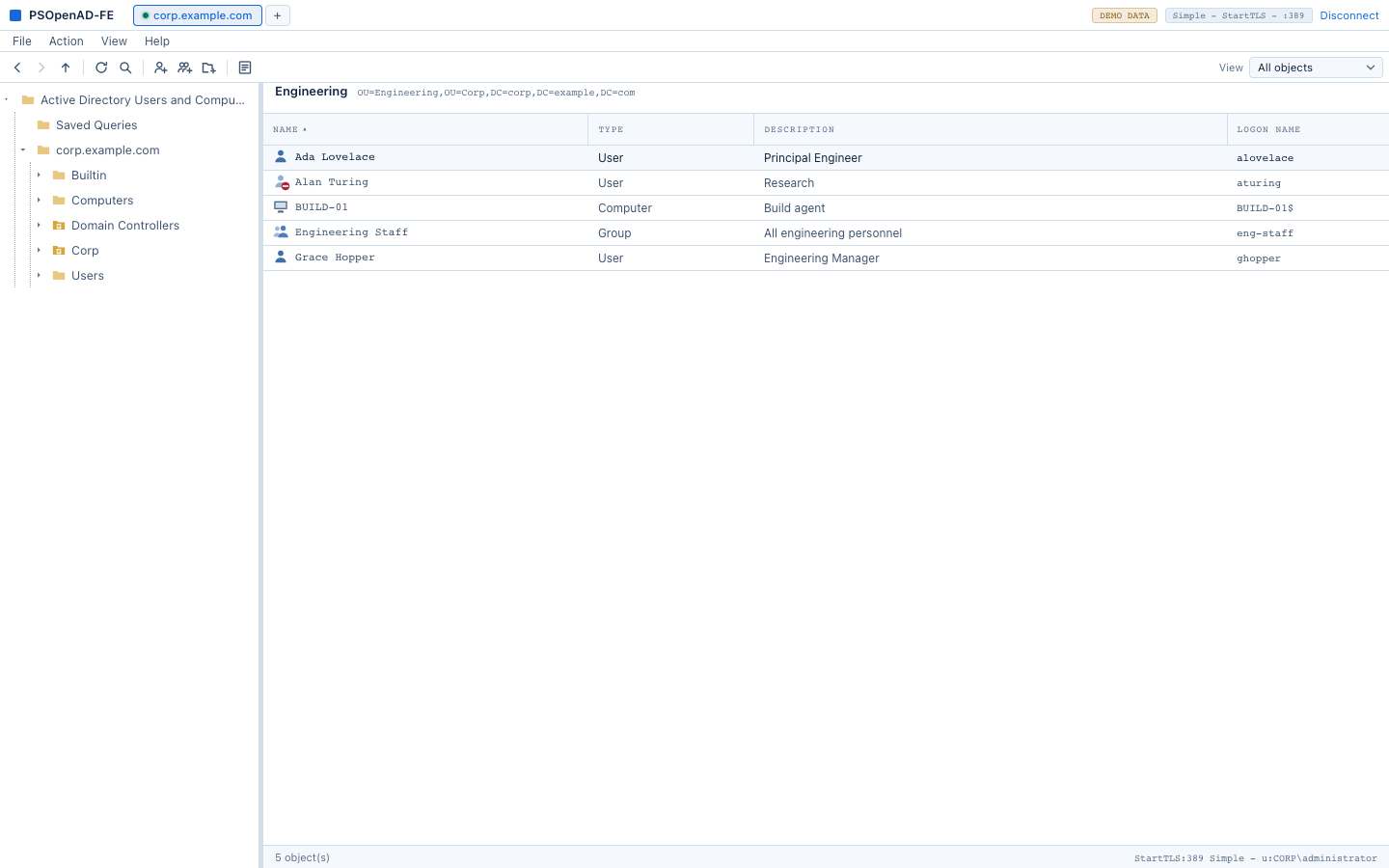
Browse and find. The console tree, a sortable result pane, Find across the
domain (Ctrl+F), a raw LDAP filter under View > Filter Options, and Export List.
View > Add/Remove Columns chooses what the pane shows, remembered per list.
Manage objects. New user, group, computer, contact and OU; Move, with a
browser for the destination rather than a typed distinguished name; Rename;
Delete; Copy a user from a template; protect from accidental deletion. Multi-
select with bulk Move, Delete, Enable, Disable and Add to group.
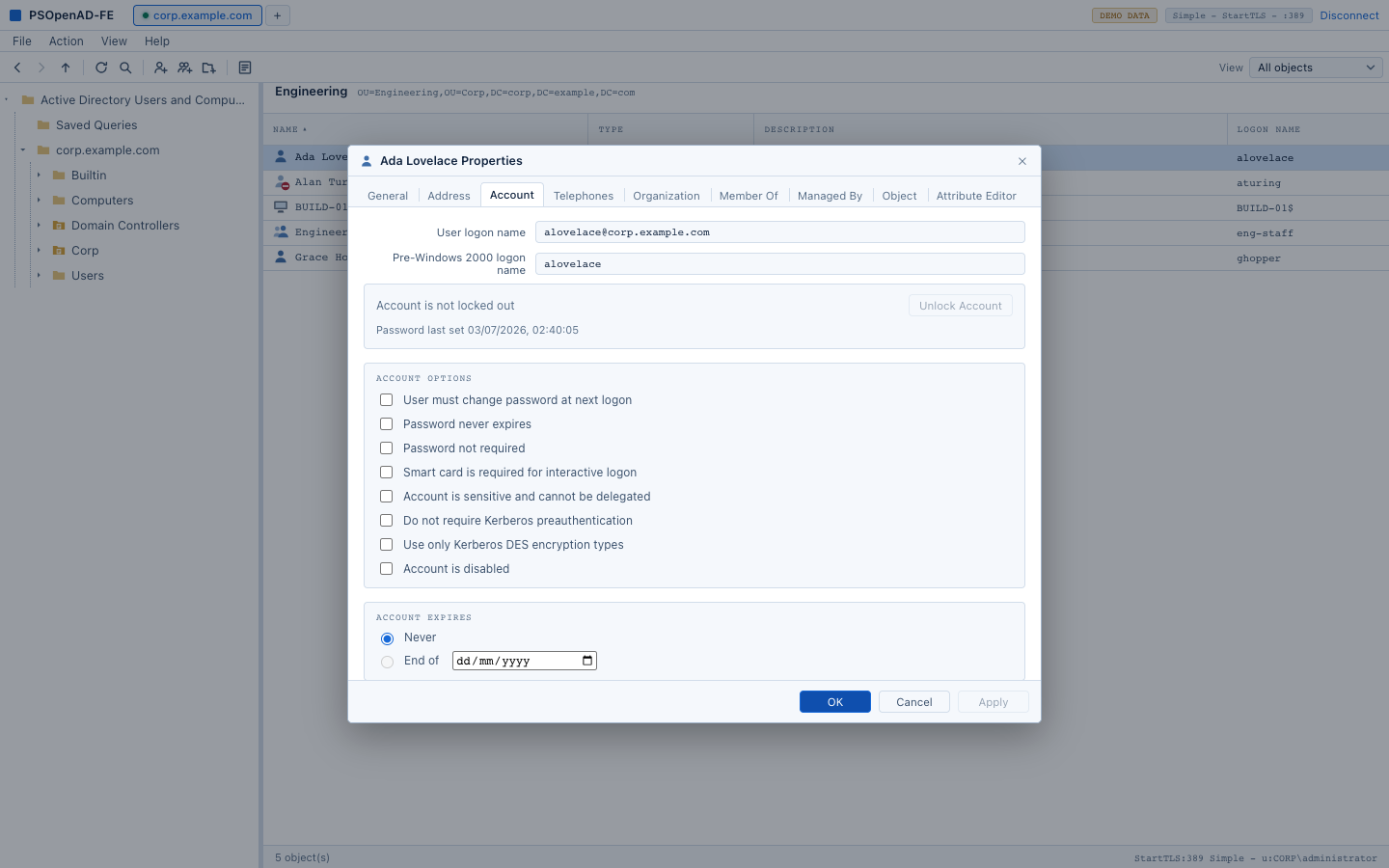
Manage accounts. The Account tab as ADUC has it: logon names, lockout status
with Unlock, password last set, the account-options checkboxes, and account
expiry. Enable and Disable. Reset Password over a Kerberos-sealed channel.
Groups. Members and Member Of, both editable through an object picker.
Member Of shows the real answer - nested membership and the primary group -
not just the memberOf attribute. Group scope and type are shown and the Type
column reads "Security Group - Global" as ADUC does.
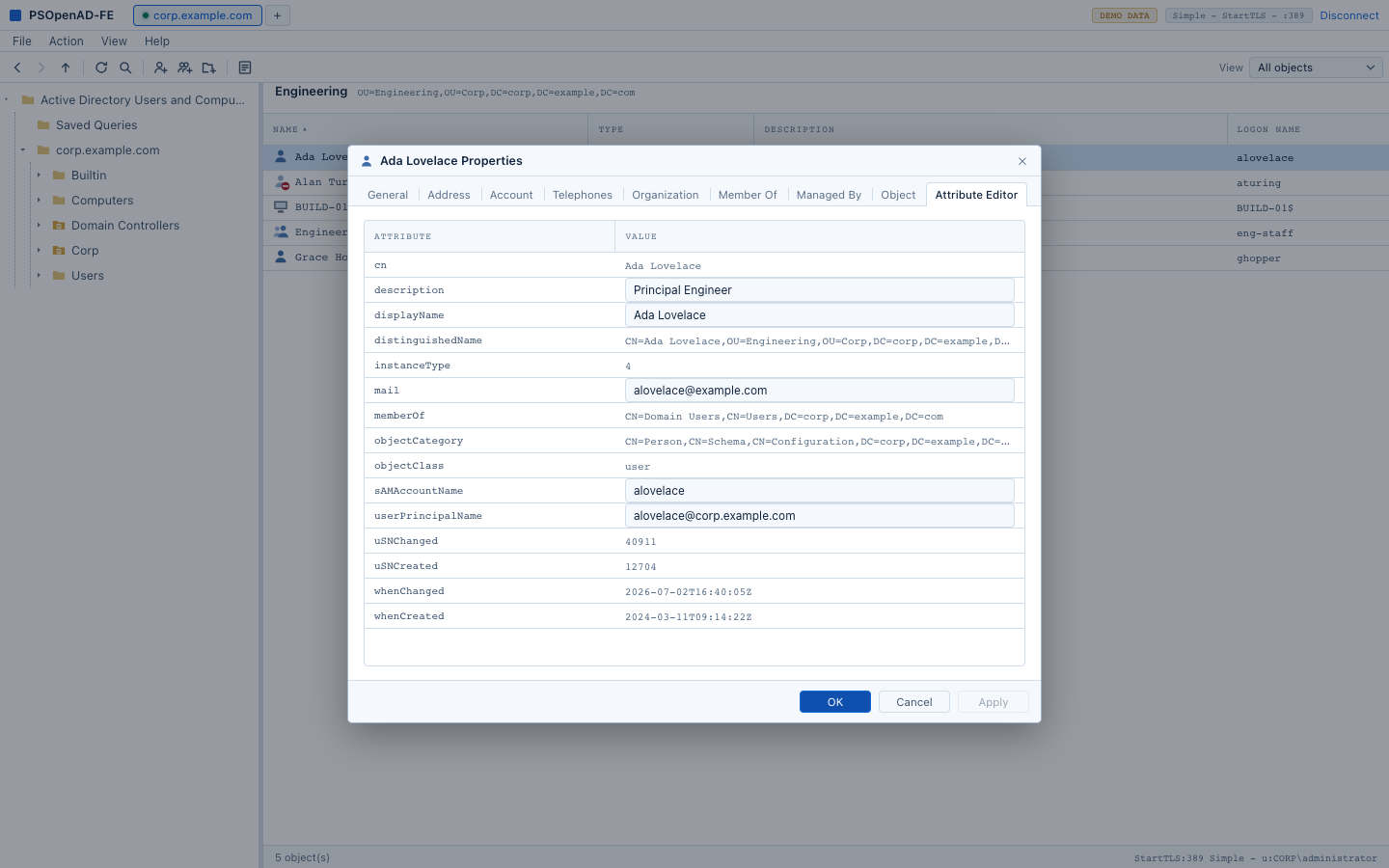
Property sheets. General, Address, Account, Telephones, Organization,
Member Of, Managed By, Object and the Attribute Editor, which can add, edit and
remove values including multi-valued attributes.
Recycle Bin. A Deleted Objects node under the domain, shown when the forest
has the feature enabled. Restore puts an object back where it was; Restore
To... picks somewhere else, for when the original container was deleted too.
Forest. Operations Masters (read-only), managed service accounts, and a
computer's Reset Account.
Connections. Several domains at once as tabs. A connection ladder tries
389, StartTLS, the Global Catalog and LDAPS in turn and reports which rung it
landed on. Saved connections keep their password in an encrypted local vault,
not in the OS credential store, so there are no keychain prompts.
Things worth knowing
- PowerShell 7 is required and is the one dependency the app cannot carry.
If it is missing the app says so at startup and offers the download page.
Everything else - PSOpenAD, the secret vault modules, the sidecar - is inside
the bundle. - A container holding more objects than the pane will show says so in the
status bar ("First 500 object(s) - this container holds more") rather than
reporting a false count. - Browsing to an object in another domain of the forest names the domain it
lives in and how to reach it, instead of surfacing a raw LDAP referral. - The macOS build is signed with a Developer ID but not notarised. On first
launch, right-click the app and choose Open.
Contributed upstream
Three fixes to PSOpenAD were found while building this and are offered on the
fork:
Get-OpenADRootDSE -AuthType Anonymousfailed against a default domain
controller because a paged-results control was attached to a base-scope
search. Raised as an issue.Get-OpenADPrincipalGroupMembershipandGet-OpenADGroupMemberfailed for
any object whose distinguished name contains a parenthesis, because a raw
value was passed through the filter-text parser.Restore-OpenADObject, a new cmdlet for the Recycle Bin.
Platforms
macOS, as a universal binary (Apple silicon and Intel), in this release. The
code has no macOS-specific paths beyond locating PowerShell, but Windows and
Linux builds are untested.
Download
PSOpenAD_1.0.0_universal.dmg - macOS, universal (Apple silicon and Intel), signed with a Developer ID, not notarised: right-click the app and choose Open on first launch. Requires PowerShell 7.
SHA-256: 8c225c7f28e514b762a557287e4d1164e377ad4626ac58e1df19665e261a8035