Repository navigation
Claude Code Plugin
The ctxray plugin brings ctxray into your Claude Code sessions. /ctxray shows what the current session loaded, /ctxray-test runs your tests, and Claude itself learns to write ctxray tests and to check its own changes for context bloat.
The plugin runs the ctxray executable, so install ctxray first (Getting Started) and make sure ctxray --version works in your shell. Then add the marketplace and the plugin:
claude plugin marketplace add MairwunNx/ctxray
claude plugin install ctxray@ctxray
The marketplace is this repository. Its .claude-plugin/marketplace.json lists one plugin, ctxray, from packages/claude-plugin. The plugin carries the same version as the CLI.
Each release carries the plugin as ctxray-claude-plugin.zip, and every release archive holds a copy too. Claude Code loads the zip as it is:
claude --plugin-dir ctxray-claude-plugin.zip| Piece | Kind | What it does |
|---|---|---|
| Loadout row and pane | interface | Show what the context is made of while you work |
/ctxray-loadout |
slash command | Opens the Loadout pane beside the chat |
/ctxray |
slash command | Shows what this session loaded, piece by piece, with tokens |
/ctxray-test |
slash command | Runs the project's ctxray tests and explains what failed |
write-tests |
skill | Teaches Claude to write and fix *.ctxray.ts tests |
ctxray |
MCP server | Gives Claude the tools inspect, run, and diff
|
A row above the prompt shows what the context is made of after each turn: a bar with a color per share, the total, its share of the model's window, and the biggest shares by name. Its Loadout button, or /ctxray-loadout, opens the pane beside the chat.
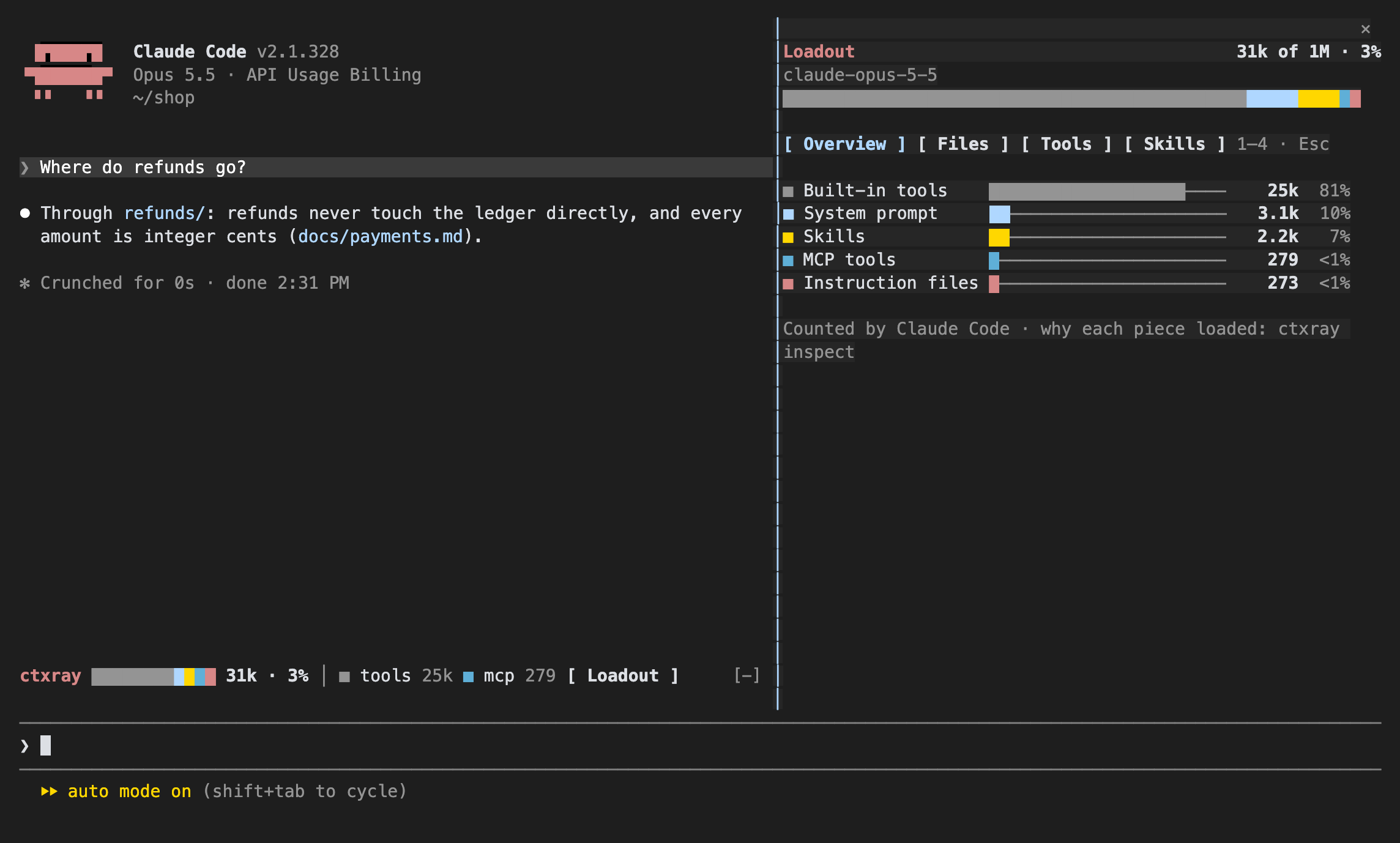
The pane has four tabs, and keys 1–4 switch them while the pane has the focus. Esc closes it.
- Overview: every share with a gauge, its tokens, and its percent of what the context holds.
-
Files: each
CLAUDE.mdand rule that loaded, from the project root or~, with its tier (project, user, local, managed). A file an@import brought sits under the file that imported it. - Tools: the built-in tools, each MCP server with its tools, and what waits behind tool search.
-
Skills: every skill in the listing with its source and tokens, and
usedon the ones that ran.
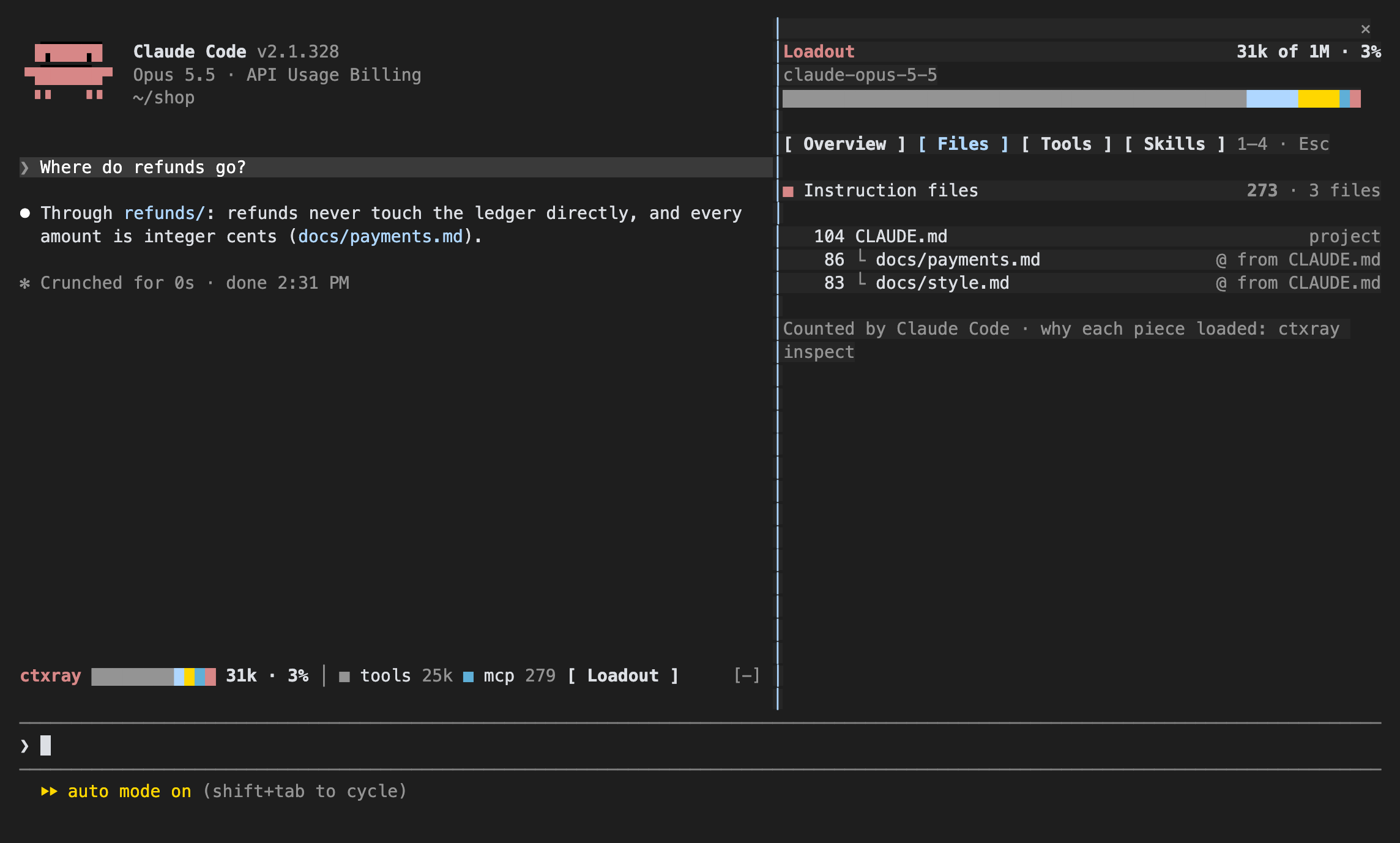
Claude Code counts every number here itself, the same way /context does, so they are exact for this session and model. ctxray's own counts elsewhere carry ≈. The row and the pane need Claude Code 2.1.286 or newer. An older version skips them and keeps the rest of the plugin. They speak English and Russian and pick the language like the CLI: CTXRAY_LANG, then LC_ALL, LC_MESSAGES, and LANG.
/ctxray runs ctxray __session --id <this session> --plugin-root <the plugin's folder>, a command only the plugin uses. ctxray rebuilds the latest request of the session from Claude Code's transcript and prints it: the system prompt, the built-in tools, the rules and why each loaded, the skills, and the MCP servers, each with its tokens. Claude shows that report as printed and adds at most two sentences: what takes the most room, and one concrete way to shrink it.
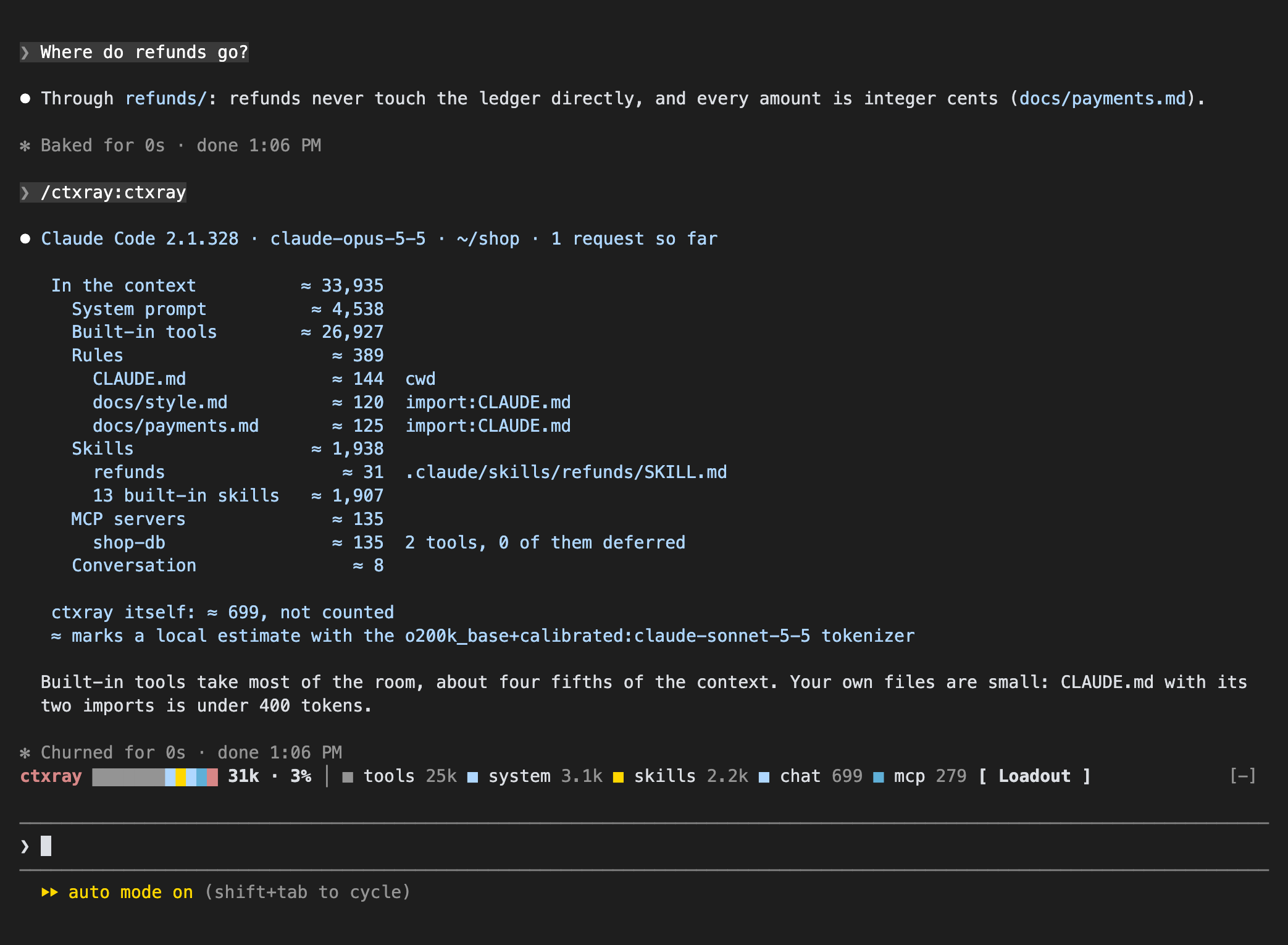
The plugin's own skills and MCP server are listed apart and left out of the totals, so ctxray doesn't count itself in what it measures. Local counts carry ≈, as everywhere in ctxray.
/ctxray reads the requests Claude Code writes into the session's transcript. ctxray checks this on Claude Code 2.1.311 and 2.1.325. An older version may not write them, and /ctxray then says so. Before the session's first request there's nothing to rebuild yet: /ctxray asks you to ask something first.
The skills that ship with Claude Code share one line: you can't change them, only their total matters.
/ctxray-test runs ctxray test from the project root and passes on whatever you type after it:
/ctxray-test --layer L1-L3
/ctxray-test --filter payments --harness claude-code
When everything passes, Claude says so in one line. Otherwise it names each failed test with its layer and harness, what it expected and what it got, and the smallest change to your rules, skills, or test that would fix it. It changes no file unless you ask.
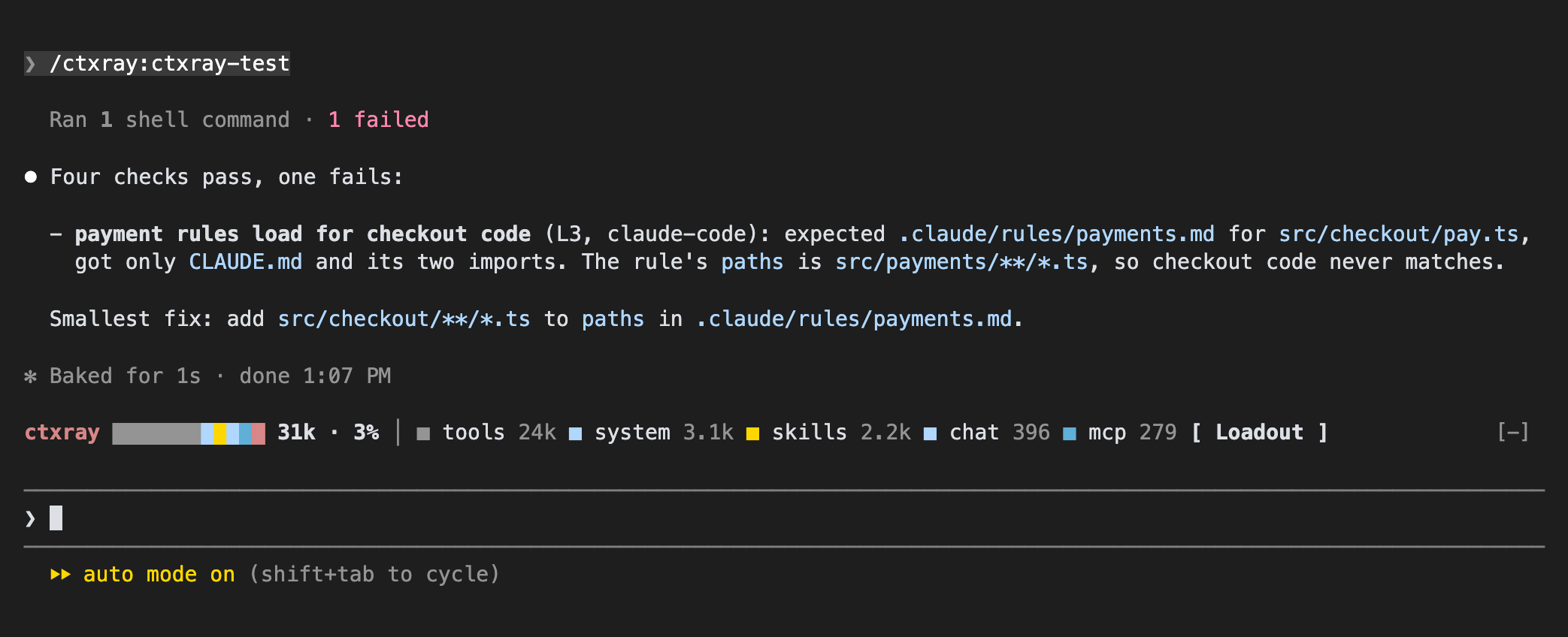
Both commands run only when you type them: Claude never picks them on its own.
When you ask Claude to test your CLAUDE.md, rules, skills, or MCP setup, the write-tests skill loads. It teaches Claude the test API from L3 to L7, the matchers, snapshots, discover, and corpus, and to prefer the lowest layer that proves the point. Writing Tests is the same material for people.
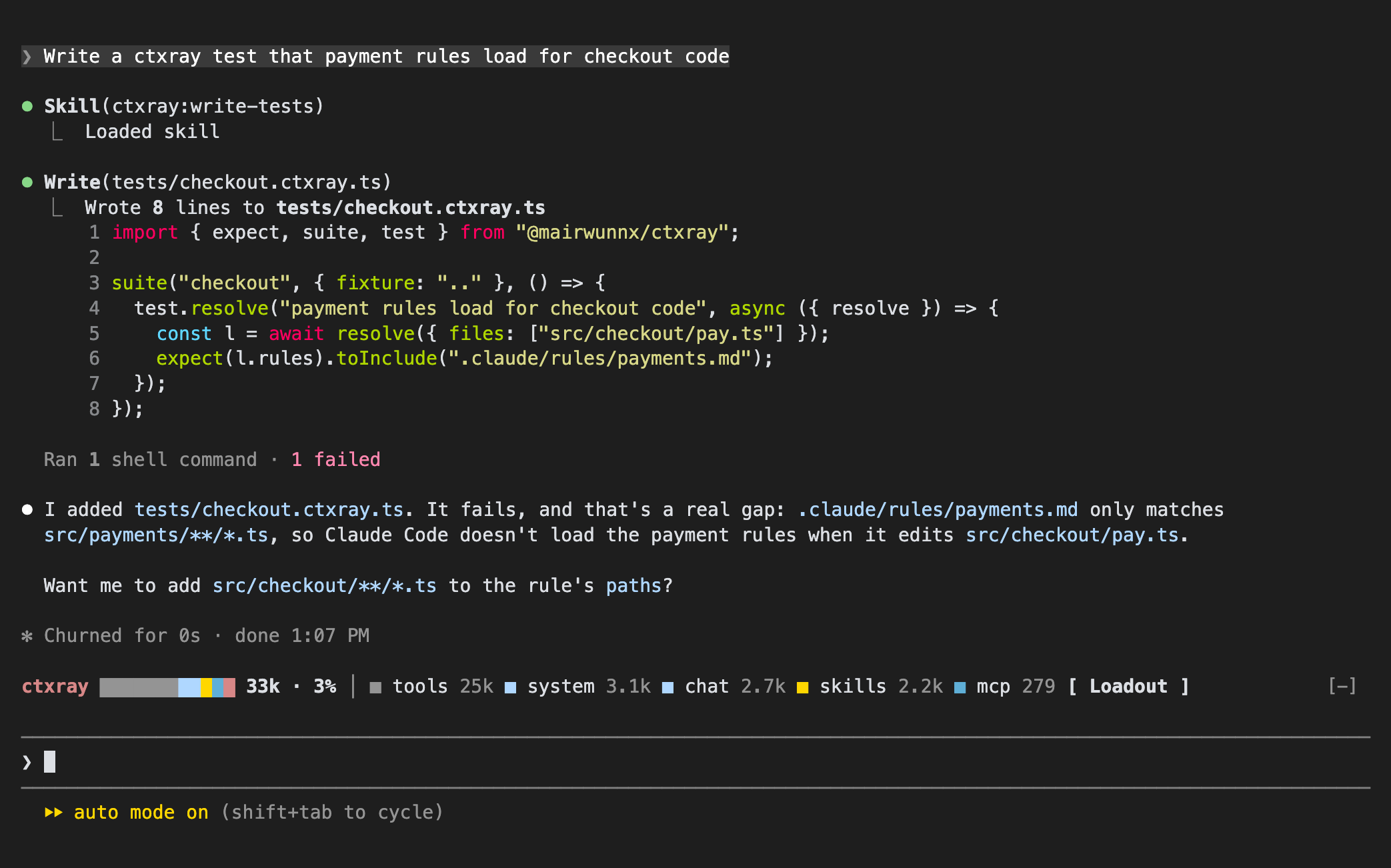
The plugin starts ctxray mcp --harness claude-code, an MCP server on stdin and stdout. Claude sees three tools:
| Tool | Inputs | Runs |
|---|---|---|
inspect |
cwd (folder the agent starts in), files (files the agent works with), harness
|
ctxray inspect |
run |
layer (like L1,L2,L3), filter, harness
|
ctxray test |
diff |
base (required, like main or HEAD~1), harness
|
ctxray diff |
All inputs except base are optional. A call without harness looks at Claude Code, the server's own --harness.
Each call runs ctxray in the project folder Claude Code works in, without colour, and hands back what it printed, cut at 40,000 characters. A failed test or a broken config marks the call as an error, so Claude knows the check didn't pass. The tool descriptions steer Claude to use diff after it edits a rule, a skill, or an MCP config: it sees whether the change grew the context, and by how much.
ctxray mcp works with any agent that speaks MCP, not only with Claude Code. Name the harnesses it should look at by default:
Commands lists every option of ctxray mcp.
{
  "mcpServers": {
    "ctxray": { "command": "ctxray", "args": ["mcp", "--harness", "codex"] }
  }
}