Repository navigation
V1.0.0 - Modulo

V1.0.0 - Modulo
Fate UI 1.0 brings the real Pi coding agent into a complete desktop workspace. Modulo is the first stable release: one place to plan a change, delegate work, supply useful context, inspect the result, and decide what to ship.
Fate UI embeds the Pi SDK directly. There is no terminal UI scraping and no separate Pi terminal installation to manage.
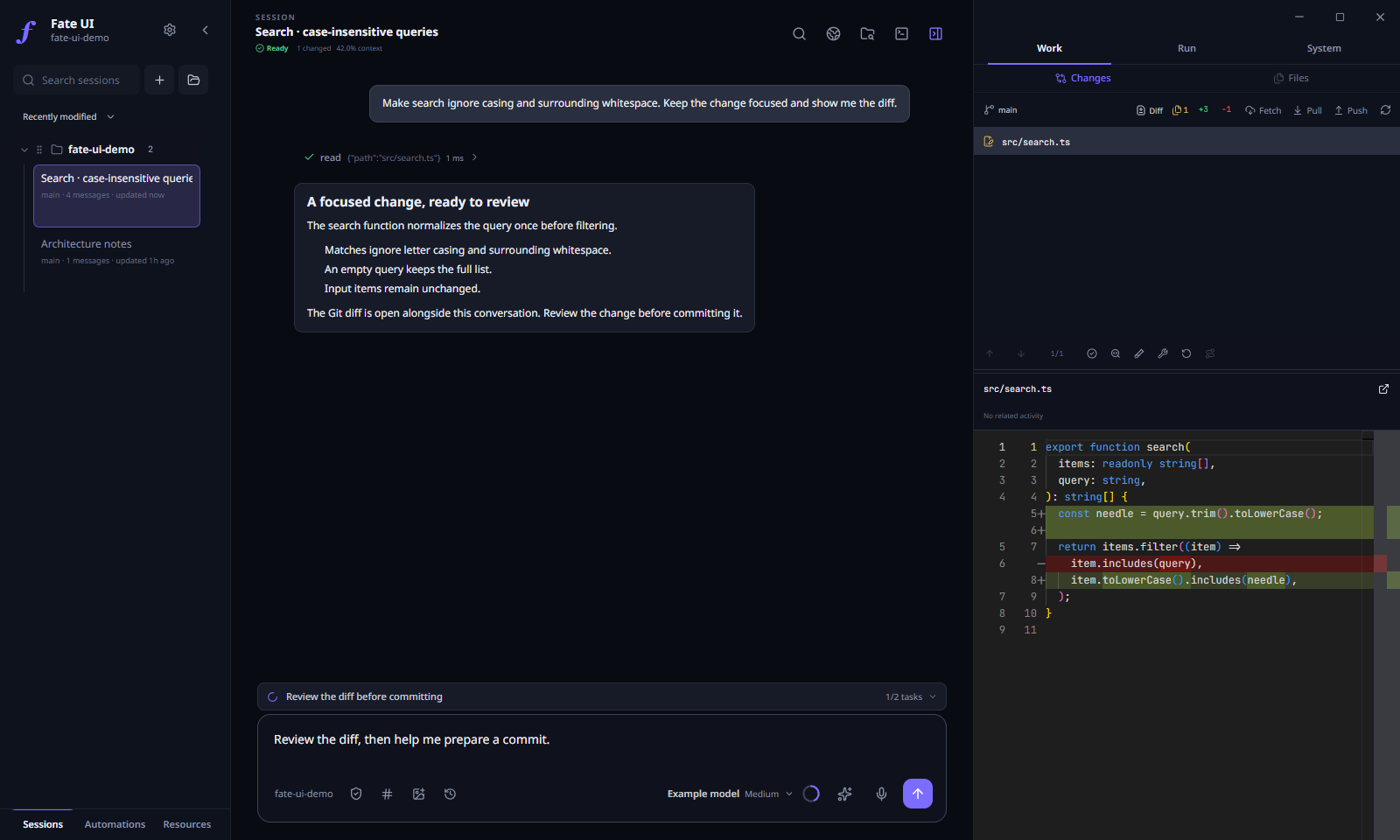
Actual Electron UI with a local demonstration project and illustrative agent messages.
One workspace for the coding session
Agents and workflows, together
Individual agents, recursive delegation, and dependency-based workflows now use one execution engine. There is no Legacy/Teams mode selector.
Choose each agent's model, reasoning effort, profile, tools, and skills. Use the shared checkout or a managed Git worktree according to the global workspace preference. Review changes before explicitly integrating them; completion alone does not merge code or remove a worktree.
The agent inspector keeps task state, messages, usage, and workspace ownership visible. Retained context supports follow-up work, while historical standalone records remain available without being silently revived as live agents.
Browser context that points to the right thing
The embedded browser keeps relevant pages beside the conversation. Select page elements and attach annotations so the agent can work from specific context instead of a vague description. Browser control has explicit origin and interaction policies; it is not arbitrary desktop control.
Git, files, and a separate terminal
Browse project files, inspect Monaco diffs, review Git history and working-tree changes, and use a manual terminal without leaving the workspace. Activity views connect runtime events and direct-write records to the investigation, while preserving the distinction between related activity and proof of authorship.
Longer goals without invisible state
GoalMax pairs objectives with criteria, tasks, evidence, and verification. The compact task/goal rails expose the next step; the Flight Deck provides the detail. Pending workflow admission and live parent/child joins prevent premature completion.
Queues preserve editable drafts and their delivery mode. Steering, follow-ups, saved instructions, and uncertain recovered messages remain visible; uncertain delivery is not blindly replayed after restart.
A workspace that fits the way you work
- Default and Angelcore skins, independent palettes and fonts, imported skin packs, and locally processed dithered backgrounds.
- Consistent compact controls across queue, tasks, steering, and GoalMax, plus proper confirmation dialogs and keyboard-operable menus.
- Opt-in Memory Learning for reviewed global coding preferences and project-specific notes/procedures.
- Local voice transcription, optional image generation, and a separate ambient-audio player.
- Multiple projects, durable sessions, branches, session references, and direct session messages.
Reliability work behind V1
Modulo separates execution from notification and cleanup. A successful task is not automatically rerun because its result could not be delivered. Follow-ups do not overwrite an unfinished parent/child join. Failed-to-stop work retains its writer lease until actual settlement, and cancellation attempts all requested targets before reporting failures.
Workflow runtime/idle/resource checkpoints remain advisory rather than hidden stop rules. Agent admission, workspace ownership, and history/transport bounds remain explicit.
The Pi SDK pin is 0.85.1, verified against the upstream GitHub release. V1 keeps the tested public SDK and Fate's stronger application-owned queue, trust, and orchestration boundaries instead of importing unreleased upstream experiments.
Versioning
The application displays V1.0.0 - Modulo. The machine version is 1.0.0.
Tags, installer filenames, checksums, and update ordering use the version number. The release name is display metadata: a future 1.0.1 is newer regardless of its name, and a name-only change does not create an update.
Installation and upgrade
Artifacts target:
| Platform | Architecture | Formats |
|---|---|---|
| Windows | x64 | EXE |
| macOS | Apple Silicon and Intel | DMG, PKG |
| Linux | x64 | AppImage, DEB |
Download the installer for your platform and the accompanying SHA256SUMS. Existing local sessions, settings, and provider data are retained. Earlier standalone agent records remain historical; newly created work uses the unified runtime. Recovered workflows and uncertain message delivery still require the appropriate explicit recovery action.
Important
These installers remain unsigned, and macOS builds are not notarized. Windows SmartScreen and macOS Gatekeeper may warn or block launch. Verify downloads against the published SHA256SUMS and review platform trust prompts. Checksums do not replace publisher code signing.
Trust and limits
Fate UI is local-first, not offline-only. Prompts and selected context go to your configured AI provider. Full access is intentionally unsandboxed, and a Git worktree is not a security sandbox. Keep important work backed up and review changes before merging or deploying them.
Automated checks and model-assisted verification do not guarantee that every generated change is correct. Native release artifacts are gated by the platform build/smoke matrix; runtime/provider failures remain visible rather than being called success.
Get started · Documentation · Agent orchestration · Report an issue
Fate UI is an independent community project and is not an official Pi distribution.