Repository navigation
3.3.0 – Your house in its neighbourhood / Dein Haus in seiner Nachbarschaft

Your house in its neighbourhood
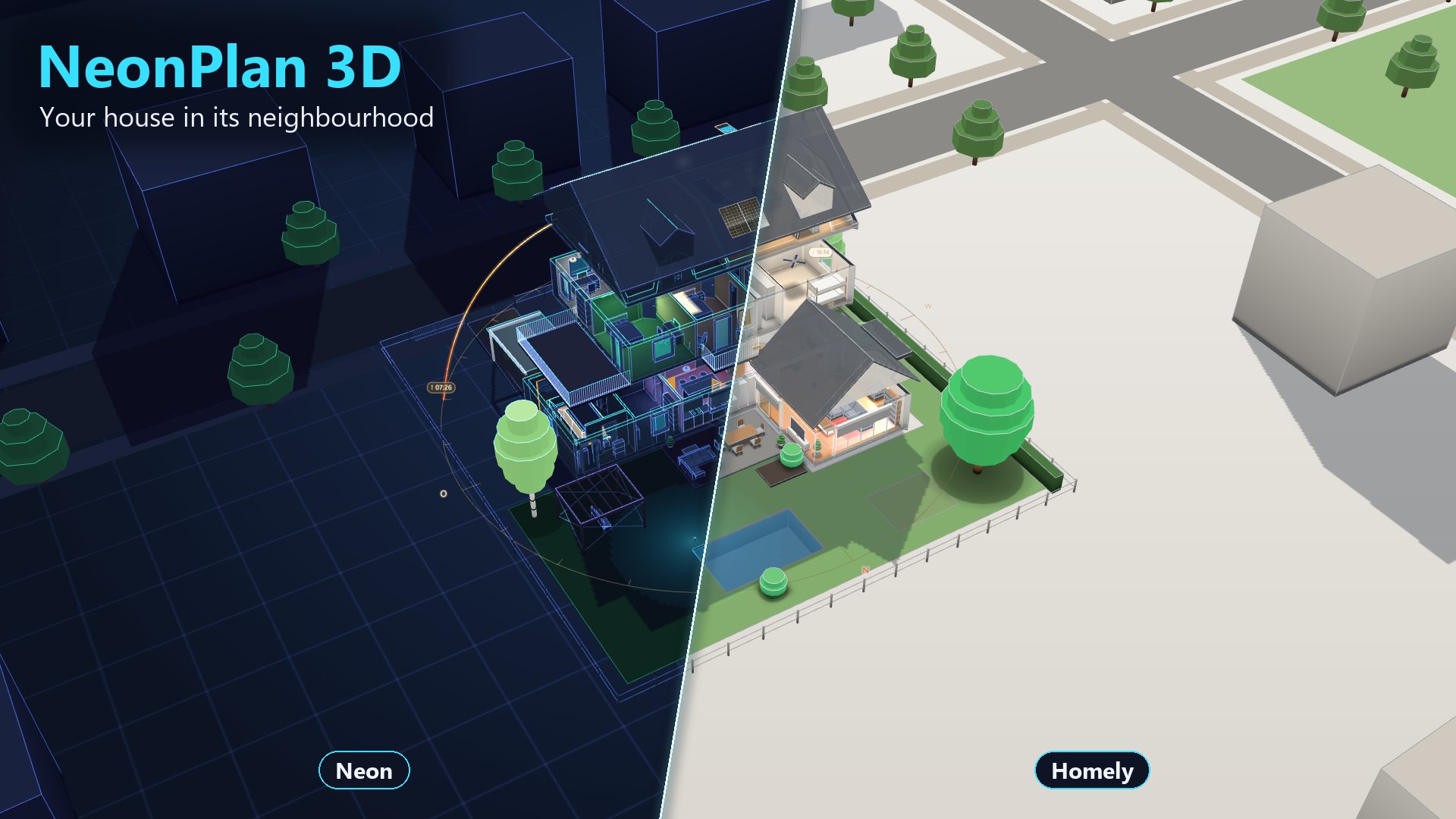
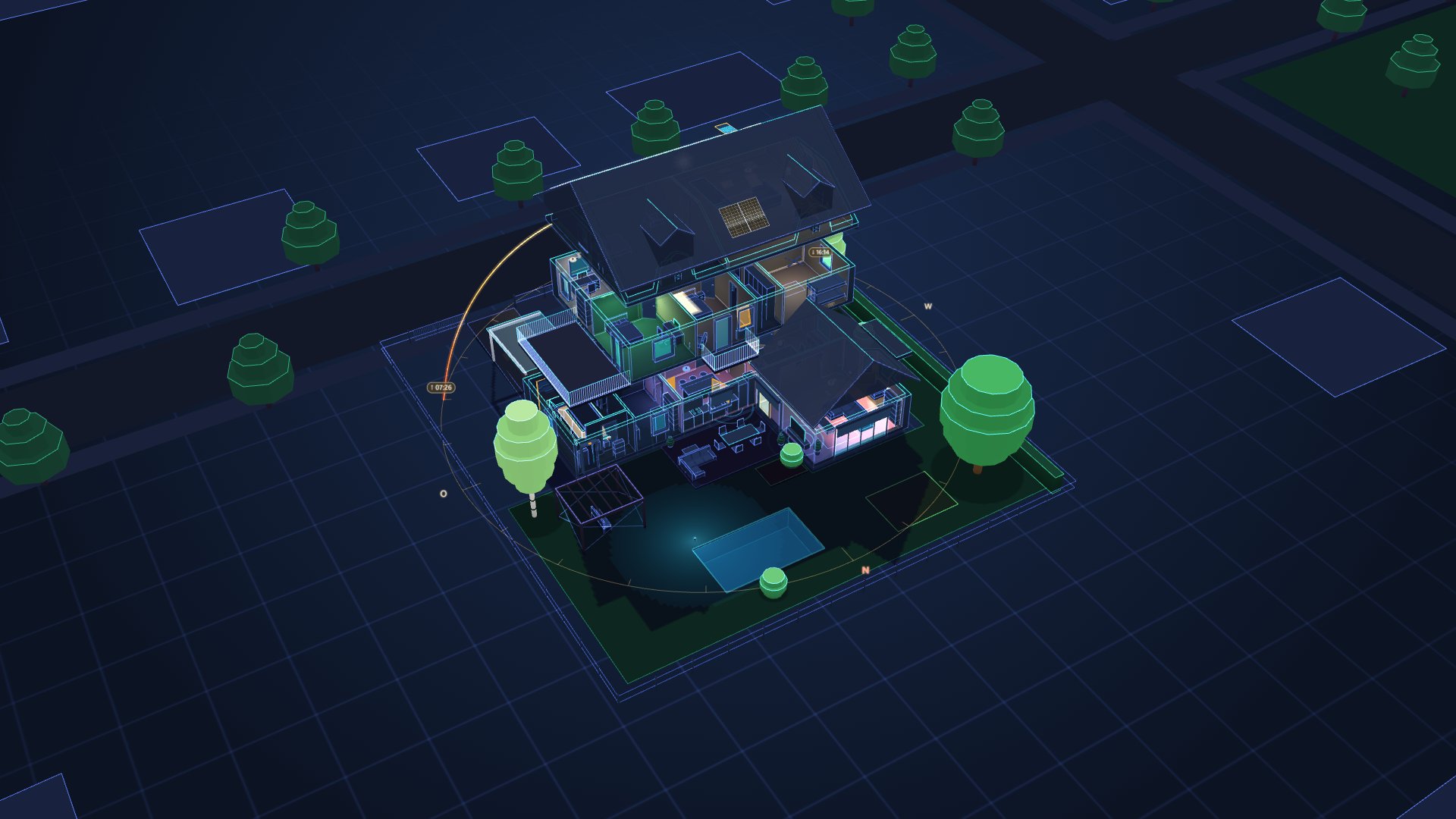
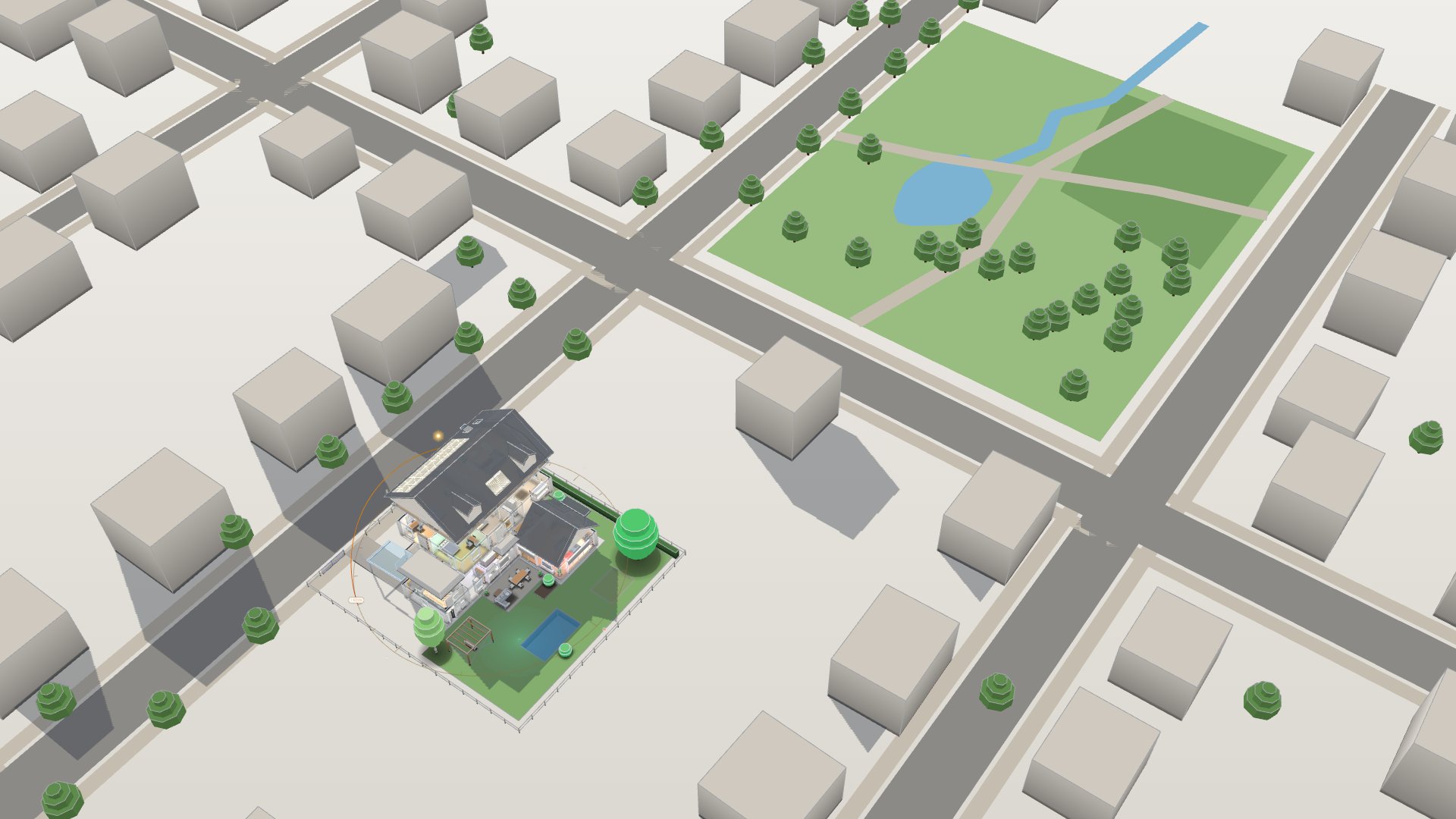
Until now your house stood alone on a grid. From 3.3 it can stand where it really is: ⚙ Settings → 🗺 Surroundings brings in your neighbourhood from the free map OpenStreetMap – the neighbours' houses as blocks at their real height, streets, footpaths, railways, streams and ponds, parks, woods and single trees. It works worldwide; how much the map knows depends on the area.
What it is good for
- You recognise your home at a glance. The street in front, the neighbours left and right, the park behind – on the wall tablet the house no longer floats in space, it is your street.
- Sun and shadows are right. NeonPlan finds your house on the map and turns north to match it. The sun's path, the sun patches in the rooms and the shadows then fall the way they really do – and the neighbours' houses cast their shadows into your garden. You see when the terrace loses the evening sun or when the house next door shades your garden.
- No more guessing north. Many plans were drawn "north up" by eye; the map sets north to the degree.
- A new house is drawn faster – see below.
How to use it
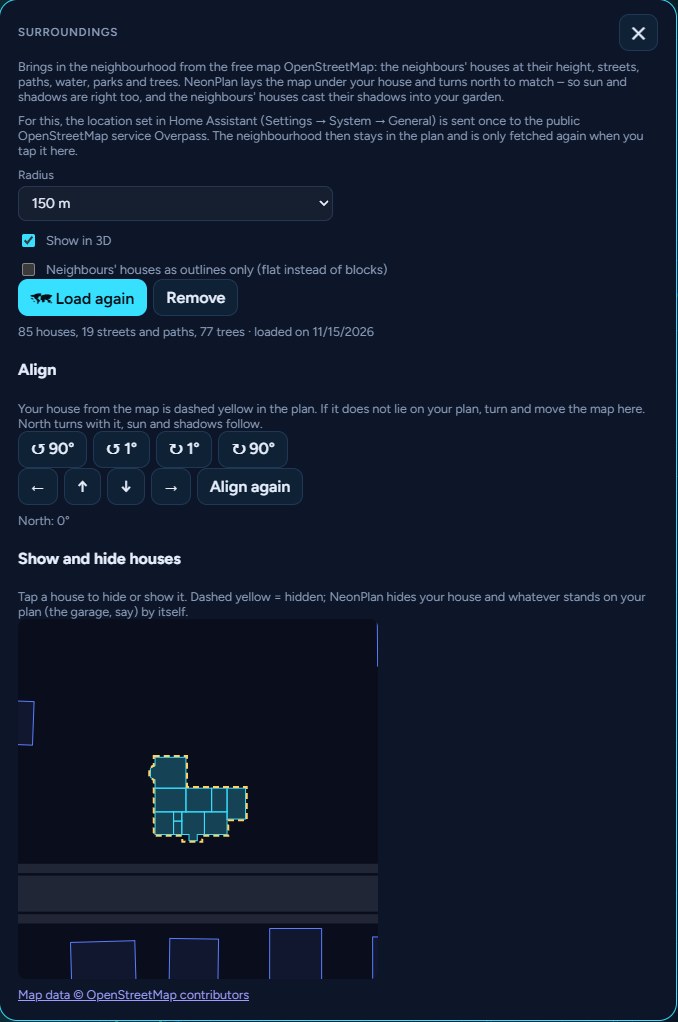
- ⚙ Settings → 🗺 Surroundings, pick the radius (100, 150 or 250 m), tap Load surroundings. When the public map servers are busy this can take up to a minute.
- NeonPlan lays the map under your plan by itself: your house from the map is dashed yellow in the plan. If it does not fit quite, turn the map by 90° or 1° and move it with the arrows – Align again places it automatically once more.
- Map buildings that stand on your rooms – your house, or a garage the map keeps as a building of its own – are hidden automatically.
Everything can be shown or hidden later
- Show in 3D switches the neighbourhood off and on at any time – the data stays in the plan, nothing is fetched again.
- Show and hide houses: a small map in the dialog – tap a house to hide it or show it again (dashed yellow = hidden).
- Neighbours' houses as outlines only: flat on the ground instead of blocks, if you want your own house to stand out.
- Remove deletes the neighbourhood from the plan; Load again fetches it fresh whenever you like.
- Room cards show only their rooms, without the neighbourhood. Nothing changes until you load it.
Start a new house from the map
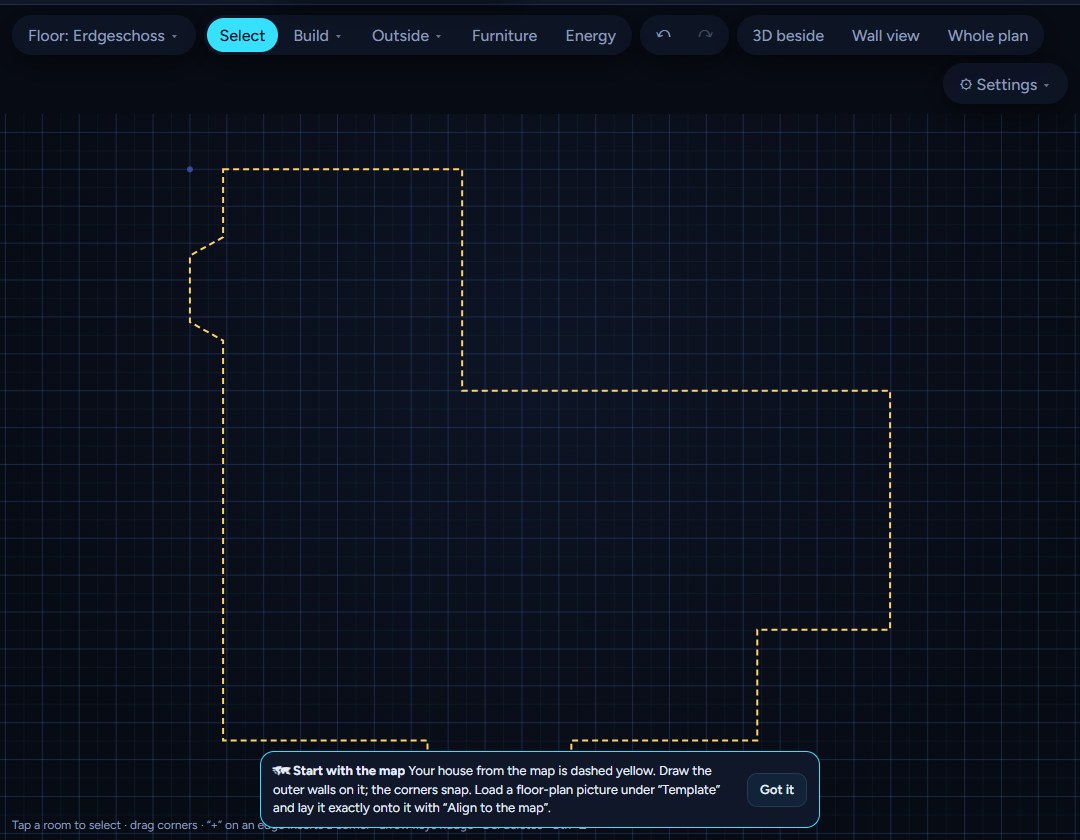
While the ground floor is still empty, NeonPlan offers 🗺 Start with the map. Your house's outline from the map becomes the template: turned square to the grid, north already set. Draw the outer walls right on it – the corners snap – or load your floor-plan picture and tap 🗺 Align to the map (under Template): two corners in the picture, the same two on the outline, and the picture is scaled, turned and moved in one go. No more measuring with a ruler to get the scale right.
Good to know
- Privacy: to load the map, the location set in Home Assistant (Settings → System → General) is sent once to the public OpenStreetMap service Overpass – nothing else, and only when you tap the button.
- Still runs on old wall tablets: the neighbourhood is drawn once together with the house – simple blocks, nothing moves, no extra work per frame.
- A plan grows by about 20–150 KB with its neighbourhood. If you ever go back to an older version, tap Remove first – older versions cannot save a plan with surroundings.
- The pictures show the demo house in an invented neighbourhood. Map data © OpenStreetMap contributors (ODbL).
Also new
- Pack fans turn: ceiling and pedestal fans from the packs turn while they run – at their speed (#1084, thanks moeva777). Updated packs with turning fans follow in the shop.
- The gift for everyone is now winter and pets: the hint offers the free fun packs Winter & Christmas and Pets instead of Halloween.
- A new demo house in the online demo: an L-shaped home with a studio under the roof, dormers, a bay window, balconies, a roof terrace, a carport, a pool and a garden.
Fixed
- Garage doors had a roller shutter with its box in front of them, hiding the door – a garage door is now only the door, sectional or up-and-over (#1094, thanks chRyX-giT)
How to update
Settings → System → Updates (or HACS → NeonPlan 3D → ⋮ → Update information → Download), restart Home Assistant, then reload the page with Ctrl+F5.
Dein Haus in seiner Nachbarschaft
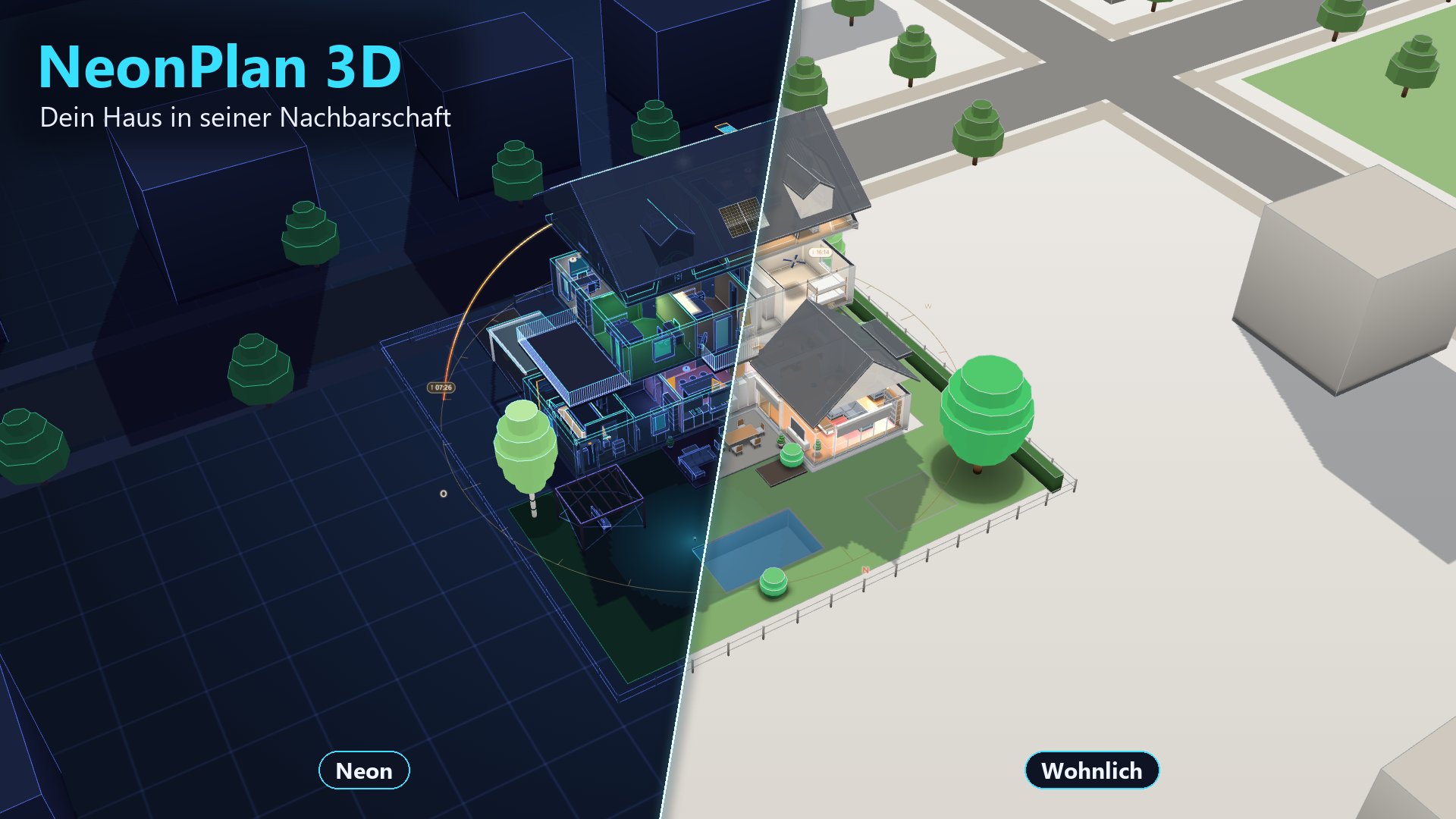
Bisher stand dein Haus allein auf einem Raster. Ab 3.3 steht es da, wo es wirklich steht: ⚙ Einstellungen → 🗺 Umgebung holt deine Nachbarschaft aus der freien Karte OpenStreetMap – die Häuser der Nachbarn als Blöcke in ihrer echten Höhe, Straßen, Fußwege, Bahngleise, Bäche und Teiche, Parks, Wälder und einzelne Bäume. Das funktioniert weltweit; wie viel die Karte kennt, hängt von der Gegend ab.
Wofür das gut ist
- Du erkennst dein Zuhause auf einen Blick. Die Straße vor der Tür, die Nachbarn links und rechts, der Park dahinter – auf dem Wandtablet schwebt das Haus nicht mehr im Nichts, es ist deine Straße.
- Sonne und Schatten stimmen. NeonPlan findet dein Haus auf der Karte und dreht den Norden passend. Sonnenbahn, Sonnenflecken in den Räumen und Schatten fallen dann so, wie sie wirklich fallen – und die Nachbarhäuser werfen ihre Schatten in deinen Garten. Du siehst, wann die Terrasse die Abendsonne verliert oder wann das Nachbarhaus den Garten verschattet.
- Kein Norden mehr nach Gefühl. Viele Pläne wurden „Norden oben“ nach Augenmaß gezeichnet; die Karte setzt den Norden aufs Grad genau.
- Ein neues Haus ist schneller gezeichnet – siehe unten.
So geht's
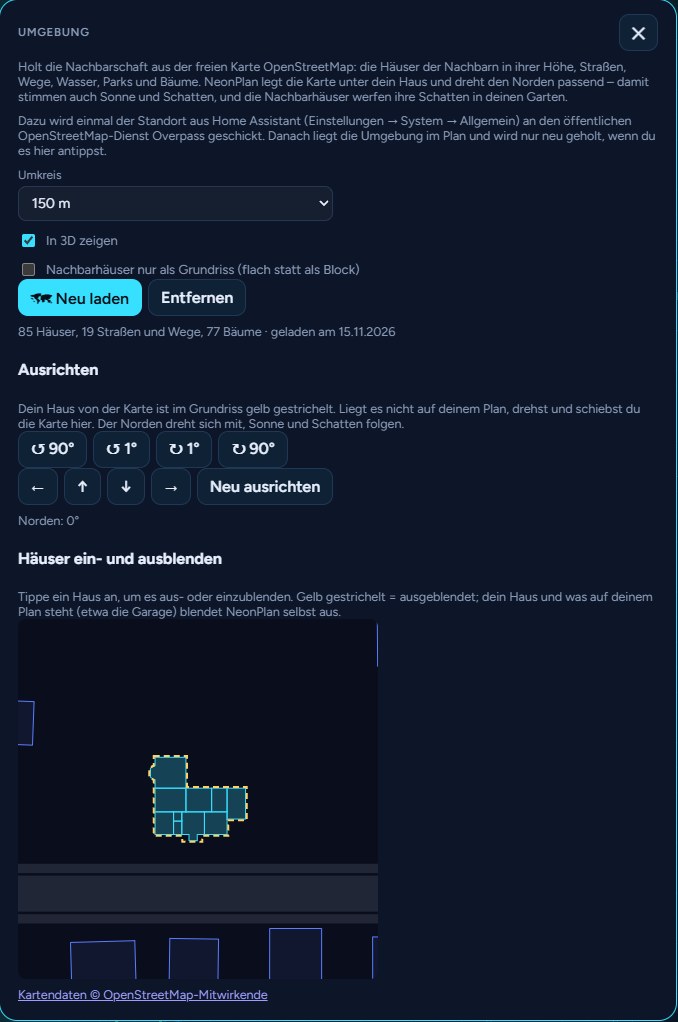
- ⚙ Einstellungen → 🗺 Umgebung, Umkreis wählen (100, 150 oder 250 m), Umgebung laden antippen. Sind die öffentlichen Kartenserver ausgelastet, kann das bis zu einer Minute dauern.
- NeonPlan legt die Karte selbst unter deinen Plan: Dein Haus von der Karte steht gelb gestrichelt im Grundriss. Passt es nicht ganz, drehst du die Karte um 90° oder 1° und schiebst sie mit den Pfeilen – Neu ausrichten legt sie wieder automatisch an.
- Gebäude der Karte, die auf deinen Räumen stehen – dein Haus oder eine Garage, die auf der Karte ein eigenes Gebäude ist – werden automatisch ausgeblendet.
Alles lässt sich später ein- und ausblenden
- In 3D zeigen schaltet die Nachbarschaft jederzeit aus und wieder ein – die Daten bleiben im Plan, nichts wird neu geholt.
- Häuser ein- und ausblenden: eine kleine Karte im Dialog – ein Haus antippen blendet es aus oder wieder ein (gelb gestrichelt = ausgeblendet).
- Nachbarhäuser nur als Grundriss: flach auf dem Boden statt als Block, wenn dein eigenes Haus hervorstechen soll.
- Entfernen löscht die Nachbarschaft aus dem Plan; Neu laden holt sie jederzeit frisch.
- Raumkarten zeigen nur ihre Räume, ohne Nachbarschaft. Solange du nichts lädst, ändert sich nichts.
Ein neues Haus mit der Karte beginnen
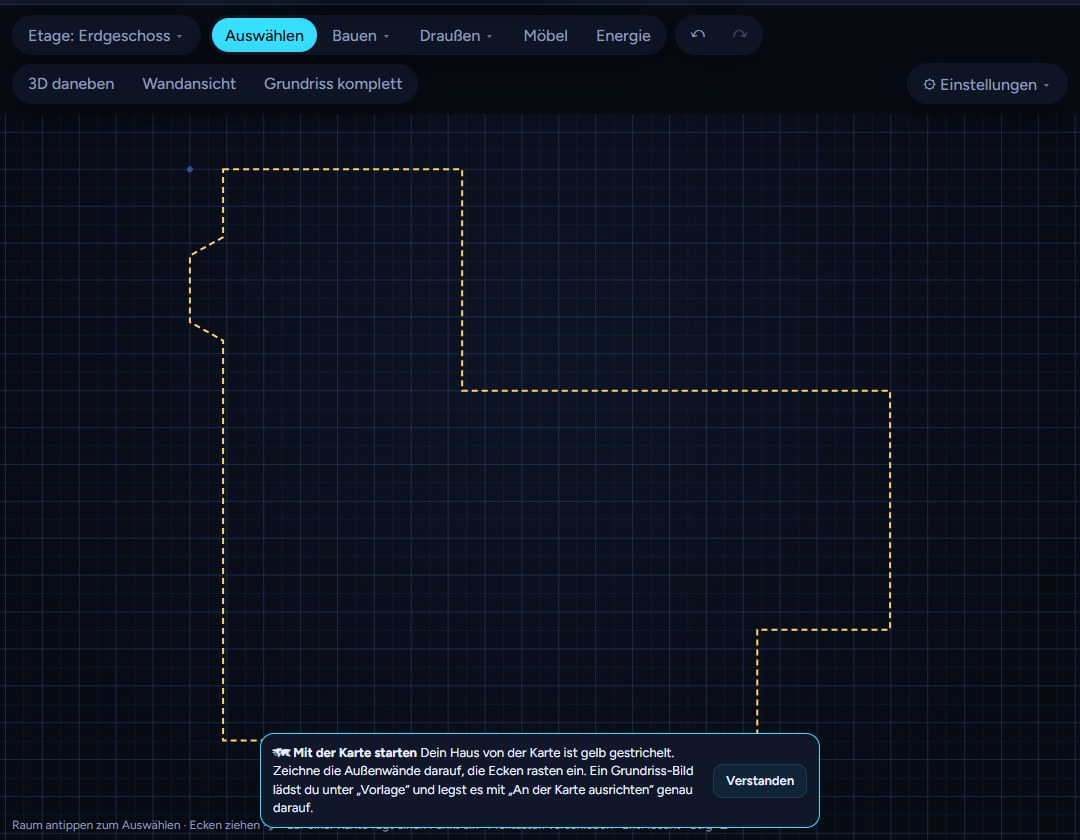
Solange das Erdgeschoss noch leer ist, bietet NeonPlan 🗺 Mit der Karte starten an. Der Umriss deines Hauses aus der Karte wird zur Vorlage: gerade zum Raster gedreht, der Norden schon gesetzt. Zeichne die Außenwände direkt darauf – die Ecken rasten ein – oder lade dein Grundriss-Bild und tippe 🗺 An der Karte ausrichten (unter Vorlage): zwei Ecken im Bild, dieselben zwei am Umriss, und das Bild wird in einem Rutsch skaliert, gedreht und verschoben. Kein Ausmessen mit dem Lineal mehr, damit der Maßstab stimmt.
Gut zu wissen
- Datenschutz: Zum Laden wird der Standort aus Home Assistant (Einstellungen → System → Allgemein) einmal an den öffentlichen OpenStreetMap-Dienst Overpass geschickt – sonst nichts, und nur, wenn du den Knopf antippst.
- Läuft weiter auf alten Wandtablets: Die Nachbarschaft wird einmal zusammen mit dem Haus gezeichnet – einfache Blöcke, nichts bewegt sich, keine Mehrarbeit pro Bild.
- Ein Plan wird mit seiner Nachbarschaft etwa 20–150 KB größer. Gehst du einmal auf eine ältere Version zurück, vorher Entfernen tippen – ältere Versionen können einen Plan mit Umgebung nicht speichern.
- Die Bilder zeigen das Demo-Haus in einer ausgedachten Nachbarschaft. Kartendaten © OpenStreetMap-Mitwirkende (ODbL).
Außerdem neu
- Ventilatoren aus den Packs drehen sich: Decken- und Standventilatoren drehen, solange sie laufen – in ihrer Geschwindigkeit (#1084, danke moeva777). Aktualisierte Packs mit drehenden Ventilatoren folgen im Shop.
- Das Geschenk für alle ist jetzt Winter und Haustiere: Der Hinweis bietet die kostenlosen Spaß-Packs Winter & Weihnachten und Haustiere statt Halloween an.
- Ein neues Demo-Haus in der Online-Demo: ein Haus in L-Form mit Atelier unterm Dach, Gauben, Erker, Balkonen, Dachterrasse, Carport, Pool und Garten.
Behoben
- Vor Garagentoren hing ein Rollladen mit Kasten, der das Tor verdeckte – ein Garagentor ist jetzt nur noch das Tor, Sektional- oder Schwingtor (#1094, danke chRyX-giT)
So aktualisierst du
Einstellungen → System → Updates (sonst HACS → NeonPlan 3D → ⋮ → Update-Informationen → Herunterladen), Home Assistant neu starten, dann die Seite mit Strg+F5 neu laden.