Repository navigation
MegaNexus 9.0.0 Nightly-Stable

The nightly line, made stable — everything since 8.0, tested on Android TV, Fire TV, CoreELEC and PC.
✨ Highlights
| ⚡ Native posters (VFS) | Posters through MegaNexus' own C++ add-on — no port, no Python, Home opens with its pictures already there. Recommended for everyone: after the update MegaNexus asks once — answer Switch now (or Settings → Performance & image cache → Picture path). |
| 🖼️ One picture per title | A new Artwork choice is carried out at once behind the loading screen, the old pictures removed; every week the screensaver clears the pictures not shown for a week. |
| 💬 Subtitles, live | The list opens at once and fills as the add-ons answer — languages by name, yours first, and where each subtitle comes from. |
| 🧠 AI subtitles | Your language with Google Gemini — from where you are watching, lines appear as they translate, kept for next time. |
| 🎯 Autosync | Subtitles lined up with the video's own; a subtitle from online is checked once by itself. |
| 🎬 Trailers in a blink | Start at once from the title page, and Back goes straight back to it. |
| 🛰️ Native C++ Usenet player | Fast start and seeking straight from Usenet (vfs.meganexus). |
| A source that doesn't start is skipped quietly; skip intro/outro with trusted times only; Next episode at the right moment. | |
| 🔄 Your progress everywhere | Nuvio, Stremio, Trakt, Simkl, MDBList, WeTrakr — accounts sign in again by themselves, Trakt stays signed in, and a real sign-out is told once. |
| 🍿 And more | Watch Party, IPTV and Sport, set-up from your phone, profiles, themes, backup with or without sign-ins (TV and phone). |
Important
Nuvio users: sign in to Nuvio once more after updating (HUB Settings → Accounts & tracking). From then on MegaNexus renews the session by itself.
📥 Install
Already on MegaNexus? It updates by itself from the MegaNexus repository.
New install: download MegaNexus-Complete-9.0.0.zip below → Kodi Add-ons → Install from zip file.
Or add the repository: Kodi File manager → Add source https://meganexusmediaplayer.github.io/MegaNexus/ → install repository.meganexus-2.0.0.zip → MegaNexus Hub. Kodi 21 and 22.
Full list: CHANGELOG.md
🍎 Next goal: an Apple TV-inspired MegaNexus
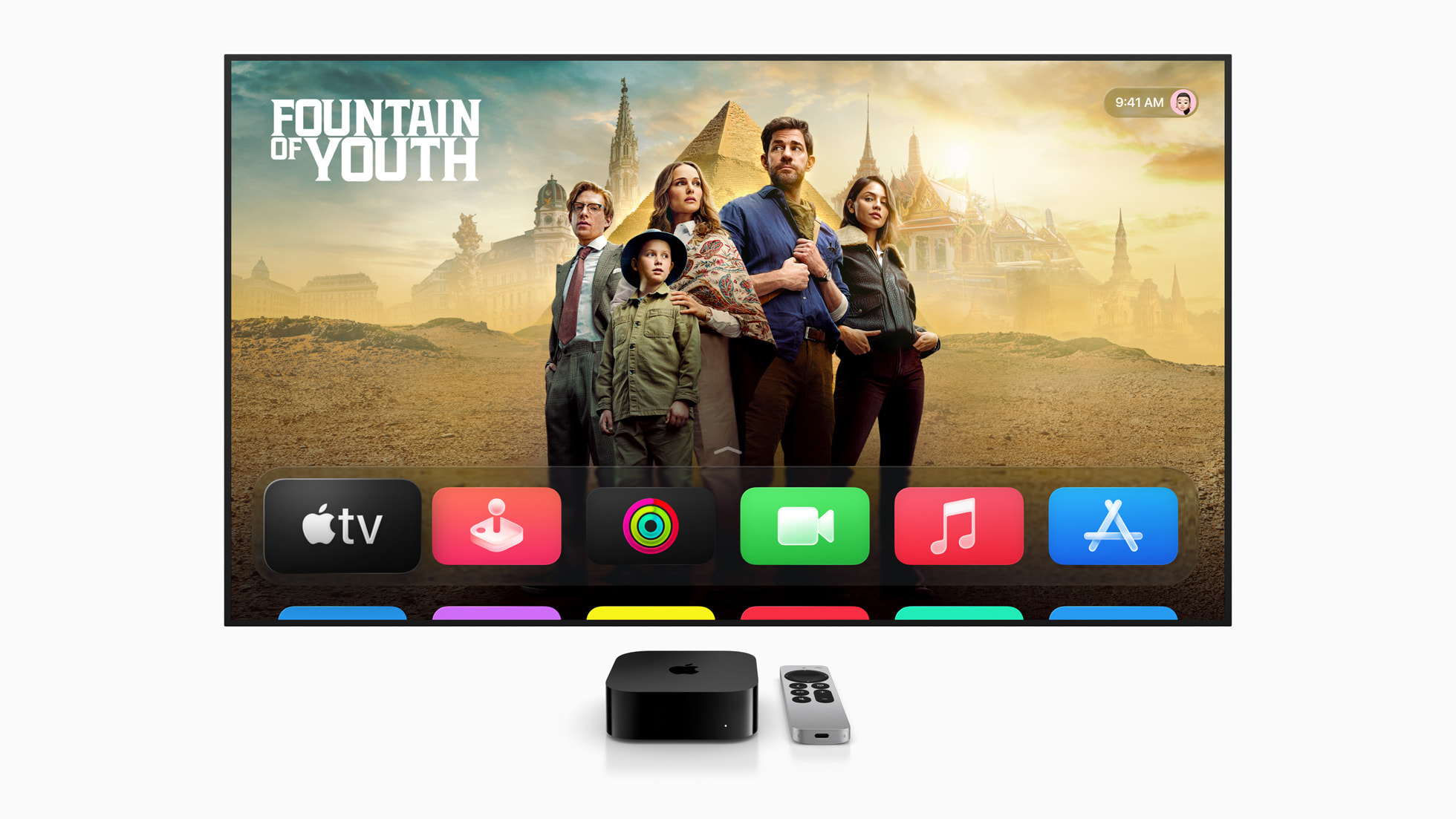
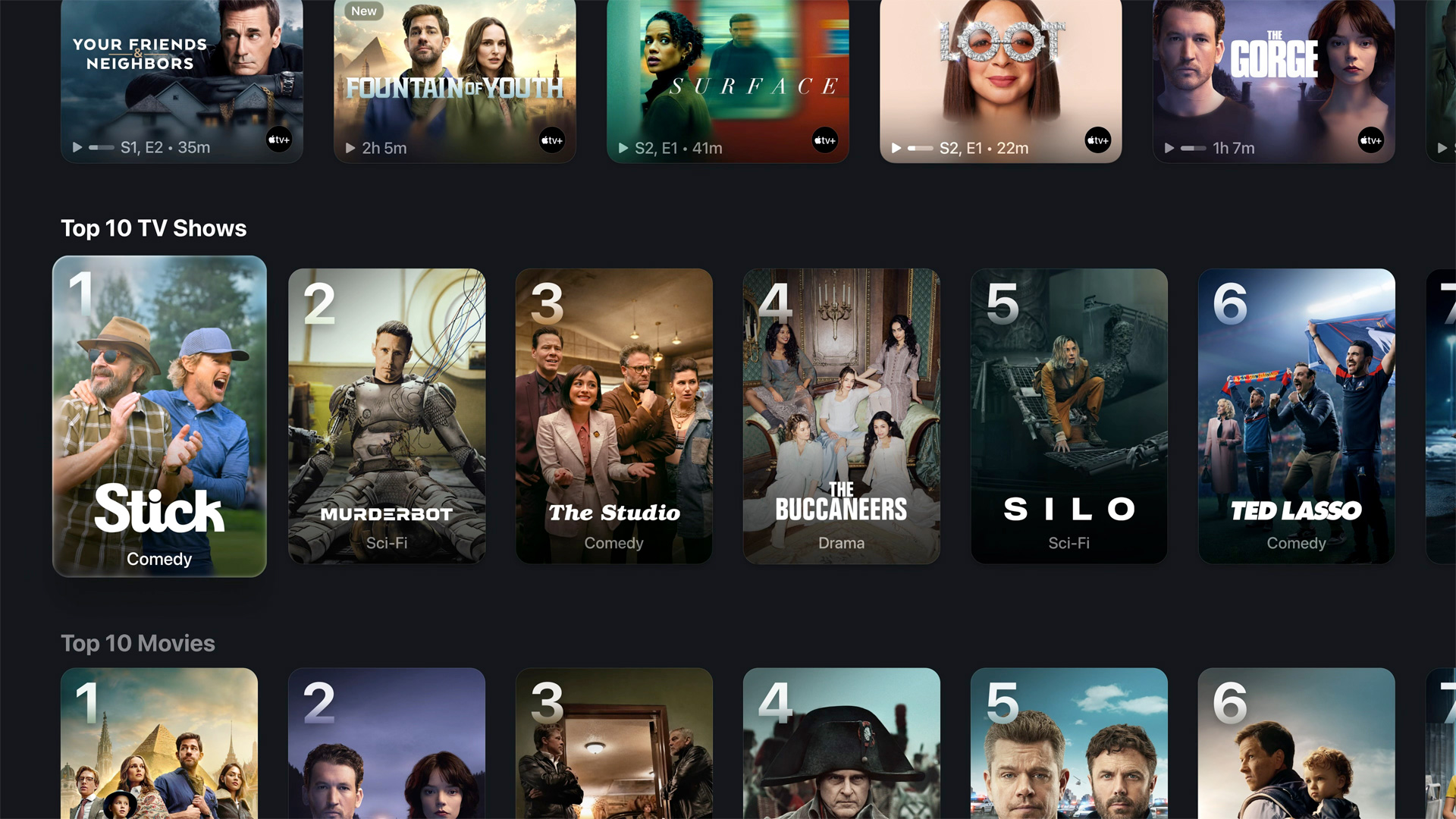
The look we are aiming for — Apple TV with tvOS 26. Images: Apple, shown for inspiration only.
Hi everyone! 👋 I'm starting a new development goal to bring a complete Apple TV-inspired experience to Kodi through MegaNexus: a clean, premium interface with an Apple TV-style home screen, beautiful content artwork, immersive collections, modern navigation, and a smooth, polished user experience.
🎯 Funding goal: $100 — your support will help fund development, testing, and refinement of this new visual experience. If you'd like to help make this happen, consider supporting the project on Ko-fi. Every contribution makes a difference. Thank you for being part of the MegaNexus community! ❤️
MegaNexus is free for personal use and does not host or provide any media. See LICENSE.md and THIRD_PARTY_NOTICES.md.