Repository navigation
Releases
Releases · Mintplex-Labs/anythingllm-mobile
AnythingLLM Mobile v1.3.2

What's Changed
- Resume partial onboarding instead of skipping its last step by @timothycarambat in #122
Full Changelog: v1.3.1...v1.3.2
Contributors

timothycarambat
Assets 4
AnythingLLM Mobile v1.3.1
AnythingLLM Mobile v1.3.1
✨ New
- Device Assistant (Android) — Make AnythingLLM your phone's default digital assistant and replace Gemini with your own AI. Use the same gesture (long-press home or the side button) to open it over any app. You can talk or type, and share your screen with vision models. Choose from several animated backgrounds. Chats are saved to a "Device Assistant Chats" workspace. Set it up under Settings > Special tools > Device Assistant.
assistant.mp4
- Sign in with ChatGPT (experimental) — Connect with your ChatGPT Plus or Pro plan instead of an API key. Available in the model chip, in Settings and during onboarding.
- Alarms, timers and reminders (Android) — Ask in chat and, once you approve, the assistant starts a timer ("in 20 minutes"), sets an alarm ("at 3pm") or adds a calendar reminder for anything further out.
- Always approve tools — A redesigned tool approval card has an "Always approve this tool" option. Manage remembered tools under Settings > Utility > Tool auto-approvals.
- YouTube transcripts — Share or paste a YouTube link and the assistant reads the video's transcript.
🔧 Improvements
- OpenAI now uses the Responses API, so tool calling works with the newest OpenAI models.
- The provider picker lists ChatGPT, OpenAI, Anthropic, Gemini and OpenRouter first.
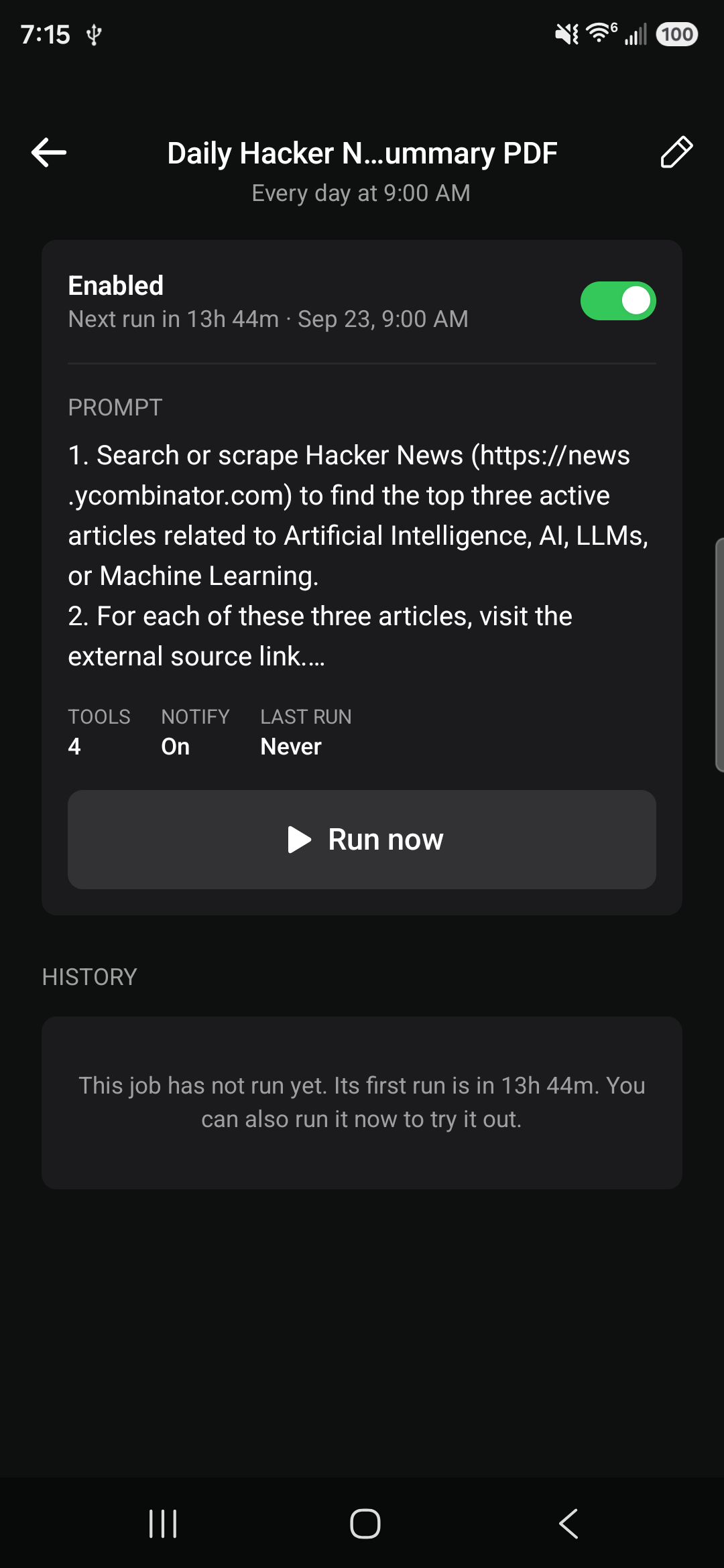
- Scheduled jobs warn you when Android battery optimization could stop jobs from running in the background, with a shortcut to fix it.
🐛 Fixes
- Startup errors are now reported with their real cause instead of a generic "not registered" crash.
What's Changed
- fix(startup): register root components lazily so load errors aren't masked by @timothycarambat in #113
- feat(scheduled-jobs): warn when battery optimization can break background runs by @timothycarambat in #114
- feat(assistant): AnythingLLM as the Android default digital assistant by @timothycarambat in #115
- feat(tools): set alarms, timers and reminders from chat by @timothycarambat in #117
- feat(highlights): 1.3.1 Device Assistant card by @timothycarambat in #116
- Read YouTube transcripts from video links by @timothycarambat in #119
- Restyle tool approval card and add tool auto-approvals by @timothycarambat in #120
- Add Sign in with ChatGPT provider and move OpenAI to the Responses API by @timothycarambat in #121
Full Changelog: v1.3.0...v1.3.1
Contributors
timothycarambat
Assets 4
AnythingLLM Mobile v1.3.0
AnythingLLM Mobile v1.3.0
✨ New
- App integrations overhaul (#101)
- Text drafts (#100): drafts show as a card. Tapping it opens a picker of installed messaging apps (SMS, WhatsApp, Telegram, Signal, Messenger, Viber, LINE, Discord), with a copy option. The last used app is remembered.
- Email drafts (#102): drafts show as a card that opens your chosen mail app with To, Cc, subject and body filled in.
- Calendar (#103): new Calendar tool group with Create Events and Read Calendar.
- Created events show as a card and open in your chosen calendar app, or you can share or save them as a
.icsfile. - Events now support repeats, reminders, attendees and URLs.
- Events the assistant reads appear as citations you can tap to open.
- Created events show as a card and open in your chosen calendar app, or you can share or save them as a
- Cards show the picked app's icon.
- Switch providers from the model chip (#106): pick On-Device or a configured provider in one tap, or connect a new provider inside the sheet. Switching back to On-Device restores your last on-device model.
- New chat greeting (#109): empty threads show a greeting with inline suggested prompts. The screen no longer waits on a location lookup to load.
- Max Tool Calls setting (#110): a per-workspace limit on tool calls per reply (default 10 for cloud, 5 on-device, 0 for no limit). When the limit is hit, the model still gives a final answer. Tool calls now run one per round.
- Context length setting (#111) is disabled for non on-device providers, which manage their own context window.
🐛 Fixes
- Model downloads (#107): partial downloads are no longer marked as installed. This fixes a native crash when loading a truncated model. Downloads can now be cancelled.
- Remote providers (#98): token usage and tok/s are now accurate for providers like Gemini and DeepSeek.
- DeepSeek (#99):
reasoning_contentis always sent on assistant messages. This fixes failed follow-ups after tool calls. - Android (#95): fixed a launch crash on x86_64 devices (ChromeOS, WSA, emulators, Play pre-launch).
- Android (#97): fixed a
TransactionTooLargeExceptioncrash when backgrounding after a large paste. - Onboarding (#96): screens now scroll on short screens and with large font or display scaling.
- Remote sync (#105): imported workspaces no longer use the desktop's default thread. The workspace sync screen has a new look.
- The action sheet hint text no longer sits behind the action bar.
🔧 Internal
- R8 shrinking and obfuscation are on for release builds, cutting download size from 48.1 MB to 40.3 MB (#94).
- Typecheck and lint errors cleared, and Jest runs (#108).
- Translation backlog filled in.
Full Changelog: v1.2.3...v1.3.0
AnythingLLM Mobile v1.2.3
What's new
- Choose your language: AnythingLLM is now available in 17 languages: English, German, Spanish, French, Hindi, Indonesian, Italian, Japanese, Korean, Dutch, Polish, Portuguese (Brazil), Russian, Turkish, Vietnamese, and Chinese (Simplified and Traditional). The app uses your phone's language by default. You can change it under Settings > App language. (#89)
- Low memory warning for on-device models: Before your first on-device chat of each session, the app compares the model's memory needs against your phone's free RAM. The estimate covers the model weights, the vision projector, the KV cache at your workspace's context window, and compute buffers. If memory is low, you get a warning so your phone doesn't close the app in the middle of a reply. While memory stays low, an amber icon shows next to the model chip. (#92)
- Clearer chat errors: Failed replies now show as an error card, and long errors are collapsed behind a "Show more" toggle. Errors stay marked as errors after you reopen a thread. Loading and error states in the model picker now sit centered at every sheet height, and the extra "Could not list models" toast is gone. (#93)
Fixes
- Fixed two on-device crashes (#90):
- A crash when a model was unloaded while a reply was still generating. This could happen through the keep-alive timeout, a workspace change or a model switch. All native calls on a model now run in one queue, so the model is only unloaded after the reply finishes.
- A crash when two document embeddings ran at the same time on the on-device embedder. Embeddings now run one at a time.
- Fixed a crash when tapping a reply notification for a thread or workspace that had been deleted. You now see a message instead. (#91)
- Cleaner reply notifications: Successful replies now show just the workspace and the reply text. Failed replies still say "Reply failed". (#91)
Full Changelog: 1.2.2...1.2.3
AnythingLLM Mobile v1.2.2
- Fixed crash when selecting workspace context window pre-defined selection.
Full Changelog: v1.2.1...v1.2.2
AnythingLLM Mobile v1.2.1
What's Changed
- Crashalytics Reporting & Error Boundary handling by @timothycarambat in #88
This honors your telemetry setting and just allows us to more easily debug error reports across all devices so its easier to see what is causing issues for a small % of users.
Full Changelog: v1.2.0...v1.2.1
Contributors
timothycarambat
Assets 4
AnythingLLM Mobile v1.2.0
AnythingLLM Mobile 1.2.0
Your AI assistant now works everywhere on your phone, not just inside the app.
Everywhere on your phone
- Ask with AnythingLLM - Select text in any app and it appears in the selection toolbar. Polish, shorten, fix grammar or make it formal, or summarize, pull key points, explain and research what you're reading, with the model you chose rather than the OEM assistant. Edits are ephemeral, summaries are saved as threads. Turn it off under Settings › Special tools.
Linkedin_edit_edited.mp4 |
summarize_edited.mp4 |
| Rewrite | Summarize |
- Share to AnythingLLM - Send photos, documents and links from any app straight into a chat. Links are scraped, documents are parsed, and the empty thread suggests what to do with them ("Summarize this website", "Explain this image").
share-sheet-edited.mp4
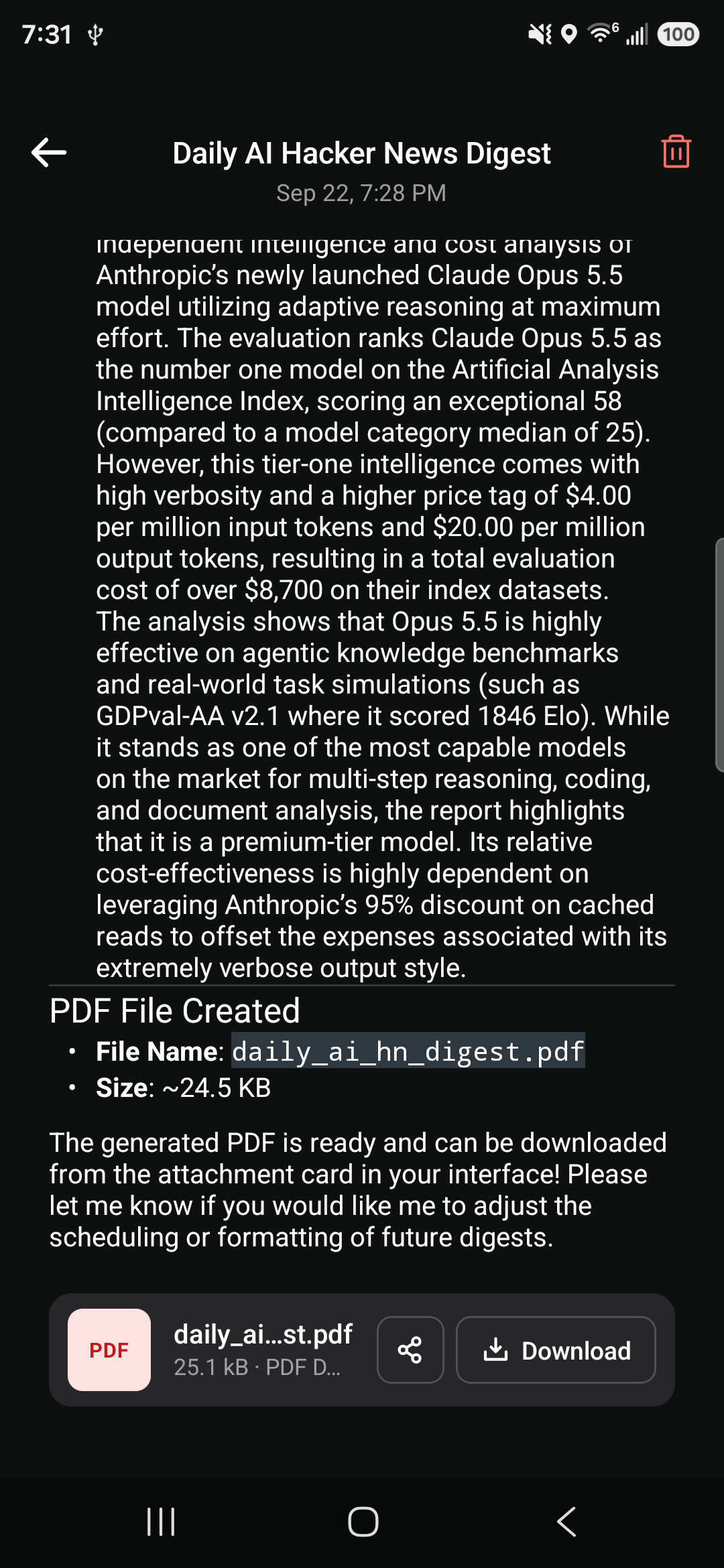
- Scheduled jobs - Ask for a recurring task and the assistant runs it on schedule, even in the background.
 |
 |
- Lock-screen notifications - Get told when a reply finishes while your phone is locked.

Chat
- Memory - The assistant remembers what you tell it, globally or per workspace, and recalls it when relevant.
- Create documents - Generate Word, PDF, PowerPoint and text files from a conversation.
- Read more file types - Attach Word, Excel, PowerPoint and more. External providers receive attached documents in full, with a warning for very large files.
- Linked files are read automatically when a link in chat points to a parseable document.
- Better voice input - Longer pauses allowed and transcripts accumulate as you speak.
- Redesigned new-workspace flow.
Models
- Model fit badges - See whether an on-device model will run well on your phone before downloading it.
- Faster on-device replies - Prompt layout preserves the KV cache between turns.
- Anthropic prompt caching on by default.
Fixes
- Onboarding-created workspace now shows in the sidebar without pull-to-refresh.
- Images no longer rotate in PDF chat exports.
- Files belonging to deleted records are purged from disk.
License
- Now GPLv3. Releases before 1.2.0 remain available under MIT.
AnythingLLM Mobile v1.1.0
A notable feature release bringing vision, voice, smarter tool use, a better UX, and an improved model engine to AnythingLLM Mobile.
New Features
- Speech-to-text input via native OS speech recognition
- Image attachments with on-device vision support (multimodal projection)
- Rolling context summary keeps long on-device threads inside the context window
- Intelligent tool selection via cross-encoder reranking + bumped model quants
- Export chat thread to PDF, including rendered image attachments
- Chat abort with true abort handler
- Auto-rename threads based on conversation content
- HuggingFace model browser for discovering and downloading models in-app
- Generic OpenAI-compatible provider with automatic model discovery
- Engine and model overhaul — rebuilt model management and inference engine
- Chain-of-thought overhaul — improved reasoning display and handling
- Updated citations and replaced core search provider
- Context window auto-scaling based on device RAM
- External provider model listing in the model chip selector
- Runtime permission prompts — ask for required permissions at the right time
- Skip download on onboarding — get into the app faster
- Improved RAG — now reranks + similarity search documents in workspace
- More providers — connect to 15+ providers like Anthropic, bedrock, Novita, and more with an API key
- Provider config caching — no more tedious key re-entry - config is ephemerally stored so swapping providers is painless
Bug Fixes
- Fix Japanese IME input handling
- Fix app not navigating to Welcome screen after full reset
- Fix loading condition flow for fresh open with existing chats
- Fix bottom sheet height when mmproj CTA is present
- Fix status report shimmer replaying incorrectly
- Fix progress bar finish reporting bug
- Fix model selection dropdown not activating the displayed model
- Fix event listener cleanup on unmount in onboarding hook
- Issues with narrow/shorter screens and the onboarding graphic + model picker for on-device models.
Improvements
- Increased inference timeout for better UX on slower devices
- Improved onboarding downloader gradient and added circle progress loader
- Branding update
- Remove get current time tool - just added to system prompt as it is less tokens than the tool.
Removed
- Legacy Qualcomm Genie provider (abandoned in favor of future GenieX)
- Unused keyboard dependency