Repository navigation

Finally it's here!
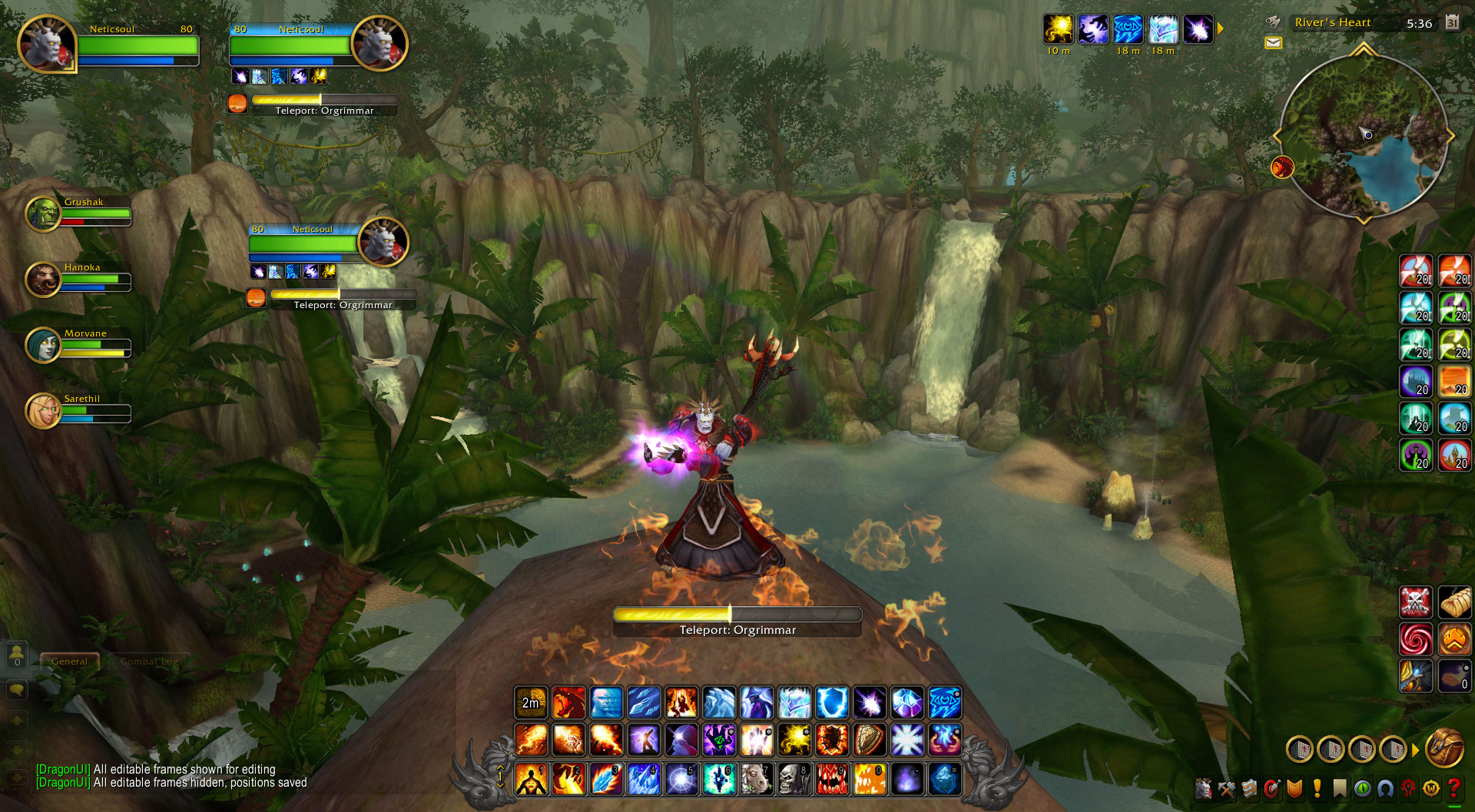
The biggest update in DragonUI's history, with over 600 commits since v2.5, a completely redesigned interface, tons of new features and customization options, major improvements across almost every module, and hundreds of bug fixes.
This release marks a fresh start for DragonUI, with smaller and more frequent updates planned from now on.
⚠️ Upgrading from DragonUI 2.5
Important
DragonUI 3.0 requires a fresh configuration. Settings from 2.5 are not compatible and must be reset. This will erase all your previous DragonUI settings, including frame positions, layouts, and options. Please keep this in mind.
- Close the game and delete the old
DragonUIandDragonUI_Optionsfolders fromInterface\AddOns. - Unzip the new
DragonUIandDragonUI_Optionsfolders intoInterface\AddOns. - Reset your settings, either way works:
- In game: type
/dui, open Profiles and click Reset Profile. Answer Yes to every question; the UI reloads with default settings. If your characters use different profiles, do it on each one. - By hand, with the game closed: delete
WTF\Account\<YourAccount>\SavedVariables\DragonUI.luaandDragonUI.lua.bak. This resets every profile at once.
- In game: type
✨ Highlights
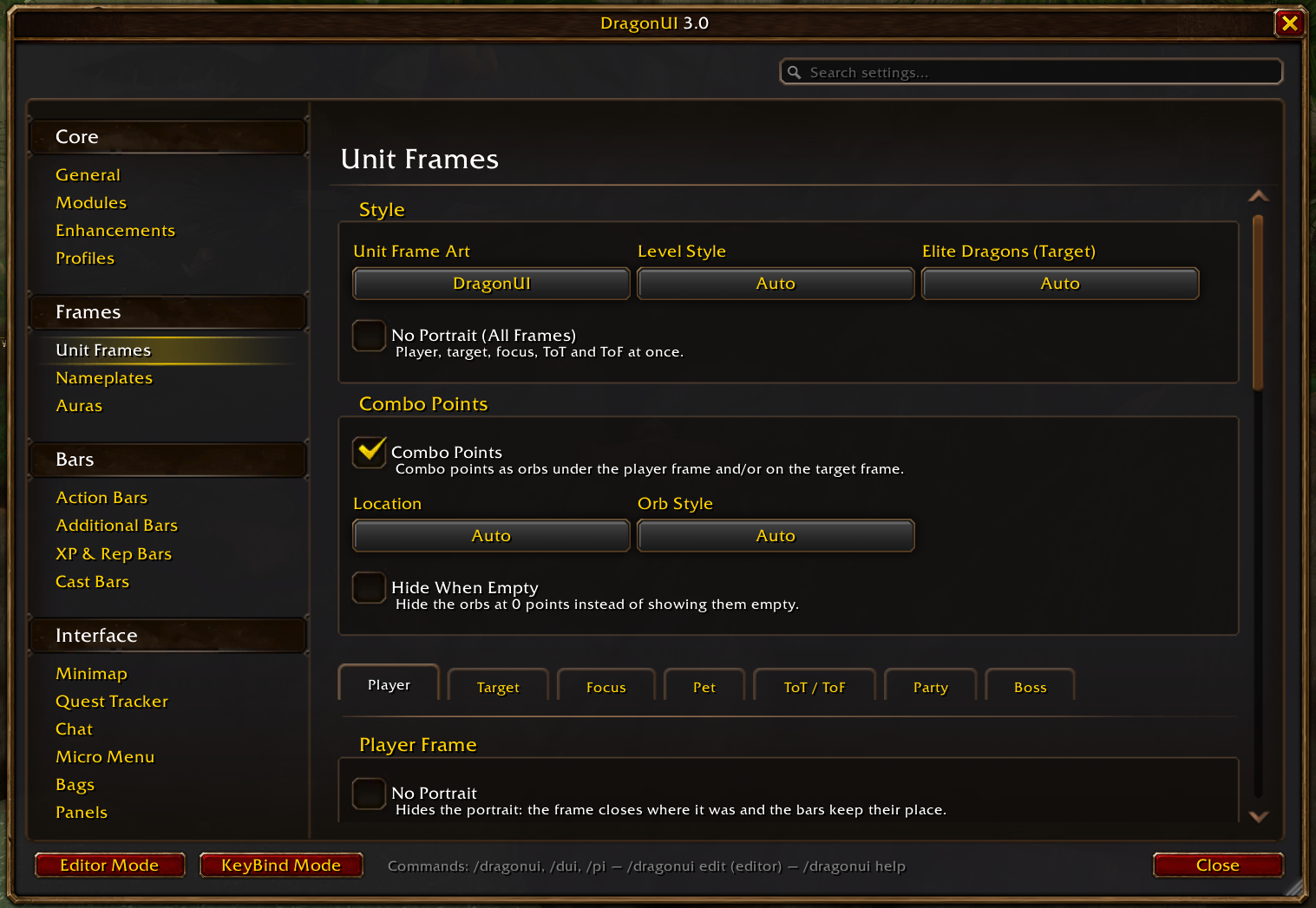
A new options menu
The settings window has been rebuilt in the WoW Forever style, with the options grouped into Core, Frames, Bars and Interface.
Search every setting
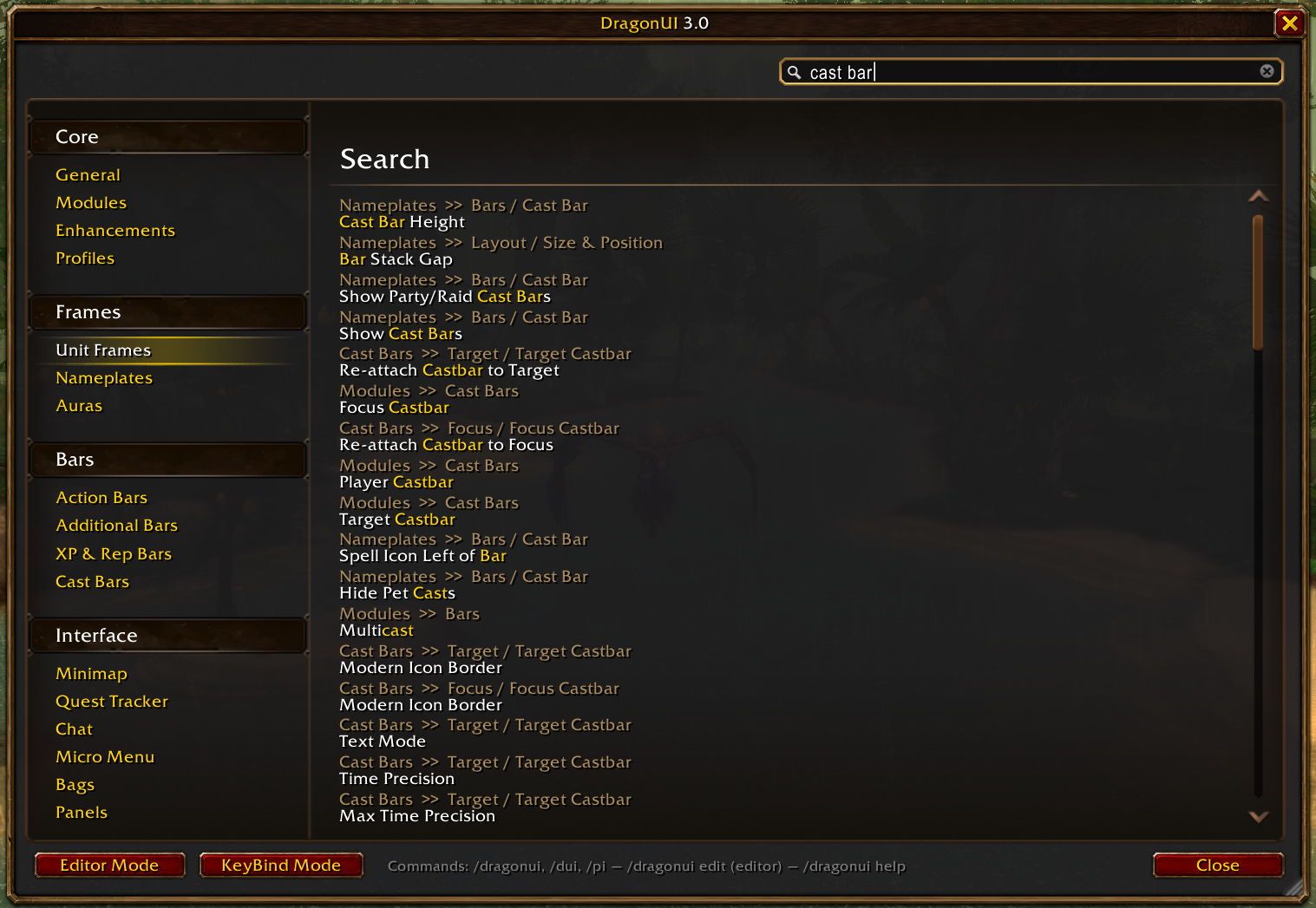
DragonUI has hundreds of options, so the settings window now has a search box that finds any of them as you type. Click a result and it takes you straight to that option, on its own tab, highlighted. No more digging through menus.
Edit Mode
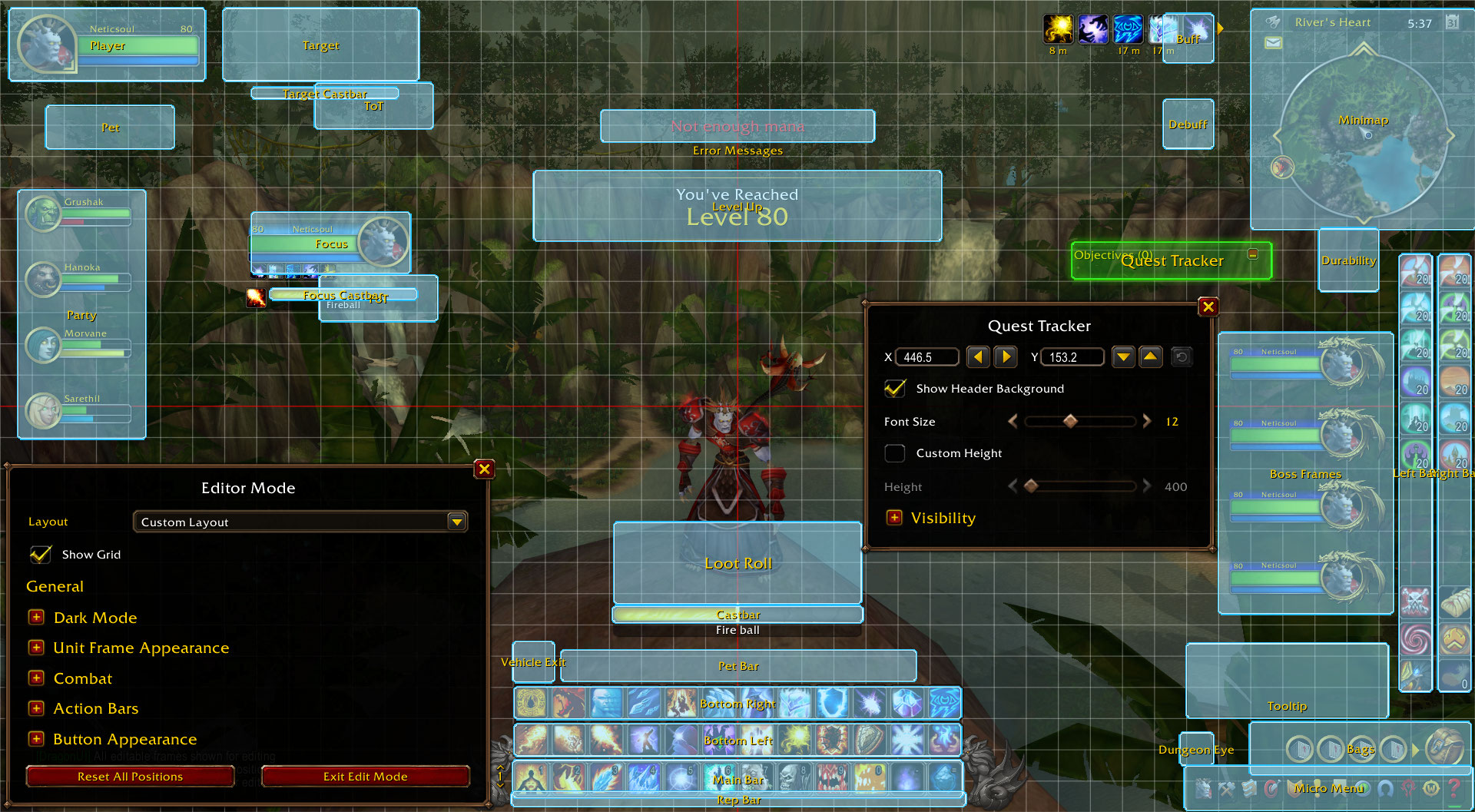
Clicking a frame in Edit Mode now opens its own settings window: position, scale, text, visibility and more, right next to the frame.
Show or hide almost anything
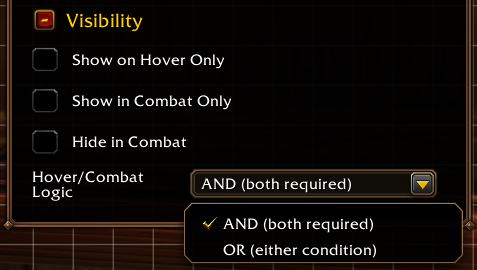
A new visibility system lets you decide when each part of the UI shows. Depending on the frame, it can show on hover, show only in combat, hide in combat or stay hidden altogether, with smooth fades.
It covers the action bars, the stance, pet and totem bars, the player, target, focus, pet, party and boss frames, the minimap, the bag bar, the micro menu, the quest tracker, the XP and reputation bars and the error messages. Set it from each frame's Edit Mode settings or in the options.
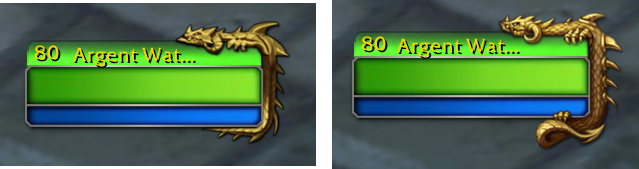
Unit frames: retail art in HD and the WoW Forever style
The player, target, focus, ToT, ToF, pet and party frames can use retail WoW art in HD (left) or the WoW Forever style (right). The thick health bar (the Fat Health Bar option) comes in both styles too. New HD PvP badges, leader, master looter and role icons, plus retail-accurate glows and threat flashes.

Frames without portraits (beta)
A new No Portrait option for the player, target, focus, ToT and ToF frames, one by one or all at once, in both art styles. Elite and rare dragons wrap around the end of the frame.

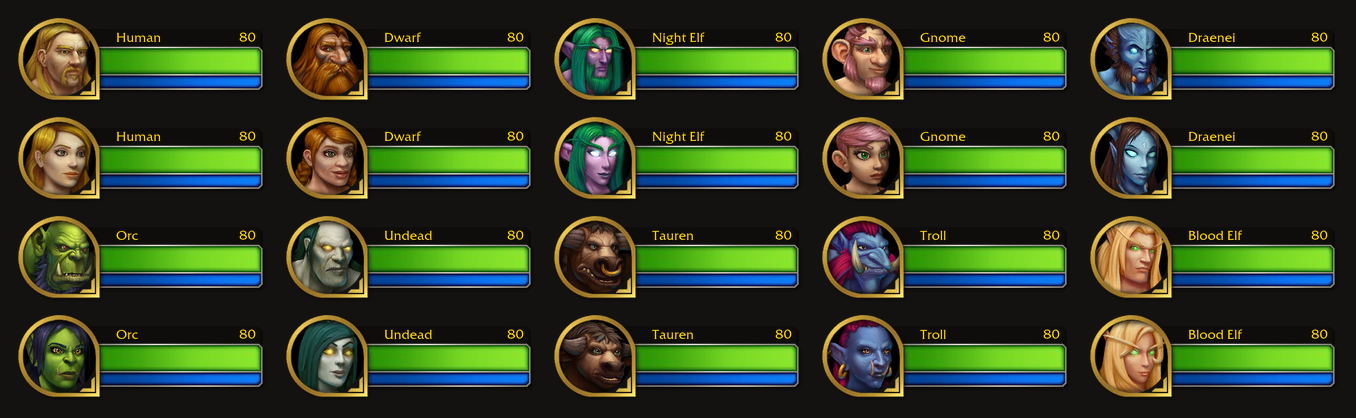
Race portraits
Next to class portraits, which now reach the party frames too, the player, target, focus, ToT, ToF and party frames can show a race portrait: one for each race and sex.
New combo points
For rogues and druids, in the retail or the WoW Forever style: orbs under the player frame and around the target portrait, animated when points are gained or spent. Choose where they show, their style, and whether they hide when empty.

Totem timers
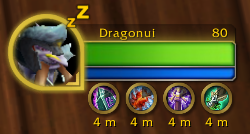
The round totem timers under the player frame get an HD ring, in the retail or the WoW Forever style, and are movable in Edit Mode.
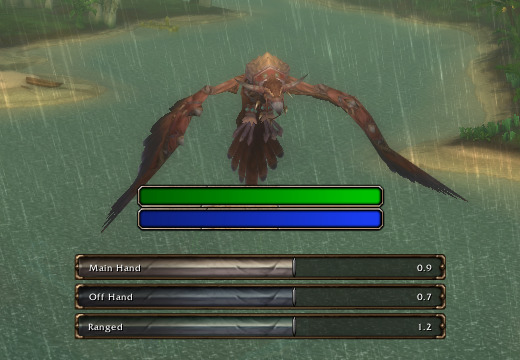
Personal Resource Display and swing timers
Two new optional modules from WoW Forever, disabled by default (turn them on in Enhancements or Edit Mode):
- Personal Resource Display: health and power bars under your character, with heal prediction, absorbs and a mana cost preview.
- Swing timers for main hand, off hand and ranged, powered by LibSwingTimer, a new library written for DragonUI.
Both can be set to show only in combat.
Nameplates
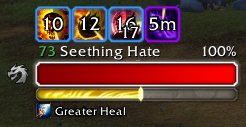
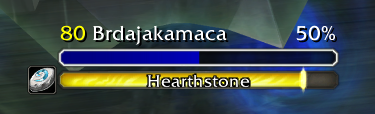
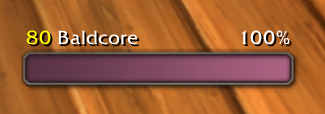
A full nameplates module: health, power and cast bars, debuffs and enemy buffs with priority ordering, elite and rare icons, quest icons that learn which mobs drop your quest items, totem icons, threat colors with Tank and DPS modes, friendly name-only mode, an only-target filter, class colors and much more. Two looks: Modern and Heritage. Works on a stock 3.3.5a client and gets extra features with awesome_wotlk.
| Modern (default) | Heritage |
|---|---|
 |
 |
Class colors on friendly players, even without awesome_wotlk: a smart cache learns the class of every friendly player you meet (from your group, target, mouseover, chat, guild roster, /who and the combat log) and remembers it, so their plates come up in the right color next time. Turn it on with "Friendly Class Colors" and "Remember Players and NPCs" in the nameplate options.
World map and quest log
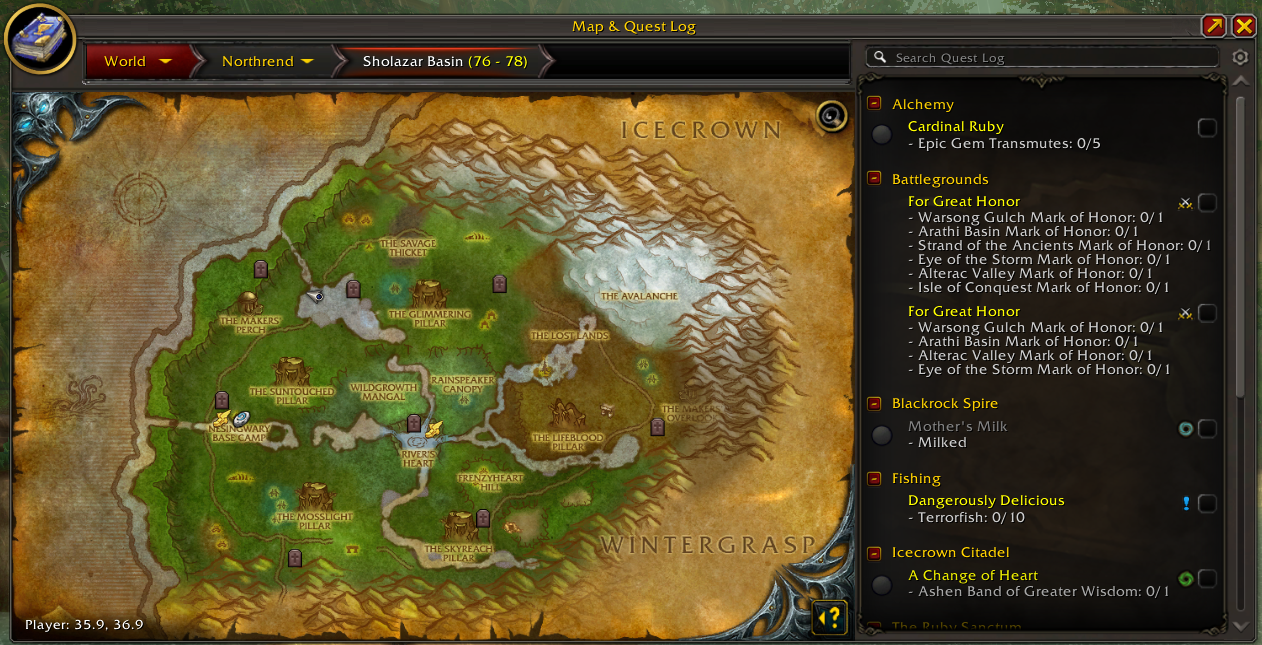
Retail-style map with a quest log side panel, breadcrumb navigation, fog of war, dungeon, flight master and inn pins, mouse-wheel zoom, coordinates, zone level ranges and party/raid pins with class icons. The map can also fade while you move, with its opacity right in the map's cog.
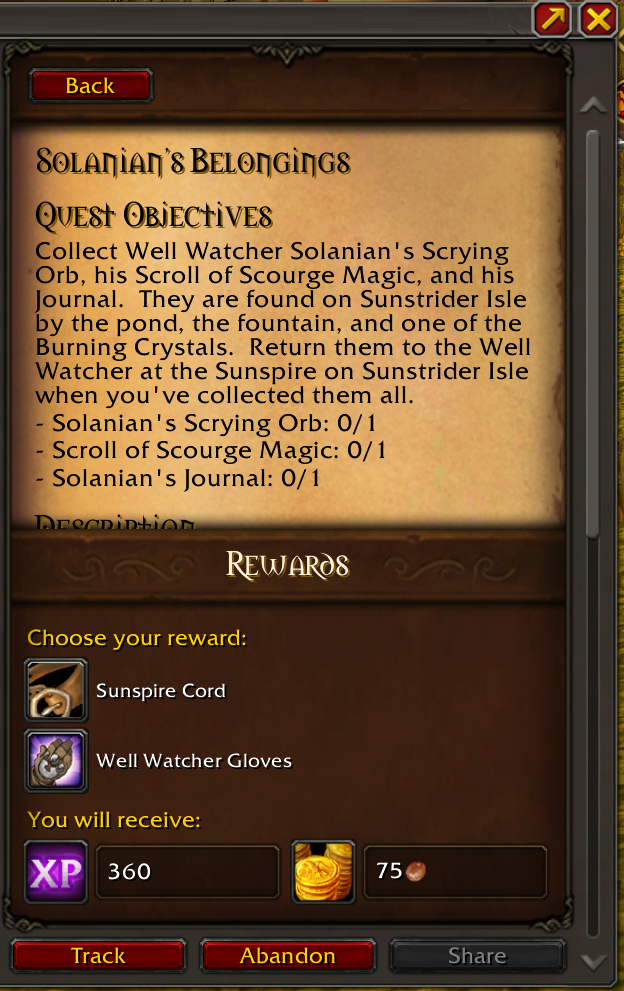
Click a quest in the log and its detail page opens right in the map: objectives, description and rewards, with Track, Abandon and Share.
Character window
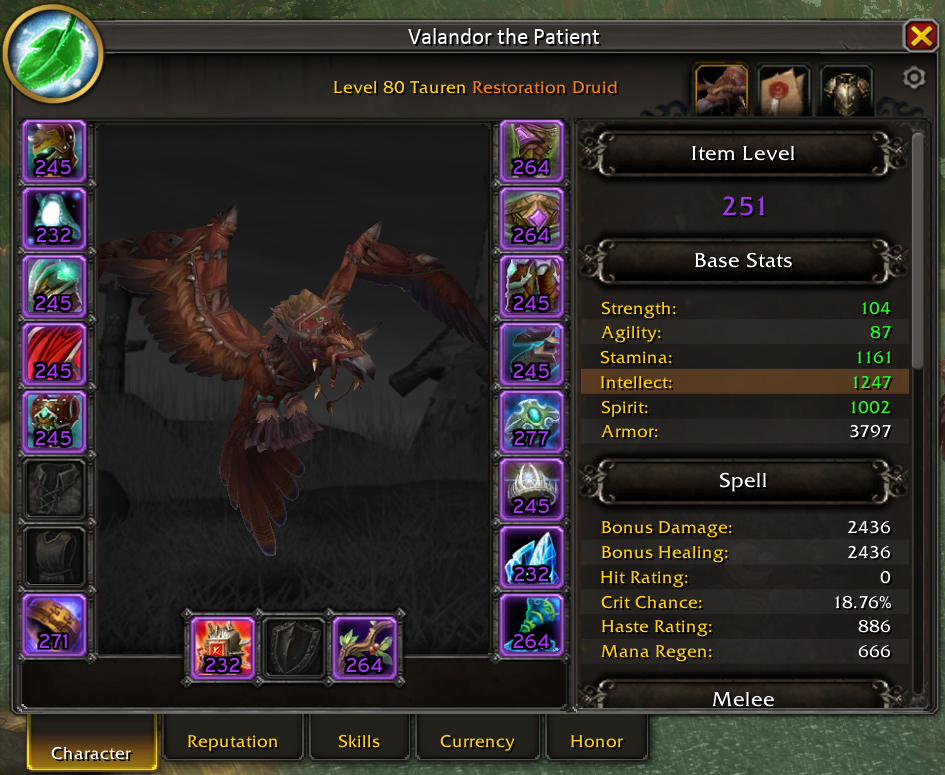
Stats sidebar with sortable stats and GearScore, titles, spec portraits, reputation, currency, skills, an honor tab and a pet tab, and a model you can rotate, zoom and pan. Your gear shows its item level, and you can turn on durability and the total repair cost from the panel's settings.
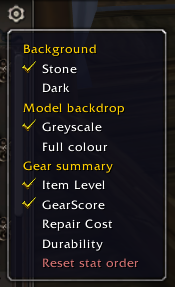
The cog under the window's close button holds those settings, along with the background and the model backdrop.
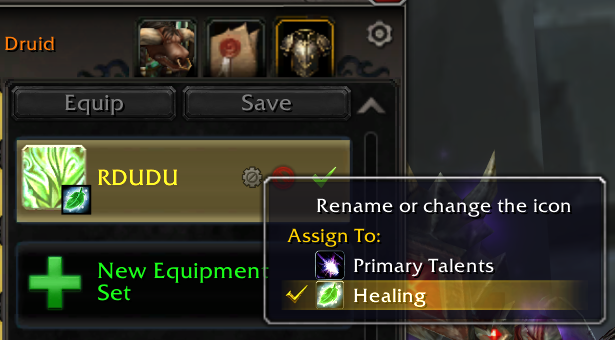
Equipment sets per specialization: the new equipment manager lets you assign a set to each talent specialization (the set's cog > Assign To). Switch specs and your gear swaps with it automatically.
Spellbook
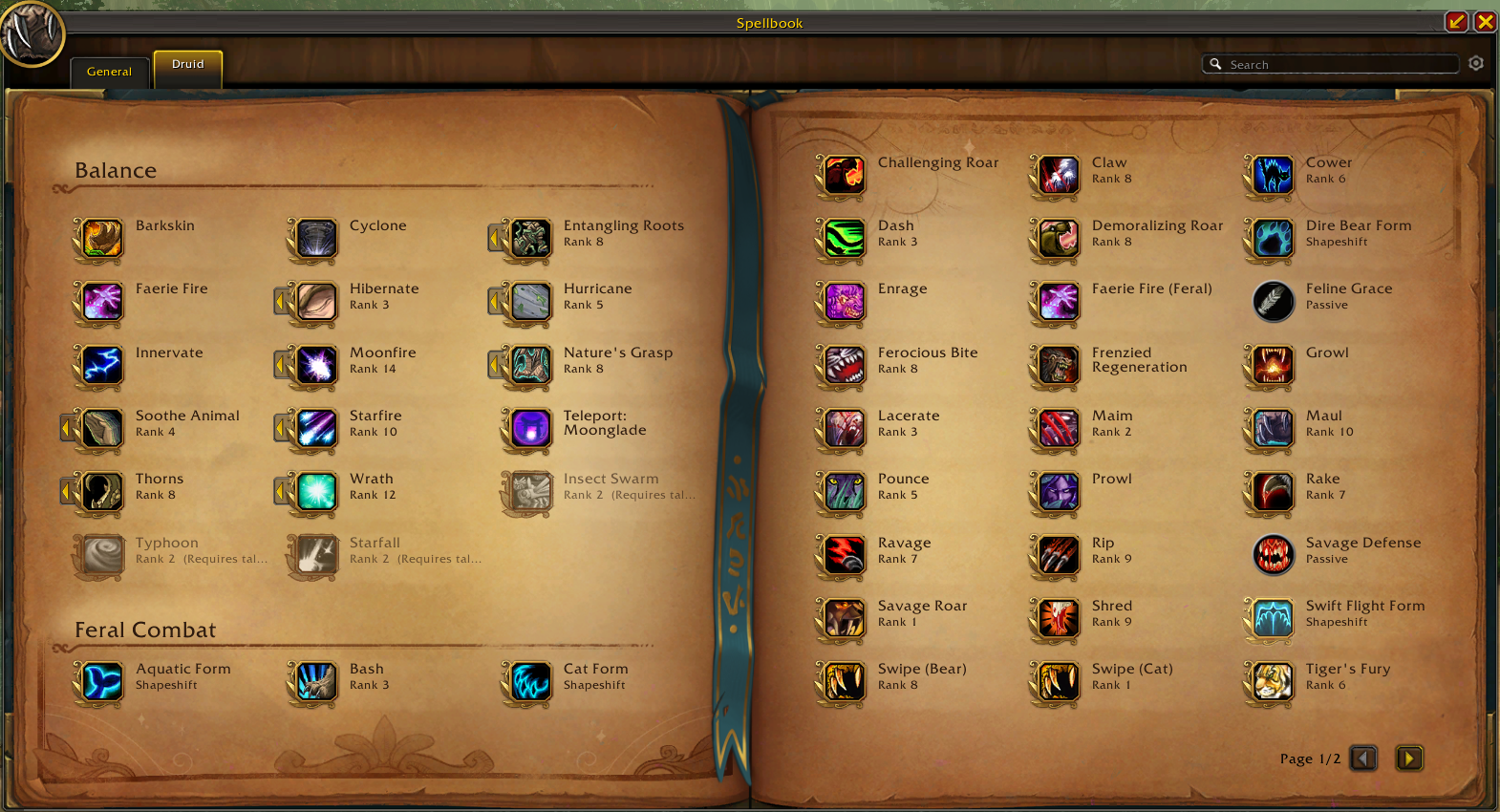
Two-page retail spellbook with search, unlearned spells shown in place, a rank selector and Clique support.
Talents and glyphs
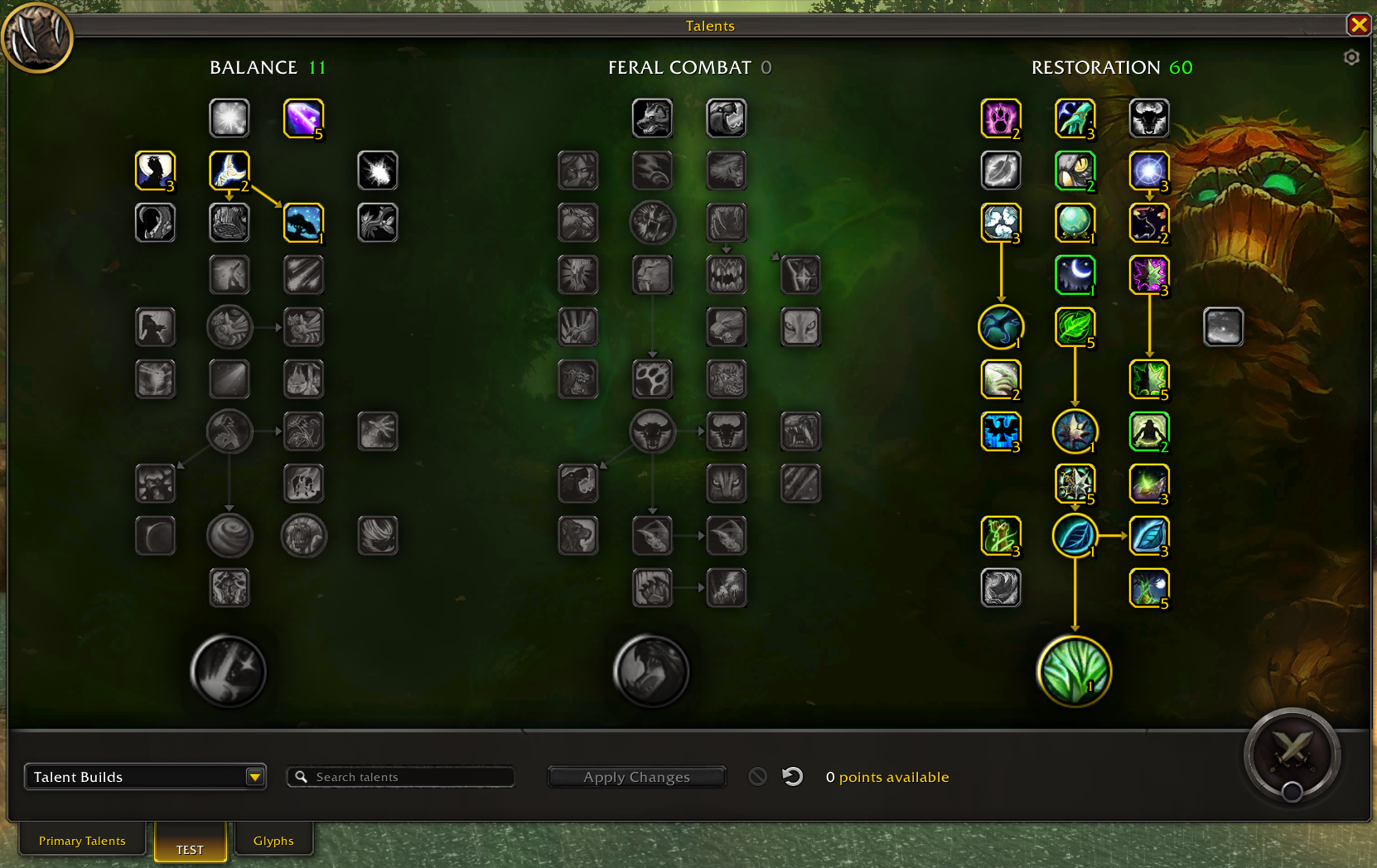
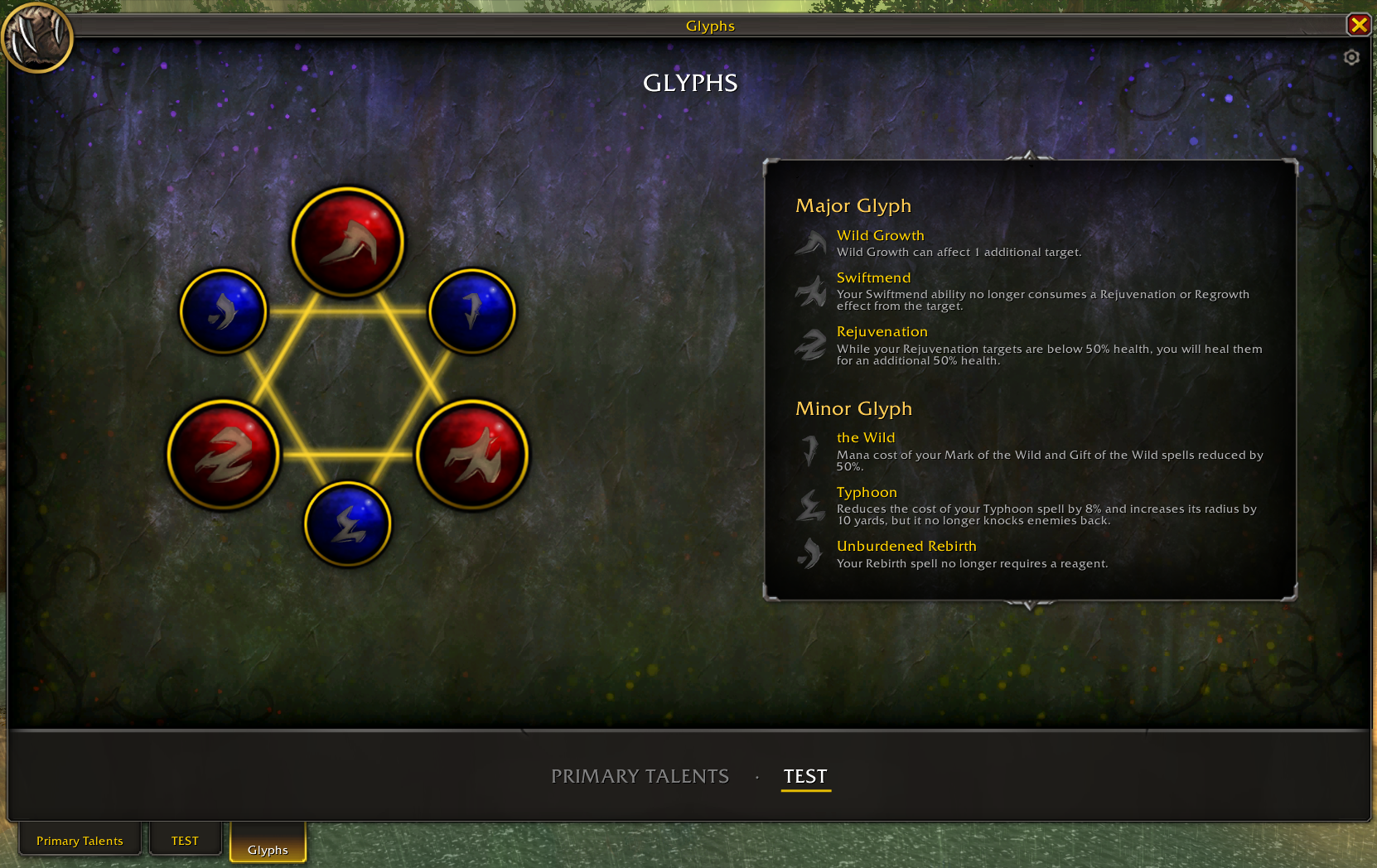
Three trees with a live preview (Apply, Reset, Undo), named specs, a glyph page and a build editor whose builds you can share as codes or chat links.
Professions
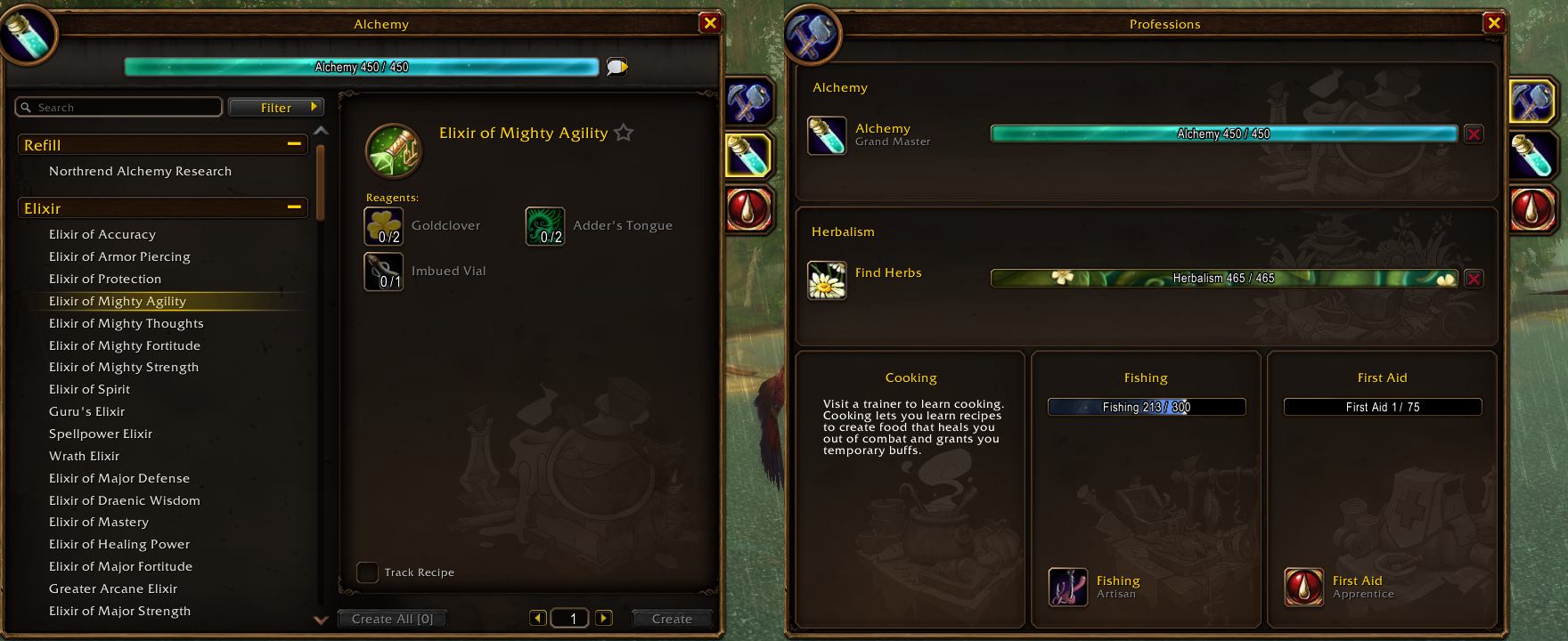
WoW Forever professions window: recipe list with favorites, filters and search, recipe tracking in the quest tracker, and an overview of all your professions (more than two primary ones on custom servers).
Pets and Mounts
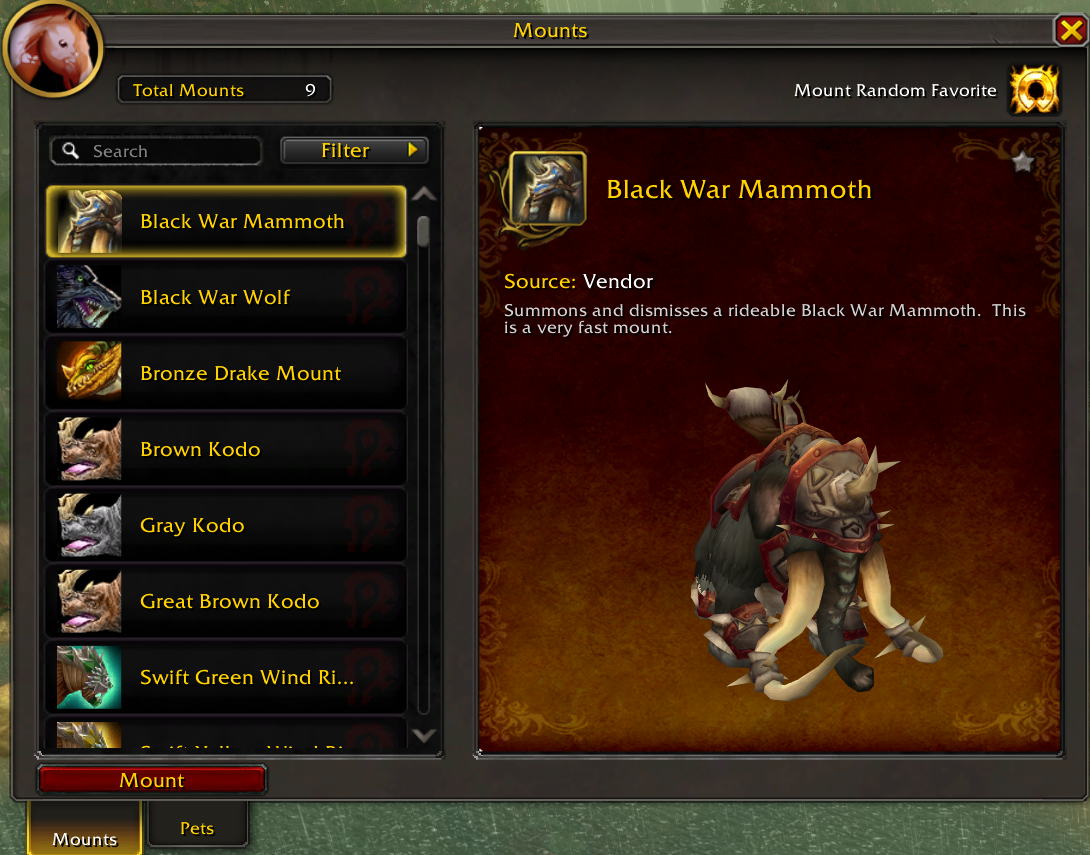
A dedicated collections window for companions and mounts, opened from the micro menu. Double-click a pet or mount to summon it. Random Favorite picks the best mount for where you are: swimming, flying or ground.
Quest dialogs, vendor, mail, flight map and loot
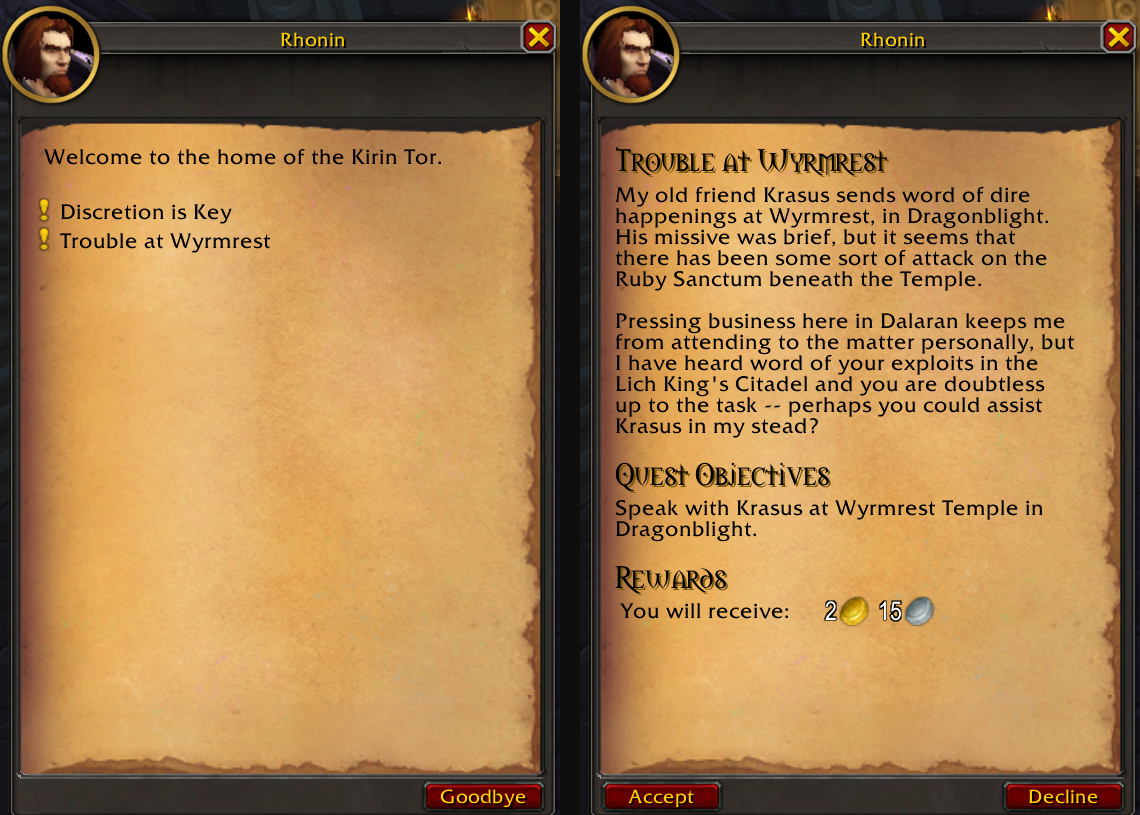
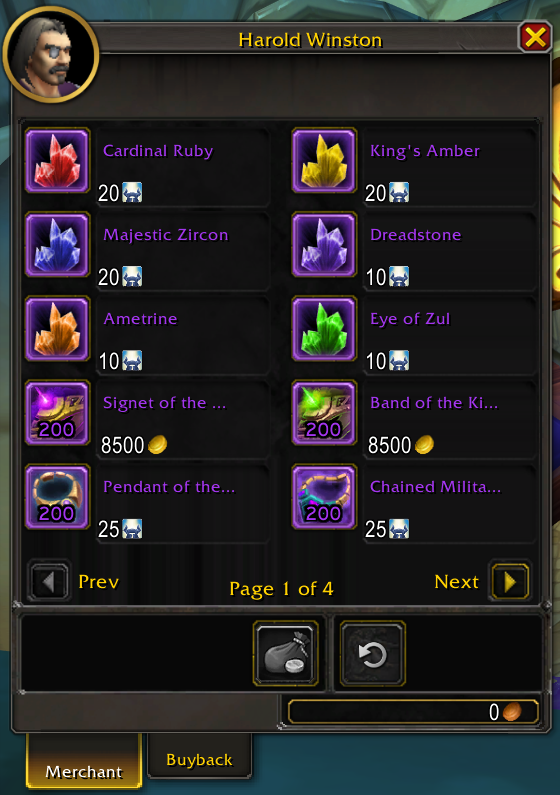
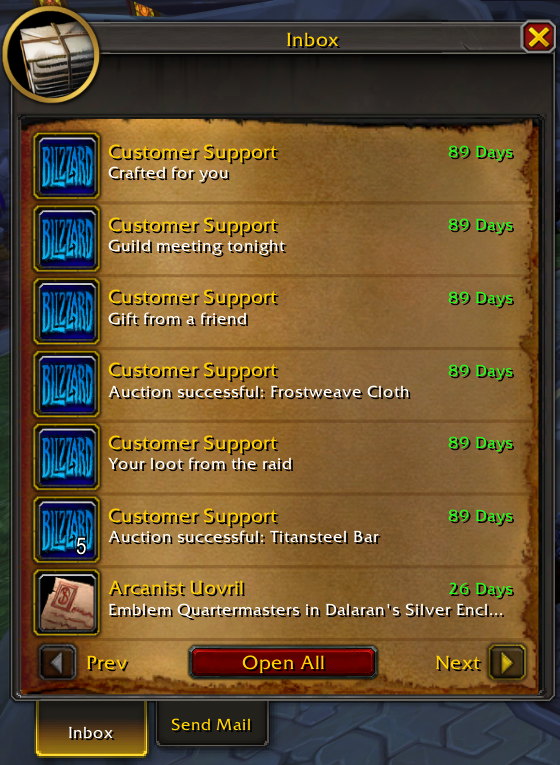
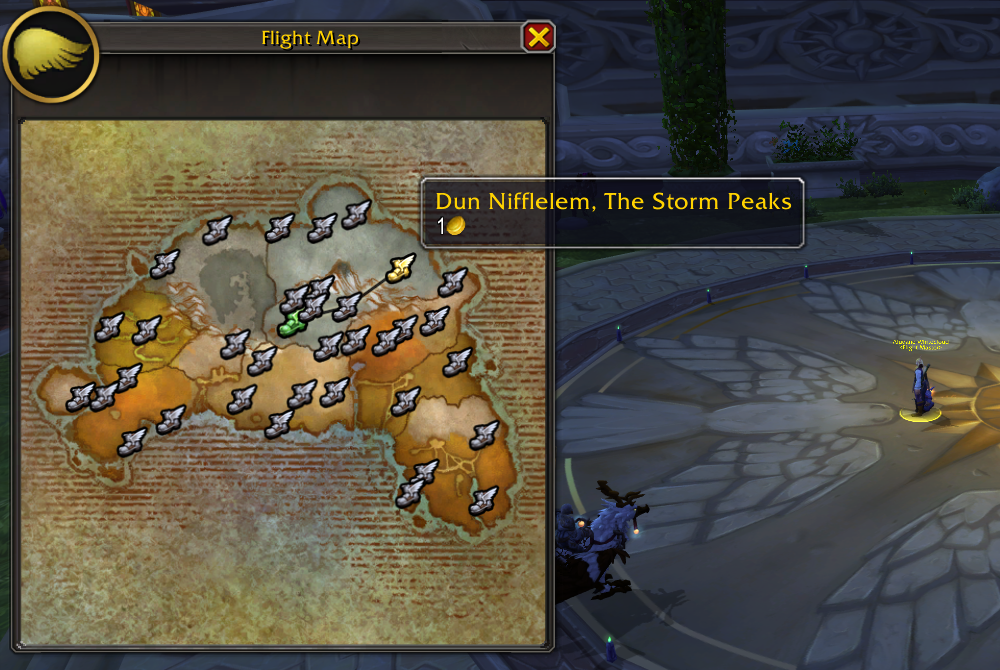
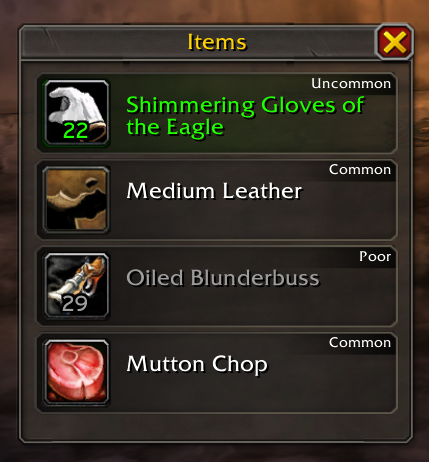
Quest and gossip dialogs, the vendor (sell junk, buyback undo), the mailbox (with Open All), the flight map and the loot window (items tinted by rarity) all get the retail look.
| Vendor | Mailbox |
|---|---|
 |
 |
| Flight map | Loot window |
|---|---|
 |
 |
Bags
-
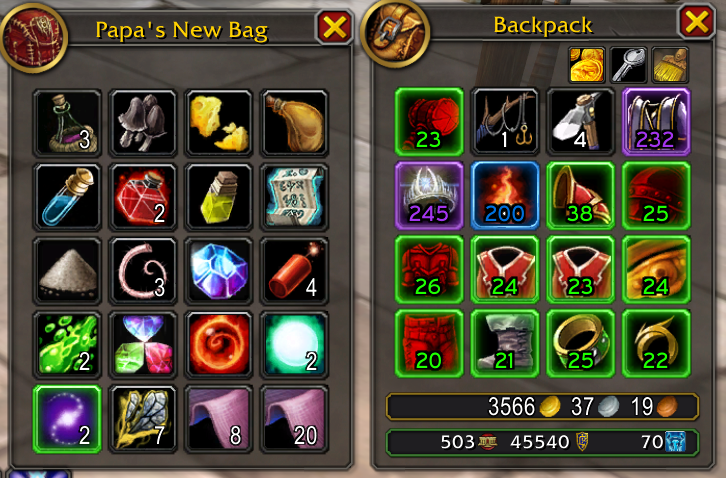
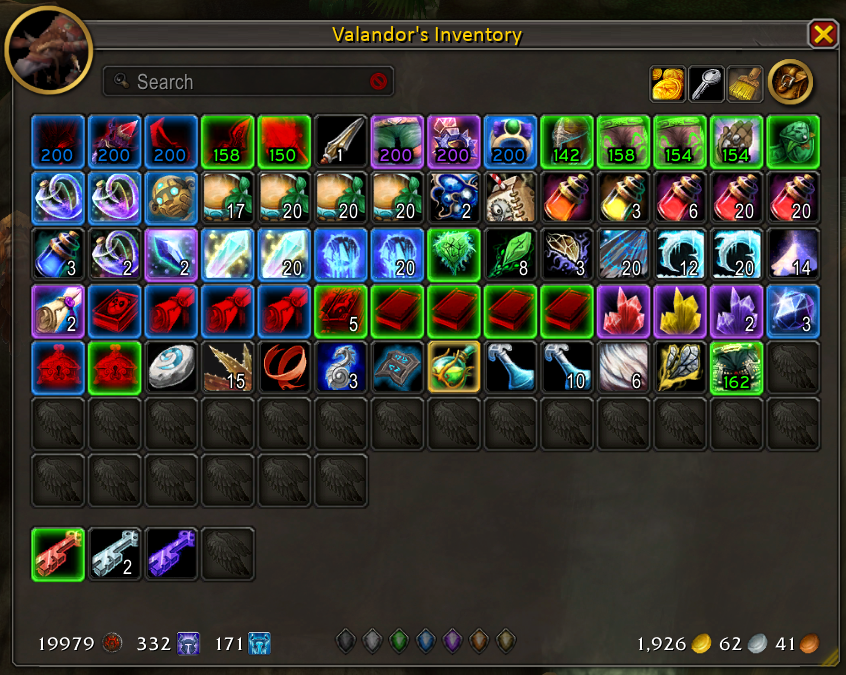
Bagster (disabled by default), the all-in-one bag window, reworked: retail look, guild bank support, your bank even when you're away from it, rarity filters, search, the keyring and colors per bag type.
-
The normal bags get a retail skin with tracked currencies, the retail new-item glow, item level on gear and a red tint on gear you can't use.
-
Bag sorting gets a broom button and now sorts the guild bank too.
-
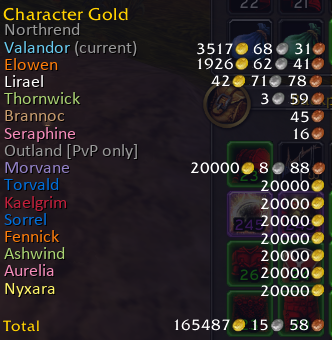
The money tooltip lists every character's gold, and Bags > Alt Gold can forget a character's saved data.
Minimap
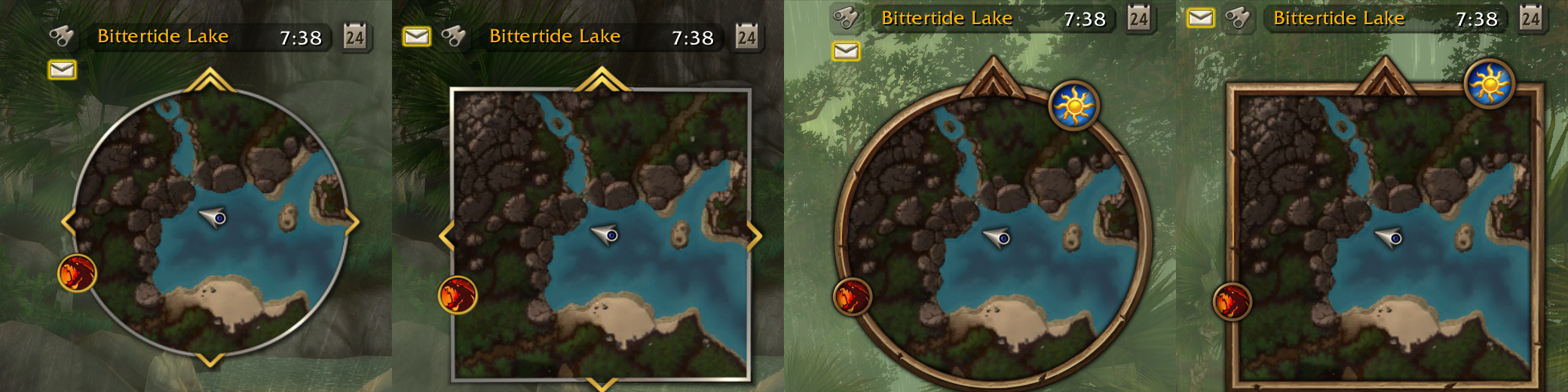
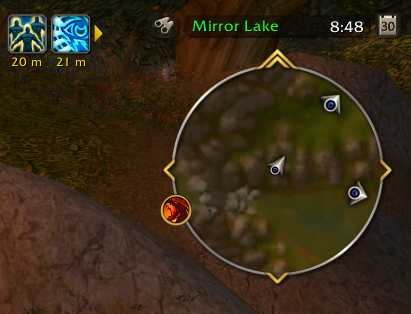
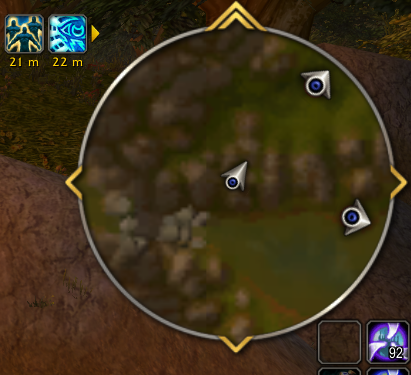
Four styles (DragonUI, DragonUI Square, Forever, Forever Square), animated border decorations (SexyMap's presets, used with permission), an addon button collector, HD calendar and tracking buttons, and a Farm Mode (/dui farm) that makes the map bigger and hides everything around it.

| Normal | Farm Mode |
|---|---|
 |
 |
Action bars and micro menu
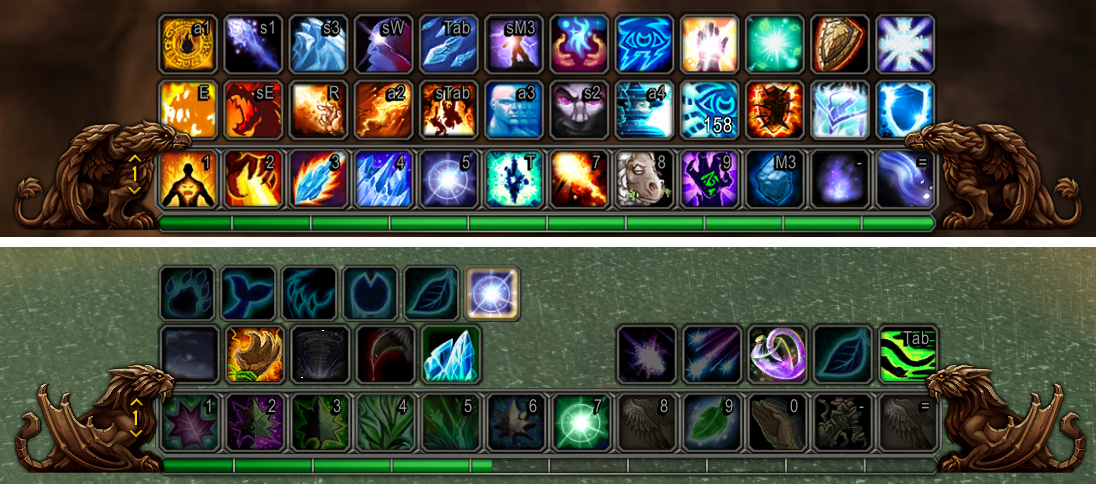
New WoW Forever end caps for the main bar: gryphons for the Alliance, wyverns for the Horde.
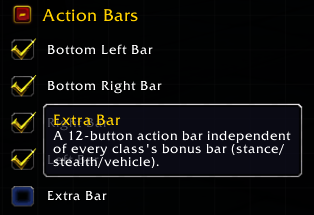
A standalone 12-button Extra Bar, disabled by default: turn it on from the Edit Mode panel, under Action Bars.
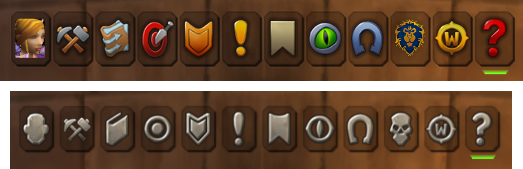
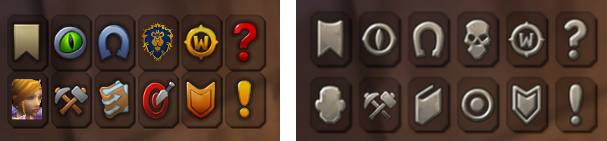
The micro menu has new icons, in color or grayscale, new Professions and Pets & Mounts buttons, and a grid layout.
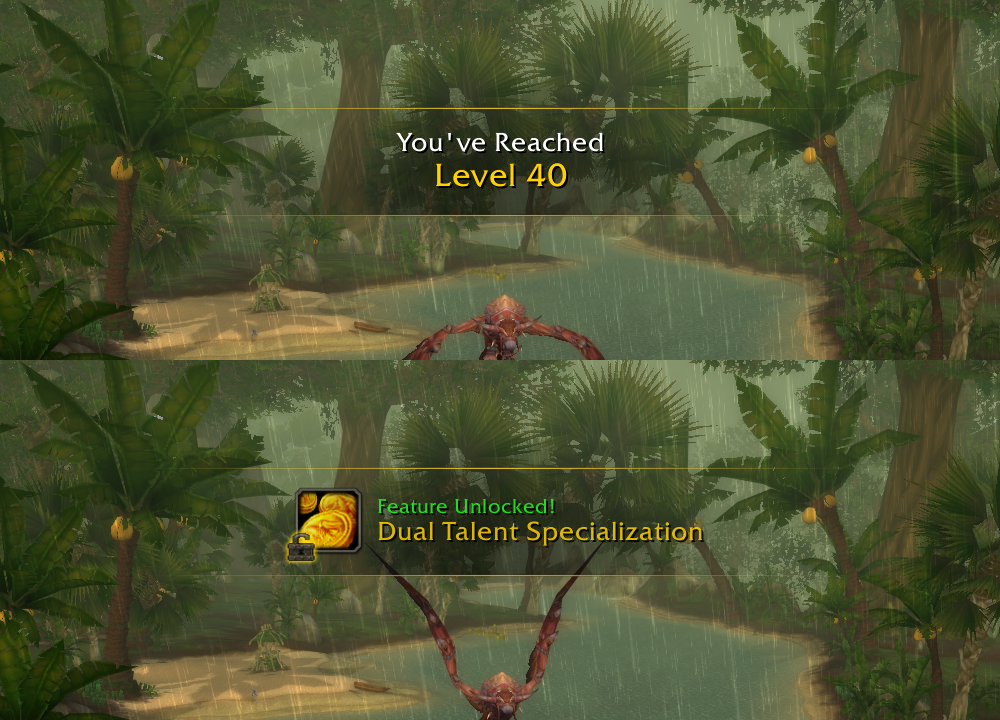
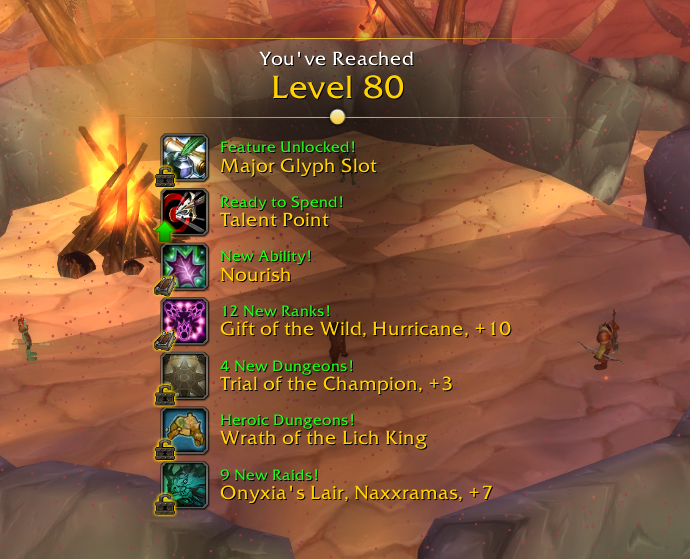
Level-up banner
Retail's level-up banner, showing what each new level unlocks (spells, talents, glyph slots, dungeons...) one at a time, or all together in a list under the banner.
Addon manager
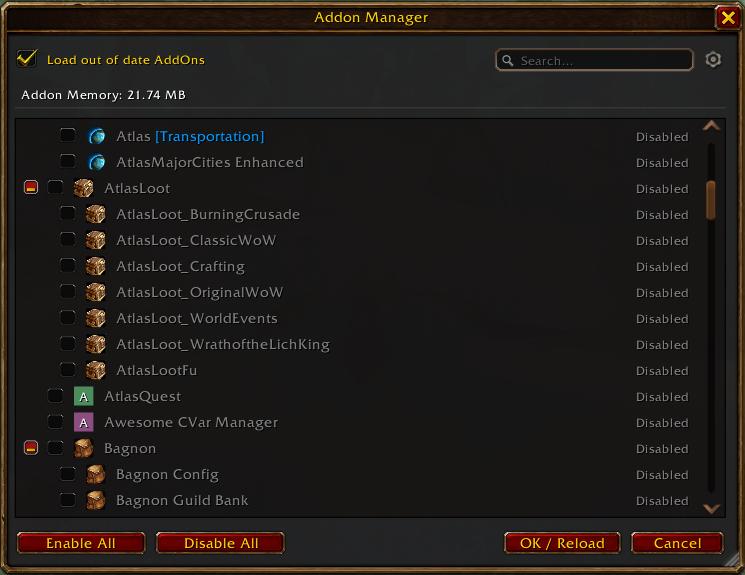
An AddOns button in the Esc menu opens an addon list with search, dependencies, memory use, Enable/Disable All and each addon's own icon. Cancel undoes every change.
🧩 More new features
Quest tracker: now drawn by DragonUI, with quest items you can click in combat, tracked recipes, a height cap and hover/combat fading.
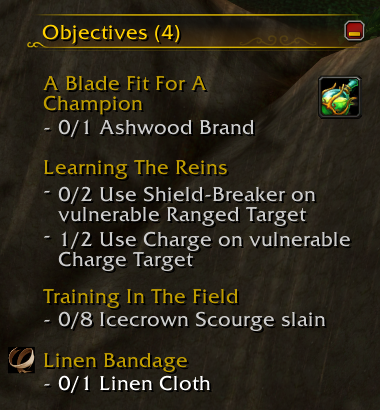
Item level: shown on gear icons in your bags, bank, guild bank, inspect, vendor, trade, loot and loot rolls, mail and the auction house, plus the average on the character and inspect windows.
Auras
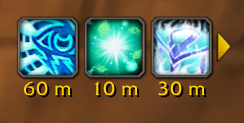
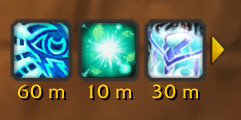
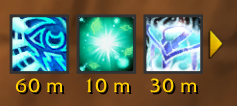
- Three aura border styles (Detailed is the default), auras per row, sort order, layout options and a layout preview.
- Optional cooldown timers on target and focus auras.
- Aura tooltips can show who cast the aura (Enhancements > Enhanced Tooltips > Show Aura Source).
| Detailed (default) | Rounded | Square |
|---|---|---|
 |
 |
 |
Cast bars
-
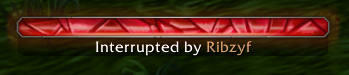
Retail-style interrupts on every cast bar: "Interrupted by <name>" in class color, and the player bar shakes when kicked.
-
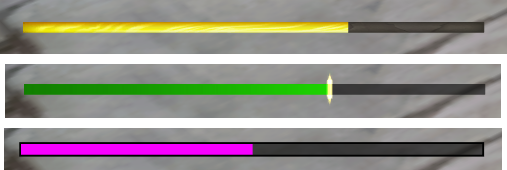
Global cooldown indicator above the player cast bar, as its own module and fully customizable: fill style, background, size, color, spark and an always-visible track.
-
Spell name options and channel ticks for Mind Sear and Volley.
-
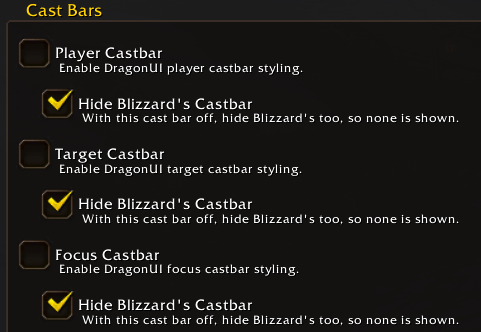
Cast bars can now be removed completely: with DragonUI's player, target or focus bar turned off, Hide Blizzard's Castbar (Modules > Cast Bars) hides Blizzard's too.
Tooltips and chat
-
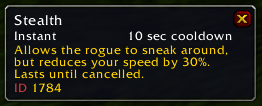
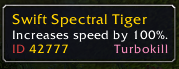
Spell IDs on spell, aura and chat-link tooltips (Auras > Aura Tooltips).
-
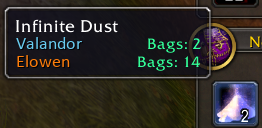
How many of an item each of your characters has (Enhancements > Character Item Counts).
-
Automatic item comparison without holding Shift, and tooltip offsets from the cursor (Enhancements > Enhanced Tooltips).
-
Chat: link tooltips on hover without holding Alt, class-colored names and a Vanilla Editbox option.
Automation (all in the Enhancements tab)
- Auto repair (falls back to your own gold when guild funds can't cover it) and auto sell junk at vendors.
- Auto accept party invites from friends and/or guild members.
- Auto greed or disenchant green items at max level.
Quality of life
- Far fewer reloads: leaving Edit Mode no longer asks for one, most modules and settings apply right away, and the few that still need a reload wait for a single "Reload Now" (Cancel undoes them).
- Custom UI scale from 0.40 to 1.15, past Blizzard's own limits, with an Auto Scale button.
- The options window reopens on the last tab and scroll position, and closes when combat starts.
- Movable error messages. The red ones can also be hidden always or by combat, while yellow quest updates keep showing (Enhancements > Error Messages).
- Show or hide the target's buffs and debuffs, and the player's debuffs, which can also be moved on their own in Edit Mode.
- Action bars: button tooltip options, whole-second cooldown text, Page by Form for classless servers, and full control over the bar art and button backgrounds with Hide Main Bar Art, Hide Button Backgrounds and Main Bar Only Background.
- Max Camera Distance: zoom the camera out further than the game's own slider allows (Enhancements > Camera).
- Party frames can stay hidden all the time, and their buff box on hover can be turned off, or off only in combat.
- Boss frames now use the same text system as the other unit frames instead of Blizzard's default text, with text format, large number and always-show options (Unit Frames > Boss).
- Position presets, a default profile for new characters, a low HP alert, casting on key down and a version check that tells you when a new DragonUI is out.
- Language override in General. DragonUI is now available in 10 localizations: English, German, Spanish (Spain and Mexico), French, Portuguese, Russian, Korean, and Simplified and Traditional Chinese.
Tip
These notes only cover the highlights: 3.0 brings many more customization options than fit here. Open /dui, go through the settings and use the search box to explore everything that's new.
🐞 Fixes and performance
- Hundreds of bug fixes across every module, many of them reported by you on GitHub. Thank you!
- Far fewer combat errors, with taint reduced across many modules.
- Unit frames and action bars do much less work per frame.
- Full DirectX 9Ex support (
SET gxApi "d3d9ex"inConfig.wtf): the D3D9Ex warning is gone, and the action bars and every window now draw all of their art with it. - Works alongside Questie, pfQuest, QuestHelper, TomTom, Atlas, Bagnon, Auctionator, Ackis Recipe List, Postal, Mapster, Clique, ACP, Masque, BigDebuffs, BattleGroundHealers, _NPCScan.Overlay, PlateBuffs, Icicle and LibDBIcon addons.
- The 3.3.5a bug where the combat log stops working mid-session is now detected and fixed automatically.
- Notable fixes include:
- Party role icons no longer vanish after a
/reload, and ToT/ToF bars no longer flicker. - Keybinds no longer fire the form bar after a page change, and Death Runes show purple instead of gray.
- The target's power bar no longer turns white after changing video settings, and cast bars no longer mix in events from another spell.
- The minimap keeps quest icons in place indoors, and tab completion works again in
/whisper. - Localized text no longer overflows its boxes.
- Party role icons no longer vanish after a
- ...and many more.
🔧 Under the hood
Much of DragonUI has been rewritten from scratch with original code, ensuring clear MIT licensing and proper third-party credits. The codebase is now cleaner and easier to maintain, with unused code removed and textures reorganized.
🐛 Found a bug?
If you encounter any issues, please report them on GitHub Issues or share them in the DragonUI Discord community.
Please include as much detail as possible, especially the steps to reproduce the issue and any error messages. This helps us identify and resolve problems more efficiently.
❤️ Thanks
A huge thanks to everyone who helped make this release possible, whether through code, translations, bug reports, feedback, or ideas.
Special thanks to PentSec, dadec666, tje3d, Andyk10, sorcerer-merlin, manatactical, Stefan2102, yetanotherneuron, thezephyrsong, WYPanda, WillScarlettOhara, Ambitosis, 5Buttons, Chill Guy, Marewick, Vortikai, Flecked42, ARxenon, mikki33, kefirok, and over 80 others across GitHub and Discord.
And to everyone who uses DragonUI, thank you for being part of this journey. I hope you enjoy the release!
Full changelog: v2.5...v3.0