Repository navigation
VoiceBalanceModeRework v0.0.1
Pre-release
Suggestions from this post have been merged with 2024r174ex2 and 2023r173hotfix on 2024/02/20
This mod is outdated now and should not be used
This mod is outdated now and should not be used
This mod is outdated now and should not be used
This mod is outdated now and should not be used
This mod is outdated now and should not be used
This mod is outdated now and should not be used
This mod is outdated now and should not be used
>>>> Please see this feedback post <<<<
https://feedback.abinteractive.net/p/player-voice-attenuation-focus-modes-suggestions
Make sure to upvote and/or comment on the feedback post if you like the changes this mod provides.
https://feedback.abinteractive.net/p/player-voice-attenuation-focus-modes-suggestions
VoiceBalanceModeRework
Mod details
This mod changes the Player Voice Attenuation > Focus Modes with the goal of providing a more natural and comfortable sound profile.
Settings
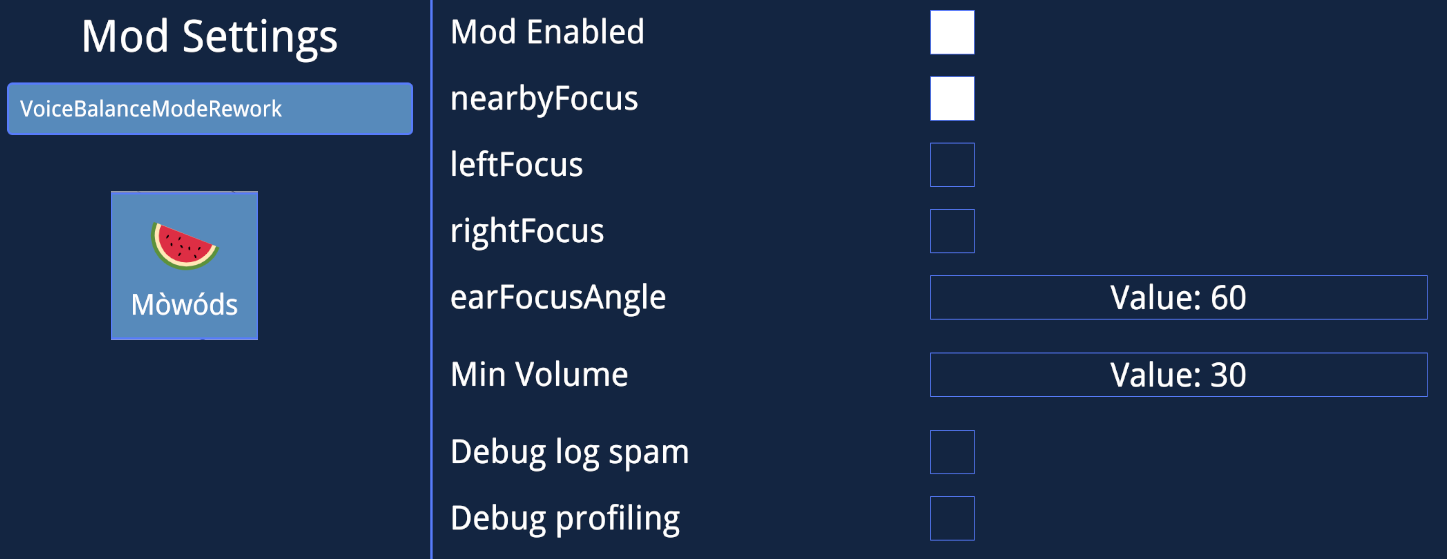
This mod uses the normal Settings > Focus Mode drop down for switching states
Left/Right Ear Focus on this menu are not used due to a game bug (Which has been reported)
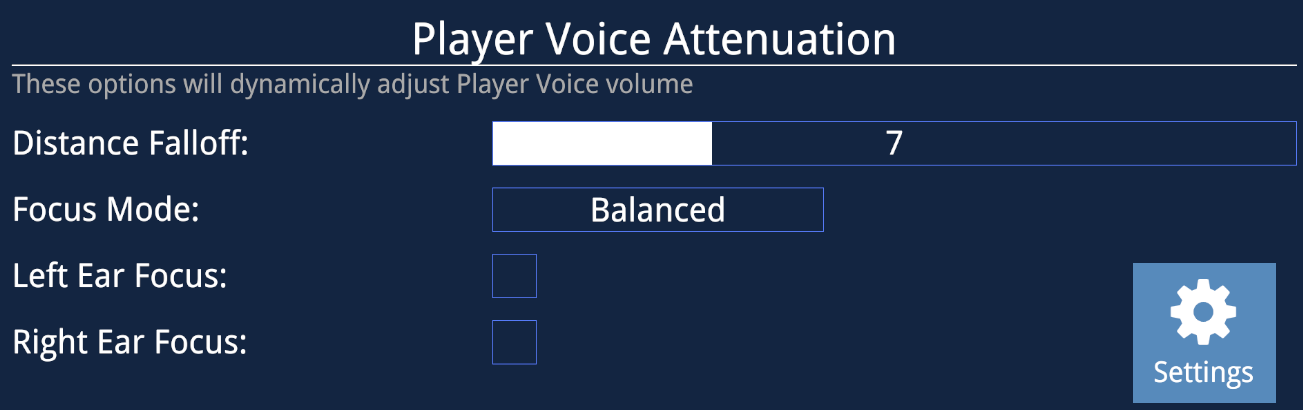
Additional options are available in the UIX Mod Settings:
| Setting | Desc |
|---|---|
| ModEnabled | Enables/Disables the Mod |
| nearbyFocus | Boosts the volume of nearby players based on a range of your avatar height |
| leftFocus | Boosts the volume of players to your left |
| rightFocus | Boosts the volume of players to your right |
| earFocusAngle | Angle of the cone for left/right Focus modes |
| Min Volume | Lowest volume the mod will attenuate voices to |
| Debug log spam | Debug that will spam your console with angles and volumes |
| Debug profiling | Debug that will spam your console with angles and volumes |
| debugTime | Logs the time of execution of this patch, per 10,000 runs. I was concerned the extra math may add to frametimes, but in testing it appears to be negligible |
Logic and Feedback
This is feedback for ChilloutVR Devs on Focus attenuation; they are free to take any ideas, concepts, straight code from the mod and incorporated it into the game. This is just my attempt at giving real world examples on how this system can be improved.
Code for this mod, VoiceBalanceModeRework, is licensed under the Unlicense license and is free to use without restriction
Existing
The current focus curves result in some uncomfortable audio effects
- Limited forward zone where players are at full volume
- Sharp edges where voice attention increases drastically
- Odd volumes if you are talking to a player right next to you.
Balanced without Ear Focus makes it very hard to hear someone to your left/right, even if they are close by, and which makes the Ear Focus modes nearly required. However even with Ear Focus on you have an awkward notch where voices get quieter as you start to turn off the forward axis, then suddenly get louder when your ear is directly facing them.
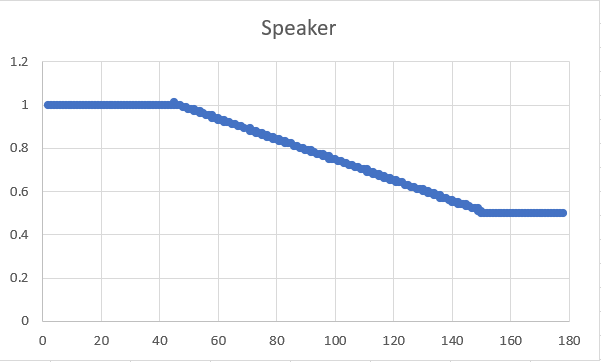
 0 is directly in front of the player and 180 is behind them
Rework
In this re-implementation of CVRFocusAttenuation.Apply I started with applying an attenuation curve off of two things,
- Direction of the Speaker toward the Listener
- Direction of the Listener toward the Speaker
The logic behind this is that someone's voice will be louder if they are facing you, however if you are turned away from them you may not want to hear them as at full volume. These two values are multiplied together to get our raw attenuation value.
The curves used for each of these modes are somewhat arbitrary, however were selected to try and provide a gradual audio change across the range. For Balanced and Forward there is a 80/70° cone where no attenuation is applied as generally those in your FOV you should expect to hear normally. The Ear Focus modes use a 60° cone by default to overlap with the forward section.
 0 is directly in front of the player and 180 is behind them
In addition to this I added in a 'Nearby Focus' mode, what this does is boost the volume of nearby players, based on your avatar height. Logic behind this is that you should always hear other players that are right up next to you. This curve caps out when the other player is 30% of your height from your head.
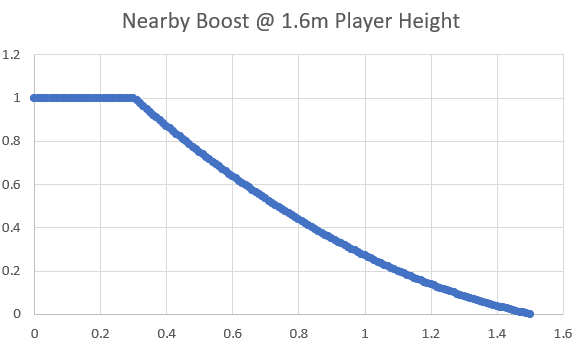
I would honestly drop Ear Focus mode and just keep Nearby Boost as it likely fills the same use case for many.
If you have any questions, or feedback please feel free to reach out to me.