Repository navigation
Releases
v1.2.2 — Follows the desktop's light or dark setting; AppImageUpdate support

A media player for Linux on VLC's own engine, libVLC 4, with a new interface in Rust and Slint. On x86-64 and 64-bit ARM.
Ferricone plays everything VLC plays. The formats, hardware decoding, network streams and subtitles all come from libVLC 4, bundled in every package. The interface is new, after Juxtopposed's "VLC Redesign": a library beside the player, settings that remember a show, and a subtitle timeline.
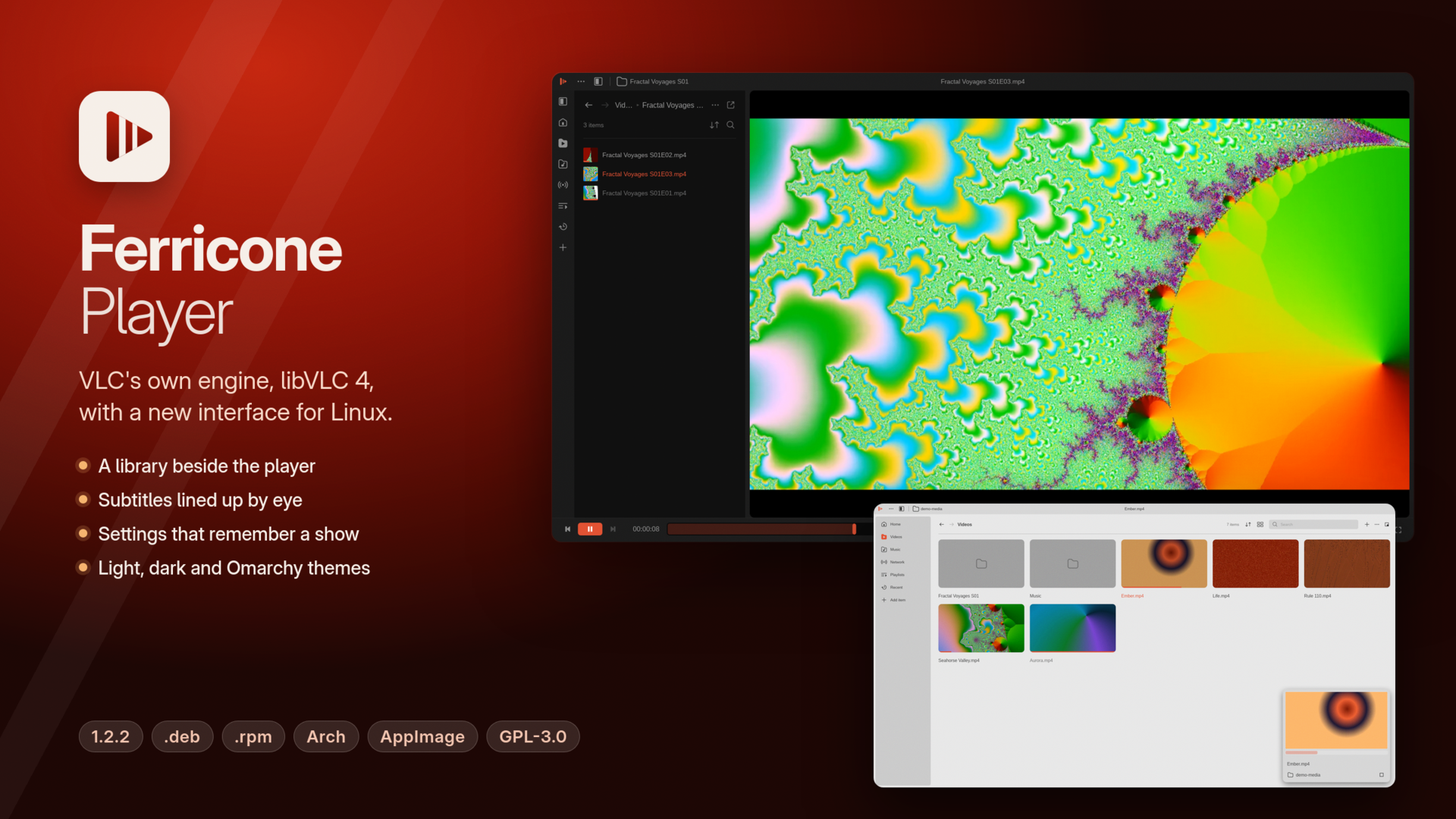
What's new in 1.2.2
- Light or dark, as your desktop is. A new install now follows the desktop's light or dark setting (Settings › General › Appearance › Theme: System), and starts light when the desktop doesn't say. If you already chose a theme, it stays.
- AppImageUpdate works too. The AppImage carries update information, and each release has a
.zsyncfile beside it, so AppImageUpdate and similar tools can update it. Ferricone's own update in the title bar works as before.
Copies of 1.2.0 and 1.2.1 offer this update in their title bar.
Install
| System | x86-64 | 64-bit ARM |
|---|---|---|
| Debian, Ubuntu, Mint, Raspberry Pi OS (64-bit) | ferricone_1.2.2_amd64.deb (58 MB) |
ferricone_1.2.2_arm64.deb (53 MB) |
| Fedora, openSUSE, RHEL 10 | ferricone-1.2.2-1.x86_64.rpm (64 MB) |
ferricone-1.2.2-1.aarch64.rpm (61 MB) |
| Arch, Omarchy, Arch Linux ARM, Manjaro | ferricone-1.2.2-1-x86_64.pkg.tar.zst (76 MB) |
ferricone-1.2.2-1-aarch64.pkg.tar.zst (73 MB) |
| Any distribution | Ferricone_Player-1.2.2-x86_64.AppImage (74 MB) |
Ferricone_Player-1.2.2-aarch64.AppImage (70 MB) |
| Any distribution, no root | ferricone-1.2.2-x86_64.tar.gz (80 MB) |
ferricone-1.2.2-aarch64.tar.gz (75 MB) |
sudo apt install ./ferricone_1.2.2_amd64.deb                 # Debian, Ubuntu, Mint
sudo dnf install ./ferricone-1.2.2-1.x86_64.rpm              # Fedora, RHEL 10 (zypper install on openSUSE)
sudo pacman -U ferricone-1.2.2-1-x86_64.pkg.tar.zst          # Arch, Omarchy, Manjaro
chmod +x Ferricone_Player-1.2.2-x86_64.AppImage && ./Ferricone_Player-1.2.2-x86_64.AppImage
tar xzf ferricone-1.2.2-x86_64.tar.gz && ferricone-1.2.2-x86_64/install.sh
On ARM, use the files with arm64 or aarch64 in their names the same way.
ChromeOS: turn on the Linux development environment, then open the .deb from Files.
From 1.2.0, Ferricone offers the update itself. Upgrading from 1.1.0, 1.0.0 or a development build works the same way as installing: install the new package over the old one. SHA256SUMS lists the checksums of every file, and SHA256SUMS.sig is its signature by the key in packaging/update-key.pub:
openssl pkeyutl -verify -pubin -inkey update-key.pub -rawin -in SHA256SUMS -sigfile SHA256SUMS.sigRequirements
- Linux on x86-64 or 64-bit ARM with glibc 2.35 or newer (Ubuntu 22.04, Debian 12, Fedora 36, RHEL 10, Arch, and later).
- OpenGL through EGL, or GLX on X11; on ARM, Mesa provides it for Mali (Panfrost), Adreno (Freedreno), Apple (Asahi) and VideoCore (V3D) GPUs.
- Wayland or X11. On X11, menus stay inside the window.
- For hardware decoding, VA-API drivers for your GPU.
- For updating a
.deb,.rpmor Arch install from inside Ferricone, pkexec (polkit), which desktops have.
Privacy and security
- Ferricone contacts the network only for what you ask it to play, for casting, for OpenSubtitles when you search there, and for album art if you turn that on, and once a day to check for updates (which you can turn off).
- The update check is one request to
api.github.comthat tells GitHub Ferricone's version and nothing about you or what you play. - Your OpenSubtitles key and login are kept in
~/.config/ferricone/app.toml, which is readable only by you.
Limits
- Linux only for now; Windows and macOS are planned.
- Casting hasn't been tried with every device, and reports from ARM hardware are welcome: please tell us what works.
- Not built yet: the layout editor, profiles, conversion and extensions.
Credits
- The interface design is based on "VLC Redesign" by Juxtopposed (Figma Community), CC BY 4.0.
- libVLC is by VideoLAN, LGPL 2.1 or later. "VLC" and the cone are VideoLAN trademarks; Ferricone is not made or endorsed by VideoLAN.
- winit is by its contributors, Apache License 2.0; Ferricone carries a copy with one accessor added.
- Ferricone is free software under the GPL 3.0 or later.
v1.2.1 — The AppImage starts on systems without libxkbcommon-x11
A media player for Linux on VLC's own engine, libVLC 4, with a new interface in Rust and Slint. On x86-64 and 64-bit ARM.
Ferricone plays everything VLC plays. The formats, hardware decoding, network streams and subtitles all come from libVLC 4, bundled in every package. The interface is new, after Juxtopposed's "VLC Redesign": a library beside the player, settings that remember a show, and a subtitle timeline.
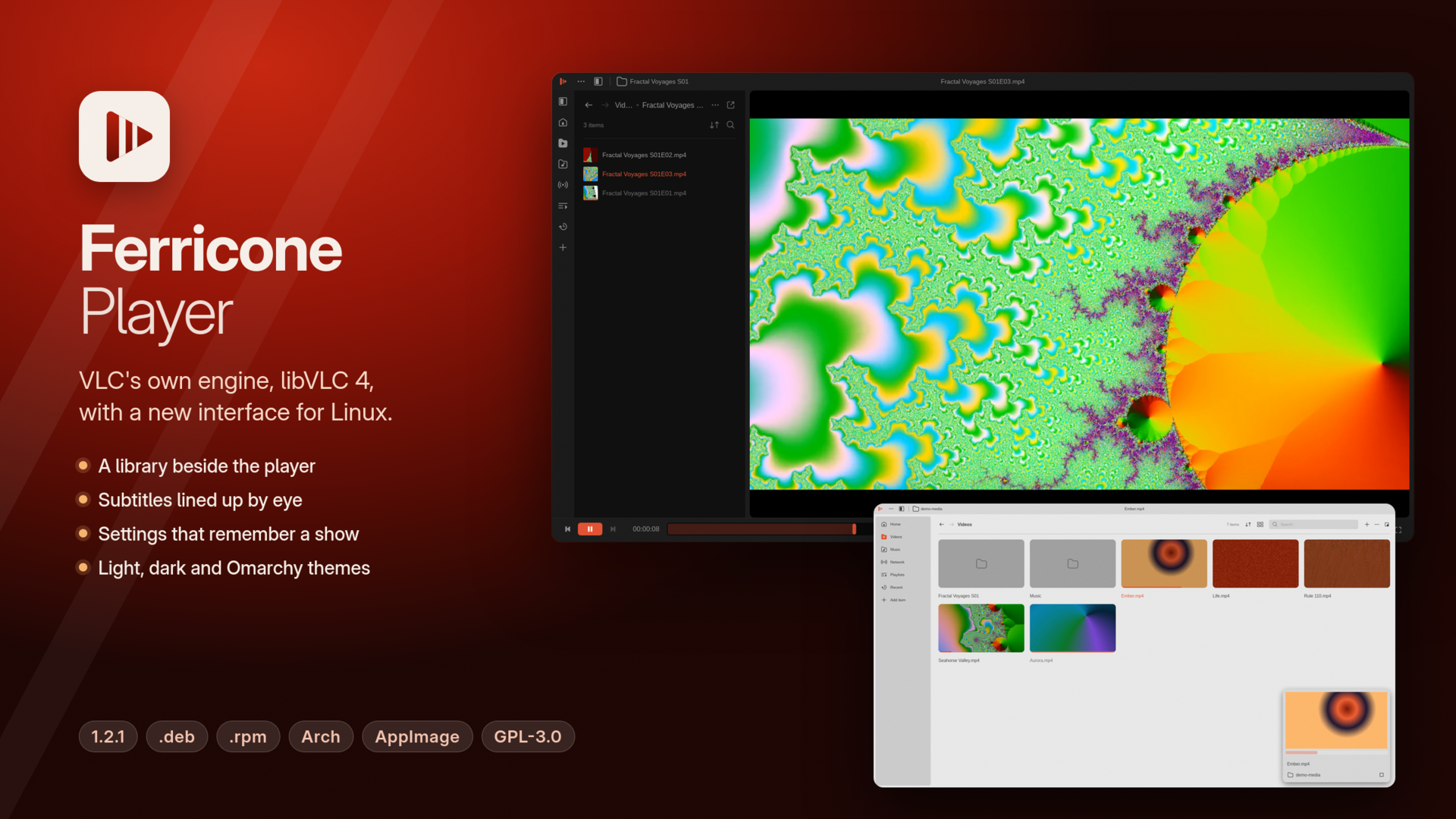
What's fixed in 1.2.1
- The AppImage and the archive start on systems without
libxkbcommon-x11. On a desktop that lacks it, as a stock Ubuntu 22.04 can, Ferricone quit on X11 before showing its window. Both now carry it and load it only when the system has none; a system copy always comes first. The.deb,.rpmand Arch packages were not affected. - The AppImage has a PNG icon, so file managers can show it, and leaves two base-system libraries (
libcom_err,libfribidi) to the system, as AppImages should.
Copies of 1.2.0 offer this update in their title bar.
Install
| System | x86-64 | 64-bit ARM |
|---|---|---|
| Debian, Ubuntu, Mint, Raspberry Pi OS (64-bit) | ferricone_1.2.1_amd64.deb (58 MB) |
ferricone_1.2.1_arm64.deb (53 MB) |
| Fedora, openSUSE, RHEL 10 | ferricone-1.2.1-1.x86_64.rpm (64 MB) |
ferricone-1.2.1-1.aarch64.rpm (61 MB) |
| Arch, Omarchy, Arch Linux ARM, Manjaro | ferricone-1.2.1-1-x86_64.pkg.tar.zst (76 MB) |
ferricone-1.2.1-1-aarch64.pkg.tar.zst (73 MB) |
| Any distribution | Ferricone_Player-1.2.1-x86_64.AppImage (74 MB) |
Ferricone_Player-1.2.1-aarch64.AppImage (70 MB) |
| Any distribution, no root | ferricone-1.2.1-x86_64.tar.gz (80 MB) |
ferricone-1.2.1-aarch64.tar.gz (75 MB) |
sudo apt install ./ferricone_1.2.1_amd64.deb                 # Debian, Ubuntu, Mint
sudo dnf install ./ferricone-1.2.1-1.x86_64.rpm              # Fedora, RHEL 10 (zypper install on openSUSE)
sudo pacman -U ferricone-1.2.1-1-x86_64.pkg.tar.zst          # Arch, Omarchy, Manjaro
chmod +x Ferricone_Player-1.2.1-x86_64.AppImage && ./Ferricone_Player-1.2.1-x86_64.AppImage
tar xzf ferricone-1.2.1-x86_64.tar.gz && ferricone-1.2.1-x86_64/install.sh
On ARM, use the files with arm64 or aarch64 in their names the same way.
ChromeOS: turn on the Linux development environment, then open the .deb from Files.
From 1.2.0, Ferricone offers the update itself. Upgrading from 1.1.0, 1.0.0 or a development build works the same way as installing: install the new package over the old one. SHA256SUMS lists the checksums of every file, and SHA256SUMS.sig is its signature by the key in packaging/update-key.pub:
openssl pkeyutl -verify -pubin -inkey update-key.pub -rawin -in SHA256SUMS -sigfile SHA256SUMS.sigRequirements
- Linux on x86-64 or 64-bit ARM with glibc 2.35 or newer (Ubuntu 22.04, Debian 12, Fedora 36, RHEL 10, Arch, and later).
- OpenGL through EGL, or GLX on X11; on ARM, Mesa provides it for Mali (Panfrost), Adreno (Freedreno), Apple (Asahi) and VideoCore (V3D) GPUs.
- Wayland or X11. On X11, menus stay inside the window.
- For hardware decoding, VA-API drivers for your GPU.
- For updating a
.deb,.rpmor Arch install from inside Ferricone, pkexec (polkit), which desktops have.
Privacy and security
- Ferricone contacts the network only for what you ask it to play, for casting, for OpenSubtitles when you search there, and for album art if you turn that on, and once a day to check for updates (which you can turn off).
- The update check is one request to
api.github.comthat tells GitHub Ferricone's version and nothing about you or what you play. - Your OpenSubtitles key and login are kept in
~/.config/ferricone/app.toml, which is readable only by you.
Limits
- Linux only for now; Windows and macOS are planned.
- Casting hasn't been tried with every device, and reports from ARM hardware are welcome: please tell us what works.
- Not built yet: the layout editor, profiles, conversion and extensions.
Credits
- The interface design is based on "VLC Redesign" by Juxtopposed (Figma Community), CC BY 4.0.
- libVLC is by VideoLAN, LGPL 2.1 or later. "VLC" and the cone are VideoLAN trademarks; Ferricone is not made or endorsed by VideoLAN.
- winit is by its contributors, Apache License 2.0; Ferricone carries a copy with one accessor added.
- Ferricone is free software under the GPL 3.0 or later.
v1.2.0 — Updates, and X11 shows the window and the video
A media player for Linux on VLC's own engine, libVLC 4, with a new interface in Rust and Slint. On x86-64 and 64-bit ARM.
Ferricone plays everything VLC plays. The formats, hardware decoding, network streams and subtitles all come from libVLC 4, bundled in every package. The interface is new, after Juxtopposed's "VLC Redesign": a library beside the player, settings that remember a show, and a subtitle timeline.
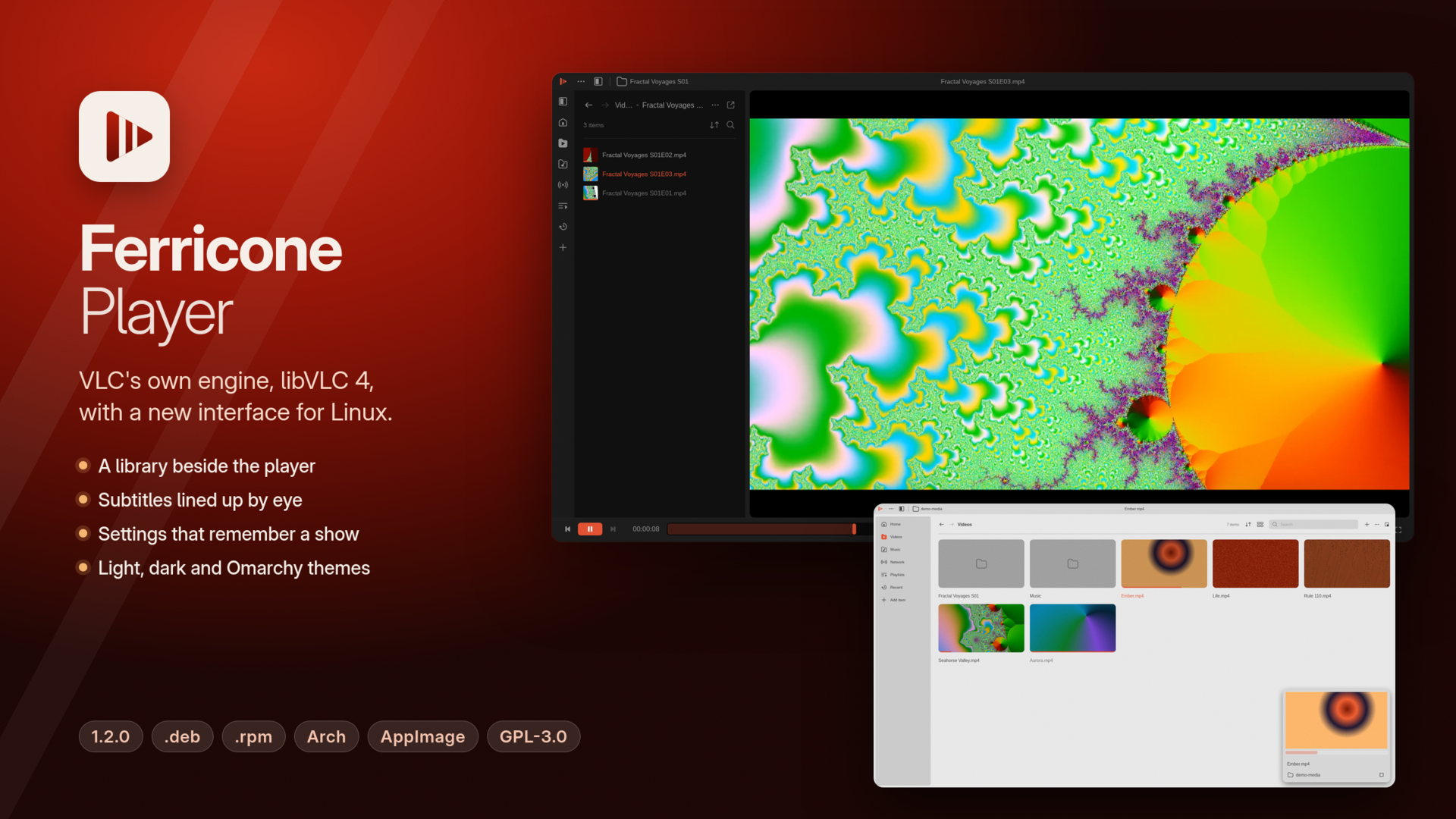
What's new in 1.2.0
- Updates. Once a day Ferricone asks GitHub whether there is a newer release. If there is, the title bar shows Update to …: click it, then Update, and the update is downloaded, checked and installed; Restart to update starts the new version.
- The AppImage replaces its own file, and the archive install runs its
install.shagain. The.deb,.rpmand Arch packages are installed by your package manager after your password prompt. - Settings › General › Updates turns the check off, runs it now and links to what's new.
- Updating starts with 1.2.0: from 1.1.0 or earlier, install 1.2.0 by hand once.
- The AppImage replaces its own file, and the archive install runs its
- Signed releases. Every release now has
SHA256SUMS.sig, an Ed25519 signature ofSHA256SUMS. Ferricone installs an update only when that signature is valid for the release key built into it and the downloaded file matches its checksum.
What's fixed in 1.2.0
Both fixes are for X11 desktops (Xfce, MATE, Cinnamon, and others) and apply on every processor.
- The window now always appears. Under a desktop compositor it could open without ever showing, as reported on a Raspberry Pi 500 with Xfce.
- Videos play on X11. Before, the picture stayed black there; it's now drawn through GLX. Wayland was not affected.
Install
| System | x86-64 | 64-bit ARM |
|---|---|---|
| Debian, Ubuntu, Mint, Raspberry Pi OS (64-bit) | ferricone_1.2.0_amd64.deb (58 MB) |
ferricone_1.2.0_arm64.deb (53 MB) |
| Fedora, openSUSE, RHEL 10 | ferricone-1.2.0-1.x86_64.rpm (64 MB) |
ferricone-1.2.0-1.aarch64.rpm (61 MB) |
| Arch, Omarchy, Arch Linux ARM, Manjaro | ferricone-1.2.0-1-x86_64.pkg.tar.zst (76 MB) |
ferricone-1.2.0-1-aarch64.pkg.tar.zst (73 MB) |
| Any distribution | Ferricone_Player-1.2.0-x86_64.AppImage (74 MB) |
Ferricone_Player-1.2.0-aarch64.AppImage (70 MB) |
| Any distribution, no root | ferricone-1.2.0-x86_64.tar.gz (80 MB) |
ferricone-1.2.0-aarch64.tar.gz (75 MB) |
sudo apt install ./ferricone_1.2.0_amd64.deb                 # Debian, Ubuntu, Mint
sudo dnf install ./ferricone-1.2.0-1.x86_64.rpm              # Fedora, RHEL 10 (zypper install on openSUSE)
sudo pacman -U ferricone-1.2.0-1-x86_64.pkg.tar.zst          # Arch, Omarchy, Manjaro
chmod +x Ferricone_Player-1.2.0-x86_64.AppImage && ./Ferricone_Player-1.2.0-x86_64.AppImage
tar xzf ferricone-1.2.0-x86_64.tar.gz && ferricone-1.2.0-x86_64/install.sh
On ARM, use the files with arm64 or aarch64 in their names the same way.
ChromeOS: turn on the Linux development environment, then open the .deb from Files.
Upgrading from 1.1.0, 1.0.0 or a development build works the same way: install the new package over the old one. SHA256SUMS lists the checksums of every file, and SHA256SUMS.sig is its signature by the key in packaging/update-key.pub:
openssl pkeyutl -verify -pubin -inkey update-key.pub -rawin -in SHA256SUMS -sigfile SHA256SUMS.sigRequirements
- Linux on x86-64 or 64-bit ARM with glibc 2.35 or newer (Ubuntu 22.04, Debian 12, Fedora 36, RHEL 10, Arch, and later).
- OpenGL through EGL, or GLX on X11; on ARM, Mesa provides it for Mali (Panfrost), Adreno (Freedreno), Apple (Asahi) and VideoCore (V3D) GPUs.
- Wayland or X11. On X11, menus stay inside the window.
- For hardware decoding, VA-API drivers for your GPU.
- For updating a
.deb,.rpmor Arch install from inside Ferricone, pkexec (polkit), which desktops have.
Privacy and security
- Ferricone contacts the network only for what you ask it to play, for casting, for OpenSubtitles when you search there, and for album art if you turn that on, and once a day to check for updates (which you can turn off).
- The update check is one request to
api.github.comthat tells GitHub Ferricone's version and nothing about you or what you play. - Your OpenSubtitles key and login are kept in
~/.config/ferricone/app.toml, which is readable only by you.
Limits
- Linux only for now; Windows and macOS are planned.
- Casting hasn't been tried with every device, and reports from ARM hardware are welcome: please tell us what works.
- Not built yet: the layout editor, profiles, conversion and extensions.
Credits
- The interface design is based on "VLC Redesign" by Juxtopposed (Figma Community), CC BY 4.0.
- libVLC is by VideoLAN, LGPL 2.1 or later. "VLC" and the cone are VideoLAN trademarks; Ferricone is not made or endorsed by VideoLAN.
- winit is by its contributors, Apache License 2.0; Ferricone carries a copy with one accessor added.
- Ferricone is free software under the GPL 3.0 or later.
v1.2.0-dev.1 — Updates, and X11 shows the window and the video (development build)
A development build from the dev branch: Ferricone updates itself, and X11 desktops show the window and the video.
This prerelease is for trying things before 1.2.0. For everyday use, take the latest release.
What's new since 1.1.0
- Updates. Once a day Ferricone asks GitHub whether there is a newer release. If there is, the title bar shows Update to …: click it, and the update is downloaded, checked and installed, then Restart to update starts the new version.
- The AppImage replaces its own file, and the archive install runs its
install.shagain. The.deb,.rpmand Arch packages are installed by your package manager after your password prompt. - Settings › General › Updates turns the check off, runs it now and links to what's new.
- A development build like this one also gets the newer development builds; a release gets only releases.
- Updates start with this build. 1.1.0 and earlier have to be updated by hand once.
- The AppImage replaces its own file, and the archive install runs its
- Signed updates. Every release now has
SHA256SUMS.sig, an Ed25519 signature ofSHA256SUMSmade with Ferricone's release key. Ferricone installs an update only when that signature is valid for the key built into it (packaging/update-key.pub) and the downloaded file matches its checksum. - X11: the window always appears. Under a desktop compositor it could open without ever showing, as reported on a Raspberry Pi 500 with Xfce.
- X11: videos play. The picture used to stay black on X11; it's now drawn through GLX there. Wayland was not affected.
Install
| System | x86-64 | 64-bit ARM |
|---|---|---|
| Debian, Ubuntu, Mint, Raspberry Pi OS (64-bit) | ferricone_1.2.0-dev.1_amd64.deb |
ferricone_1.2.0-dev.1_arm64.deb |
| Fedora, openSUSE, RHEL 10 | ferricone-1.2.0-dev.1-1.x86_64.rpm |
ferricone-1.2.0-dev.1-1.aarch64.rpm |
| Arch, Omarchy, Arch Linux ARM, Manjaro | ferricone-1.2.0-dev.1-1-x86_64.pkg.tar.zst |
ferricone-1.2.0-dev.1-1-aarch64.pkg.tar.zst |
| Any distribution | Ferricone_Player-1.2.0-dev.1-x86_64.AppImage |
Ferricone_Player-1.2.0-dev.1-aarch64.AppImage |
| Any distribution, no root | ferricone-1.2.0-dev.1-x86_64.tar.gz |
ferricone-1.2.0-dev.1-aarch64.tar.gz |
Install them as you would 1.1.0's (see the README). SHA256SUMS lists the checksums of every file, and SHA256SUMS.sig is its signature:
openssl pkeyutl -verify -pubin -inkey update-key.pub -rawin -in SHA256SUMS -sigfile SHA256SUMS.sigHow it was tested
- Every package was installed in fresh containers of its distributions, on both architectures: Debian 12, Ubuntu 22.04 and 24.04, Fedora, AlmaLinux 10, openSUSE Tumbleweed, Arch (x86-64), Arch Linux ARM and Manjaro ARM (arm64), plus the AppImage and the archive.
- Updating was clicked through in the real interface against a test release server: as an AppImage, as an archive install, and as an Arch package with the real
pacman -U. Each one installed the new version and restarted into it. A release signed with a different key was refused, a cancelled password prompt says so, and with the check off Ferricone made no requests. - The X11 fixes were tested under Xfce's window manager with a compositor: the window appeared in 10 of 10 starts, and video played.
- Not yet tried: updating a
.debor.rpminstall, and a Raspberry Pi. If you have one, please report what works.
Privacy
- The update check is one request a day to
api.github.com, which tells GitHub Ferricone's version and nothing about you or what you play (GitHub sees your IP address, as with any download). Turn it off in Settings › General › Updates.
Requirements
- glibc 2.35 or newer (Ubuntu 22.04, Debian 12, Fedora 36, RHEL 10, Arch and later).
- OpenGL through EGL, or GLX on X11; on ARM, Mesa provides it for Mali (Panfrost), Adreno (Freedreno), Apple (Asahi) and VideoCore (V3D) GPUs.
- Wayland or X11. On X11, menus stay inside the window.
- Installing a package update needs pkexec (polkit), which desktops have.
v1.1.0 — 64-bit ARM, window buttons and menus outside the window
A media player for Linux on VLC's own engine, libVLC 4, with a new interface in Rust and Slint. Now on 64-bit ARM too.
Ferricone plays everything VLC plays. The formats, hardware decoding, network streams and subtitles all come from libVLC 4, bundled in every package. The interface is new, after Juxtopposed's "VLC Redesign": a library beside the player, settings that remember a show, and a subtitle timeline.
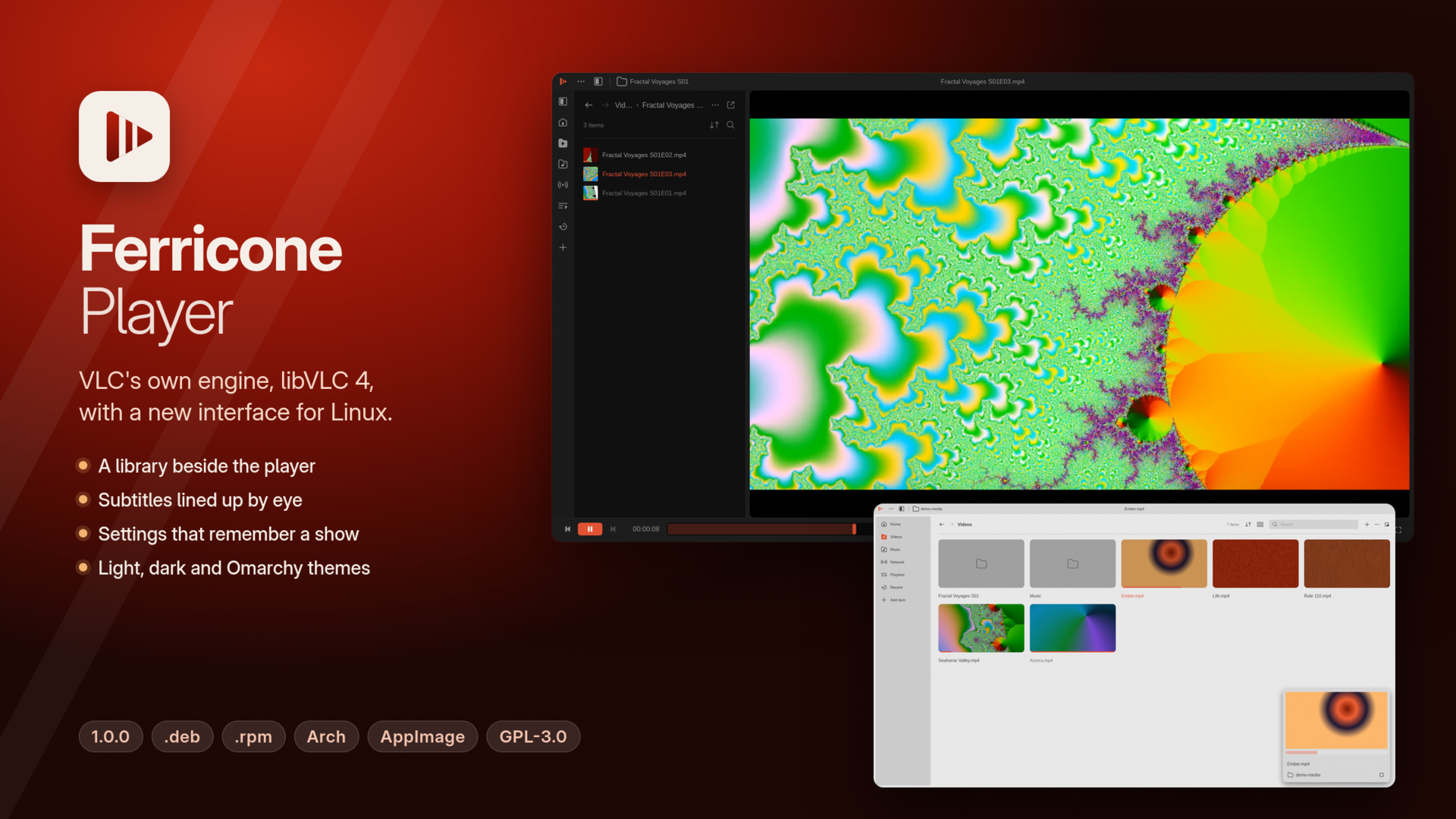
What's new in 1.1.0
- 64-bit ARM: all five formats, for Omarchy's ARM build, Arch Linux ARM, Asahi, Raspberry Pi 4 and 5, and other ARM machines.
- Window buttons: minimize, maximize and close at the top right on every desktop except Omarchy.
- Menus outside the window: on Wayland, menus can extend past the window's edge, with submenus and keyboard control.
Bug fixes
- Video that failed to start no longer uses up all memory; a message explains the black picture instead.
- Clicks keep working after you move or resize the window on desktops with floating windows, and double-clicking the title bar works there too.
Install
| System | x86-64 | 64-bit ARM |
|---|---|---|
| Debian, Ubuntu, Mint, Raspberry Pi OS (64-bit) | ferricone_1.1.0_amd64.deb (58 MB) |
ferricone_1.1.0_arm64.deb (53 MB) |
| Fedora, openSUSE, RHEL 10 | ferricone-1.1.0-1.x86_64.rpm (64 MB) |
ferricone-1.1.0-1.aarch64.rpm (61 MB) |
| Arch, Omarchy, Arch Linux ARM, Manjaro | ferricone-1.1.0-1-x86_64.pkg.tar.zst (76 MB) |
ferricone-1.1.0-1-aarch64.pkg.tar.zst (73 MB) |
| Any distribution | Ferricone_Player-1.1.0-x86_64.AppImage (74 MB) |
Ferricone_Player-1.1.0-aarch64.AppImage (70 MB) |
| Any distribution, no root | ferricone-1.1.0-x86_64.tar.gz (79 MB) |
ferricone-1.1.0-aarch64.tar.gz (75 MB) |
sudo apt install ./ferricone_1.1.0_amd64.deb                 # Debian, Ubuntu, Mint
sudo dnf install ./ferricone-1.1.0-1.x86_64.rpm              # Fedora, RHEL 10 (zypper install on openSUSE)
sudo pacman -U ferricone-1.1.0-1-x86_64.pkg.tar.zst          # Arch, Omarchy, Manjaro
chmod +x Ferricone_Player-1.1.0-x86_64.AppImage && ./Ferricone_Player-1.1.0-x86_64.AppImage
tar xzf ferricone-1.1.0-x86_64.tar.gz && ferricone-1.1.0-x86_64/install.sh
On ARM, use the files with arm64 or aarch64 in their names the same way.
ChromeOS: turn on the Linux development environment, then open the .deb from Files.
Upgrading from 1.0.0 or a development build works the same way: install the new package over the old one. SHA256SUMS lists the checksums of every file.
Requirements
- Linux on x86-64 or 64-bit ARM with glibc 2.35 or newer (Ubuntu 22.04, Debian 12, Fedora 36, RHEL 10, Arch, and later).
- OpenGL through EGL; on ARM, Mesa provides it for Mali (Panfrost), Adreno (Freedreno), Apple (Asahi) and VideoCore (V3D) GPUs.
- Wayland or X11. On X11, menus stay inside the window.
- For hardware decoding, VA-API drivers for your GPU.
Privacy and security
- Ferricone contacts the network only for what you ask it to play, for casting, for OpenSubtitles when you search there, and for album art if you turn that on.
- Your OpenSubtitles key and login are kept in
~/.config/ferricone/app.toml, which is readable only by you.
Limits
- Linux only for now; Windows and macOS are planned.
- Casting hasn't been tried with every device, and reports from ARM hardware are welcome: please tell us what works.
- Not built yet: the layout editor, profiles, conversion and extensions.
Credits
- The interface design is based on "VLC Redesign" by Juxtopposed (Figma Community), CC BY 4.0.
- libVLC is by VideoLAN, LGPL 2.1 or later. "VLC" and the cone are VideoLAN trademarks; Ferricone is not made or endorsed by VideoLAN.
- winit is by its contributors, Apache License 2.0; Ferricone carries a copy with one accessor added.
- Ferricone is free software under the GPL 3.0 or later.
v1.1.0-dev.3 — Menus outside the window and a leak fixed (development build)
A development build from the dev branch: menus that reach outside the window, and a memory leak fixed.
This prerelease is for trying things before 1.1.0. For everyday use, take the latest release.
What's new since 1.1.0-dev.2
- Menus outside the window. On Wayland, the right-click menu, the ⋯ menu and the library's menus open as real popups: near an edge they extend past the window or flip to fit, instead of being cut off. Submenus open beside them, the arrow keys, Enter and Esc work, and a click anywhere else closes them. On X11 they stay inside the window, as before.
- A memory leak fixed. When video output failed to start, Ferricone retried it many times a second and kept the memory of every attempt, until the system ran out. It now keeps only the picture on screen. This also affects 1.0.0 and the earlier development builds.
- It says so when the picture can't be shown. Instead of a black picture, a message explains that video output failed to start and that sound keeps playing.
- Built on GitHub's runners. These packages were built and tested by the repository's workflow, the arm64 ones natively on ARM instead of under emulation.
Install
| System | x86-64 | 64-bit ARM |
|---|---|---|
| Debian, Ubuntu, Mint, Raspberry Pi OS (64-bit) | ferricone_1.1.0-dev.3_amd64.deb (58 MB) |
ferricone_1.1.0-dev.3_arm64.deb (53 MB) |
| Fedora, openSUSE, RHEL 10 | ferricone-1.1.0-dev.3-1.x86_64.rpm (64 MB) |
ferricone-1.1.0-dev.3-1.aarch64.rpm (61 MB) |
| Arch, Omarchy, Arch Linux ARM, Manjaro | ferricone-1.1.0-dev.3-1-x86_64.pkg.tar.zst (76 MB) |
ferricone-1.1.0-dev.3-1-aarch64.pkg.tar.zst (73 MB) |
| Any distribution | Ferricone_Player-1.1.0-dev.3-x86_64.AppImage (74 MB) |
Ferricone_Player-1.1.0-dev.3-aarch64.AppImage (70 MB) |
| Any distribution, no root | ferricone-1.1.0-dev.3-x86_64.tar.gz (79 MB) |
ferricone-1.1.0-dev.3-aarch64.tar.gz (75 MB) |
Install them as you would 1.0.0's (see the README). SHA256SUMS lists the checksums of every file.
How it was tested
- Every package was installed in fresh containers of its distributions, on both architectures: Debian 12, Ubuntu 22.04 and 24.04, Fedora, AlmaLinux 10, openSUSE Tumbleweed, Arch (x86-64), Arch Linux ARM and Manjaro ARM (arm64), plus the AppImage and the archive. Each one starts, and no library is missing or broken by a bundled one.
- The menus were opened and used with a virtual pointer and keyboard under labwc and under Omarchy's Hyprland: all three menus, their submenus, the keys, and closing them by clicking inside the window and outside it. Thirty rounds of opening and closing kept memory use flat.
- The leak was tested by making video output fail on every video of a folder for two minutes, with memory capped: across about 2,800 failed starts, memory stayed under 500 MB, where the old build passed 1 GB within five seconds.
- Not yet tried: GNOME and KDE, and ARM hardware. If you have some, please report what works.
Requirements
- glibc 2.35 or newer (Ubuntu 22.04, Debian 12, Fedora 36, RHEL 10, Arch and later).
- Desktop OpenGL through EGL; on ARM, Mesa provides it for Mali (Panfrost), Adreno (Freedreno), Apple (Asahi) and VideoCore (V3D) GPUs.
- Wayland or X11.
v1.1.0-dev.2 — Window buttons and 64-bit ARM (development build)

A development build from the dev branch: window buttons, working clicks after moving the window, and 64-bit ARM.
This prerelease is for trying things before 1.1.0. For everyday use, take the latest release.
What's new since 1.1.0-dev.1
- Window buttons. Minimize, maximize and close at the top right on every Linux system except Omarchy, whose desktop manages windows by keyboard. They hide in fullscreen, and maximize becomes restore while the window is maximized.
- Clicks after moving the window. On desktops with floating windows, moving or resizing the window once left every later click dead. This also affects 1.0.0.
- Double-click on the title bar now works on those desktops too. A move starts only once the pointer has moved.
- Building from source works again on Arch with
libvlcinstalled: newer Rust compilers linked the system's libVLC 3 instead of the pinned libVLC 4. - The packaging containers have memory and CPU limits, so a build can fail but can't take the machine down.
64-bit ARM (aarch64) is here in all five formats, as in 1.1.0-dev.1. It still hasn't been run on ARM hardware; if you have some, please report what works.
Install
| System | x86-64 | 64-bit ARM |
|---|---|---|
| Debian, Ubuntu, Mint, Raspberry Pi OS (64-bit) | ferricone_1.1.0-dev.2_amd64.deb (58 MB) |
ferricone_1.1.0-dev.2_arm64.deb (52 MB) |
| Fedora, openSUSE, RHEL 10 | ferricone-1.1.0-dev.2-1.x86_64.rpm (63 MB) |
ferricone-1.1.0-dev.2-1.aarch64.rpm (60 MB) |
| Arch, Omarchy, Arch Linux ARM, Manjaro | ferricone-1.1.0-dev.2-1-x86_64.pkg.tar.zst (75 MB) |
ferricone-1.1.0-dev.2-1-aarch64.pkg.tar.zst (72 MB) |
| Any distribution | Ferricone_Player-1.1.0-dev.2-x86_64.AppImage (73 MB) |
Ferricone_Player-1.1.0-dev.2-aarch64.AppImage (70 MB) |
| Any distribution, no root | ferricone-1.1.0-dev.2-x86_64.tar.gz (79 MB) |
ferricone-1.1.0-dev.2-aarch64.tar.gz (75 MB) |
Install them as you would 1.0.0's (see the README). SHA256SUMS lists the checksums of every file.
How it was tested
- Every package was installed in fresh containers of its distributions, on both architectures: Debian 12, Ubuntu 22.04 and 24.04, Fedora, AlmaLinux 10, openSUSE Tumbleweed, Arch (x86-64), Arch Linux ARM and Manjaro ARM (arm64), plus the AppImage and the archive. Each one starts, and no library is missing or broken by a bundled one.
- The buttons were clicked with a virtual pointer under labwc, a desktop with floating windows, with the compositor reporting the result: maximize, restore, minimize and close, with maximize and restore tried again after moving and after resizing the window, and minimize again after moving it. That was a development build on x86-64, with no media playing.
- Not yet tried: GNOME and KDE.
Known issue
In a test with a development build on software rendering, where video output failed to start, memory use grew until the system ran out. The cause isn't known yet, and that build differs from these packages in how it renders. If a video plays with a black picture, close Ferricone and please report it.
Requirements
- glibc 2.35 or newer (Ubuntu 22.04, Debian 12, Fedora 36, RHEL 10, Arch and later).
- Desktop OpenGL through EGL; on ARM, Mesa provides it for Mali (Panfrost), Adreno (Freedreno), Apple (Asahi) and VideoCore (V3D) GPUs.
- Wayland or X11.
v1.1.0-dev.1 — 64-bit ARM (development build)
A development build from the dev branch: Ferricone on 64-bit ARM.
This prerelease is for trying things before 1.1.0. For everyday use, take the latest release.
What's new since 1.0.0
- 64-bit ARM (aarch64) in all five formats, next to x86-64. That covers Omarchy's ARM build and other Arch Linux ARM systems, Asahi on Apple Silicon, Debian, Ubuntu, Fedora, openSUSE and Manjaro ARM, Raspberry Pi 4 and 5 on a 64-bit system, and ARM laptops and boards.
- The same app and the same libVLC 4: Ferricone needed no code changes for ARM.
- The packaging builds and tests either architecture (
packaging/build.sh --arch aarch64|all). ARM builds run under QEMU on an x86-64 machine. - Development versions sort before their release in every package manager (
1.1.0~dev.1in deb and rpm,1.1.0dev1in pacman), so 1.1.0 will upgrade them.
Install
| System | x86-64 | 64-bit ARM |
|---|---|---|
| Debian, Ubuntu, Mint, Raspberry Pi OS (64-bit) | ferricone_1.1.0-dev.1_amd64.deb (58 MB) |
ferricone_1.1.0-dev.1_arm64.deb (52 MB) |
| Fedora, openSUSE, RHEL 10 | ferricone-1.1.0-dev.1-1.x86_64.rpm (63 MB) |
ferricone-1.1.0-dev.1-1.aarch64.rpm (60 MB) |
| Arch, Omarchy, Arch Linux ARM, Manjaro | ferricone-1.1.0-dev.1-1-x86_64.pkg.tar.zst (75 MB) |
ferricone-1.1.0-dev.1-1-aarch64.pkg.tar.zst (72 MB) |
| Any distribution | Ferricone_Player-1.1.0-dev.1-x86_64.AppImage (73 MB) |
Ferricone_Player-1.1.0-dev.1-aarch64.AppImage (70 MB) |
| Any distribution, no root | ferricone-1.1.0-dev.1-x86_64.tar.gz (79 MB) |
ferricone-1.1.0-dev.1-aarch64.tar.gz (75 MB) |
Install them as you would 1.0.0's (see the README). SHA256SUMS lists the checksums of every file.
How the ARM build was tested
- Each ARM package was installed in fresh arm64 containers: Debian 12, Ubuntu 22.04 and 24.04, Fedora, AlmaLinux 10, openSUSE Tumbleweed, Arch Linux ARM and Manjaro ARM, plus the AppImage and the archive. Each one starts, and no library is missing or broken by a bundled one.
- The arm64 .deb was also run under emulation, rendering through Mesa's software renderer into a Wayland session. It opened its window, played a video and moved on to the next one in the folder.
It has not been run on ARM hardware yet. If you have some, please report what works.
Requirements
- glibc 2.35 or newer (Ubuntu 22.04, Debian 12, Fedora 36, RHEL 10, Arch and later).
- Desktop OpenGL through EGL; on ARM, Mesa provides it for Mali (Panfrost), Adreno (Freedreno), Apple (Asahi) and VideoCore (V3D) GPUs.
- Wayland or X11.
v1.0.0 — Initial release
A media player for Linux on VLC's own engine, libVLC 4, with a new interface in Rust and Slint.
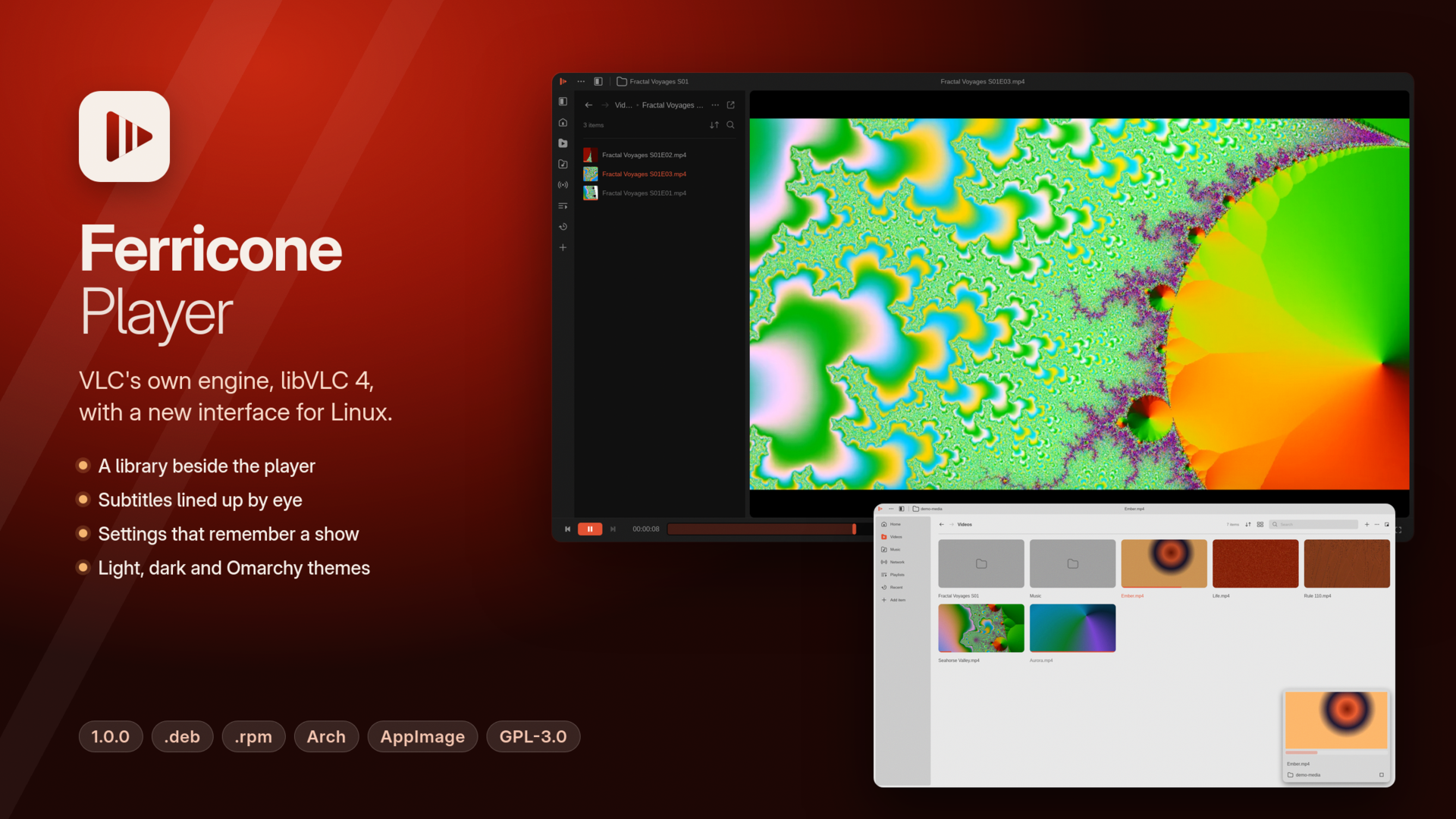
Ferricone plays everything VLC plays. The formats, hardware decoding, network streams and subtitles all come from libVLC 4, bundled in every package. The interface is new, after Juxtopposed's "VLC Redesign": a library beside the player, settings that remember a show, and a subtitle timeline.
What's in 1.0.0
- Player: bars that hide while you watch, seek thumbnails, a waveform, chapters, bookmarks, a volume wedge, and resume where you left off.
- Queue: the rest of the folder, M3U8 playlists, and a choice of what happens when something ends.
- Library: Videos, Music (Songs, Albums, Artists, Genres), Network streams, Playlists and Recent, in a dock or full window, with watched progress and a miniplayer.
- Sidebar: live video and audio filters, an equalizer, and presets saved per folder.
- Subtitles: a timeline to sync them by eye, files matched to episodes by name, and OpenSubtitles search with your own API key.
- Cast to Chromecast and UPnP devices.
- Settings with search, and a Keyboard Shortcuts editor.
- Looks: light, dark or system themes, any accent color, and Omarchy colors when Omarchy is installed.
- Desktop: media keys and MPRIS, portal file dialogs, Wayland or X11.
Install
| System | File | Install |
|---|---|---|
| Debian, Ubuntu, Mint | ferricone_1.0.0_amd64.deb (58 MB) |
sudo apt install ./ferricone_1.0.0_amd64.deb |
| Fedora, openSUSE, RHEL 10 | ferricone-1.0.0-1.x86_64.rpm (63 MB) |
sudo dnf install ./ferricone-1.0.0-1.x86_64.rpm |
| Arch, Manjaro | ferricone-1.0.0-1-x86_64.pkg.tar.zst (75 MB) |
sudo pacman -U ferricone-1.0.0-1-x86_64.pkg.tar.zst |
| Any distribution | Ferricone_Player-1.0.0-x86_64.AppImage (73 MB) |
chmod +x it and run it |
| Any distribution, no root | ferricone-1.0.0-x86_64.tar.gz (79 MB) |
unpack, then run install.sh |
ChromeOS: turn on the Linux development environment, then open the .deb from Files.
SHA256SUMS lists the checksums of every file.
Requirements
- x86-64 Linux with glibc 2.35 or newer (Ubuntu 22.04, Debian 12, Fedora 36, RHEL 10, Arch, and later).
- OpenGL or OpenGL ES through EGL, and Wayland or X11.
- For hardware decoding, VA-API drivers for your GPU.
Privacy and security
- Ferricone contacts the network only for what you ask it to play, for casting, for OpenSubtitles when you search there, and for album art if you turn that on.
- Your OpenSubtitles key and login are kept in
~/.config/ferricone/app.toml, which is readable only by you.
Limits
- Linux only for now; Windows and macOS are planned.
- Casting hasn't been tried with every device; please report what works.
- Not built yet: the layout editor, profiles, conversion and extensions.
Credits
- The interface design is based on "VLC Redesign" by Juxtopposed (Figma Community), CC BY 4.0.
- libVLC is by VideoLAN, LGPL 2.1 or later. "VLC" and the cone are VideoLAN trademarks; Ferricone is not made or endorsed by VideoLAN.
- Ferricone is free software under the GPL 3.0 or later.