Repository navigation
Releases
Zoomies v1.0.0


Meet Zoomies 1.0: a safe computer for kids, on an old PC or a Raspberry Pi
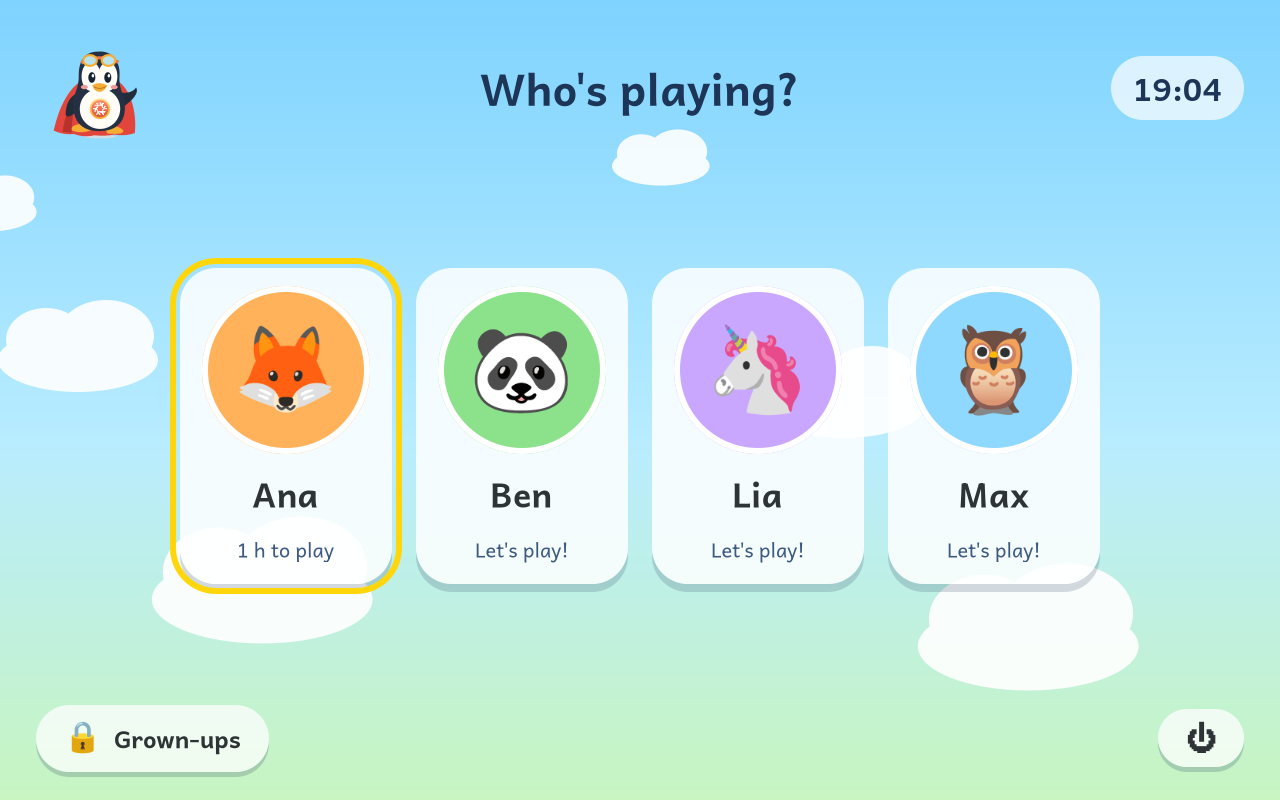
Zoomies is ready for families. Install it on a computer, and that computer becomes a place where kids play and learn safely. They pick their face and play. You decide when, and for how long.
It is free and open source. It has no ads, no accounts and no subscriptions. It does not watch your kids. A PC from 2010 or a Raspberry Pi is enough.
⬇️ Get it
| Download | Write it with | |
|---|---|---|
| 🖥️ PC (BIOS or UEFI, 64-bit) | zoomies-installer-v1.0.0.iso (6.2 GB) | balenaEtcher, to a USB stick of 8 GB or more |
| 🍓 Raspberry Pi 3, 4 and 5 | zoomies-raspberry-pi-v1.0.0.img.zst (5.1 GB) | Raspberry Pi Imager, to an SD card of 16 GB or more |
The images are larger than a GitHub release can hold, so we keep them on our own server. SHA256SUMS, below, has their checksums. The README gives the full steps, also in Português and Español.
Warning
By default, the PC installer erases the disk you pick. Save your files first. To keep Windows or another system, choose to install next to it; the boot menu then lets you pick one at each start.
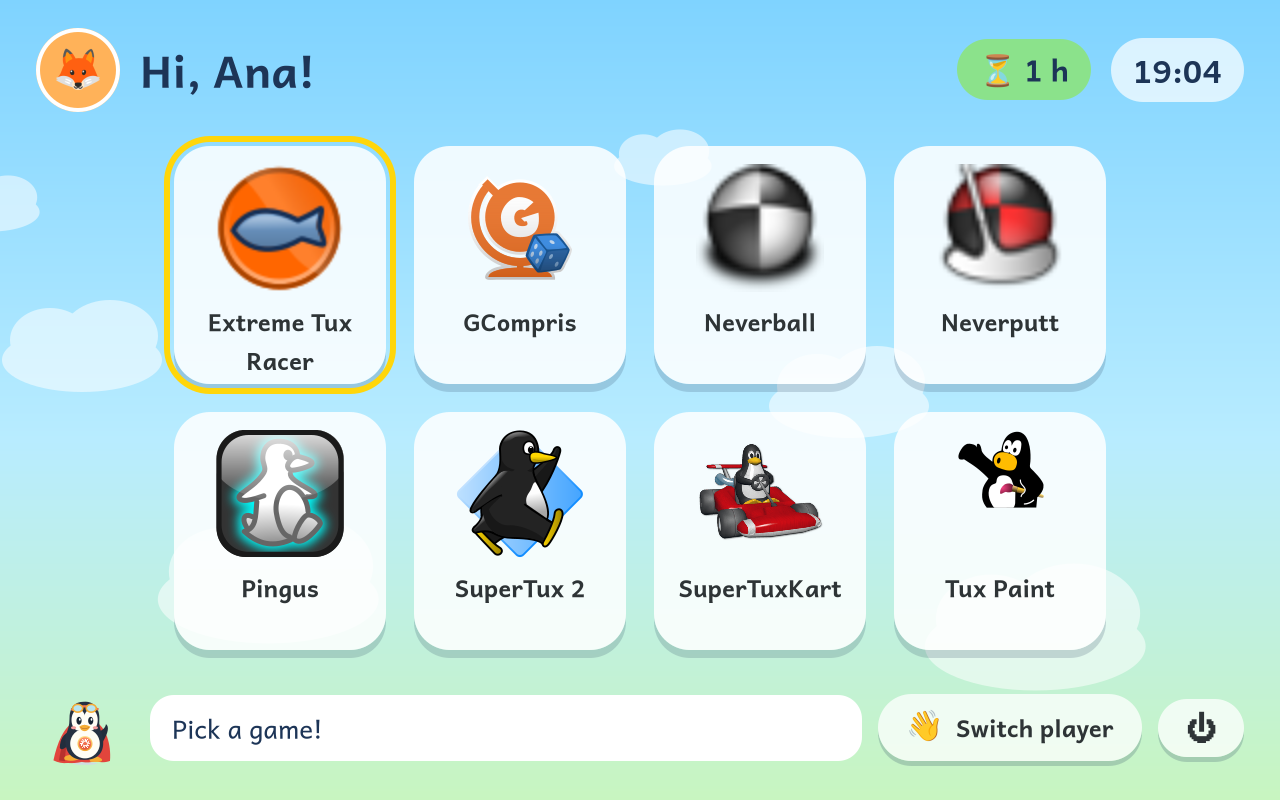
🎮 For little kids: just the games
Big tiles, one for each game, and nothing else to get lost in. SuperTuxKart, SuperTux, Extreme Tux Racer, Neverball, Pingus, Tux Paint, more than a hundred GCompris activities, and TurboWarp to make their own games with Scratch blocks. No internet unless you open it. Nothing to break: each time the computer starts, it forgets everything except the saved games.
📚 For older kids: a desktop for study and play
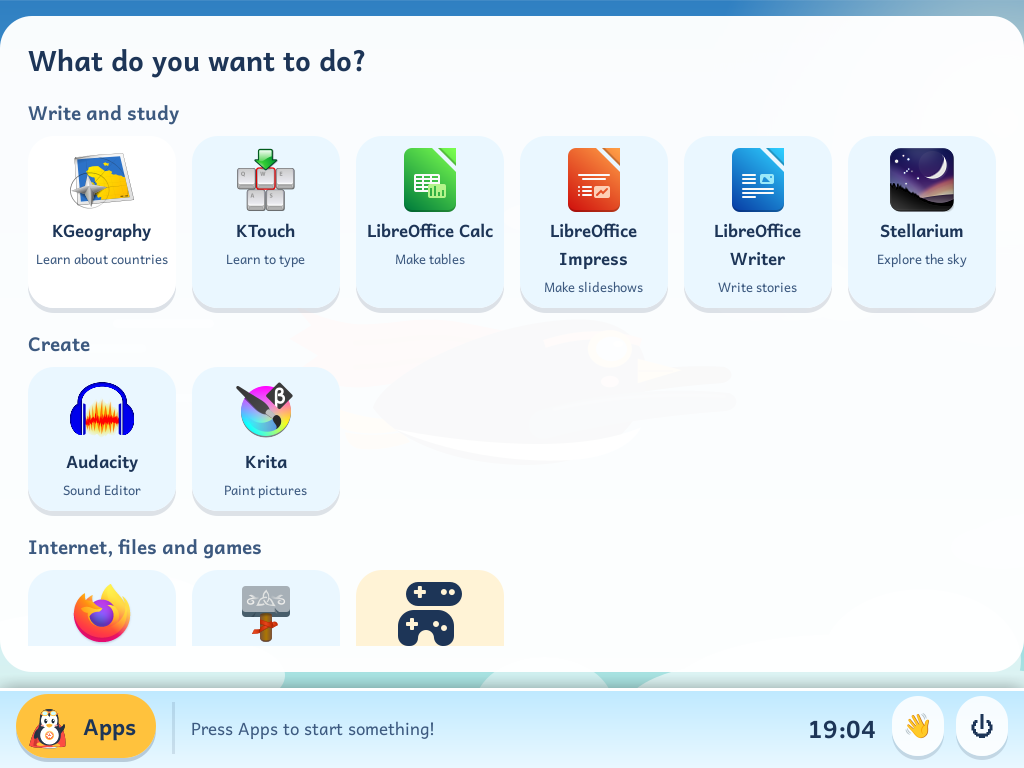
Their apps are one button away, and their files are kept: LibreOffice, Krita, Audacity, KTouch, KGeography, Stellarium, the same games as the little ones, and Firefox through a family filter that keeps adult and dangerous sites away.
🔒 For you: the grown-ups panel
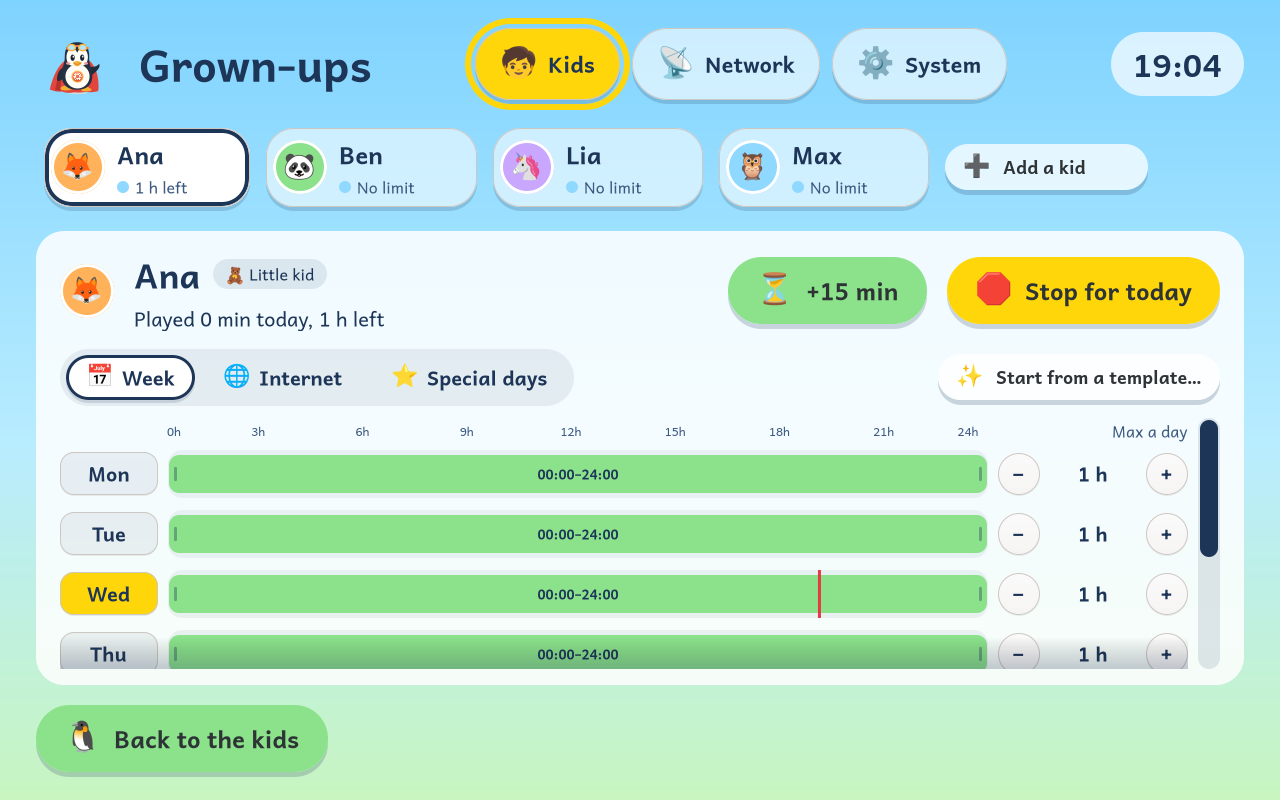
Everything is behind a PIN that only you know. The computer enforces your rules, not only the screens:
- The week. For each kid and each day: when they can play, and for how long. Start from "School week" or "Weekends only", then change any day.
- Special days. Make a holiday play like a Saturday, or not at all.
- Right now. Give 15 more minutes, or stop for today.
- Internet. For each kid: off, on for some days, or open for 30 minutes, an hour or the rest of today.
- Wi-Fi, network and remote access (SSH), without a terminal.
When time is almost up, Zoomies warns the kid five minutes and one minute before. Then it closes the game and tells them when they can come back. You do not have to be the one who says "time's up".
✨ Also in 1.0
- 🌍 English, Português and Español. The installer sets the language and keyboard for the whole system.
- ☁️ Zip is with you from power on to power off. No black screens and no console text: Zip flies in at boot and goes to sleep on his cloud at power off.
- 📦 Installs without internet. Everything is on the USB stick.
- 🔄 Updates itself. It downloads in the background, and the new version starts at the next boot, never in the middle of a game. If an update goes wrong, the boot menu goes back to an earlier version.
- 🐢 Light. A 3D game, Firefox and LibreOffice run in 2 GB of memory.
💬 Tell us
This is our first release. Did something not work? Do you have an idea? Open an issue. If Zoomies is useful to your family, please give the project a ⭐ and tell other parents.
Zoomies is built on NixOS by O.S. Systems. Developers: DEVELOPMENT.md explains how to build it, or use it in your own NixOS configuration.
All changes in this release
- feat: add an offline installer that boots on BIOS and UEFI PCs by @otavio in #1
- Kid kiosk with profiles, screen time and parental controls by @otavio in #2
- Fix the flaky kiosk test on slow CI runners by @otavio in #3
- Upright Zip, Super Zip with a flapping cape, and a Zoomies desktop for older kids by @otavio in #4
- fix(mascot): hero badge and no stray dot on Zip by @otavio in #5
- Zip waves hello in a cape by @otavio in #6
- docs(readme): tighten copy and split install into sections by @otavio in #7
- Run a 3D game, Firefox and LibreOffice in 2 GiB by @otavio in #8
- Run Zoomies on the Raspberry Pi 3, 4 and 5 by @otavio in #9
- feat: quiet boot behind a Zip splash, with no black screen before the greeter by @otavio in #10
- feat: clouds behind the greeter and launcher, cheap on old PCs, with a calm screen switch by @otavio in #12
- feat(older): the older kids' wallpaper comes alive, with no icons on top by @otavio in #13
- Keep /boot on the root filesystem, ESP at /boot/efi by @otavio in #11
- Install with Calamares: pick the disk and time zone, boot quietly behind Zip by @otavio in #15
- feat(older): a shelf in place of the Xfce panel, with apps always full screen by @otavio in #16
- Speak Portuguese and Spanish: translated screens, language and keyboard from the installer by @otavio in #17
- Older kids' apps: fewer LibreOffice tiles, no GCompris or Inkscape by @otavio in #18
- Shelf: kid-friendly app descriptions, in the kid's language by @otavio in #19
- fix(games): Neverball and Neverputt fill the screen by @otavio in #20
- Installed machines update themselves from main by @znaniye in #21
- Simplify the tree, speed up CI and shrink the images by @otavio in #22
- feat(parent): plan kids' weeks, internet and Wi-Fi from the grown-ups' panel by @otavio in #23
- fix(kiosk): show the sky, not a black console, while switching player by @otavio in #24
- feat(splash): have Zip land on his cloud and sleep at power off by @otavio in #25
- docs: write the README for families, in three languages by @otavio in #26
- fix(installer): save valid regional formats for the chosen place by @otavio in #27
- ci: publish the images when a release is tagged by @otavio in #28
- feat(parent): pick kids from chips, tabbed cards, visible scrollbars and our own network settings by @otavio in #29
- feat: add TurboWarp (Scratch) for every kid by @otavio in #30
- feat(parent): turn on remote access over SSH from the System page by @otavio in #31
- feat: keep the screen lit from the boot menu to power off by @otavio in #32
New Contributors
Full Changelog: https://github.com/OSSystems/Zoomies/commits/v1.0.0

