Repository navigation
Releases
Nightshade 1.5 (v1.500.000) — The Stability Leap


Nightshade 1.5 (v1.500.000) — The Stability Leap. A full public release combining Belladonna 1.0 (871f66e), the redesigned Nightshade launcher and Tears of the Kingdom freeze/stutter fixes from v1.010.008–v1.010.015, and 24 adapted GPU, NVDRV/SMMU, Vulkan, shader-cache, and guest-fault stability fixes adapted from bf39l/ProsperoEden (issue #6).
Note
Every change passed host ASan/UBSan regression suites, SPIR-V validation, and native PS5 package/SELF checks. Physical PS5 console installation, launch, and gameplay testing are still pending community reports. Back up /data/prosperoeden before updating.
Core Stability & Memory Fixes (24 adapted fixes + Nightshade hardening)
- GPU buffer cache, DMA, and draw safety. Fixed buffer usage bitmask tracking across partial range transitions, read ownership and asynchronous readback lifetimes, buffer download bounds clamping, storage binding virtual spans, buffer allocation retirement recovery, resolution-scaled buffer view blacklisting, unbound DMA channel handling, and an indirect-draw instance ceiling to stop runaway GPU commands.
- NVDRV / SMMU memory reclaim and sparse mappings. Reclaimed stale SMMU mappings and fixed mapping failure returns, fixed-mapping pin replacement, GPU mapping index cleanup, GPU mapping buffer bounds, sparse remap backing bounds and pin ownership, low-alias allocation failures, and backing-rejection diagnostics.
- Vulkan shaders, integer texel buffers, and disk shader cache. Added Vulkan integer texel buffer view support, bounded shader environment reads and
env_ptrssizing (MaxShaderProgram), improved Vulkan shader error reporting, rejected corrupt shader instructions on load, validated shader-cache environment bounds and payload lengths before deserialization, rejected malformed compute cache entries, and bounded shader-cache reads to each entry's declared span. - Texture garbage collection prefetch & eviction accounting. Accounted for clean and oversized texture evictions during GC prefetch with saturating usage subtraction and current-pass refill batching.
- Guest fatal panic handling & scoped detailed logs. Fatal guest panics previously parked the thread and froze the game; they now record safe bounded memory evidence (with address-space wraparound guards) and cleanly end the session without retrying, while bounded early-boot retries remain reserved for transient prefetch aborts. When Detailed logging is enabled, debug output is scoped to
Render,Render.Vulkan,HW.GPU,Shader, andCore.ARM(*:Info) so noisy service, filesystem, and NVDRV polling does not flood the 100 MiB log file.
Also Included Since the Previous Full Release (v1.010.007)
- Belladonna 1.0 Vulkan driver (
871f66e). Replaces the October 29 driver with fixed GPU completion counting, OOM safety on command recording and shader builds, damaged pipeline-cache validation, 10-second GPU stall containment (radv/ps5 stall:), Vulkan swapchain loss recovery, and a silent startup crystal animation (fade with Reduce motion). The first start of each game rebuilds compiled Vulkan pipelines once under the new driver key. - Redesigned Nightshade launcher & icon. Full-bleed selected game art on Home, 6-column Library grid with system-keyboard search and All / Recently played / Favorites filters, side-by-side Settings, larger couch-readable type, background Library scanning without UI stalls, and the crimson Nightshade flower icon.
- Tears of the Kingdom stability & async shaders. Asynchronous shaders enabled by default for TOTK (overridable per game) with Eden's small-target and depth draw rules, bounded runaway copy loop guard at
main+0x6E1404, and the enhanced freeze watchdog (EDEN_STUCK_GUEST/EDEN_STUCK_THREAD) with module-relative offsets. - Graphics, shader discovery, and audio fixes from
v1.010.015. Declared indexed Vulkan storage image arrays and non-uniform image atomics, stopped empty Maxwell instruction discovery with per-block scratch, block-row ASTC recompression, locked small-page GPU memory layout updates, non-mutating PCM volume/channel downmix, and smooth 1 ms audio underrun fade-to-silence. - Full native package. Built as a standard installable release with
lapy.elffilesystem elevation,self-updater.elffor in-app Update now,app-launch.elffor Settings > Apps, and MihawkGen weights (mihawkgen/network.fgw).
Credits & Community Testers
Built on upstream Eden, ProsperoEden by BlackBearReloaded, and Mihawk's PS5 Mesa / PS5 Vulkan / MihawkGen stack (see THIRD_PARTY_NOTICES.md for full credits and licenses).
Special thanks to bf39l for the upstream stability findings and patches in bf39l/ProsperoEden (issue #6), and to community testers and contributors bluegaterune, renhexforge, GameNostalgic0, bobrass, and Tiang-88 whose logs, reports, and bug fixes shaped this release.
Install
- From
v1.005.102throughv1.010.008: Open Nightshade and choose Update now. - From
v1.010.009–v1.010.015: If Settings > Diagnostics > Test builds is enabled, turn Test builds off and reopen Nightshade so Update now checks full releases — or install manually below. - Manual install (including
v1.005.101and earlier or fresh installs): DownloadNightshade-v1.500.000.zip, verify its SHA-256 againstSHA256SUMS, extractPPSA99008/, and copy it over your homebrew folder (for example/data/homebrew/PPSA99008/).
Verification & Complete Corresponding Source (GPL-3.0-or-later)
| File | SHA-256 |
|---|---|
Nightshade-v1.500.000.zip |
ac54912dcc1b5107431e5ee582e72d47edbf4d2fc026552fd509316d9e5c0969 |
PPSA99008/eboot.bin (inside ZIP) |
cbe30fa202f51ec212d9f5808e0a978253d9365cf843227b467805227854e623 |
Nightshade-1.500.000-source.tar.gz |
63b5049deb7afcf278c31f5205c2dd429cbbcb35f7294e474843adad23263ea9 |
Belladonna-1.0-871f66e-source.tar.zst |
dde85be485d0e04c54869c35ac56ac6868d1aeba0717af2f83855d4449384a73 |
- Nightshade source tag:
v1.500.000(1d9fe479ac1bb1aee0b57f689d467fe735b4b208) - Belladonna 1.0 driver revision:
871f66e94cf3b6ca3787115784d833f08b04fba1
What to Send When Testing
If you test on a PS5, please share your PS5 model, system software version, ShadowMountPlus / jailbreak setup, game and version, renderer, and /data/prosperoeden/logs (stderr.log, stderr.prev.log, heap.log, plus any crash report and /data/prosperoeden/user/log/eden_log.txt) in Issues or nightly on Discord.
Nightshade v1.010.015 with Belladonna 1.0 (test channel)
Nightshade v1.010.015 with Belladonna 1.0 is available through Update now on the v1.010 line. On v1.010.012, enable Settings → Diagnostics → Test builds, then choose Update now. The update dialog should offer v1.010.015.
Belladonna adds a short startup animation. This build also improves Library responsiveness during scans and targets shader stalls and audio dropouts. Use an existing ShadowMountPlus 1.7beta4 or newer setup with writable storage. Back up saves before testing. A fresh manual install of v1.010.015 omits the self-update helper, so subsequent updates from that install are manual.
This is an unsigned homebrew prerelease. Physical PS5 installation, launch, and gameplay results are pending. The ZIP is the same package as the manual download. Install guide, matching sources, and console test notes
Playtendoh had one thing we wanted. Its spot on your drive.

Nightshade v1.010.015 with Belladonna 1.0

Download Nightshade v1.010.015 for PS5 homebrew · SHA-256
This unsigned developer build includes Belladonna 1.0. The ZIP contains a PPSA99008 app folder, the same title ID as v1.010.012. The package passed host verification. First launch and gameplay on a physical PS5 await community testing.
Update from v1.010.012
Enable Settings → Diagnostics → Test builds, then choose Update now. The v1.010.015 test-channel release serves the same app-folder ZIP as the manual download.
Manual install
- Use an existing ShadowMountPlus 1.7beta4 or newer setup with writable
/data. Close Nightshade and back up your existing app folder and/data/prosperoedenbefore testing. - Extract the ZIP on your computer. Copy the fresh
PPSA99008folder into your usual homebrew location. With the default location, the executable is/data/homebrew/PPSA99008/eboot.bin. - Let the launcher rescan, open Nightshade, and check the version and Library. A fresh manual installation of v1.010.015 omits the self-update helper and uses manual updates going forward. Opening other installed titles from Nightshade is unavailable in this package.
What changed
- Belladonna shows a short crystal animation when Nightshade starts. Reduce motion uses a fade.
- The Library opens while games are still being scanned.
- Shader and texture changes target reported loading stalls. Vulkan can recover after presentation errors, and missing audio fades to silence during dropouts.
When reporting a test, include the PS5 firmware, launcher version, whether Nightshade reached its home screen, and logs from /data/prosperoeden/logs. For a game issue, also include the game version and renderer. See the changelog and game-specific retests.
Install guide · Package verification · Nightshade source · Belladonna source
Playtendoh had one thing we wanted. Its spot on your drive.
Nightshade and Belladonna changes by Oliv3rmoon. Upstream credits and license notices are included in the source archives.
Nightshade v1.010.012 (test release)
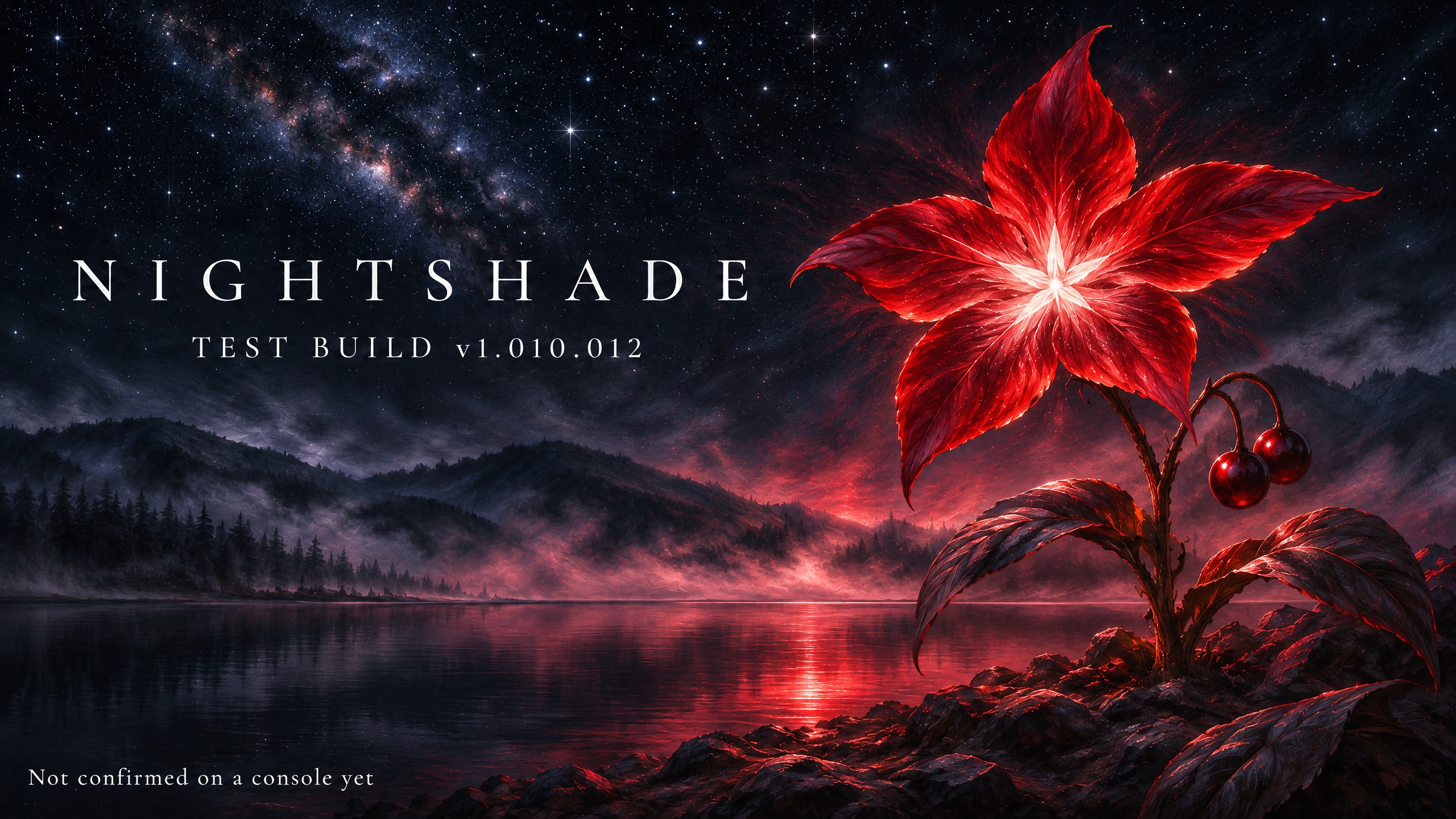
The launcher, redrawn, and asynchronous shaders on in Tears of the Kingdom for the frame drops when new areas load. In two testers' sessions on v1.010.011 the drops (after loading a save, in the desert, on the volcano) came with bursts of new graphics pipelines: 800 and 1,961 built while playing, after the shader cache, up to 96 in 30 seconds. Both had Asynchronous shaders off, so each new pipeline held the frame until the driver had built it. Not confirmed on a console yet.
Changed
- Asynchronous shaders are on for Tears of the Kingdom unless its own Performance settings (Library > Game settings > Performance) have the switch: that switch, on or off, still decides. A safe start still turns them off, and the game's video profiles keep them on. Something new can be missing for a frame or two where it first appears; say where if you see it.
- Two rules for a draw whose pipeline is not built yet, with asynchronous shaders on, in every game: a draw into a target smaller than 640x360 waits for it, since what a game draws there once (lookup tables, fog or noise textures) would otherwise be missing for the rest of the session (the rule of Eden PR #4639, by John); and a draw that uses depth is left out even when it is small, as upstream Eden does, since the scene draws it again next frame.
New
- The launcher, redrawn. The Nightshade theme has a layout of its own: a top bar with the flower, the tabs Home, Library, Multiplayer and Settings, and the clock; a home screen over the selected game's art with its name, a crimson Play and a row of covers (the games played last first); a Library of six covers to a row with a search on the system keyboard and the filters All, Recently played and Favorites (a game becomes a favorite in its Quick settings); and Settings as a column beside a panel of the category, where its options open. The type is larger, to read from a couch. About is the last row of Settings. Behind it all, nightshade flowers frame the screen, and what is chosen has a crimson ring and glow. Canopy and Slate are as they were.
- A new icon: Nightshade's flower, crimson with a white star and two berries.
stderr.logsays what happened to those draws: every 5 seconds, when it changed, anEDEN_ASYNC_SHADERSline with how many were left out (skipped,skipped_depth) and how many waited (waited_small_target,waited_small_draw, andwaited_syncwith the switch off). The launch report saysAsynchronous shaders on: this game's own defaultwhen the default decided.- Each
EDEN_PIPELINEline ends withspv=, a hash of each shader stage as the GPU gets it. A new pipeline whose stages were all seen before differs only in state outside its shaders:tools/analyze-pipeline-reuse.py stderr.logcounts those, which says how much graphics pipeline libraries could save. - A timing run in every build: an empty
cost-run.txtin the app's folder makesheap.loggetEDEN_VULKAN_COSTlines every 5 seconds: the driver's pipeline builds, the shader translation, the draws that waited for a pipeline and the rest (A timing run). It costs a little speed; take the file out afterwards.
Carried over from the earlier test builds
Everything in v1.010.008 to v1.010.011 is in this build: the freeze watchdog (EDEN_STUCK lines in stderr.log), Settings > Diagnostics > Test builds, and the bound on Tears of the Kingdom's runaway loop (EDEN_TOTK_LOOP_BOUNDED).
What to send
Play as usual, go where the drops were, and send /data/prosperoeden/logs (stderr.log and stderr.prev.log) after each session. With a timing run, heap.log and heap.prev.log too. Say whether the drops changed and whether anything was missing for a moment.
Install
With Settings > Diagnostics > Test builds on in v1.010.009 or later, Update now offers it. Otherwise download Nightshade-v1.010.012.zip below and copy its PPSA99008 folder over yours.
Nightshade v1.010.011 (test release)

Tears of the Kingdom: the crash after a long freeze should be gone. v1.010.010's freeze watchdog caught it twice on a tester's console, on the way up Death Mountain and later in the same game. The game's main thread spent about 90 seconds in one loop of its own code (main+0x6E1404) that copies 4 numbers but was handed a count near a billion. It wrote over a large part of the game's memory, and then jumped through one of the pointers it had overwritten: "guest thread MainThread jumped to an unmapped address". Not confirmed on a console yet.
Fixed
- That loop stops at 4 in Tears of the Kingdom (this build of the game only, and only when its code is exactly what the logs showed). With a sane count it does just what it did before. With a wrong one it copies its 4 numbers and goes on, and
stderr.loggets anEDEN_TOTK_LOOP_BOUNDEDline with the count, where it was read, and whether that memory had last been written by the graphics side (page=). What writes the wrong count is still unknown, and those lines should say. - The freeze watchdog names modules:
EDEN_STUCK_GUESTand its other lines now saymain+0x...instead of a raw address.
The frame drops in big areas are not from running out of memory: the logs show plenty free while the frame rate dips. They are still being looked into.
Everything else is v1.010.010.
What to send
Play as usual and send /data/prosperoeden/logs (stderr.log and stderr.prev.log) after each session, even one that doesn't crash. For the frame drops, say where they start (desert, volcano and so on) and about how long they last.
Install
With Settings > Diagnostics > Test builds on in v1.010.009 or later, Update now offers it. Otherwise download Nightshade-v1.010.011.zip below and copy its PPSA99008 folder over yours.
Nightshade v1.012.002 (Switch 2 test release)
Experimental test release: v1.012.001 with more logging for Final Fantasy Resonance (#1). Nothing a game does changes. This release only writes more to eden_log.txt and stderr.log around the moment that game went wrong on v1.012.001: a copy of graphics memory back into the game's memory (reactive flushing), then reads through a null pointer, then a jump to an unmapped address. If v1.011.002 or v1.012.001 plays your games well, keep it for playing.
What the logs now say
- Each copy back from the graphics memory (reactive flushing): a session's first 64, then each power of two, with the address the game read, the area copied, the bytes at that address before and after the copy, and each image in the area (its GPU address, size, format and how recently the GPU wrote it). A session's first 16 also go to
stderr.logasEDEN_REACTIVE_FLUSHlines. - Reads through a null pointer: where in the game's code, for each session's first 32. Before, only the app's first 32 were named, so a second game named none. The first 4 also go to
stderr.logwith the thread's name. - A jump to an unmapped address: an
EDEN_GUEST_FAULTline instderr.logwith the thread's pc, lr, sp and return addresses. - After a crash,
eden_log.txtis written out too, so it no longer ends minutes before the crash.
What to send
For Final Fantasy Resonance: play to where it stopped before (the movie after the tutorial boss), then send /data/nightshade/logs (stderr.log and any crash report) and /data/nightshade/user/log/eden_log.txt before opening the app twice. A second run with Reactive flushing off (Settings > Performance, or the game's own Performance settings) says whether that copy is the cause.
Install
From 1.005.102 or later, Update now applies it (from a Nightshade before v1.011.000, open the old tile once afterwards). If it doesn't, send /data/nightshade/logs/updater.log (/data/prosperoeden/logs/updater.log from a Nightshade before v1.011.000). By hand, copy this ZIP's PPSA64448 folder to /data/homebrew/PPSA64448.
Nightshade v1.010.010 (test release)
The freeze watchdog says where a frozen game is. A tester's Tears of the Kingdom froze 110 minutes in, in the Mucktorch fight, on v1.010.009. Its stderr.log ended with EDEN_STUCK core=0 state=guest: one of the game's own threads kept running on the first core for 10 seconds without asking the system for anything. Nothing else was held: no request in progress, no graphics stall, no memory fault. The log couldn't say where that thread was. Now it can. Nothing a game does changes, and this isn't confirmed on a console yet.
New
- A core stuck in the game's code is looked at. At 10, 60 and 300 seconds,
stderr.loggetsEDEN_STUCK_GUEST: the thread's name and priority, where it is in the game's code, its call chain, the code around it and the memory its registers point at. FourEDEN_STUCK_PClines a second apart then show whether it loops. The core goes on running the same thread afterwards. - What every other thread is doing. With the first two reports,
EDEN_STUCK_THREADlines list each of the game's threads: its state, what it waits for and who holds it. - A core that doesn't answer gets
EDEN_STUCK_NO_ANSWER: the emulator itself is held under the game's code there, not the game looping. - A stuck memory fault also names its address and what it waits for.
Everything else is v1.010.009.
What to send
When a game freezes, leave it frozen for about a minute before closing it, then send /data/prosperoeden/logs (stderr.log and stderr.prev.log) and /data/prosperoeden/user/log/eden_log.txt.
Install
With Settings > Diagnostics > Test builds on in v1.010.009, Update now offers it. Otherwise download Nightshade-v1.010.010.zip below and copy its PPSA99008 folder over yours.
Nightshade v1.010.009 (test release)
Test builds through Update now. A tester asked for each new test build to come through Update now instead of being copied over by hand. Settings > Diagnostics > Test builds (off by default) does it. Not confirmed on a console yet.
New
- Test builds in Update now. Switched on, the check at the start offers the newest release of the version line you have, a test build or not: the releases with the same first two numbers and a higher third (1.010.010 for 1.010.009). Another line is never offered, however new: not 1.011 (another title ID and folder), and not 1.012 (the Switch 2 test line). The update dialog says Test build available with the release's title, and the download is checked against that release's own
SHA256SUMSand installed as any update is. It applies the next time Nightshade opens. See Test builds.
Everything else is v1.010.008, its freeze diagnostics too.
Install
This is a test release, and the versions before it don't have the switch, so Update now doesn't offer it. Download Nightshade-v1.010.009.zip below and copy its PPSA99008 folder over yours. Then switch on Test builds, and the next test builds come through Update now.
Nightshade v1.010.007
Memory in long sessions, video profiles, Safe Launch and Quick settings, and homebrew in the Library. Tears of the Kingdom ended after about an hour on v1.010.006 and slowed down after its item menu: Nightshade kept 2 GB more of the console's memory than it used and never gave any back, and the game's largest texture needed one 176 MiB block that a long session no longer had. Nightshade now gives its memory back, uploads large textures in pieces, and its graphics caches no longer evict at their hardest for the rest of a session. Choose Minimum, Recommended, High or Ultra for every game or for one, start a game once in safe mode when it won't start, and change a game's video from a quick panel. Homebrew NROs are listed beside your games with their own names and icons, and newer games' ZBIC-compressed code must decode whole. Not confirmed on a console yet: play TOTK as long as you can, open its item menu often, and send /data/prosperoeden/logs.
New
- Video profiles. Settings > Video > Video profile sets the resolution, upscaling filter, ASTC textures, Faster GPU emulation and Asynchronous shaders at once: Minimum (0.75x with AMD FSR, the faster GPU accuracy, asynchronous shaders), Recommended (1x, Bilinear: what a new install has), High (1.5x, Bicubic) and Ultra (2x, Bicubic). Each turns frame generation and post-processing off, and keeps ASTC textures compressed. A game's own Video has the same row, first: a profile chosen there is that game's own. Change one of those settings by hand and the profile shows Custom. Tears of the Kingdom has profiles of its own that keep the console's 4 GiB and compressed textures in every one, what v1.010.005 found it needs. See Video profiles.
- Quick settings. Options on a game, in the Library, on the home screen or on its settings page, opens a panel with Play, Start in safe mode, its video profile, resolution, upscaling filter, renderer, FPS overlay and frame generation. A change is saved for that game at once; Triangle opens all of its settings.
- Safe Launch. Start in safe mode starts a game once at 1x, Bilinear, compressed ASTC, a 1080p output at 60 Hz, with no frame generation or post-processing, every Performance switch at its default, 4 GiB, and its mods and cheats off. It keeps the renderer, the console mode, your controls and the language. Nothing is saved: the next start uses your settings as they are. When a game could not start, the home screen's message says Start it in safe mode (Options). The launch report says
Safe mode (this start only). See Safe Launch. - Recently played on the Nightshade and Slate home screens. A column of the recent games' covers stands between the game's details and the grid: Right from the details reaches it, the details show the game focused there, and Cross plays it.
- The game's case. A game you start comes forward as a case that turns to face you, its cover on the front and its edge on the spine. With Reduce motion, or for a game without a cover, the cover comes forward as before.
- More in the overlay. The FPS overlay can say the last second's average frame time before its worst (
33.3/41.2MS), how much of the memory Nightshade holds for itself (its heap) is in use (HEAP 1.1/1.5G) withLOWwhile the memory pool is short, and how far the game's saved shaders are built while it plays (SHD 45%). Settings > Video > Overlay options has a switch for each. They are on for a new install; settings saved by an earlier version keep the line as it was until you turn them on. See The performance overlay. - A game's own console memory. A game's own Performance settings have Memory after the speed limit, as Settings > Performance has for every game.
- Homebrew (NRO) in the Library.
.nrofiles inroms/, or together in a folder of it such asroms/homebrew/, are listed with the name and icon in their assets (else by their file name) and start like a game. See Homebrew and advanced files. - Advanced files: NSO, NCA, NAX, KIP and unpacked ExeFS. The Library also lists programs on their own, marked (advanced) after their format: a lone NSO; a Program NCA, with its game's name, icon and control data from the Control NCA beside it when an NSP was unpacked into a folder; a NAX copied off an SD card under its content ID; a KIP; and a folder holding
mainandmain.npdm, listed asEXEFS. Each starts only with what it needs beside it, and most games do not start from one. Only the NCAs and NAXs the keys read as programs are listed, so an unpacked NSP's other NCAs are not. - The community in About. About now names the community's Discord server, nightly, with its address (
discord.gg/pSqgRU3YP9) and a QR code your phone opens it with. The first time Nightshade opens with this version, a card shows the same once over the home screen; any button closes it, and it doesn't come back.
Memory in long sessions
- Nightshade's own memory goes back to the console. v1.010.006 was to give back the parts of Nightshade's memory that hold nothing, and no log ever showed any given back. The 8 MiB areas threads allocate from (the shader cache's 15 builders make up to 32 each) were taken out of the same 128 MiB pieces as everything else, each cost its piece 16 MiB, and a piece that held one could never go back: a TOTK start held 4.4 GB with 2.4 GB in use, and a session ended holding 2.8 GB with 16 MiB in use. Those areas now have places of their own at the top of Nightshade's memory; an extra one (made because a thread's were full) goes back once it holds nothing, and so does every piece that holds nothing. When memory is wanted at once, a piece left partly used also lends the console the 2 MiB pages of its free runs, and takes them back before it grows. In the host simulation a TOTK start holds 2.5 GB, as on v1.010.004.
- Large uploads go in pieces. TOTK uploads a texture array of 121 layers (161 MiB as BC3; perhaps its item menu's) whenever it comes back, and asked for one 176 MiB block of graphics memory to do it every time; the v1.010.006 session that ended after an hour ended on one, with 951 MiB free but no block over 146 MiB. A texture upload over 64 MiB, and a buffer upload or download, now goes 64 MiB at a time, and in smaller pieces still if even that is refused. (A texture the GPU unswizzles itself, and a single layer over 64 MiB, still go whole; no game measured has one.)
- No more slowing down for good after the item menu (the likely cause). The graphics caches judged how much memory was left by the console's largest free block alone. But a freed texture's memory goes back to the graphics allocator, not to the console, so once that block was small (after the menu's large texture, for instance) it stayed small, and the caches evicted at their hardest for the rest of the session: thousands of textures every 10 seconds, those the GPU had drawn copied back first, then drawn again. The caches now count what the graphics allocator holds unused as free too (the allocator held 3.6 GB with 1.4 GB in use in issue #2's log), and copy back what the GPU drew only when that is short as well. Only while the console's largest free block is under twice the largest image that needs a block of its own (at least 384 MiB) do they go back to evicting at their hardest, since then the next such image could find no room.
- Before an allocation is refused, memory goes back and it is asked for again. When the graphics allocator finds no room, or a write of the game's memory has to wait, the idle staging buffers and the memory Nightshade isn't using go back to the console first, and the request is tried once more. While memory is short, the idle staging buffers and Nightshade's empty pieces go back every 2 seconds anyway.
- Textures converted in the background on a light screen are bounded. A texture converted in the background is held in Nightshade's memory twice until it is uploaded, and the conversions wait their turn (TOTK's logs show up to 94 waiting). On a loading screen or a menu, where a light game's textures now go to the background too (Top Racer Collection, above), a texture goes there only while less than 128 MiB of them are waiting; the rest are converted at once, as before.
- Memory that stays together. What Nightshade keeps for good is taken from the top of the console's memory; what it takes there again now fills the room it gave back there first, so it no longer grows down into the middle, where a game's graphics need large blocks.
stderr.logshows where the memory is. Theheap:line says what Nightshade's memory holds in pieces, in the threads' areas and in large blocks, and what it lent the console;EDEN_MEMORYalso saysheap_arenas,heap_holes,graphics_used(what the graphics allocator's blocks hold in use),caches_freeandcaches_short. Amemory pressureline says what was given back and how the console's free memory is split (how many runs, the three largest), and new lines name a transfer staged in pieces and an image of 128 MiB or more.- Keep TOTK's ASTC textures as BC3. Decoded (ASTC textures set to full quality), the 121-layer array is 645 MiB in one block, and one of issue #2's sessions ended asking for it. TOTK's video profiles keep them as BC3; a Custom setting that decodes them still runs that risk.
Fixes
- Final Fantasy Resonance should no longer stop the GPU in its opening scene or after it (#1). The game clears s...
Nightshade v1.010.008 (test release)
A test build for Tears of the Kingdom's freeze. On v1.010.007 a tester's TOTK froze about 70 minutes in, on a loading screen: the picture and the sound kept going and memory was fine, but the load never finished. This build doesn't fix that yet. It makes a frozen game say what it is waiting on. Not confirmed on a console yet: play TOTK until it freezes (or as long as you can), then send /data/prosperoeden/logs and /data/prosperoeden/user/log.
New
- A frozen game says why. While a game plays, Nightshade watches each of its cores and every request it makes of the console's system. When one stays put for 10 seconds, a minute and five minutes,
stderr.loggets anEDEN_STUCKline naming it (the core, the request and its system service, and once the game's last 64 requests), and every 30 seconds anEDEN_PROGRESSline sums up what is running. - GPU waits in the log. When the GPU stops answering for a while,
stderr.logsays when the wait began and ended (EDEN_GPU_STALL).
Everything else is v1.010.007.
Install
This is a test release, so Update now doesn't offer it. Download Nightshade-v1.010.008.zip below and copy its PPSA99008 folder over yours. The next full release installs over it as usual.