Repository navigation
Dashboard Guide
ServerPulse opens on a question-led overview. Detailed records remain hidden until an administrator chooses the part of the network they want to investigate. Every workspace supports 24-hour, 7-day, 30-day and 90-day periods.
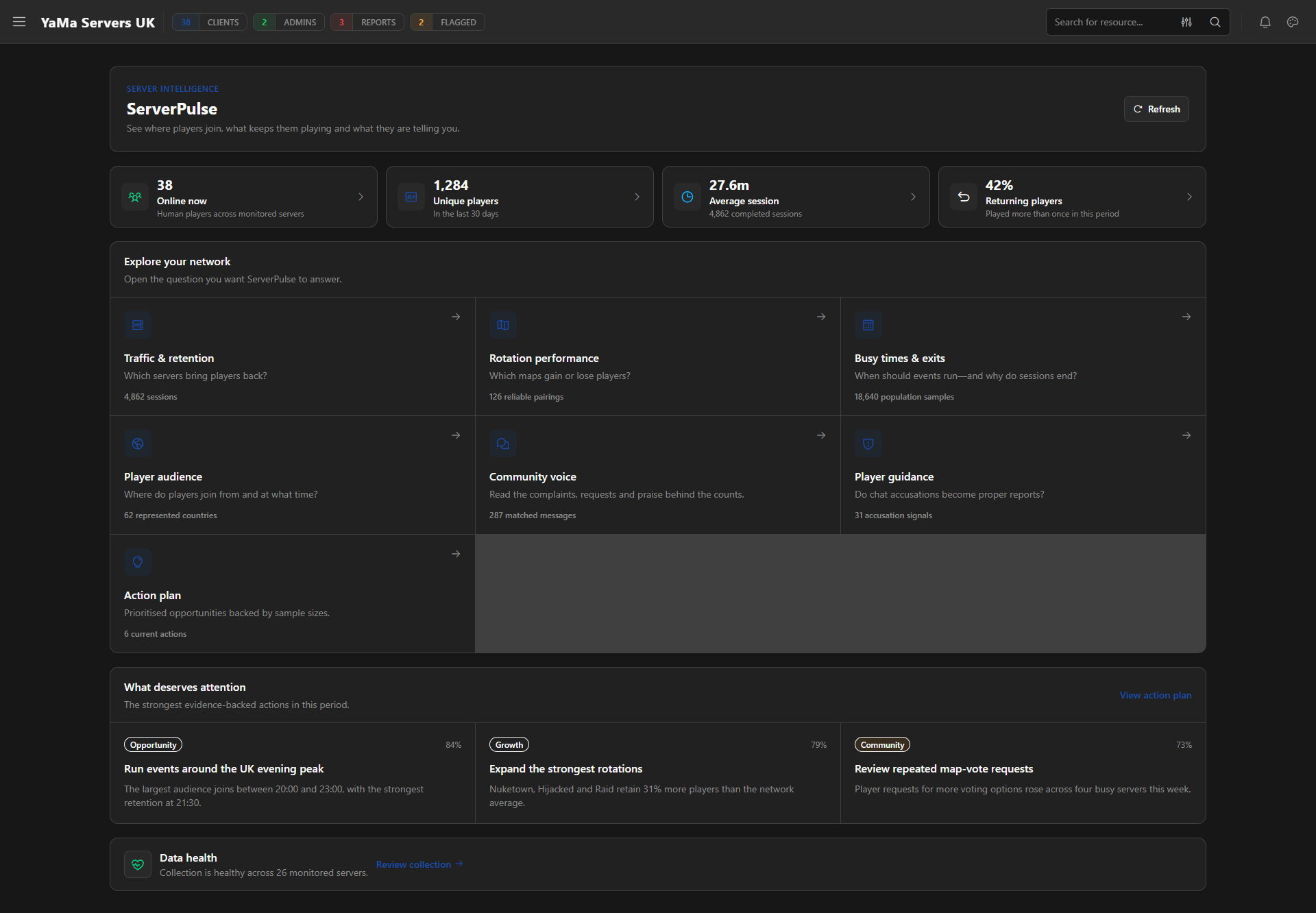
| Workspace | Use it to answer |
|---|---|
| Traffic and retention | Which servers attract players, keep them and bring them back? |
| Rotation performance | Which map and mode combinations gain or lose population? |
| Busy times and exits | When is demand strongest and why do sessions end? |
| Player audience | Which privacy-safe regions join, and at what dashboard time? |
| Community Voice | What are players actually complaining about, requesting or praising? |
| Player Guidance | Do accusations become proper reports, and who is repeatedly mentioned? |
| Action plan | Which opportunities or warnings deserve a controlled experiment? |
| Data health | Is configuration, storage and live collection operating correctly? |
- ServerPulse excludes bots from human traffic and retention metrics when
ExcludeBotsis enabled. - Low-sample servers and rotations are labelled as collecting data instead of being ranked aggressively.
- Confidence and sample size matter more than a single percentage or short-lived spike.
- Recommendations are hypotheses backed by observed data; measure the result before making a permanent change.
- Chat accusations and statistical signals are not proof of cheating.
The overview highlights only the strongest current opportunities. Open the linked workspace to inspect the underlying sessions, rounds, messages or telemetry.