Repository navigation
Fomalhaut 1.3.0 for foobar2000, Winamp and AIMP

▶ Video: Fomalhaut 1.3 – Cassette mode and AIMP (YouTube, 2 min)
What's new
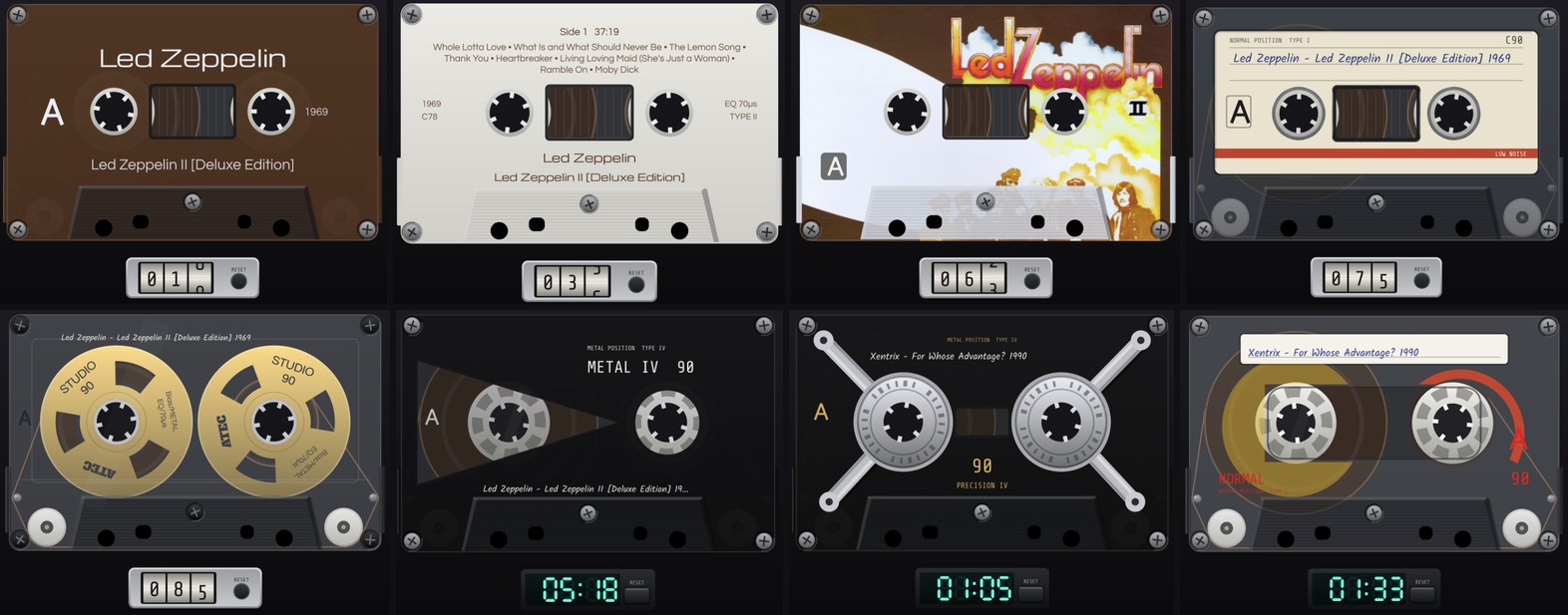
- New mode: Compact Cassette – your playlist becomes a running cassette: the tracks of the album are laid out on sides A and B of a C46 … C120, the reels turn with real tape physics, the counter runs and the cassette is turned over at the end of side A
- Blank cassettes: 21 types from the 70s to the 90s in ten colours each, that makes a total of 210 different cassettes (Space: next type, P: colours).
- Bought cassettes printed from the album cover: Album Print, Album Tracklist, Album Tint and Album Art – with artist, album, year and the titles of the side
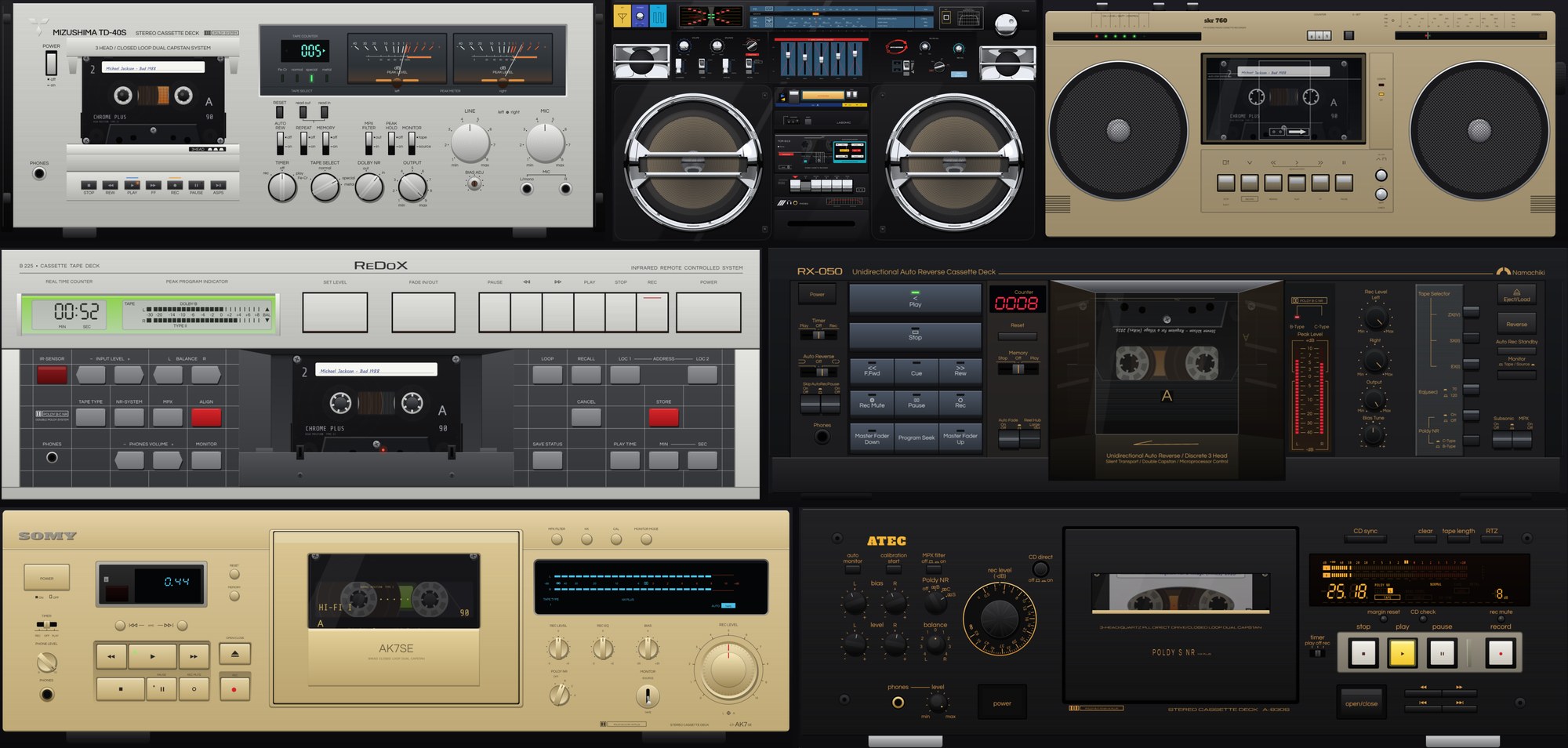
- Seven working tape decks (W: next deck, F: finish, F2: what it can do): a 70s three-head deck, an 80s studio deck with real-time counter, locator and loop, an 80s ghetto blaster, an 80s East German radio recorder, a 90s closed-loop deck and a 90s three-head deck in black or gold. Play, pause, stop, rewind and fast forward control the player; volume and balance knobs follow it; counters, memories and switches work like on the real devices
- Preferences → Mode options → Tape: cassette, colours, deck, how the sides are filled and the colour of digital counters
- New: AIMP – all modes as a visualisation plug-in for AIMP 5 (64-bit and 32-bit), already running with the AIMP 6 beta, with settings pages in AIMP's preferences (light or dark like the skin), Fomalhaut commands as AIMP hotkeys, mouse control of the control bar and the tape decks, and album art for the bought cassettes
- Album art for the cassettes: foobar2000 uses its album art settings (embedded and external); Winamp / WACUP read cover.jpg, folder.jpg … next to the track
- Keys: Shift + letter steps backwards in all modes; F1 now lists the keys of the running mode, F2 describes the scene
- Right-click menu: the parts of the scene (flame, wave, display …, in Tape: deck, finish, counter) can be changed directly from the menu
- Credits: new section for the Compact Cassette – in memory of Lou Ottens (1926–2021)
Downloads
| Package | For | SHA-256 |
|---|---|---|
foo_fomalhaut-1.3.0.fb2k-component |
foobar2000 2.x (x64 and x86, DUI and Columns UI) | 417f02af17c3421aa63605e713432b36a9b9c22dc2732379fa1ab430c77ebf4b |
vis_fomalhaut-1.3.0.zip |
Winamp 5.x and WACUP (32-bit) | a69a4815c35a7594bfb784bdf85c5f7d44ca56ebdba740b402fd53ca780bb095 |
aimp_fomalhaut-1.3.0.aimppack |
AIMP 5.x (64-bit and 32-bit), also the AIMP 6 beta | 6c332a5920d1ce7ddb414c54d02fcbe340454fd8468f36870d3acac6ca11ca56 |
foobar2000: double-click the package or Preferences → Components → Install…
Winamp / WACUP: copy vis_fomalhaut.dll into the Plugins folder, then Preferences → Plug-ins → Visualisation → Fomalhaut; portable WACUP: allow third-party plug-ins first under Preferences → Advanced → Portable Mode. Details: README.txt in the ZIP.
AIMP: double-click the .aimppack (or Preferences → Plugins → Install and choose it), tick Fomalhaut, OK and restart AIMP; then right-click the visualisation area and pick a Fomalhaut: … entry. The .aimppack is a ZIP archive in AIMP's add-on format; details: README.txt inside.
VirusTotal: component · Winamp ZIP · AIMP package