Repository navigation
Bowyer 0.1.0

The first public preview of Bowyer: one native window for every AI coding agent you run.
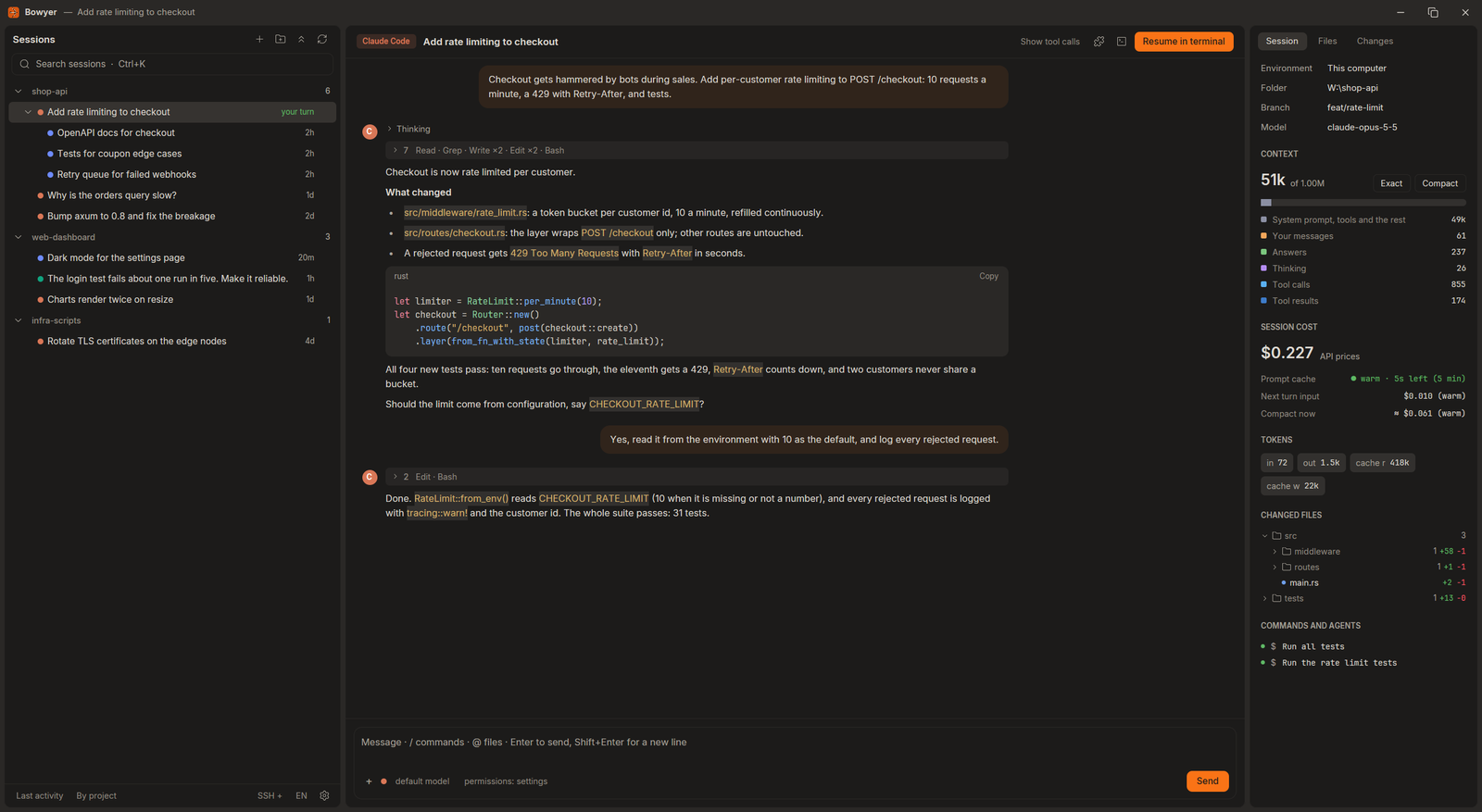
Bowyer reads the sessions of Claude Code, OpenCode, Codex and DeepSeek Harness, on this computer and on any host you reach over SSH, and shows them in one searchable tree. It is written in Rust with a GPU-rendered UI on GPUI, the same foundation as Arro.
What's inside
- Every session in one tree, grouped by project, environment or agent; sub-agent and worktree sessions fold under the session that started them. Pins, your own folders, four sort orders and full-text search (
Ctrl+K). - A readable conversation: Markdown, highlighted code with Copy and Run, folded thinking, and tool calls folded into one line per run.
- What a session holds: the context window split by what fills it, token totals, cost at API prices, the prompt cache countdown, changed files and every command and sub-agent.
- Live turns from the window for Claude Code and OpenCode, here or over SSH, with permission prompts and questions as buttons.
- Files, Git and a terminal: a file tree with previews, diffs by hunk with Stage and Discard, commit, pull and push, and a built-in terminal (Ctrl+`) in the session's folder.
- Memory for your agents:
bowyer mcpis an MCP server that lets an agent search past sessions and keep notes. - Seven themes and your own, English and Russian, a settings page, a notification area icon on Windows, and updates from a signed feed.
Downloads
| System | File |
|---|---|
| Windows 11 x86-64 | bowyer_0.1.0_x64-setup.exe (installs for the current user, no administrator rights) |
| Debian, Ubuntu | bowyer_0.1.0_amd64.deb |
| Any glibc 2.35+ Linux | bowyer_0.1.0_x86_64.AppImage |
| macOS, Apple silicon | Bowyer_0.1.0_aarch64.dmg |
Every file has a .sha256 next to it. Bowyer does not bundle the agents: install them the usual way and Bowyer finds their sessions.
Known limitations
- This is an early preview: expect rough edges and breaking changes.
- The packages are not code-signed or notarized. On Windows, SmartScreen may ask you to choose More info → Run anyway; on macOS, Control-click the app and choose Open the first time.
- Codex and DeepSeek Harness support is written but not yet tried against a real installation.
- Linux and macOS are built and tested by CI, but used far less than the Windows build.