Repository navigation
v0.2.3

We've added remote MCP headers and manual OAuth configuration (client ID, client secret, and callback port, like Claude Code), background color customization, and a few other small features and bug fixes.
Manual MCP header and OAuth configuration
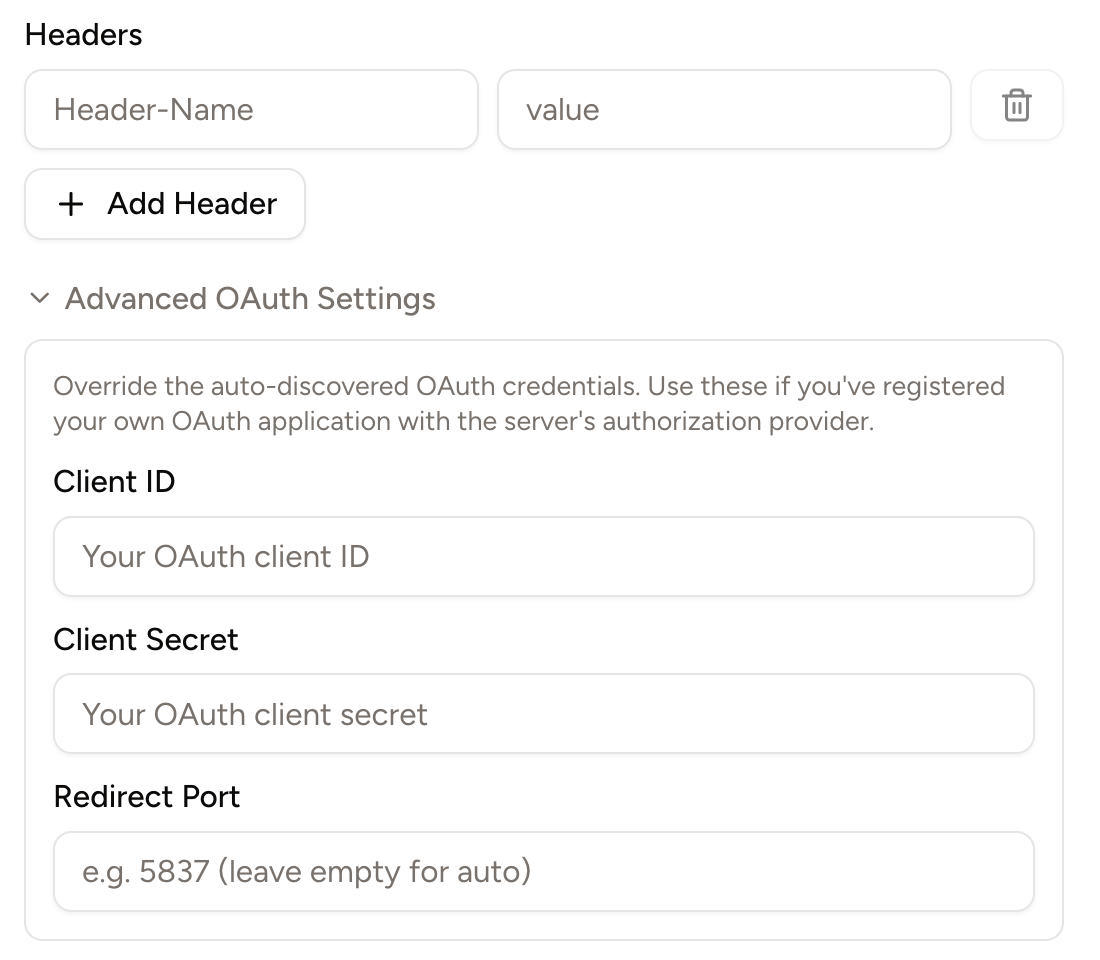
Some remote MCP servers, like GitHub's, recommend using headers like the Authentication: Bearer ... to authenticate the server. Others, like Slack's, require users to manually input a client ID, client secret, and callback port (authentication parameters that are required for a complete OAuth login process).
Piebald now supports both remote MCP headers and manually inputting client ID, client secret, and callback port:
Background color customization
You can now customize the background color of the entire interface for light mode and dark mode. Go to Settings → Appearance and change the Background Color settings:

Other
- Automatically minimize the feedback dialog when you click Submit.
- Added a new button to delete all trashed chats in a project.
- Changed the color for the AGENTS.md or CLAUDE.md context notification from red to blue to avoid it looking like an error.
- Added a copy button to file paths displayed in file read, write and edit tool calls.
- Added a button on toast notifications to close them.
- Fixed Qwen OAuth provider token refreshing.
- Fixed "bad request" error when using Qwen.ai OAuth.
- Fixed a bug when deleting worktrees.
- Cleaned terminal output of ANSI escape sequences before giving it to the model.
- Fixed a bug when a project that was a Git repo is no longer a Git repo.
- Made chats with stale "Pending your approval" status be automatically corrected.