Repository navigation
V2pn 1.0.1

Programs on their own server
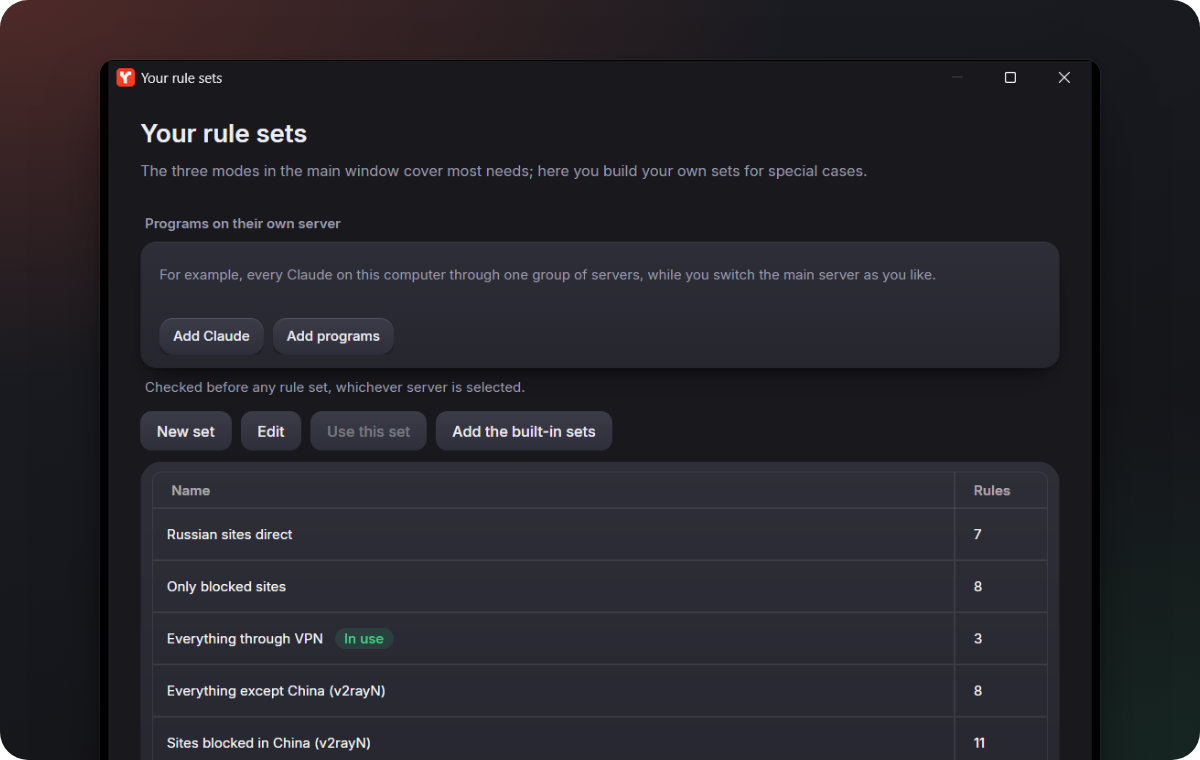
In the Your rule sets window you can name programs and sites that always go through one server or one group of servers, whatever server is turned on and whatever rule set is in use. Add Claude fills in the Claude app, Claude Code and Claude's sites; you only pick a group or create one right there. If the server or the group is gone, V2pn warns you and the programs follow the usual rules.
Settings in one place
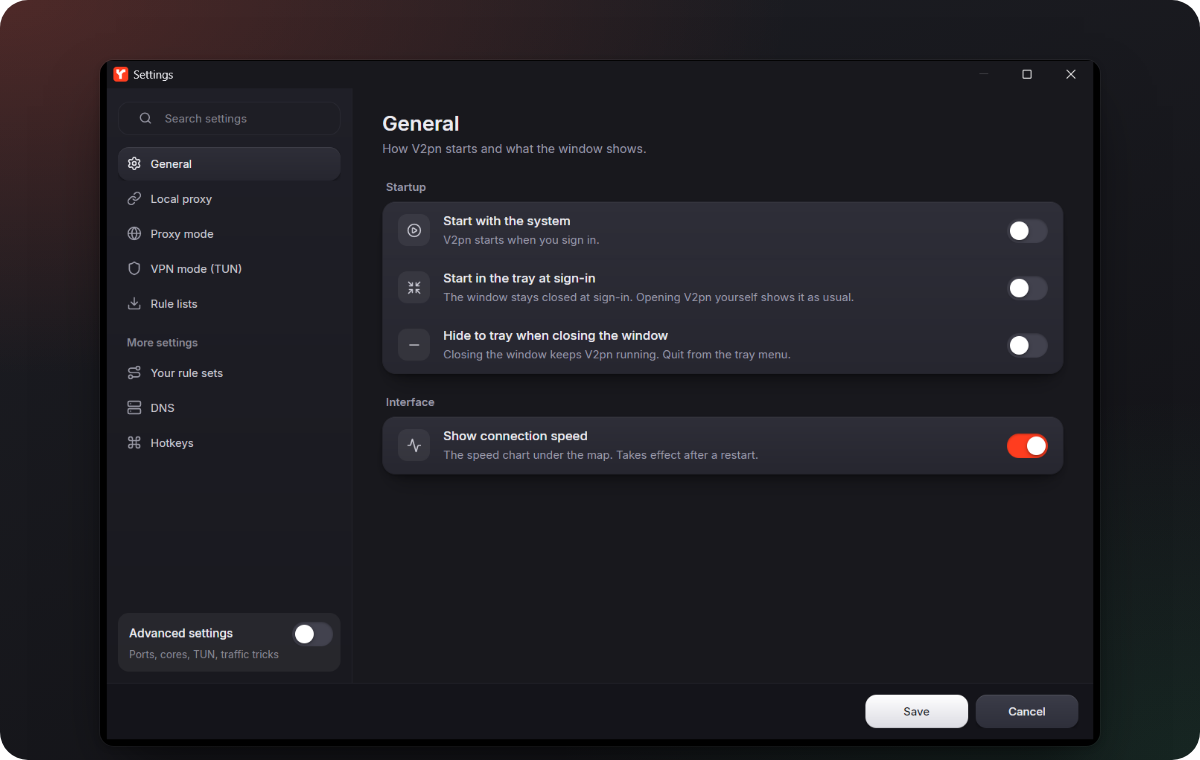
- The Settings tile on the map opens the Settings window, the same as Settings in the ☰ menu. Routing rules, DNS and hotkeys open from More settings at the bottom of that window.
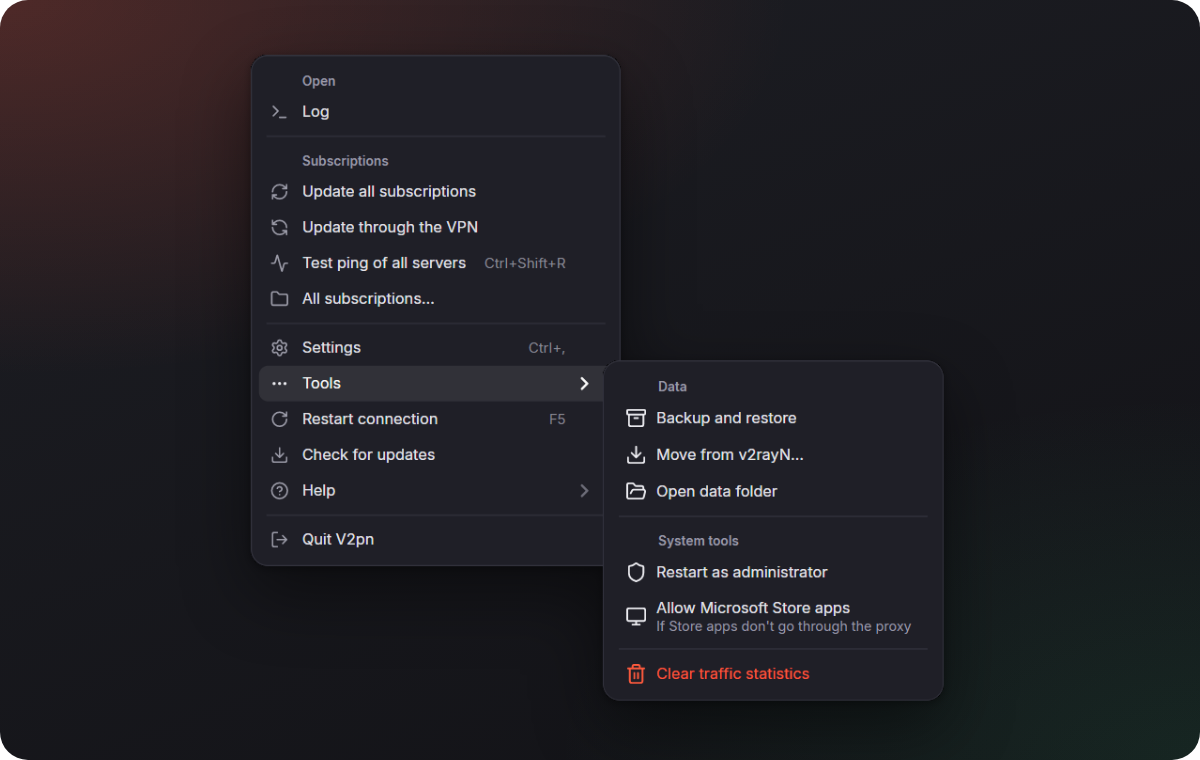
- Backup, moving from v2rayN, the data folder and the system tools moved to the ☰ menu → Tools.
- Ctrl+, (⌘+, on a Mac) opens Settings.
- The Settings page called "Updates" is now Rule lists: it only ever held the site lists for routing. V2pn itself updates from the ☰ menu.
Install in one command, move from v2rayN in one click
- Windows:
irm https://github.com/Piwqust/V2pn/releases/latest/download/install.ps1 | iex. Installs V2pn without administrator rights, adds shortcuts and moves your data from v2rayN. - Mac:
curl -fsSL https://github.com/Piwqust/V2pn/releases/latest/download/install.sh | bash. Puts V2pn into Applications without the "unverified developer" warning and moves your data from v2rayN too. - Moving from v2rayN: if v2rayN with servers is on the computer, V2pn offers at its first start to take over the servers, subscriptions, routing and settings. Later it is in the ☰ menu → Tools → Move from v2rayN…. v2rayN is closed and no longer starts with Windows; its files are left as they are.
- A V2pn installed with winget updates through winget: Update with winget in the Updates window.
The real speed
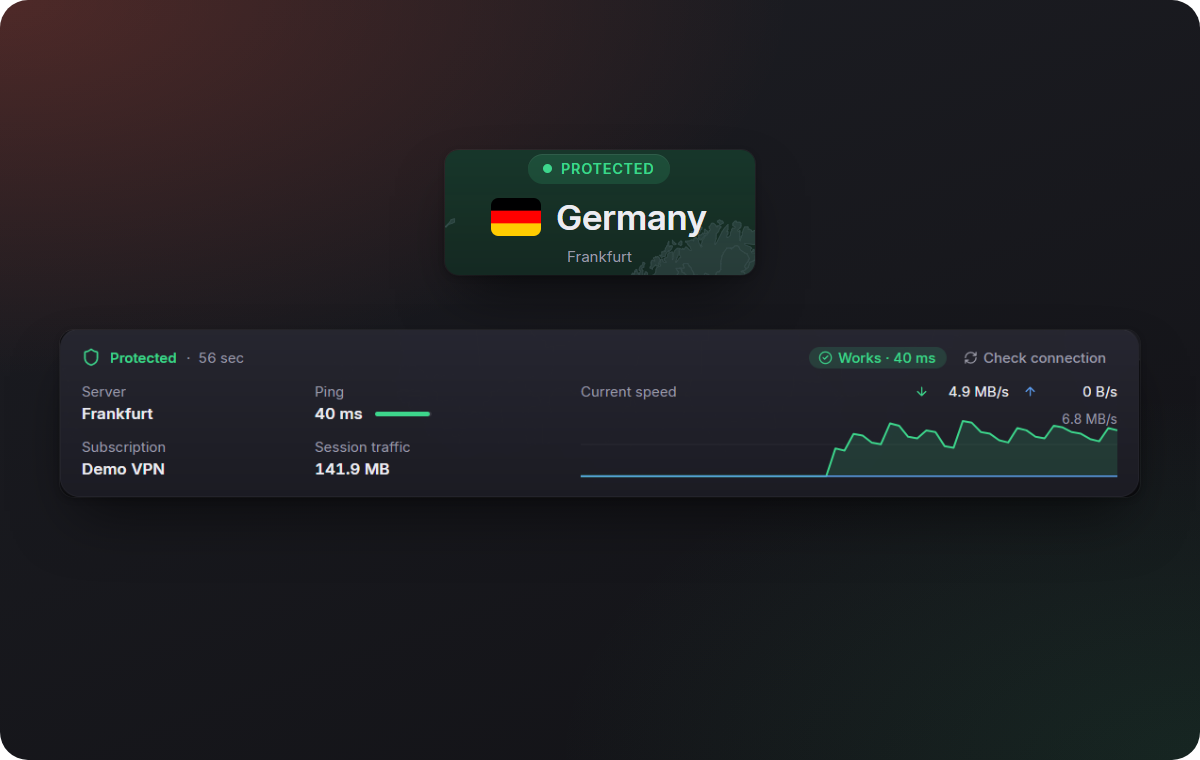
The speed and the session traffic under the map were about a thousand times too small: the cores report kilobytes, and V2pn showed them as bytes, so 3 MB/s read as 3 KB/s. Now the numbers are right.
Also in this version
- English is the language of a new install on every system; the others are one click away in Appearance.
- The tray menu opens next to its icon. Before, it could hang in the middle of the screen, high above the taskbar.
- Your rule sets: the set in use is marked "In use", and there are Edit and Use this set buttons. Before, a set could only be changed by double-clicking it.
- When the server does not answer, the card under the map keeps the Find a working server button without repeating "No response" next to it: the pill at the top already says so.
- The tile Update is now Update subscriptions, so it is not mistaken for updating the app.
- In a short window the server's pin on the map no longer hides under the mode switch.
- In the dark theme, windows over the main one (Appearance, backup, QR code) clearly dim what is behind them.
- Subscriptions: the "Update with all" column says Yes or No instead of showing a check box that could not be clicked.
- A new server's Port field is empty with 443 as a hint, instead of a "0" that had to be deleted first.
- Labels in the sidebar and in Settings are no longer cut off, and the hints are shorter.
- The log starts with V2pn's version, not the number of the v2rayN it is built on.
- If V2pn closed without a word, the log at the next start says when that happened and what Windows recorded around it: a crash, a shutdown, an update of the program it was started from. It helps when you report a problem.
- Screen readers name the DNS fields, the log buttons, the Settings search and the Advanced settings switch.
- Developer mode in the Updates window: V2pn builds itself from source on this computer and installs the build over itself, with a rollback if it does not start. Back to the release puts the published version back.
- Long messages in the Updates window wrap instead of going under the buttons.
Download


| System | File |
|---|---|
| Windows 10 and 11, x64 | V2pn-windows-x64.zip |
| Windows 11 on ARM | V2pn-windows-arm64.zip |
| macOS 13.6 or later, Apple silicon (M1 and later) | V2pn-macos-arm64.dmg |
| macOS 13.6 or later, Intel | V2pn-macos-x64.dmg |
Or in one command. Windows (Terminal): irm https://github.com/Piwqust/V2pn/releases/latest/download/install.ps1 | iex. Mac (Terminal): curl -fsSL https://github.com/Piwqust/V2pn/releases/latest/download/install.sh | bash. Both install without the first-launch warning and move your servers from v2rayN.
Already using V2pn? Nothing to download: it updates itself.
On the first launch of a downloaded file, Windows and macOS warn that they do not know the developer, because the app has no paid signature. How to get past it is in the README.
The other files in the list below
They are for the app, not for people. The updater reads -update.zip, the macOS .zip, release.json and release.json.sig; -update.zip has no cores, so it does not work as a first install. .sha256 files are checksums: sha256sum -c V2pn-windows-x64.zip.sha256. install.ps1 and install.sh are the one-command installers above.
По-русски: README.ru.md. Интерфейс переключается на русский в «Appearance».