Repository navigation

Highlights
Run your own online server and look after it from a web page, send only what changed when you deploy, show the game on a store page straight from your server, choose the graphics backend a game runs on, and loop music at its tagged points. This is the 0.99.6 source release.
Pictures
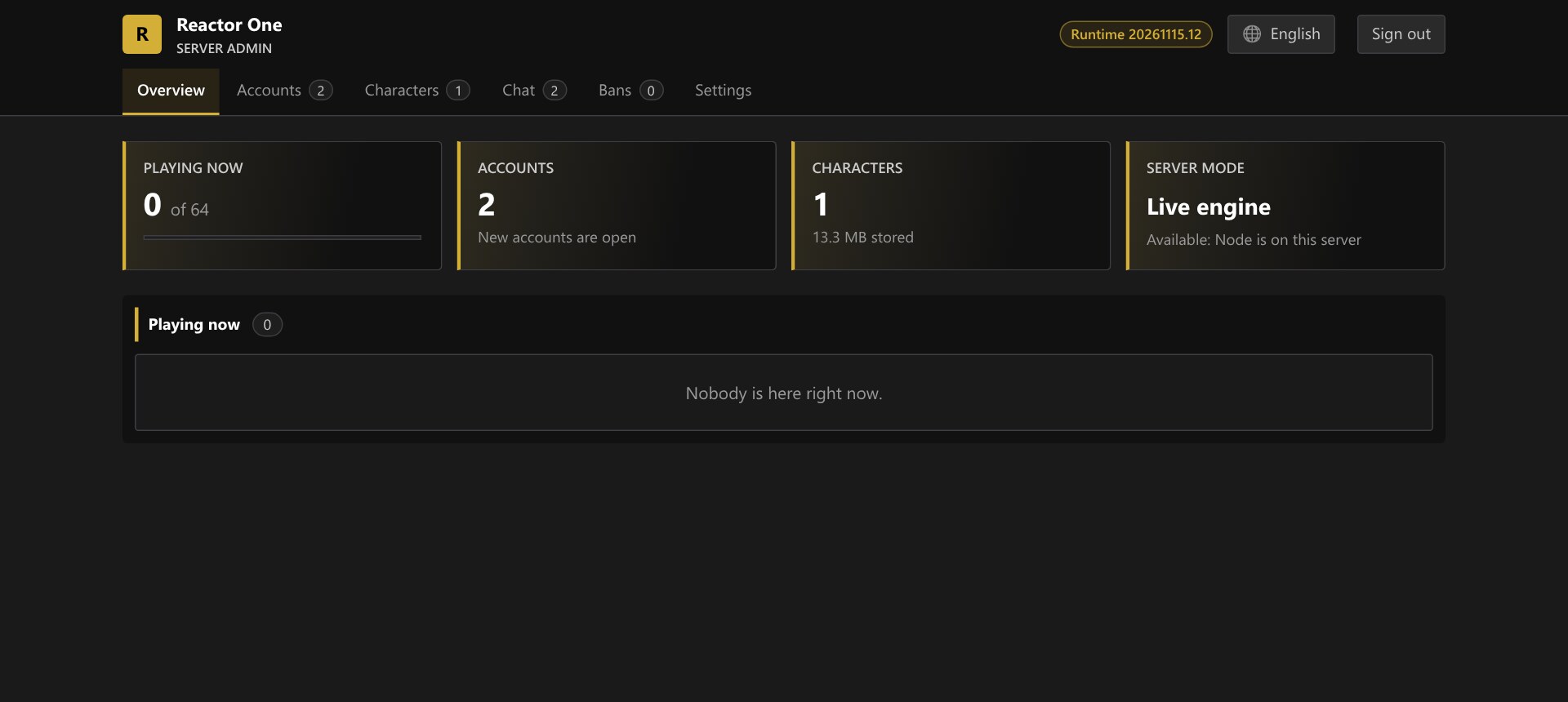
The admin page of an online server, drawn like the editor: who is playing, accounts, stored characters and the server's mode.
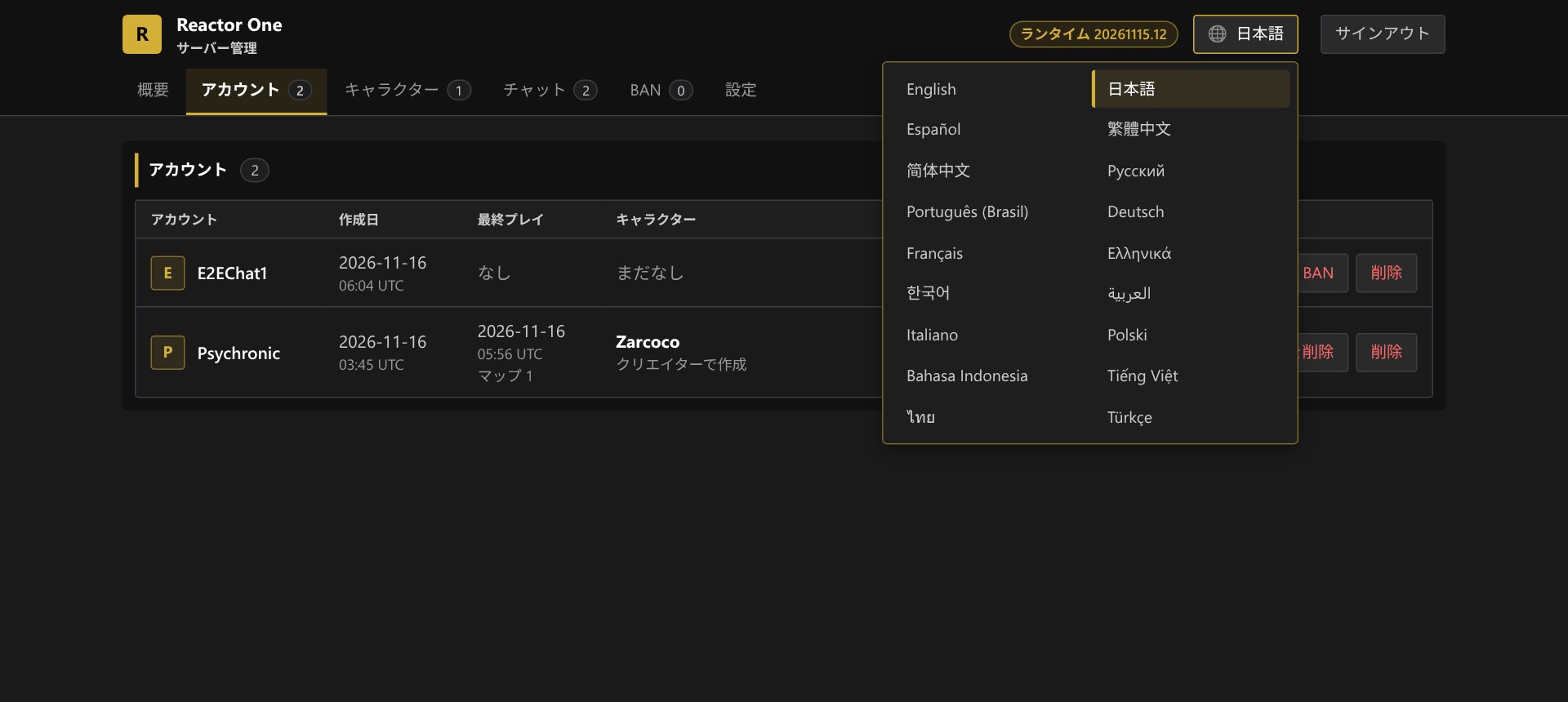
The admin page speaks the editor's 18 languages, chosen from its header.
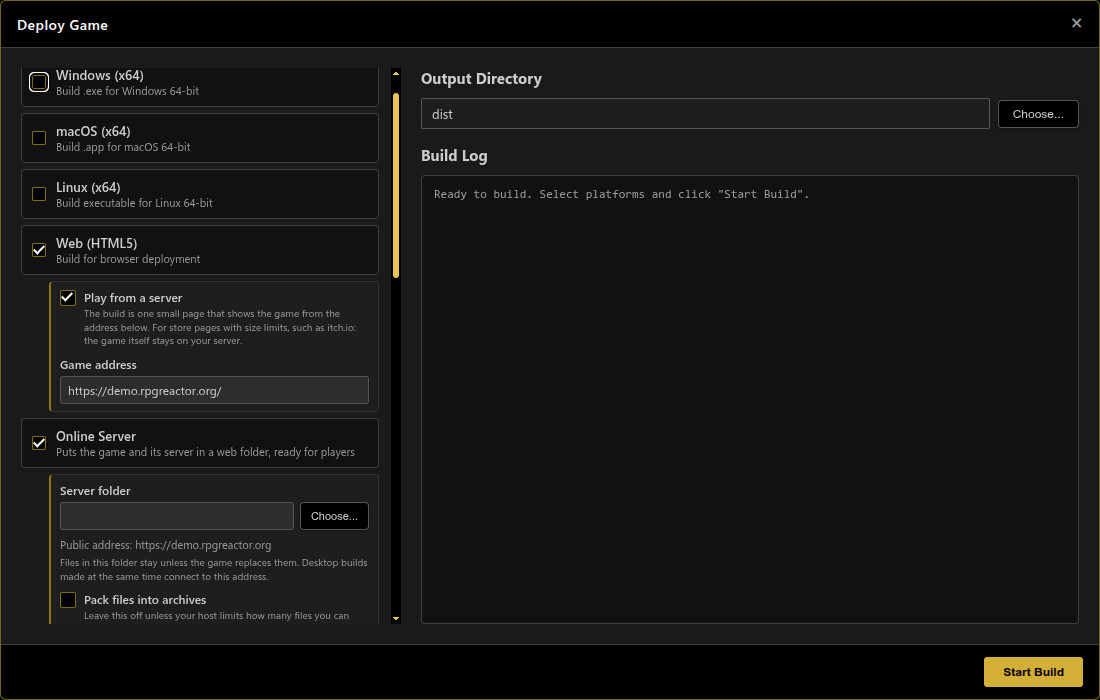
A Web build can be one small page that shows the game from your own server, for store pages with upload limits.
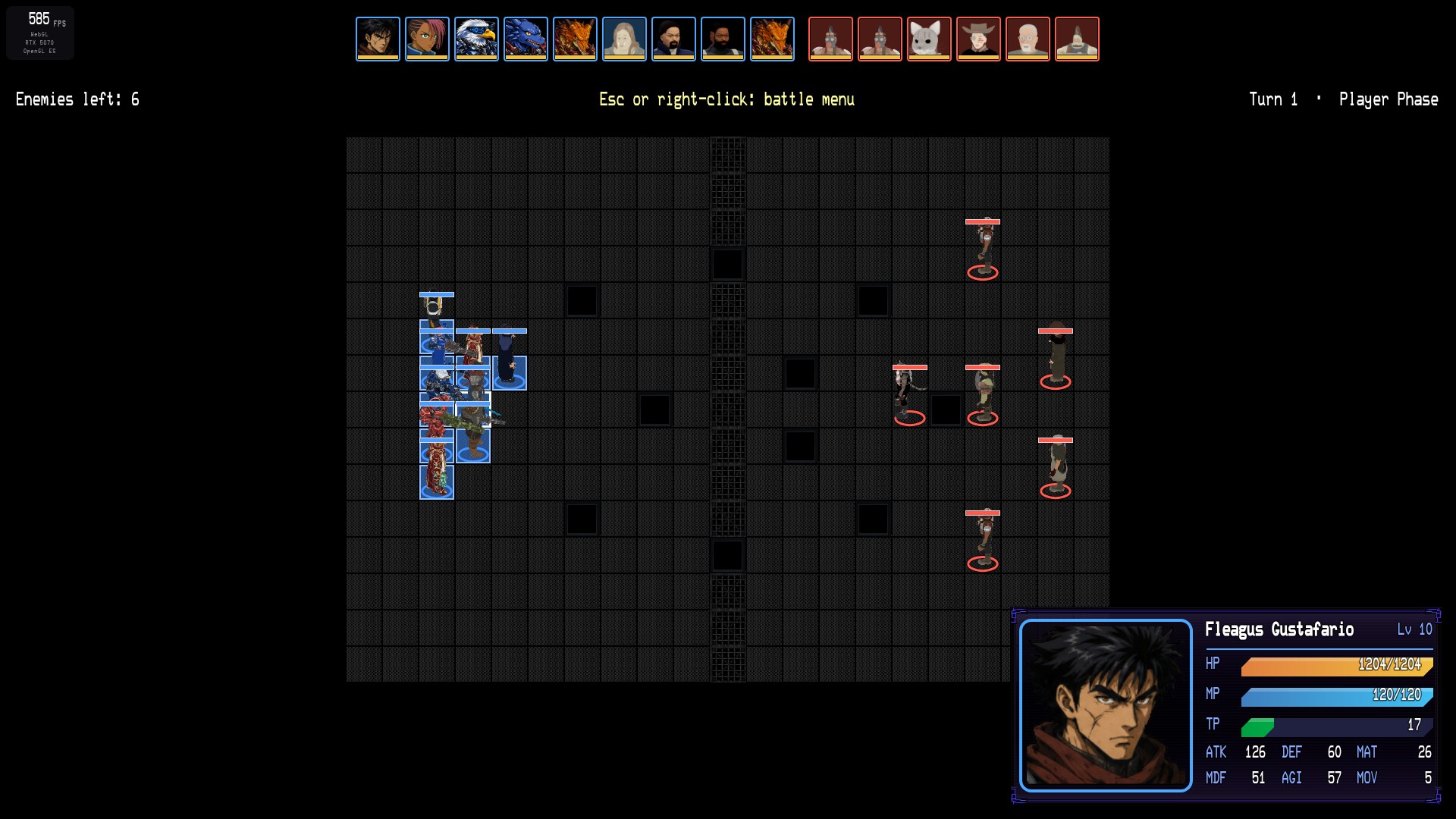
3D characters on a 2D map hold weapons at their own size, in a Tactical battle.
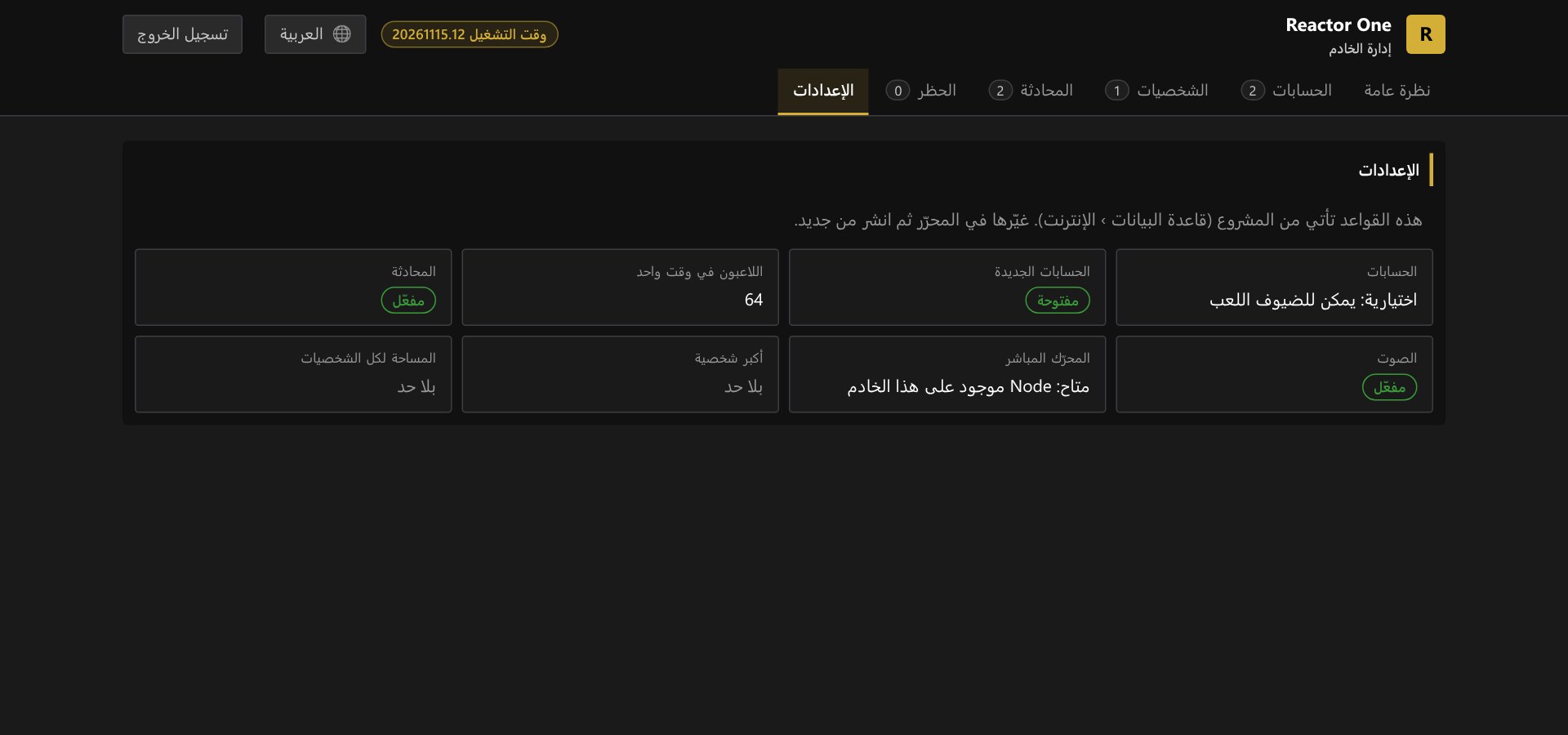
Arabic is laid out right to left.
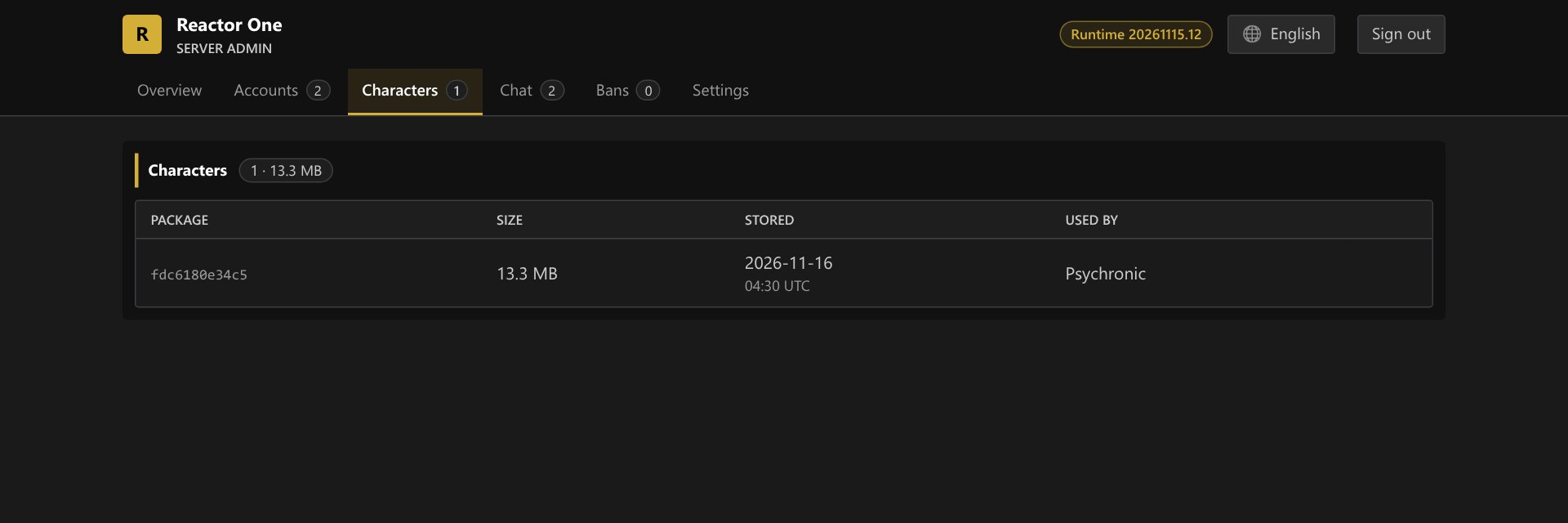
Every character players have made, its size and who uses it.
New
- An admin page for your online server:
https://<your site>/reactor-online/adminlooks like the editor, in the theme you deployed with, and speaks 18 languages. Tabs for who is playing, accounts (dates, character, reset password, ban, remove character, delete), stored characters and who uses them, a live chat, bans and settings. Write to everyone or to any one account from a list you can search: a player who is online reads it at once, one who is away when they next play. Its password is printed at the first deploy and kept inreactor-online/config.phpon the server. - Build → Web → Play from a server: a Web build can now be a single small page that shows the game from an address you give (your Online Server, or any web host). Upload that page to a store such as itch.io and players there play the game from your server, so the store's size and file limits no longer apply and a deploy to your server is what they see. Saves made through a store page are kept apart from saves made on your own site; accounts are not affected.
- Faster deploys: Build → Online Server now sends only the files that changed since the last one, and removes files the game no longer has; the first deploy to a folder still sends everything. Other files in the folder, and players' data, are never touched.
- Music loop points (contributed by Xehanort88): Opus and Ogg Vorbis music now loops at its tagged loop points in the game, the editor's audio previews loop seamlessly as the game does, and the Resource Manager previews audio with a Loop switch. See the new guide, Audio formats and loop points.
- Maps above and below: in Beyond the Border, a map can have a map under it and one over it: a hatch to a cellar, the floors of a house, a room under a town. An opening marks where there is no ground between the two. You see the other map through it, with its sky from below, and you fall or climb through it with no fade while the party follows. A stair built in the map below comes up through it for a basement. The map editor outlines each opening and shows the other map there. The space between the two maps is counted from the lower map's ceiling, so 0 fits them together.
- Splash screen: Database → System 1 → Show Splash Screen shows
img/system/Splash.pngbefore the title. - Loops: the Loop command can repeat a number of times, while a variable holds, or count a variable from one value to another.
- Advanced Math: Sine, Cosine, Angle, Divide and Square Root take a multiplier and a rounding choice, so their answers are useful in a variable.
- Faces that move: a face set named with its frames ("Name[4F]") talks in the message window, its mouth following the words, or sweeps into its expression; Show Text chooses Talk, Play once, Loop or Still. The Character Builder's face sheets can have up to eight frames a face, each face talking or sweeping.
- Battle Camera option: players can set how often a battle's camera cuts in (Off, Some, Every).
- A troop's own battle mode can be set on the Troops page.
- Plugin options in custom Options screens: an option a plugin adds no longer disappears when a project replaces the Options screen.
- Graphics Backend: Database → System 2 → Advanced Settings → Graphics Backend (Windows) chooses how the game reaches the graphics card: Auto (the default: each computer finds its fastest), Direct3D 11, Direct3D 11 on 12, OpenGL or Vulkan. A game on Vulkan decodes its videos in software, so the video screens of a 3D map play there, and builds its shaders in the background, so a map's first moments stop less. File → Options has the same choice for the editor itself, used from its next start.
- Skill Costs card: with VisuStella's Skills and States Core in a project, Database → Skills shows a Costs card: HP, Gold, item and other costs are set in fields and kept as the plugin's own notetags. Contributed by Xehanort88.
- For plugin authors:
Game_Enemy.rrActionPatterns()andrrEquipSource()let a plugin supply an enemy's skills and equipment. Contributed by Xehanort88.
Changed
- Battle camera (Cinematic Cuts): the camera swoops down to the acting battler and pulls back to the overview where it used to cut, and follows the action more gently. The hit is still a cut. Before the hit the shot is over the acting battler's shoulder, with its target down the line, and a hit that kills plays in slow motion for a moment.
- 3D Character Builder, Sprite view: animations preview at the game's own speed, on a transparent ground, with clear names; zoom in and out; frame sizes include 144 (three tiles); the Smooth look has a soft outline, and the hard pixel outline is kept for the pixel art looks.
- Character Groups, body and face ranges: any body or face slider of the builder can be held to a range for a whole group, with Extreme proportions and Anatomical detail as in the builder.
- Character Groups, a picture catalog and 3D models: choose what a group can wear by clicking pictures: whole outfits, single clothing pieces, accessories and cyber limbs. A group can now also be created as 3D models, one per character, ready for 3D maps and battles.
- Character Groups: a group's walking sheets and battlers take the Sprite view's settings (frames, camera angle, look, outline, shadow with its angle and distance), and portraits can be one face each on shared sheets or a whole face set for every member, with talking or sweeping frames. The page scrolls as one, its scrollbars match the theme, how common each species is has a slider of its own, age, height, weight and muscle are two-handled sliders, and the page's wording is plainer.
- Audio Player: it is a window of its own now, like the Database and the Forge: drag it anywhere (another monitor too), size it from any edge, pin it on top, minimize it or fill the screen. It remembers its place, and stays open while you work on the map. While you try out a track somewhere else (a map's music, battle music, an event's Play BGM), the Audio Player's own music waits, says so in its window, and carries on when you stop or close; sound effects play over it.
- Wide ladders: left and right now move you along a ladder that is more than one tile wide, and stepping past its side lets go and drops you; you were held in the column you started on.
Removed
- The 2D Character Generator is retired from the Forge. The 3D Character Builder exports 2D sprites in several styles and takes its place. Sprite sheets already made are ordinary pictures and keep working.
Fixes
- Video screens on 3D maps: a room with playing video screens no longer keeps a whole extra processor core busy (the Demo's first room: 2.2 cores before, 1.0 after, on the desktop), and the screens now play on Vulkan, where they stayed dark.
- Tactical battles on small maps: W A S D now move the cursor when the whole map is already on screen; they move the view, and there was nowhere for it to go, so they did nothing.
- Created characters in battle: a character made in the character creator now fights as itself; it fought as the actor it replaces.
- Attacking from a vehicle: a vehicle with no weapon no longer adds a second, identical Attack to choose from; an armed one's row now starts with whose attack it is.
- Riding over a map border: a character's clothing no longer turns black after crossing from one map into the next (seen on a motorcycle).
- Weapons on 2D maps: a weapon in the hand of a 3D character on a 2D map is now the size it is on a 3D map (it was drawn as many times too big as the character is tiles tall: three times in the Demo).
- Online on 2D maps: the game no longer stops with an error when another player's name is placed before that player's picture has been drawn.
- Loading on graphics drivers that cannot build shaders in the background (Intel graphics on OpenGL, for one): a map's shaders are now built a few per frame as it loads, where one frame used to stop for all of them at once.
- Battles in a Battle Room: a character whose model came from Mixamo holds its weapon in its hands (the gun sat in the chest); a burst stops when its first round has downed the last target; motions keep time with the action on a slower machine; battles cost less each frame.
- Editor: a tint set to None no longer shows as a white box.
- Far views between maps: a map too far off to be drawn yet shows land that goes on where it will be, not a mountain wall with the road running up it.
- Plugins: Hendrix 3D Light and Shadow no longer stops the game with "Cannot read properties of undefined (reading 'sourceFrame')" when a character stands behind an object; tree tops and roofs are darkened at night and in shadow as in RPG Maker; resizing the window or changing map no longer logs PixiJS "destroyed while still bound to a shader" warnings.
- Vehicles and openings: a motorcycle ridden into an opening falls through to the map below with its rider, with no fade.
- Water: the reflection in a lake no longer shows a straight edge while the camera turns, and reflections keep updating on a 60 Hz screen.
- Ladders between two maps: a ladder built up through an opening to the map above is climbed all the way: the party goes up it into the upper map and comes back down it, with no fade, and a step or a jump into the opening onto the ladder takes hold of it. Before, the climb stopped halfway with a black flash.
- Maps above and below: the sides of an opening between two maps are lined (with the lower room's walls, its ceiling, or nothing: Beyond the Border → Above and Below → Lining of the openings), so the gap between a room's ceiling and the ground above is no longer a hollow. After going through an opening and back, the map above no longer slows the room under it. A room whose only built part is a ladder keeps its props whole: they were cut away in front of the camera.
- A long freeze the first time a 3D map opens: on a computer that has not run the game before (or after an update), the first 3D map could stop for 10 to 20 seconds a little after it appeared. It no longer does. The first visit is still slower than later ones while the graphics programs are built.
- The right graphics backend on Windows: a game picks between Direct3D 11, Direct3D 11 on 12 and OpenGL by how it actually runs on each computer. It now compares them only on the same maps; before, a backend played on a light map could be chosen over a faster one.
- Patches of the wrong colour on some 3D characters at lower quality: a character seen up close no longer shows blotches of another part's colour (brown over a coat or hair) when the graphics quality is low.
- Quality that kept dropping on a 60 Hz screen: with Graphics Quality on Auto, a game holding its 60 frames a second no longer keeps lowering its picture.
- F2: the frame counter lists the renderer, the graphics device and the backend on a row each, so the box is narrow again.
- Frame rate matched to your monitor: a game now draws as many frames a second as the monitor it is on can show (its real refresh rate, whatever that is) and no more, so a strong graphics card is no longer kept full drawing frames nobody sees. F2 still shows what your machine can do. Options → Frame Rate switches between Monitor and Unlimited.
- Smoothness on fast graphics cards: a game running at hundreds of frames a second no longer drops itself to under 200 with uneven frames after a couple of short hitches (it could stay that way for minutes, and start the next session that way).
- Camera: turning the camera round the party beside a ladder no longer tugs the view in and out as it passes the ladder.
- Ladders: a ladder standing in the open takes hold from either side when you walk into it and keep the key held; walking across its foot no longer catches on it, and diagonal steps climb.
- Climbing: characters made from imported 3D models hold the rungs and step up a ladder; they rode up it standing still. A climber who stops holds still. On a ladder, forward always climbs and back always descends, whichever side the camera is on. Climbers hold the rungs in closed hands, at the rungs and not through them. A climber who came at the ladder at a run or from the side no longer has a leg or an arm stuck at rest (a straight leg through the rungs), and walks normally after jumping off.
- Building in 3D, ladders and stairs: a ladder or a stair goes down the size set on the panel whichever way of drawing is chosen (with Line or Rectangle a ladder went down one tile wide and one tall), and a size typed just before clicking on the map is the size laid.
- Building in 3D, Position: a placed part's X, Y and Z are on one row. Z (was Level) is how many tiles the part is raised off the ground.
- Building in 3D: the see-through preview of a part now matches what is laid: a ladder several tiles wide shows as one ladder, a fence shows joined to the fences and walls beside it, a raised stair shows its supports, and parts on uneven ground each sit on their own tile.
- Map Properties: a 3D map's height is set there again, and the three sizes are labelled Width (X), Length (Y) and Height (Z).
- Battles in a Battle Room no longer stutter while a battler swings or fires a held weapon, or when an enemy collapses.
- Battles: a party member who leaves mid-fight (captured, or hidden by a state) disappears from the battlefield; they stood there in their last pose. Contributed by Xehanort88.
- Quests: a start-of-game quest taken back by Reset Quest stays reset; its rewards could be given twice.
- Click to walk: holding the mouse button keeps the player walking.
- MV plugins: lines and outlines drawn by older plugins appear again, in their own colour.
- Online: nobody can take an absent player's place in a party by taking their name; a guest still reading a finished battle reaches its ending.
- Web builds: a model whose download dropped is asked for again.
- Editor: "Save map as image" asks before saving and includes image layers; renaming a model's variant no longer breaks its uses; Cancel in the Database no longer asks about changes nobody made.
- The test suite is whole again: the seven tests that had failed in every run since early November pass. Nothing changes for players.