Repository navigation
HS Replay Watcher 0.29.0

New in 0.29.0
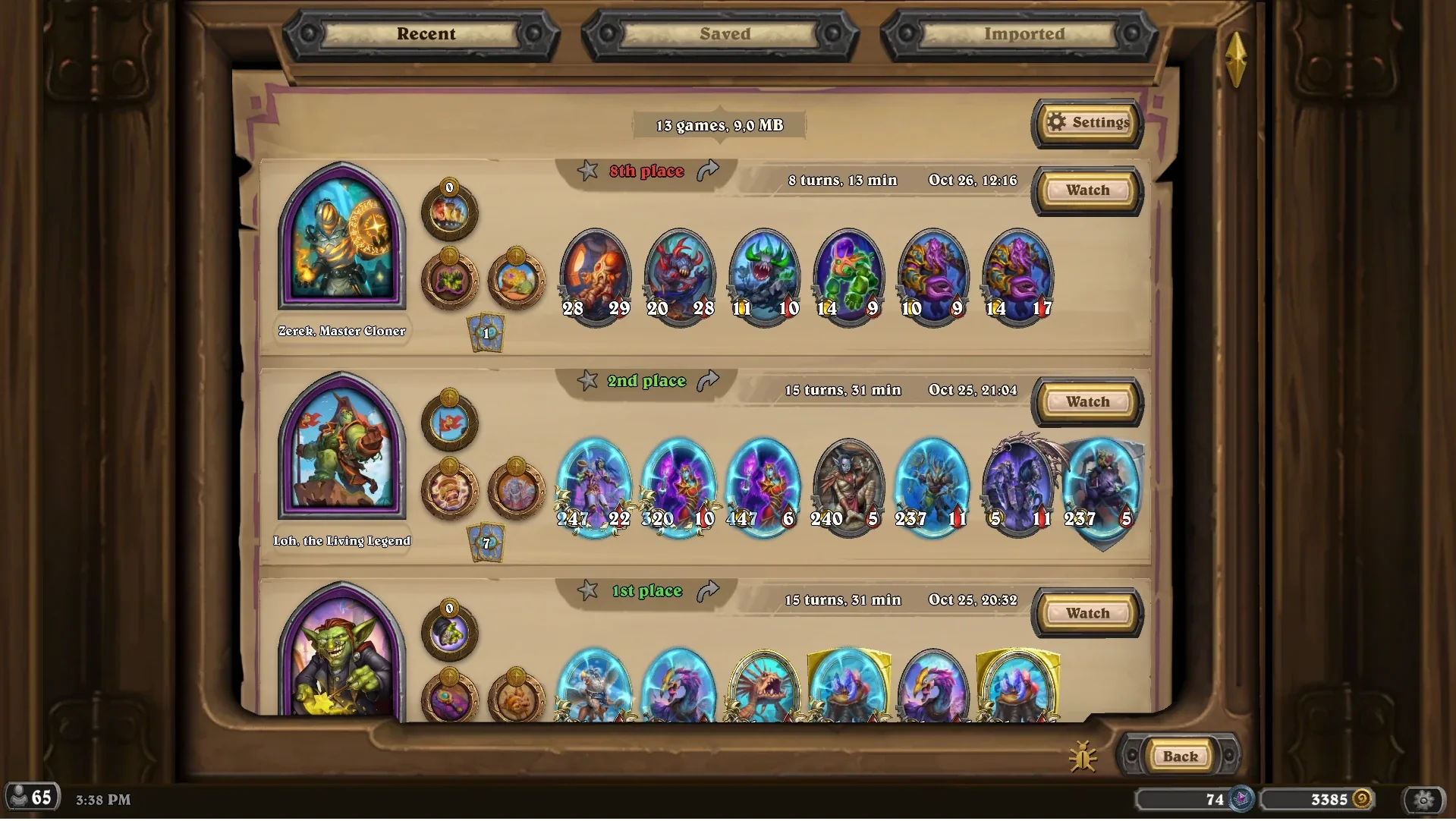
- Share a game: the arrow next to its place copies the game to your clipboard as a file — Ctrl+V in any social that supports file insertion or any chat to attach it. Your account's session passwords, your PC's name and its device id are removed from the copy.
- Import one: Ctrl+V on the Replays page, the Import button, or drop the file into the
Importedfolder that's set up on your first save/import. It also takes aPower.logfrom Hearthstone'sLogsfolder and turns its Battlegrounds games into replays(may be buggy initially, not the main functionality and old power.logs may crash if the cards were deleted from the game's files, please report with the bug button).
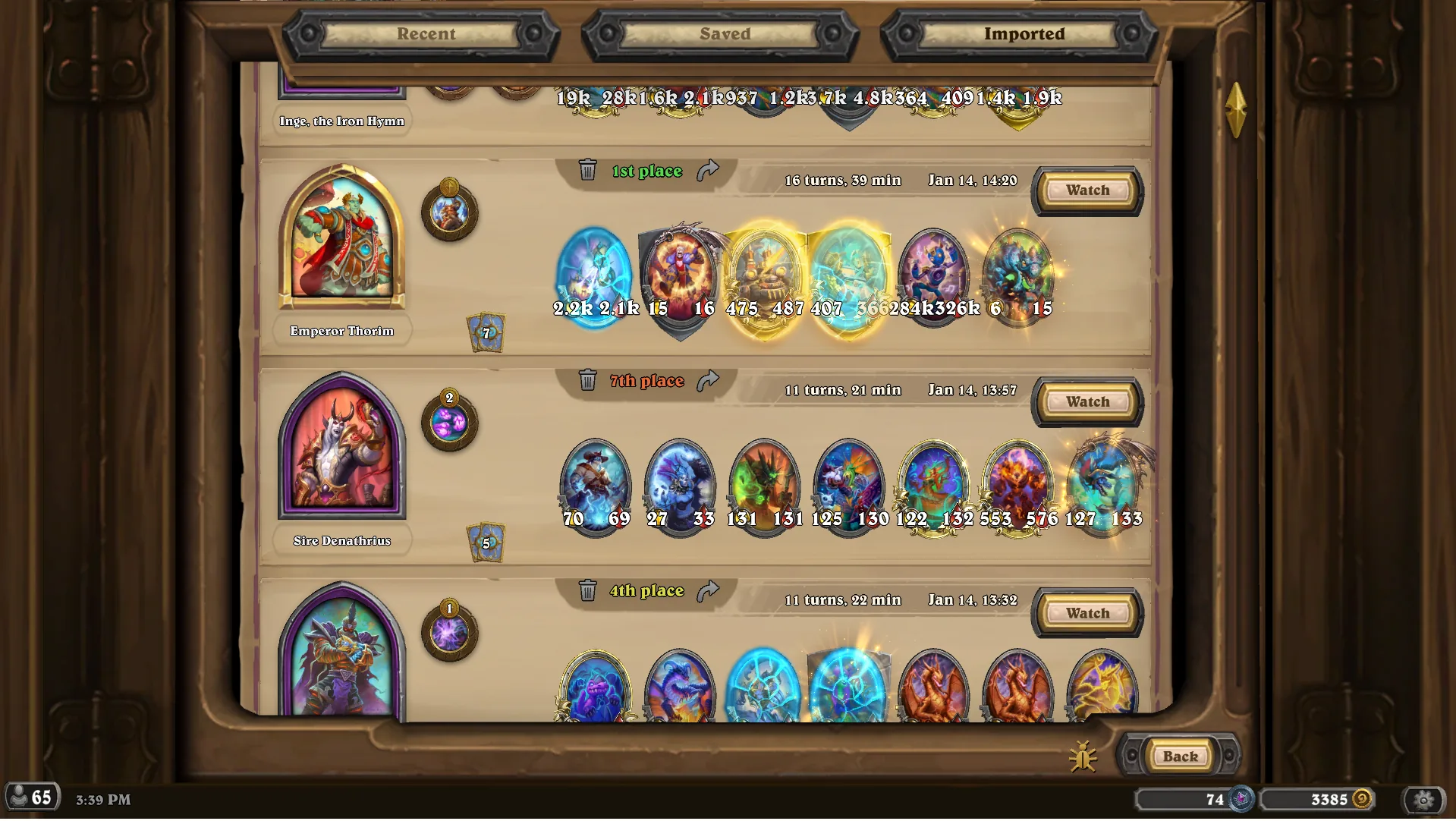
- Keep the ones you want: the star saves a game to a folder of your own, outside the Hearthstone folder, where it stays. Recent, Saved and Imported are now tabs in the page's title; Saved and Imported sort by date, place, hero or length.
- Settings on the page: how many recent games to keep (5 to 50), and whether to ask before removing one with a trash bin icon.
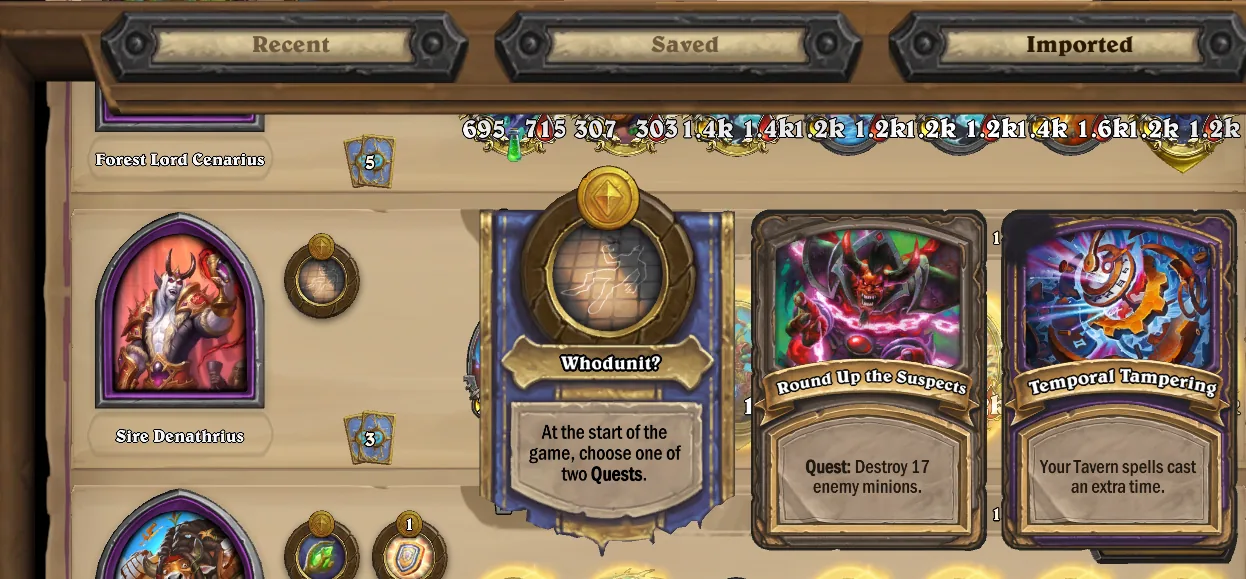
- Hover a card's icons: hero powers, trinkets and quests as they ended the game, counters and grown numbers included. A hero power a quest traded away shows with that quest and its reward(Sire Dinathrius).
-
Windows: download
HSReplayWatcher-Setup-0.29.0.exe, close Hearthstone, run it. Windows may warn about an unknown publisher: More info → Run anyway. -
Found a bug? The bug button on the replay bar (or left of Back on the Replays page) opens a pre-filled issue here.
Made for patch 37.0.