Repository navigation

The first release of portmap: a bookmark page for everything listening on localhost. It finds your running dev servers, labels them by project and page title, takes a small screenshot of each, and puts them all on one page at http://localhost:7878.
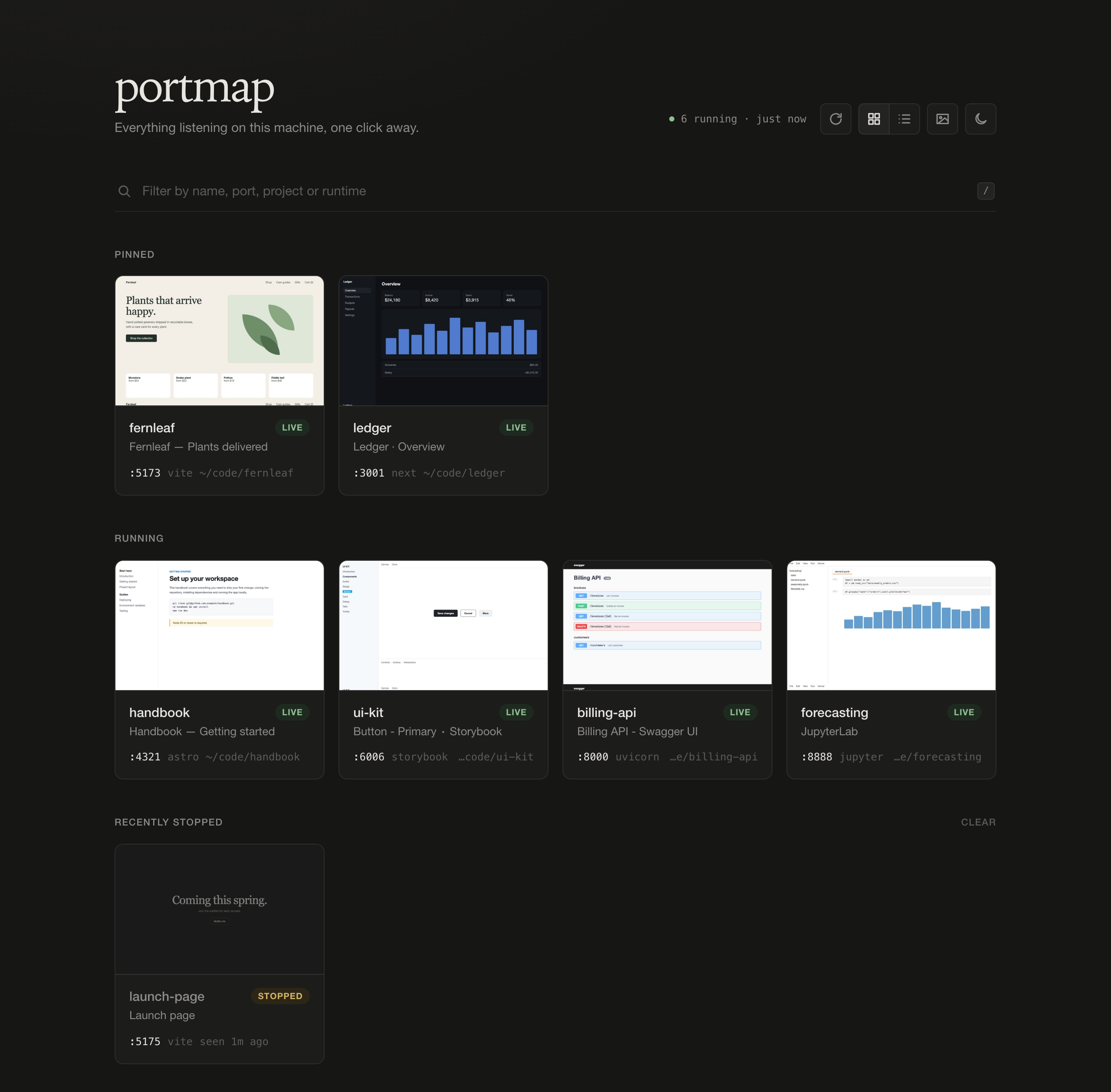
Install (macOS)
brew install rakshithbhat03/tap/portmap
brew services start portmap   # starts at login, restarts on crash
open http://localhost:7878
Or build it from source with cargo install --path ., then run portmap install to set up a launchd user agent. Linux also works if lsof is installed: run portmap serve from a systemd user unit.
Highlights
- Finds services automatically. portmap uses
lsofto find HTTP services on every port above 1024. Each one is labelled from its process's working directory (the nearestpackage.json,Cargo.toml,.git, …) and its page<title>. - Cleans up after itself. New services appear within seconds. Stopped ones are marked stopped, then removed after 10 minutes along with their thumbnails. Pinned services stay as bookmarks and show as offline.
- Thumbnails are taken with the Chrome, Brave, or Edge you already have, run headless one capture at a time, and shrunk to a ~30 KB JPEG. Turn them off and portmap never launches a browser.
- Pin, rename, reorder, and hide entries. Databases, desktop-app internals, and APIs without a project go under a collapsed Other listeners list.
- Keyboard-driven:
/to filter,rto rescan,g/lfor grid or list,tto toggle thumbnails,Alt+ arrows to reorder pinned items. - Grid or list view and a dark or light theme, remembered per browser or set from a bookmark URL (
?view=list&thumbs=off&theme=light).
Lightweight
- One ~800 KB native Rust binary that uses about 3–4 MB of RAM and ~0% CPU when idle.
- It scans every 3 s while a portmap tab is visible and every 30 s otherwise. Unchanged state returns an empty
304. - HTTP probes are cached per (port, pid), so your dev servers aren't flooded with requests.
- No Docker, no Node runtime, no web fonts, and nothing fetched from the internet.
Security
- Binds to
127.0.0.1only and rejects any non-localhostHostheader, which blocks DNS rebinding. - Changes require a JSON content type and a same-origin
Originheader. - portmap only observes processes. It never signals, kills, or starts them, apart from its own headless browser for thumbnails.
Configuration
PORTMAP_PORT (default 7878), PORTMAP_HOME (default ~/.portmap), PORTMAP_STALE_MINUTES (default 10), PORTMAP_BROWSER, and PORTMAP_NO_THUMBS=1. See the README for details.