Repository navigation
ShellFlow 0.1.0
Pre-release
Pre-release

The first public preview of ShellFlow — a modern, open-source terminal for Windows.
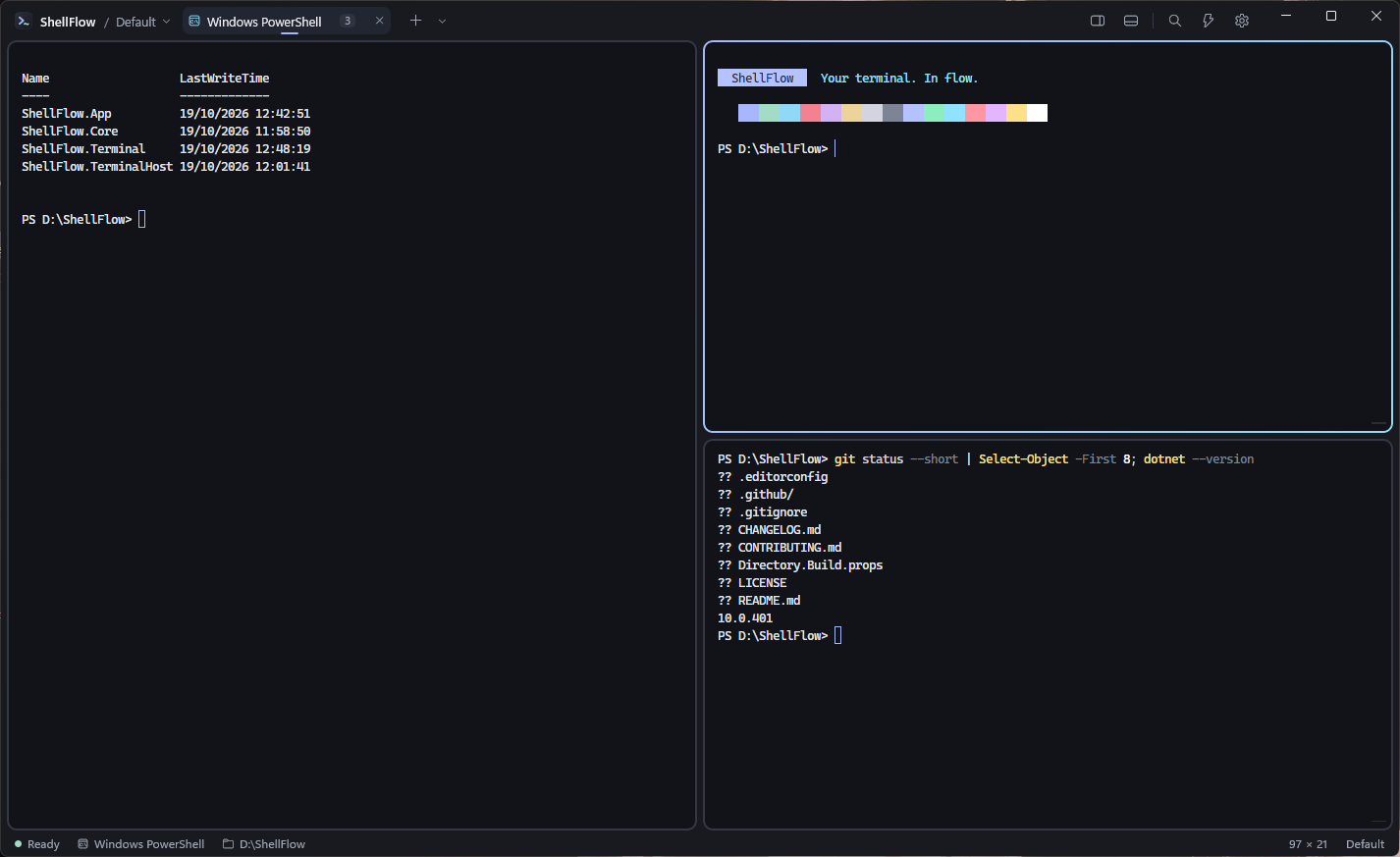
Highlights
- Real shells through the Windows Pseudo Console (ConPTY): PowerShell 7 / Windows PowerShell, Command Prompt,
Git Bash and WSL — detected automatically. - xterm.js rendering in WebView2 with true color, Unicode 11, search, scrollback and GPU (WebGL) acceleration.
- Tabs and nested split panes with draggable dividers, keyboard focus and resizing. New panes open in the folder
of the selected pane. - cd folder picker: type
cdand press Tab to browse folders with the arrow keys. - Command palette (
Ctrl+Shift+P) for every action. - Hyprland-style motion: panes pop in, layouts glide, tabs slide, gradient border on the active pane.
- Explorer integration: Open ShellFlow here (new tab / new pane); a single ShellFlow window is reused.
- Settings for theme (dark / light), accents, fonts, cursor, scrollback, shells and animations.
Downloads
| File | Description |
|---|---|
ShellFlow-0.1.0-x64-installer.zip |
The installer (.msi) in a zip. |
ShellFlow-0.1.0-x64.msi |
Installer (recommended). Per-user, no administrator rights needed. |
ShellFlow-0.1.0-win-x64-portable.zip |
Portable single ShellFlow.exe (keep the file name). |
SHA256SUMS.txt |
SHA-256 checksums. |
Requirements: Windows 11 (Windows 10 2004+ expected to work, not yet verified), x64, Microsoft Edge WebView2
Runtime (included with Windows 11).
The installer is not code-signed yet. If SmartScreen shows "Windows protected your PC", choose
More info → Run anyway, or check the file againstSHA256SUMS.txtfirst.
Known limitations
- Preview quality: please report problems through the issue templates.
- WSL panes do not report their current folder yet.
- On Windows 11 the Explorer entries appear under Show more options.