Repository navigation
Releases
Bow 0.2.0

Bow remembers your passwords now, every Space gets its own Favorites, and signing in to Google works again.
Install
Download Bow-0.2.0-arm64.dmg below, open it and drag Bow to Applications. Bow is signed and notarized by Apple.
It needs a Mac with Apple silicon (M1 or newer) and macOS 13 or later. Already on 0.1.x? Bow updates itself: the
sidebar says Update ready once it has downloaded.
Before you update
- 0.2.0 saves your sidebar in a new format, because every Space now keeps its own Favorites. Bow keeps the old file
next to the new one (browser-state.version-4-….json), but 0.1.x can't read the new format: going back to 0.1.x
starts empty unless you put that copy back. - Sync: update every Mac that syncs. A Mac still on 0.1.x is left out, with a notice, until it is updated too.
What's new
Bow Passwords
- After you sign in, Bow offers to save the password. Next time your saved logins are listed under the field: pick one
and Bow fills it in. - Sign-in forms inside embedded frames work too, like Apple's sign-in on App Store Connect, Apple Developer and iCloud.
- Bow remembers what you type into forms (emails, names, phone numbers, addresses) and suggests it again. Never card
numbers, one-time codes or other secrets. - Library › Passwords: search your logins, and show, copy or edit a password after Touch ID or your Mac's password.
- Passwords are encrypted with a key kept in your Mac's Keychain, one vault per profile. Private windows never save
anything. Backups and Sync leave passwords out, because another Mac couldn't decrypt them. - Bring your passwords along: importing from Arc, Chrome, Dia, Brave, Edge, Vivaldi or Opera brings them too (macOS
asks once). From Safari, Firefox or the Mac's Passwords app, import the file they export: Library › Passwords ›
Import passwords…
Favorites per Space
- Every Space has its own Favorites row, also when Spaces share a profile. The Favorites you have now stay with the
Space you're in.
Import
- Dia: every space comes over at once, each as a Space of its own with its own profile.
Fixes
- Signing in to Google works again (Google had answered "This browser or app may not be secure").
- Icons sit in the middle of their hover squares in the sidebar, the Library, Peek and Find.
- A thinner scroll bar in the sidebar.
- The download opens in a window of its own design.
Bugs and ideas are welcome in Issues.
Bow is not affiliated with or endorsed by The Browser Company. No Arc code is used; the importer shows each browser's
own logo (Arc's and Dia's included) only to name the browser an import comes from.
SHA-256 of Bow-0.2.0-arm64.dmg: 5aee0e3d247f8d869344ac4af3a49152c1ec1340bc6129f3ec7bcbe4556dd734
Bow 0.1.1
A big update to Bow: a new first start, Reader view, sync between your Macs, and a lot more of what made Arc feel fast.
Install
Download Bow-0.1.1-arm64.dmg below, open it and drag Bow to Applications. Bow is signed and notarized by Apple.
It needs a Mac with Apple silicon (M1 or newer) and macOS 13 or later. Already on 0.1.0? Bow updates itself: the
sidebar says Update ready once it has downloaded.
What's new
A new first start
- Bow opens with an onboarding of its own: a glow on your desktop grows into the window, then a few short steps.
- Bring your things. Pick the browser you use now (Arc, Dia, Chrome, Safari, Firefox, Brave, Edge, Vivaldi, Opera
or Chromium). Bow reads it first and tells you what it found, then brings everything over, or only the parts you
choose. Your sidebar fills in as it lands. - Choose a color for your Space, meet the essentials (with small live demos), and make Bow your default browser.
Open it again any time from Help › Welcome to Bow…. - Import from Dia and Opera is new; the File menu has them too.
Reading and browsing
- Reader view: the article without the site around it.
- Compact Mode and Focus Mode, and a toolbar that hides and slides in from the top edge.
- Split View: drag the divider, swap panes, a 2×2 grid, and keys for layouts.
- Peek grows out of the link you clicked and shrinks back into it, like Arc's.
- The link menu opens a link in Peek, in Split View or in a Little Window.
- Pages come back scrolled where they were after a restart or a crash.
- Notes on tabs and folders.
Tabs, Spaces and the Command Bar
- Tab power tools: pick several tabs at once, switch to an open copy, close duplicates, search all tabs.
- Space templates, and per-Space defaults: a Space's own search engine and its own page on ⌘T.
- Archive without surprises: Never Archive, per-Space timing, Undo, and an "archives soon" hint.
- Command Bar: reopen recently closed tabs, history by date, sums and unit conversions as you type, and command
chains (several actions and pages in one command). - Smarter sleeping tabs: keep chosen sites awake, Sleep Tab now, and a Task Manager.
Live folders
- GitHub notifications and your issues, Jira and Linear lists, Hacker News and subreddits.
Your Macs and your data
- Sync between your Macs through a folder you choose (iCloud Drive works), without an account.
- Backups: export everything to one file, restore it, and keep automatic hourly copies.
Privacy
- HTTPS-Only Mode, a privacy report of what the blocker stopped, and forget site data on quit, per profile.
Your Mac
- Bow can be picked as the default web browser in System Settings.
- A shortcut from any app brings up the Command Bar or a Little Window.
- Air Traffic Control by the app a link came from, and Test a link.
bow://addresses for other apps, with Raycast script commands built on them.- A shortcut editor: give any menu command your own keys. Plus ⌘, Settings, a shortcuts sheet, zoom per site, your
download folder, search keywords, Save Page As and Export as PDF. - Boosts can be shared and imported as files.
Fixes
- ⌘W on a Pinned tab puts its page away in every window that showed it; on a pane of a pinned split it closes only that
pane. - Peek keeps its buttons when the pointer rests on a sidebar tab or folder.
- Reader view reads pages wrapped in one big form (older sites), and never takes the site's name as the title.
- Many smaller fixes to Library, the Command Bar, the ⌃Tab switcher and the find bar.
Bugs and ideas are welcome in Issues.
Bow is not affiliated with or endorsed by The Browser Company. No Arc code is used; the importer shows each browser's
own logo (Arc's and Dia's included) only to name the browser an import comes from.
SHA-256 of Bow-0.1.1-arm64.dmg: 24af4c339afb9f591ba6d2338543c17632d6ce5ab4dad7d20355a4ea06fec9aa
Bow 0.1.0
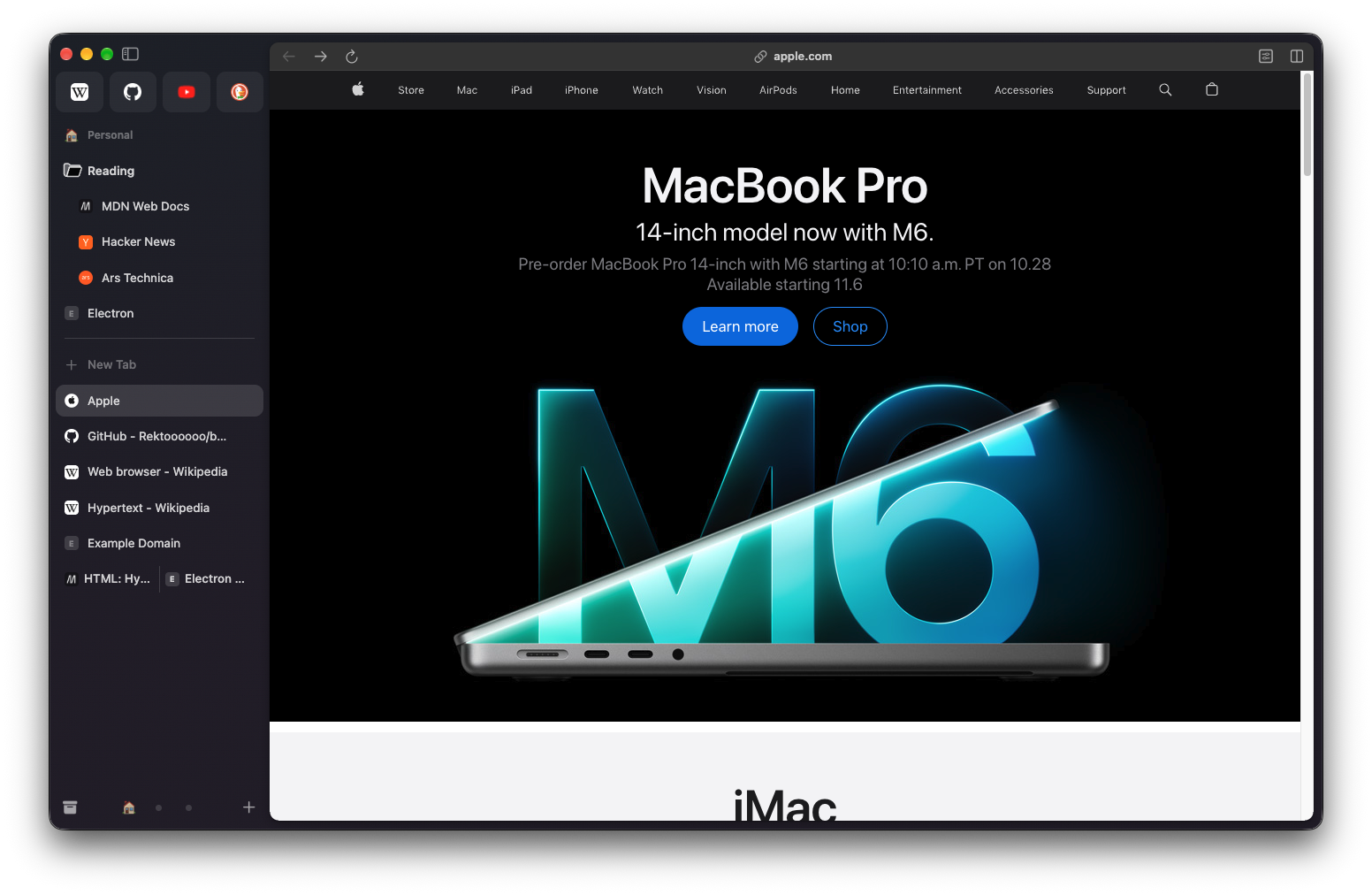
The first release of Bow, an open-source browser in the spirit of Arc.
Install
Download Bow-0.1.0-arm64.dmg below, open it and drag Bow to Applications. Bow is signed and notarized by Apple.
It needs a Mac with Apple silicon (M1 or newer) and macOS 13 or later.
Coming from Arc? File › Import from Arc… brings over your Spaces, Favorites, pinned folders and tabs, Today
tabs, themes, archive, history and Chrome Web Store extensions (Arc's files are only read, never changed).
What's in it
- Sidebar: Favorites as tiles, Spaces with Pinned and Today tabs, nested folders, live folders (GitHub pull
requests and issues, RSS feeds), drag and drop everywhere, including dropping a tab on another tab to split them. - Spaces and profiles: a theme per Space (colours, light or dark, grain), separate cookies and logins per
profile, private windows. - Command Bar (⌘T): open tabs, history, search suggestions, browser actions and Tab to search a site.
- Peek, Split View, Little Windows, picture-in-picture, Boosts, Notes and Easels.
- Auto-archive: Today tabs you have not used for 12 hours move to the Archive, like Arc.
- Chrome extensions from the Web Store, per profile, with automatic updates and password manager links.
- Several windows (⌘N), each with its own Space, selection and sidebar.
- Sleeping tabs: a page you have not used for 30 minutes frees its memory and wakes where you left it.
- Picture-in-picture for videos, embedded players included, when you leave their tab.
- Import from Firefox, Chrome, Brave, Edge, Vivaldi and Safari too.
- Ad and tracker blocking (opt-in), per-site permission prompts, your choice of search engine.
Bow updates itself from here on: when a new version is out, it downloads in the background and the sidebar says
Update ready. Bugs and ideas are welcome in Issues.
Bow is not affiliated with or endorsed by The Browser Company. No Arc code, icons or assets are used.
SHA-256 of Bow-0.1.0-arm64.dmg: f5804fe13450f61a2b35b22d2b7d1fde71989ed66940385d75e15fbd81887199