Repository navigation
1.1.2

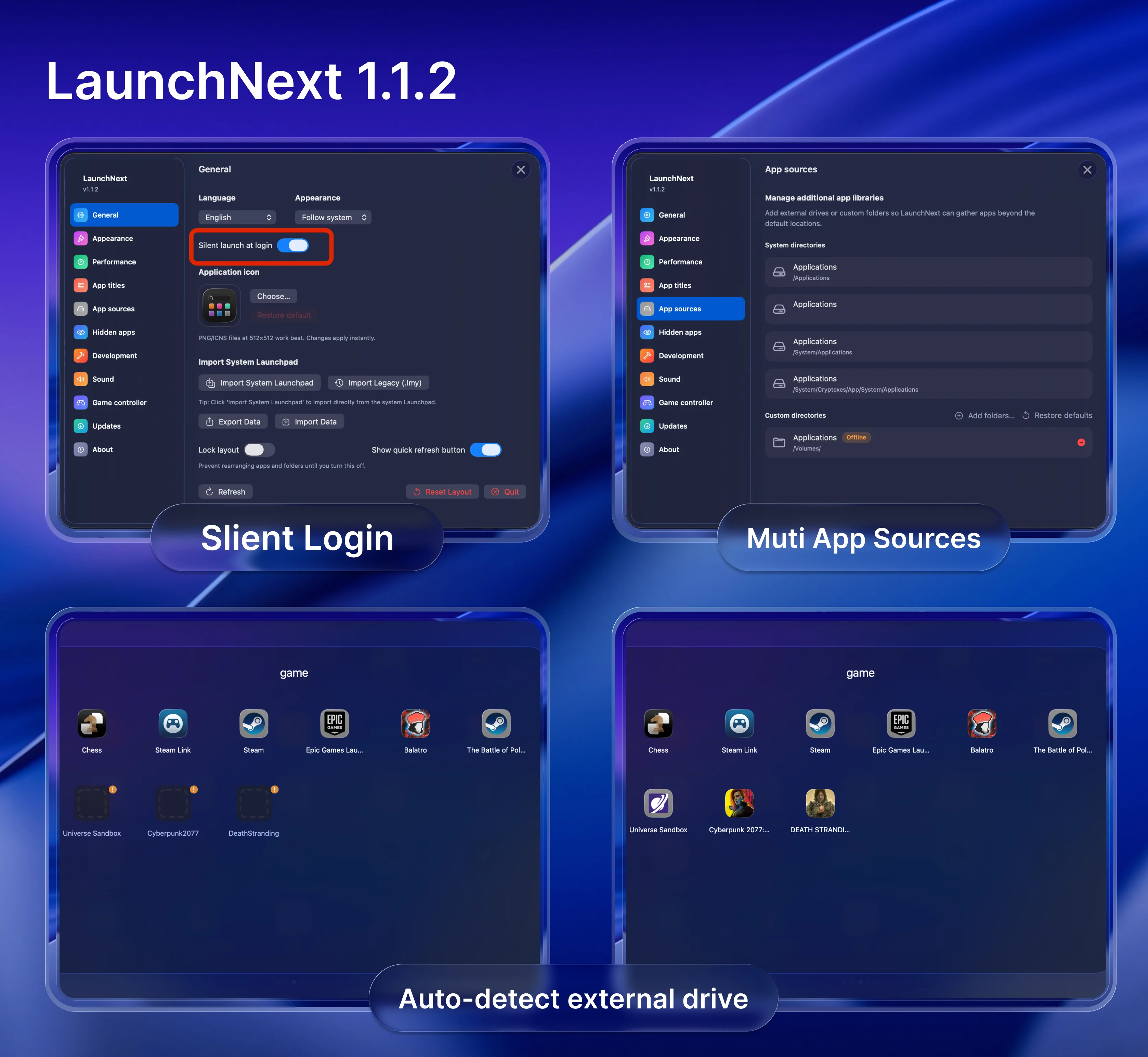
What's New in 1.1.2
-
Silent launch: LaunchNext can now start quietly at login with no splash screen or pop-up window, providing a seamless startup experience without interrupting your workflow.
-
Drag-and-drop polish: Experience smoother cross-page icon moves, improved folder drop behavior, and significantly reduced jitter during heavy drag operations for a more fluid user experience.
-
Icon rendering upgrade: Native icons now fully respect system dark mode settings, preserve alpha transparency for better visual quality, and automatically scale for Retina displays out-of-the-box.
-
Custom sources: External volumes are now monitored automatically—when you remove a custom source from settings, all apps from that source are automatically and cleanly removed from the launcher as well, keeping your launcher synchronized with your source configuration.
-
Lock Layout Mode: When this mode is enabled, scrolling through pages and dragging to navigate will not accidentally move or rearrange icons, preventing unwanted layout changes and keeping your organization intact.
Thank you! Please tell me if there are any issues.
What's Changed
- Update French translation by @Guilouz in #132
- feat(i18n): update Czech translations by @JiriSko in #135
Full Changelog: 1.1.1...1.1.2

