Repository navigation

jAER 3.8.0 follows 3.7.0. A multi-device AEChip records and processes several sensors on one synchronized time base. Clock drift can be measured and written out as a corrected AEDAT-4 copy, and playback can jump to the next rise on the event-rate slider. A multi-week file opens in one index pass, and File → Show file info is a table you can copy. A fly box with an NRV and a Prophesee EVK4 plays in one viewer, with a 3D track of the fly.
Download
| You have | CPU | Download |
|---|---|---|
| Windows 10 / 11 | x64 | jAER_windows-x64_3_8_0.exe |
| macOS | Apple Silicon (M1–M4) | jAER_macos_aarch64_3_8_0.dmg |
| macOS | Intel | jAER_macos_3_8_0.dmg |
| Linux | x64 | jAER_unix_3_8_0.sh |
| Linux | x64 .deb |
jAER_linux-amd64_3_8_0.deb |
| Any OS | Sample data (~995 MB) | jaer-sample-data.zip (README) |
Each installer includes a bundled Eclipse Temurin JDK 25. You do not install Java yourself. GitHub lists the same files again under Assets. These links work after the 3.8.0 Release is published.
Install, update, and uninstall steps are in the Install Guide.
On Windows, winget install SensorsINI.jAER installs jAER from the Microsoft catalog. The catalog moves to 3.8.0 after this release is published.
New features
- Measure clock drift
- Generalized multi-device AEChip
- Jump to activity
- File info you can copy
- Enhanced Filters button
- Enhanced filter settings import
- Coarse playback speed change accelerators
- Opening a multi-week file
- Fly box, one viewer
- 3D fly track
Measure clock drift
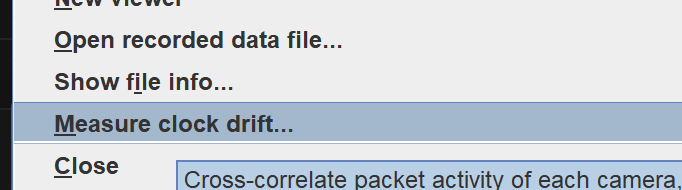
File → Measure clock drift... is enabled while playing a muxed AEDAT-4 that contains at least two event cameras. Different cameras, for example, from different manufacturers, have significant clock drift relative to each other. For example, the Prophesee EVK4 runs -9ppm slow compared to the (jAER calibrated) NRV DELTA10 camera, i.e. the drift is 32.4 ms per hour of recording. Over a long recording of 20h this causes the activity to go out of sync by e.g. 600ms. jAER can now cross correlate the activity from the two cameras to attempt to meausre this drift and write a copy of the recording with the drift corrected, so that activity is synchronized much better over the entire recording.
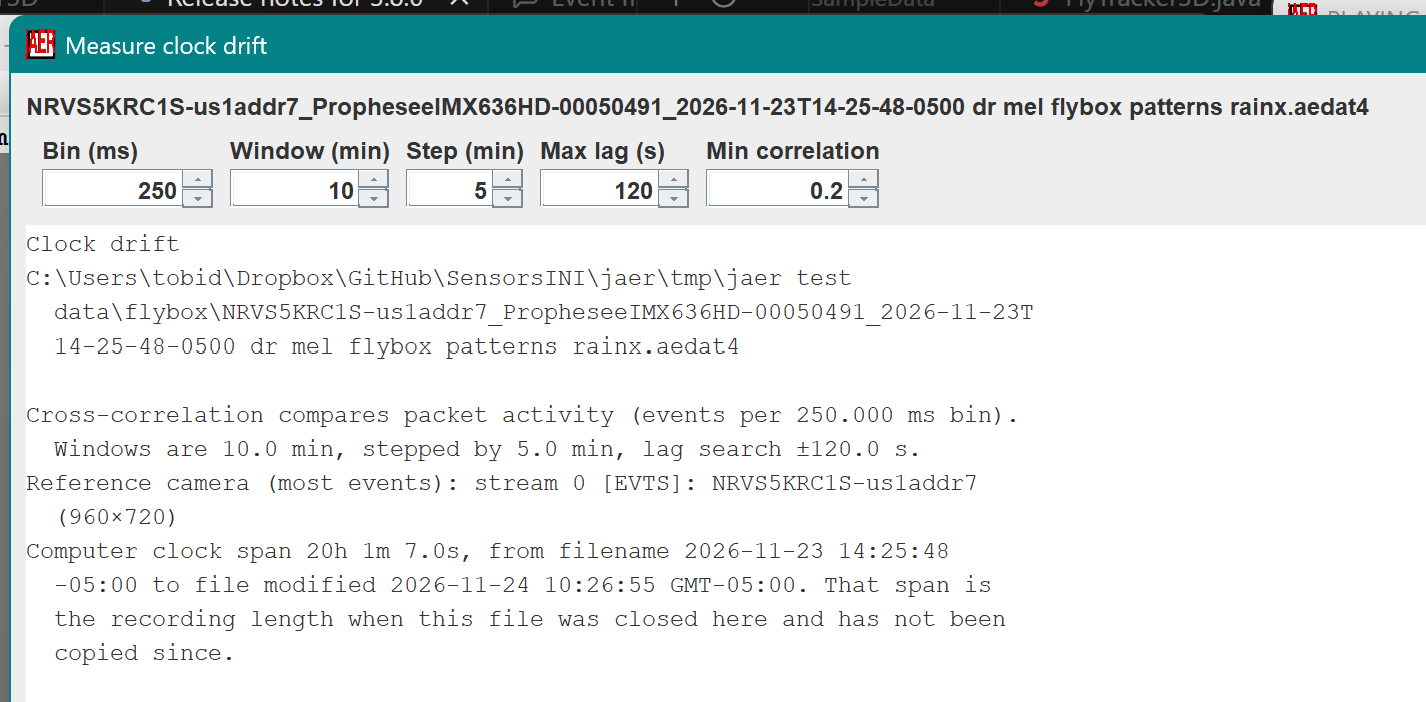
Measure cross-correlates packet activity. The camera with the most events is the reference. Bin, window, step, maximum lag, and minimum correlation are at the top of the dialog. This fly-box recording uses a 250 ms bin, a 10 minute window, a 5 minute step, and a lag search of ±120 s.
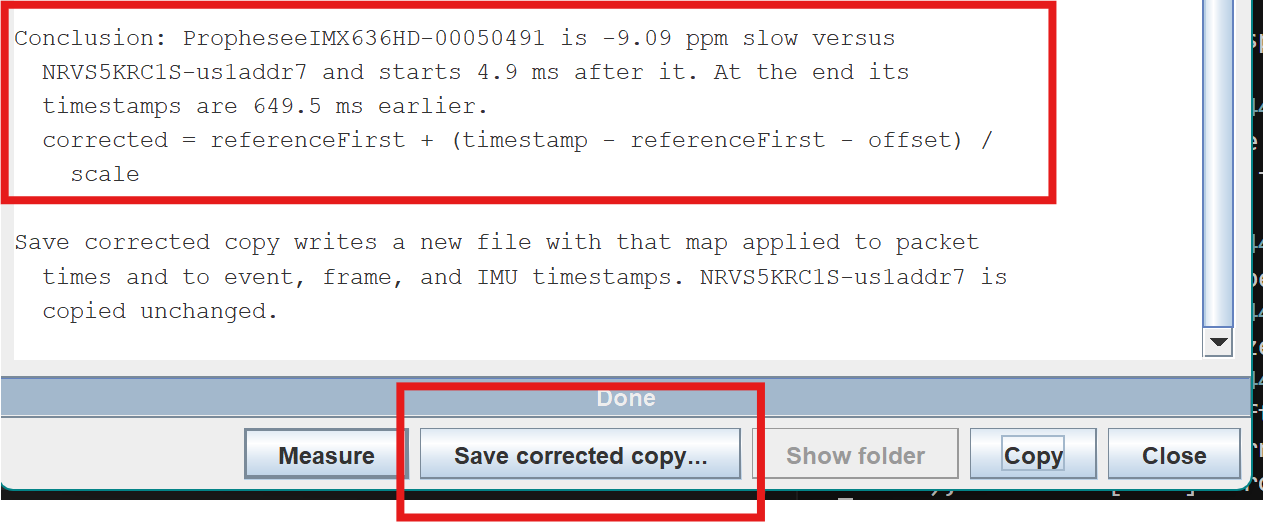
The report ends with the scale in parts per million and the start offset. On this file the Prophesee camera is 9.09 ppm slow versus the NRV and starts 4.9 ms later. By the end of the recording its timestamps are 649.5 ms earlier. Save corrected copy... writes a new file: packet times and event, frame, IMU, and lossy-bin timestamps of the other cameras are mapped onto the reference camera. The reference camera is copied unchanged, and the original file stays as it is. Copy puts the report on the clipboard. After the copy is written it can be played, shown in the file browser, and opened from Recent Files.
The same measurement runs from scripts/measure-clock-drift.ps1 on Windows and scripts/measure-clock-drift.sh on Linux and macOS.
Generalized multi-device AEChip
MultiDeviceChip is an AEChip for recording and processing a multi-device system under a single synchronized time base. One viewer and one filter chain see every device. Each event keeps that camera’s own coordinates, and the canvas tiles the cameras for display. A recording writes one native track per vision camera, on that shared clock. A muxed AEDAT-4 file stays in this one window.
A rig is a Sensor subclass that adds one slot per device. FlyBox2Cam, below, is the first. Other sensors still open one viewer per camera. The jAER 3 readme describes recording, playback, and how to declare a rig.
Jump to activity
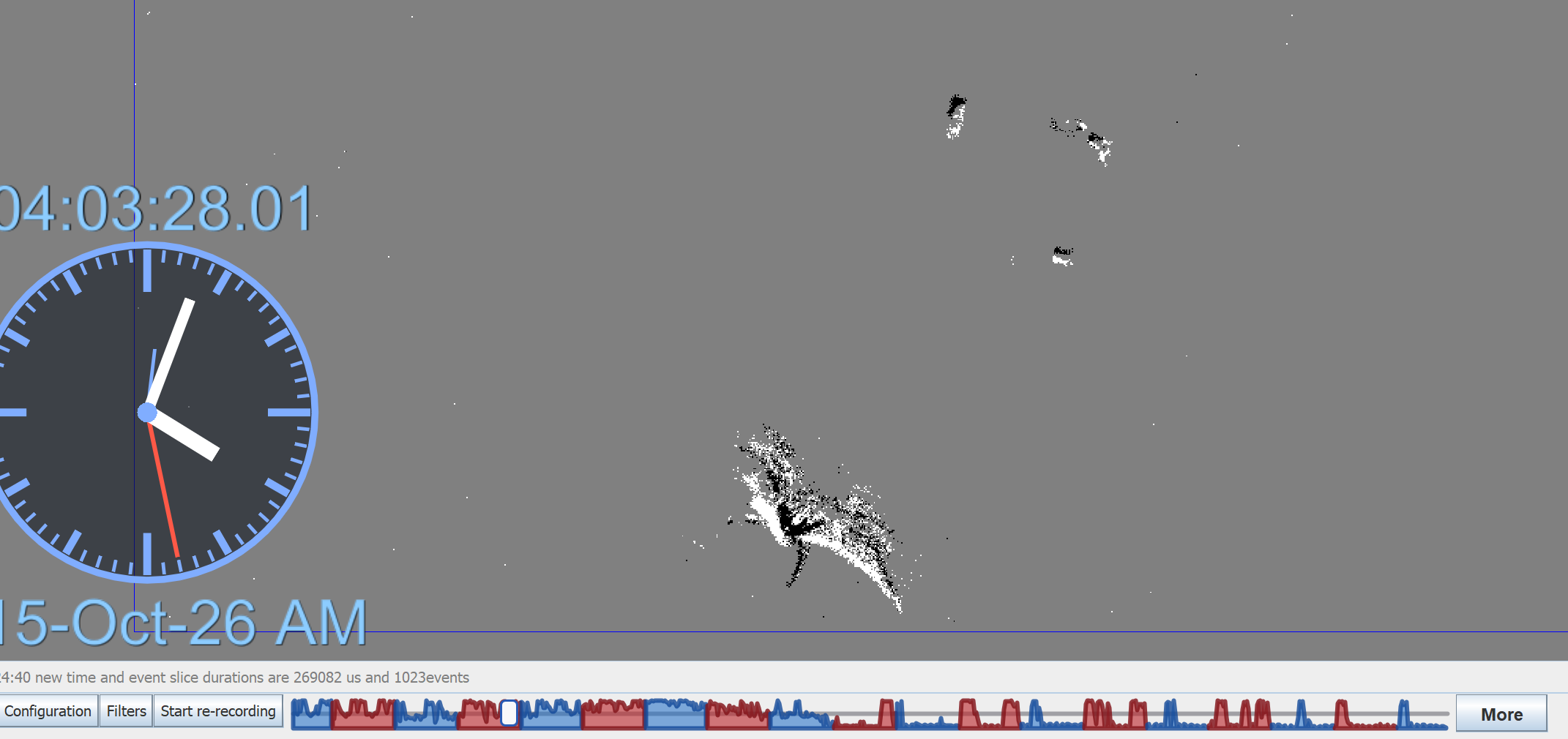
Playback → Jump to previous activity (Shift+J) and Jump to next activity (Shift+K) seek to a rise on the event-rate slider while playback is running forward. CountDuration lands about 10 slices before that rise (a 20 ms slice lands about 200 ms before). ConstantCount and AreaEventCount land about 100 ms before. The rise has to clear Activity jump threshold under File → Preferences → Playback (default 0.20 on the 0–1 sparkline). A second Shift+J within 1 second skips the rise just landed on. Both keys stay off while playing backwards. Synchronized playback seeks every viewer to the nearest rise on any camera.
Clear Jump Markers (Ctrl+M) removes jump markers and leaves IN and OUT. Clear All Markers is Ctrl+Shift+M. Right-click Toggle Jump Marker uses the point under the pointer. The m key still uses the playhead.
Daytime on a recording longer than 12 hours stays blue and night stays red, as in 3.7.0. The thumb is translucent so a mark under it stays visible. (096b83fc8)
File info you can copy
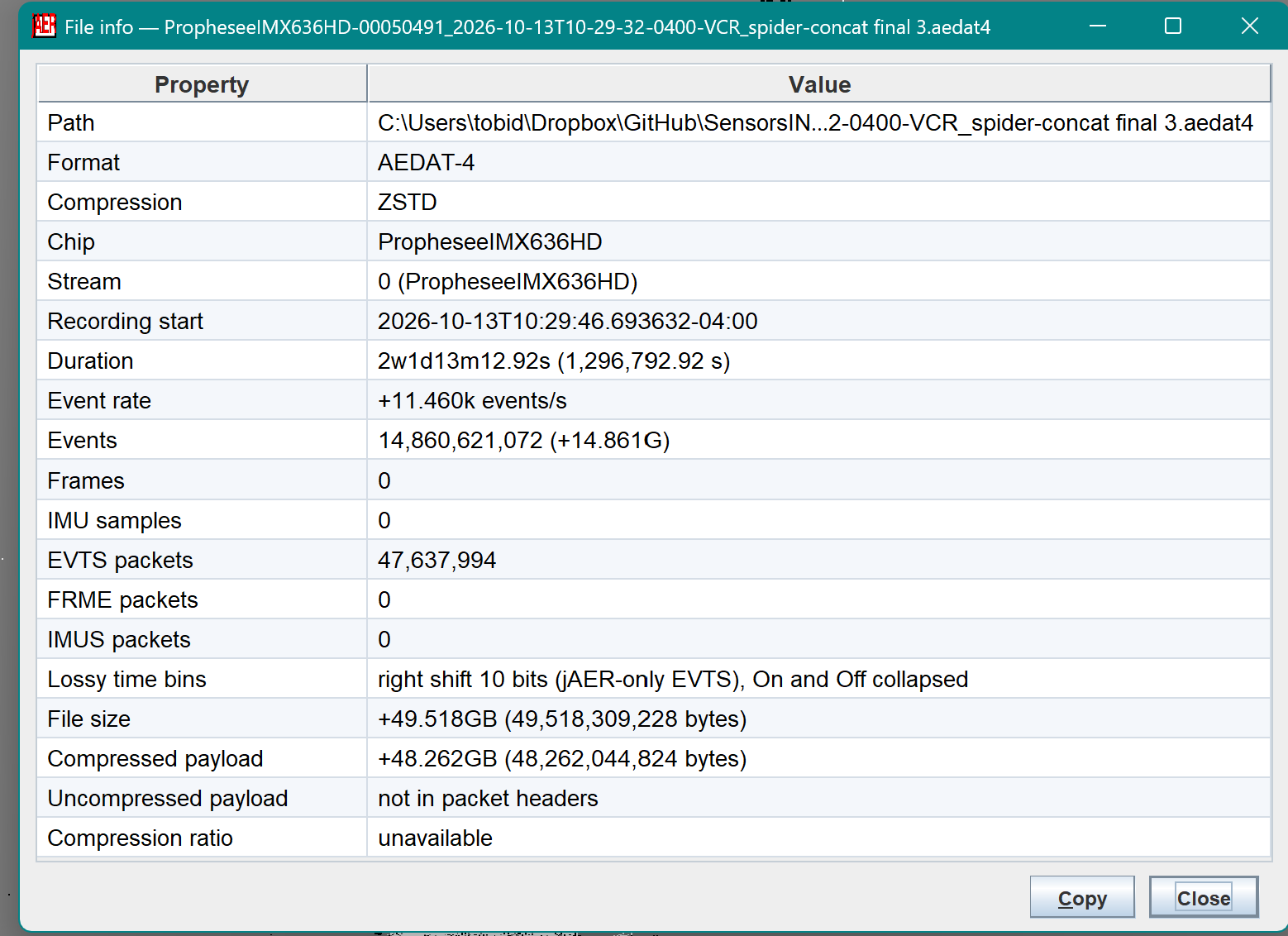
File → Show file info... opens a property table: path, format, compression, chip, stream, recording start, duration, event rate, and the event, frame, IMU, and packet counts, plus file size and payload sizes. Copy puts tab-separated text on the clipboard for a paper or a spreadsheet. The path cell keeps the start and the end on screen. The full path is in the tooltip and on the clipboard.
Enhanced Filters button
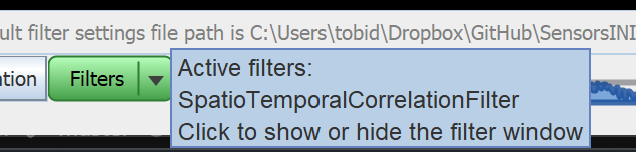
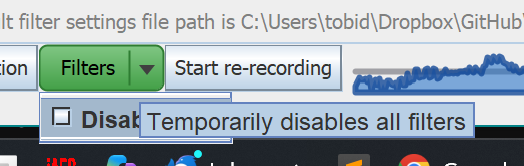
The Filters button is green while any filter is running. The tooltip lists the active filters. Click the button, or press Ctrl-F, to show or hide the filter window. The arrow opens Disable all, the same temporary pause as the filter-window toolbar.
Enhanced filter settings import
Import on a filter reads matching property names from an XML preferences file. The file can come from another chip, or from this filter when it was enclosed in a different filter. You are asked before the filter chain is renewed. A sample for the fly trackers is filterSettings/RCT-flies.xml.
Coarse playback speed change accelerators
f and s still step the playback slice. Alt+F and Alt+S multiply or divide it by the coarse factor (default 100). A 1 ms slice becomes 100 ms. The factor is File → Preferences → Playback, and the Playback menu items read Increase accumulation ×100 and Decrease accumulation ×100. Shift+F remains the DAVIS frame toggle. The keys work while the view has focus.
Opening a multi-week file
Building the AEDAT-4 playback index is one pass. Opening a 14.8 billion event file no longer keeps three packet tables in memory at once, which exhausted a 10 GB heap at about 48 million packets. Packet slots stay 32-bit. The event cursor was already a long. If the heap still runs out, the open is logged at WARNING with its stack. (e8e105069)
A tail EVTS packet whose start jumps more than one second before the previous packet end is skipped. (879cf86fb)
Fly box, one viewer
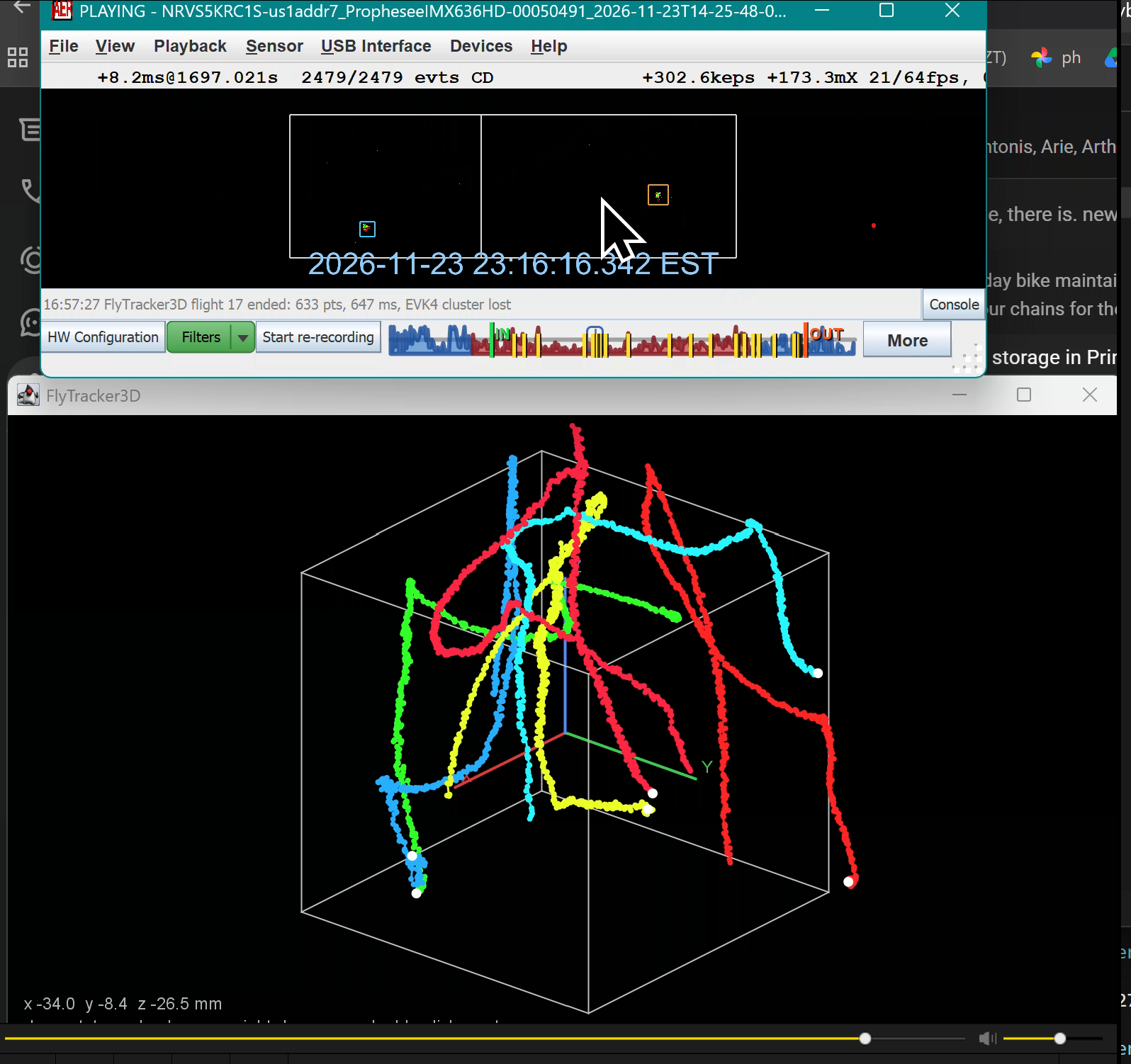
Sensor → FlyBox2Cam (Experimental) plays a muxed AEDAT-4 of an NRV and a Prophesee EVK4 in one window and one filter chain. The cameras observe a transparent box with fruit flies in it. FlyBox2Cam targets recording flights of these flies in the box. The NRV tile is on the left and images the yz plane. The EVK4 tile is on the right and images the xy plane. Each camera keeps its own pixel coordinates. A gray outline marks each tile. The Devices defaults are NRV azimuth 90° and EVK4 elevation −90°, until a pose is saved.
Live USB stays on the NRV and Prophesee chips. Open those, record, then play the muxed file on FlyBox2Cam.
3D fly track
FlyTracker3D is on the FlyBox2Cam chain. Each camera has its own RectangularClusterTracker. The 3D point is the closest point of the two rays, drawn in a Java2D window. The origin is the center of the box. Set boxWidth, boxDepth, and boxHeight in millimetres. showBox draws the edges.
A flight ends when either camera loses its cluster. The window keeps the last trajectoriesToShow flights (default 8) and gives each a new hue. Flights shorter than minFlightDuration (default 0.1 s) are dropped. The head of the path is white. markFlights places a playback marker 100 ms before a flight that lasts. Clear Flight Markers removes those markers and leaves manual marks and IN/OUT.
A setting changed on one enclosed tracker is copied to the other. locationMixingFactor, velocityTauMs, and clusterSize are the shared ones. clusterSize is a fraction of each sensor’s longer side.
Also since 3.7.0
- Playing backwards always shows the direction reminder. (1663b7ced)
- A filter takes the mouse for an ROI only when its controls are exposed. (4510d1b3a)
- RectangularClusterTracker labels use Display → fontSize, in chip pixels, so the text scales with the view. (6c3be31ca)
- Cluster speed is taken from path points sampled at the filter update interval (default 1 ms). (a16628231)
- WitMotion rate-gyro vectors can extend past the compass disk. The display is labeled DPS and rates print to 0.1 deg/s. (331adfeaf)
- The NRV DELTA camera packet format, from Minseok Jo, is src/nrv/NRV_DELTA_camera_DVS_RC1_Packet_Format.pdf.
Bug fixes
- If the disk that holds the open recording disappears, playback pauses and the exception is shown. (2d60cc164)
- On macOS, Use this folder accepts the recording folder when the chooser is already inside it. (d01755cb1)
- An NRV that is already streaming keeps streaming while an EVK4 opens. Opening the EVK4 first still holds its acquire off during the other camera’s exclusive open, so the FX20 stays on the bus. (eab47e0b5)
- Flight markers on a long file use the unwrapped playhead, so a mark past the first hour is kept. Marker updates and rewind no longer deadlock the interface thread. (4554e16f1)