Repository navigation
Penguin Studio 0.6.0
Pre-release
Penguin Studio 0.6.0 — Linux development preview
Download the package matching your system from Assets below. All package builds
and their automated checks passed before publication. Full live-provider,
hardware and cross-desktop testing is still incomplete; see docs/VERIFICATION.md.
| Target | Download |
|---|---|
| Ubuntu 24.04 (amd64) | penguin-studio_0.6.0-1+ubuntu24.04_amd64.deb |
| Ubuntu 26.04 / 26.04.1 (amd64) | penguin-studio_0.6.0-1+ubuntu26.04_amd64.deb |
| Fedora 44 (x86_64) | penguin-studio-0.6.0-1.x86_64.rpm |
| AppImage (x86_64, glibc 2.39+) | penguin-studio-0.6.0-x86_64.AppImage |
| Arch Linux / AUR recipe (x86_64) | penguin-studio-0.6.0-aur.tar.gz |
| Flatpak (x86_64) | penguin-studio-0.6.0-x86_64.flatpak |
| Snap core24 (amd64) | penguin-studio_0.6.0_amd64.snap |
Ubuntu DEBs are release-specific; do not install the 24.04 package on 26.04.
The RPM targets Fedora 44. Flatpak requires the Freedesktop 25.08 runtime
from Flathub. Snap requires snapd and local installation with --dangerous;
it is a development build, not a Snap Store publication.
AppImage targets x86_64 hosts with glibc 2.39 or newer. Make it executable and
launch it; --appimage-extract-and-run avoids a FUSE dependency. The AUR archive
contains a checksum-pinned penguin-studio-bin recipe, not a claim of publication
on aur.archlinux.org. Extract it, review PKGBUILD, then run makepkg -si on Arch.
AppImage and Arch installations currently use manual/package-manager updates;
the in-app updater offers release links instead of replacing those installations.
Verify downloaded files with sha256sum --check SHA256SUMS after downloading
all listed files, or compare the entry for the package you downloaded.
build-manifest.json records the exact source commit and package hashes.
Source: 73bd5d5b406c8b987b224b59c37db4f27406f834. Build and checks.
Native chat and camera backgrounds
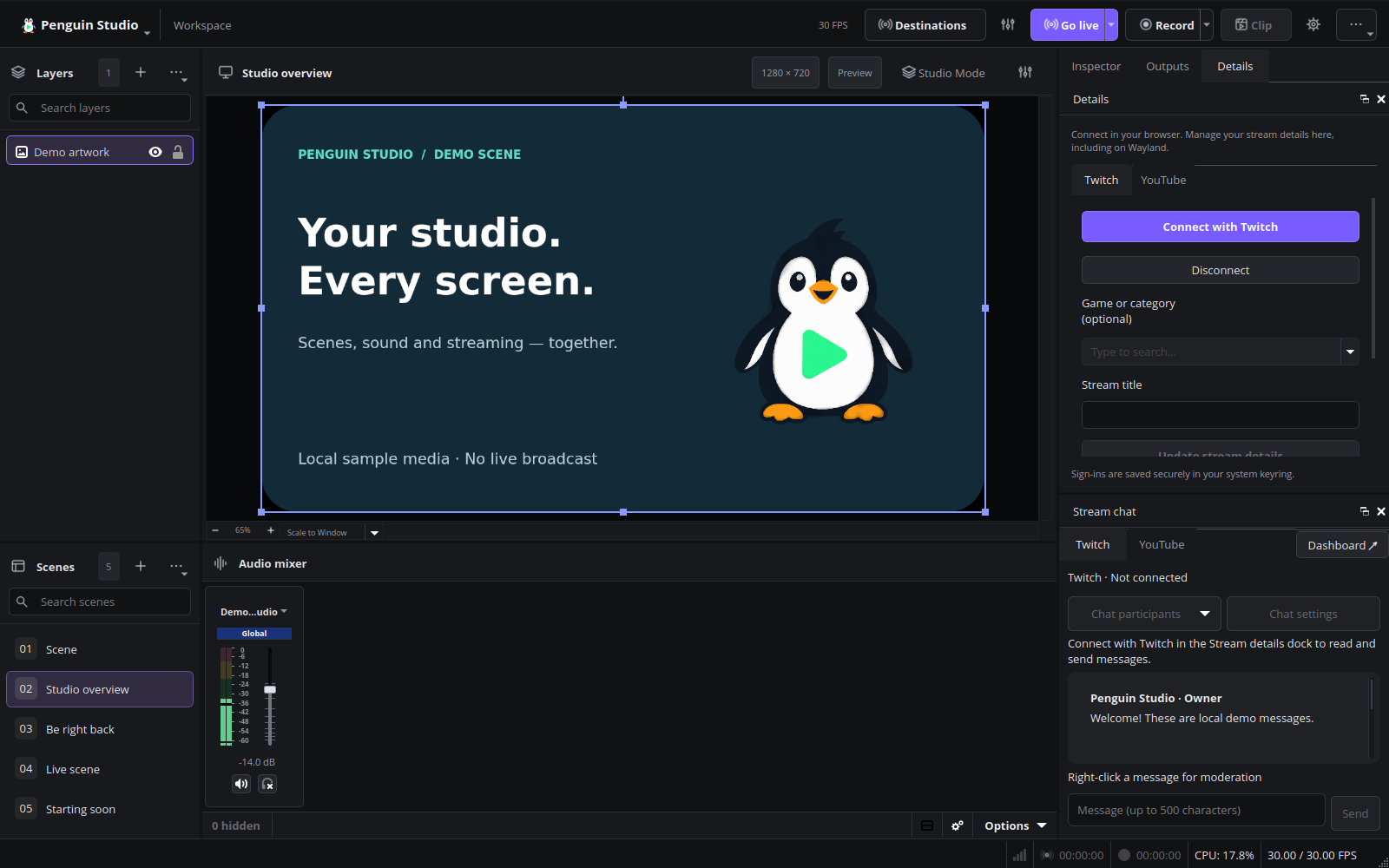
- Redesigned Twitch and YouTube chat tabs with message cards, role labels and a compact message composer.
- Twitch message deletion, ten-minute timeouts, bans/unbans, chat modes, searchable connected participants and recent chatters.
- YouTube active-broadcast chat, message deletion, timeouts/bans and recent chatters. Bans created in the current session can be removed there.
- Separate live viewer counts where supplied by the platform. Participant lists do not identify all viewers.
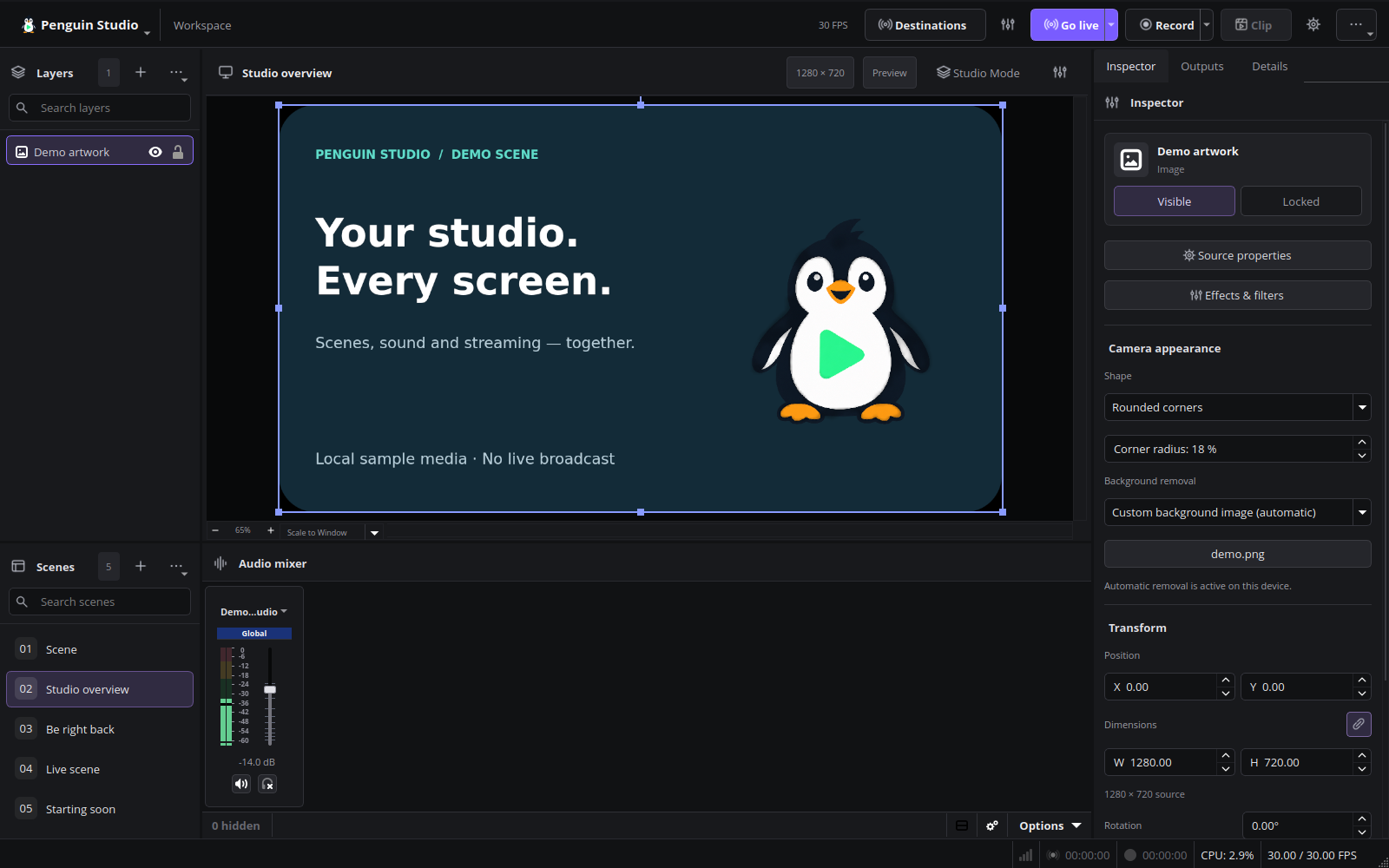
- Camera background blur with adjustable strength and custom background images, combined with camera shapes and rounded corners.
- Existing local RVM segmentation, system-keychain sign-in and camera undo/redo are retained.
Reconnect Twitch once to grant the new moderation permissions. YouTube requires
an active broadcast with chat. Native chat does not duplicate every website
feature: the Dashboard button opens the official platform tools for unsupported
features. YouTube polling respects the server interval with a ten-second minimum;
viewer counts update once a minute. Custom background files must remain at their
selected paths.
Automated fixtures exercise moderation requests and responses without sending
messages or moderating real viewers. Camera tests cover blur, image compositing,
rounded corners and restoration. Live moderation against real viewers is not
part of the automated test suite.
Current English interface
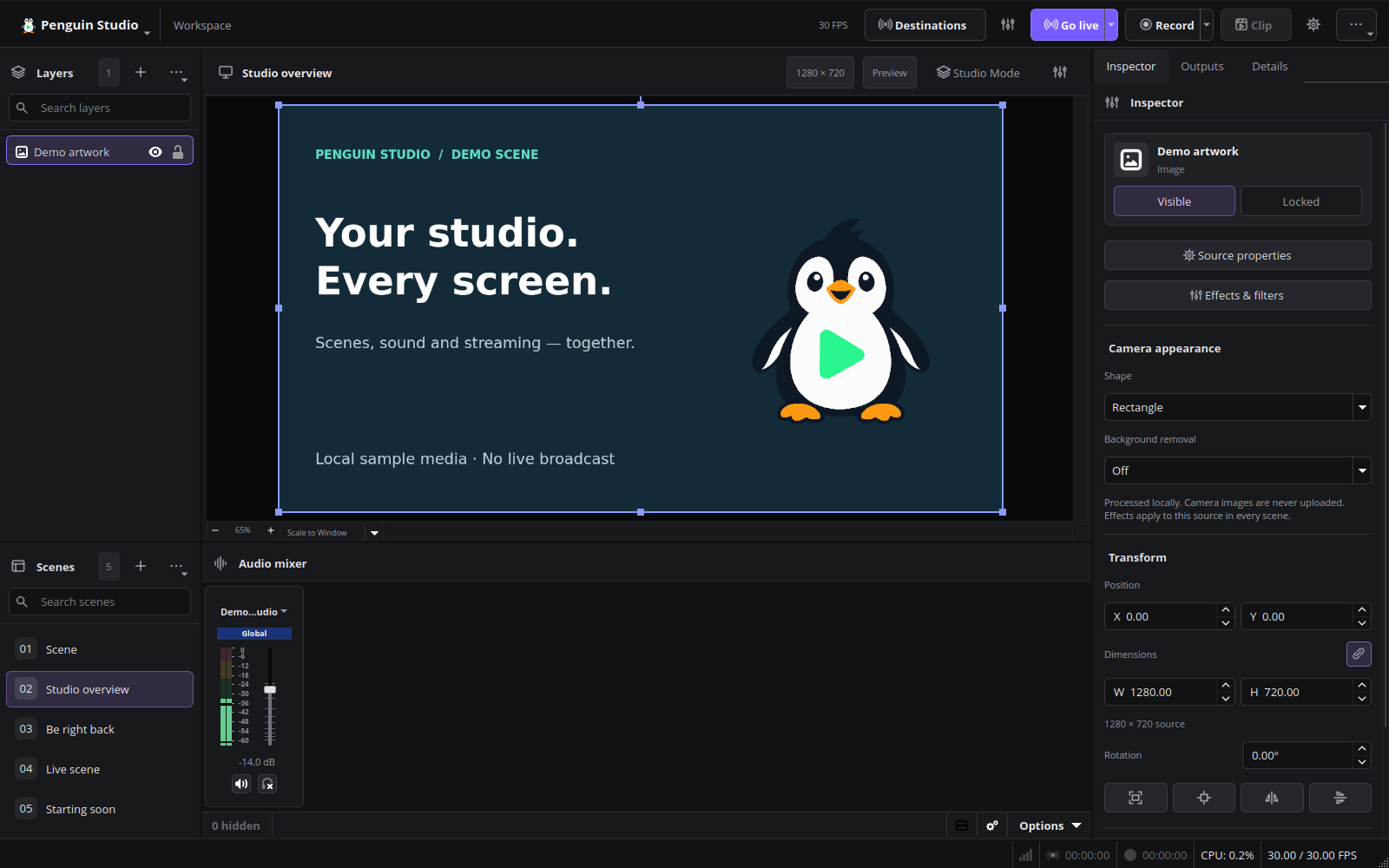
Penguin Studio 0.6.0, captured from the real application with local demo media.
Installed Ubuntu verification
The published Ubuntu 26.04 package was installed on Ubuntu 26.04.1 and its checksum
and installed files verified. Native Wayland tests passed for all camera background
controls, blur, custom images, rounded corners, undo/restore, both chat tabs and
normal shutdown. A 20.033-second synthetic H.264/AAC recording fully decoded with
zero reported dropped frames. No warning/error diagnostics or memory leaks were
reported in these runs. Live moderation was tested with API fixtures, not real viewers.