Repository navigation
v0.3.0
Pre-release
v0.3.0 (2025-06-26)
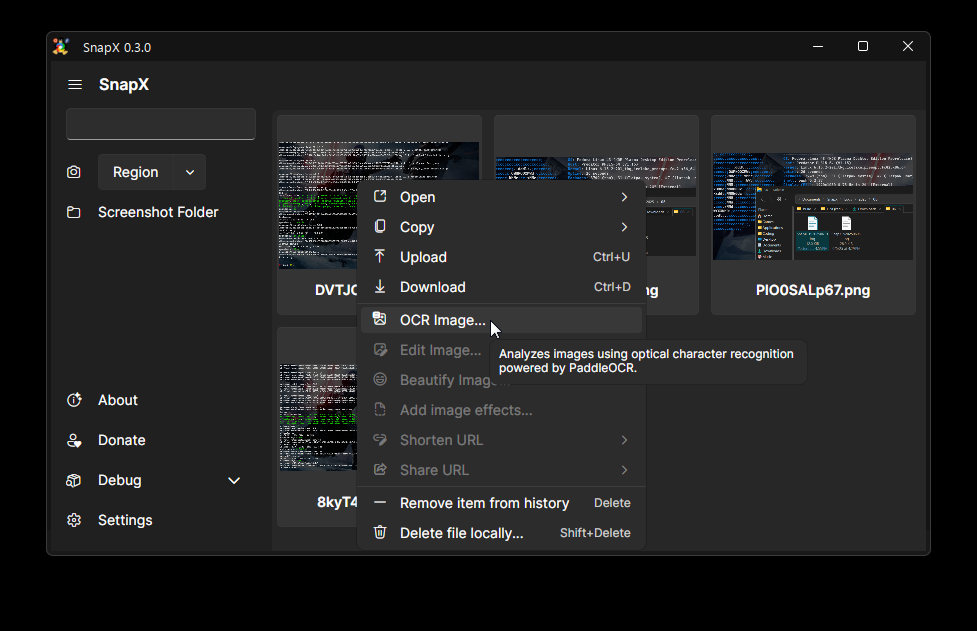
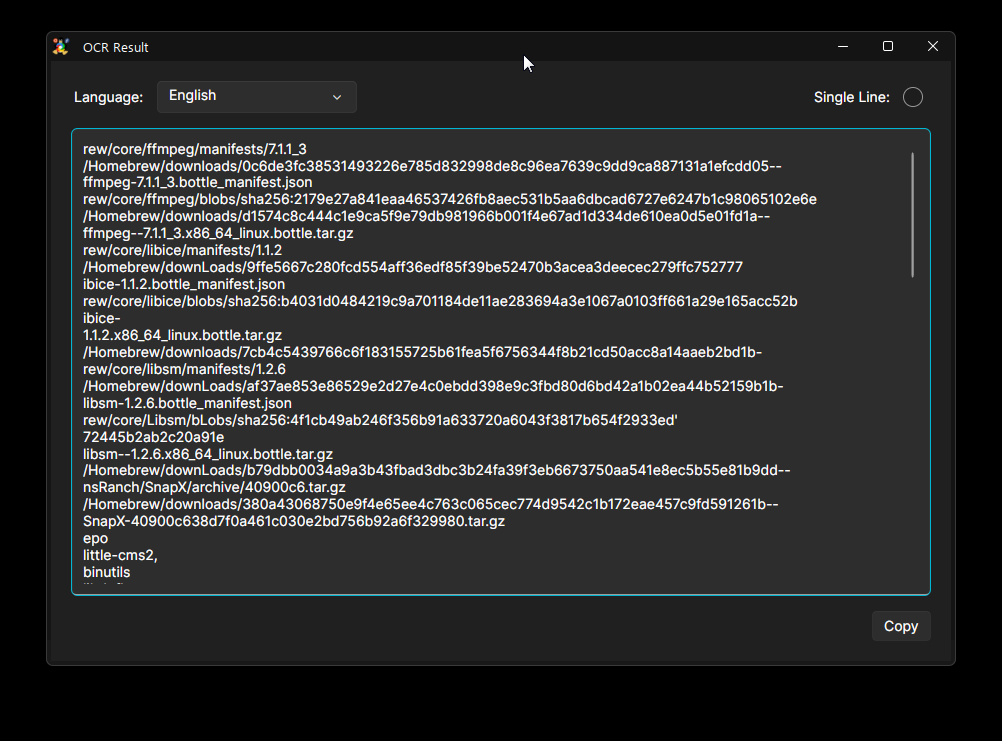
You can now upload and download your HistoryItems directly and instantly open their URLs, shortened links, their deletion links, file paths, and folders. We just upgraded to PaddleOCR v5 (PaddleSharp v3), which increases the performance of the OCR model. Additionally, you can now run PaddleOCR on most Linux distributions*, and macOS. To accompany the support, we've created an OCR window for it that has support for English, Chinese (Simplified), Chinese (Traditional), Spanish, Arabic, Korean, Hindi, Japanese, Telugu, Tamil, Russian, Portuguese, Turkish, German*, French (Revolution).
The ugly "sidebar" we had has been ejected from the building. Now, there's an actual sidebar that mimics ShareX's sidebar, somewhat.
Additionally, we've removed the dependency on LibVLC, which didn't make much sense for us. After giving it thought, playback inside SnapX is a waste of everyone's time. On Linux, we have mpv, haruna, and VLC. On Windows, it ships Movies & TV ootb and you have VLC as an option. On macOS, you have the integrated video player with VLC as an option. For sound playback, we now use ffplay from FFMPEG.
We've also made SnapX far more stable. The annoying HistoryItem flashing is gone, and the region selector won't crash the app if screenshotting fails. It's simply a much smoother and more reliable experience.
You'll find smarter build processes, with us no longer putting *.so files in your $PATH to appease .NET. We now use a wrapper script, as we should have in the first place. For Windows users, this release includes better path handling and disables the wrapper script on Windows. Plus, we've fine-tuned performance by optimizing build times on Windows and ensuring a smoother experience when launching features like the About Window. We've also updated various dependencies for improved stability and security.
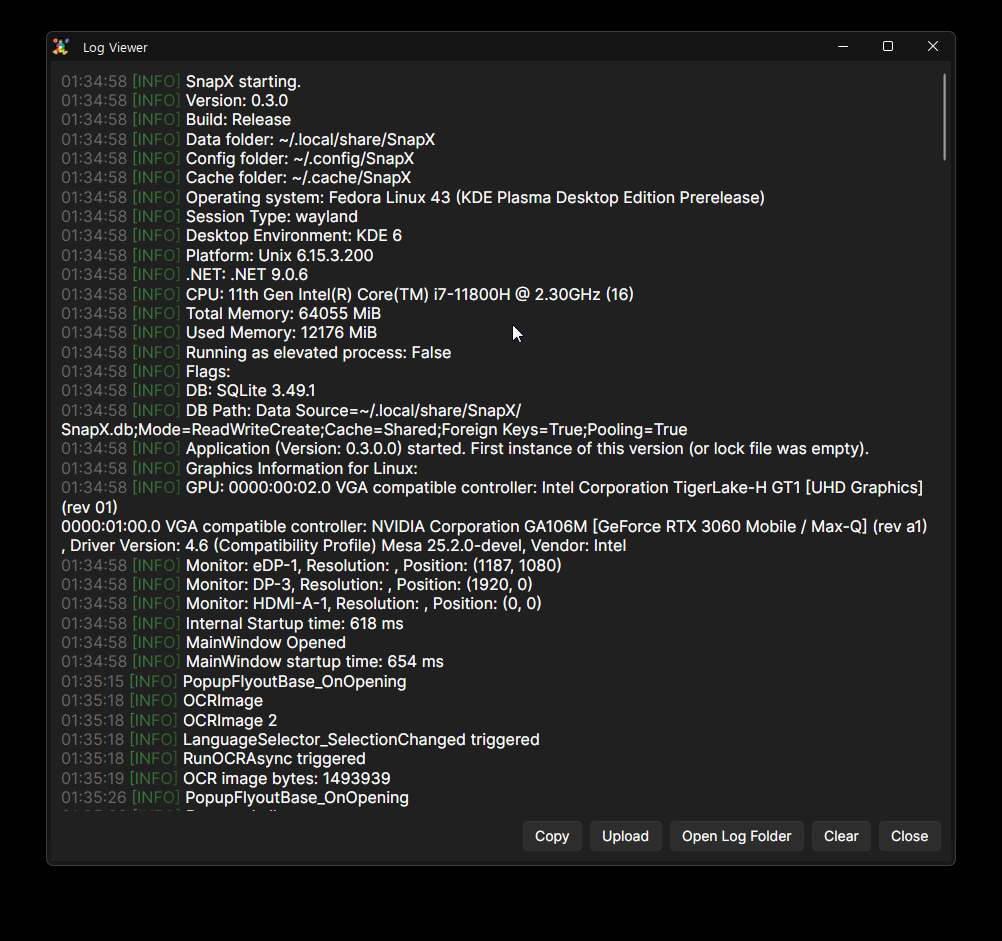
Additionally, I have added a LogViewer for ease of access.
I also switched SnapX's versioning tool to GitVersion, which was designed to be SemVer compliant. It also doesn't panic when building SnapX without a git repository. Finally, we've improved our documentation, making it clearer for packagers and easier to understand our versioning.
SnapX is now ~825 MiB uncompressed (~411 MB zipped), with the majority of that coming from our integration of PaddleOCR, a powerful offline AI text recognition engine. This allows SnapX to deliver fast, private OCR without needing any cloud services. While the increase is most noticeable on Linux (previous builds were ~75 MiB), it's less significant on Windows and macOS. When I asked in our Discord, the community overwhelmingly understood and accepted the size tradeoff in exchange for better cross-platform support and advanced OCR. If you feel that is too large for your liking, you can set the DisableOCR=1 environment variable when building SnapX, and it will once again be ~75 MiB.
"In open source, we feel strongly that to really do something well, you have to get a lot of people involved." - Linus Torvalds
Known Issues
- Much higher memory usage than ShareX. This is because even though SnapX is still under active development, it utilizes more of your computer's memory than before, such as caching images in memory to keep the UI responsive.
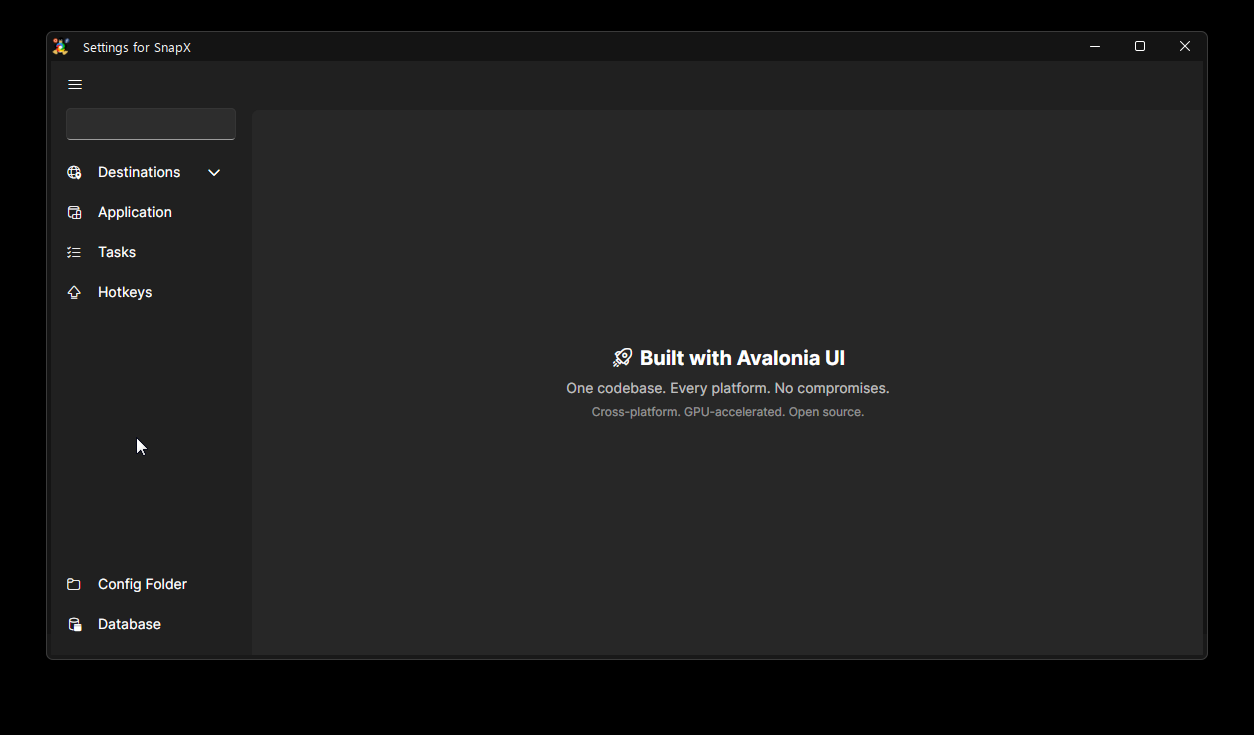
- The settings window's buttons do nothing yet, besides the
Config folderbutton. - PaddleOCR can't be run on musl-based Linux distributions, Windows 11 ARM64, and FreeBSD.
- On Linux, PaddleOCR libraries contain an invalid RPATH, but still run. This still causes COPR builds to fail. It will be fixed soon after this release.
Screenshots
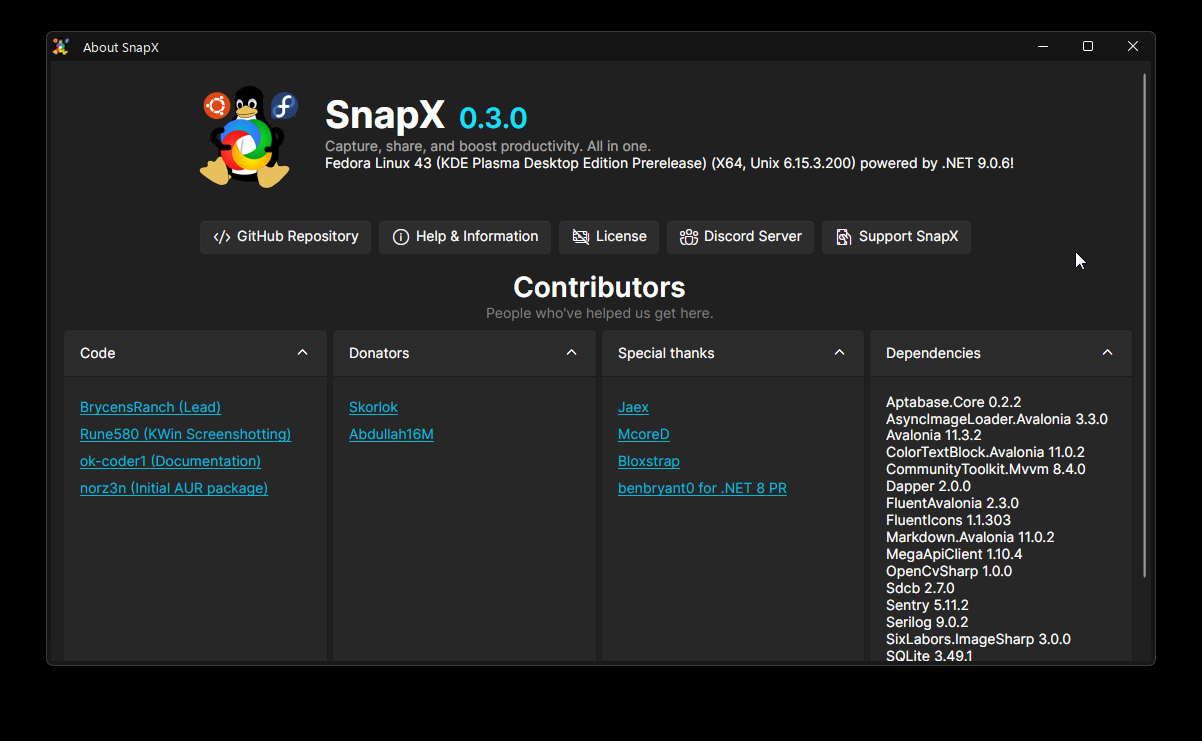
Features
- Avalonia: Implemented core functionality for HistoryItems context menu actions (
ce3b44fc) by @BrycensRanch - Core: Made OCR more flexible for PaddleOCR (
2ece80d7) by @BrycensRanch - Avalonia: Added initial settings window (
c336de7b) by @BrycensRanch - Avalonia: Added OCR window powered by PaddleOCR (
02881416) by @BrycensRanch - Avalonia: Added fully functional LogViewer (
accae46b) by @BrycensRanch - Core: Added support for PaddleOCR on macOS & Linux (
ab362c98) by @BrycensRanch - CLI: Added
--versionoption (379c6fe2) by @BrycensRanch
Bug Fixes
- Core:
CopyImagein MacOSAPI having double quotes (c201c846) by @BrycensRanch - Avalonia: Screenshotting two times causing crash on Windows (
1dec604e) by @BrycensRanch - Core: CopyImage in MacOSAPI having double quotes (
c201c846) by @BrycensRanch - Avalonia: Thrown error on
-videoCLI parameter (14236a54) by @BrycensRanch - Core: Do not log binary in console in DEBUG mode (
3de0c06c) by @BrycensRanch - Avalonia: Made MainWindow bigger (
12a6c281) by @BrycensRanch - Avalonia: Made RegionSelector only use one screen (
a71bc5d7) by @BrycensRanch - Avalonia: Removed LibVLC for dependency on ffplay (
10809dde) by @BrycensRanch - Core: Given non-null logger to Aptabase (
61897883) by @BrycensRanch - Avalonia: Do not use Assembly versioning semantics in task tray version (
e4f12a50) by @BrycensRanch - Build: Icons not installing in the right place (
24684584) by @BrycensRanch - Build: Build in environments without git repository (
1c932000) by @BrycensRanch - Build: Wrapper script install not working & refactor (
9ed58775) by @BrycensRanch - Core: Building on Windows (
d115f620) by @BrycensRanch - Core: Custom uploader items
sxcu(01632f40) by @BrycensRanch - Avalonia: Explicitly registered embedded Inter font for Linux & FreeBSD (
8c3bda24) by @BrycensRanch - Avalonia: Constant refreshes of entire HistoryItem list (
698b48fe) by @BrycensRanch - Core: Properly implemented deep equality and hash code for HistoryItem (
7ca27a00) by @BrycensRanch - Core: Implemented CopyImage for macOS (
5a391532) by @BrycensRanch - Avalonia: Allowed AboutWindow buttons to stretch forever (
01728a4f) by @BrycensRanch
Build
- Windows: Reduced Windows build times by using precompiled WinRT types from Windows 11 SDK (
3450aee4) by @BrycensRanch - Update: Made permission denied case insensitive (
c2cc8e68) by @BrycensRanch - Core: Isolated platform specific dependencies to specific props files (
263478f6) by @BrycensRanch - Install: Do not create wrapper script on Windows (
80143aa0) by @BrycensRanch - Core: Exiled Windows code to WindowsAPI hellhole (
18c8822d,1da46625,dd56d7d7) by @BrycensRanch - Core: Surrounded Windows imports with compiler conditional (
6cfed720) by @BrycensRanch - Windows: Reduced Windows build times by using precompiled WinRT types from Windows 11 SDK (
3450aee4) by @BrycensRanch - Update: Made permission denied case insensitive (
c2cc8e68) by @BrycensRanch - Update: Skipped file timestamp restore on macOS or
SKIP_TOUCHenv variable (c963e592) by @BrycensRanch - Install: Ignored macOS debug files & allowed touch to be ran on macOS (
40900c63) by @BrycensRanch - Update: Disabled dSYM file generation (
8ac60819) by @BrycensRanch - Install: Set
UseShellExecute=falseto allow IO redirection during install (aef87ae1) by @BrycensRanch - Install: Supported Windows & do not install
*.sofiles inPATH(5abffa73) by @BrycensRanch
Dependencies
- Update: .NET to
9.0.6(#215) by @renovate - Update:
dotnet-sdktov9.0.301(#219) by @renovate - Revert:
dotnet-sdkupdate tov9.0.301(#220) by @BrycensRanch - Update:
sixlabors.imagesharpto3.1.10(#221) by @renovate - Update:
paddleocrtov3(major) (#224) by @renovate - Update: Rust crate
xcaptov0.6.1(#225) by @renovate - Update:
fluenticons.avalonia.fluentto1.1.303(#228) by @renovate - Update:
sentry.profilingto5.11.0(#233) by @renovate - Update:
sentry.profilingto5.11.1(#239) by @renovate
Documentation
- Fix: Image not showing in
Progress.md(#209) by @ok-coder1 - Fix: Wrong link pointer (#230) by @ok-coder1
- Fix: Formatting in
CONTRIBUTING.md(#229) by @ok-coder1 - Update: Mentioned
nightlyin README (#236) by @ok-coder1 - Add: Donators to README (#240) by @ok-coder1
Misc
- Added BuildTypes Homebrew & Portable (
a81a7c6d) by @BrycensRanch - Implemented privacy friendly user analytics (
6be2fbcd) by @BrycensRanch
Full Changelog: v0.2.1...v0.3.0


