Repository navigation
Thread Generator 1.7.0

Thread Generator for SolidCraft: 3D-printable threads with clearance, cut into the face you select in SolidCraft.
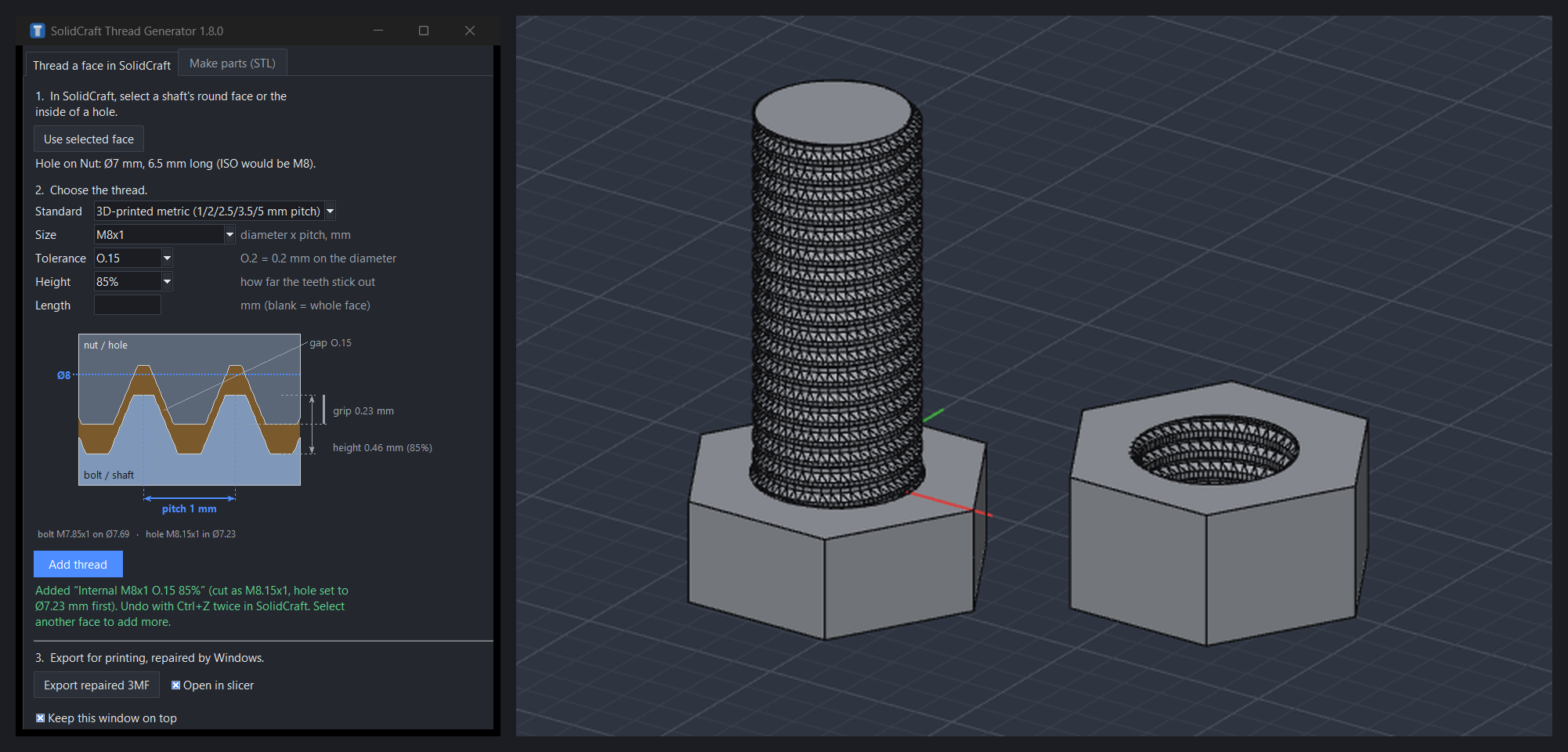
New in 1.7.0
- Tolerance O.15, between O.1 and O.2.
- More height steps: 100, 95, 90, 85, 80, 75 and 70 % (or type any value from 50 %).
- Tolerance classes are named as in CustomThreads: 0.15 mm is O.15 in the timeline.
Install
- Download thread-generator-1.7.0.zip below.
- In SolidCraft open Preferences → Plugins → Show in folder and unzip it there, so you get
plugins\thread-generator\plugin.json. Updating? Close Thread Generator first and replace the old folder. - Start ThreadGenerator.exe from that folder. Windows may say "Windows protected your PC" because the program isn't code-signed: click More info → Run anyway.
Needs Windows 10/11 and SolidCraft 0.22 or later for threading a face. No Python needed.
What it does
- Thread a face in SolidCraft: select a shaft or the inside of a hole, pick a size, tolerance and height, and SolidCraft cuts a modeled thread into it.
- 3D-printed metric sizes after CustomThreads: coarse 2 (experimental), 2.5, 3.5 and 5 mm pitches, plus ISO metric, fine and UNC.
- Height: lower teeth with flat tops that still fit a matching nut.
- A to-scale drawing of bolt and nut that explains each setting.
- Export repaired 3MF: exports the selected body and runs Windows' own model repair on it, then opens it in your slicer.
- Make parts (STL): bolts, nuts, threaded rods and thread cutters as watertight STL.
- Follows SolidCraft's light or dark theme.