Repository navigation
User Manual Jobs
Screenshots below are from the live deployed instance at ace.strgm-ai.com, taken via a read-only
browsing session (a real benchmark job was actively running at the time). See
Architecture for how the job queue and worker actually
work underneath this page.
Open Queue in the top navigation, then New job (route /jobs/new). This form exposes
essentially every flag RunSpec accepts — it's long, organized into clearly labelled sections, and
every field shows its own default as placeholder text (blank = ...) so you only need to fill in what
you're deliberately overriding.
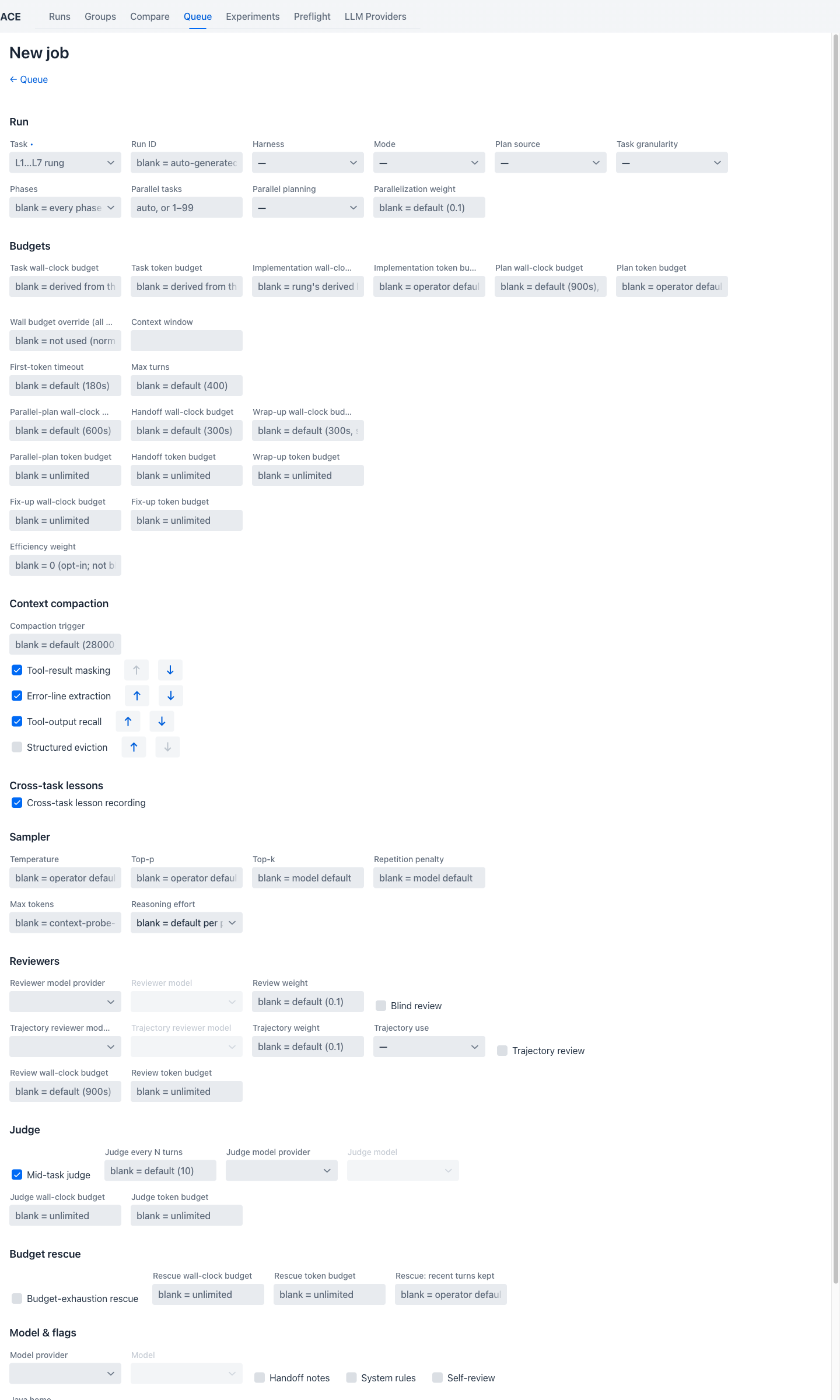
The only required field is Task — a dropdown of the L1–L7 task "rungs" (e.g. L2_one_endpoint,
L7_full_platform), plus the plan-first variant L3p_point_in_time. Every rung is a narrower slice of
the same fixed scenario (a small trading platform) — a lower rung asks for less of it, in less time,
and is scored on a smaller set of checks. Selecting one renders a live info panel below the field
showing that rung's description, default time budget (overridable below, in Budgets), and the
exact set of oracle checks it will be scored on (see Check Registry). See the
Task Ladder for what each rung actually asks the agent to build, rung by rung.
Other Run-section fields: Run ID (blank auto-generates one), Harness (ref/pi — see
Features), Mode (monolithic/orchestrated), Plan source (agent lets the model
write its own plan; reference uses a pre-written one), Task granularity (fine/medium/coarse,
only meaningful with an agent-authored plan), Phases (which of
p0_definition/p1_plan/p2_implementation to run — blank runs every phase), Parallel tasks,
Parallel planning (on/off), and Parallelization weight.
Separate wall-clock and token budgets for the task phase, the implementation phase, and the plan phase, plus a global override, a context-window pin, a first-token timeout, a max-turns cap, and dedicated budgets for the parallel-plan, handoff, wrap-up, and fix-up steps. Leaving any of these blank uses the rung's own derived default or an operator-wide default — see the placeholder text on each field for exactly which.
A Compaction trigger (token count) plus a re-orderable list of the four pluggable strategies
described in Architecture — Tool-result masking,
Error-line extraction, and Tool-output recall are checked on by default; Structured eviction is
opt-in. The up/down arrows next to each strategy control the order they run in.
A single Cross-task lesson recording checkbox, on by default — see Features.
Temperature, top-p, top-k, repetition penalty, max tokens, and reasoning effort
(none/low/medium/high, defaulting to whatever each phase normally uses).
An optional external reviewer model (with its own provider picker, a review weight, and a Blind
review toggle — blind review withholds the implementer's own claims and the harness verdict from the
reviewer, as an anchoring control), and a separate optional trajectory reviewer model (judges the
agent's process rather than its code, with a Trajectory use mode of calibration or direct). Both
have their own wall-clock/token budgets.
Mid-task judge is checked on by default, with a Judge every N turns interval and its own optional model picker and budgets — see Features.
An opt-in Budget-exhaustion rescue toggle with its own wall-clock/token budgets and a "recent turns kept" setting controlling how aggressively context is trimmed on reconnect — see Design Decisions for what the rescue step actually does and why it's a trimmed reconnect rather than a cold restart.
The Model provider / Model cascading picker (see User Manual: Providers), plus Handoff notes, System rules, and Self-review toggles, a Java home override, Skip context probe / Fresh context probe toggles, and a Priority field (higher values claim the queue first).
Once everything is configured, Enqueue job submits it to the queue.
Open Queue (route /jobs) to see every job — queued, running, succeeded, failed, cancelled,
paused, or blocked.
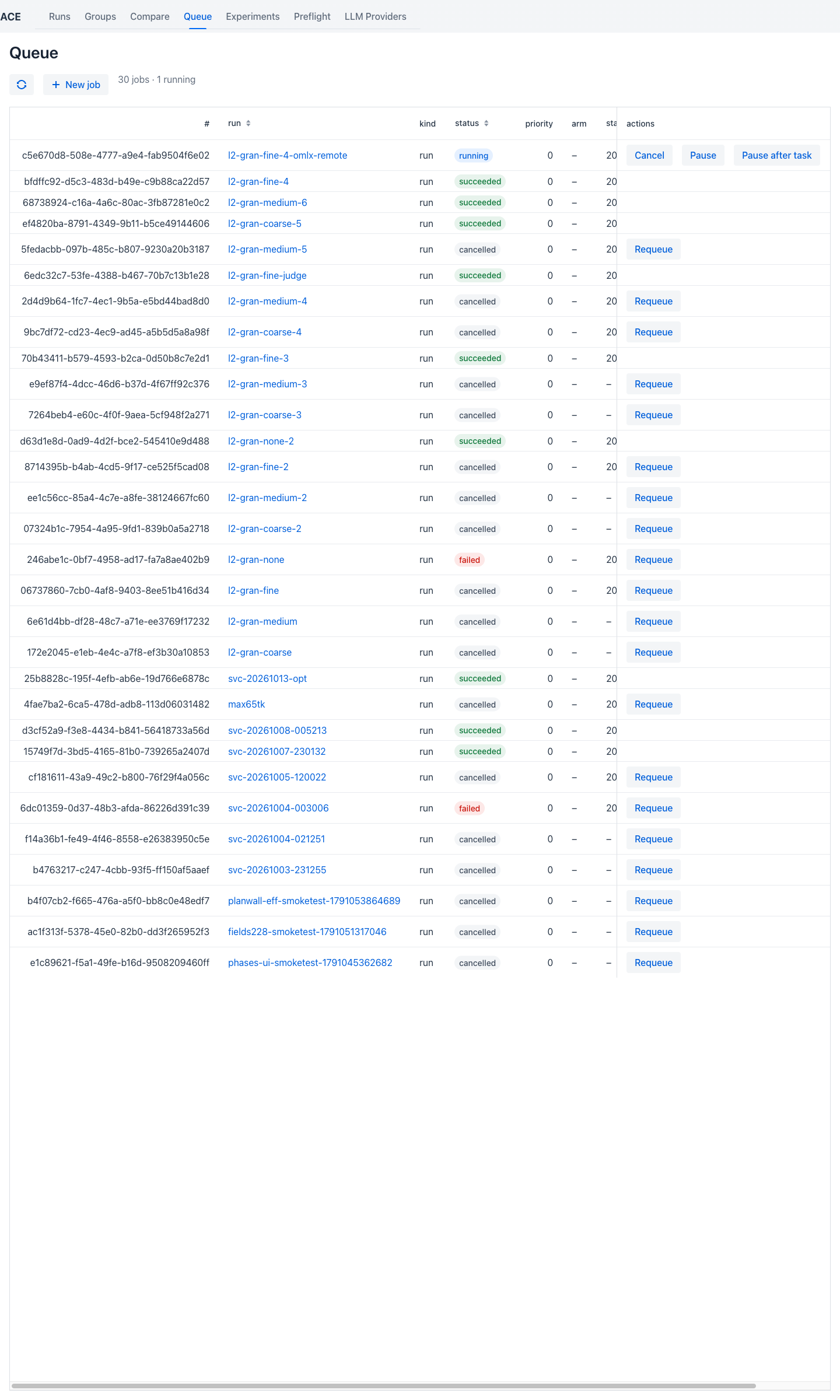
Each row shows the job's run id, kind, status, priority, arm (for experiment jobs), and when it started. A running job exposes Cancel, Pause, and Pause after task actions directly in the grid; a terminal job that hasn't produced results instead shows a Requeue action. See Design Decisions and Architecture for how an immediate pause differs from pause-after-task.
Clicking any run id opens its job detail page (route /jobs/:jobId), kept live via SSE without
rebuilding the page or stealing scroll position.
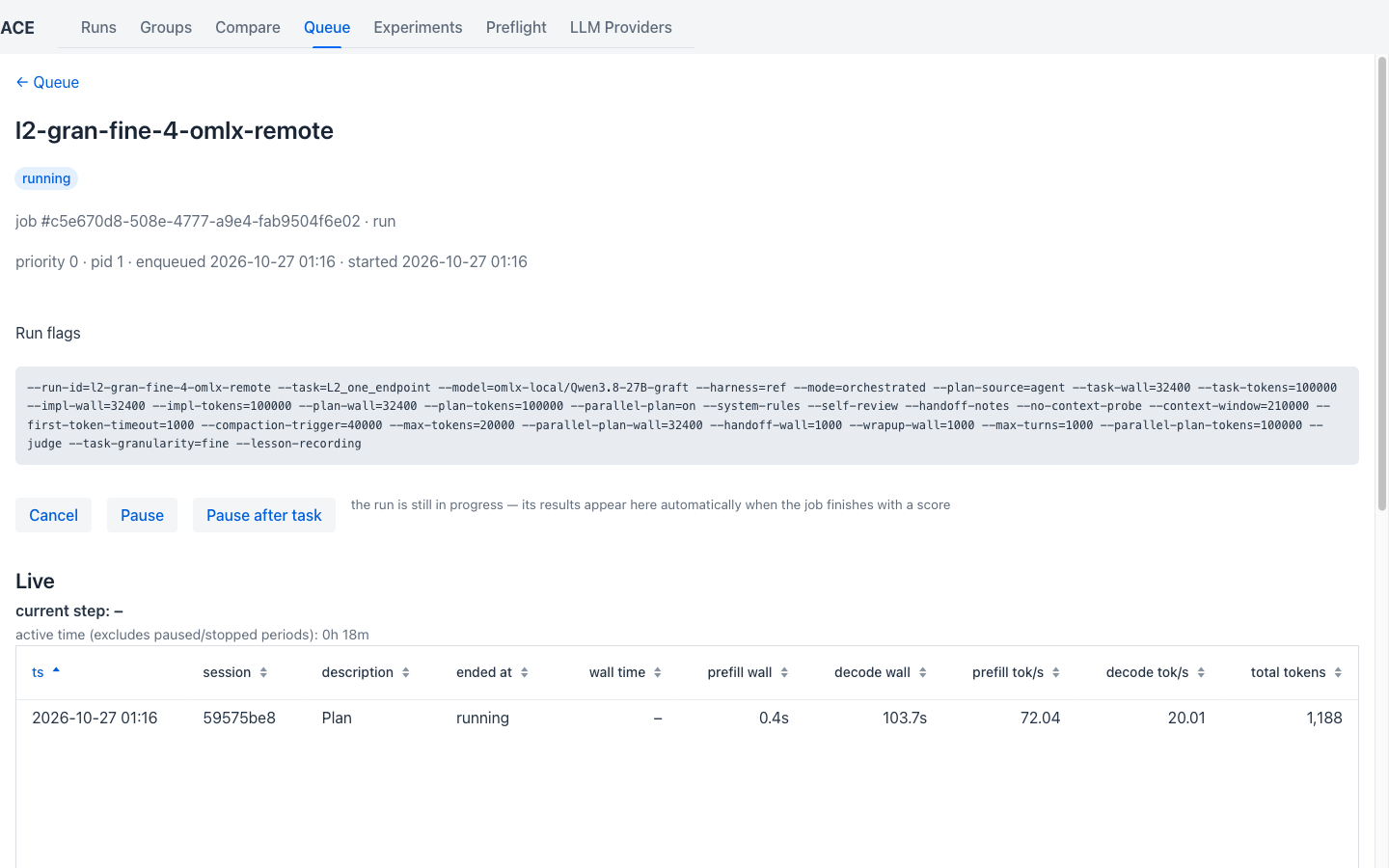
At the top: status badge, the job's full argv flag list (exactly what was actually enqueued), and —
while running — Cancel / Pause / Pause after task buttons. Below that, the Live section
shows the current step, active time (excluding paused/stopped periods), the plan grid (one row per
task, plus the p1_plan/PARALLEL_PLAN pipeline stages, each with status/elapsed-time/generated-
and-prefilled-token counts/attempt count), the active sessions, a requests table, and a streamed log
tail. Once a job has finished and been scored, Open run detail jumps to its
Run Detail page.
Clicking any task row in the plan grid opens a dialog with seven tabs covering everything about that one task's own attempt.
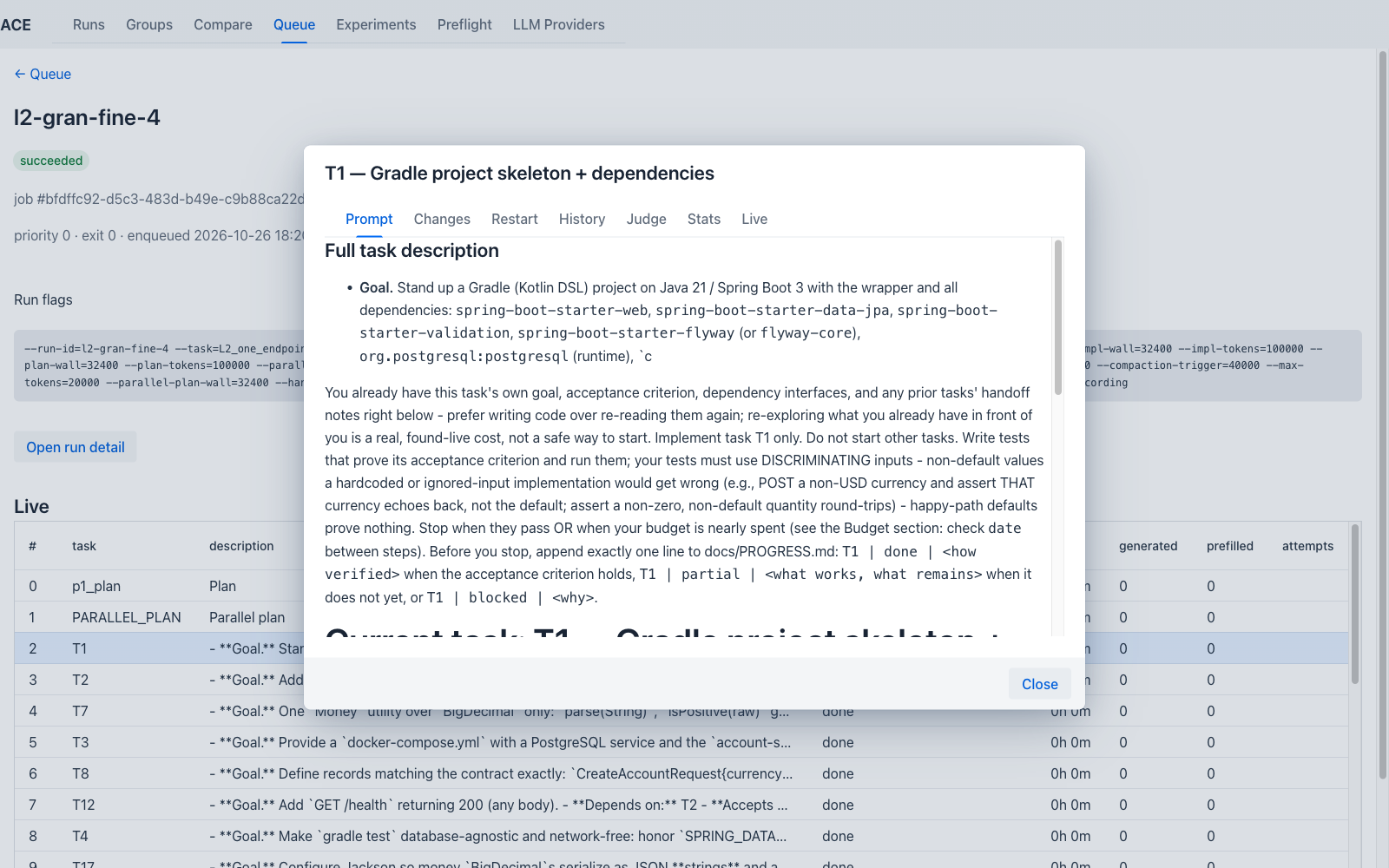
The task's full goal/acceptance-criterion text, followed by the complete composed context the agent
actually saw for this task — its own entry, dependency interfaces, repository tree, and what
Packs.taskPack() assembled (see Architecture: the runner).
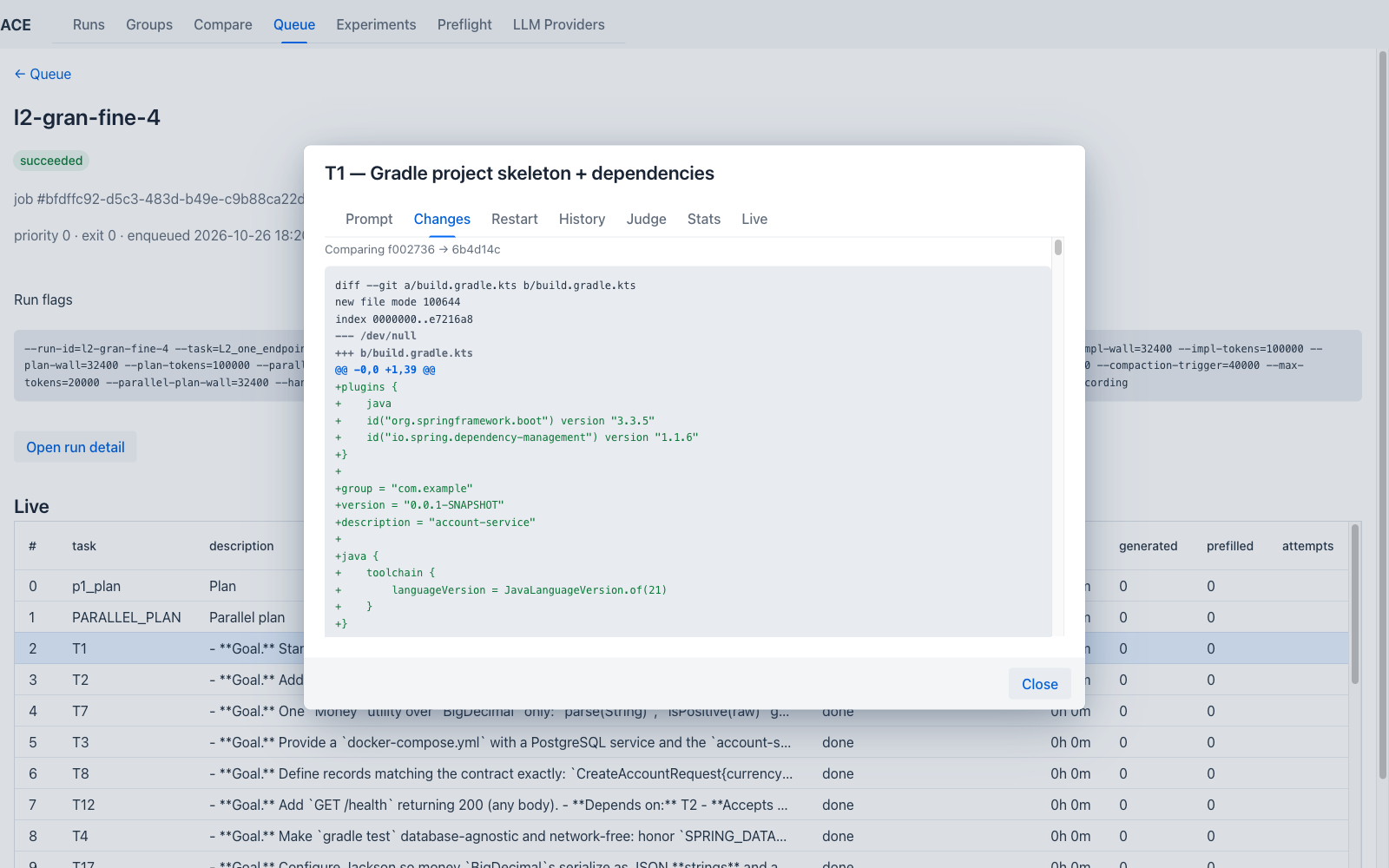
A git diff of exactly what this task's attempt changed — the live working tree while the task is still running, frozen once a phase tag exists.
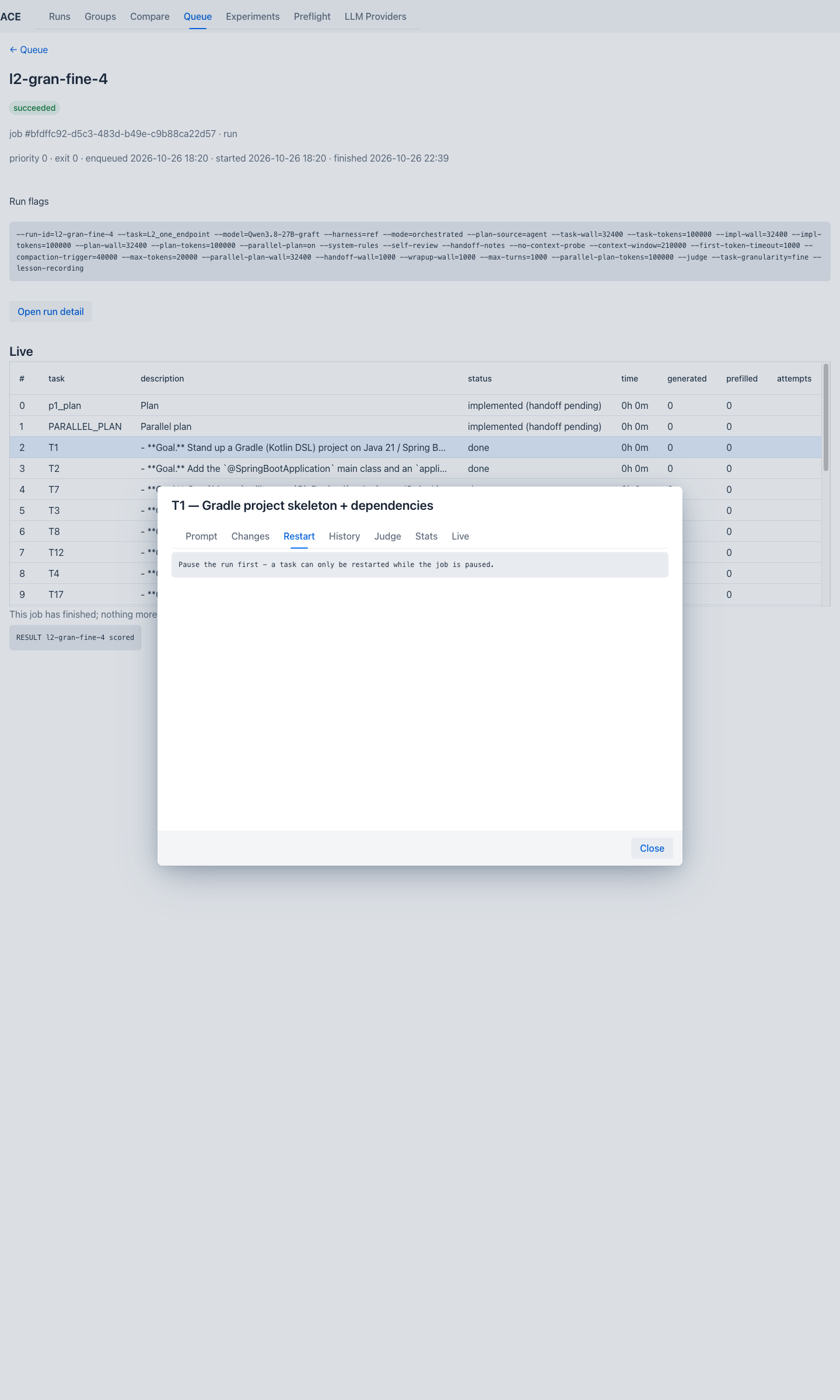
Only usable while the job is paused — on a job that has already finished, as above, it just states
the precondition. When the job is paused, an already-run task offers "Restart from <taskId>"
(discards and redoes it and every later task, tagging a backup/* git tag first); a not-yet-run task
offers "Save settings for <taskId>" instead (non-destructive). Hidden for the pipeline stages
(p1_plan/PARALLEL_PLAN).
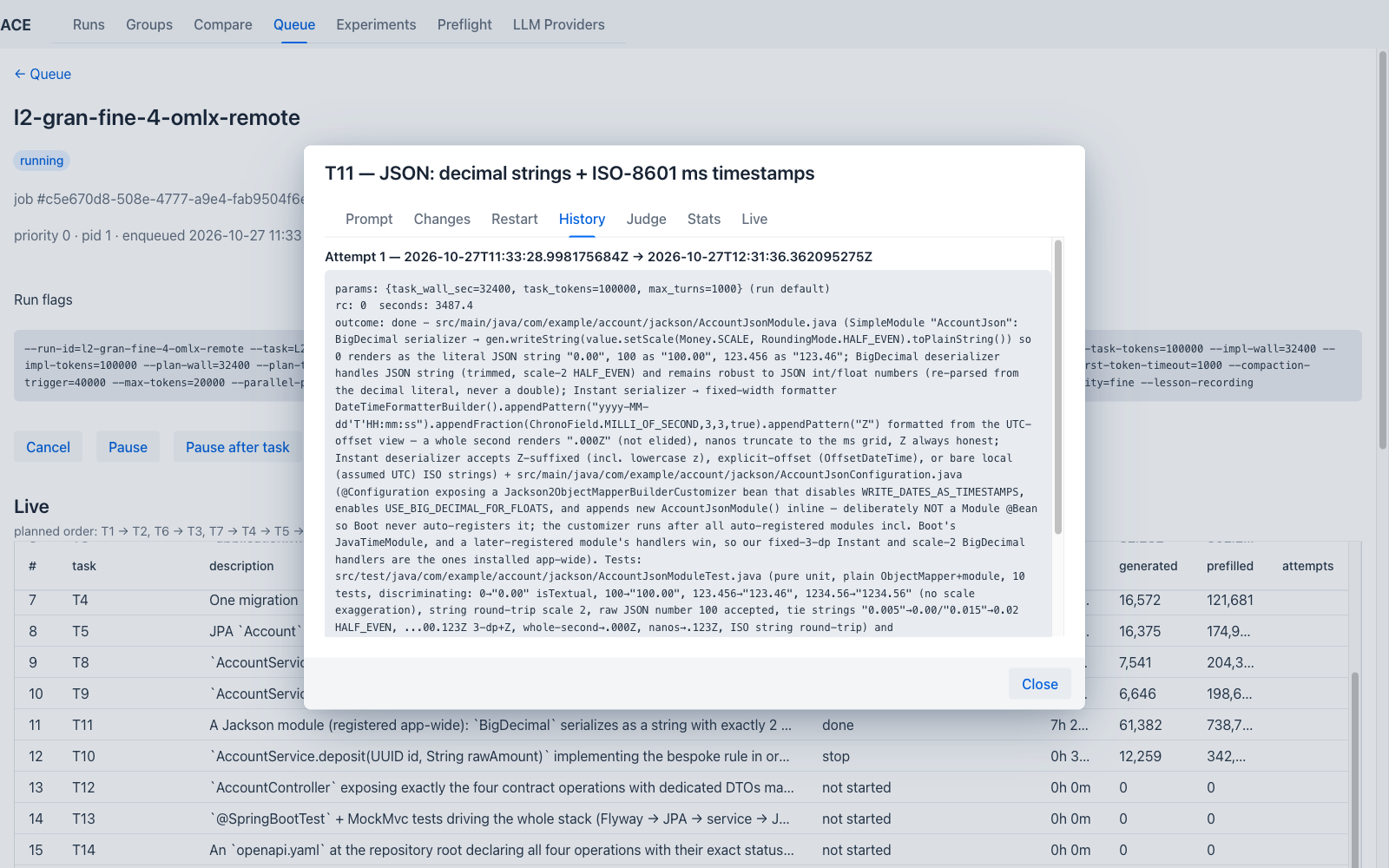
Every past attempt at this task, newest first, read-only — useful after a restart to see what earlier attempts actually tried.
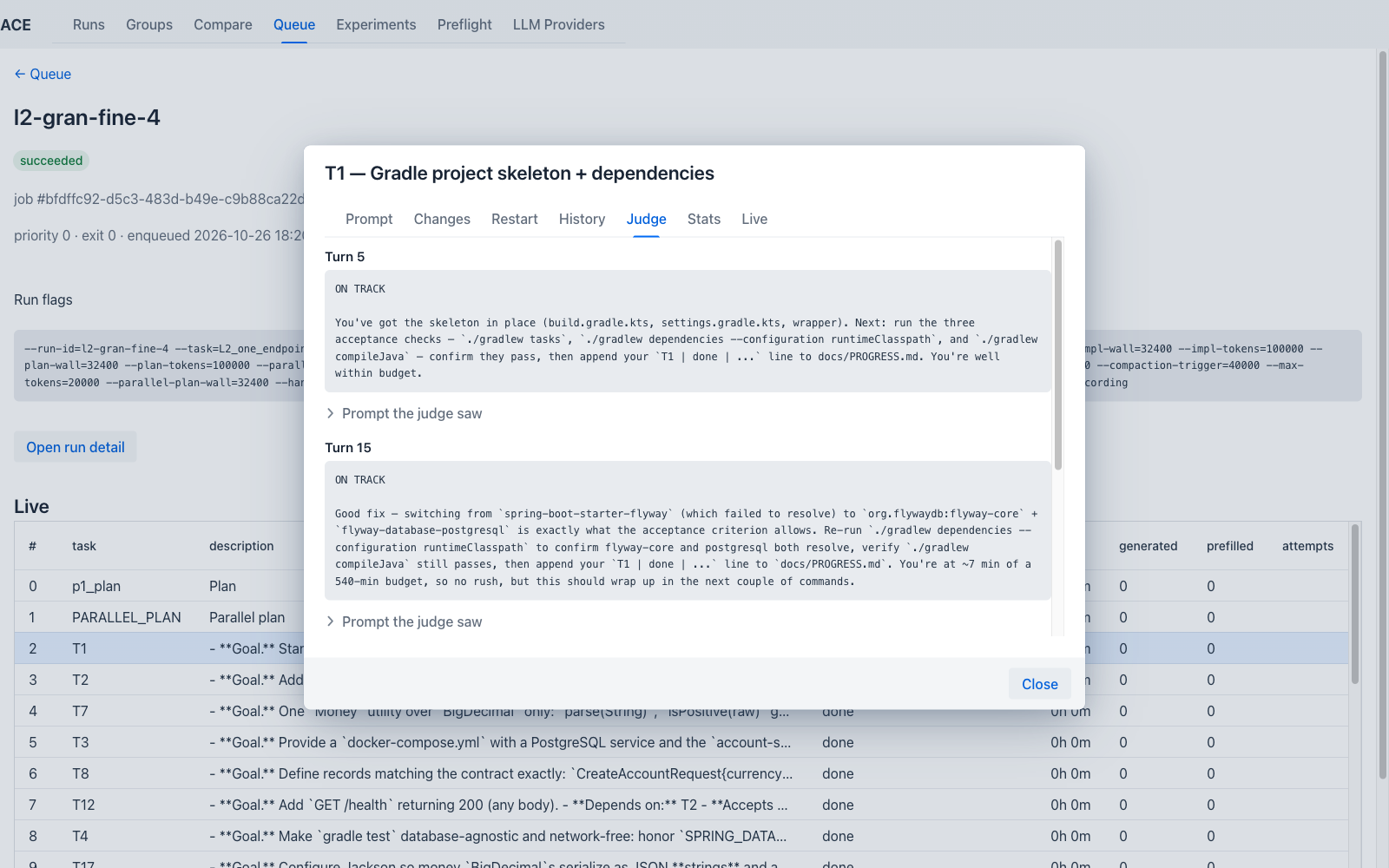
Every mid-task Judge checkpoint for this task's current attempt, in turn order, each showing its
ON TRACK/OFF TRACK verdict and reasoning, with the judge's own full prompt available as a
collapsible section. See Architecture.
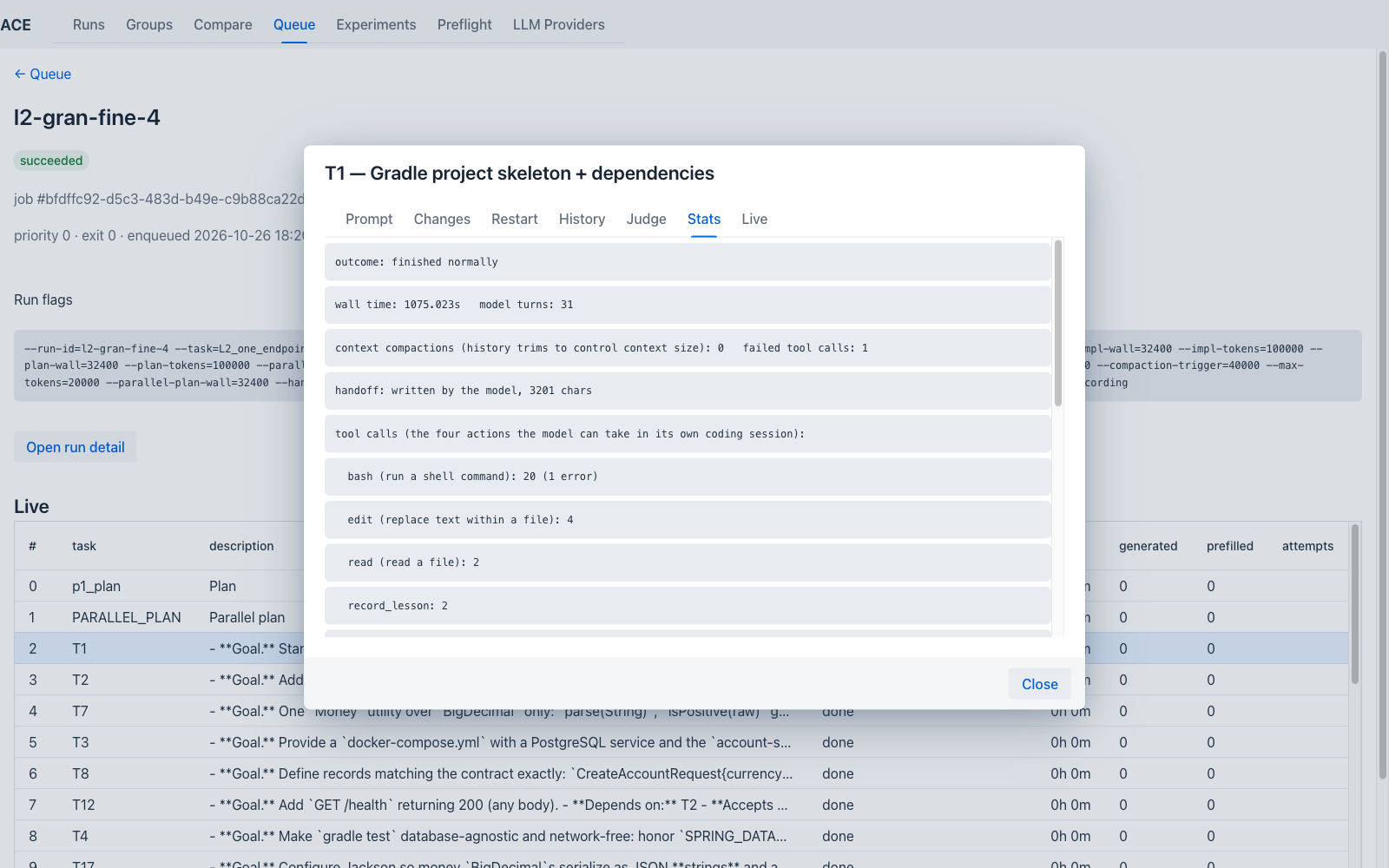
A compact summary of the attempt: outcome, wall time, model-turn count, context-compaction count,
failed tool-call count, handoff size, a full tool-call breakdown by type (note record_lesson
appearing as its own line — direct evidence of the cross-task lessons mechanism actually firing), and
two charts (prefill speed and request timing by request number, annotated with compaction events and
judge checkpoints).
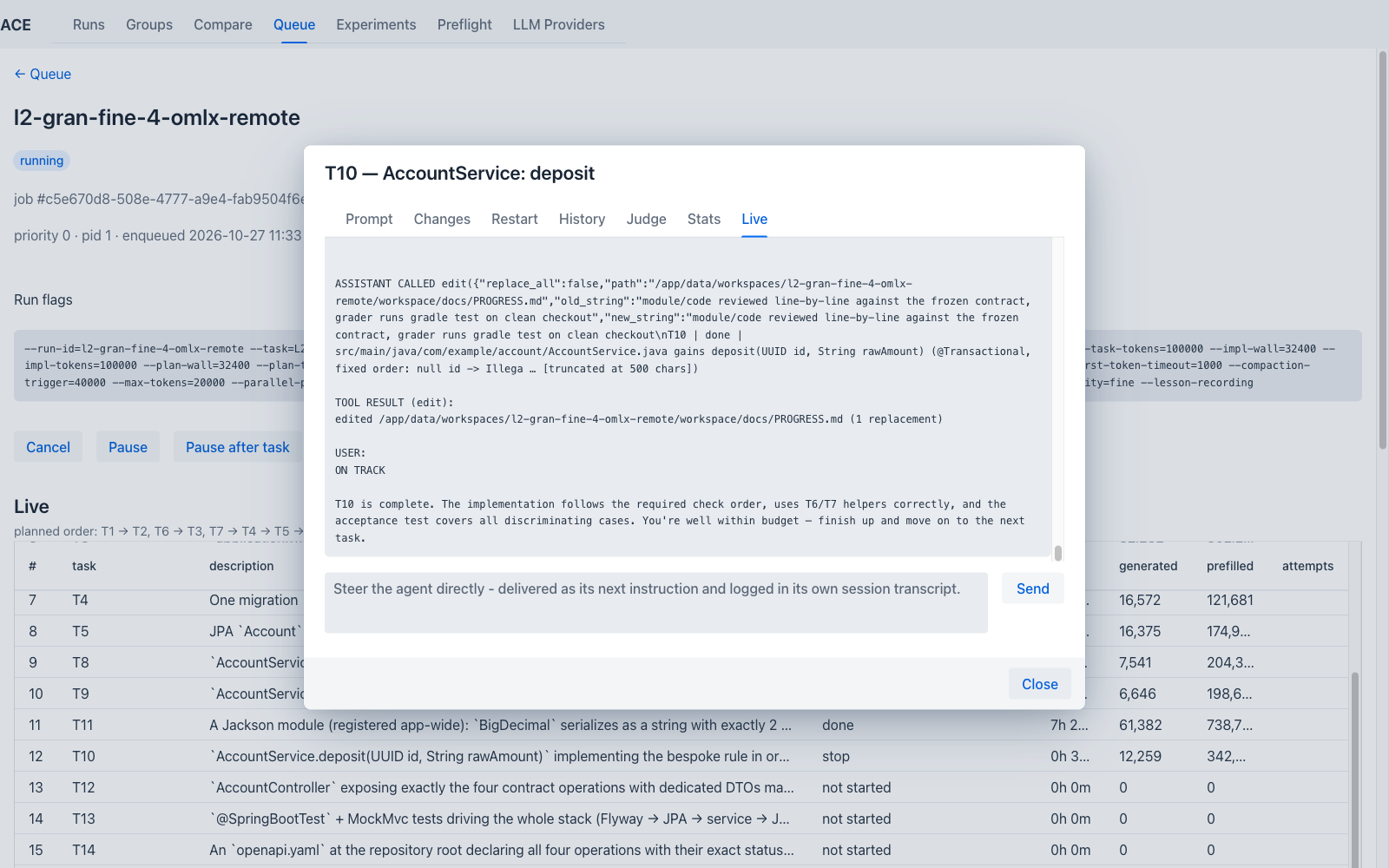
A true live transcript of the task's own session (via a dedicated SSE stream scoped to just this task), plus an operator-intervention send box — the UI surface for the mid-task steering mechanism described in Architecture. Only meaningfully live while the task is actually running.
- Task Ladder — every task rung in detail: what it asks for, its default budget, and its checks
- Check Registry — every oracle check in detail
- User Manual: Providers — configuring what a job can target, and Preflight
- User Manual: Results — Runs, Groups, Compare, and Experiments
- Architecture, Features, Design Decisions