Repository navigation
Releases
Suijin 0.1.0

Suijin 0.1.0 is the first release: a native macOS app that runs Claude Code, Codex and any other command-line AI coding agent side by side, each in a git worktree of its own. Your code and your agents stay on your Mac.
New
-
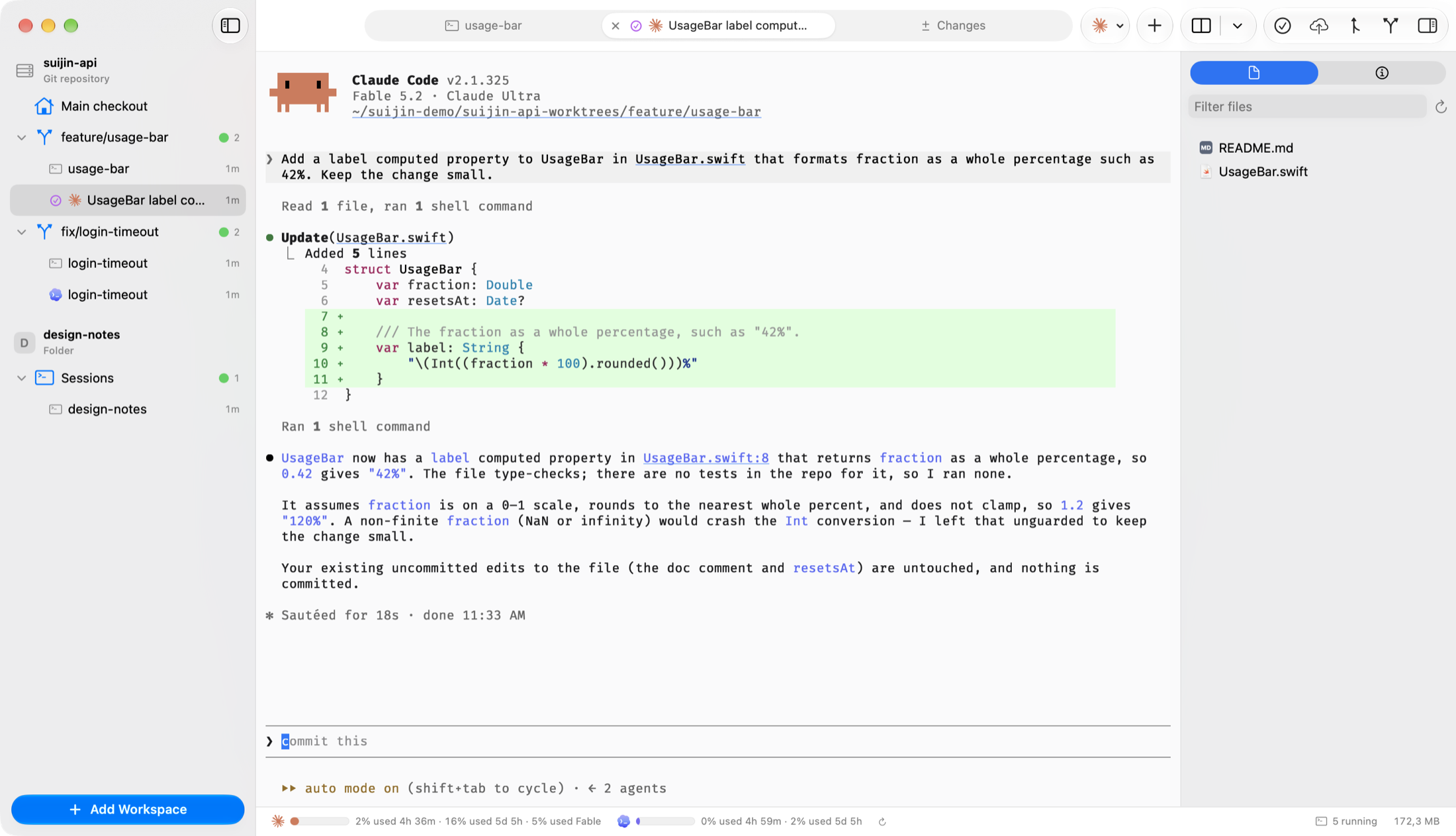
Workspaces and worktrees. Add a git repository or a plain folder as a workspace (⇧⌘O). Each agent gets a worktree on a branch of its own (⌘N), so parallel changes never collide, and the sidebar shows every worktree with the status of the sessions running in it.
-
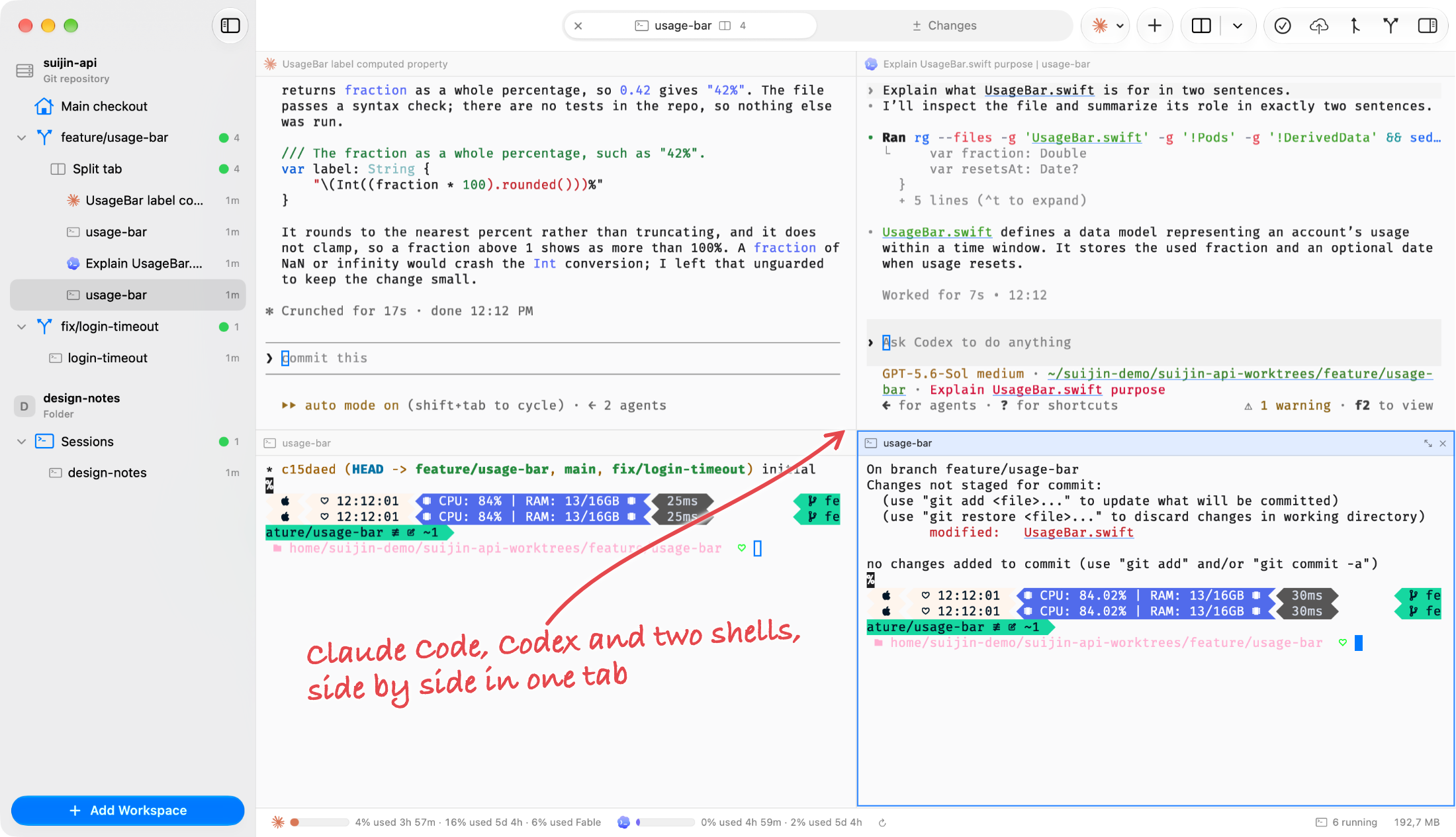
Tabs and split panes. Start Claude Code, Codex or a shell in a tab, and run any other command-line agent in the shell. A tab splits into as many as ten panes (⌘D, ⇧⌘D); drag a pane by its header to rearrange it, or zoom the one you are reading (⇧⌘↩).
-
Sessions that keep running. Sessions run in a background helper, so quitting or updating Suijin does not stop your agents. When an agent exits, its tab shows a Session Ended view with Resume Session and Start Again.
-
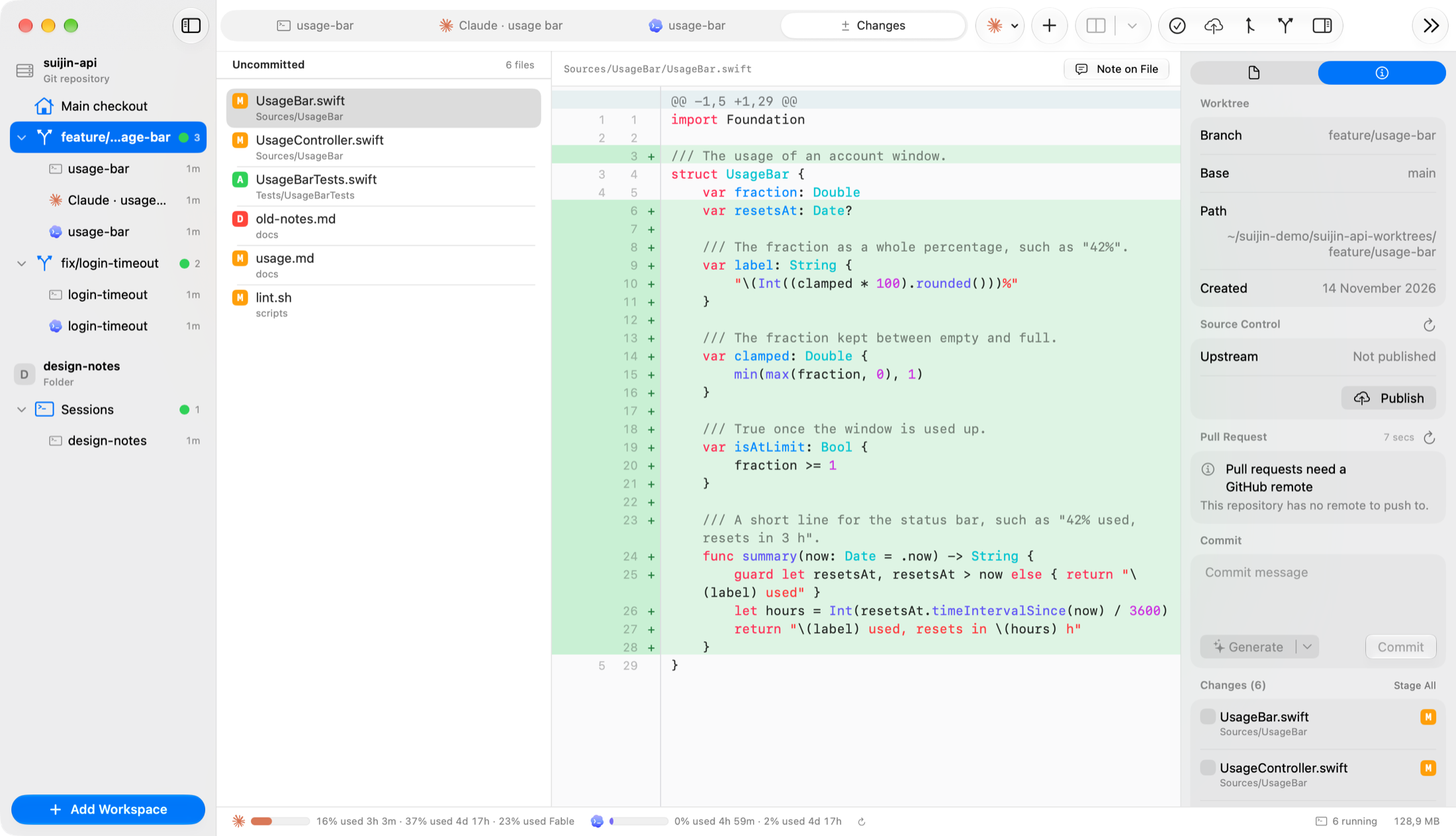
Changes and pull requests. Review what an agent changed in a native diff viewer, leave notes on a file or a line and send them back to the agent, then commit, push and open the pull request from the same tab.
-
Files and media. Code, rendered Markdown, images, video and audio open in a tab next to your sessions.
-
Permission modes. Every Claude Code and Codex session starts in a permission mode: Ask, Auto-Accept Edits, Plan or Skip All Permissions for Claude Code; Ask, Auto, Read-Only or Skip All Permissions for Codex. Settings › Agents sets the default for each agent, and a session that skips permission checks is confirmed first and marked with a badge.
-
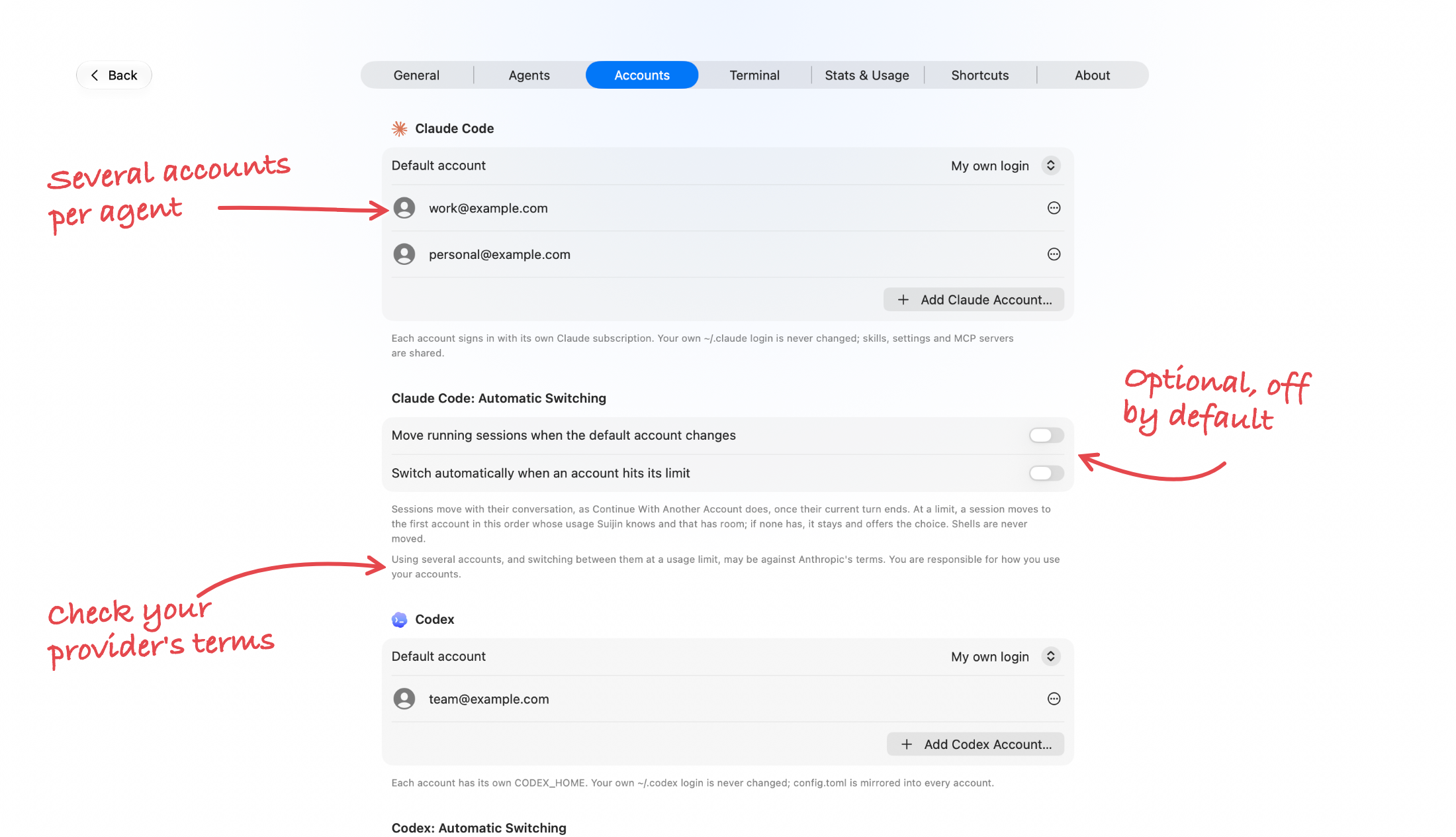
Multiple accounts. Add several managed Claude and Codex accounts in Settings › Accounts without touching your own logins, and see each plan's usage in the status bar. Continue With Another Account carries a conversation to another account when one runs out. Two options, off by default, move sessions for you when the default account changes or when an account hits a usage limit. Using several accounts this way may be against the provider's terms; Settings › Accounts says so, and how you use your accounts is your responsibility.
-
Agent orchestration. Ask an agent for "Suijin workers" and it starts other Claude Code or Codex agents with the bundled
suijincommand, each in a tab of its own, answers their questions and collects their results. Ask it to stop a worker and it does: the worker's terminal ends and its tab closes by itself. Worker rows in the sidebar have a menu with Show Worker and Close Worker.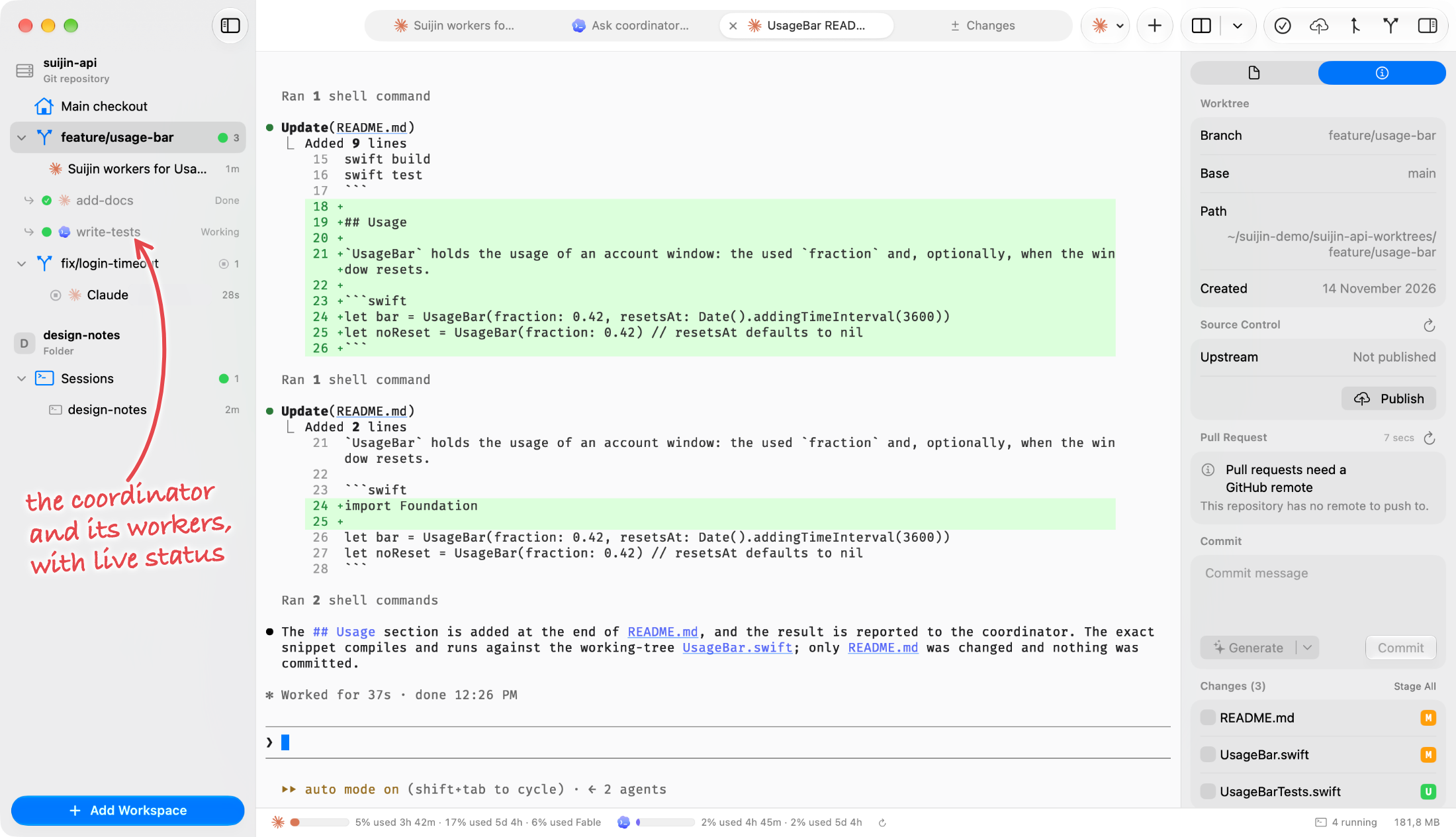
-
Stats and usage. Settings › Stats & Usage shows tokens, estimated cost and activity per day from the local Claude Code and Codex logs. Costs are estimates at API list prices, not your subscription bill. The Resource Manager shows the memory and CPU of running sessions.
-
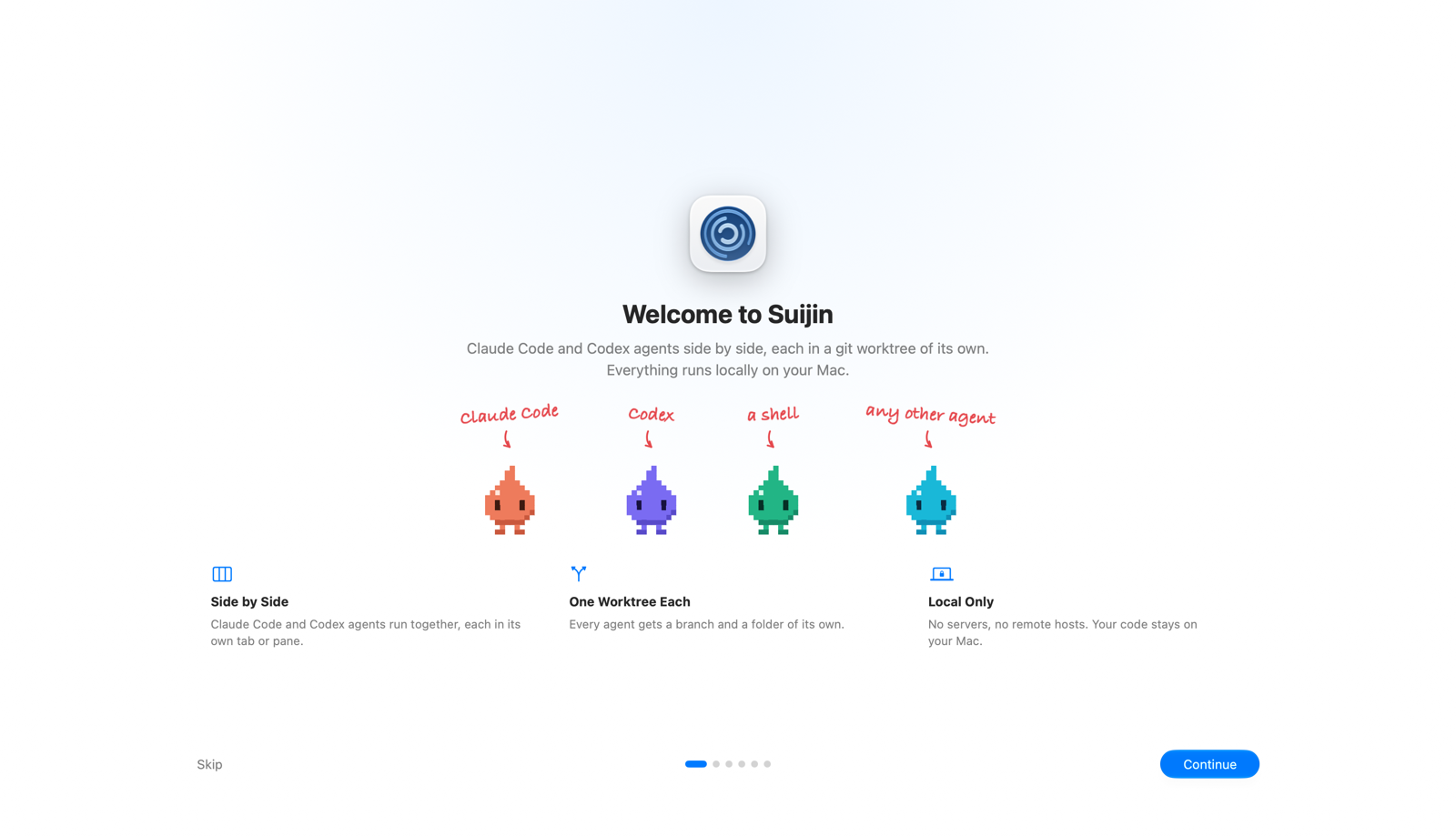
Welcome tour. The first launch opens a short tour of workspaces, sessions, changes and accounts, guided by four water sprites that follow your pointer and answer a click. Help › Welcome to Suijin opens it again.
-
Settings. Light, dark or automatic appearance, 15 terminal themes, a searchable list of every keyboard shortcut (⌘/), and a Permissions section in Settings › General that shows whether macOS allows notifications, the background helper and Full Disk Access, with a button to allow each and a Repair button when the background helper is not working. Full Disk Access is optional. Settings › About links to the website, the source code, the community and the sponsor page.
-
Private by design. No account, no telemetry and no crash reports. Suijin goes online itself only to check for updates and to read usage limits with your own login.
Installing and updating
Download Suijin-0.1.0.dmg below, open it and drag Suijin to Applications. Suijin is signed with a Developer ID and notarized by Apple.
Suijin checks for a new version about once a day and from Suijin › Check for Updates…; Settings › General turns the automatic check off. suijin.app counts those checks per day and app version, and keeps nothing else. This is the first release, so the first update you see will be the next version.
Requirements
- macOS 15 or later. The Liquid Glass interface needs macOS 26 or later.
- For the built-in agents, Claude Code and/or Codex installed on your Mac; Settings › Agents shows what Suijin found.
Suijin is open source under the Apache License 2.0. Website: suijin.app