Repository navigation
How to hide HushThreads in Threads settings? #18
mrbobherrera
started this conversation in
General

Replies: 3 comments

|
There's a switch for that now 🙂 Once the next release is out, open HushThreads settings, go to Pause, backup and diagnostics and turn off |
0 replies

|
Got it, thanks! 😃
…On Fri, Nov 6, 2026, 03:17 Matthew Parker ***@***.***> wrote:
There's a switch for that now 🙂 Once the next release is out, open
HushThreads settings, go to Pause, backup and diagnostics and turn off Settings
row in Threads' settings. You can still get in from the app icon shortcut
or by long-pressing the Threads logo.
—
Reply to this email directly, view it on GitHub
<#18?email_source=notifications&email_token=CSVLJXL4DGL7IWVJFX6V2AT5XTG55A5CNFSNUABIM5UWIORPF5TWS5BNNB2WEL2ENFZWG5LTONUW63SDN5WW2ZLOOQXTCOJUGI2TCNZZUZZGKYLTN5XKMYLVORUG64VFMV3GK3TUVRTG633UMVZF6Y3MNFRWW#discussioncomment-19425179>,
or unsubscribe
<https://github.com/notifications/unsubscribe-auth/CSVLJXIO5OSMSCNDCRTIF435XTG55AVCNFSNUABJKJSXA33TNF2G64TZHMYTGOJWG4YDINJYHE5UI2LTMN2XG43JN5XDWMJRGE4TCNBWGSQXMAQ>
.
You are receiving this because you authored the thread.Message ID:
***@***.***>
|
0 replies
|
It's out now in v0.0.17, so update the patches and repatch, then that switch is there. |
0 replies
Sign up for free
to join this conversation on GitHub.
Already have an account?
Sign in to comment


Uh oh!
There was an error while loading. Please reload this page.
How to hide this?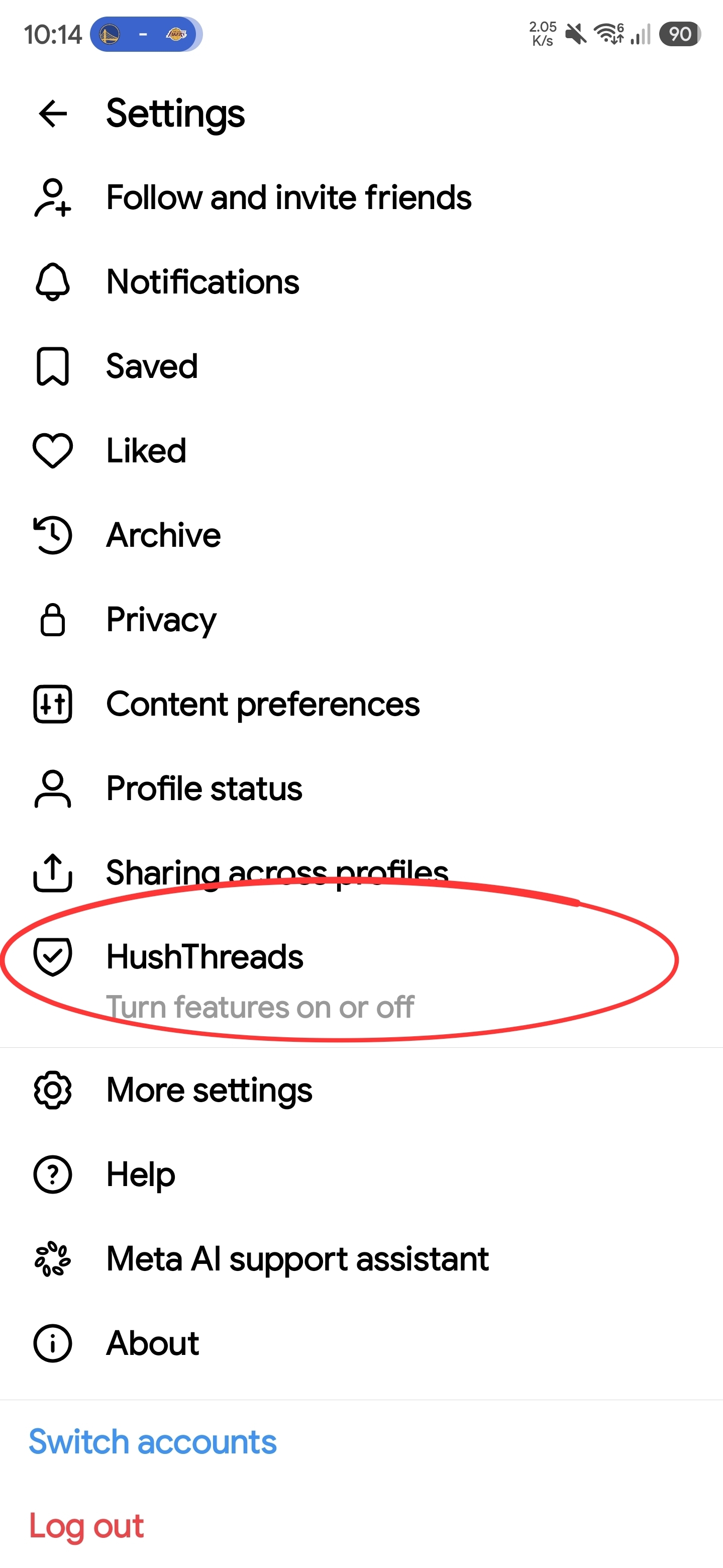
All reactions