Repository navigation
Releases: TechShreyash/TGDrive
Release list
Viewer: pdfjs-dist 6.4.299-tgdrive.1

Patched viewer package
Viewer: movi-player 0.4.1-tgdrive.3
Patched viewer package
TGDrive 2.2.0 — Torrents, archives, video Continue and recovery
TGDrive 2.2.0 brings more work into the drive itself: import torrents, package and extract archives, pick up a video where you left off, and keep a simpler recovery kit.
Watch the 62-second feature tour · Full screenshot gallery
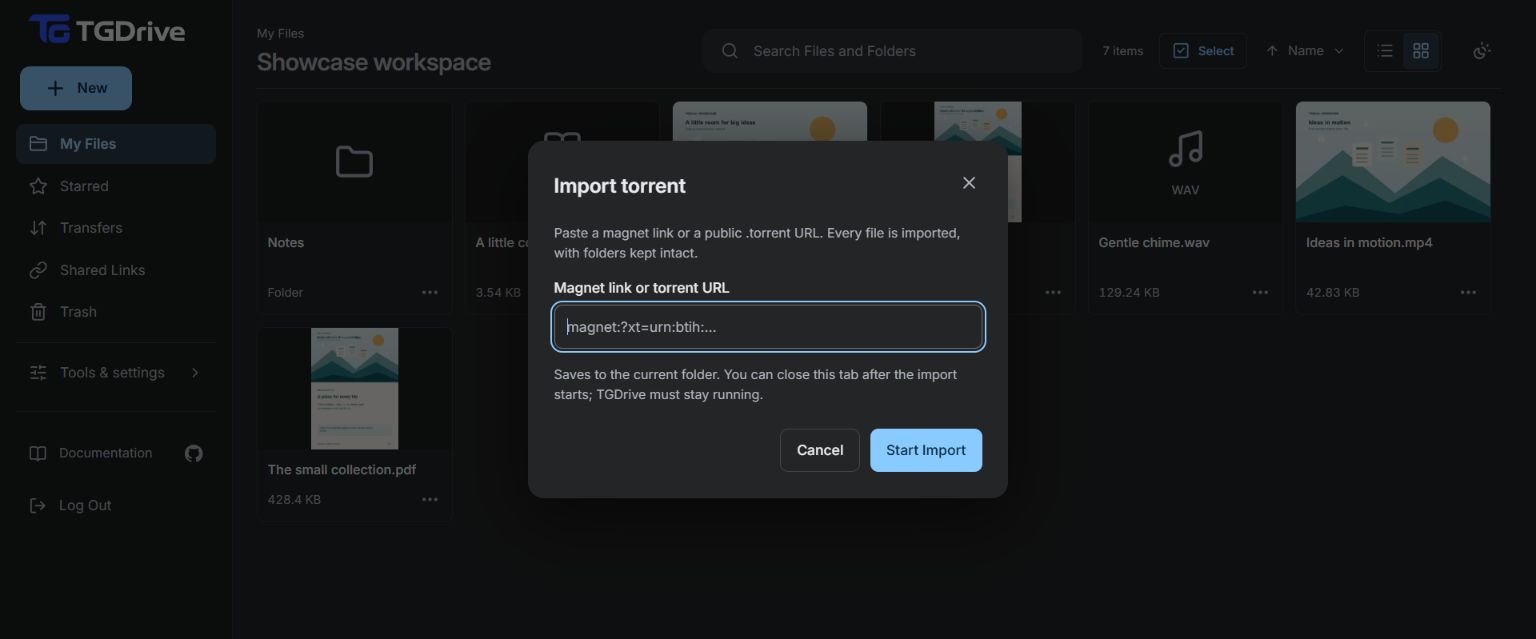
Bring torrents straight into your drive
Paste a magnet link or a public .torrent URL to start a server import. TGDrive keeps the torrent's folder structure and sends its files through the normal Telegram upload pipeline, so they arrive as ordinary drive items you can browse, preview and share.
You can close the tab after the import starts: TGDrive continues while the app remains running. Transfers shows metadata discovery, downloading, uploading and any failure that needs a retry. Import guide and supported torrents.
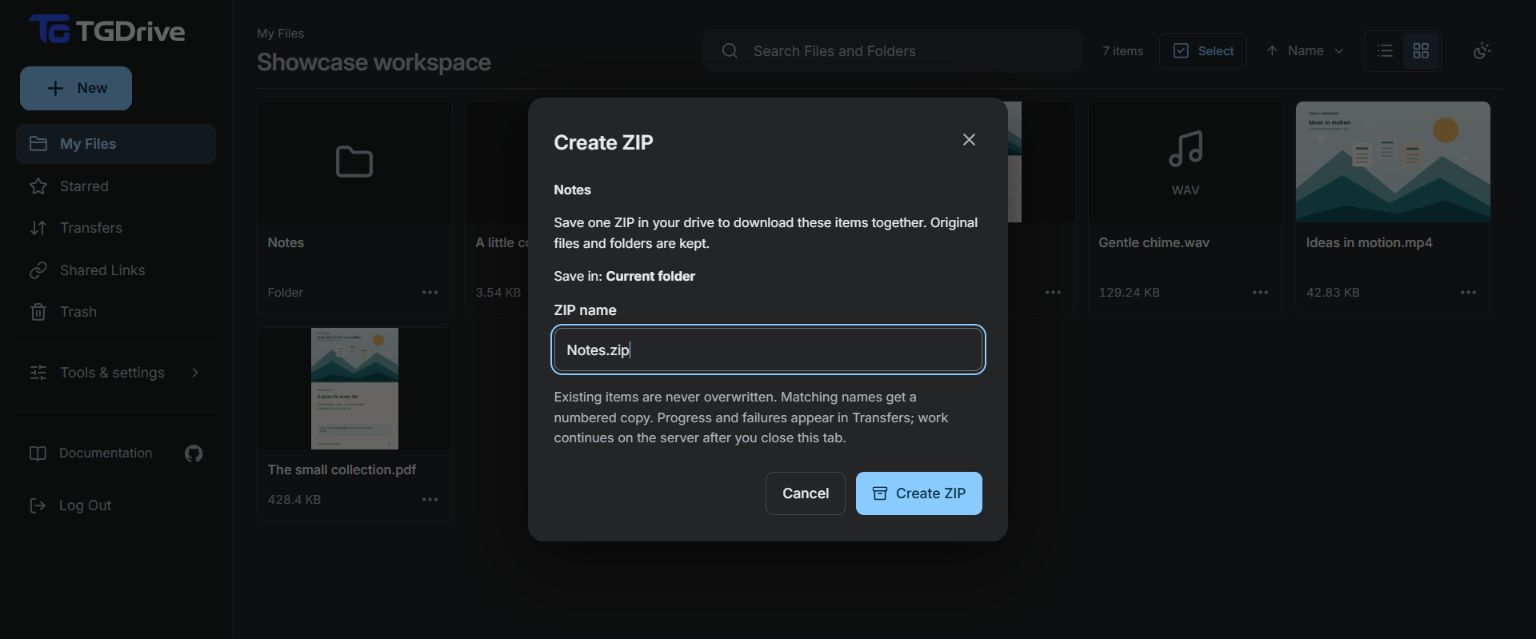
Create ZIPs and unpack archives without a round trip through your device
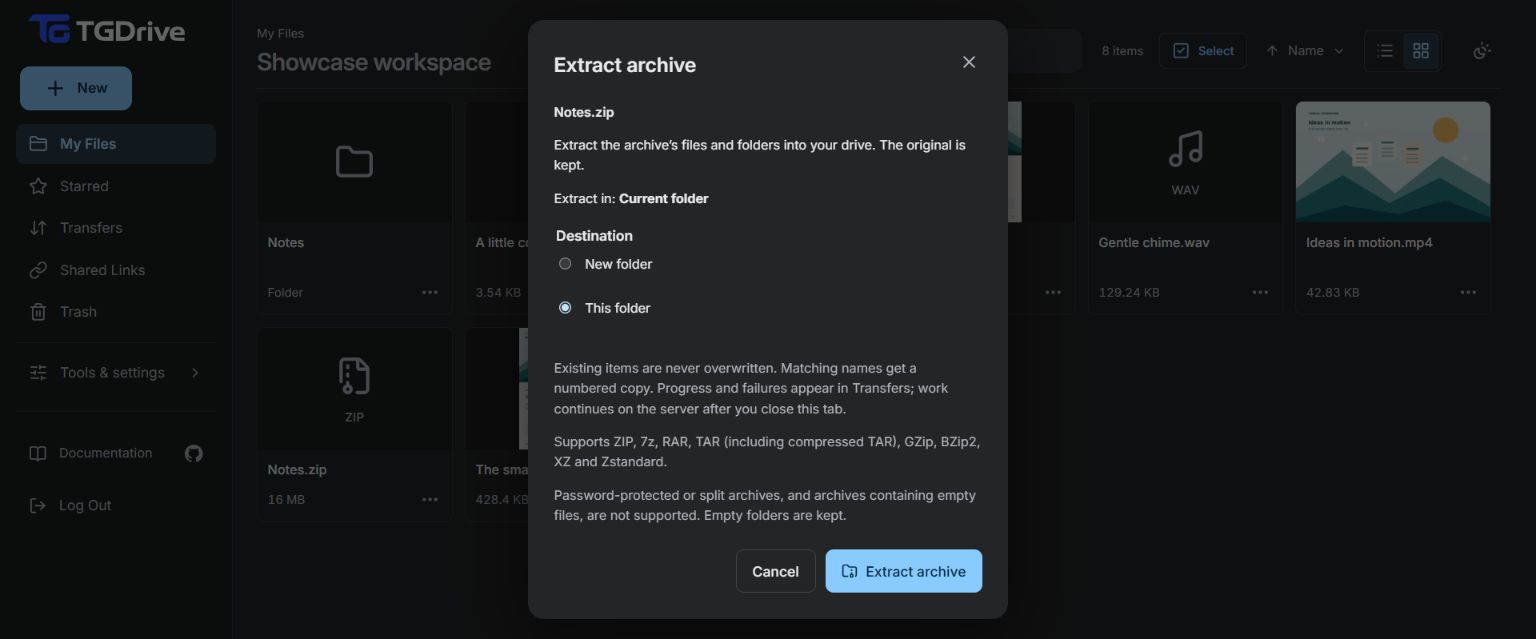
Select files or folders and choose Create ZIP to save a normal ZIP file in your drive. Or choose Extract archive to unpack into the current folder or a new folder. Your originals remain in place, and existing names are kept alongside new outputs.
Extraction now covers ZIP, 7z, RAR, TAR and supported gzip, bzip2, xz and Zstandard files. These are tracked background jobs: progress, completion and retry belong in Transfers, and accepted work continues with the tab closed while TGDrive runs. Archive workflow and limits.
| Create a ZIP | Choose where to extract |
|---|---|
 |
 |
Continue watching, with sharper opening pictures
Reopen a video and choose Continue from… to return to a position saved in this browser, or choose Play to start from the beginning. Completing the video clears its saved position.
Newly staged video uploads can retain a separate high-resolution poster, so supported files open with a sharp saved picture. Existing videos fall back to a representative decoded frame. Playback also handles stalls more carefully, holding audio and the clock together; hover and chapter previews reuse downloaded ranges and keep speculative work bounded.
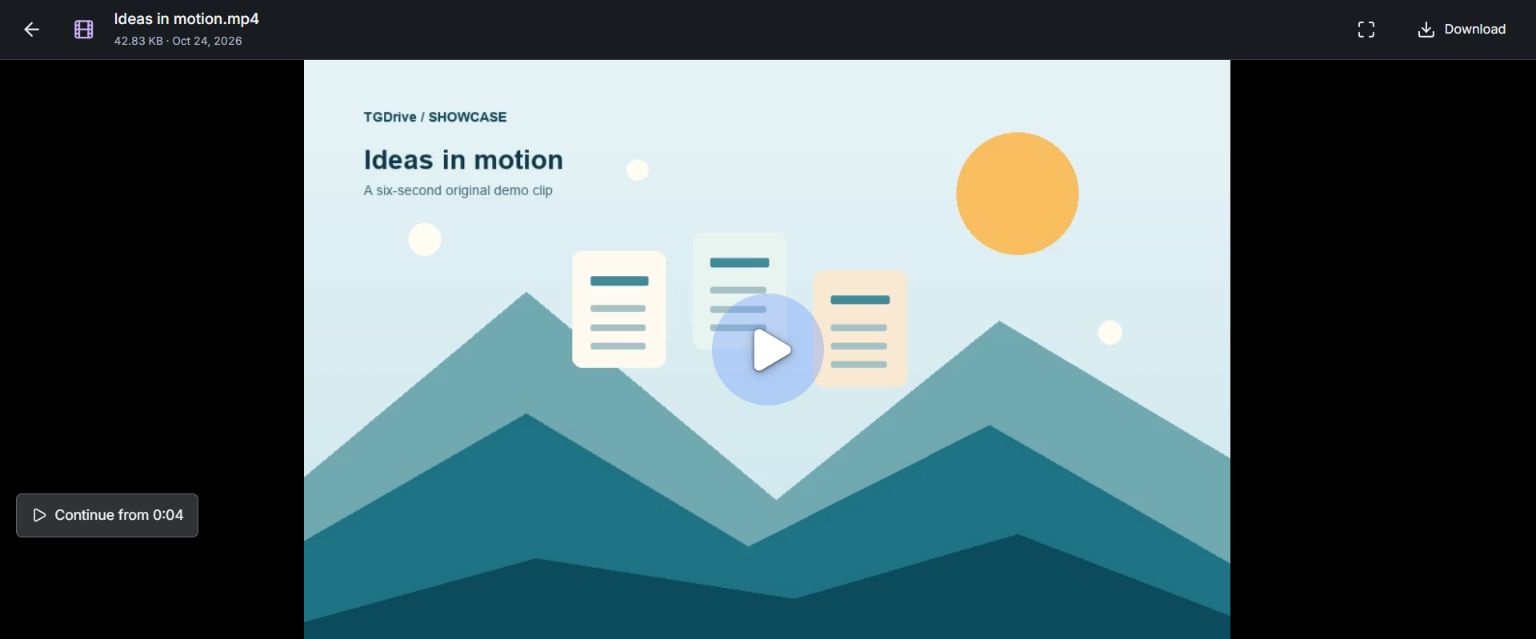
Positions stay in the current browser profile. Posters and preview support depend on the file and browser; this does not promise a fixed startup download size. Video controls.
One recovery file, with a key you keep separately
The backup workflow now produces one encrypted recovery file for supported database and independent-channel recovery, replacing the separate-file juggling for new restore points. The restore screen inspects that file before recovery, with clearer guidance for a surviving main channel or a lost main channel backed by an independent copy.
Recovery keys are retained durably, restore points are verified, and transient MongoDB backup failures are retried safely. Older backups remain readable with their original keys. Save your recovery kit.
See the recovery-file and key form
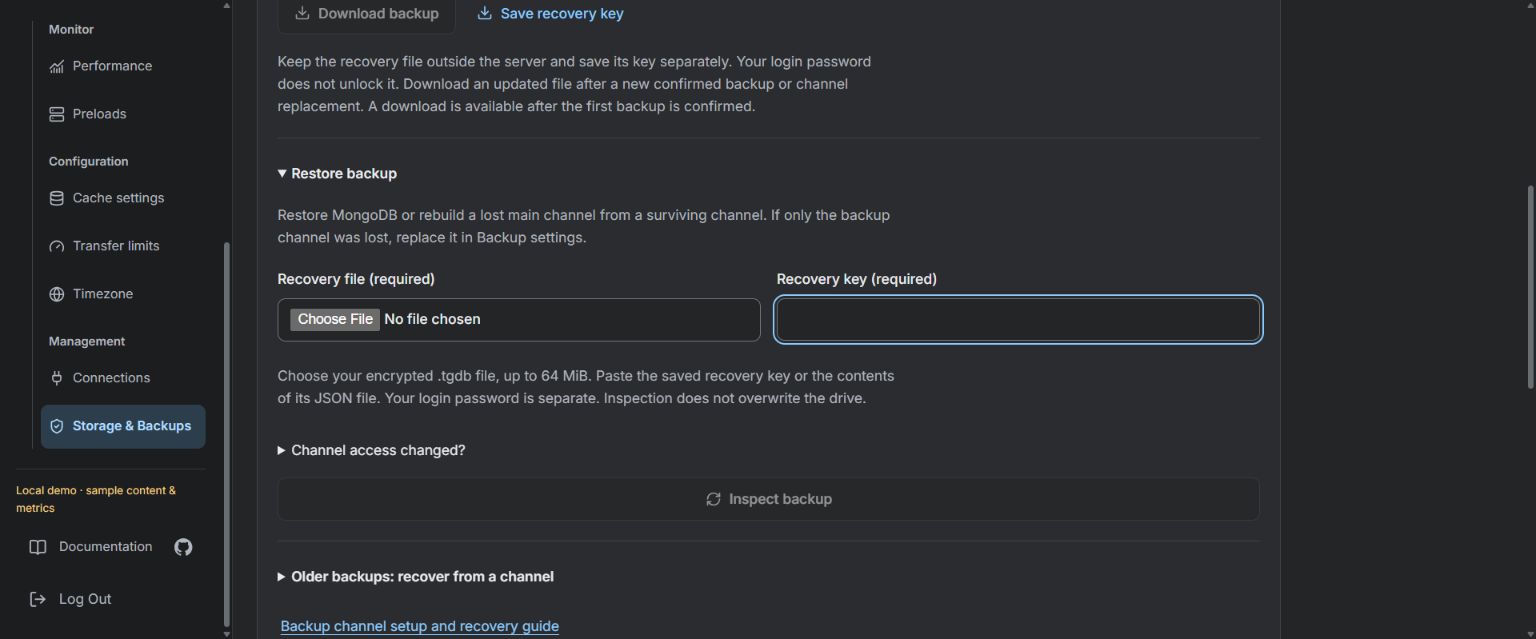
This is a labelled local demo of the form, not a recording of a completed restore.
Clearer background work and a quieter drive
Permanent deletion now shares one backup check across a batch and keeps pending items hidden through refreshes. Failed items return to Trash for review and retry, while the server can finish accepted work after the tab closes. This removes items from the catalog; Telegram originals remain.
Idle pages poll less often, loaded thumbnails remain visible while scrolling, and bot imports have stronger startup and retry safeguards. The guides and showcase have also been refreshed around these workflows.
Updating from v2.1.0: no manual MongoDB migration is required. Preserve your database, private configuration and persistent volumes, and save a confirmed backup plus its matching key first. Docker includes the torrent engine; native installs need aria2c. Upgrade instructions.
Compatibility, verification and release links
New unified recovery files and poster-aware backups need a TGDrive version supporting those formats. Keep older files and their original keys; use a compatible pre-upgrade backup if rollback is needed. Encrypted/split archives and v2-only torrents remain unsupported; torrent availability depends on peers.
PR verification and release packaging passed on the release tree: quality/security, 2,400 backend tests (62 skipped; 86.12% coverage), frontend tests/build/typecheck, 71 Chromium cases, AMD64/ARM64 images and offline container checks. Extracted source passed checksum and rebuild verification, 2,354 Python tests (108 skipped) and 671 frontend tests.
Automated and synthetic checks do not certify live Telegram/swarm availability, deployment, every codec or physical device. The tour shows ZIP creation, import/extraction setup, Continue and a local recovery form; it does not demonstrate a completed torrent import, extraction or recovery. Deployment and live production smoke checks remain with the operator.
Release PR · Exact commit · All changes since v2.1.0 · Setup
Clone v2.2.0 or use GitHub's generated source archives below.
TGDrive 2.1.0 — Website embeds and smoother uploads
TGDrive 2.1.0 adds website embeds and improves browsing, transfer status and upload recovery, especially for large batches and work shared across browser tabs.
Put shared files and folders inside your website
Use Copy Embed Link in the sharing popup or Shared Links, then place the URL in your website's iframe. Visitors can view a file or browse a folder's accessible descendants, preview content and download originals without the owner password.
Embeds reuse the share's access, expiry and revocation; copying creates no extra share. Revocation blocks future requests, not downloaded copies. Visitors can obtain the URL, and folder shares include future accessible descendants, so embed only content intended for those visitors.
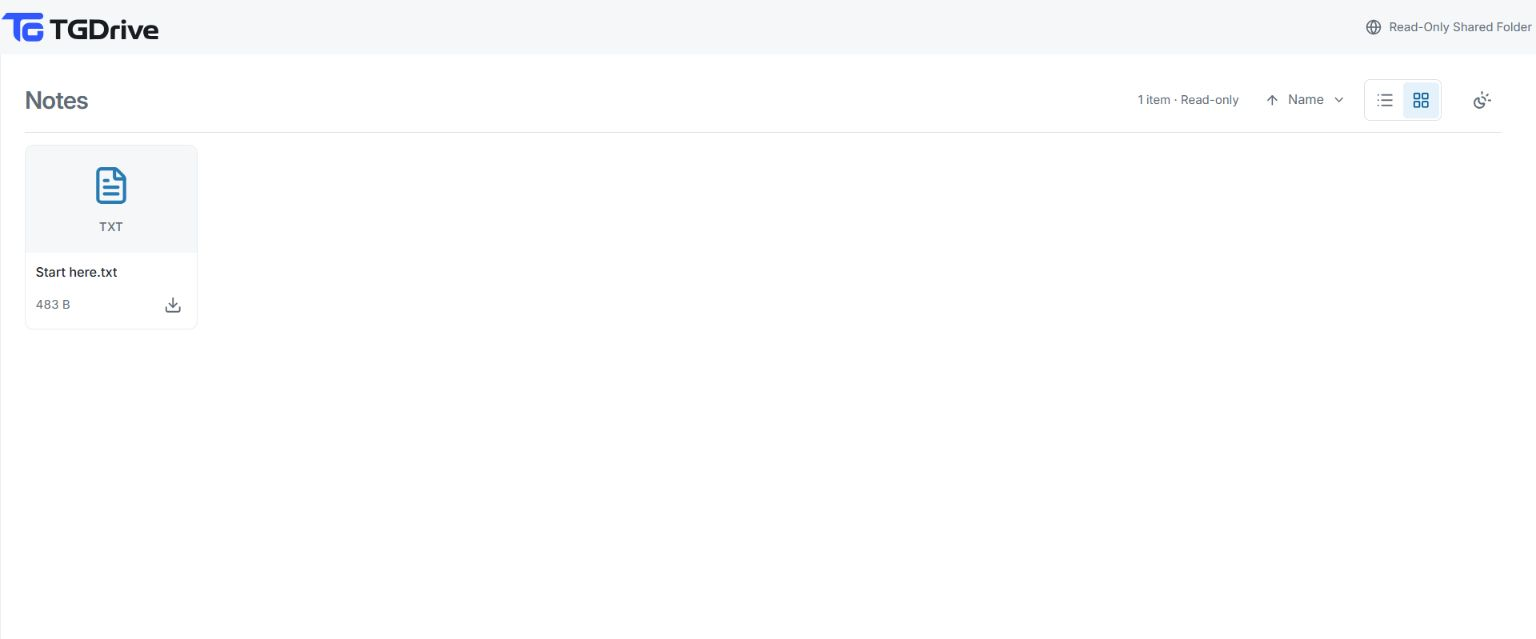
Demo recipient view; this capture predates the new embed controls.
Keep browsing while uploads are busy
Large batches caused repeated navigation refreshes, progress rendering and recovery-history work. This release removes repeated work, reuses folder information and cancels obsolete requests, reducing competition while you browse during uploads. Responsiveness still depends on your device, server and workload; live speed gains remain unmeasured.
Recover uploads with clearer guidance
Reselecting an interrupted folder queues only missing originals. Already received, running or completed files count as skipped rather than mismatches; name, size, path and checksum protection remain. Resume feedback stays with its batch, and recovery controls remain available when server history cannot load.
Tabs coordinate sending and cancellation. Device uploads require HTTPS or localhost and browser support for Web Locks. Keep the original tab open if recovery information cannot be saved.
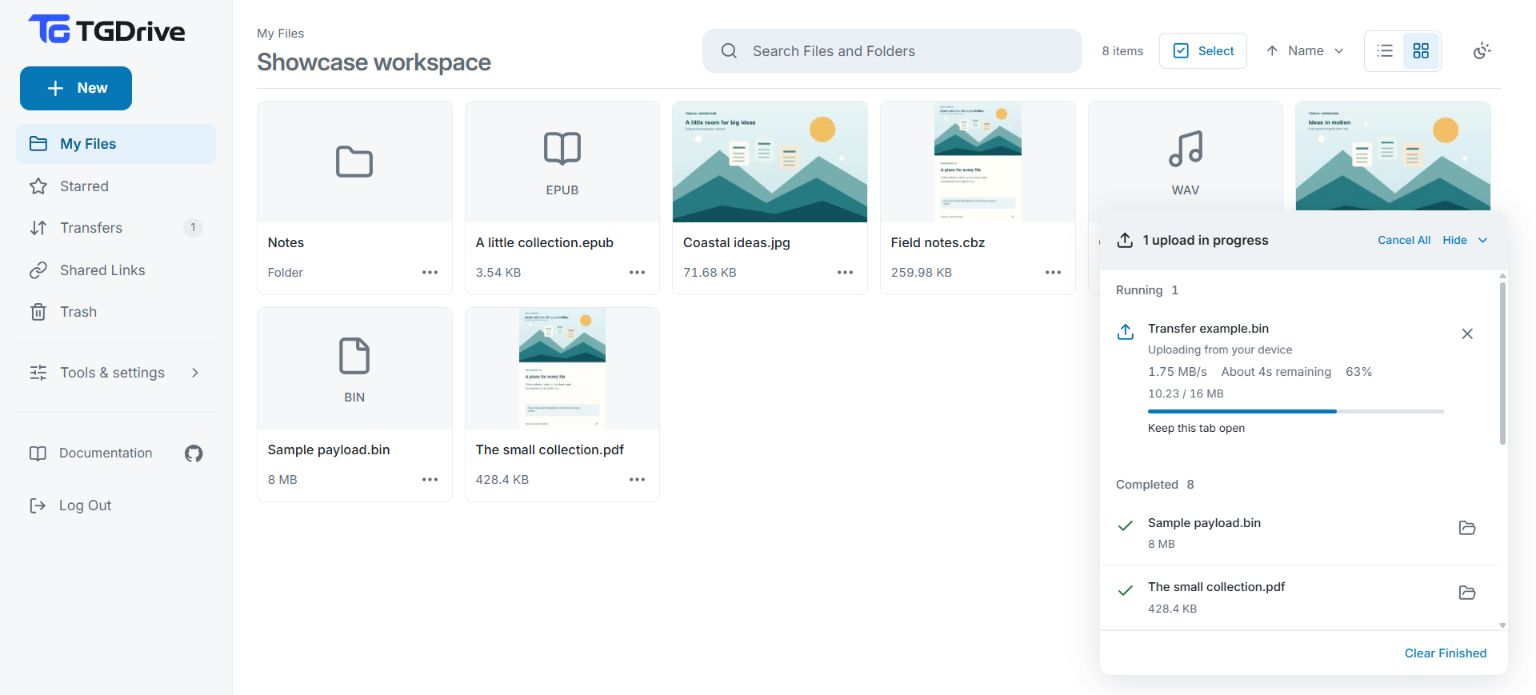
Earlier demo upload view; compact status labels also change in this release.
Read transfer states and return to your content
The compact panel distinguishes running, queued, cancelling, attention and finished work, with clearer guidance when originals are needed. Fixes also preserve EPUB link/image anchors and repair root-folder share copying and revocation.
Embed instructions · Upload and recovery guide
Updating from v2.0.0: No manual data migration is required. Save a confirmed backup/key and preserve the database, configuration and volumes. Embeds need framing allowed by the containing website and TGDrive's proxy on /embed; keep owner pages protected. Upgrade instructions.
Validation and release record
All six release checks passed: quality/security, frontend, backend, Chromium, AMD64/ARM64 containers and source-archive verification. Automated/synthetic checks do not certify live production performance or every browser, codec and device. Screenshots illustrate earlier demo workflows.
PR #20 · PR #21 · PR #22 · Annotated tag commit c0572e3 · Compare v2.0.0…v2.1.0.
TGDrive 2.0.0 — Your Telegram. Your cloud drive.
TGDrive v2 turns a private Telegram channel into a drive you can browse, organize, stream and share from your browser. Run it on your computer, or on a server for access while your laptop is off.
Telegram holds the files; MongoDB keeps their index, folders and settings. You provide the accounts and infrastructure.
A familiar home for your files
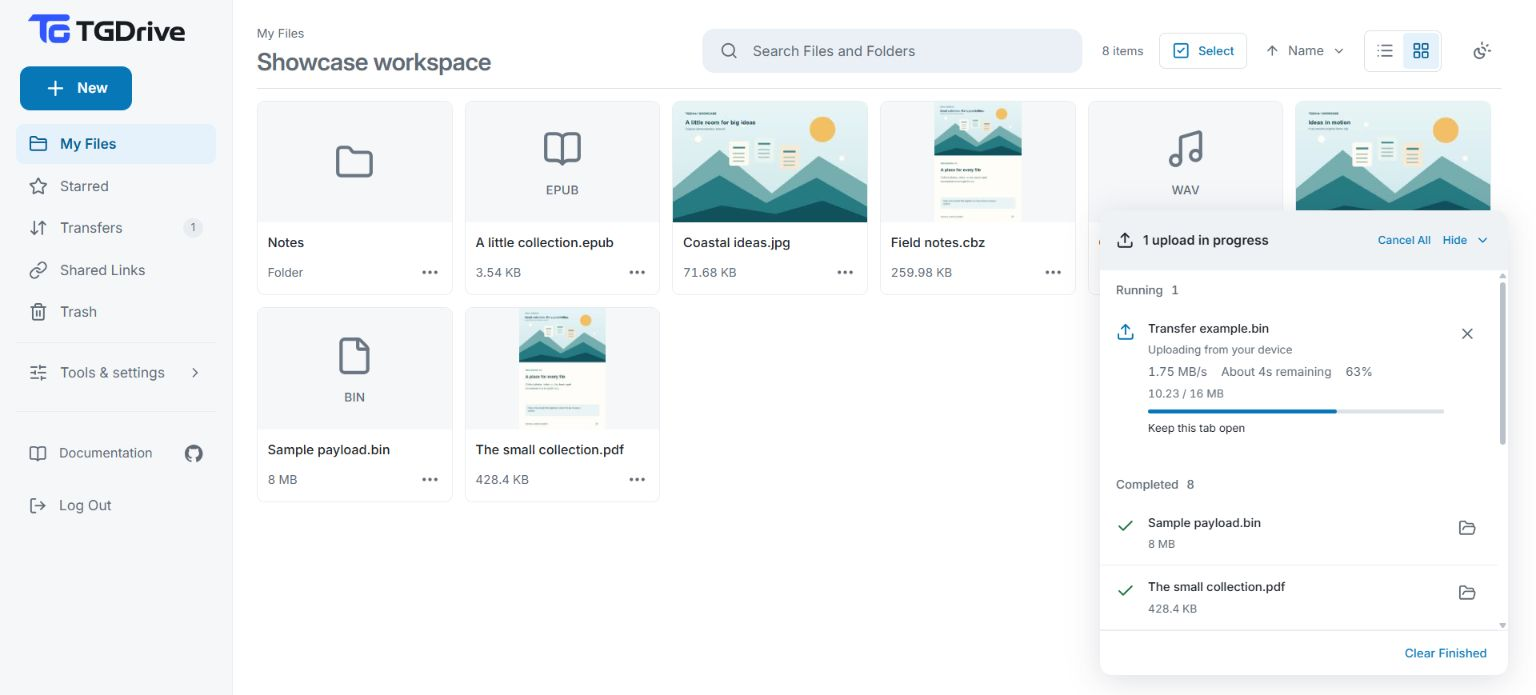
Browse in grid or list view, create folders, search filenames and star favorites. Rename, move or select several items, and restore accidental removals from Trash. Light, dark and system appearance options work across desktop and narrow screens.
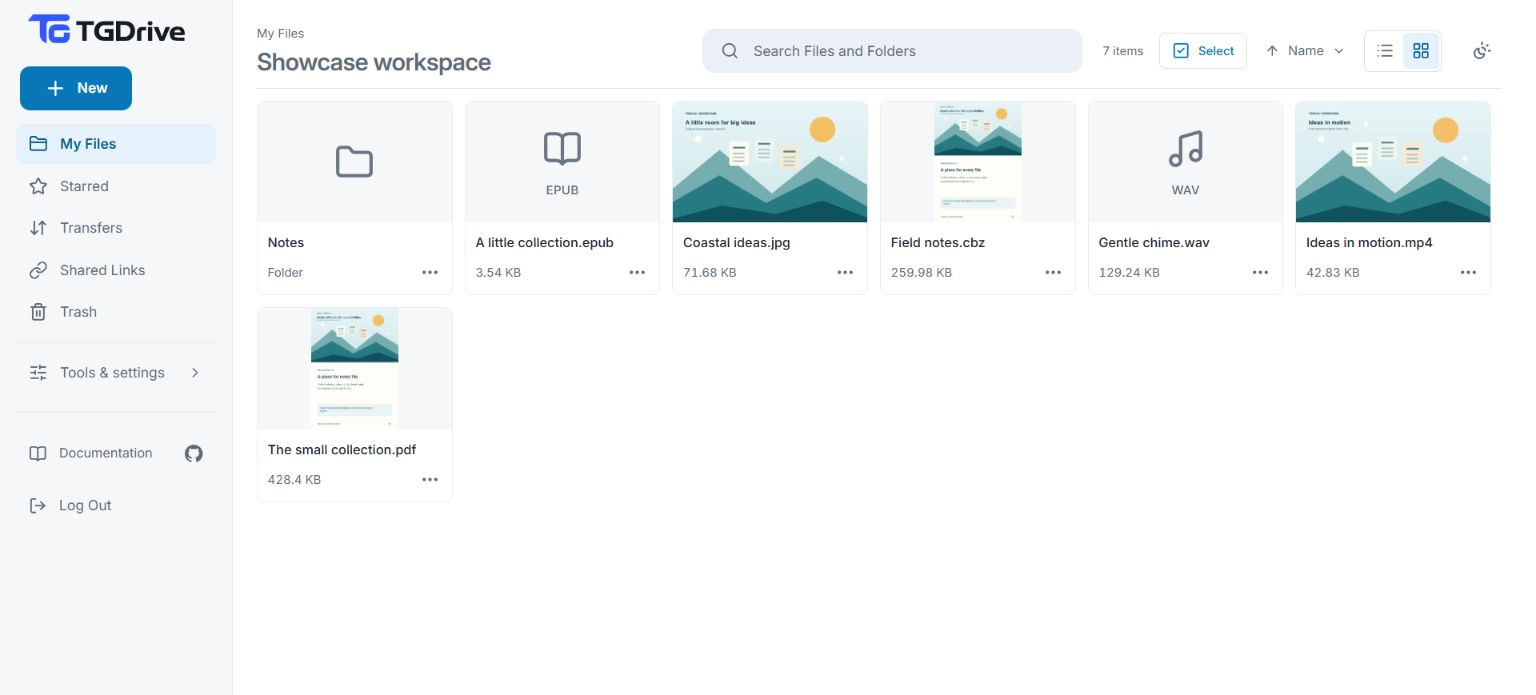
Upload large files without splitting them yourself
Upload files or whole folders with their relative structure intact. Larger files are automatically split into Telegram-sized documents and presented as one file for downloads and playback. The default limit is 16 GiB per file, subject to temporary server space.
Follow device transfer, Telegram upload and publication in Transfers. Keep the tab open until You can close this tab, and keep originals until Completed. Reselect matching originals to resume interrupted uploads. You can also import direct URLs or send and forward files to the configured Telegram bot.
Watch, read and preview in the browser
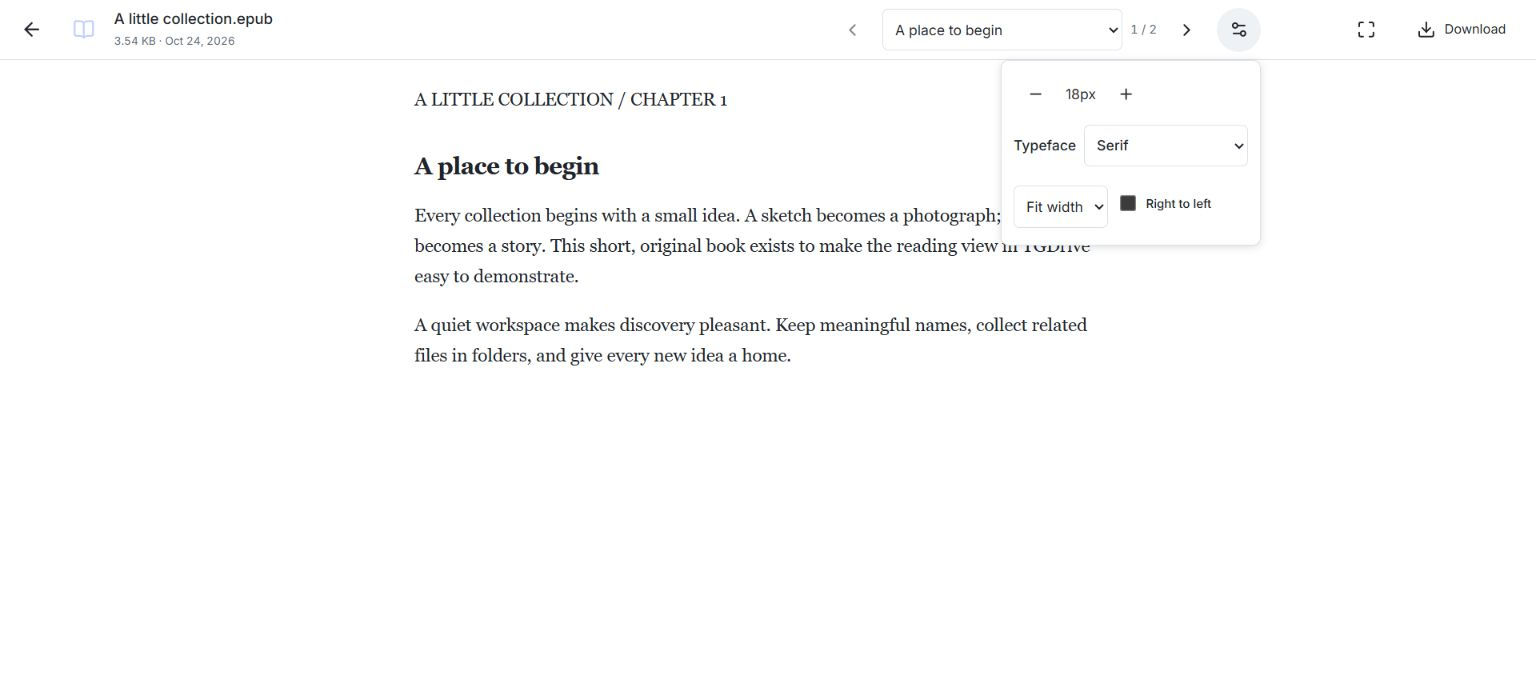
Play supported video and audio with available subtitles, audio tracks and chapters. Open images, PDFs and text, or read EPUB books and CBZ/CBR comics with navigation and display controls. Download Original remains available when you prefer another app or a format cannot be previewed.
Share selected content and keep control
Create read-only file or folder links, add labels, set expiry dates and revoke access from Shared Links. Recipients need no owner password. Anyone holding a link can use it; revocation cannot recall downloaded copies.
Prepare for repeat visits and recovery
Preload files into the server cache before watching or sharing. Retained bytes can serve later reads without another Telegram download. Performance and preload pages show traffic, resources and cached coverage.
Encrypted database backups preserve the catalog and settings; an optional independent Telegram channel protects confirmed file copies. Save matching keys outside the server and retain external originals. A database backup cannot recreate missing Telegram file bytes.
Set up TGDrive · User guide · Screenshots and walkthroughs
Starting with v2: Use a fresh MongoDB replica-set database and dedicated private Telegram channel; v1 catalogs are not imported. Preserve existing v2 data, secrets and volumes. Clone v2.0.0 or use its source archive below.
Validation, compatibility and release record
Recorded PR checks and merged-main checks passed. Exact-release container/source-archive verification and live checks were not completed. Automated checks and demo screenshots do not certify every device, codec, network or recovery scenario.
Released through PR #12 at 4302887. Operations · Recovery.