Repository navigation
Releases
Releases · Telvin7632/ps2xfer
ps2xfer v0.1.0

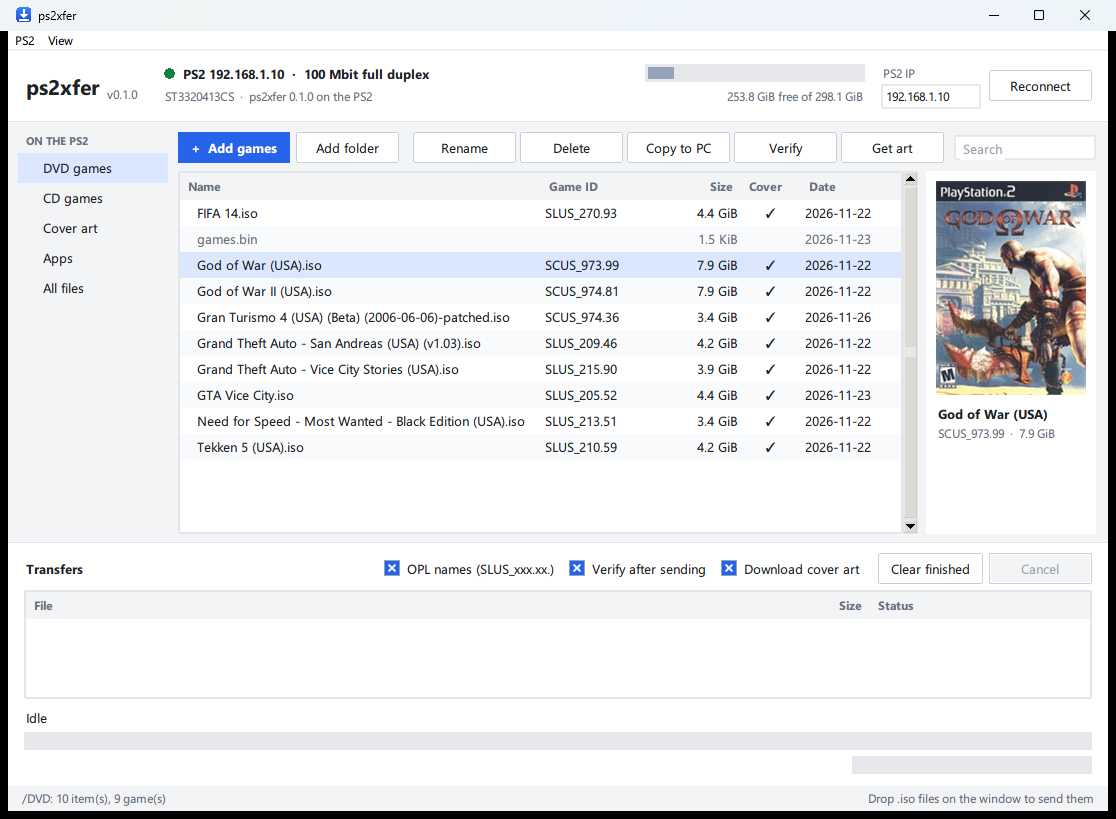
Copy PS2 games from your PC to the internal exFAT HDD of a PS2 over the network, then play them with OPL.
What it does
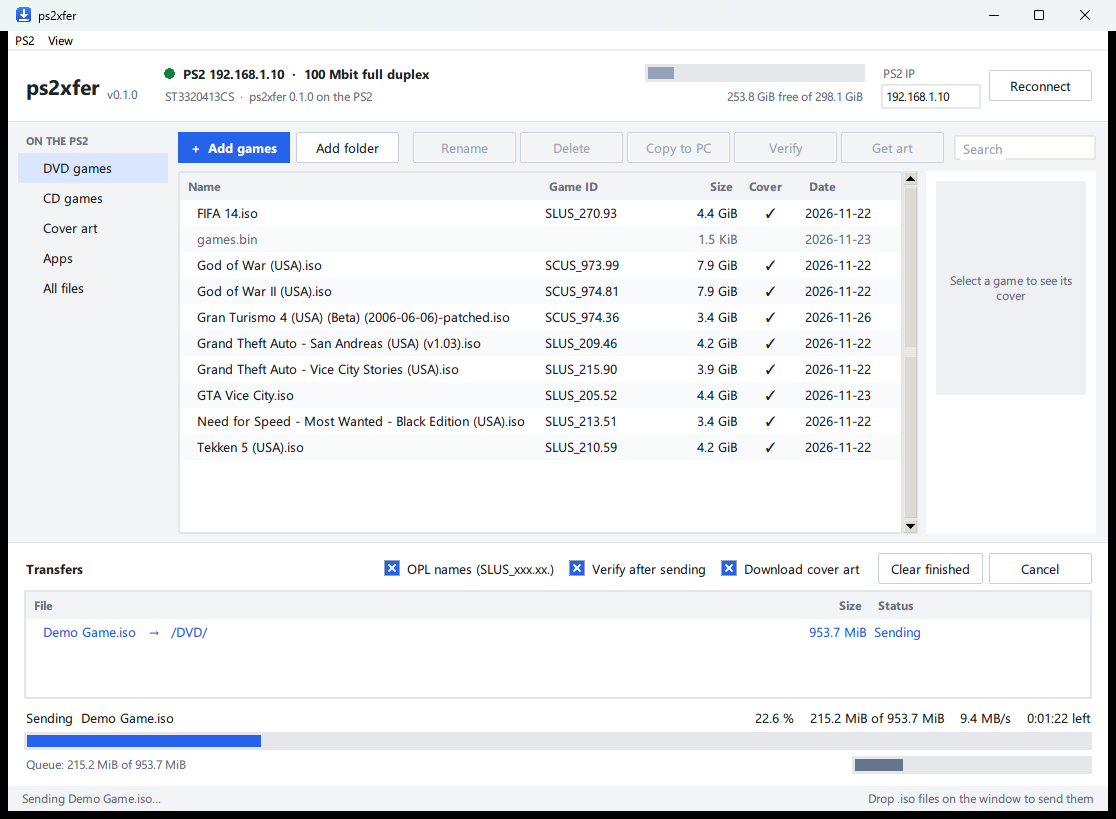
- ~9.5 MB/s over the PS2's 100 Mbit Ethernet (an 8 GB game in about 15 minutes)
- Every game is written as one contiguous file, the way OPL likes it
- An interrupted transfer (cable, crash, power) continues where it stopped
- Optional check after copying: the PS2 reads the game back and compares (~45 MB/s)
- Gives games the names OPL needs on the HDD (
SLUS_xxx.xx.Name.iso) and downloads cover art - Windows app: drag & drop, transfer queue, cover preview, rename, delete, copy back to the PC
You need
- A fat PS2 with the network adapter and an IDE/SATA disk formatted as MBR + exFAT
- OPL 1.2.0 beta with exFAT support
- The PC and the PS2 on the same network (a direct cable or a switch)
Get started
- Copy
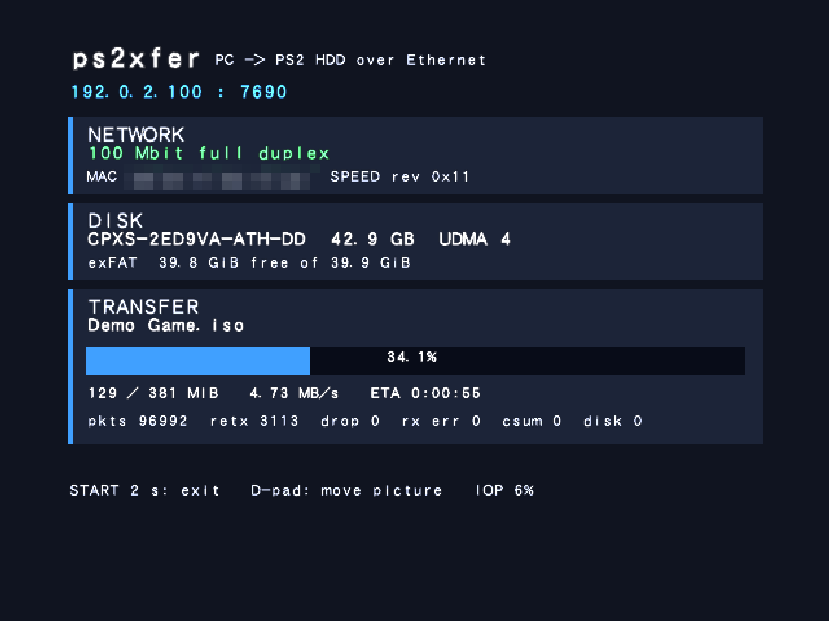
ps2xfer.elfto a memory card or USB stick and start it on the PS2 (wLaunchELF, OPL, FMCB…). The screen shows its IP. - On Windows, run
ps2xfer-gui.exe, enter that IP and press Connect. - Press + Add games or drop
.isofiles on the window. When they are done, start them from OPL.
Windows may say "Windows protected your PC" because the .exe is not signed: click More info → Run anyway.
In the zip
| File | What it is |
|---|---|
ps2xfer.elf |
the program for the PS2 |
ps2xfer-gui.exe |
the Windows app |
ps2xfer.exe |
the same for the command line (ps2xfer.exe --help) |
ps2xfer.py |
the same as one Python file, for Linux and other systems (Python 3.10+) |
ps2xfer.ini.example |
optional settings: fixed IP, screen position |
docs/ |
design, protocol, measurements |
Good to know
- OPL 1.2.0-Beta-2271 lists games on the HDD only with the
SLUS_xxx.xx.prefix; ps2xfer adds it automatically. - Data packets need a normal 1500-byte network MTU. Under WSL2 (NAT mode) or some VPNs they don't get through: use the Windows app.
- Tested on a fat PS2 with a 320 GB disk and in PCSX2.
| Sending a game | The PS2 screen (in PCSX2) |
|---|---|
 |
 |