Repository navigation
LSW 0.0.1-alpha
Pre-release
Pre-release

First alpha. For testing, not for your daily work.
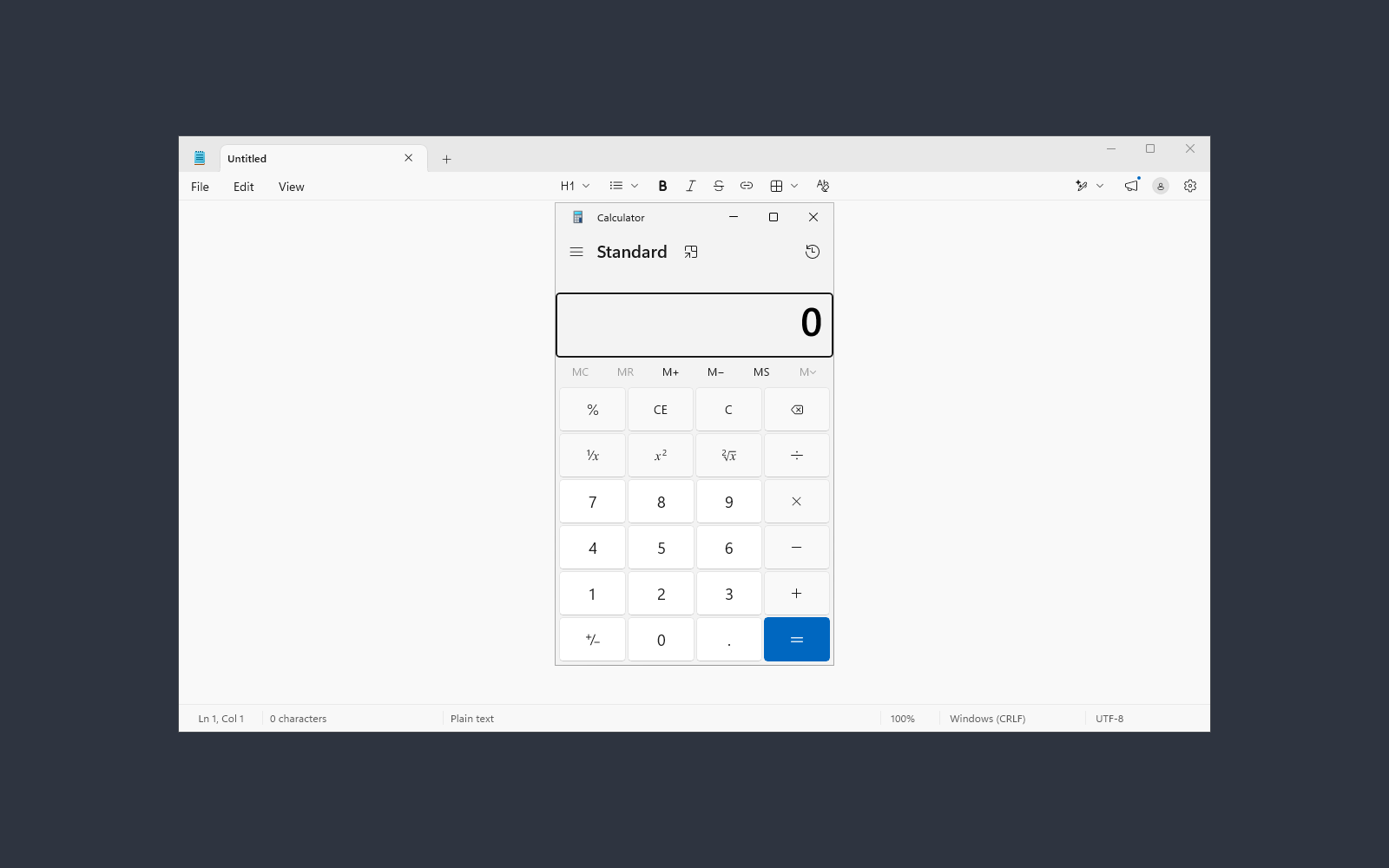
LSW runs Windows 11 in a KVM virtual machine and shows each Windows app as its own Linux window (Coherence), with its own launcher in the app grid. You can also see the whole Windows desktop in a window or full screen.
What works
- Unattended install in about 20 minutes. Downloads Windows 11 from Microsoft (refused unless it matches Microsoft's SHA-256), uses the 90-day Enterprise Evaluation, or uses your ISO. Secure Boot and TPM 2.0, with no hardware-requirement bypasses.
- Coherence: each Windows window is a native Wayland window, with native moves and resizes.
- Windows apps in the app grid, with icons, grouped in a "Windows Apps" folder on GNOME.
- Window and Full Screen views: Windows follows the window size, and Full Screen runs at the monitor's native resolution.
- Shared folders: Desktop, Documents, Downloads, Pictures, Music and Videos are the same folders on both sides.
- Clipboard (text, HTML, images) both ways, in the Window and Full Screen views.
- Sound through PipeWire, and USB devices (
lsw usb). - Idle pause: 0 % CPU when nothing of Windows is on screen.
- Windows' clock and time zone follow Linux.
- The in-guest agent updates automatically.
Known limits
- No 3D acceleration (GPU tier A): Windows gets a 2D display.
- GPU passthrough is experimental and untested on hardware (tier B, a second GPU; tier C, Intel SR-IOV).
- No clipboard in Coherence yet (it works in the Window view).
- Not yet: tray icons, notifications, opening links in the Linux browser, file associations, drag and drop.
- Wayland only. Tested with GNOME on Ubuntu 24.04 and with sway.
- CachyOS/Arch: Secure Boot needs OVMF with Microsoft's keys enrolled. Arch's
edk2-ovmfdoesn't have them, so uselsw create --no-secure-boot. The Arch package was built and installed in a clean Arch container, but not run on CachyOS hardware.
Install
Ubuntu 24.04+
sudo apt install ./lsw_0.0.1.alpha_amd64.debCachyOS / Arch
sudo pacman -U lsw-0.0.1alpha-1-x86_64.pkg.tar.zstOr build packaging/arch/PKGBUILD with makepkg -si.
From source: see docs/BUILDING.md.
First run
lsw doctor        # checks your machine and lists fixes
lsw create        # downloads Windows 11 and prepares the VM
lsw install       # installs Windows unattended (~20 min)
systemctl --user enable --now lsw@windows
Then open Windows from the app grid, or any app in the "Windows Apps" folder. More in the user guide.
Requirements:
- x86-64 CPU with VT-x or AMD-V, and KVM;
- 16 GB RAM and 64 GB free disk;
- a Wayland session;
- a Windows 11 licence (the Enterprise Evaluation works for testing).
Verification
SHA256SUMS lists the checksums of every file attached here. Check them with sha256sum -c SHA256SUMS.
This release was reviewed by a council:
| Reviewer | Score | Notes |
|---|---|---|
| GPT-6.1 Sol | 10/10 | After 10 rounds |
| Claude Opus 5.5 | 10/10 | After 5 rounds |
| Claude Fable 5.2 | Not reviewed | Rate-limited; waived by the owner |
The tests, the clean-container checks and the evidence from runs on a real VM are in PR #1.