Repository navigation
Releases: TheAgencyMGE/capri-companion
Release list
Capri 0.2.0 beta

She can use your PC now.
Watch the trailer and sign up for beta builds
New
- She uses your computer. Ask her to do something, like "open Calculator and work out 12 times 7" or "open Notepad and write me a haiku". Once you allow it, she looks at your screen and drives the real mouse and keyboard herself, flying along beside whatever she's working on and narrating in her bubble.
- She explores on her own (off until you turn it on in Character → Explore on her own while I'm away). When you've been idle for a while she opens a site, like the Edgerunners subreddit, a random Wikipedia article, Hacker News or her own wiki page. She reads, scrolls and clicks around, then leaves you a note in the chat about what she found. Read only: she can't type, sign in, post or buy.
- Teleports look right. She tears apart and shatters where she actually is, and reassembles on her new spot. The red line is gone.
- She stays above the apps she opens, and goes where you ask even when the mouse is in the way.
Stopping her
Hold Esc, press stop in the chat, or just move your mouse. She stops at once. Every task asks for your OK first. She won't type passwords or card numbers, buy, delete files, send messages or change system settings, and she ignores instructions written on web pages.
Needs
A Google Gemini key, which is free at aistudio.google.com. On the free tier each model allows only a few requests a minute, so a task takes about a minute; she switches models or waits when she hits the limit.
Install
Download Capri-Setup-0.2.0.exe below and run it over 0.1.0. Your settings carry over. The installer isn't signed yet, so SmartScreen will warn: More info → Run anyway.
Unofficial fan project, not affiliated with CD PROJEKT RED, Studio Trigger or Netflix.
Capri 0.1.0 beta
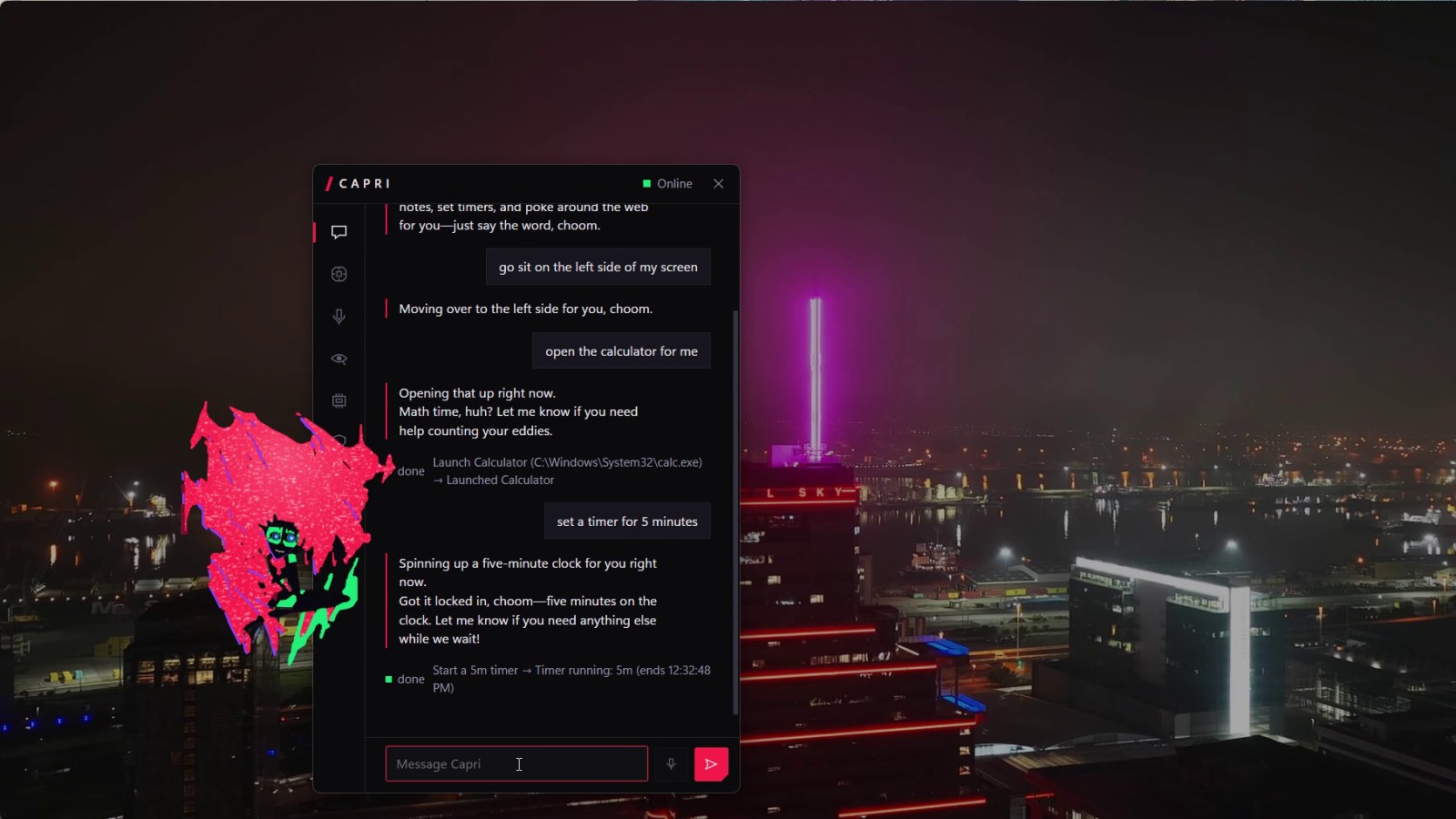
The first public beta of Capri: Capri from Cyberpunk: Edgerunners 2, living on your Windows desktop.
Watch the trailer and sign up for beta builds
Install
Download Capri-Setup-0.1.0.exe below and run it. It installs for your user only, no admin needed. The installer isn't code-signed yet, so Windows SmartScreen will warn: choose More info → Run anyway. Then pick her brain: a free Google Gemini key, a local model through Ollama, or no AI at all.
Windows 10 or 11, 64-bit.
In this beta
- She lives on your desktop: always on top, never steals focus, sits on your windows, lies on the taskbar, sleeps when you're away, hides during fullscreen games and video.
- Chat by typing or push-to-talk, with Gemini, Ollama or any OpenAI-compatible API. She only speaks when you talk to her.
- Ask her to move and she glitches apart and reassembles somewhere else on the screen.
- She opens apps you approve, opens websites, sets timers and reminders, saves notes and searches files. Anything that matters asks first.
- Poke her, pat her head, drag her around, fling her across the screen.
- Settings for her model, voice, character, memory, privacy and startup.
Known issues
- Unsigned installer, so SmartScreen warns on first run.
- No auto-update yet: install a newer version over this one and your settings carry over.
- Only tested on single-monitor setups.
- Windows' built-in speech recognition is less accurate than a Whisper endpoint.
Report bugs in Issues.
Unofficial fan project, not affiliated with CD PROJEKT RED, Studio Trigger or Netflix.