Repository navigation
Releases
v0.6.0: Languages, Jukebox, IMAX Cutscenes, 1:1 Mouse Aiming, a Rebuilt Launcher and Half the Download

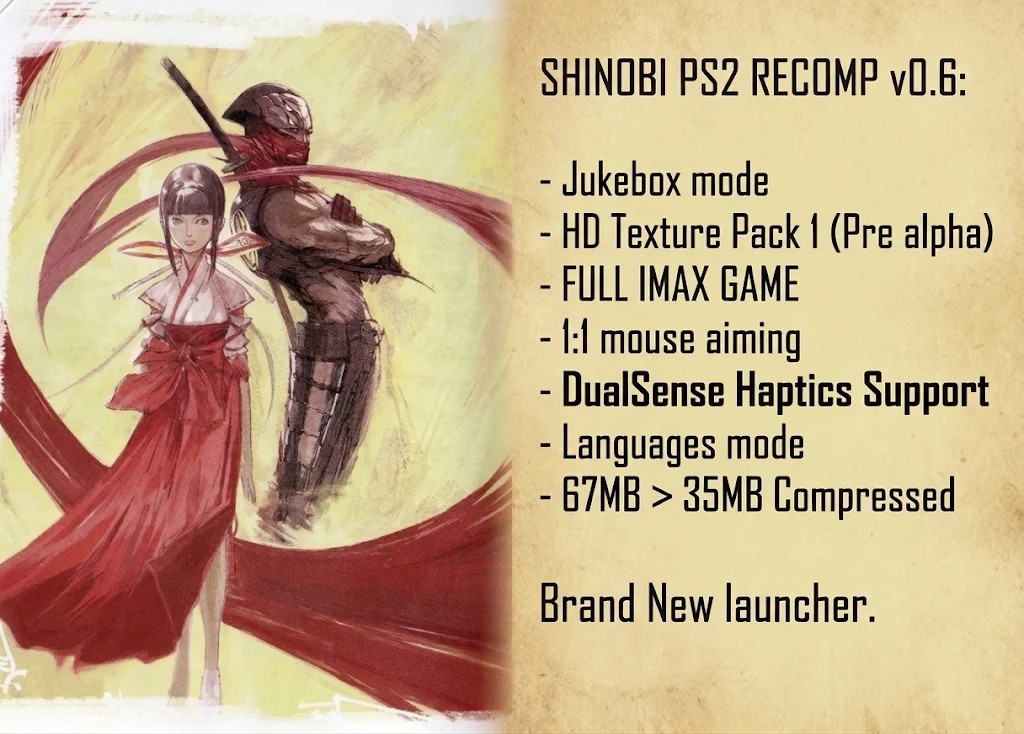
Shinobi PS2 Recomp v0.6.
Shinobi PS2 Recomp v0.6 is out, and it's the biggest update so far. (I'm going for a short break as I have worked immensely hard on this update, and will return on Thursday for the next steps.)
Moving on swiftly... almost everything here came from your comments, GitHub issues and messages, so thank you. Here's everything that changed since v0.5.3.
Downloads
Shinobi-PS2-Recomp-v0.6.0-Windows-x64.zip: the game (35 MB). Already on v0.5? The launcher offers this update by itself.Shinobi-SSE4-v0.6.0.pack: only for processors without AVX2. You don't need to download it: the launcher fetches it automatically on those PCs. (Offline? Put it in thebinfolder asShinobi-SSE4.pack.)- HD Texture Pack 1: its own repository, Shinobi-PS2-HD-Texture-Pack-1.
HD Texture Pack 1 (pre-alpha, separate download)
- 235 of the game's textures upscaled 4x on the GPU (Real-ESRGAN), with the PS2's transparency handled properly, so no bright fringes and no dark halos. (There are probably 10-15k textures to get through: this is my priority.)
- The whole HUD: health, magic, kunai, the TATE counter, the gauges, the magic flames and kanji
- The menus: title screen, main menu, Options and Button Config (with sharp button icons), Extra menu, stage clear and results, pause, game over, and the game's font
- Stage title cards, stage select pictures, the Shinobi logo and the start-up screens
- Stage 1's buildings, streets, walls and effects
- Press Shift+F5 in game to flip between HD and original and compare
- Also works in PCSX2 (same texture names)
- The pack grows with every update: more stages, more bosses, more of everything
- Unzip it into your game folder and you're done
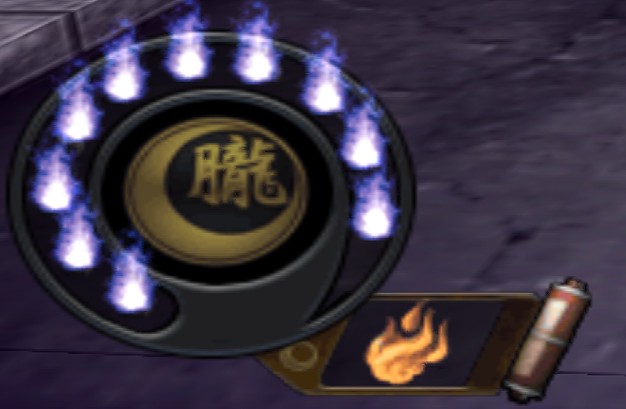 Original HUD | 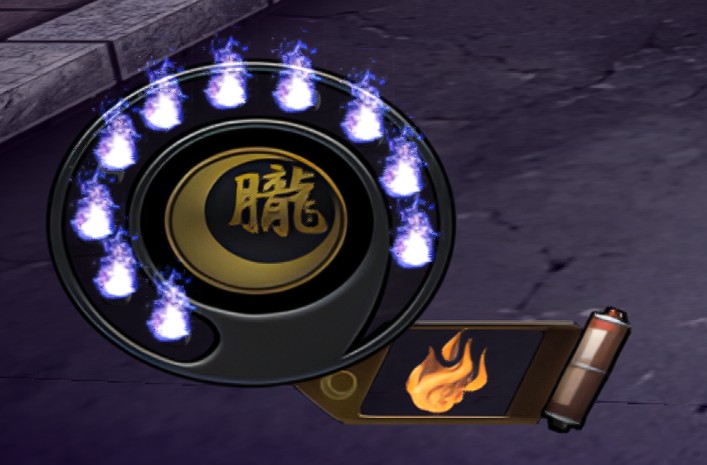 HD Texture Pack 1 |
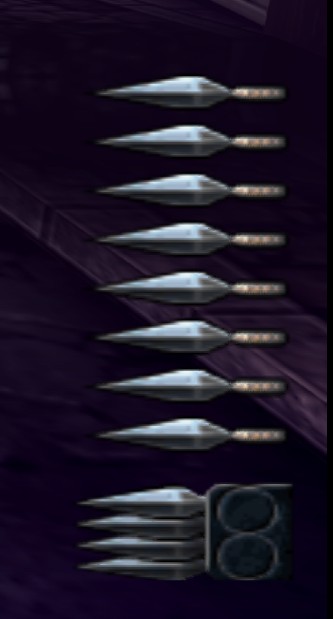 Original kunai counter | 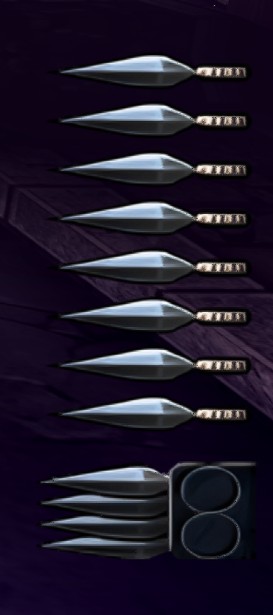 HD Texture Pack 1 |
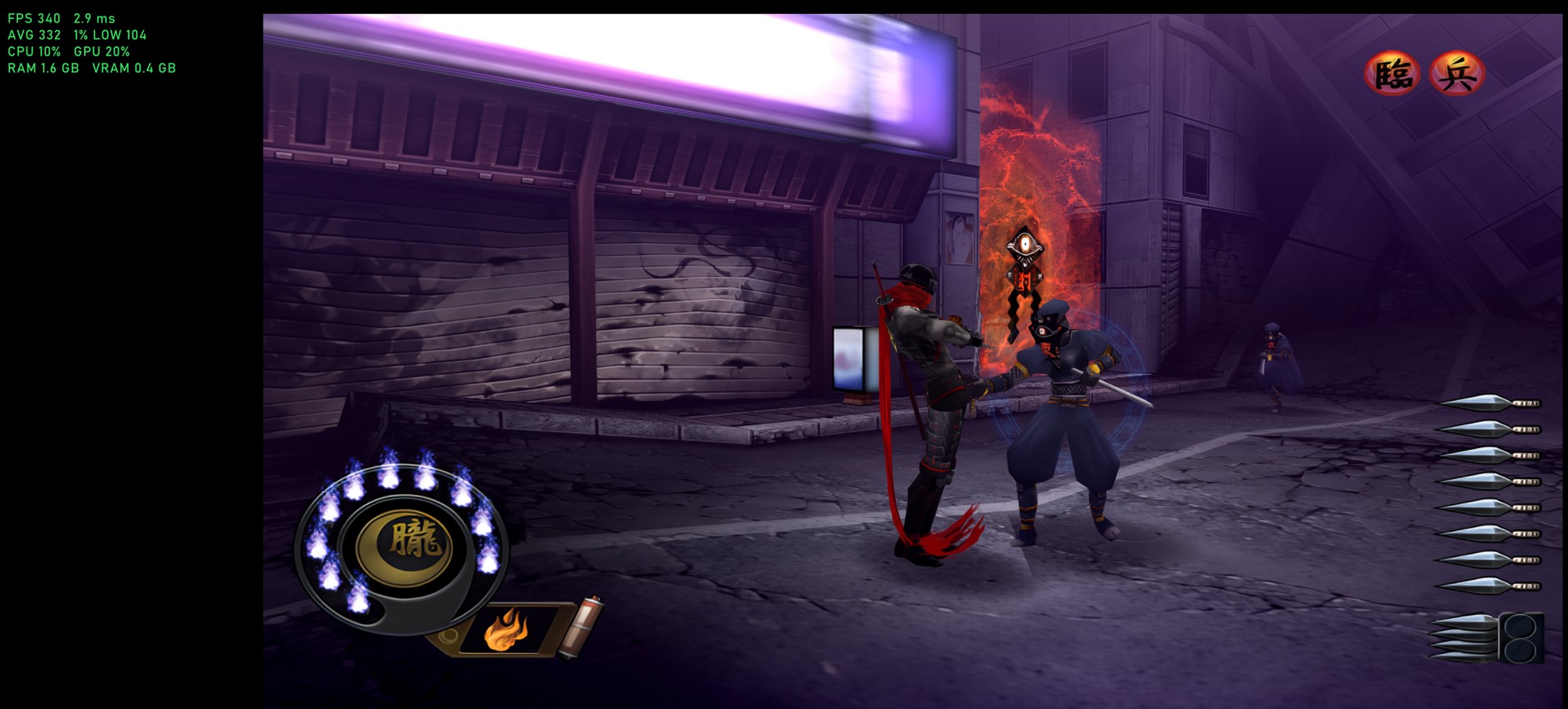
Stage 1 with the HD HUD, at 340 FPS with frame generation.
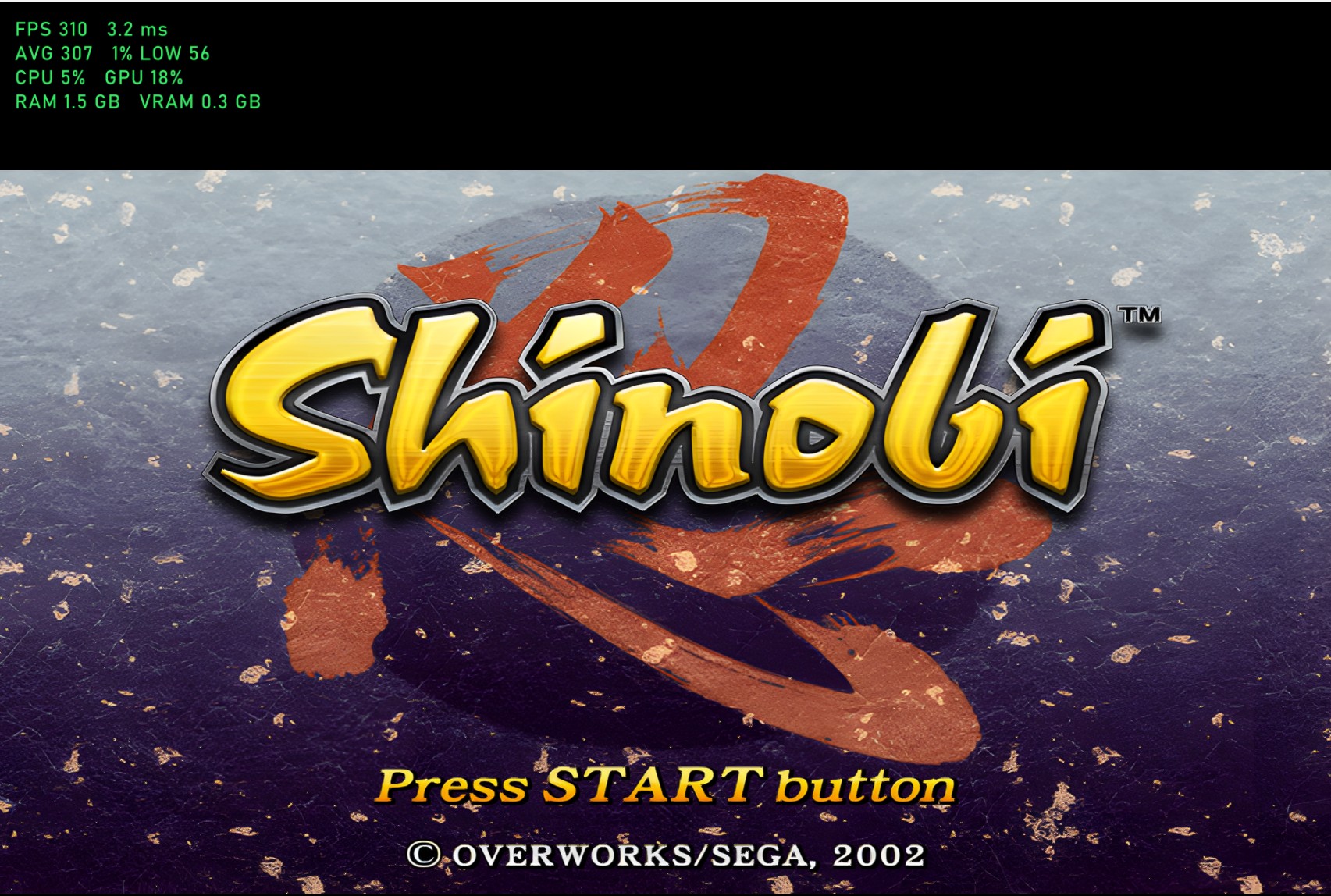
The title screen with HD Texture Pack 1.
Languages (early dev release)
- Play in English, Japanese, French, German, Italian or Spanish, with voices and text chosen separately: English voices with French subtitles, Japanese voices with English text, any mix
- Japanese works straight from your US disc: Japanese voice acting in stages, cutscenes and story movies, plus Japanese subtitles
- French, German, Italian and Spanish: point the launcher at your own Shinobi (Europe) disc image once and they unlock
- The launcher checks the disc you pick and tells you whether it's the European one
- With a European language you get the full dub: stage voice lines, in-game cutscenes, menus, the pause screen, subtitles and the story movies
- Nothing is copied or converted: the game reads the European files straight from your disc image while it runs, and your US files are never touched
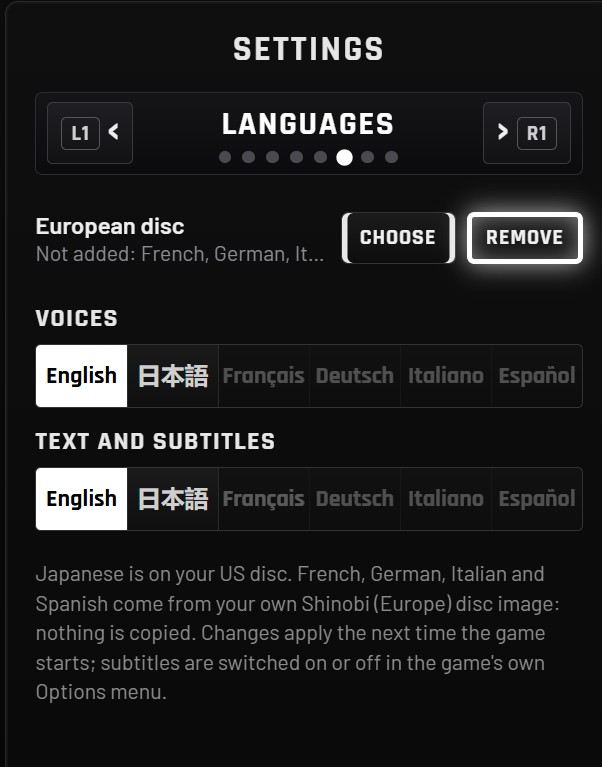
Languages: voices and text chosen separately.
Jukebox
- Replace any of the game's 30 music tracks with your own: every stage, every boss, the title screen and menus
- mp3, ogg, m4a, wav, flac and opus all work
- Pick a file in the launcher, or drop files into the
jukeboxfolder named after the track - Your track loops like the original, pauses with the game, follows the game's own fades and volume, and restarts on Retry
- Default puts the original back, and your music is kept through updates
IMAX cutscenes
- IMAX mode (F7) now covers the pre-rendered story movies: full screen, edge to edge, no black bars on any side
- Subtitles are laid over the picture on a soft dark band instead of pushing the movie up
- Turn IMAX off and movies look exactly as they always did
- (The in-game story scenes are next: they need the camera widened, not just the bars removed.)
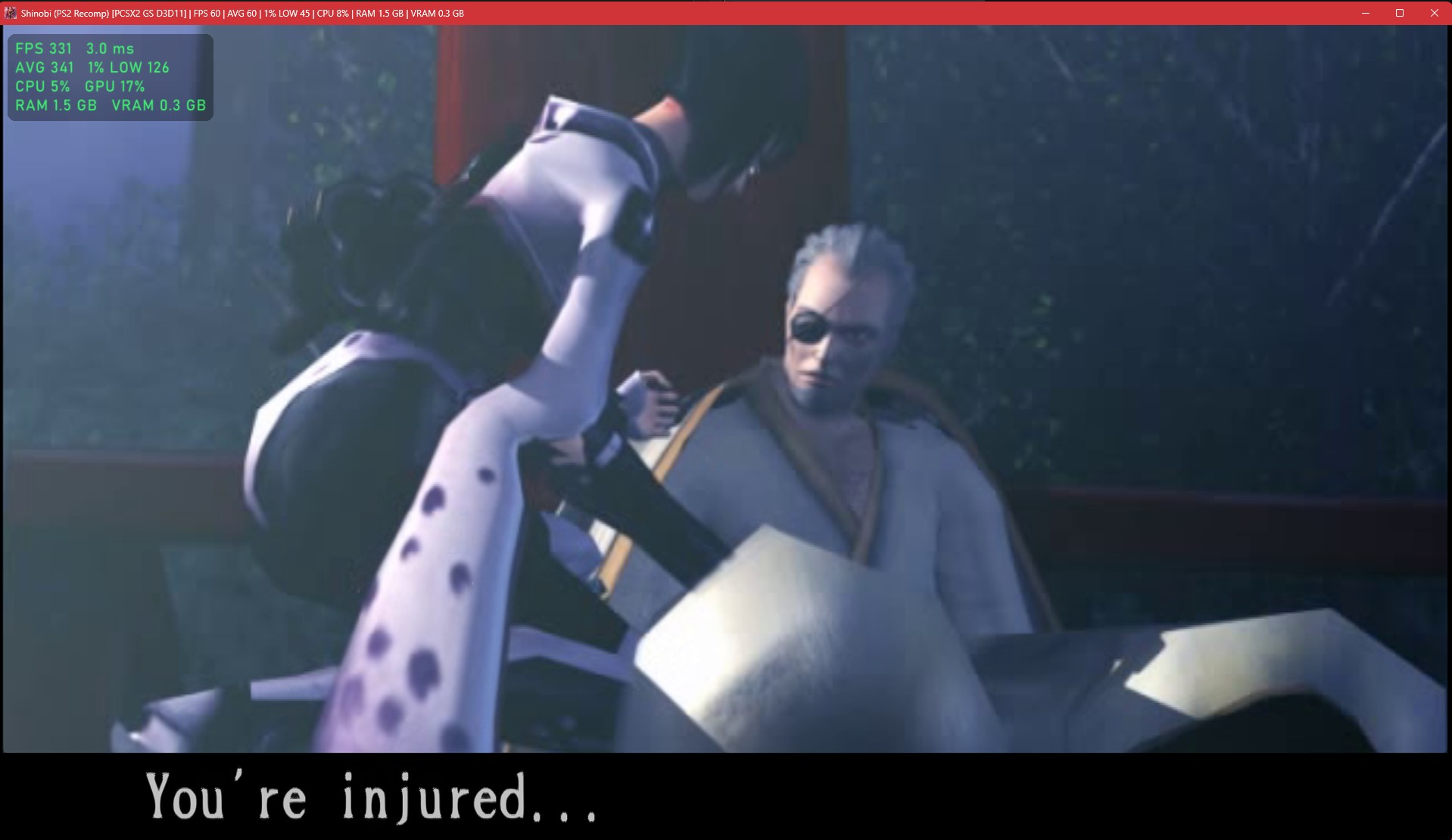
A story movie in IMAX mode: no bars on any side.
Mouse and keyboard
- True 1:1 mouse aiming: the camera turns by exactly as much as you move the mouse. No smoothing, no acceleration, no top speed
- Mouse camera speed still scales it, and the inverted camera settings (left/right and up/down) now apply to the mouse as well as the controller
- No camera jump when you come back from a pause or loading screen
- WASD moves Hotsuma, the arrow keys still work, and Left Shift, Left Ctrl and Alt can now be bound (#11)
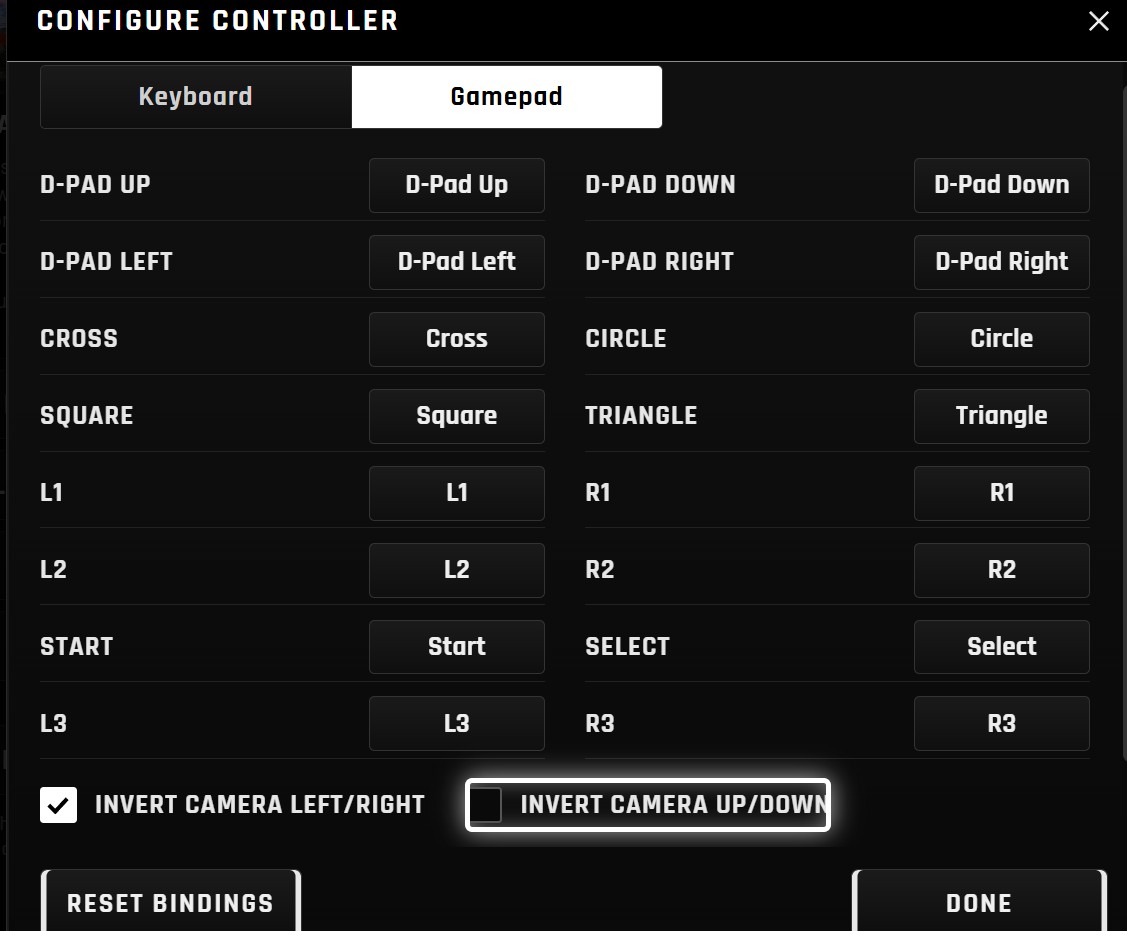
Invert camera left/right and up/down: now for the mouse too.
Controllers and haptics
- Your controller is detected automatically, and the launcher and in-game menu show its real button names: Cross, Circle and L1/R1 on PlayStation; A, B and LB/RB on Xbox; the same for Nintendo pads
- No more Q and E prompts with a PS5 pad plugged in
- A controller switched on after the game has started now works in the F1 menu
- New haptics settings in the Mod Menu: haptics on/off, strength, and the L2 adaptive trigger, all live in game
- New menu haptics on DualSense (rumble on Xbox pads) in the launcher and the F1 menu: a centred thump on every move, a heavier one on page turns, a firm click on Cross, and a slow run of beads as you scroll lists with the right stick
- Menu haptics only fire when you're using a controller, and they follow your strength setting
Picture and performance
- The picture is now centred: Shinobi leaves a black band under its picture that old TVs hid, and the recomp now splits it top and bottom (#8)
- Frame pacing rewritten for high frame rates: 240 and 360 FPS stay flat (#7)
- Shaders are saved in the game folder between sessions, Vulkan pipelines included, so starts are faster and the first-boot stalls are mostly gone
Sound
- New Game Volume slider (Mute to 100%)
- The streamed music fix is on by default: music and movie audio in true stereo with no echo (#2). Big thanks to LgSetzeR for the write-up
- Pick your own launcher music
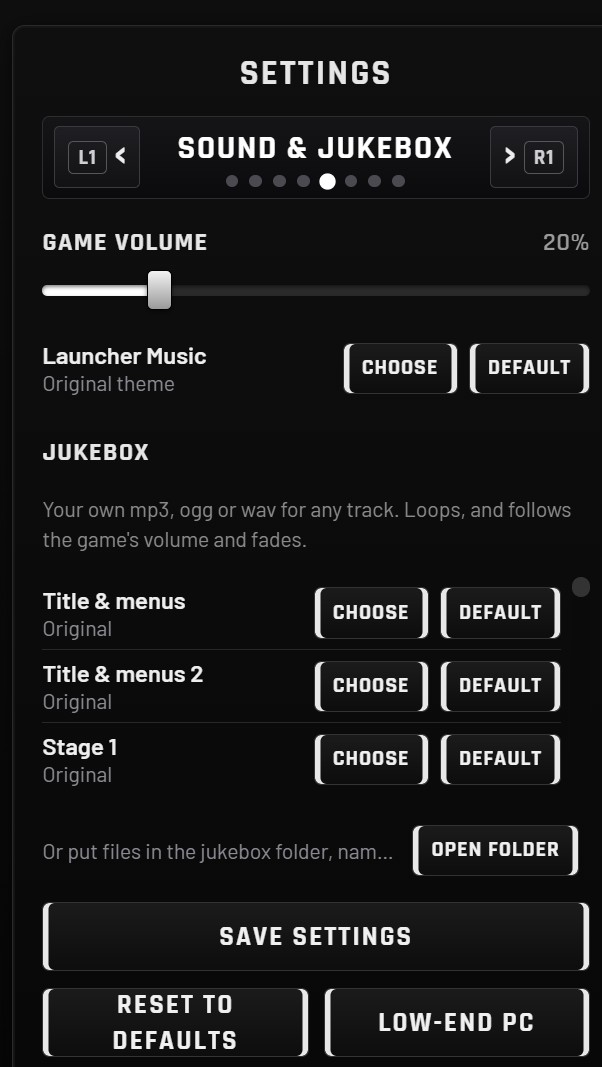 Sound & Jukebox: Game Volume, launcher music and all 30 tracks. | 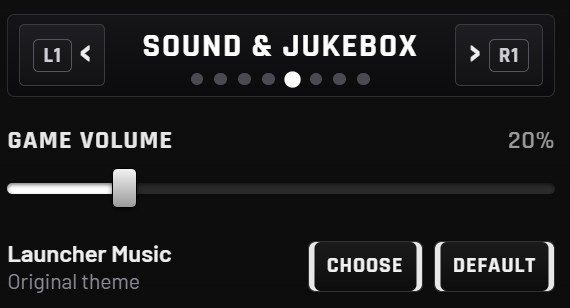 The new Game Volume slider. |
The launcher, rebuilt
- Opens full screen (windowed), sized to your monitor
- New boot screen: a lightning video behind an 80s car-dashboard style loading bar, with the credits underneath
- New launcher theme, timed so the bass drop lands as the art slams in, and a much punchier intro
- Settings one page at a time, so nothing is squashed: flick through with L1/R1 (LB/RB, or Q/E)
- New pages: Feature Set (everything the recomp does and what's coming next, new features marked with gold sparks, your installed version at the top; the launcher opens here), Sound and Jukebox, and Languages
- Controller navigation reworked: row by row, the D-pad reaches everything, and the right stick scrolls any list smoothly
- New Refresh button
- First start uses the recommended settings (1440p, D3D11)
- Updates can no longer get stuck offering the same version (#12)
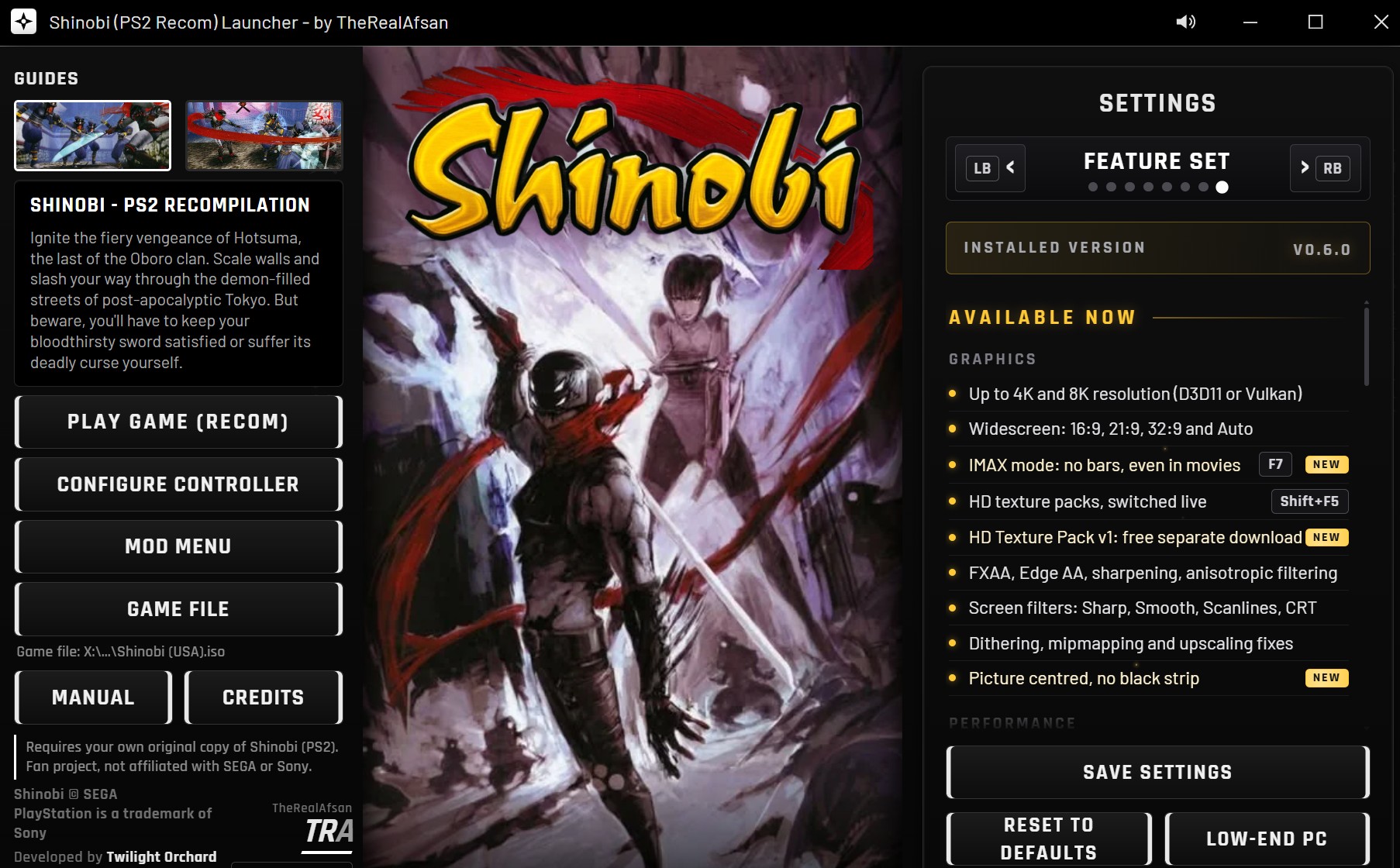
The rebuilt launcher, on the Feature Set page.
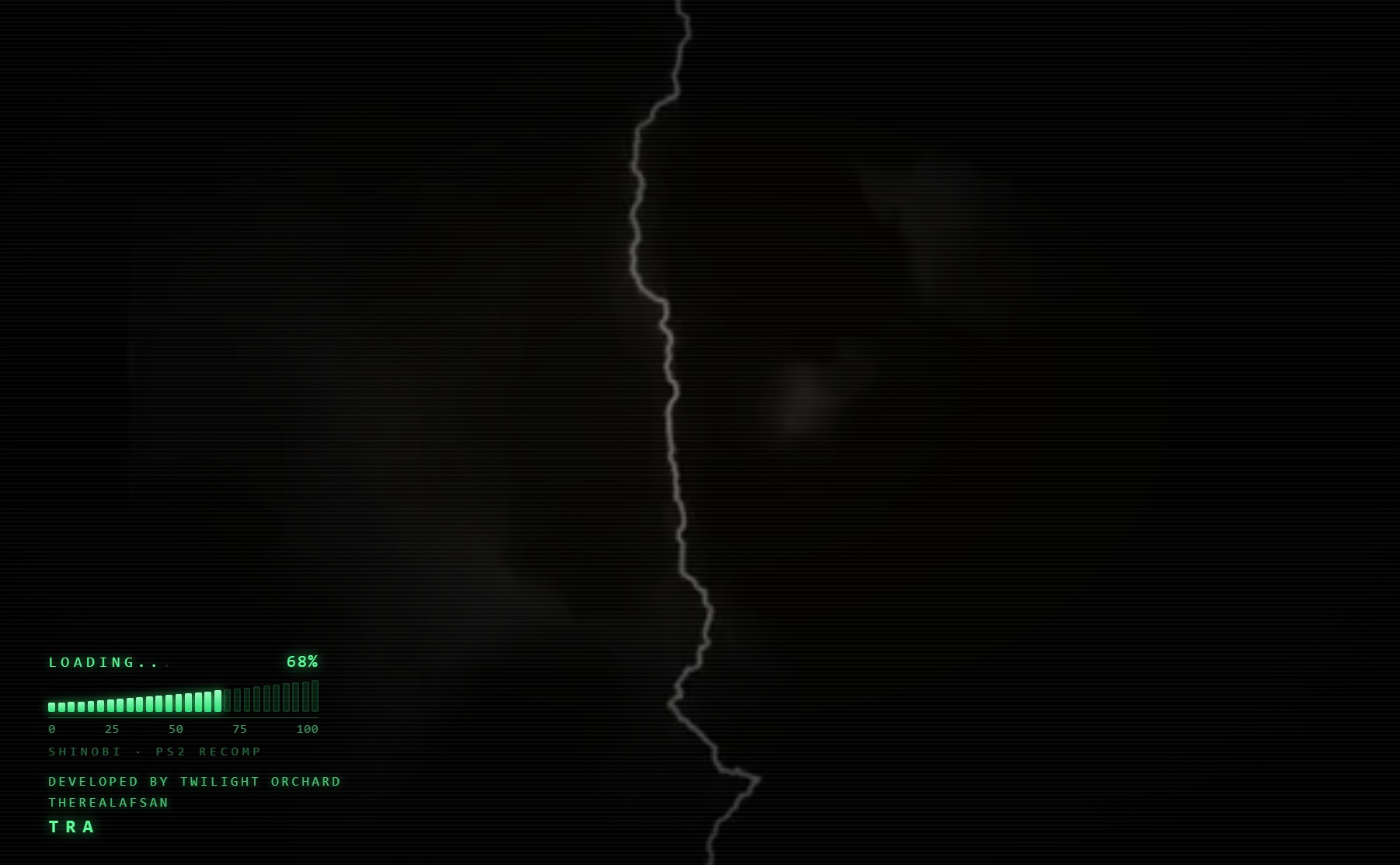 The new boot screen. | 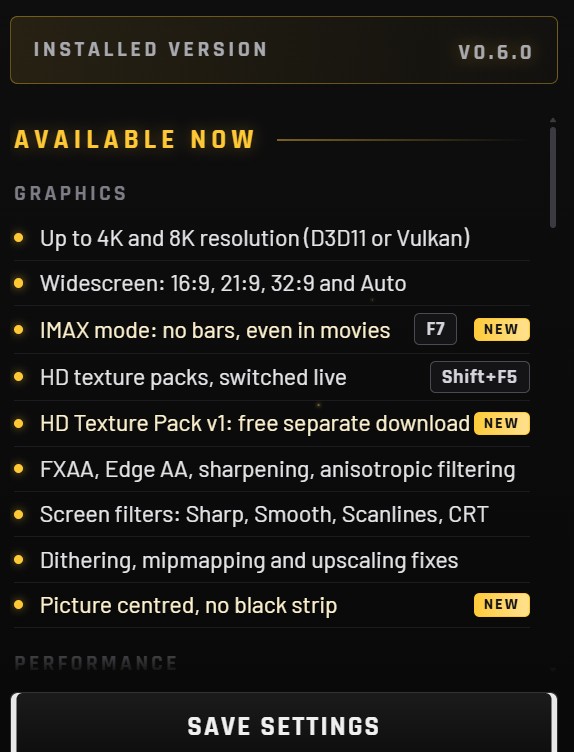 New features marked with gold sparks and a NEW tag. |
Half the download: 67 MB > 35 MB
Nothing you'd notice was removed. The zip just stopped carrying things you don't need:
- A video decoder built for this game alone: Shinobi's movies only need MPEG, so the 30 MB general-purpose decoder became a 1 MB one (every movie frame checked identical)
- The build for old CPUs (no AVX2) is no longer in every zip: on those PCs the launcher fetches it once, automatically (19 MB). Everyone else saves the space
- Leftover emulator ...
v0.5.3 – Runs on older CPUs, HD texture packs (Shift+F5), 40% smaller download
Download
Shinobi-PS2-Recomp-v0.5.3-Windows-x64.zip below (67 MB, down from 111 MB). Unzip it anywhere and run Shinobi Launcher.exe.
You need your own original copy of Shinobi (USA, SLUS-20459) as a disc image. Nothing from the game is included.
Already on v0.5.0? Press Update in the launcher's title bar. Your saves and settings are kept.
Coming from v0.4? Download this once and unzip it over your old folder. From then on the launcher updates itself.
New since v0.5.0
- No more AVX2 requirement: the game runs on any 64-bit processor with SSE4.1 (2008 or newer, the same minimum as PCSX2). Still one launcher and one download: it picks the right version for your CPU by itself.
- HD texture packs: drop upscaled textures (an HD HUD, for example) into the textures folder. Shift+F5 switches them on and off while you play, so you can compare. See textures/README.txt to make one; scripts/ps2_upscale.py on GitHub upscales PS2 textures with the transparency done right. Packs made for PCSX2 work too.
- 40% smaller download, with nothing taken out: the game programs are packed with 7-Zip's compression, and unused files were removed.
- The launcher's self-update now also works under Proton / Linux / Steam Deck, and downloads are more reliable.
- Fixed: a crash on start-up when the game folder's name has certain characters (Japanese or accented letters).
Everything from v0.5.0 is still here: Frame Generation (360 FPS+), Latency Reduction, IMAX Mode, Final Boss Balance, Infinite Health, 8 mods on the F keys, Proton support (beta), the new overlay and 15+ fixes.
Bug reports and feedback welcome on GitHub Issues.
Fan project, not affiliated with SEGA or Sony.
v0.5.0 – Frame Generation, IMAX Mode, Final Boss Balance, Infinite Health, 8 New Mods, Proton (Beta)
Shinobi-PS2-Recomp-v0.5.0-Windows-x64.zip below. Unzip it anywhere and run Shinobi Launcher.exe.
You need your own original copy of Shinobi (USA, SLUS-20459) as a disc image. Nothing from the game is included.
Already on v0.4? The launcher can update itself: press the Update button in its title bar. Your saves and settings are kept.
Performance
- Frame Generation (F4): in-between frames for high refresh rate screens. Targets: Auto, 120, 144, 240, 360 or Max.
- Latency Reduction (F6): stops the graphics driver queueing frames, about 16–33 ms less input delay (Reflex-style).
- New Performance Overlay (F2): FPS, frame time, average, 1% lows, CPU, GPU, RAM and VRAM.
8 New Mods (Mod Menu, or straight from the F keys in game)
- Infinite Health (F8): Hotsuma takes no damage from hits, and Akujiki can't drain him.
- Final Boss Balance (F9) (beta): Hiruko without the hidden rules. One counted hit opens each seal, no parries or instant guard, ground teleports only, lock-on stays on him, he can be hit while laughing or teleporting, and self-destructing talismans count towards TATE.
- IMAX Mode (F7): TATE finishing moves in full screen, no black bars. Movies and story scenes keep theirs.
- Hide HUD (F5): a clean screen.
- Uncursed Sword (Shift+F7): Akujiki no longer drains your health.
- Unlock Everything (Shift+F6): every difficulty, character and extra open. Your save isn't changed.
- Remove Scarf (Shift+F8)
- Scarf Body Collision (Shift+F9) (beta)
Hotkeys
- F1: Menu (pauses the game)
- F2: Performance Overlay
- F3: Close-up Camera
- F4: Frame Generation
- F5: Hide HUD
- F6: Latency Reduction
- F7: IMAX Mode
- F8: Infinite Health
- F9: Final Boss Balance
- F10: Mouse Camera
- F11: Fullscreen / Window
- Shift+F6: Unlock Everything
- Shift+F7: Uncursed Sword
- Shift+F8: Remove Scarf
- Shift+F9: Scarf Body Collision
Also new
- Full controller remapping and invert camera (left/right and up/down separately)
- New dark launcher look
- New defaults: 1440p, D3D11, 60 FPS, 16:9, V-Sync and FXAA on, IMAX Mode and Final Boss Balance on
Proton / Linux / Steam Deck (beta)
- Works under Proton: the launcher skips its window, asks for your ISO once, copies the files and starts the game.
- Fixed ISOs failing to load when started from RecompLauncher on Linux.
- The game now unpacks properly under Wine/Proton.
- Please report how it runs on your setup.
Fixes
- Pink boxes on the duo boss
- Pink square when an enemy dies at 21:9
- Missing textures in rushed cutscenes
- Freeze when changing Screen Position
- Freeze when switching to 4K while playing
- Updating over an old folder kept the old game
- Render scale changes now apply safely on restart
- F1 menu in exclusive fullscreen left the window the wrong size
- Launcher tabs could get squeezed off the bar
- The launcher now starts on Windows 10 PCs without WebView2
- Hotkey notices and overlay text use a proper font
- Resolution labels show real sizes (1920 × 1080, 3840 × 2160…)
Known issues
- 21:9 and wider are still experimental.
- 8K may not fill the whole screen, and HDR turns off at 8K.
Bug reports and feedback welcome on GitHub Issues.
Fan project, not affiliated with SEGA or Sony.
Shinobi (PS2) Recomp v0.4.2
Shinobi (PS2) Recomp v0.4.2: 4K and 8K fixed
- 4K and 8K run properly now. Every frame the full-size picture was copied back from the graphics card (165 MB a frame at 8K). It's now capped at your screen size, so 8K went from 21 to 60 fps on our test PC.
- Smoother 4K/8K picture: shrunk to your screen in steps that keep the extra detail, so edges no longer shimmer.
- Vulkan works again: it was silently falling back to the slow software renderer.
- Low video memory cards: 4K/8K is lowered automatically instead of showing green/pink textures or a black screen.
- Launcher marks 4K "needs a strong GPU" and 8K "experimental".
Everything else is the same as v0.4.1.
You need your own copy of Shinobi (PS2, USA, SLUS-20459). Nothing from the game is included.
How to play
- Download Shinobi-PS2-Recomp-v0.4.2-Windows-x64.zip below and extract it (any folder except Program Files).
- Run Shinobi Launcher.exe.
- Game File > choose your disc image > Set up game files > Play Game.
Known issues
- The duo boss's projectiles can show pink boxes.
- At a stage-clear screen, "Quit" may not leave the screen; use "Continue" for now (being fixed).
Unofficial fan project, not affiliated with SEGA or Sony. GPL-3.0.
Shinobi (PS2) Recomp v0.4.1
the game manual is no longer included in the download. Press Manual in the launcher and open your own Shinobi manual PDF once; page-turning, zoom and F4 in game work the same. Everything else is v0.4.0.
Shinobi (PS2) Recomp v0.4.0
Shinobi (PS2) Recomp v0.4.0
The biggest update yet: a brand-new launcher, mod support, DualSense HD haptics, a close-up camera, 8K and the game manual built in.
You need your own copy of Shinobi (PS2, USA, SLUS-20459). The launcher checks your disc image and sets it up. Nothing from the game is included.
How to play
- Download
Shinobi-PS2-Recomp-v0.4.0-Windows-x64.zipbelow and extract it (any folder except Program Files). - Run
Shinobi Launcher.exe. - Game File → choose your disc image → Set up game files → Play Game.
The big ones
- Brand-new launcher: rotating artwork, settings in tabs, Shinobi icon, resizable window with snap, fully playable with a controller.
- Mod support: scarf colour (live) and a close-up, over-the-shoulder camera (F3).
- DualSense HD haptics, wired and wireless: footsteps left and right, shuriken, sword hits, dash, shuriken storm, and an L2 trigger that clicks before your magic fires.
- The original game manual, built in: page-turning and zoom; F4 in game.
- Performance overlay (F2): FPS, frame time, 1% lows, CPU, GPU, RAM, VRAM.
- Performance: geometry on multiple CPU cores, sound processor ~30% cheaper, Low-end PC preset.
- Graphics: 8K, live settings in F1, blending accuracy, texture filtering, screen filter (Sharp / Smooth / Scanlines / CRT), dithering, mipmapping, upscaling fixes, window mode.
- Fixes: missing cutscenes, controllers behind Steam Input / virtual pads, F1 menu controller input, fullscreen at start, an ultrawide crash.
In game
F1 menu · F2 performance overlay · F3 close-up camera · F4 manual · Alt+Enter / F11 window or full screen
Requirements
Windows 10/11 64-bit, a CPU with AVX2, a Direct3D 11 or Vulkan GPU, Microsoft Edge WebView2 Runtime, and your own Shinobi (USA) disc image.
Known issues
- The duo boss's projectiles can show pink boxes.
- The frame rate can dip in the heaviest fights on slower CPUs.
- Haptics are tested on the DualSense Edge only not the standard controller, but should work fine with the code I have in place
- Rarely, a cutscene rushed while loading shows missing textures.
- At a stage-clear screen, "Quit" may not leave the screen; use "Continue" for now (being fixed).
Full notes and screenshots: see the README.
Unofficial fan project, not affiliated with SEGA or Sony. GPL-3.0.