Repository navigation

Fulton Beta 0.0023 (build 1.56)
Fulton is a free launcher for decomp, recomp and remake PC ports.
Find a port, install it, keep it updated and play it. You bring your own ROMs.
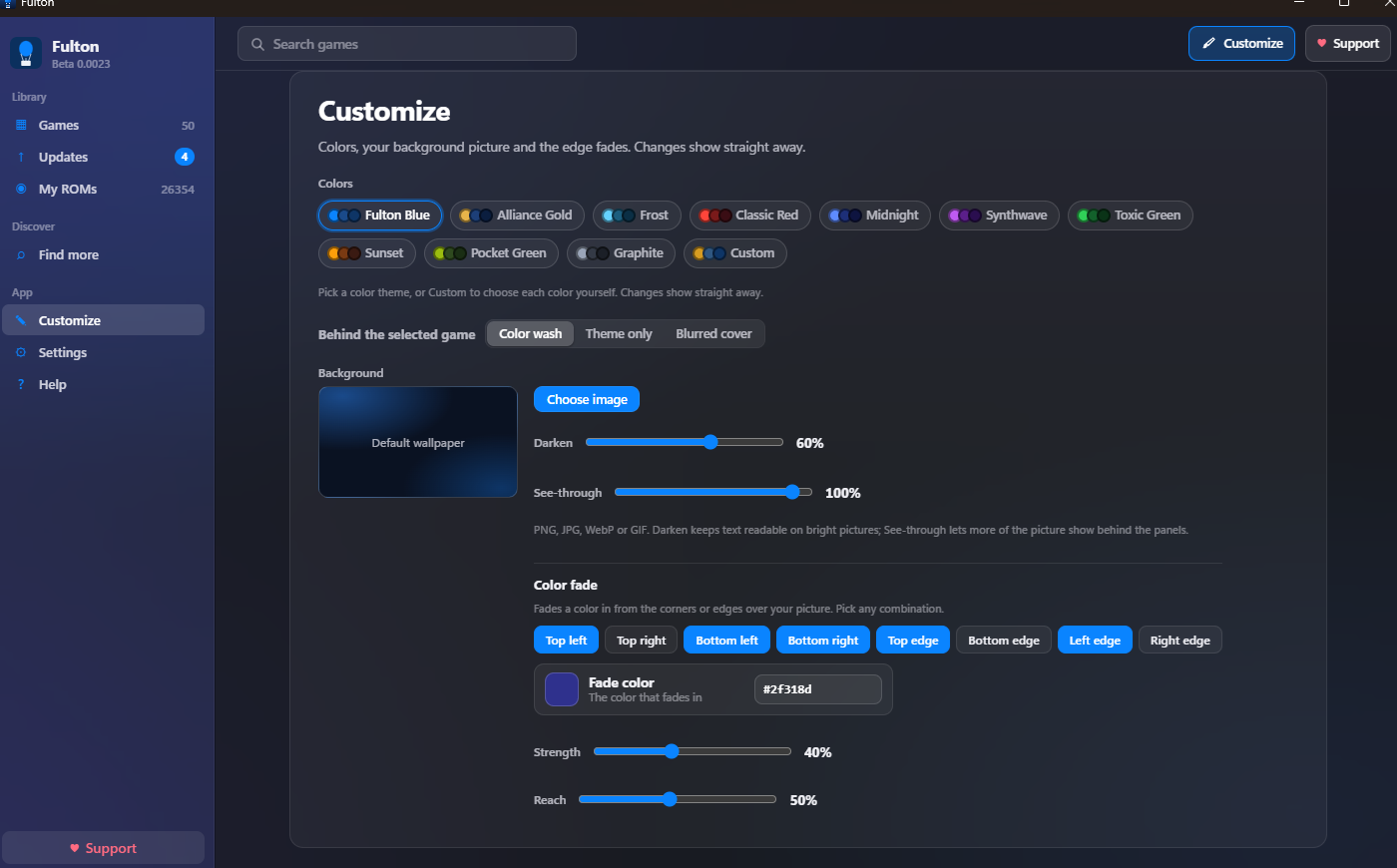
This release is the biggest update so far: a new Customize page, much better searching, an Updates page, and a smoother game page.
Highlights
- Customize page. Colors, your own background picture and color fades from any corner or edge now have their own page, in the sidebar and in the top bar. The filter bar and panels follow your colors too.
- Updates page. See every installed game that has a newer version, with a "What's new" preview. Update one, or Update all (saves are backed up first).
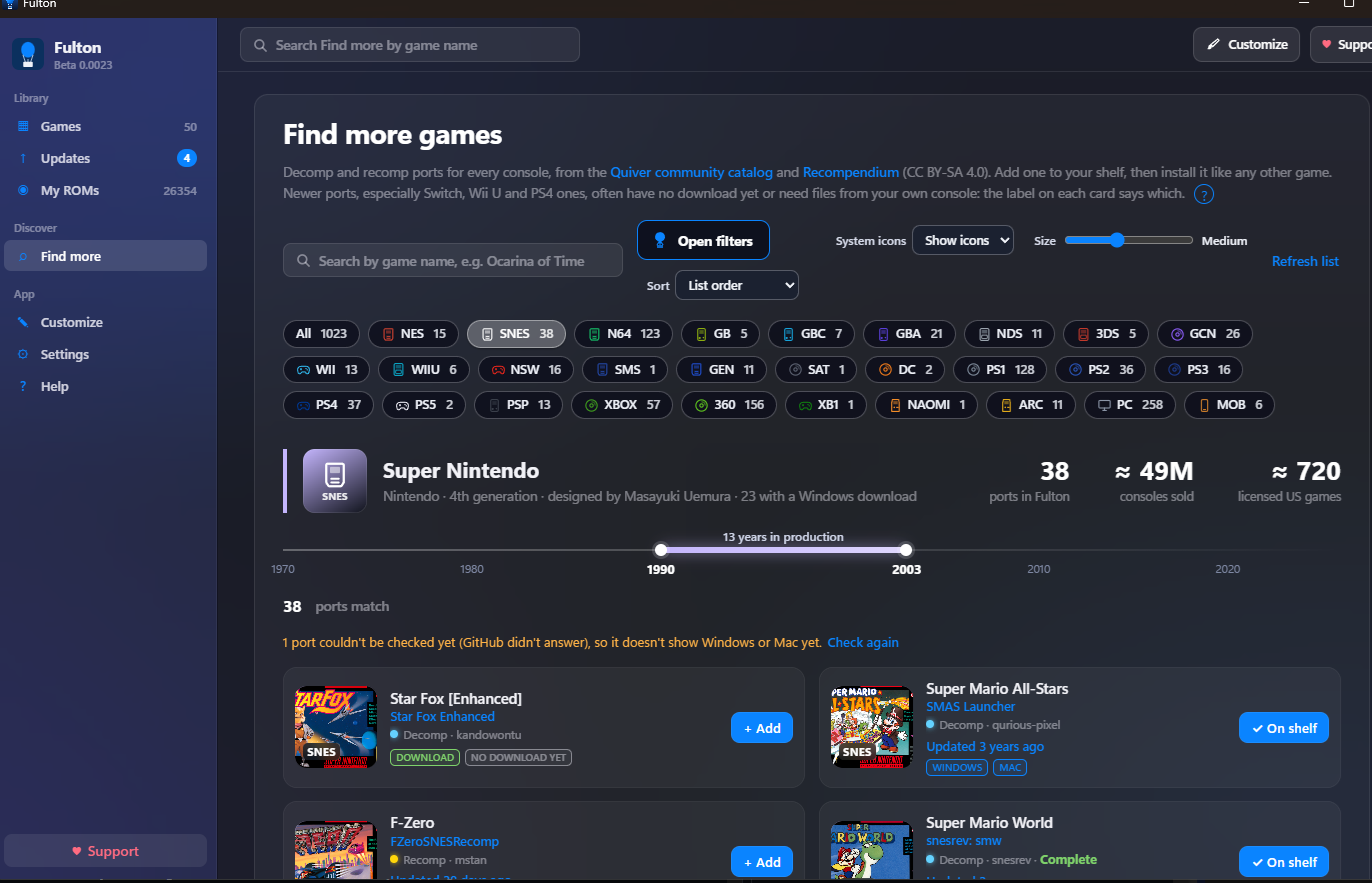
- A much better Find more. Search by game name, type "new" or "updated" to see the latest ports, filter by Windows or Mac download, status and how recently a port was updated, and drag the new Size slider from List to Huge.
- Find more card on the Games page. Reach the end of your list and a "Find more" card takes you to Find more with the same console and type already picked.
- Smoother game page. The banner at the top of a game now folds up smoothly as you scroll instead of snapping.
- About each console. Pick a system on Find more to see its maker, generation, units sold and a production timeline. The All systems view shows a chart of new releases per month.
- A short tour the first time you open Fulton, which you can replay from Settings.
- Report a problem (Settings) saves one zip with your log and version to send to me. It never includes ROMs, saves, tokens or keys.
- Support (♥) button in the top bar and sidebar. Fulton is free, and Ko-fi donations help pay for Windows and Mac code signing.
Also new since 1.53
- Java games like Severed Chains now start from their launch script instead of failing with "couldn't find the .exe".
- Update alerts: a count in the sidebar, a "NEW UPDATE!" badge, and a heads-up when a favorite gets a new version.
- Easier to read: filter buttons and menus have darker backgrounds and brighter text on any background picture.
- Cleaner top bar: add ROMs from My ROMs, a game's own Load ROM button, or by dropping files on the window.
Download
- Windows 10/11:
.msiinstaller or the portable.exe. Windows may say "Windows protected your PC" because Fulton isn't code-signed yet. Click More info → Run anyway. - Mac (Apple Silicon or Intel): the
.dmgfor your Mac. Drag Fulton to Applications, then open System Settings → Privacy & Security → Open Anyway the first time. - Linux / Steam Deck: coming in a later build, and it's being tested now.
Full list of changes: see CHANGELOG.md
getfulton.app · ko-fi.com/triwind