Repository navigation
Releases
OpenCrosshair v0.5.8

What's Changed
- Show crosshair only while holding the aim button by @PuffaloBuffalo in #4
New Contributors
- @PuffaloBuffalo made their first contribution in #4
Full Changelog: v0.5.7...v0.5.8
Contributors

Assets 4
OpenCrosshair v0.5.7
Contributors

Assets 4
OpenCrosshair v0.5.6
Fixed
- Opens on PCs without a graphics driver. The settings window was drawn with OpenGL. On a PC with no GPU driver, such as a virtual machine, OpenGL isn't available, so the window couldn't open and OpenCrosshair quit straight away. It now draws with Direct3D, and falls back to Windows' built-in software renderer when there's no GPU.
The download is a few MB larger because of this. Nothing else changed since 0.5.5. Settings from earlier versions load unchanged. Installed copies update themselves. To install fresh, download OpenCrosshair-Setup.exe.
OpenCrosshair v0.5.5
Fixed
- Starts on every Windows PC. Earlier versions needed Microsoft's Visual C++ runtime (
VCRUNTIME140.dll). On a PC without it, Windows showed "The code execution cannot proceed because VCRUNTIME140.dll was not found" and OpenCrosshair never opened. The runtime is now built into the exe, so nothing extra is needed.
Nothing else changed since 0.5.4. Settings from earlier versions load unchanged. Installed copies update themselves. To install fresh, download OpenCrosshair-Setup.exe.
OpenCrosshair v0.5.4
Fixed
- Silent installs.
OpenCrosshair-Setup.exe --silentnow installs without asking anything, whatever the downloaded file is called, and doesn't start the app afterwards. This is what package managers like winget need.
Nothing else changed since 0.5.3. Settings from earlier versions load unchanged. Installed copies update themselves. To install fresh, download OpenCrosshair-Setup.exe.
OpenCrosshair v0.5.3
Improved
- Works at any window size. Resize the window as small as it goes, or turn up Windows' text size, and nothing overlaps or runs off the edge any more.
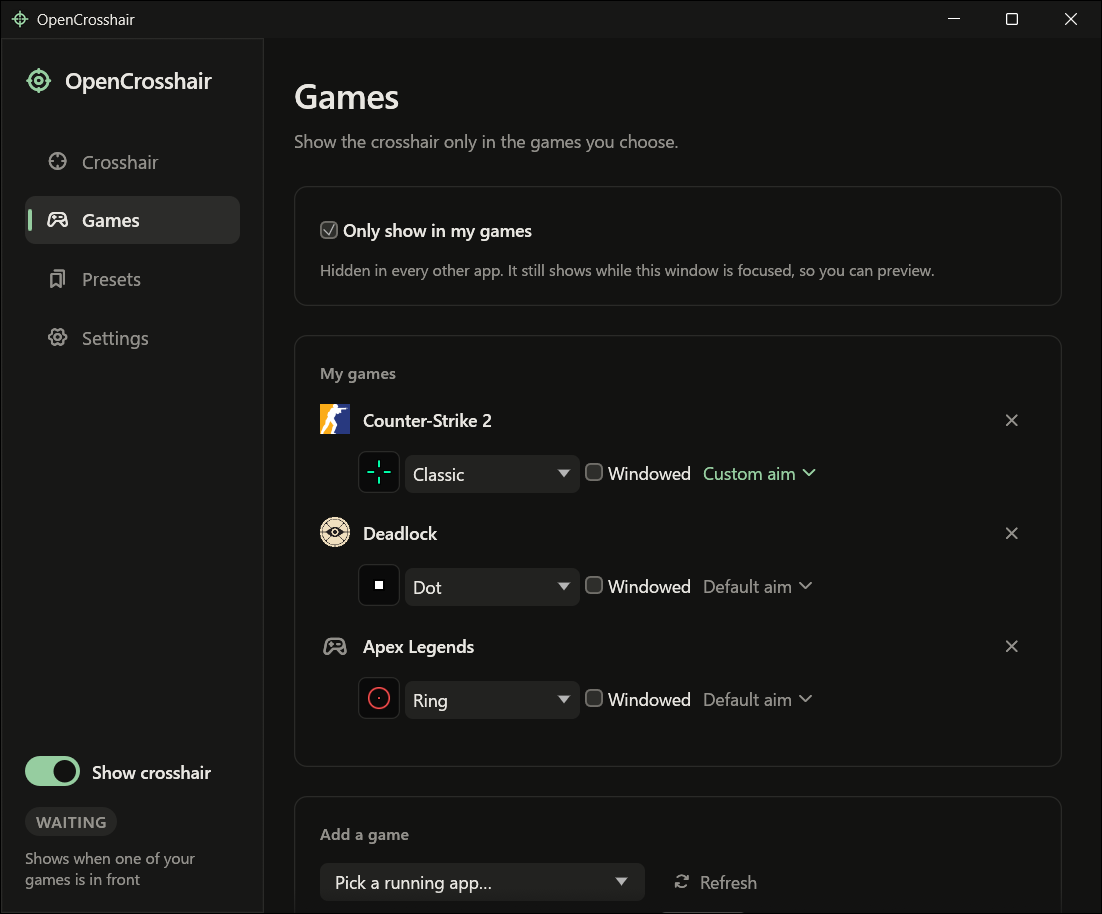
- Games list. Each game now shows its full name, with ✕ always at the far right, and its settings on the line below. The ✕ no longer drops onto a line of its own on narrow windows.
- Long preset names stay on one line and end in "…" (hover to read the whole name), so the dropdowns and the Presets list keep their shape. Names are limited to 64 characters.
- Chinese, Japanese and Korean names display properly instead of as boxes.
- On short windows the sidebar scrolls instead of the status drawing over the page links, and the Crosshair page's preview scrolls with the page instead of filling it.
Fixed
- Num Lock showed as "Pause" in Keybinds.
- With no key set, some hints said "Press Not set".
- A preset whose picture file had been deleted said "Image"; it now says "Picture missing".
Settings from earlier versions load unchanged. Installed copies update themselves. To install fresh, download OpenCrosshair-Setup.exe.
OpenCrosshair v0.5.2
New
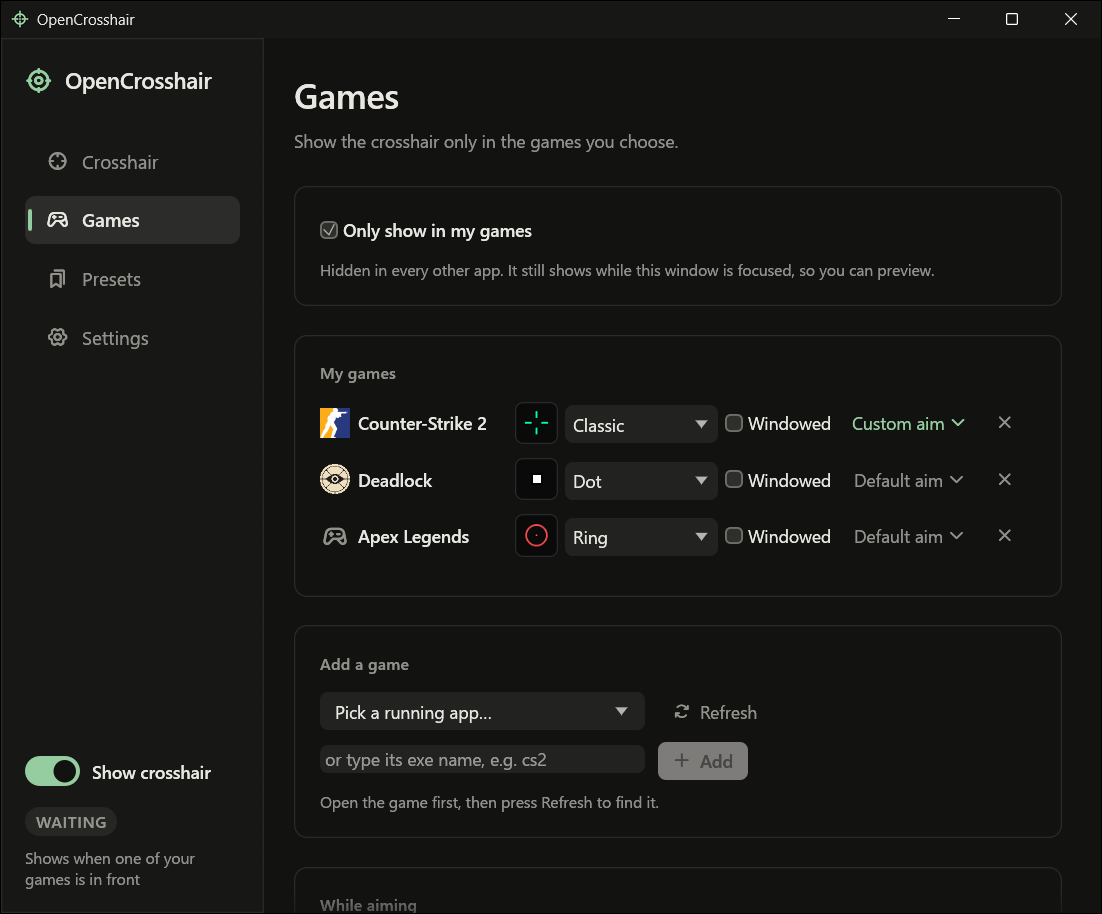
- Undo for removing a game. The ✕ on a game used to remove it, with its preset and aiming rule, in one click. Now it says "Removed Counter-Strike 2." with an Undo button that puts it back exactly as it was.
- Follows Windows' accessibility settings. With animation effects turned off, the window stops animating. It scales with Windows' text size, and a contrast theme makes all text and borders full contrast. These are read when OpenCrosshair starts.
Improved
- Saving a preset now confirms it ("Saved Classic." or "Updated Classic." when it overwrites one).
- Hovering a preset's name shows a pencil, so it's clear the name can be clicked to rename it.
- The sidebar switch is labelled "Show crosshair", so it isn't confused with the Crosshair page above it.
- Sidebar items, the switch and the colour swatches react the moment you press them, not only when you let go. The swatches are a little bigger.
Settings from earlier versions load unchanged. Installed copies update themselves. To install fresh, download OpenCrosshair-Setup.exe.
OpenCrosshair v0.5.1
Improved
- Updates are more reliable. The updater used to ask GitHub's API for new releases, which only allows 60 requests an hour per network, so on shared connections (a university, an internet café) the check could fail with "HTTP 403". It now finds new releases through github.com itself. When a check does fail, it says what happened in plain words and tries again in 10 minutes.
- Crash log. If OpenCrosshair ever crashes, the details are written to
%APPDATA%\OpenCrosshair\crash.log. Attaching that file to an issue helps a lot. - The README's screenshots show the current look.
Copies older than 0.5.1 still check the old way; they update to this release as usual once GitHub lets them through. Installed copies update themselves. To install fresh, download OpenCrosshair-Setup.exe.
OpenCrosshair v0.5.0
New
- Rename a preset by clicking its name. Games and aiming rules that use it follow the new name.
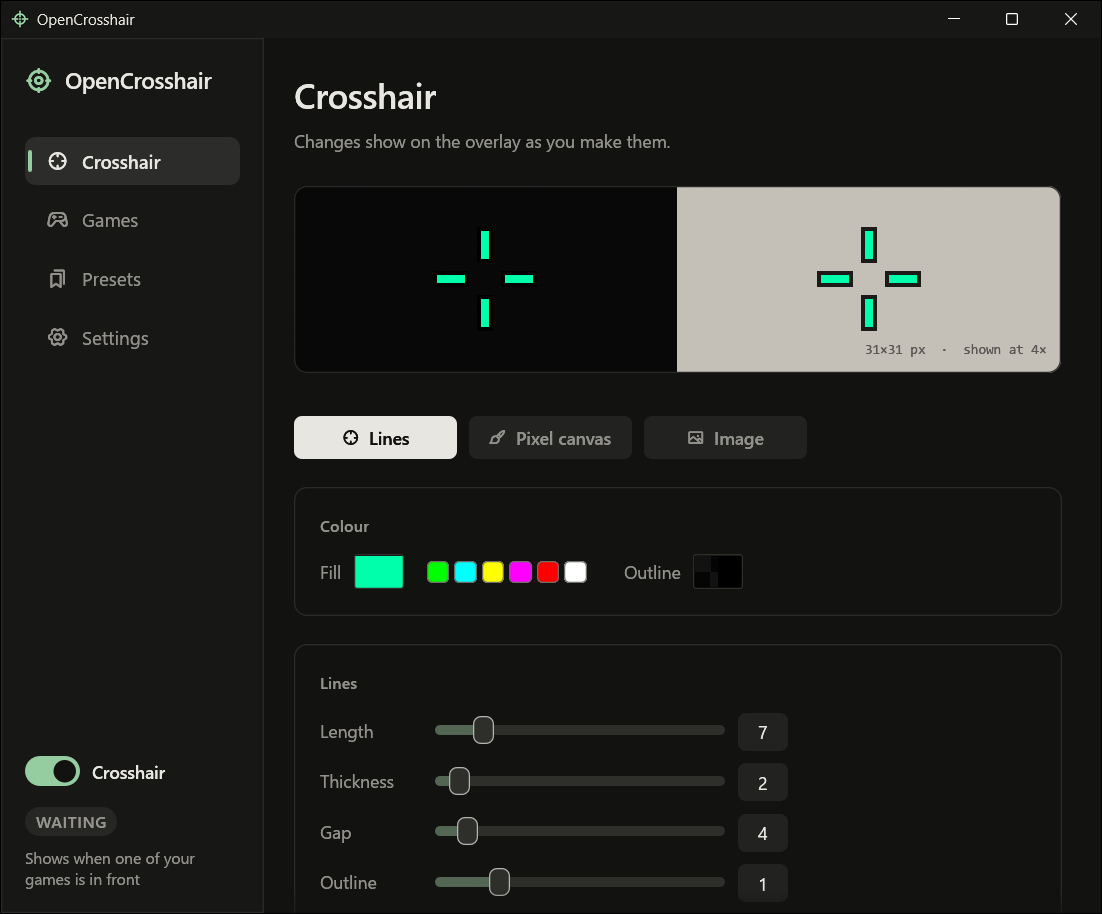
- Colour swatches: green, cyan, yellow, magenta, red and white are one click away, next to Fill and next to the pixel brush.
Improved
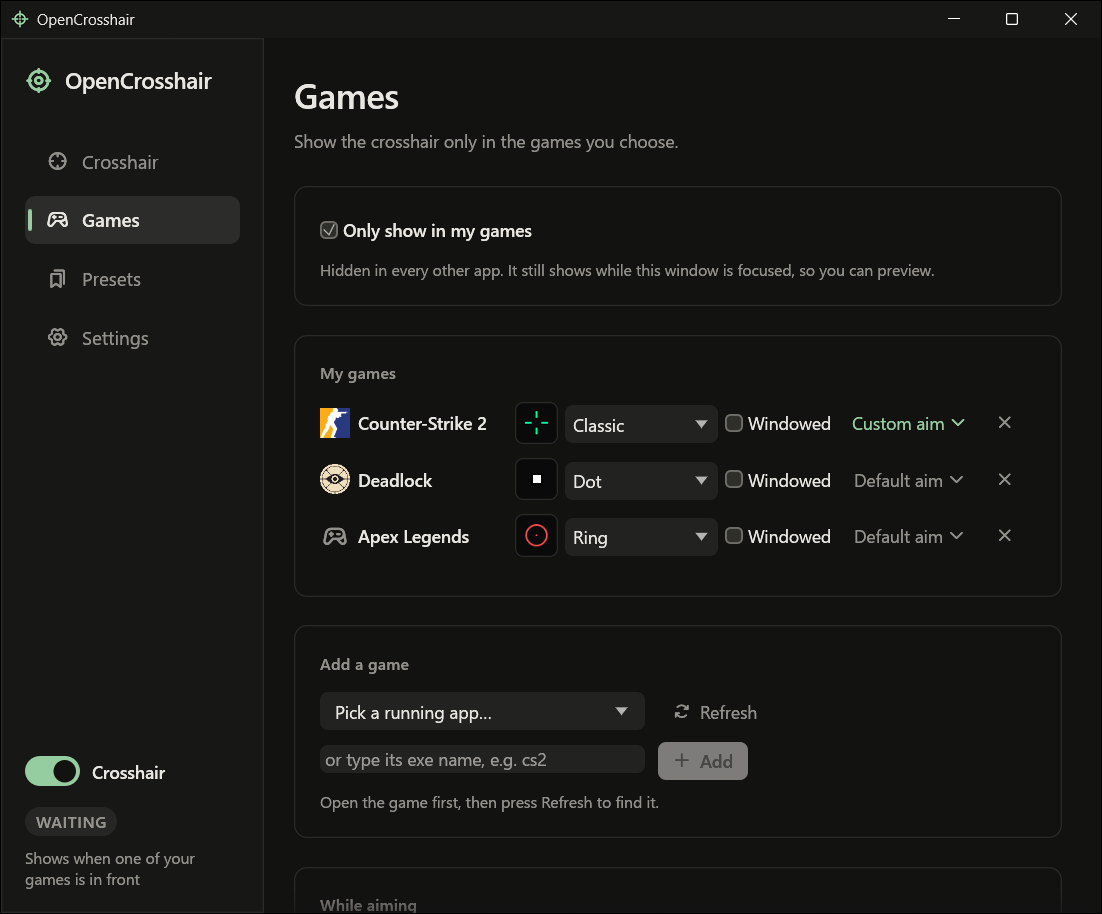
- The sidebar has an on/off switch for the crosshair, and its status reads as a plain sentence. "Waiting" is no longer shown in warning amber; amber is kept for Fullscreen.
- Games page: your games and Add a game come first. Each game's aiming button now says Default aim or Custom aim instead of being an unlabelled icon.
- Presets page: Export all and Import sit in the list's header, and the Load buttons are quieter.
- The title bar takes the app's own colours on Windows 11, in light and dark.
- Everything fits at the smallest window size. Game rows wrap instead of running off the edge.
- The settings window only redraws when something changes, instead of twice a second, so it uses no CPU while it sits open.
Fixed
- Deleting a preset now also resets games whose own aiming rule switched to it.
Settings from earlier versions load unchanged. Installed copies update themselves. To install fresh, download OpenCrosshair-Setup.exe.
OpenCrosshair v0.4.0
New
- Export and import presets. Each preset on the Presets page has an export button, and the Saved card has Export all and Import. Presets are saved as a
.opencrosshairfile with their pictures inside, so they work on another PC. Importing never overwrites: a preset with a name you already have is added as "Name (2)".
Improved
- While the aiming action is "Keep the crosshair", the aim button and Toggle are greyed out, with a hint saying you need "Hide it" or a preset for them to do anything.
Installed copies update themselves. To install fresh, download OpenCrosshair-Setup.exe.