Repository navigation
v4.2.0

What's Changed
- 189 enable one click project sharing by @Devendork in https://github.com/UnstableDesign/AdaCAD/pull/190
Full Changelog: UnstableDesign/AdaCAD@v4.1.7...v4.2.0
Changes to UI
This update added the ability to share files!
You can share your current file using the pink "share" button in the workspace footer
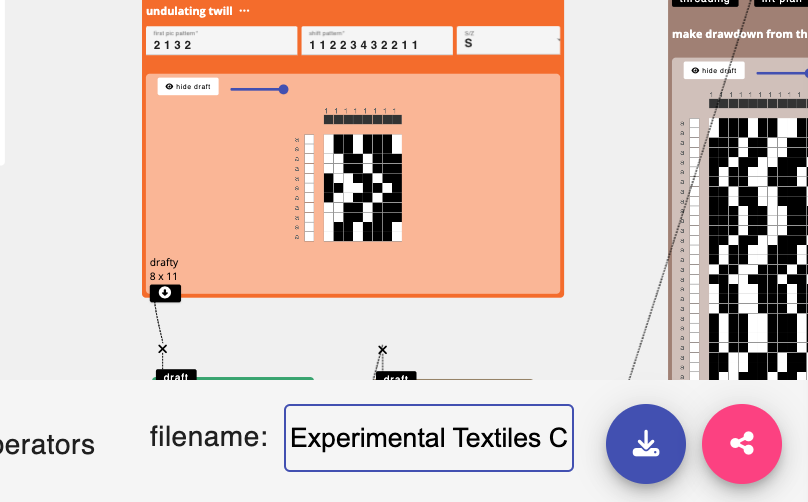
Clicking that link opens a dialog box that lets you turn sharing on and off.

When you enable sharing, you are asked to specify certain details about how this file is shared.
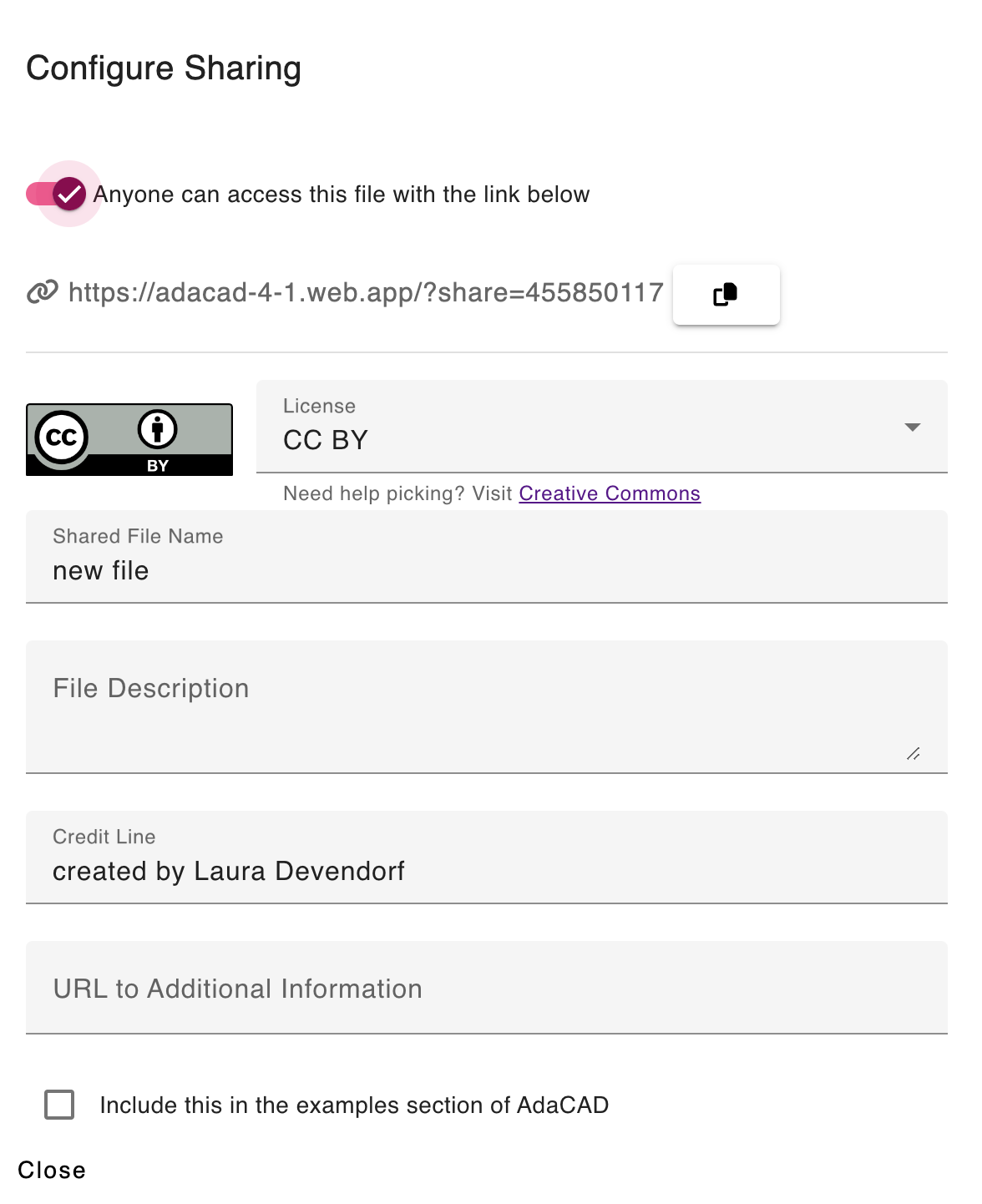
This lets you choose an open source license for the code as well as a filename and description for the file to be shared. The URL at the top of the page can be posted or sent to others, which will allow them to open your workspace on their computer.
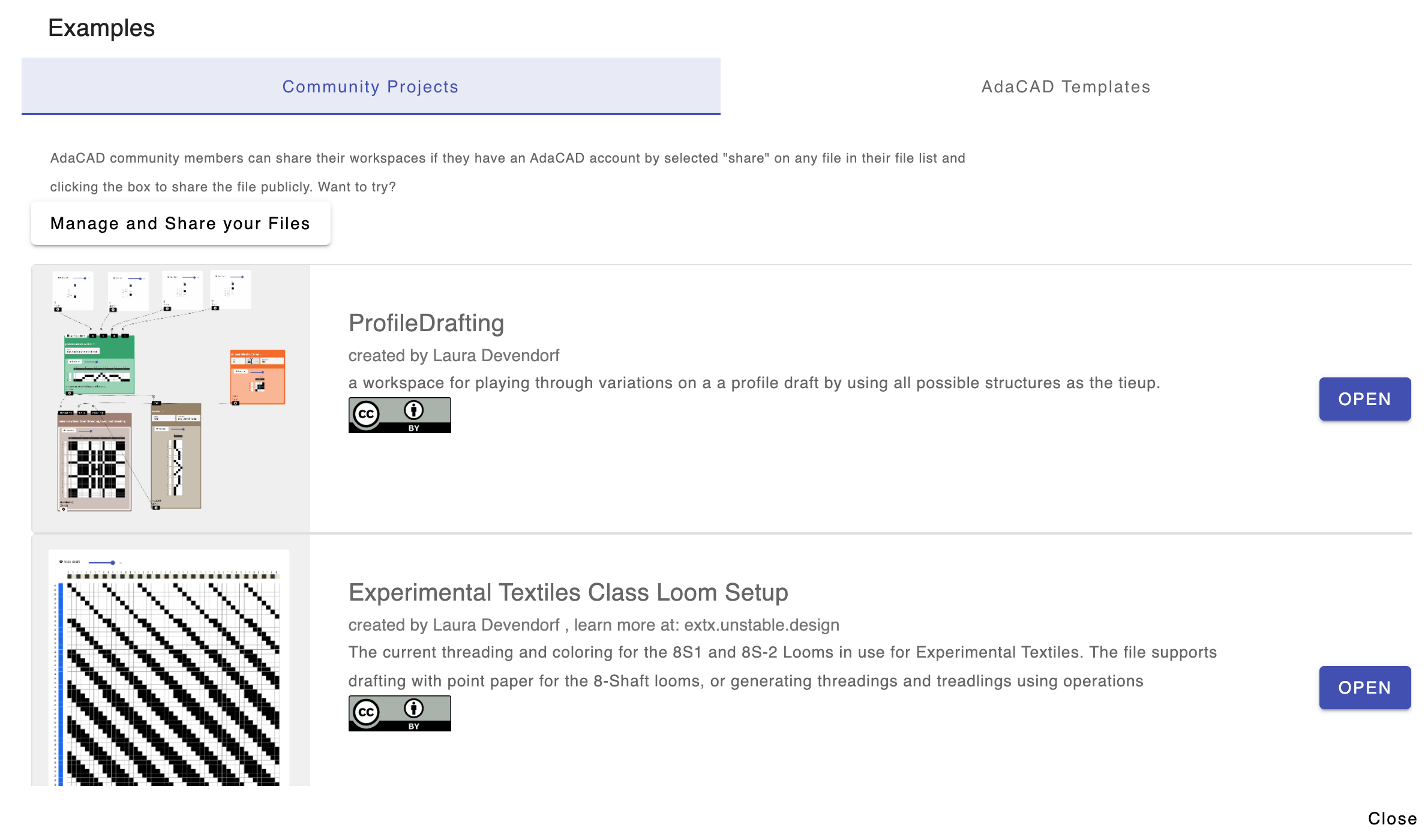
You are also welcome to share this file publicly by checking the box next to "Include this in the examples section of AdaCAD". If you click that, and upload a photo, you can share it with teh community more broadly in the "Examples" section....which now looks like this:
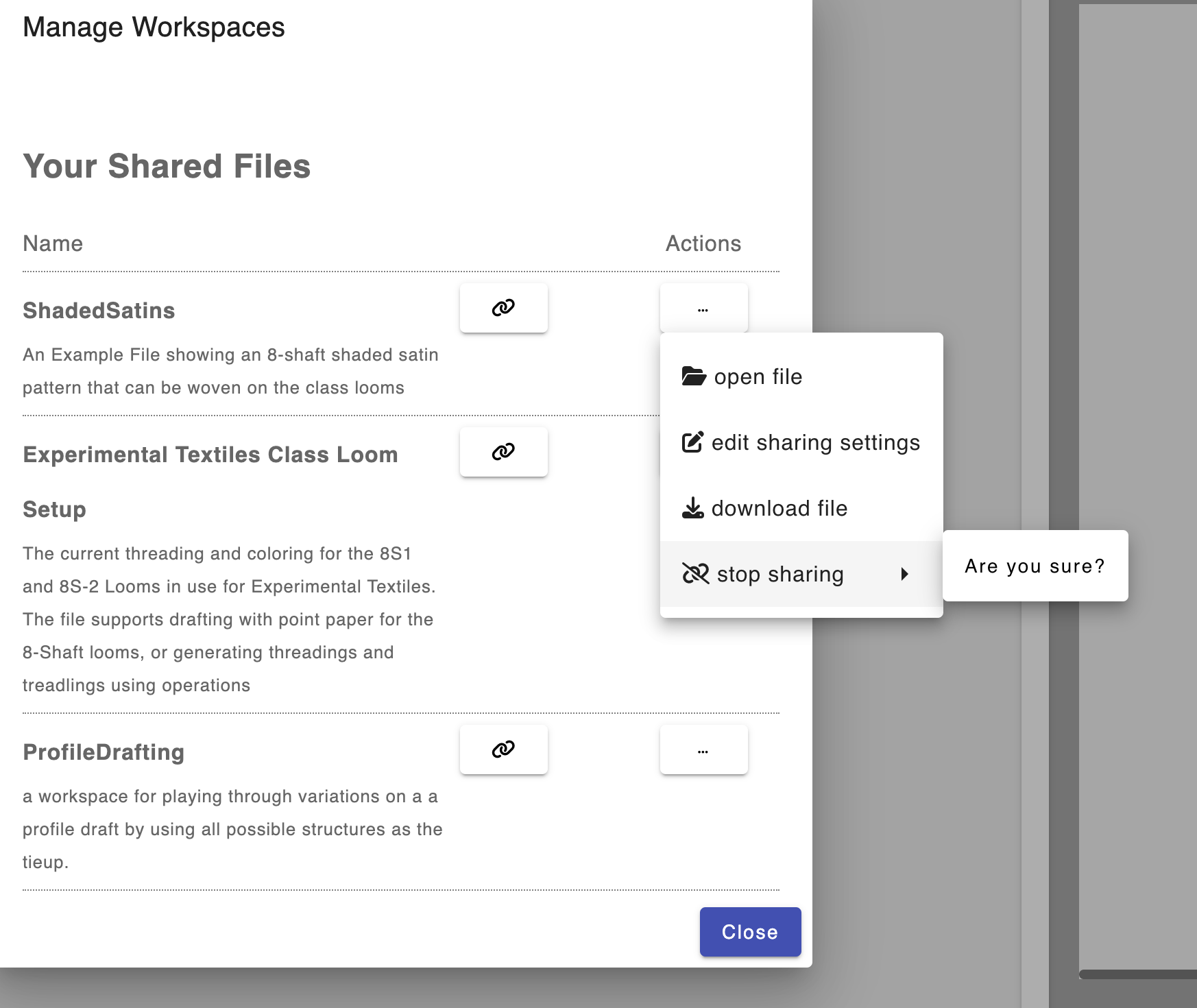
If you want to change any settings, or unshare any of your files you can now click your name and "Manage Saved Files" from the topbar:

That opens a window where you can see all of your shared and unshared files and you can select actions to change information and/or stop sharing the file.
Happy sharing!
Backend Changes
The sharing HTML and .ts files are stored in core/modal/share/
and all of the interactions with the database that enable sharing are communicated in /core/provider/filesystem.service.ts
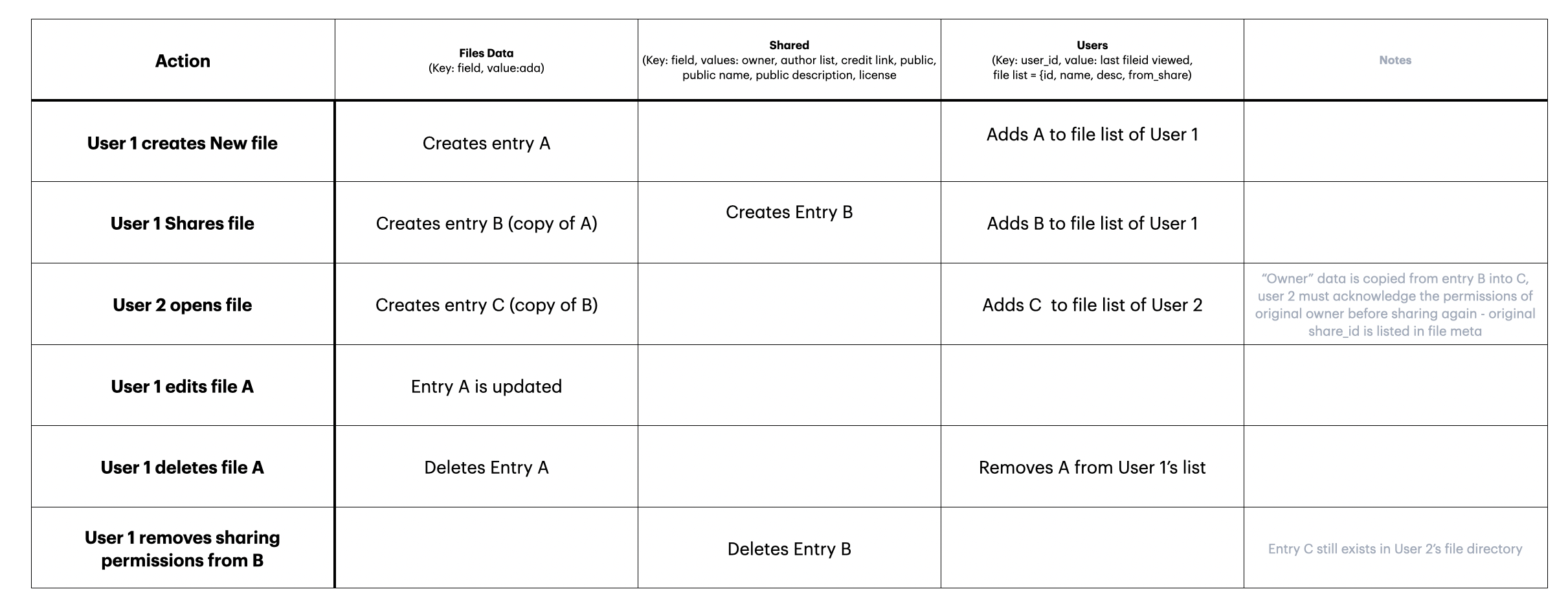
When a file is shared it is essentially duplicated in the files database, added to the user's file list, and added to the shared file database along with sharing specific data (owner_id, license, etc).
If someone opens the shared file from the url, that file is copied immediately into their file list and in the files database. If they delete that file, it deletes only from their local list. If the original creator "unshares" a file, it removes it from the shared database and a reference to the file that was once shared is added to the local files list for that user with the added name (previously shared).
I made the diagram below to clarify the process for myself.
To make this possible, I had to make substantial changes to the image uploading operations. Currently they assumed that any image uploaded would be indexed color and parsed for the image map operation. I created a neew "media.service" that handles all media/images that are uploaded and a new type, called "Single Image" which handles the uploading of images as is (e.g. so they can be shown with the example and, later, in notes).
