Repository navigation
Releases
Ocarina of Time (Switch 2) test build 1

Ocarina of Time (Switch 2) test build 1
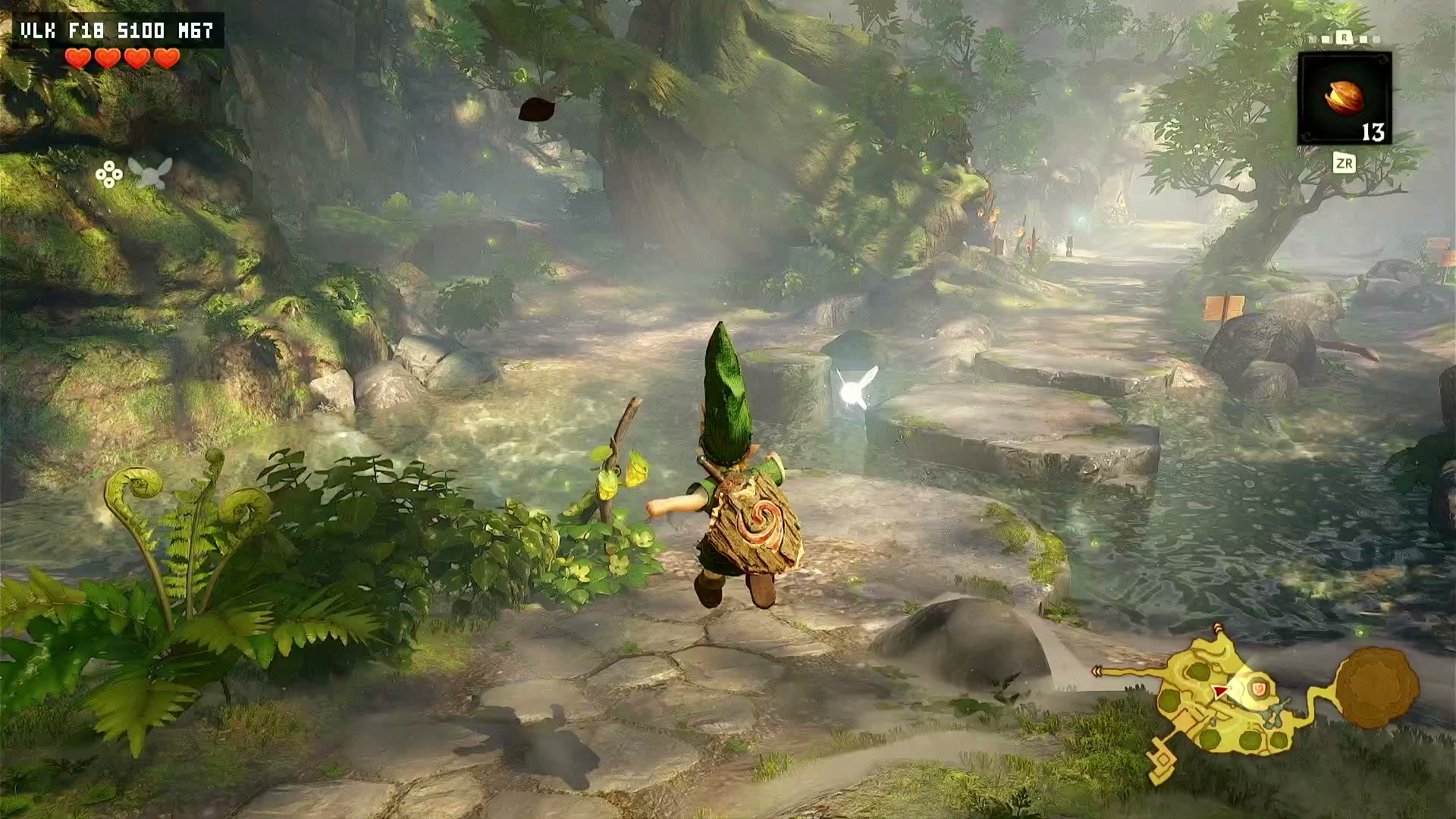
This build plays The Legend of Zelda: Ocarina of Time (Switch 2) on a jailbroken PS5 through emulation. It is based on viejunerd's EglantinePS5 v1.219.020 (my build T49). It's a rough test build, shared so people can try it now instead of waiting for more work on speed.
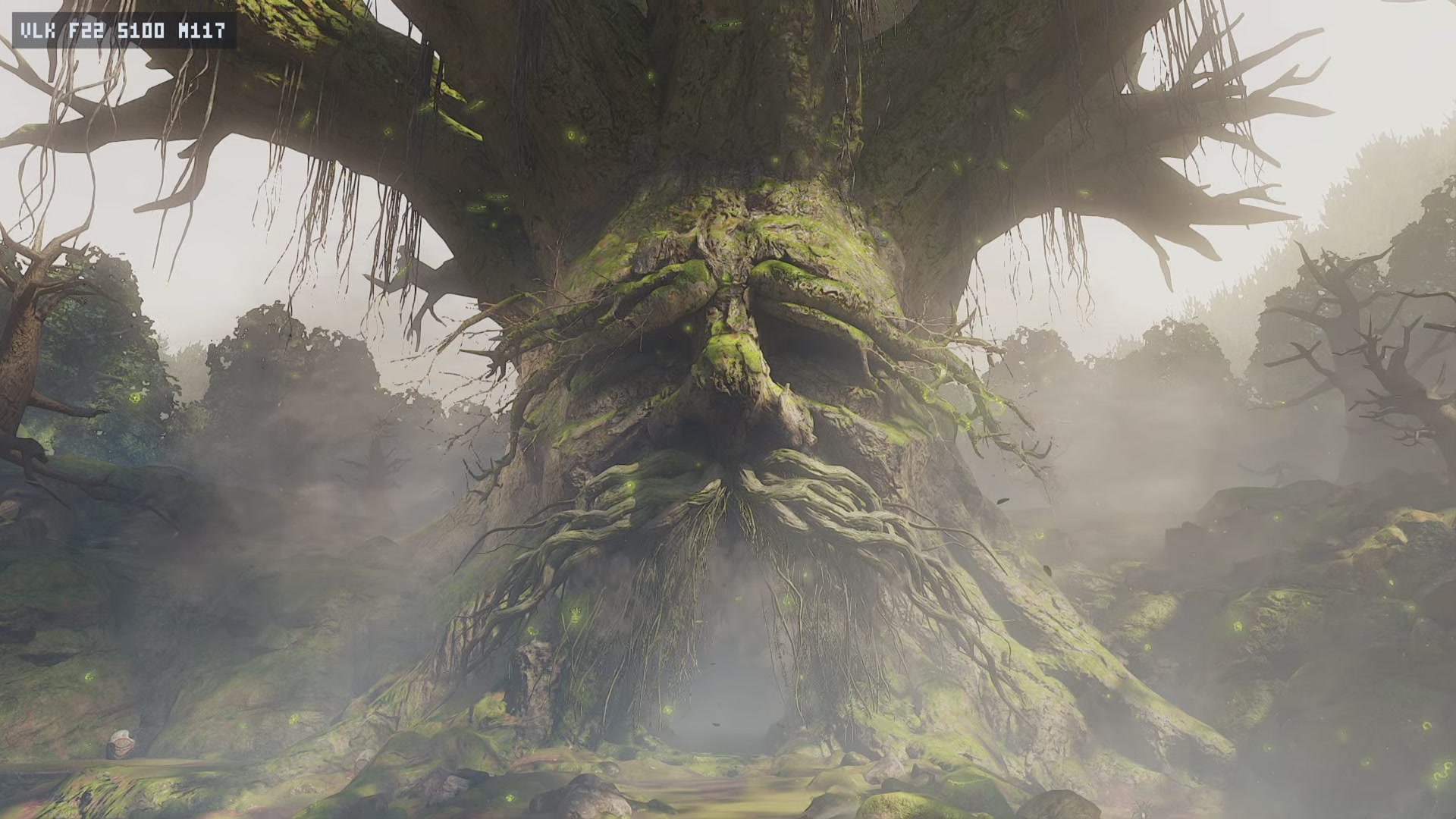
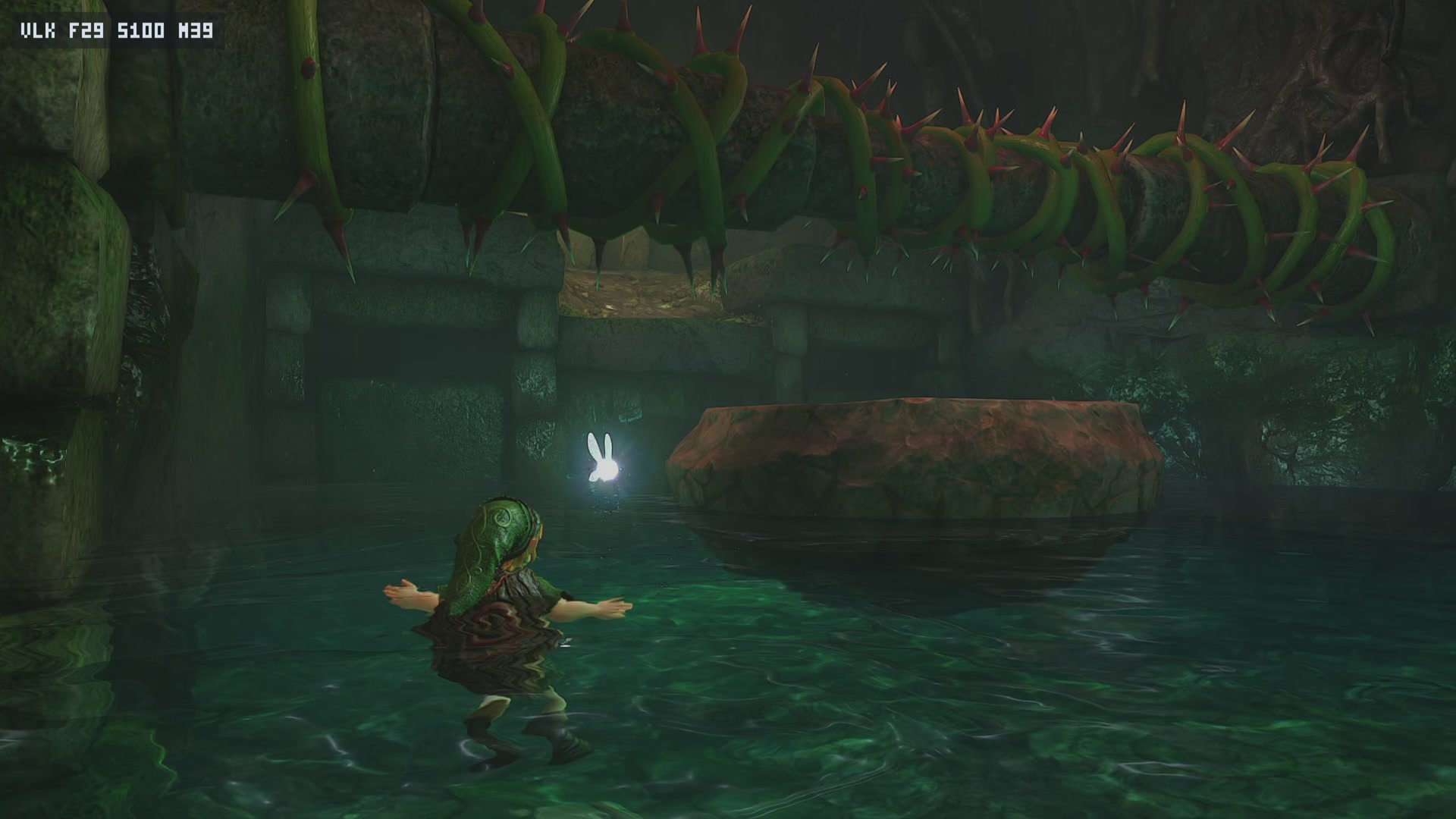
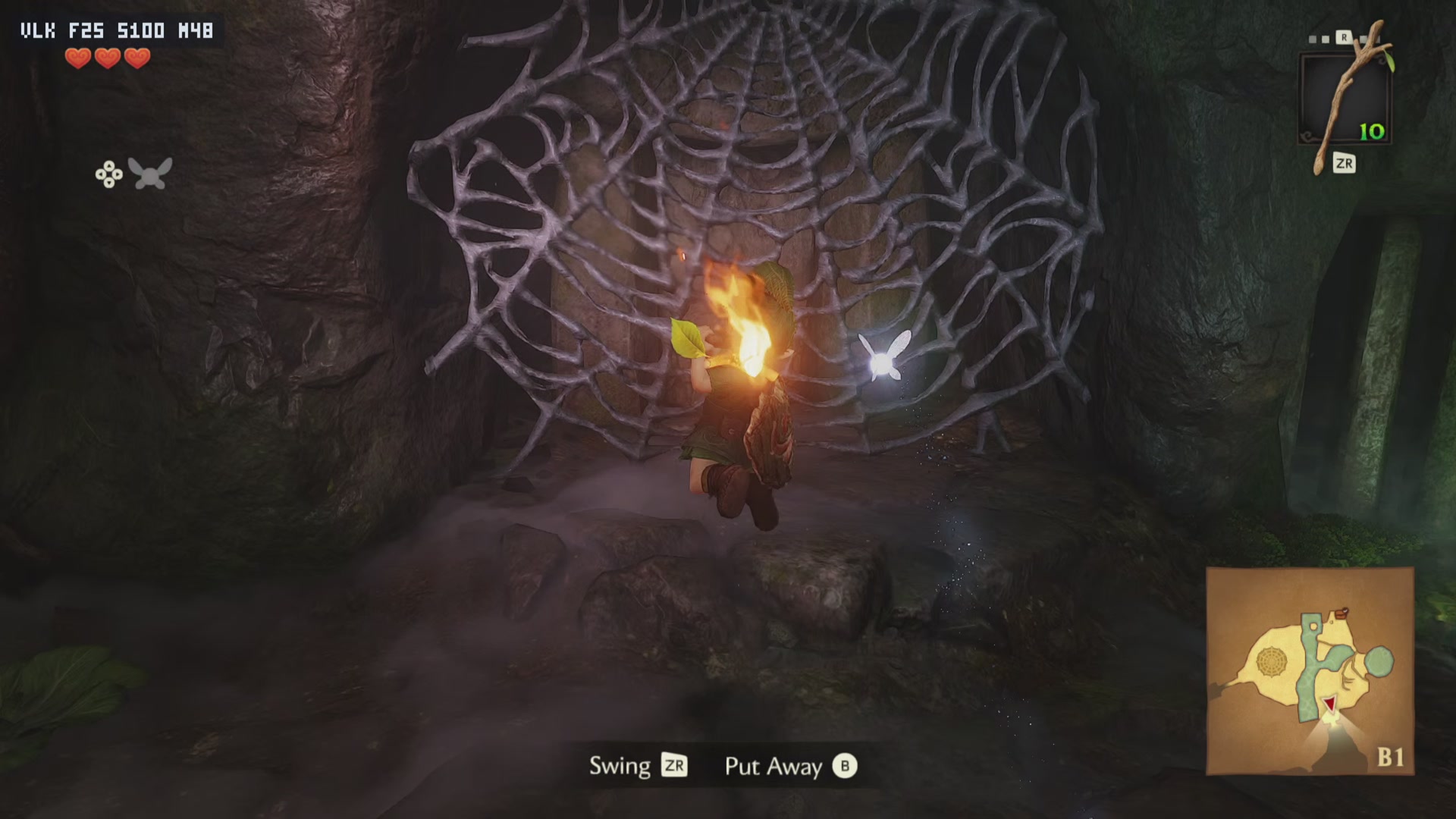
T45, leaves off. On 7 November 2026 one run, started from a save in Kokiri Forest, got through the first dungeon and beat its boss. It lasted 33.7 minutes without a freeze, then the app ran out of memory after the warp cutscene. Nothing past that point has been tested on this build. That is one good run on one console, not what to expect every time.
T47 to T49, leaves on. Tree leaves, ferns and ground plants are back, at a cost in speed. Warm launches ran 7 to 21 minutes so far, before the flash settings went in. In the 21 minute one, Link stood still for the second half.
T49, flash settings. Two settings from Lichii cut the white flashes a lot in the runs I scanned. They're much reduced, not proven gone. Dark one-frame glitches are still there. The numbers are under Flash results below.
 |
 |
 |
|---|
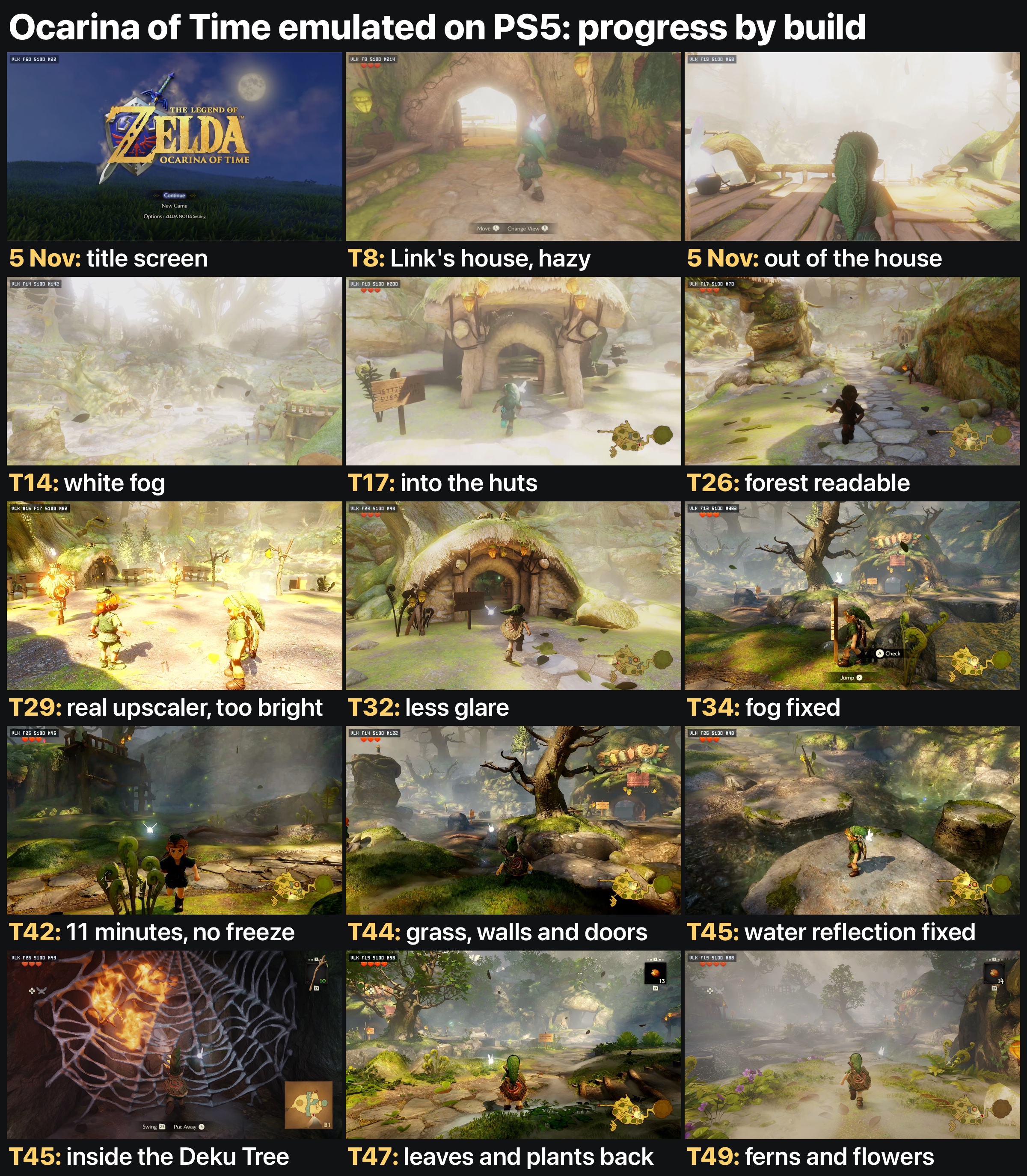
Captured during the T45 run, with leaves off. The figures in the top left corner are the app's own counter.
Download
Get EglantinePS5-Ocarina-test-1.zip from the release page and unzip it.
Before you start
- Tested on: one base PS5, firmware 12.40, game version 1.1.1, by one person.
- You need your own legally obtained game, keys and firmware. None are included, and I can't help you get them.
- It can crash or freeze your console. If it freezes, hold the power button and jailbreak again. Back up your saves and your app folder first. Use it at your own risk.
Install over an existing EglantinePS5
- Have EglantinePS5 installed and working, with the app closed.
- Back up your saves (
/data/eglantineps5/user/nand/user/save/) and your app folder. - By FTP, copy everything inside the zip's
PPSA98515folder over your app folder, usually/data/homebrew/PPSA98515/. That includesenv.txt, which replaces anyenv.txtalready there, andenv-prettier.txt. - If the app offers an update, choose Skip. It asks again each time the app opens. An update replaces this build.
To go back, delete env.txt from the app folder and install viejunerd's release again.
env.txt applies to every game, and only Ocarina was tested with it. Rename it to env.txt.off before you play anything else. If you edit it, keep Unix line endings. Anything you set in Settings > Diagnostics > Testing switches still applies unless env.txt sets the same line, so clear those first.
Choose a mode
It's one build with two lists of settings. The app reads env.txt, not env-prettier.txt.
| Faster | Prettier | |
|---|---|---|
| File | env.txt, the default |
env-prettier.txt |
| Tree leaves, ferns and plants | Off | On |
| Speed | About 27 fps median on T45. One T49 stretch read 18.7 fps, and I don't understand that yet | About 18 to 24 fps on T47 to T49 |
| Big flashes | 0 in the 145 s I scanned on T49 | 0 in the run I scanned on T49 |
| What it is | The first dungeon setup plus T49's memory lines and one flash line | Faster plus two lines: leaves on and a second flash line |
| Checked on T49 | About 4 minutes Docked, no crash. Don't expect T45's result yet | 7 minutes Handheld and 21 minutes Docked before the flash lines, then a short Docked run with them |
Both keep Max Resolution on. Lowering it looked too soft to me.
To use Prettier:
- Close the app.
- By FTP, in your app folder, rename
env.txttoenv-faster.txt. - Rename
env-prettier.txttoenv.txt. - Launch twice, as below.
To go back, do the same the other way round.
Settings
In the Library, press Triangle on Ocarina and use these. Pick plain On or Off, not Default.
| Setting | Faster | Prettier |
|---|---|---|
| Console mode | Handheld, try Docked | Handheld, try Docked |
| Faster GPU emulation | On | On |
| Reactive flushing | Off | Off |
| Asynchronous shaders | Off | Off |
| Resolution | 1x | 1x |
Handheld is what I tested most. A Docked run looked a little better at a similar feel, so try it. The flash results below are all from Docked. One earlier Docked run read 13 to 19 fps in the forest on the app's counter.
Launch twice
The first launch builds shaders and can run out of memory after a few minutes. With leaves on, T47 stopped at 468 s and T48 at 125 s. If that happens, launch again. The second launch is the one to judge. Do the same after you change mode.
T49 limits the shader builders to 4 and adds exploitizm's compile fix to help with this. My T49 runs were warm, so a cold launch on T49 with no shader cache hasn't been tested. The 4 builders may also make the title screen and intro slower.
Known problems
- First launch: see above. The heap went above 3,000 MiB on those cold launches, against a peak of 1,600 to 1,900 on a warm one.
- Out of memory: this ended three of the four hand runs on T45, after 4, 16 and 34 minutes. The two longest ended just after an area change. The screen goes black or the app stops. Save often.
- Sudden exit: the other T45 run, with T45's same
env.txt, closed by itself after 6 minutes during the Deku Tree cutscene, with no crash report. The cause isn't known. - Small sample: only the 6 and 34 minute T45 runs used T45's exact
env.txt. The other two ran without its last 7 memory lines. - Low memory with leaves: on T49 the largest free block of memory was 102 to 250 MiB through a 7 minute Handheld run. In Docked it touched 0 for a moment and was about 212 at 4 minutes, where that log stops. That Docked run was still going when the 21 minute recording ended, but Link stood still for the second half. A warm T47 lasted 14 minutes, with
EDEN_NX2_FENCE_FLUSH_US=0on, and froze. A warm T48 lasted 11.5 minutes and I closed it by hand. - Dark glitches: dark one-frame glitches on sunlit ground, worst in open areas. The cause is unknown. They often come at the same moment as a brief change in the water. A hand test with every occlusion report forced to visible left them as they were, so they're separate from the white flashes. Compute-only tables also left them and broke the reflection again.
- White flashes: much reduced in the runs I scanned, not proven gone. Those runs were short and all in Docked.
- Stalls: the picture can stop for up to 2.6 seconds. The long T45 run had at least nine stops of over a second.
- Freezes:
EDEN_NX2_FENCE_FLUSH_US=0cut the flashes sharply in one area and much less in another. The recent hangs, on T42, T44 and T47, all had it on, so it isn't in either env file. That link isn't proven. In the T47 hang the GPU had finished everything and a worker was stuck in the queue submit. The T45, T48 and T49 runs without it didn't freeze, but that's under two hours of play. The two flash lines have hang reports from other people on Lichii. They didn't hang in my short runs, but they haven't had a long run yet. - Plants: Faster has no tree leaves, ferns, flowers or leafy bushes. Prettier has them, but one mesh pipeline is still dropped, so not every shrub shows.
- Water edges: land under the water at the edge can glitch dark in places.
- Game version: only 1.1.1 was tested. Dynamic FPS and Max Resolution are made for that version.
- Other games: not tested on this build.
Speed and picture
T45, leaves off: the app logged a median of about 27 fps during play, counted over 600 frames at a time, so stalls are included. It stayed between 22 and 32 for most of the run, and the slowest stretch averaged about 18. A 60 fps recording of the same run shows 25 to 32 new frames a second in the moving stretches that were checked, close to the counter.
T47 to T49, leaves on: the app's log gives medians of about 18 to 24 fps in Handheld. The forest is the slow part. Docked read 13 to 19 fps in the forest.
T49, leaves off: the one Faster run read 18.7 fps on the stretch I scanned, in Docked. That's the scanner's count, not the app's counter, so it doesn't compare directly with T45's 27. It's still lower than I expected and I don't understand it yet. It may be the route.
On T49 the GPU was busy about half the time in Handheld and about 58% of the time in Docked, so the GPU alone isn't the limit.
With the leaves back, the sky and fog match the Switch 2 footage I compared. The white sky in my OBS recordings comes from a contrast curve in the capture, and those recordings lose frames, so frame counts from them are rough.
Flash results
Two lines cut the white flashes. I ran each on T49 in Docked and scanned 125 to 180 s of Kokiri Forest play with my glitch scanner, one run each. Routes differ, so the numbers are rough. Glitches counts every kind the scanner finds, dark ones too. The fps here is the scanner's count of game frames in the recording, not the app's counter.
| Leaves on | Big flashes | Glitches a minute | fps |
|---|---|---|---|
| Neither line | 9 | 176 | 23.5 |
EDEN_NX2_ZPASS_PAUSE=1 |
0 | 60 | 23.3 |
| Plus `EDEN_... |