Repository navigation
Releases
Releases · VisualBoy/NDI-Browser
NDI-Browser v2026.10.29

Added
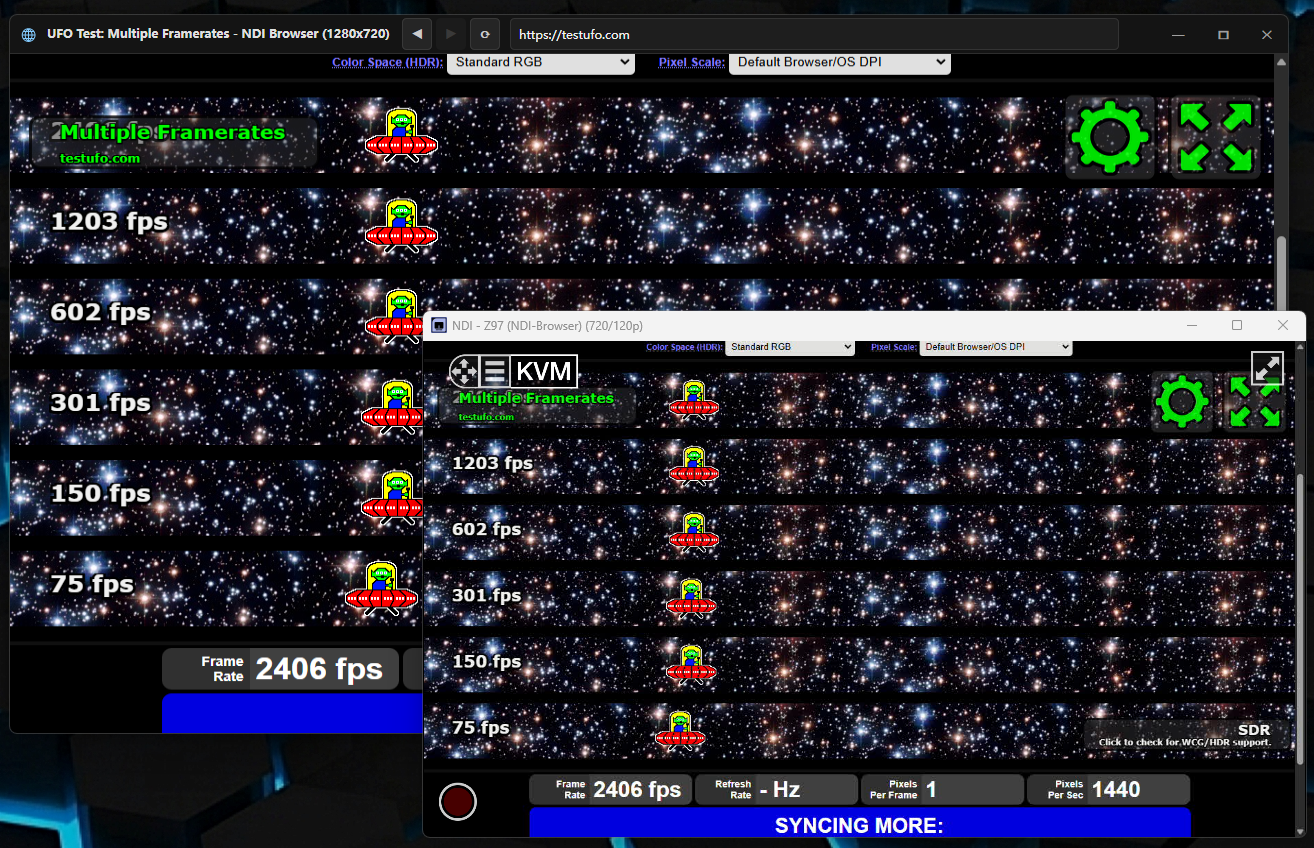
- Integrated Dark Mode Navigation Bar & Custom Window Frame (Avalonia UI):
- Migrated the desktop preview window to Avalonia UI with
Semi.Avaloniadark theme styling. - Extended client area into the title bar (
ExtendClientAreaToDecorationsHint="True"andExtendClientAreaChromeHints="NoChrome") with full drag support on empty title bar regions. - Implemented unified dark header bar (
#141414background,#2D2D2Dborder) integrating:- Dynamic application title section:
[Page Title] - NDI Browser (WidthxHeight)with icon. - Navigation buttons: Back (
◀), Forward (▶), and Reload (⟳) with history state tracking. - Responsive dark address bar with rounded corners (
CornerRadius="4"), auto-selection on focus, bi-directional URL synchronization onAddressChanged, and Enter key submission without keystroke leaking to OSR. - Window management controls: Minimize (
—), Maximize/Restore (🗖/🗗), and Close (✕) with red hover highlight (#E81123).
- Dynamic application title section:
- Added
BrowserViewControlfor hardware-accelerated Skia rendering of CEF OSR BGRA frame buffers and pointer/keyboard input forwarding. - Introduced
IBrowserPreviewWindowabstraction to decouple preview presentation from the core Chromium rendering pipeline.
- Migrated the desktop preview window to Avalonia UI with
NDI-Browser v2026.10.27
Added
- Interactive Desktop Preview Window:
- Added
BrowserPreviewFormproviding a live, resizable desktop window rendering off-screen (OSR) Chromium output. - Supports full input forwarding: mouse moves, left/right/middle clicks, mouse wheel scrolling, and keyboard input (
KeyDown,KeyUp, andKeyPresstext input). - Coordinates scale proportionally between preview window dimensions and Chromium canvas size.
- Preview window runs on a dedicated STA thread and can be closed without interrupting or stopping the NDI stream.
- Added CLI flags
--preview/--enable-previewand--disable-preview. - Added a "Preview Window" checkbox to the graphical launcher (
LauncherForm), enabled by default and persisted inLauncherSettings.
- Added
- Automatic Webcam & Microphone Permission Granting:
- Added
CustomPermissionHandlerimplementingIPermissionHandlerto automatically grant media access (MediaAccessPermissionType) and UI permission prompts without blocking user interaction. - Added Chromium command-line switches
enable-media-streamanduse-fake-ui-for-media-streamto automatically select and use system default capture devices without browser infobar prompts.
- Added
Changed
- Default GPU Acceleration & WebGL Optimizations:
- Enabled hardware acceleration flags by default in both CLI launches and Launcher settings:
--ignore-gpu-blocklist=1--enable-gpu-rasterization=1--enable-zero-copy=1--enable-oop-rasterization=1--disable-gpu-vsync=1--disable-frame-rate-limit=1--disable-background-timer-throttling=1--disable-renderer-backgrounding=1--enable-webgl=1--enable-accelerated-2d-canvas=1--enable-accelerated-video-decode=1
- Enabled hardware acceleration flags by default in both CLI launches and Launcher settings: