Repository navigation
Releases
Lily v0.2.0

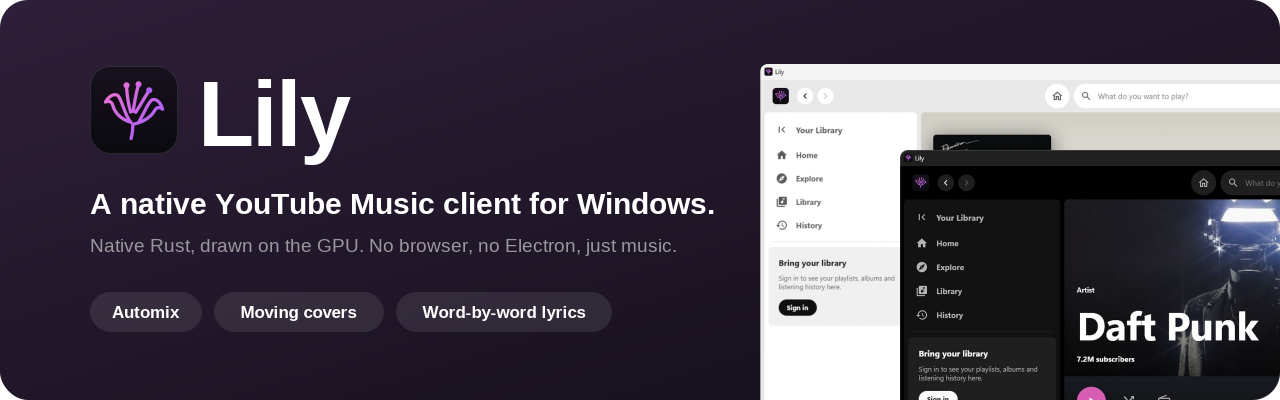
Top Features
- Restyle album and playlist headers.
- Add Automix.
- Find and decode animated artwork.
- Play animated artwork behind the full player.
- Let a request be aborted.
- Find better lyrics on other sites.
- Restyle Home, with song shelves that page sideways.
- Date Home's greeting and fill its song shelves.
- Ease pages in as they load.
- Add a sleep timer.
- Show lyrics' translations and romanisations.
- Scrobble to ListenBrainz.
Changelog
- Keep a queue drag going once the list scrolls its row away.
- Send a day-old client version at once and refresh it behind.
- Free what Skia's GPU cache hasn't used for 30 s.
- Keep the song moved on from, so Previous asks YouTube nothing.
- Fill word-timed lyrics at about 60 Hz, not the screen's rate.
- Let go of the page's, queue's and cover's artwork while hidden.
- Harden what a security audit found.
- Ask for the rest of Home's feed at once.
- Tighten the sleep timer, lyric extras and scrobbling.
Full list of changes: v0.1.19...v0.2.0
Install
Windows 10 or later (64-bit): Already have Lily? It offers 0.2.0 itself, in the card above the player bar or under Settings ▸ About ▸ Updates, and your sign-in, library and downloads stay. New to Lily? Download lily_0.2.0_x64-setup.exe below to install it, or lily_0.2.0_x64-portable.exe to run it from anywhere without installing.
The app isn't code-signed yet, so if Windows says it protected your PC, choose More info, then Run anyway. If Smart App Control blocks it, right-click the file, choose Properties, tick Unblock, and run it again.
Found a bug? Open an issue.
Lily v0.1.19
New
- Restyle toasts as cards with a petal of the icon's gradient
- Keep the sign-in alive by renewing its cookies
- Ride out a dropped connection and carry on where it stopped
- Carry on from another client when one's streams are cut off
- Retry YouTube's stray 403s and pause signed-in requests after a run
- Follow Windows' proxy, or one of the user's own
- Notice a sign-out mid-session from YouTube's answers
- Check the Premium player for a new version during long sessions
- Report watch time to YouTube as the web player does
- Spread artists and albums when shuffling
- Keep a crash log and survive panicking requests
- Add a soak-test hook
- Normalise quiet songs up too, with a Quiet level and a limiter
- Move the sound settings to a Sound tab
- Glide equaliser gains and widen it to ten bands
- Add crossfeed, mono and balance for headphones
- Choose the crossfade's length
- Pause when the device playing is unplugged
- Copy a link to a song, album, playlist or artist
- Pin playlists to the top of the sidebar
- Read playlist ownership and library state, and add the edit calls
- Save albums and playlists to the library, and subscribe to artists
- Edit your own playlists
- Copy a link from the queue and the sidebar's playlists
- Log page refreshes, watch time and Premium player checks at debug level
Fixes
- Keep toasts sized to their text after minimising
- Shape Home's loading placeholders like its shelves
- Open the account's mixes from Home
- Drop the repeated pages of long curated playlists
- Stop on a run of failing songs, counting those that fail partway
- Open new pages at the top and keep lists from running past their end
- Show a queue saved as a playlist in the sidebar at once
- Focus the Rename dialog's name once it shows
- Keep settings rows steady and menus inside their dialogs
- Say how to write @, # or / in a proxy's sign-in
- Leave the media overlay's artwork out behind a proxy from the environment
- Keep URLs out of the Premium player's fetch errors
Faster
- Fetch song-row artwork only once rows are on screen
- Show expired pages at once while they reload
- Play album and playlist cards from their first page
- Opt into Windows' segment heap
- Keep downloaded artwork on disk
- Show the last run's sidebar at once
- Evict artwork by last use
- Replay a whole song from memory
- Evict artwork in batches and simplify replays
- Start the next song from its prefetched first bytes
- Fetch what a seek needs first, and window long streams
- Ask wgpu for few bindings, so its D3D12 descriptor heap is small
- Hold less artwork while hidden and in long lists
- Buffer less of long streams and keep crossfades and downloads from holding audio twice
Install
Download lily_0.1.19_x64-setup.exe for an installer, or the portable exe to run from anywhere. The app is not code-signed yet, so if Windows says it protected your PC, choose More info, then Run anyway.
Full changelog: v0.1.18...v0.1.19
Lily v0.1.18
New
- Play the music in your own folders
- Download songs to play offline
- Draw menus in Lily's own style
- Download from the queue, cards and player bar
- Follow local files as they change on disk
- Show loading placeholders in each page's shape
- Choose the playback speed and output device
- Close to the tray
- Add a mini player
- Put lyrics and queue first in the player bar
- Show a found update in a card with its progress
Fixes
- Keep the player bar's centre clear of its buttons
- Quit without panicking in the tray's drop
- Keep songs skipped past off Listen again
Faster
- Send last run's visitor ID with the first Home
Install
Download lily_0.1.18_x64-setup.exe for an installer, or the portable exe to run from anywhere. The app is not code-signed yet, so if Windows says it protected your PC, choose More info, then Run anyway.
Full changelog: v0.1.17...v0.1.18
Lily v0.1.17
Lily is ytm-native with a new name, icon and look. Updating keeps your settings, history, queue and sign-in, which move to %APPDATA%\Lily on the first start. A taskbar pin to the old app needs pinning again.
If you had Last.fm connected, Lily asks you once to connect it again, as it now signs in as Lily. Plays not yet sent go through when you do.
New
- Rename the app to Lily
Fixes
- Draw the new icon in the top bar
- Keep the full player composed under G-Sync
Install
Download lily_0.1.17_x64-setup.exe for an installer, or the portable exe to run from anywhere. The app is not code-signed yet, so if Windows says it protected your PC, choose More info, then Run anyway.
Full changelog: v0.1.16...v0.1.17
ytm-native v0.1.16
New
- Let YouTube lead Listen again
- Add a full-screen player
- Use the iOS app's icon
Install
Download ytm-native_0.1.16_x64-setup.exe for an installer, or the portable exe to run from anywhere. The app is not code-signed yet, so if Windows says it protected your PC, choose More info, then Run anyway.
Full changelog: v0.1.15...v0.1.16
ytm-native v0.1.15
New
- Show a fresh Home of the account's own shelves in one order
Fixes
- Keep scrobbles through Last.fm errors and Premium retries
Faster
- Cut repeated stream, artwork and Premium requests
Install
Download ytm-native_0.1.15_x64-setup.exe for an installer, or the portable exe to run from anywhere. The app is not code-signed yet, so if Windows says it protected your PC, choose More info, then Run anyway.
Full changelog: v0.1.14...v0.1.15
ytm-native v0.1.14
New
- Add a six-band equaliser with presets
- Show synced lyrics that follow the song
- Like, dislike and save songs to playlists
- Add light and pure black looks and accent colours
- Scrobble to Last.fm
- Add songs played to the YouTube history
- Show the account's YouTube Music history
- Load an artist's full discography
- Take the accent from the artwork's strongest colour
- Tint Home with the accent
- Setting to hide the like and dislike buttons
Fixes
- Seek a stopped track from where the bar is put
- Leave a list's outside scroll offset unrounded
- Stop rustypipe writing reports of responses
- Reopen the audio device when it's lost
- Don't hang the engine on a skip, and harden the download
- Retry scrobbles Last.fm could not take
- Keep the account picture current
- Keep the title bar's look and recolour only when the accent changes
- Count a restart as a play and stop the device after failed tracks
- Keep equaliser bands near Nyquist from blowing up
- Reset only the settings that can't be read
- Send unsent scrobbles only to the account they were heard under
- Open links in the browser rather than Explorer
- Keep audio from clicking and settle Opus after seeks
- Keep HttpOnly cookies and check the player's signature code
- Notice a lapsed Premium subscription
Faster
- Read the like status without parsing the whole next response
- Let the audio engine sleep while paused
- Keep allocation and locking out of the audio callback
- Write the session and history off the UI thread
- Free the GPU renderer while minimised
- Start songs without a Premium version sooner and warm the next stream
Install
Download ytm-native_0.1.14_x64-setup.exe for an installer, or the portable exe to run from anywhere. The app is not code-signed yet, so if Windows says it protected your PC, choose More info, then Run anyway.
Full changelog: v0.1.13...v0.1.14
ytm-native v0.1.13
Fixes
- Drop a refused visitor ID once a fresh one works
- Keep one account's Home feed from being saved under another
- Give each atomic write its own temporary file
- Keep QuickJS's stack limit under its thread's stack
Faster
- Pause the audio device while playback is paused
- Load queue artwork only while Up next is shown
- Insert Smart Shuffle recommendations in place
- Fetch moods & genres once a session
- Optimise the Skia renderer, not the unused software one
- Check the sign-in cookie only when the account menu fails
- Reserve a long stream's size up front
Install
Download ytm-native_0.1.13_x64-setup.exe for an installer, or the portable exe to run from anywhere. The app is not code-signed yet, so if Windows says it protected your PC, choose More info, then Run anyway.
Full changelog: v0.1.12...v0.1.13
ytm-native v0.1.12
New
- Show recent searches in the search box
Install
Download ytm-native_0.1.12_x64-setup.exe for an installer, or the portable exe to run from anywhere. The app is not code-signed yet, so if Windows says it protected your PC, choose More info, then Run anyway.
Full changelog: v0.1.11...v0.1.12
ytm-native v0.1.11
Fixes
- Keep Google sign-ins from being bound to the sign-in window
Install
Download ytm-native_0.1.11_x64-setup.exe for an installer, or the portable exe to run from anywhere. The app is not code-signed yet, so if Windows says it protected your PC, choose More info, then Run anyway.
Full changelog: v0.1.10...v0.1.11