Repository navigation
Releases
v1.0 — native audio, HEVC and 4K, TV Game Mode

First stable release of the native Moonlight client for Samsung TVs running Tizen 5.0 (Muse.M, armv7l). Since v0.2 the engine plays the sound natively, HEVC and 4K are verified on the TV, TV Game Mode works end to end, and the video latency is lower.
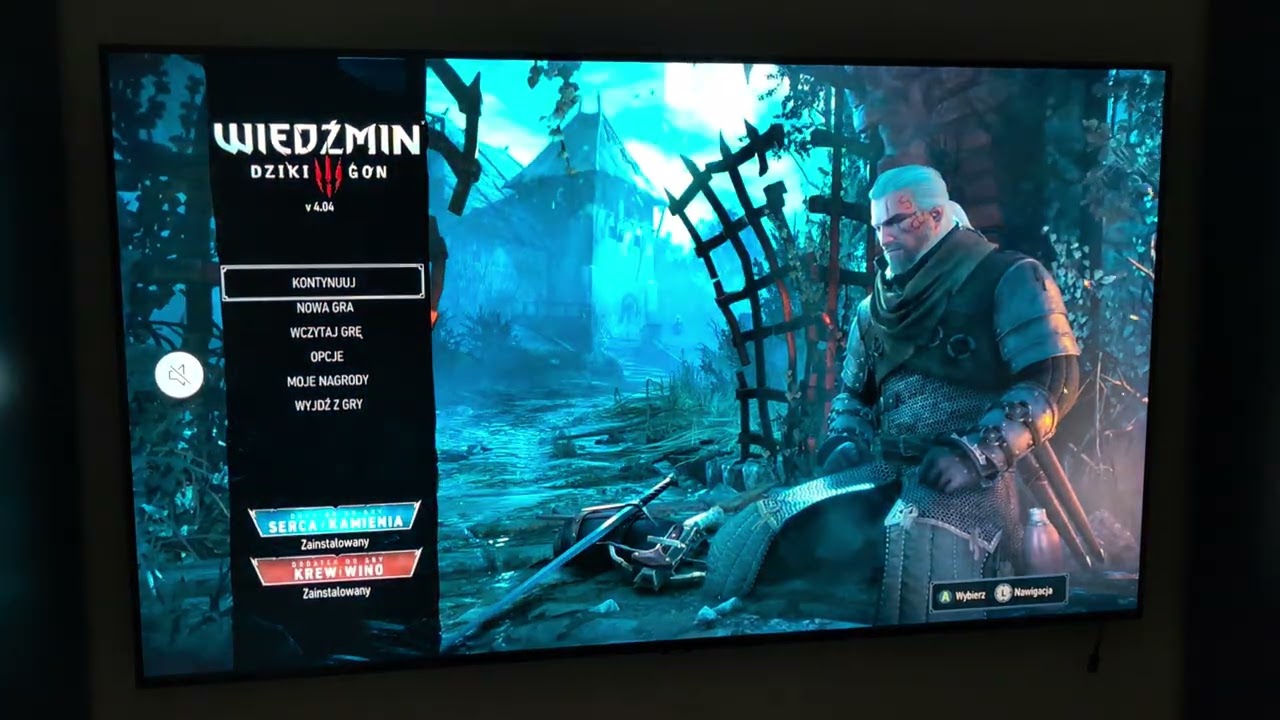
What is new since v0.2
- Native audio (core #37): the engine decodes Opus and plays the PCM through the TV's audio-io, with no message-port hop. Stereo 48 kHz, verified on a TV (
audio route: nativein the logs): fewer dropouts and a faster gamepad than with Web Audio. Web Audio stays as an automatic fallback (5.1 streams, or when audio-io fails). - HEVC and 4K verified on the TV.
- Lower video latency (core #40):
nudgepacing is the default for 60 fps streams (target 100 ms,mlTargetDepth(ms)in the console); a missing H.264 SPSbitstream_restrictionis added; a one-time catch-up of the player queue after the start (core #34). - TV Game Mode (core #32, #34, #41, #42): on at the stream start, off at the stop, and still off after you leave Moonlight. The UI repeats a call the TV refused (
rc -2). If the TV stays in game mode after the app was closed mid-stream, switch it off from the console:mlGameMode(false, 1), thenmlGameMode(false, 0)(see the README). - Gamepad stop combo Back+Start+LB+RB leaves the stream (tested with an Xbox controller).
- Stats overlay over the video (core #40), turned on by the UI's performance statistics setting (core #34).
- Fixes (core #34): the player is closed after a failed setup, more data in the
ML-ERRORline; the host self-tests run in CI on every pull request. - Packages now carry the release version (
1.0.0) in their manifests.
What works (verified on real hardware)
- Full streaming session: host discovery (mDNS) or manual add, PIN pairing with Sunshine / GFE / Wolf, app list, launch.
- Hardware video through the TV's ES player: H.264 720p–1080p at up to 60 fps, HEVC, 4K.
- Native audio (audio-io), Web Audio fallback.
- Xbox controller over Bluetooth: buttons, sticks, analog triggers; Back+Start+LB+RB leaves the stream.
- Remote Back key leaves the stream and returns to the app list.
- TV Game Mode during a stream.
- Diagnostics: every failure produces one
ML-ERRORline with the session config, counters and player state.
Install
Install both packages with Apps2Samsung (it reads the TV's DUID and signs for it):
Moonlight-1.0.wgt— the web UIorg.moonlight.host-1.0.tpk— the native engine host
The UI starts the host by itself: no reboot, no manual start. Developer Mode must be enabled on the TV. Moving back from the older hybrid package? Uninstall it first (see the README).
The -debug variants are unoptimised builds with verbose logs from the UI, the .NET host and the engine — download these to report a problem.
Known limitations
- AV1 is not supported: the TV's player on this firmware does not decode it.
- Not tested yet: HDR, keyboard / mouse input.
- No rumble, no surround sound (audio-io takes mono/stereo only; a 5.1 stream falls back to Web Audio, not tested), no shared A/V clock (audio and video run on separate clocks).
- Player stall recovery exists but is off by default until validated.
- Tested on one model so far (Tizen 5.0, Muse.M). Reports from other Tizen 5.0/5.5 TVs are welcome — attach the
ML-ERRORline from a debug build.
v0.2 — audio, resilience, and the first public demo

Second packaged release of the native Moonlight client for Samsung TVs running Tizen 5.0 (Muse.M, armv7l). The client now streams with sound, survives player hiccups, and has a demo video.
What works (verified on real hardware)
- Full streaming session: host discovery (mDNS) or manual add, PIN pairing with Sunshine / GFE / Wolf, app list, launch.
- Hardware H.264 video through the TV's ES player: 720p–1080p at up to 60 fps, low latency (2–3 frames of player queue).
- Sound is back: the engine decodes Opus to PCM and the UI plays it with Web Audio — a ~100 ms jitter buffer, drop/underrun counters in the statistics overlay (core #22). (Video-only mode from the last release is no longer needed.)
- Xbox controller over Bluetooth: buttons, sticks, analog triggers.
- Remote Back key leaves the stream and returns to the app list (core #20).
- Live statistics overlay (
toggleStats): queue depth, fps, audio counters. - Player resilience: one automatic player rebuild before the fatal watchdogs, IDR retry at stream start (core #22).
- Diagnostics: every failure produces one
ML-ERRORline with the session config, counters and player state. Use the-debugpackages to report problems (see the README's "Getting the logs").
Implemented, not yet verified on a TV
- TV Game Mode during a stream (core #32): the TV's game picture mode switches on when the stream starts and is restored when it ends. Enabled by the Game Mode switch in Settings (no longer disabled on Tizen 5.0/5.5). Built and unit-tested, but the on-TV behaviour — including whether the mode survives the player's video-format declaration — still needs a field test. Feedback welcome.
- HEVC / AV1 video, HDR, 4K resolutions, keyboard/mouse input.
Install
Install both packages with Apps2Samsung (it reads the TV's DUID and signs for it):
Moonlight-0.2.wgt— the web UIorg.moonlight.host-0.2.tpk— the native engine host
The UI starts the host by itself: no reboot, no manual start. Developer Mode must be enabled on the TV. Moving back from the older hybrid package? Uninstall it first (see the README).
The -debug variants are unoptimised builds with verbose logs from the UI, the .NET host and the engine — download these to report a problem.
Known limitations
- No rumble, no surround sound (5.1/7.1), no engine-side A/V sync (audio runs on the Web Audio clock).
- Player stall recovery exists but is off by default until validated.
- Tested on one model so far (Tizen 5.0, Muse.M). Reports from other Tizen 5.0/5.5 TVs are welcome — attach the
ML-ERRORline from a debug build.
v0.1.1
Pair: Moonlight-0.1.1.wgt (web UI) + org.moonlight.host-0.1.1.tpk (host). Install both with Apps2Samsung. The UI starts the host by itself. Debug (trace) builds: the -debug files.
v0.1.0
Pair: Moonlight-0.1.0.wgt (web UI) + org.moonlight.host-0.1.0.tpk (host). Install both with Apps2Samsung. The UI starts the host by itself. Debug (trace) builds: the -debug files.
v0.0.19
Pair: Moonlight-0.0.19.wgt (web UI) + org.moonlight.host-0.0.19.tpk (host). Install both with Apps2Samsung. The UI starts the host by itself. Debug (trace) builds: the -debug files.
v0.0.18
Pair: Moonlight-0.0.18.wgt (web UI) + org.moonlight.host-0.0.18.tpk (host). Install both with Apps2Samsung. The UI starts the host by itself. Debug (trace) builds: the -debug files.
v0.0.17
Pair: Moonlight-0.0.17.wgt (web UI) + org.moonlight.host-0.0.17.tpk (host). The host starts with the TV: install both with Apps2Samsung, then start the host once by hand or reboot the TV after the first install. Debug (trace) builds: the -debug files.
v0.0.16
Pair: Moonlight-0.0.16.wgt (web UI) + org.moonlight.host-0.0.16.tpk (host). The host starts with the TV: install both with Apps2Samsung, then start the host once by hand or reboot the TV after the first install. Debug (trace) builds: the -debug files.
v0.0.15
Pair: Moonlight-0.0.15.wgt (web UI) + org.moonlight.host-0.0.15.tpk (host). The host starts with the TV: install both with Apps2Samsung, then start the host once by hand or reboot the TV after the first install. Debug (trace) builds: the -debug files.
v0.0.14
Pair: Moonlight-0.0.14.wgt (web UI) + org.moonlight.host-0.0.14.tpk (host). The host starts with the TV: install both with Apps2Samsung, then start the host once by hand or reboot the TV after the first install. Debug (trace) builds: the -debug files.