Repository navigation
Releases
Nook 0.2.0

 WilliamJohnDavisIII
Liam Davis
1842254
WilliamJohnDavisIII
Liam Davis
Games on more than one disc now stay one game, and you can boot straight into any disc. Going off the end of the shelf is calmer too, and GameCube games boot on Apple Silicon through standalone Dolphin.
What's new
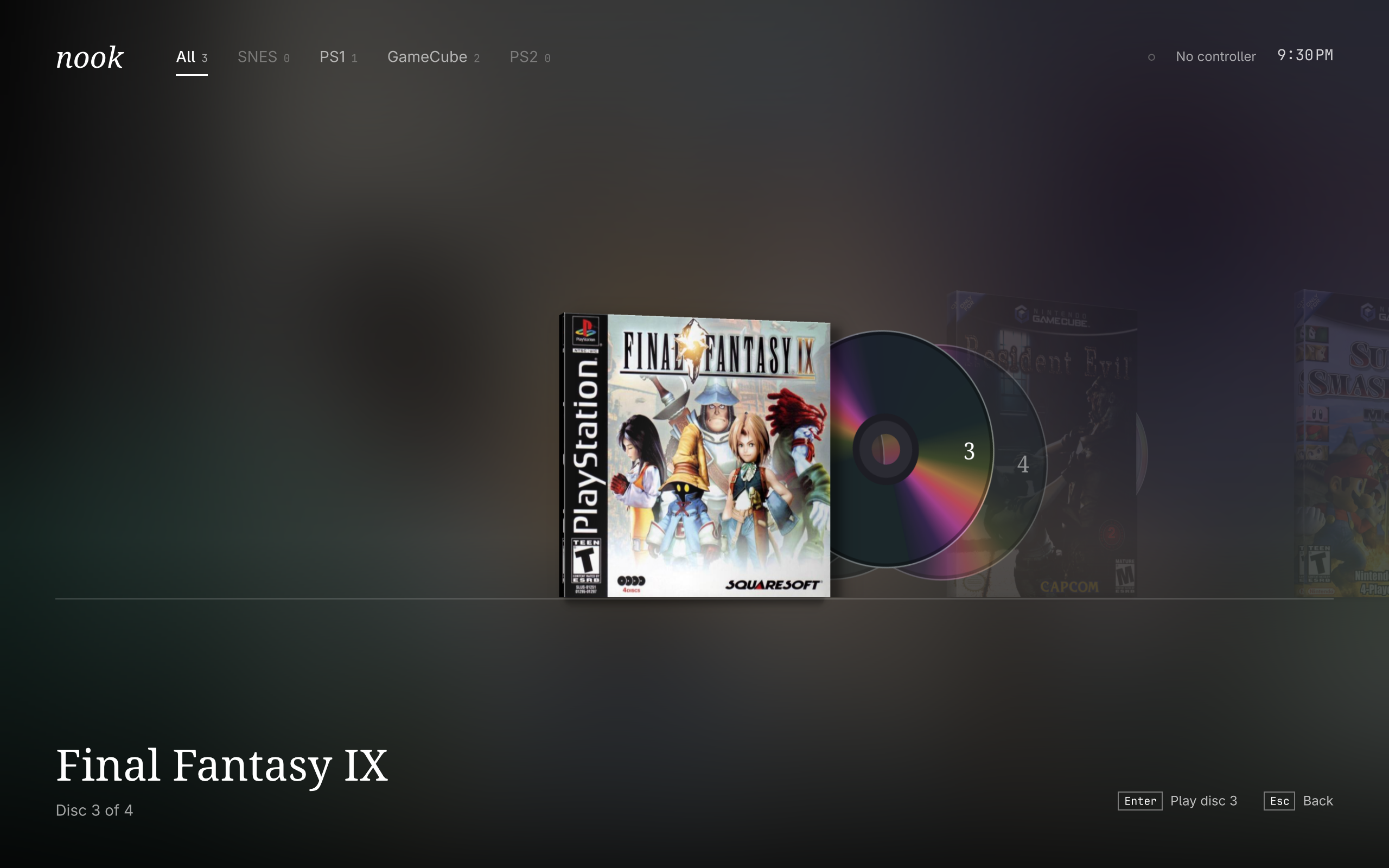
- One game, however many discs: loose files named
(Disc 1),(Disc 2)in one folder now share one entry, with their cover and play history intact. - Discs you can see: every multi-disc game shows its discs behind the case, tucked in on the shelf and fanned out when selected. PS1 discs are black, and GameCube discs are small and silver.
- Boot any disc: press the left button or
Dto open the case, pick a disc, and play. Pressing Play on its own carries on from the disc you were last on. - A gentler shelf: going from the last game to the first no longer rushes past everything in between. The shelf fades away and the other end drifts in.
- Better standalone Dolphin: menus are the right size on scaled screens, and its statistics question no longer interrupts a controller-only launch.
Changing discs mid-game
| System | When the game asks for the next disc | Saves across discs |
|---|---|---|
| GameCube | Dolphin changes it for you | Shared |
| PS1 | Change it in RetroArch's Quick Menu, under Disc Control | Shared, one memory card per game |
| PS2 | Save, leave, and boot the next disc from Nook | Shared |
Status on an Apple M1
| System | Runs on | Status |
|---|---|---|
| SNES | RetroArch | Working |
| PS1 | RetroArch | Working |
| PS2 | ARMSX2 | Runs like a dream |
| GameCube | Standalone Dolphin | Boots |
Not tested yet:
- Dolphin's automatic disc change, on a real playthrough.
- Booting a chosen disc on PS2.
Known issue: RetroArch's Dolphin core still crashes at startup on Apple Silicon Linux, so install standalone Dolphin with yay -S dolphin-emu-git.
Good to know
To boot a PS1 game on a chosen disc, Nook updates RetroArch's last-disc note, the .ldci file beside your saves. It never touches the saves themselves or your game files.
Update
git pull
bin/install
The README covers the folder layout, emulators and controls.
Nook 0.1.0
WilliamJohnDavisIII
Liam Davis
296fad6
WilliamJohnDavisIII
Liam Davis
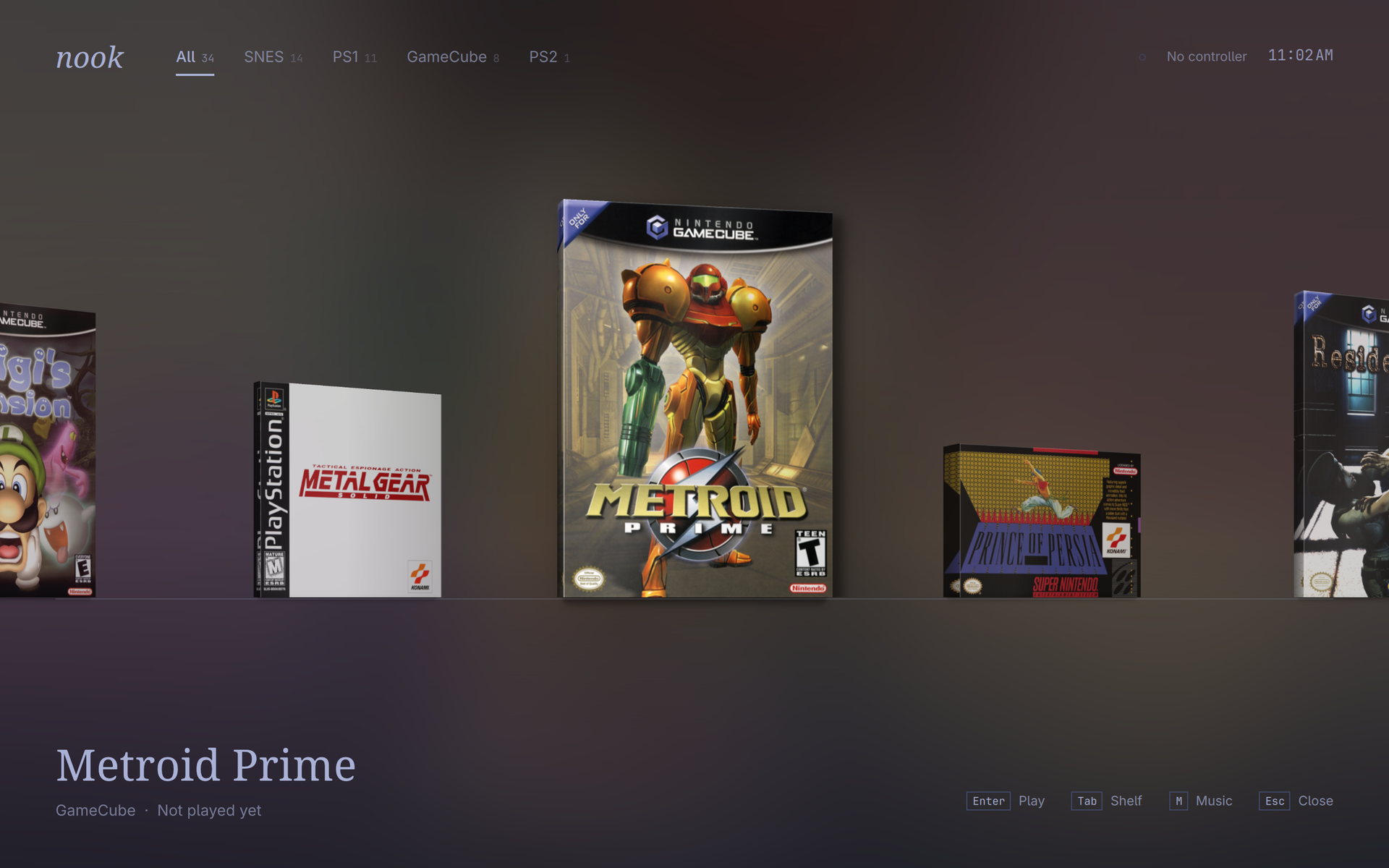
The first release of Nook: a calm little drawer for your retro games. SNES, PS1, GameCube and PS2 on one shelf, driven with a controller and wearing your Omarchy theme.
What's in it
- Real boxes on a real shelf: 3D game boxes with spines cut from their own covers.
- A background that follows the game: it melts through every game you scroll past, then settles on the one you stop at.
- Your theme, live: light or dark, it follows Omarchy's colours as you switch.
- Automatic box art: drop a game in a folder and its cover finds itself, even when the file name doesn't match the server's.
- Controller first: full pad navigation, with A and B the right way round on 8BitDo pads, and hold Select + Start to leave any game.
- Soft sounds: a quiet metallic ring between games, and optional ambient music.
Status on an Apple M1
| System | Runs on | Status |
|---|---|---|
| SNES | RetroArch | Working |
| PS1 | RetroArch | Working |
| PS2 | ARMSX2 | Runs like a dream |
| GameCube | Standalone Dolphin, or RetroArch's core | Not working yet |
Known issue: RetroArch's Dolphin core crashes at startup on Apple Silicon Linux. Nook prefers standalone Dolphin when it's installed, but that route hasn't been run on real hardware yet.
Install
Nook is built for Omarchy on Arch Linux, and needs Qt 6 and SDL3. It doesn't come with any games or BIOS files.
git clone https://github.com/WilliamJohnDavisIII/nook
cd nook
bin/install
The README covers the folder layout, emulators and controls.