Repository navigation
4.0

What's new in 4.0
XReply is now part of XNotify. XNotify now also gives Telegram, WhatsApp, Instagram and every other notification HyperOS's own reply box and buttons, instead of Android's.
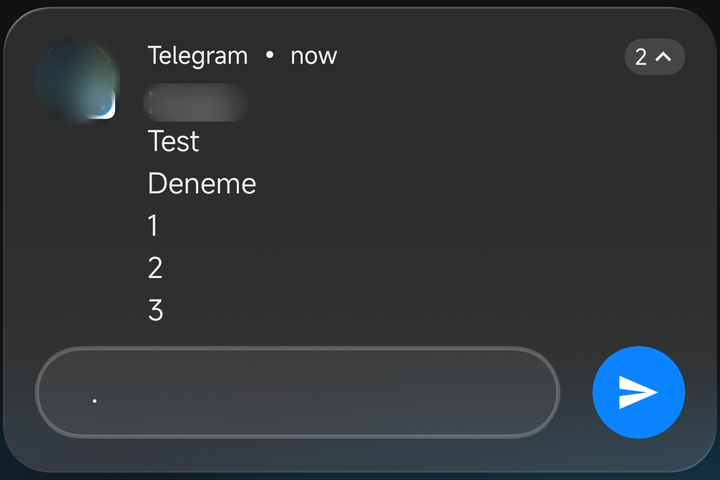
- Xiaomi reply box: Xiaomi's rounded reply box with a round send button, which turns blue when you type.
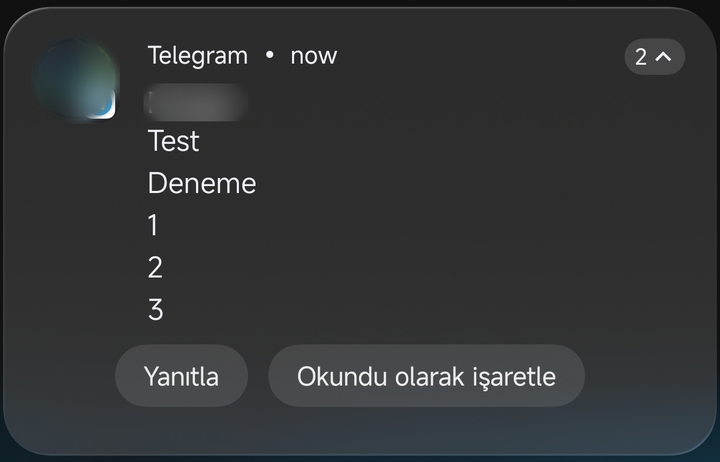
- Xiaomi buttons: Action buttons such as Reply and Like look like Xiaomi's own.
- Sent replies show up: If an app (like Telegram) does not update its notification after you reply, your reply is shown in it and the spinner stops.
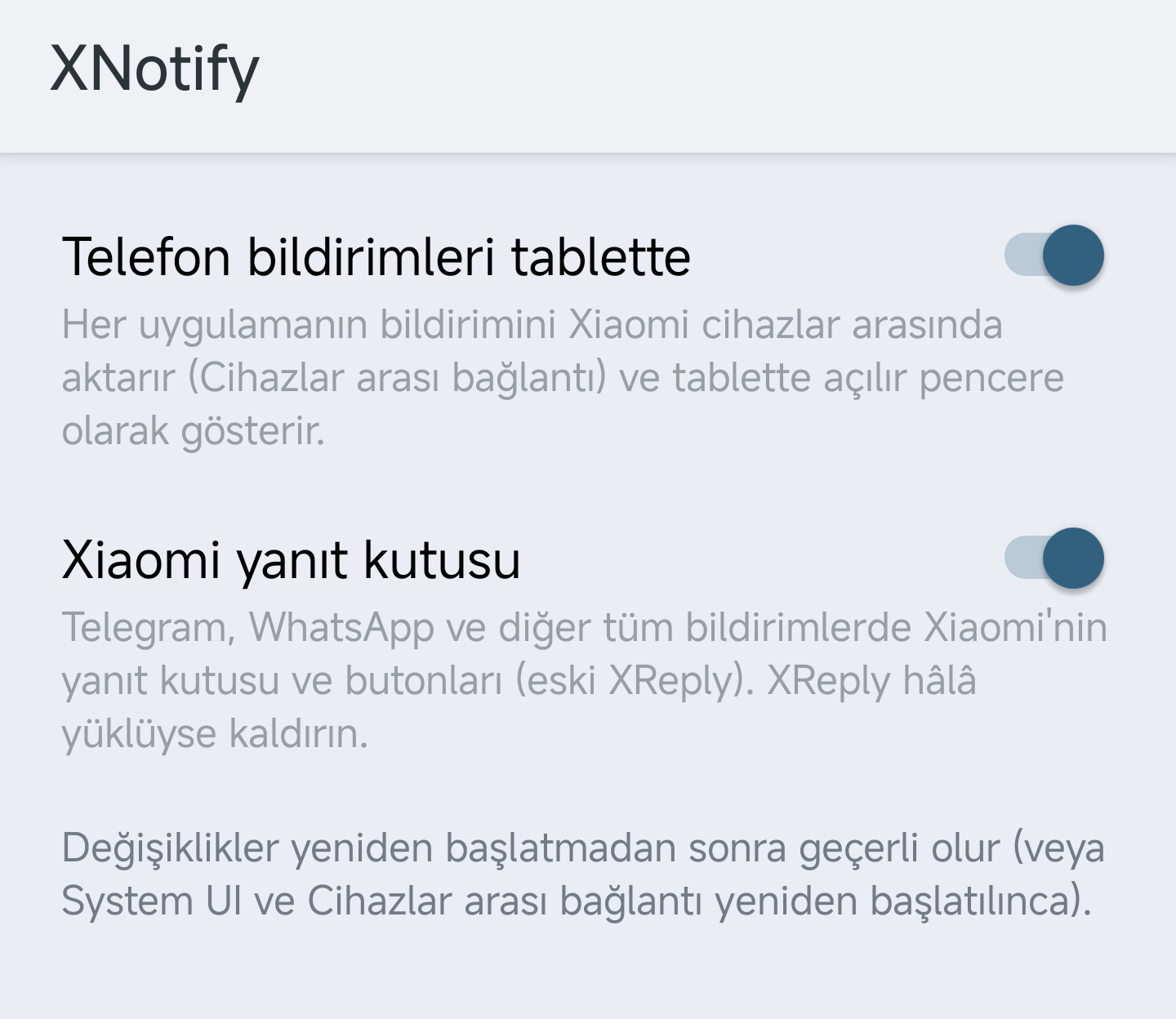
- Settings screen: Tap the settings button next to XNotify in LSPosed. Turn tablet forwarding and the reply box on or off separately. Changes apply after a reboot.
| Xiaomi buttons | Xiaomi reply box | Settings |
|---|---|---|
 |
 |
 |
Using XReply?
Uninstall XReply, install XNotify 4.0 and reboot. While XReply is still installed, XNotify leaves the reply box to it, so the same change is not applied twice.
Updating from 3.x?
Install over the old version and reboot. The reply box uses the System UI scope XNotify already has.
4.0 sürümünde yenilikler
XReply artık XNotify'ın içinde. XNotify, Telegram, WhatsApp, Instagram ve diğer tüm bildirimlere Android'in kutusu yerine HyperOS'un kendi yanıt kutusunu ve butonlarını da getirir.
- Xiaomi yanıt kutusu: Xiaomi'nin yuvarlak yanıt kutusu ve yazınca maviye dönen yuvarlak gönder butonu.
- Xiaomi butonları: Yanıtla, Beğen gibi butonlar Xiaomi'nin kendi butonları gibi görünür.
- Gönderilen yanıt görünür: Uygulama (ör. Telegram) yanıttan sonra bildirimini güncellemezse yanıtınız bildirimde gösterilir, dönen simge durur.
- Ayar ekranı: LSPosed'da XNotify'ın yanındaki ayar düğmesine dokunun. Tablete aktarmayı ve yanıt kutusunu ayrı ayrı açıp kapatın. Değişiklikler yeniden başlatmadan sonra geçerli olur.
XReply kullanıyor musunuz?
XReply'ı kaldırın, XNotify 4.0'ı kurun ve yeniden başlatın. XReply yüklü kaldıkça XNotify yanıt kutusuna dokunmaz, böylece aynı değişiklik iki kez uygulanmaz.
3.x'ten mi güncelliyorsunuz?
Eski sürümün üzerine kurun ve yeniden başlatın. Yanıt kutusu, XNotify'ın zaten sahip olduğu System UI kapsamını kullanır.
Feedback / Geri bildirim: @emcleek